
Touch Portal
Optimize your workflow!
Entwickelt für iPhone, iPad, iPod touch
Kostenlos · In-App-Käufe
- Altersfreigabe4+
- KategorieProduktivität
- EntwicklerRils
- SprachenEnglisch+ 1 weitere
- Größe10,4 MB
Verlinkt auf die offizielle App Store-Seite
Download.org hostet keine Datei von Touch Portal. Die Schaltfläche öffnet die App-Seite bei App Store, wo Rils die App veröffentlicht. Eintrag zuletzt geprüft am 28.11.2026.
Screenshots
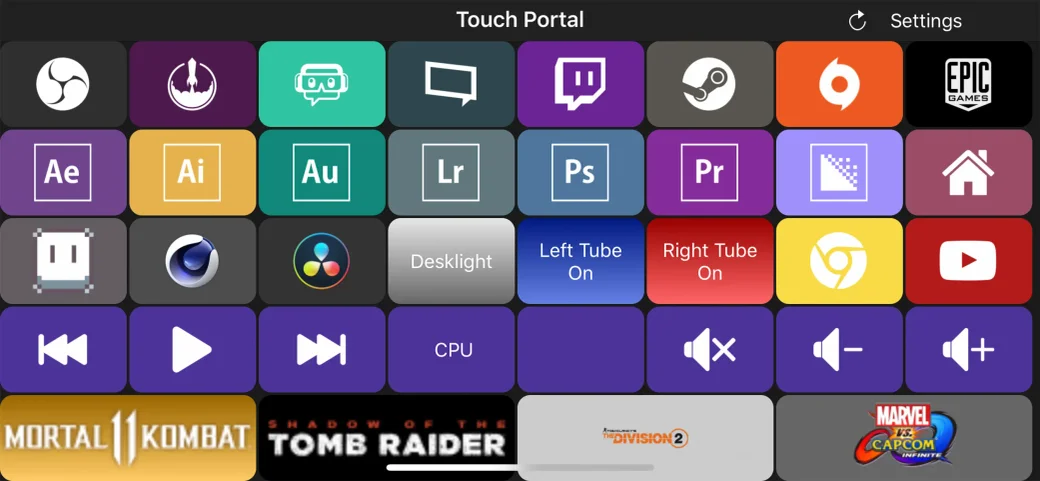

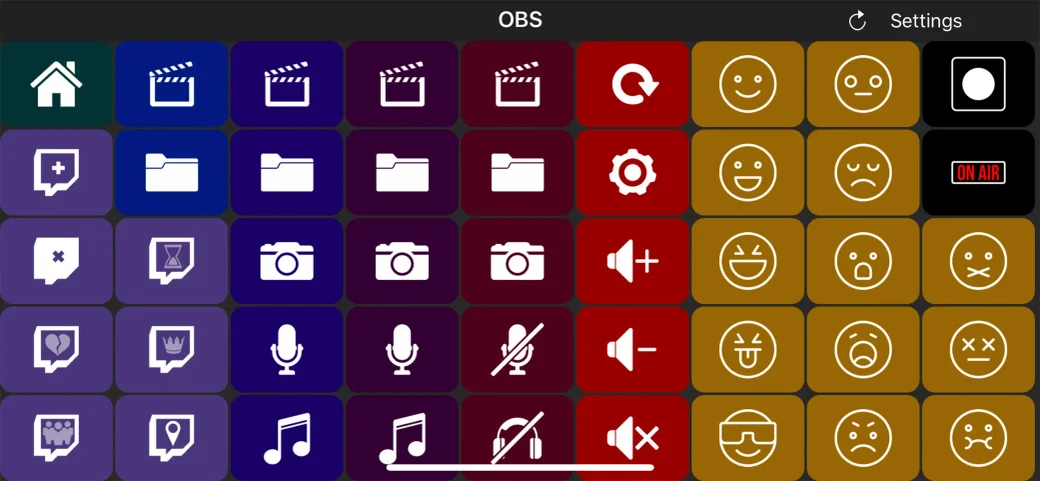

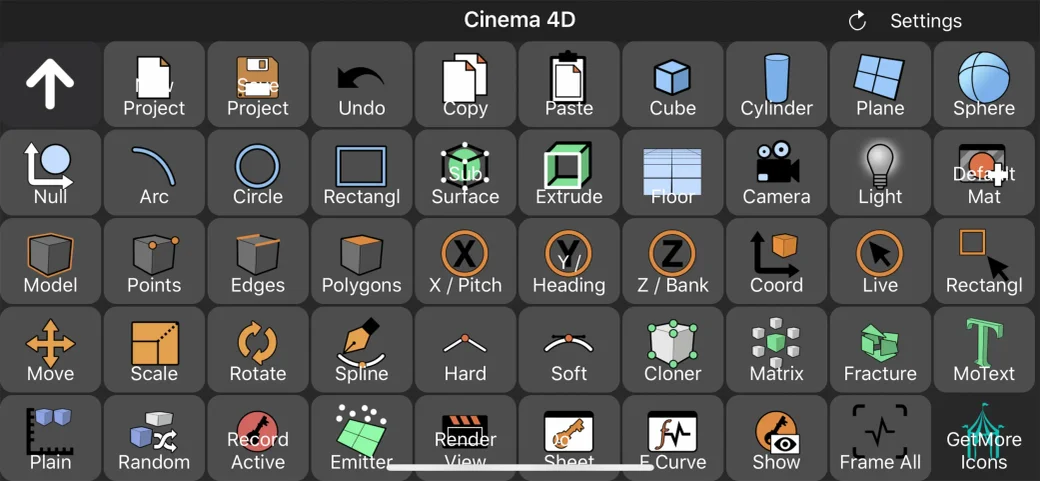
Info
Der Entwickler hat diesen Text nicht in Ihrer Sprache bereitgestellt.
Touch Portal is the #1 All-in-One Remote Control Macro and Stream app for Phones and Tablets with a deck of buttons as a board on your desk and workspace.
You will get the following features:
- OBS STUDIO INTEGRATION (OBS web-socket required)
- STREAMLABS OBS INTEGRATION
- STREAMELEMENTS OBS.LIVE INTEGRATION (OBS web-socket required)
- ADOBE PHOTOSHOP INTEGRATION
- ADOBE LIGHTROOM CLASSIC INTEGRATION
- REMOTE CONTROL PC AND/OR MAC
- XSPLIT INTEGRATION
- TWITCH INTEGRATION
- HOME AUTOMATION
- PHILIPS HUE INTEGRATION
- MACRO BUTTONS
- SMART TOUCH BUTTONS
- CUSTOMIZABLE LOOK AND FEEL
- COMMUNITY-DRIVEN DEVELOPMENT
Touch Portal is a companion app to control a PC or a Mac by using a deck of buttons to improve the workflow & productivity of game streamers, content creators and professionals.
Touch Portal gives you all the essential controls you’d need, we keep adding more features every update! With Touch Portal you are allowed up to 110 unique buttons per page for the Pro version, not to mention you could use the pages to even increase this!
Use it as a Macro Deckboard or Shortcut Board for your video and photo editing software and edit faster and more efficient.
Use cases:
- Game streamers:
Stream your games while having total control of your broadcast overlays with a deck of buttons.
- Video editors:
Edit your videos faster, easier and smarter with a fully customizable page with the buttons you use most often on your Touch Portal deck. Create macros and shortcut buttons to optimize your workflow.
- Photo editors:
Edit your photos faster, you don't have to learn all the shortcuts the photo editing software gives you, just add the action you want to the "Touch Portal Desktop" app and start editing.
- Professionals:
Create your own customizable page to improve your productivity and workflow. The app is an extension of your keyboard, with much more features.
IMPORTANT!:
* You need to download the "Touch Desktop" app on your PC or your Mac to use this app. Please go to our website to download it from our website.
https://www.touch-portal.com/
Please join us at our Discord server for the fastest help. We are daily available on discord, our community is also willing to help you further with your Touch Portal experience.
Discord server: https://discord.gg/MgxQb8r
Neue Funktionen
Version 4.7.1 · 19.10.2026
We have improved functionality for windowed modes and fixed a few bugs related the screensaver.
App-Datenschutz
Was Rils im App Store zum Umgang dieser App mit Daten angibt.
-
Keine Daten erfasst
Der Entwickler erfasst keine Daten von dieser App.
Die Datenschutzpraktiken können variieren, zum Beispiel je nach den von Ihnen verwendeten Funktionen oder Ihrem Alter.
Informationen
- Anbieter
- Rils
- Kategorie
- Produktivität
- Version
- 4.7.1
- Aktualisiert
- 19.10.2026
- Veröffentlicht
- 03.08.2018
- Größe
- 10,4 MB
- Erfordert
- iOS 13.0 oder neuer
- Altersfreigabe
- 4+
- Preis
- Kostenlos
- In-App-Käufe
- Ja
- Sprachen
- Englisch, Niederländisch
- Copyright
- © Rils
Das könnte Ihnen auch gefallen
-
 Elgato Stream Deck MobileProduktivität
-
 Deckboard: Macropad for PCProduktivität
-
 OverdeckProduktivität
-
 Duet Air - Remote DesktopProduktivität
-
 spacedesk - USB Display für PCZweites Display für Windows-PC
-
 KDE ConnectProduktivität
-
 MATRIC: Custom Control PanelsProduktivität
-
 EasyCanvas -Graphic tablet AppProduktivität
-
 Duet DisplayBe Twice As Productive
-
 Luna DisplayProduktivität