TrialPad - Trial Presentation
Organize & Present Evidence
Entwickelt für iPhone, iPad, Mac
Kostenlos · In-App-Käufe
- Altersfreigabe4+
- KategorieWirtschaft
- EntwicklerLIT SOFTWARE, LLC
- SprachenEnglisch
- Größe62,4 MB
Verlinkt auf die offizielle App Store-Seite
Download.org hostet keine Datei von TrialPad - Trial Presentation. Die Schaltfläche öffnet die App-Seite bei App Store, wo LIT SOFTWARE, LLC die App veröffentlicht. Eintrag zuletzt geprüft am 12.11.2026.
Screenshots

Info
Der Entwickler hat diesen Text nicht in Ihrer Sprache bereitgestellt.
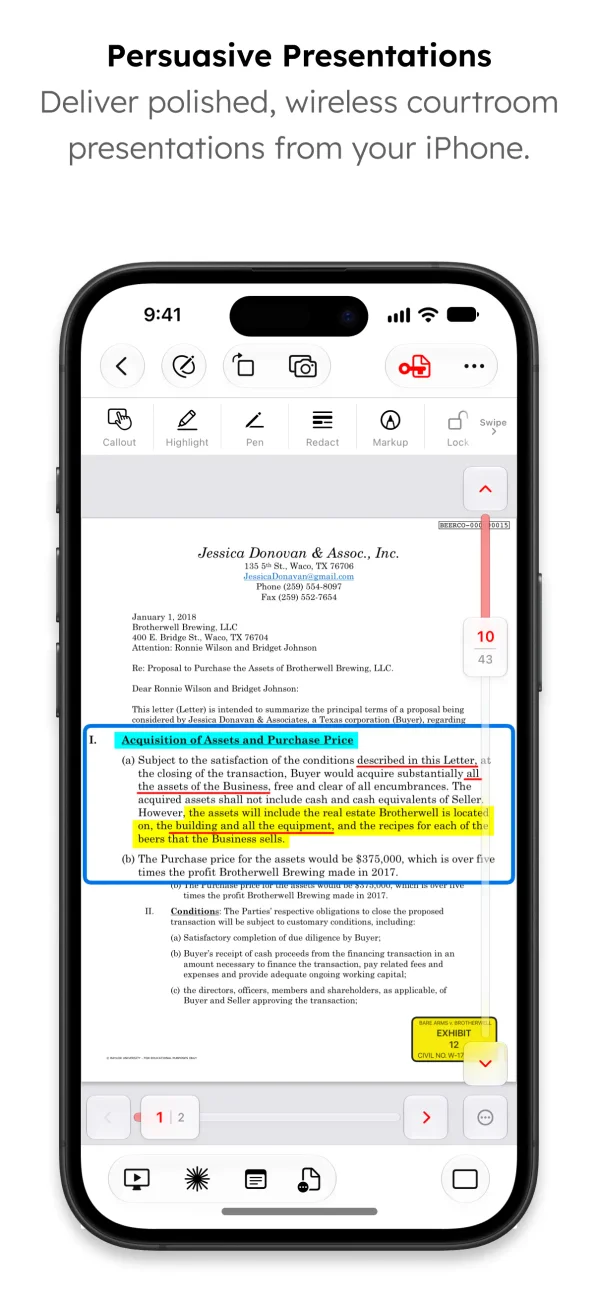
TrialPad is the award-winning trial presentation app for iPad, iPhone, iPhone Duo, and Mac, all included with one LIT SUITE subscription. Organize your evidence, then present documents, photos, video, and audio wirelessly in the courtroom or a remote setting, from whichever device you have with you.
Call out and highlight key passages, compare documents side by side, play and edit video clips, add exhibit stickers, and search every word of your case. TrialPad integrates with your Windows workflow, is powerful, easy to use, and a fraction of the cost of traditional or cloud-based programs, all while being secure, private, mobile, and efficient.
TrialPad was named “The Best Trial Presentation App” with an A+ TechnoScore by LitigationWorld. Since 2010, LIT SOFTWARE has set the bar for developing the best in litigation apps, garnering awards for innovation and ease of use. Our apps have been featured by Apple, and are loved by lawyers.
**** LIT SUITE REVIEWS ****
“The short review. Wow.”
“TrialPad offers a full trial presentation system in a simple-to-use package at a fraction of the cost.”
“These are incredibly sophisticated and useful apps that are in many ways more powerful than PC software costing hundreds of dollars more.”
“For anybody doing any amount of trial work...TrialPad is a must have application.”
“TrialPad is the perfect case organizer and presenter.”
“TrialPad is one of the most complete and high tech presentation systems designed for lawyers and it is available right on your iPad [and Mac].”
“TrialPad...is the industry leader.”
**** Core Features - iPad, iPhone, iPhone Duo, and Mac ****
• Full electronic courtroom presentation, no cloud connection needed
• Present via HDMI to a TV or projector, or wirelessly using an Apple TV
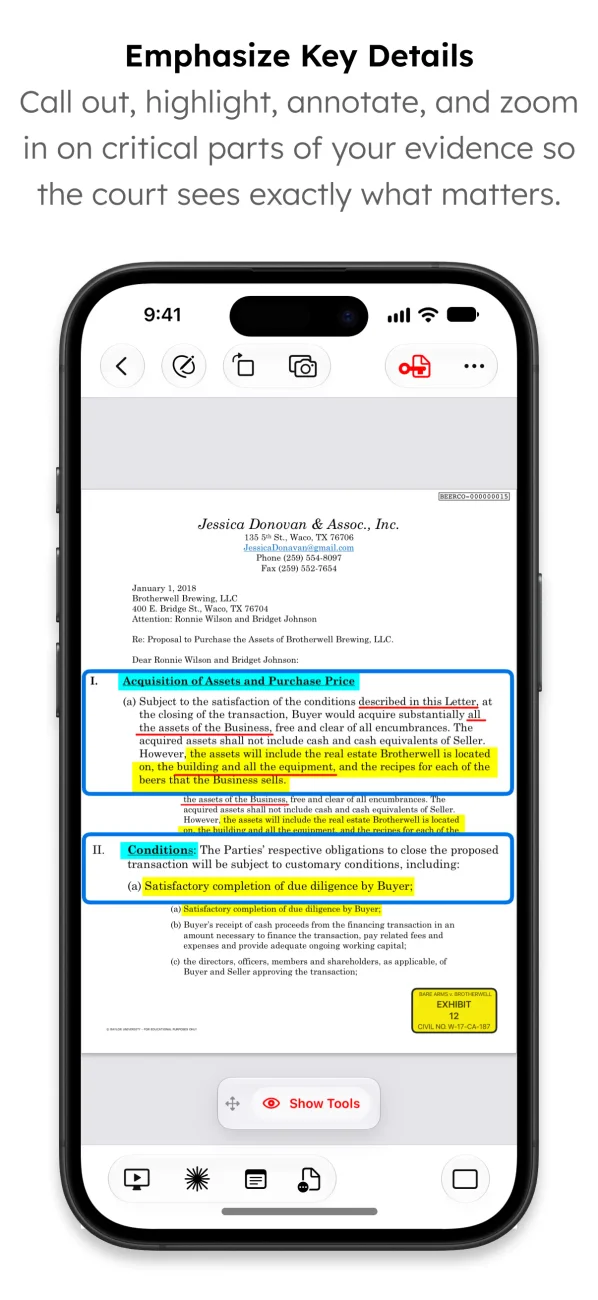
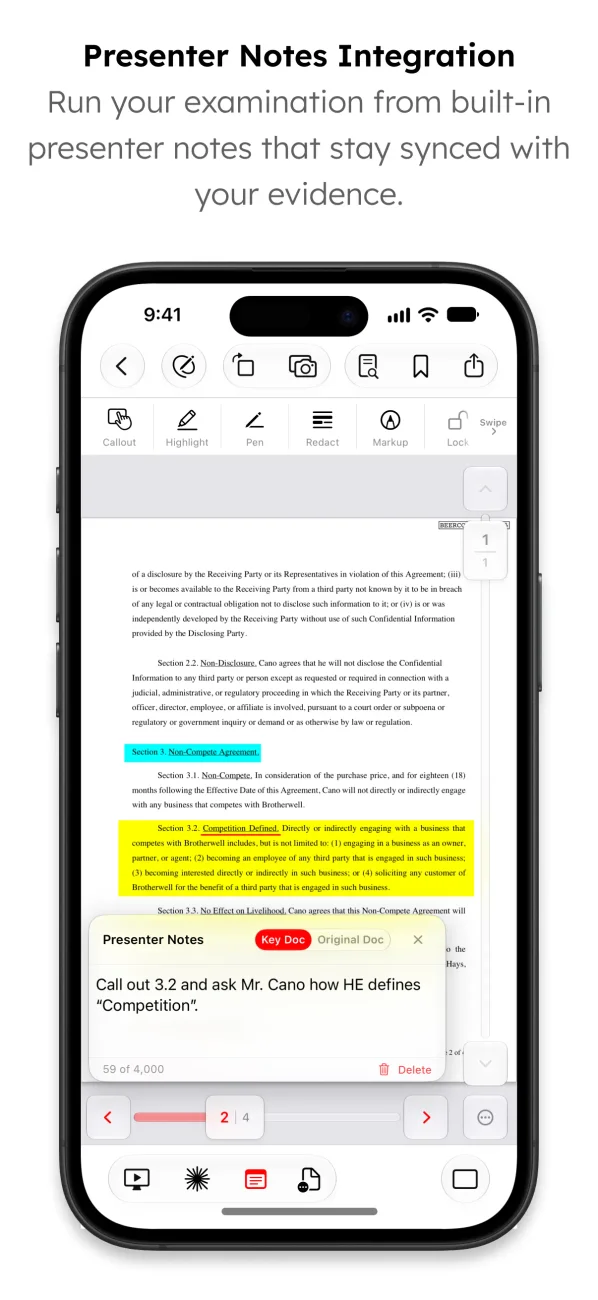
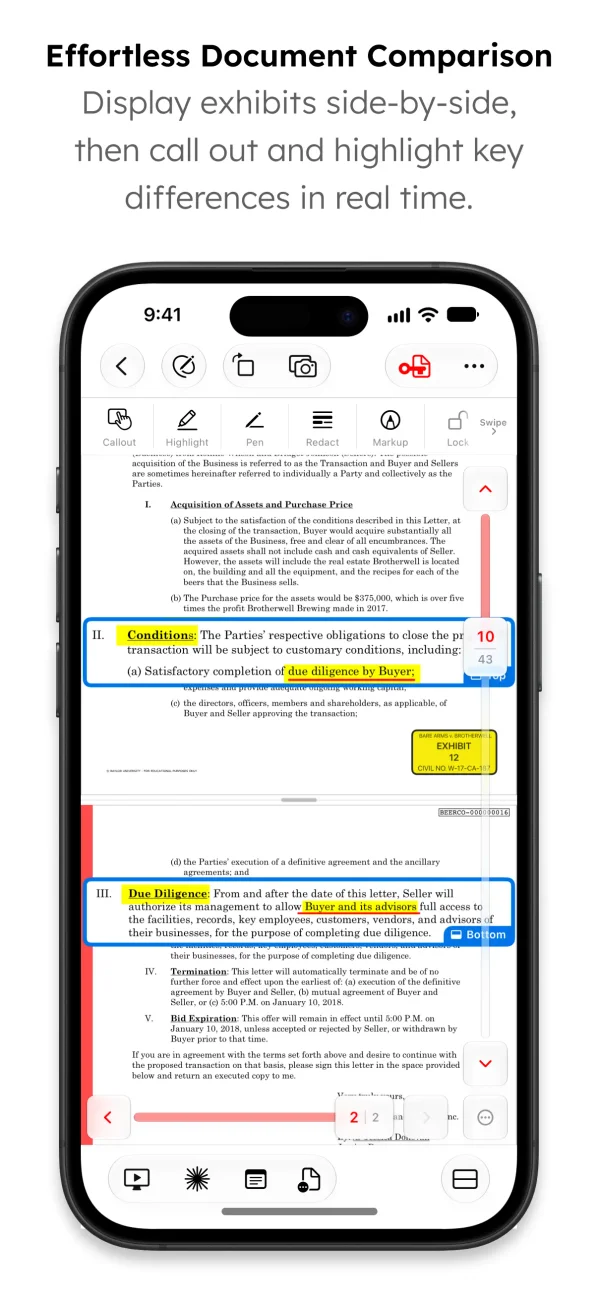
• Create callouts you can resize with a pinch, recolor, and use to dim the rest of the page
• Highlight, annotate, redact, and zoom in, or circle key areas with the Laser Trail tool
• Split View shows two documents, two videos, or a video next to a document
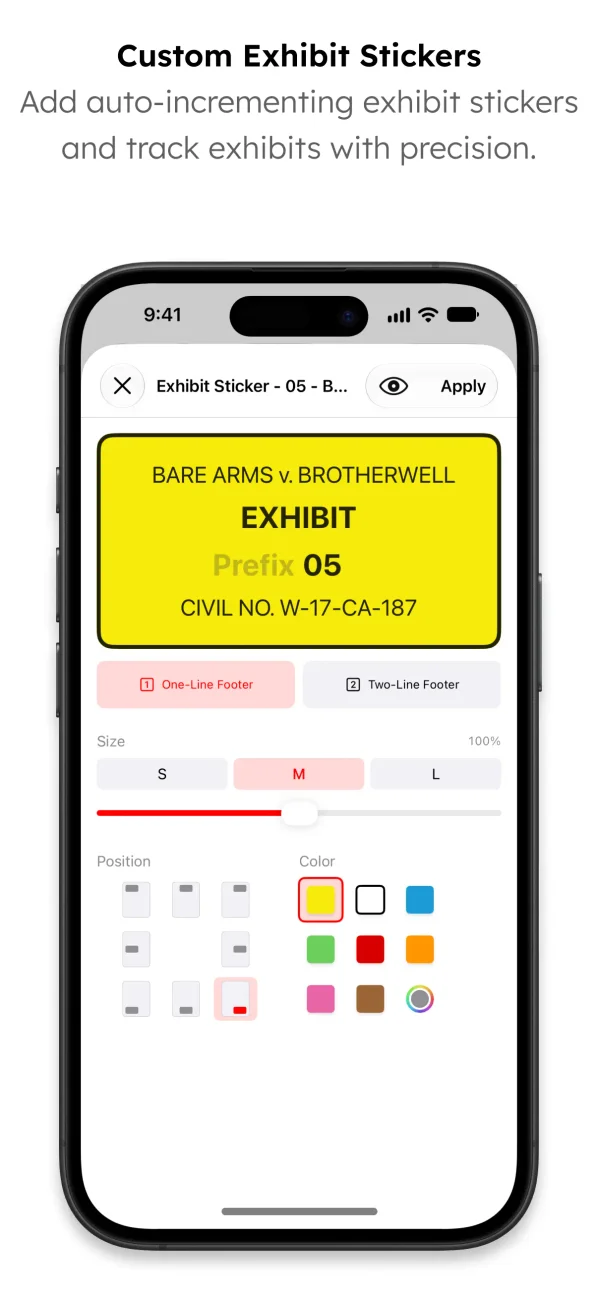
• Add auto-incrementing exhibit stickers and mark documents as admitted
• Run your examination from presenter notes, with timestamps that jump to that moment in a video
• Play, loop, and edit video clips, change playback speed, and capture still frames
• Bookmark document pages and video timestamps
• Create Key Docs from important pages or video segments, and draw on whiteboards
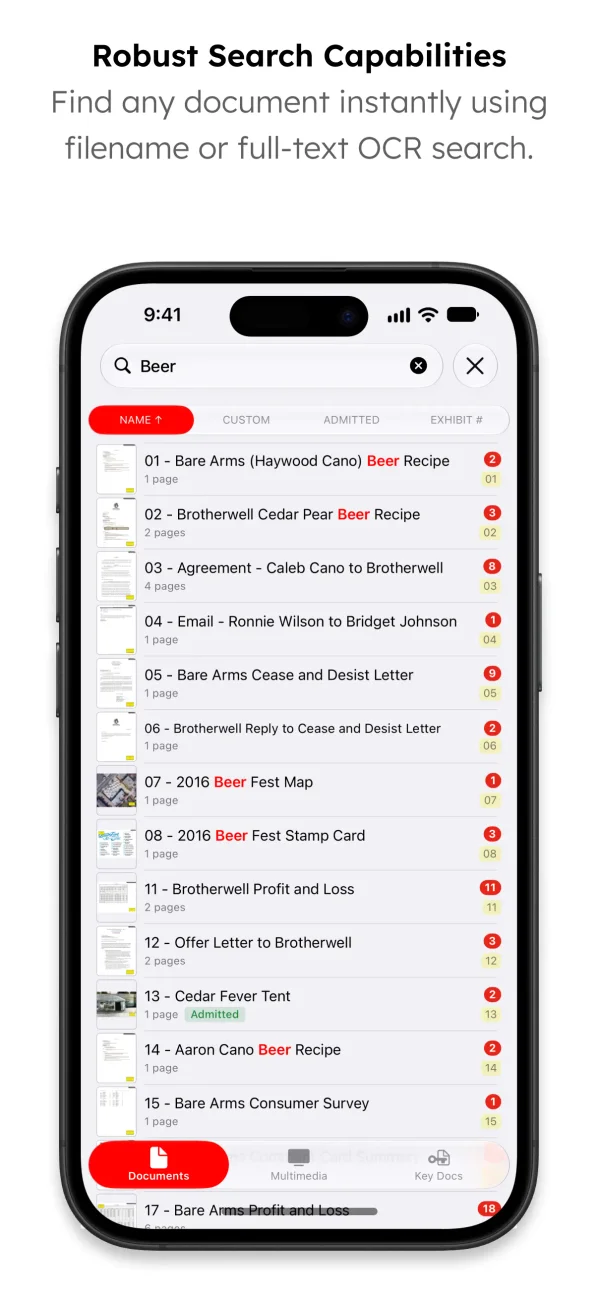
• Search file names or full text across a document, a folder, or the whole case
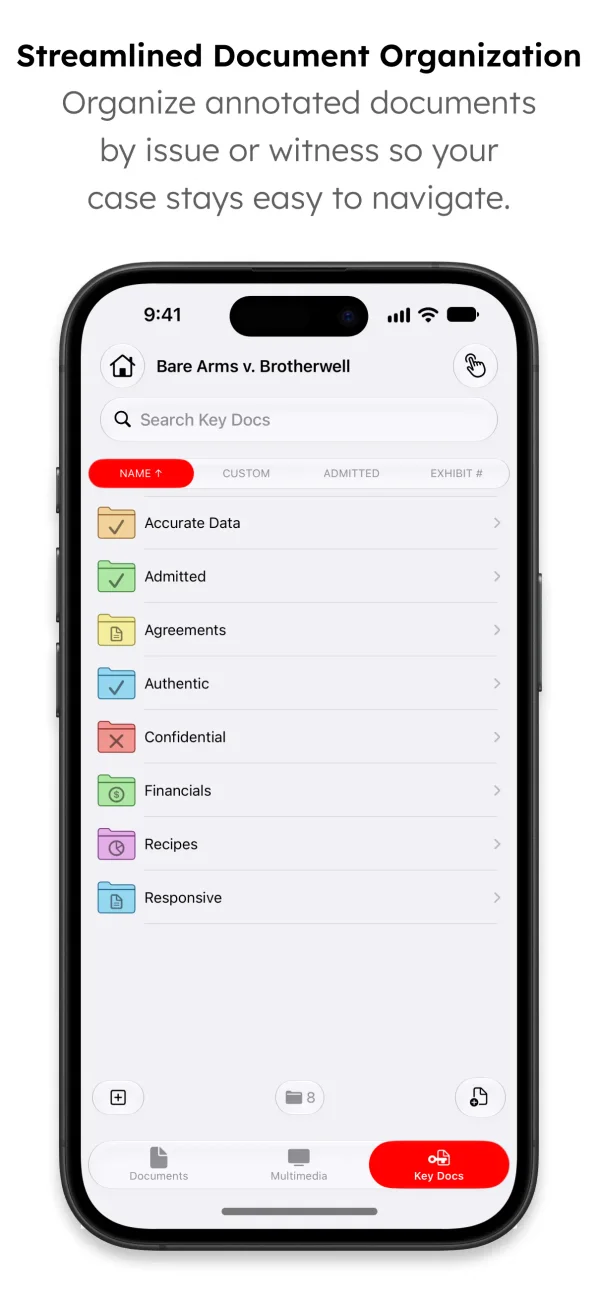
• Organize evidence into witness or issue folders, and swipe to mark Admitted, add a sticker, or export
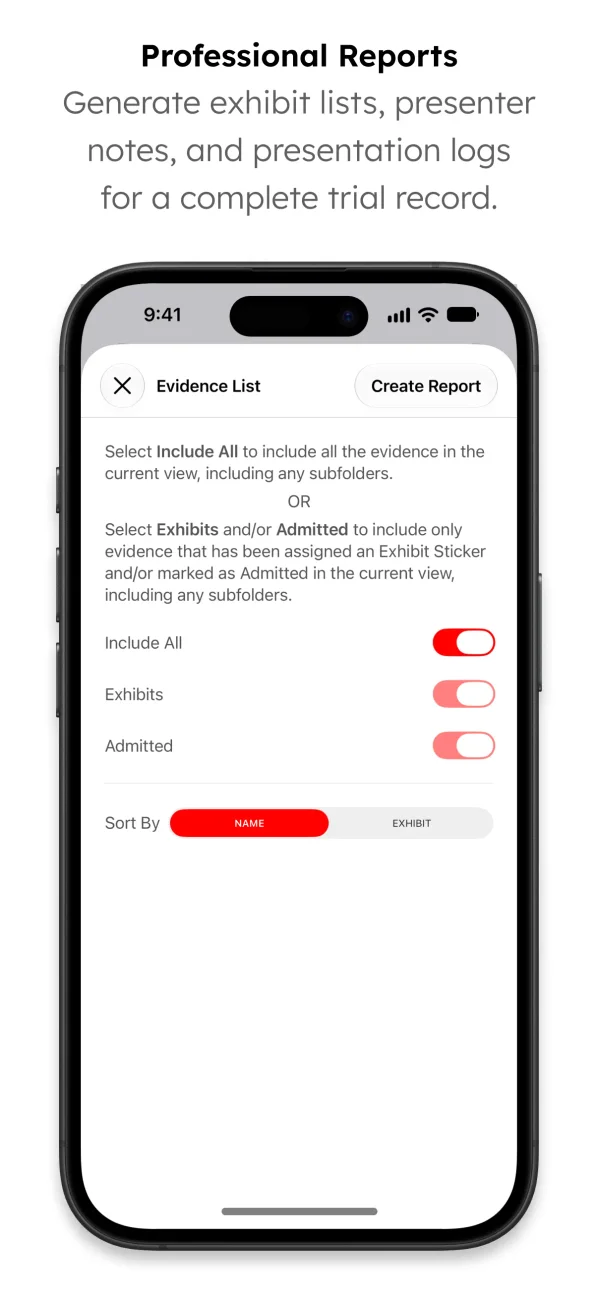
• Create reports of your evidence, presenter notes, or a time-stamped presentation log
• Use War Room Mode to share your case with co-counsel and clients
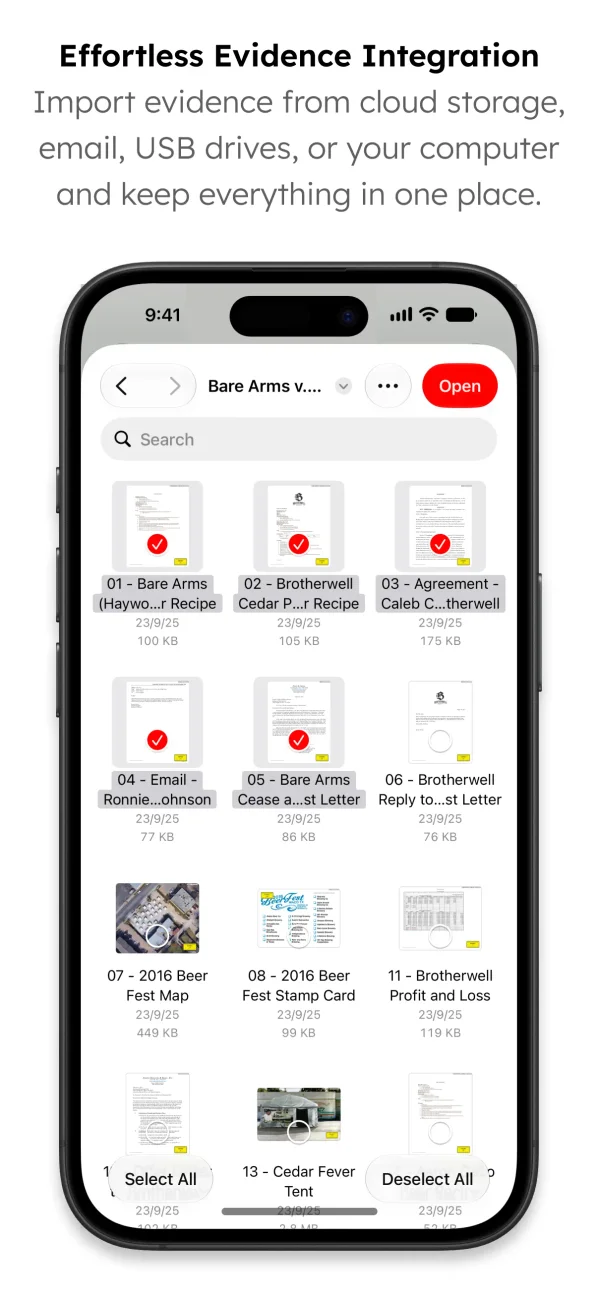
• Import from email, USB drive, AirDrop, ZIP files, or cloud storage providers like Box, Citrix Files, Dropbox, Google Drive, Microsoft OneDrive, and many more
• Import production sets and videos from DocReviewPad, and synced video depositions, reports, and impeachment slides from TranscriptPad
• Share entire case files using cloud storage or a USB drive
• File formats supported: PDF, JPG, PNG, TIF, TXT, video and audio
**** Optimized for iPhone and iPhone Duo - Your Entire Case in Your Pocket ****
• Review and present your evidence anywhere, right from your iPhone
• Unfold iPhone Duo for a larger view of documents and video, and write with Apple Pencil
**** Optimized for iPad and Mac - Built for the Courtroom ****
• Buttery smooth handwriting with Apple Pencil on iPad
• Keyboard shortcuts and right-click menus on Mac
LIT SUITE SUBSCRIPTION
One subscription gives you access to all LIT SUITE apps on iPhone, iPhone Duo, iPad, and Mac. After your 7-day free trial, your App Store account will be charged and your subscription will renew automatically unless canceled in advance. Manage your subscription in your App Store account settings.
Neue Funktionen
Version 26.11.2 · 31.10.2026
• NEW / IMPROVED
– Improved DocReviewPad production imports to bring videos into the TrialPad Multimedia tab with their associated issue codes and timecode bookmarks.
– Ongoing performance and usability improvements.
• FIXED
– Improved sync conflict handling to provide a more consistent experience when the same Case File is edited across multiple devices.
– Fixed an issue where War Room Mode settings were not retained when opening a Case File.
– Fixed an issue where pressing and holding a video in the multimedia player did not play it at 2x speed.
– Fixed an issue where the Page and Entire Document options for Key Docs appeared below the Key Docs list instead of next to the Add button.
– Additional bug fixes and stability improvements.
Please let us know if you encounter an issue or have other feedback. We value your feedback as it helps us address issues, refine features, and update documentation.
– Visit our Help Center: https://support.litsoftware.com
– Email Support: support@litsoftware.com
– Learn Online with LIT SUITE Academy: https://learn.litsoftware.com
App-Datenschutz
Was LIT SOFTWARE, LLC im App Store zum Umgang dieser App mit Daten angibt.
-
Mit Ihnen verknüpfte Daten
Können erfasst und mit Ihrer Identität verknüpft werden.
- Kontaktinformationen
- Kennungen
-
Nicht mit Ihnen verknüpfte Daten
Können erfasst werden, sind aber nicht mit Ihrer Identität verknüpft.
- Nutzungsdaten
- Diagnose
Die Datenschutzpraktiken können variieren, zum Beispiel je nach den von Ihnen verwendeten Funktionen oder Ihrem Alter.
Informationen
- Anbieter
- LIT SOFTWARE, LLC
- Kategorie
- Wirtschaft
- Version
- 26.11.2
- Aktualisiert
- 31.10.2026
- Veröffentlicht
- 30.01.2021
- Größe
- 62,4 MB
- Erfordert
- iOS 26.0 oder neuer
- Altersfreigabe
- 4+
- Preis
- Kostenlos
- In-App-Käufe
- Ja
- Sprachen
- Englisch
- Copyright
- © 2010-2026 LIT SOFTWARE, LLC
Das könnte Ihnen auch gefallen
-
 Jurybox - Jury SelectionProduktivität
-
 Case Crafter - Trial PresenterProduktivität
-
 JuryBoardWirtschaft
-
 Timeline PresenterOrganize & share complex data
-
 Honey JurorWirtschaft
-
 Case Notebook E-TranscriptWirtschaft
-
 Lexis®Wirtschaft
-
 NetDocumentsWirtschaft
-
 Lexis+® with Protégé™ MobileWirtschaft
-
 NTL EventsWirtschaft