
- Altersfreigabe4+
- KategorieNavigation
- Entwicklertktk studio
- SprachenEnglisch
- Größe71,3 MB
Verlinkt auf die offizielle App Store-Seite
Download.org hostet keine Datei von Tunnel Rat. Die Schaltfläche öffnet die App-Seite bei App Store, wo tktk studio die App veröffentlicht. Eintrag zuletzt geprüft am 20.11.2026.
Screenshots


Info
Der Entwickler hat diesen Text nicht in Ihrer Sprache bereitgestellt.
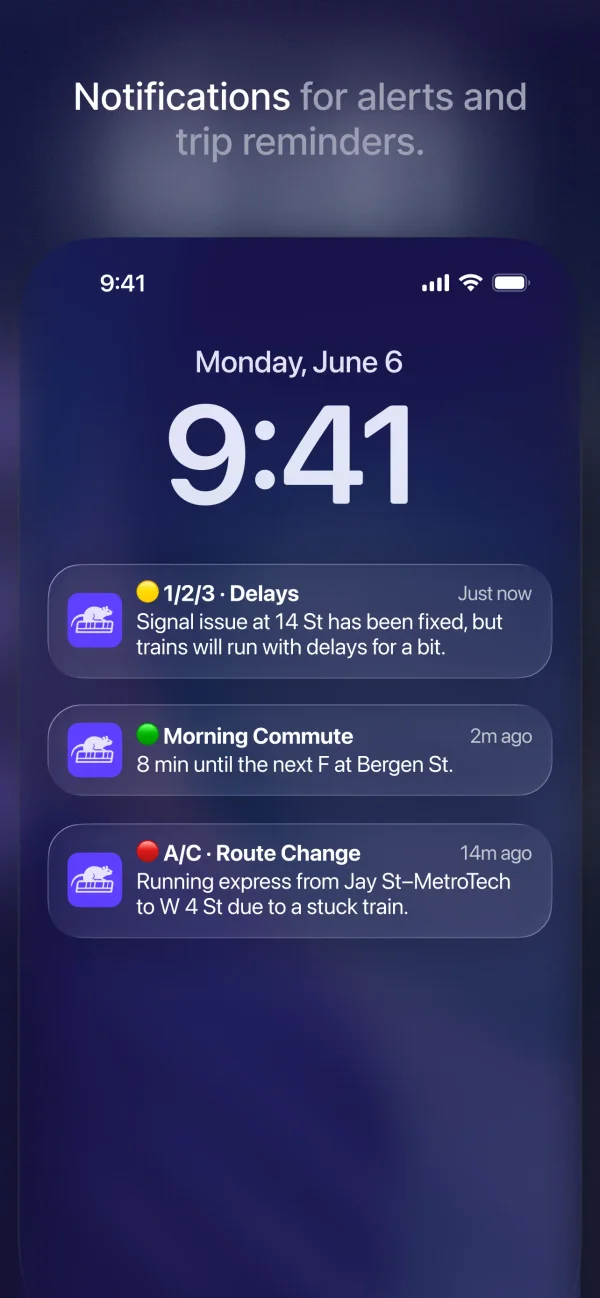
Tunnel Rat is New York's underground expert—a fast, native app for riding the subway. Live arrival times, alert summaries, and everything else you need to get around the city.
WHAT'S INSIDE
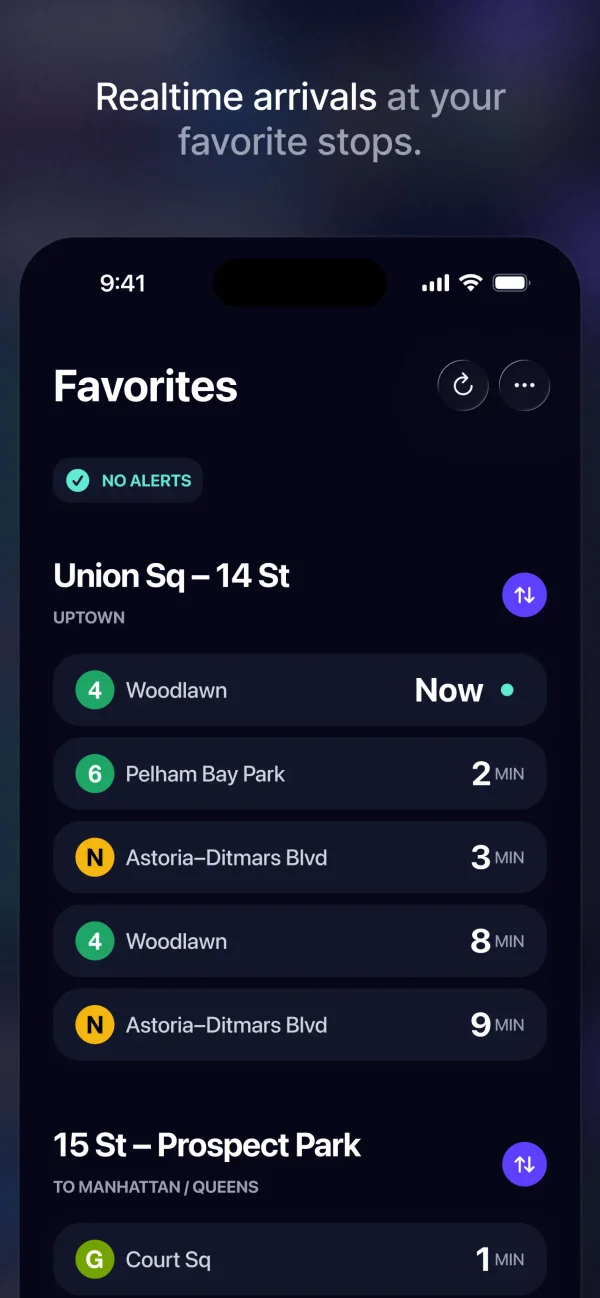
• Realtime arrivals—countdowns for every line at every stop, so you know whether to run or relax.
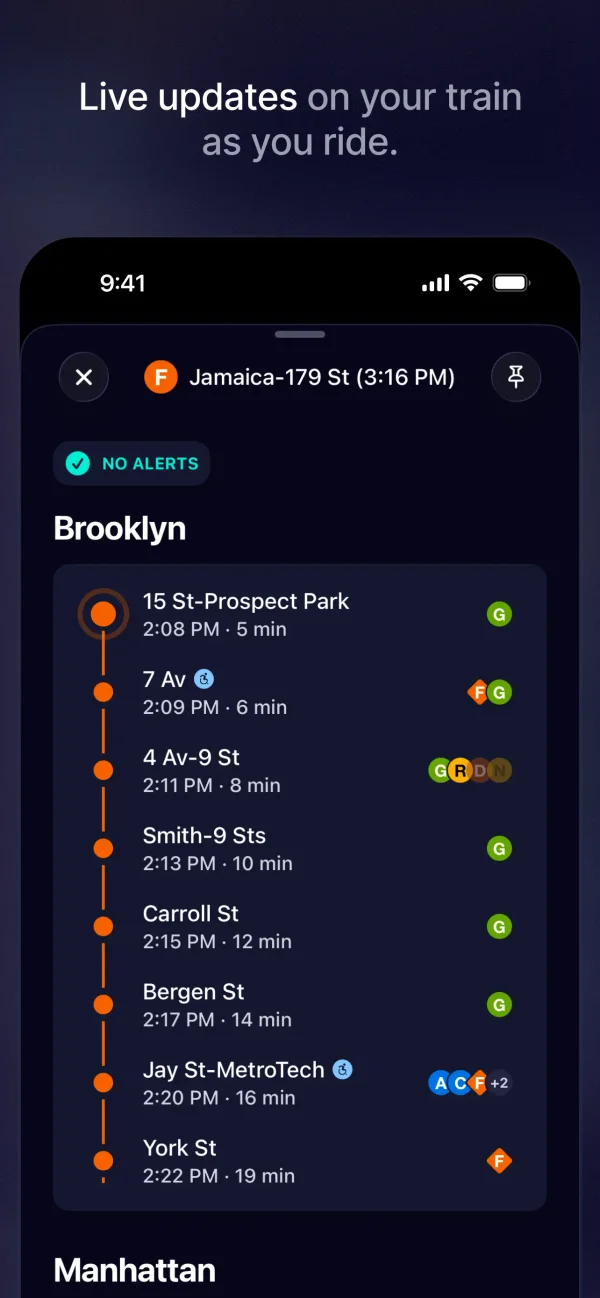
• Live train updates—stop-by-stop estimates on the train you're on, so you can follow along and plan ahead.
• Service alerts—tight summaries of planned work and service changes on your lines, with the MTA's original wording one tap away.
• Trip planning—point-to-point routes with the transfers, walking, and timing that actually make sense underground.
• Departure reminders—tell Tunnel Rat when you need to arrive, and get a nudge when it's time to head for the train. Optional.
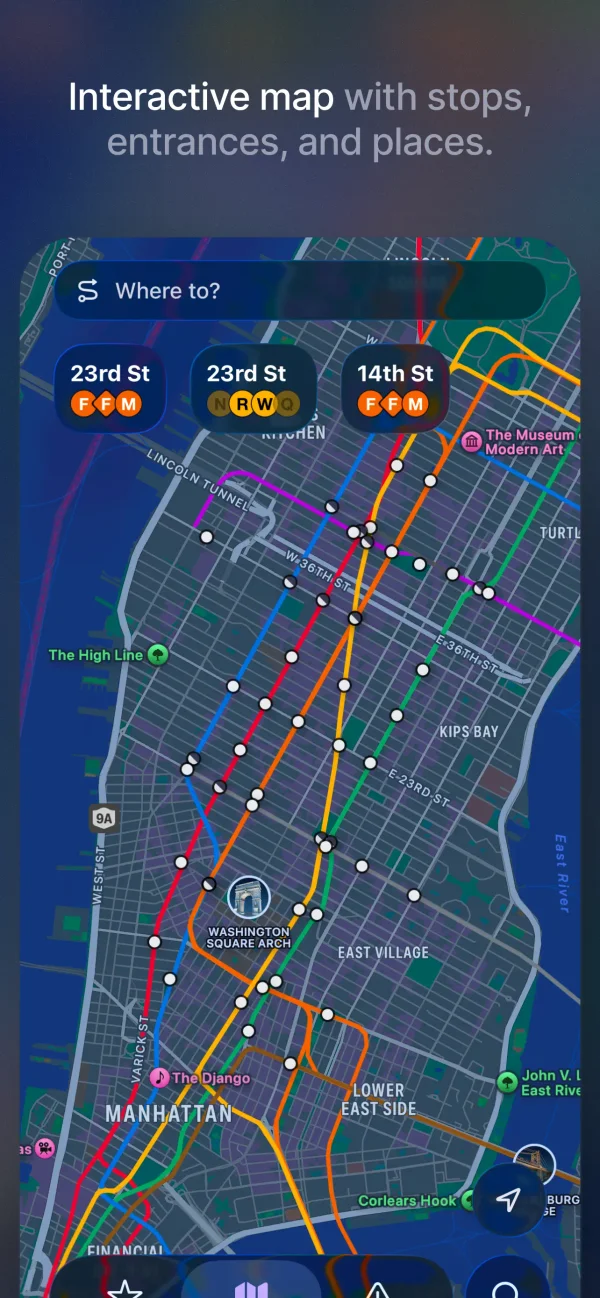
• Nearby stations—open the app and see the stops around you, with the next trains at each.
• Favorites that stick—pin the stops you ride every day and see them the moment you open the app.
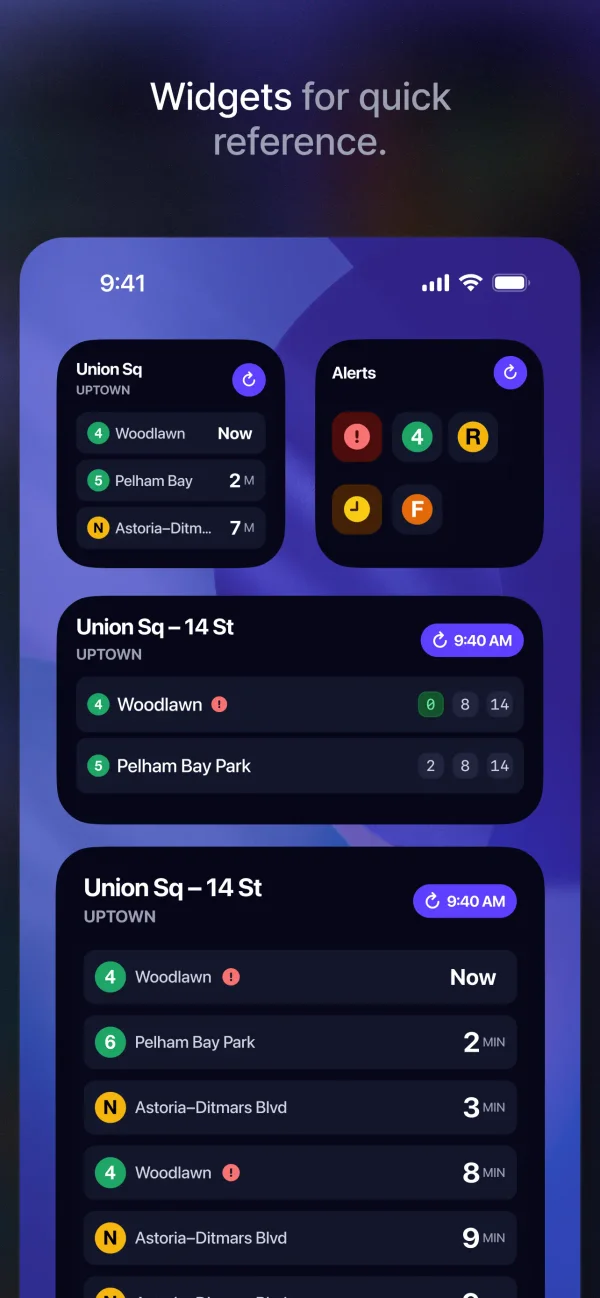
• Home Screen widgets—your stops and their next arrivals, without opening the app.
• Built for bad signal—designed to hold up on a spotty platform, with automatic fallbacks built in.
• Accessibility features—covering both the subway (like elevator & escalator status and accessible trip planning) and usability (VoiceOver, high contrast, reduced motion, and more).
MADE FOR NEW YORK
Tunnel Rat covers the NYC subway—that's it. No fifty-city compromise, just the system you actually ride, done right. Train data comes from the Metropolitan Transportation Authority (MTA). Tunnel Rat is an independent app and is not affiliated with, sponsored by, or endorsed by the MTA.
Neue Funktionen
Version 1.1.2 · 07.09.2026
Improved
- Smarter cushion on Time to Go reminders. Trains sometimes arrive a minute or two before the countdown says, especially further out. Your leave-now push now fires a bit earlier—more so for longer walks—so an early train doesn’t slip away without you.
- More honest backup times. When live arrival data is out—an MTA data outage, or you’re deep offline—the app’s estimated times now reflect how often trains actually run at your stop, measured from real service, instead of trusting the paper schedule. The banner says so too: “MTA Data Outage · Showing Estimates.”
Fixed
- Every station name now works in search. At transfer hubs that carry more than one name—like Franklin Av–Medgar Evers College, which connects to Botanic Garden—some names quietly matched nothing. Searching any of a hub's names now finds it, with a small note when your match came from a connected station's name.
- Reordering favorites works again. Dragging stops into a new order used to snap right back. The reorder screen has been rebuilt with drag that sticks—plus new up and down arrows for when dragging won't cooperate.
- Alerts say which direction again. When a change only affects one direction—Coney Island-bound trains skipping a stop, say—the alert now leads with that, in the MTA’s own words. It used to get dropped, which made a one-way change read like the whole line was out.
- The nearby stop card actually shows up. Open the app while you’re standing in a station and the nearby stop card now appears within a second or two. Before, it often waited until you’d walked most of a block—which, if you were waiting on a platform, meant it never appeared at all.
- Your pinned train stays put. Swiping away the nearby stop card can’t take your pinned train with it anymore. The two share one spot at the bottom of Faves, so only one shows at a time—and a pin still only clears when you remove it or the train has gone.
App-Datenschutz
Was tktk studio im App Store zum Umgang dieser App mit Daten angibt.
-
Mit Ihnen verknüpfte Daten
Können erfasst und mit Ihrer Identität verknüpft werden.
- Kontaktinformationen
- Benutzerinhalte
-
Nicht mit Ihnen verknüpfte Daten
Können erfasst werden, sind aber nicht mit Ihrer Identität verknüpft.
- Kennungen
- Diagnose
- Sonstige Daten
Die Datenschutzpraktiken können variieren, zum Beispiel je nach den von Ihnen verwendeten Funktionen oder Ihrem Alter.
Informationen
- Anbieter
- tktk studio LLC
- Kategorie
- Navigation
- Version
- 1.1.2
- Aktualisiert
- 07.09.2026
- Veröffentlicht
- 10.07.2026
- Größe
- 71,3 MB
- Erfordert
- iOS 26.0 oder neuer
- Altersfreigabe
- 4+
- Preis
- Kostenlos
- Sprachen
- Englisch
- Copyright
- © 2026 tktk studio LLC
Das könnte Ihnen auch gefallen
-
 NYC Subway Times WidgetNavigation
-
 New York MTA Made EasyReisen
-
 Transit Pulse: NYC SubwayNavigation
-
 NYCSubwayLiveReisen
-
 NYC Subway LogReisen
-
 Now Departing: NYC SubwayNavigation
-
 NYC Subway TrackerReisen
-
 Subway Now: Live NYC Train MapNavigation
-
 Sidewalk – Walk Every BlockNavigation
-
 NYC Subway WidgetNavigation