
- Altersfreigabe4+
- KategorieProduktivität
- Entwickler国辉 满
- SprachenEnglisch+ 20 weitere
- Größe1,5 MB
Verlinkt auf die offizielle App Store-Seite
Download.org hostet keine Datei von TwiBlock. Die Schaltfläche öffnet die App-Seite bei App Store, wo 国辉 满 die App veröffentlicht. Eintrag zuletzt geprüft am 17.11.2026.
Screenshots
Info
Der Entwickler hat diesen Text nicht in Ihrer Sprache bereitgestellt.
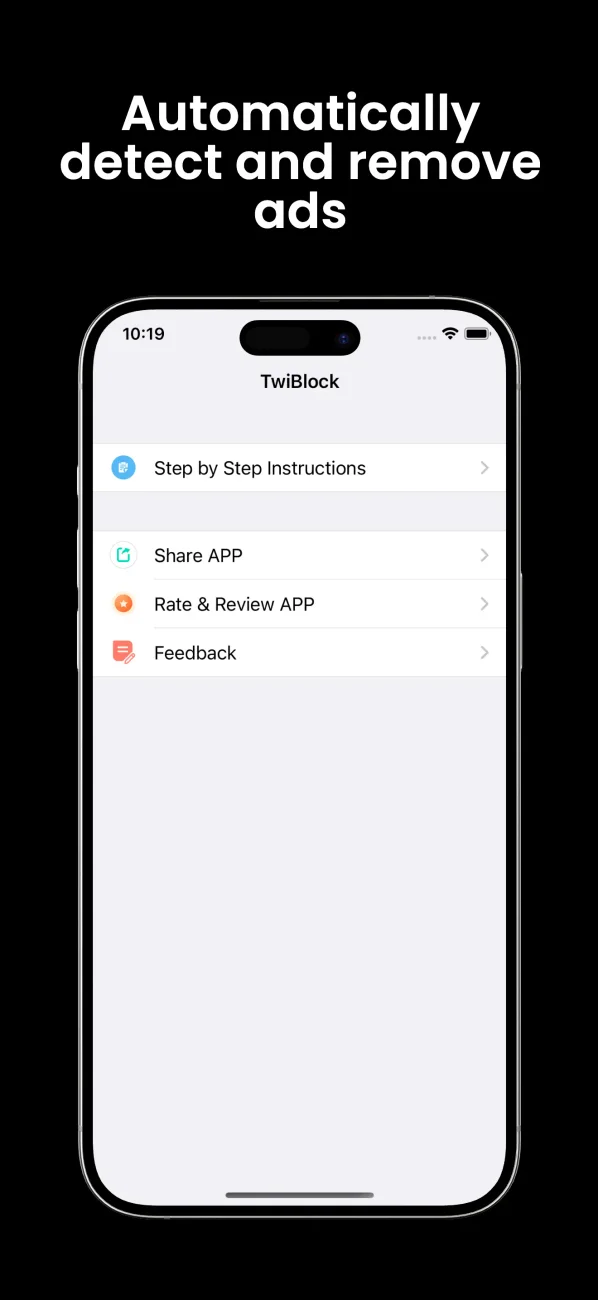
Automatically detect and remove ads on Twitter/X
Tired of ads and distracting UI elements cluttering your Twitter/X feed? TwiBlock is your personalized solution!
TwiBlock is designed for users who crave a cleaner Twitter/X experience. It blocks promoted tweets, “What’s happening,” “Who to follow,” the message drawer, and “Topics to follow,” removing unnecessary distractions.
Focus on the tweets that matter, free from irrelevant ads, suggestions, and news. Rediscover Twitter/X as a streamlined, distraction-free platform, just the way it should be!
Efficiently block Twitter/X ads:
Twitter/X Ad Blocker easily removes ads on Twitter/X, helping you get a smoother browsing experience.
Protect your privacy:
In addition to blocking ads, our extension also protects personal information when you browse Twitter/X, ensuring a safer and more private web experience.
Optimize your browsing experience:
Blocking ads not only speeds up page loading, but also keeps the Twitter/X browsing experience seamless, keeping you away from distracting ads.
Get started now:
Start your ad-free Twitter/X experience. Try Twitter/X Ad Blocker today and enjoy ad-free, uninterrupted browsing.
-- How does it work? --
This extenstion blocks the annoying parts of Twitter/X UI by utilizing content scripts. Essentially, we inject a JS script into Twitter/X webpage that finds unwanted elements and then deletes or hides them.
-- HOW TO SETUP --
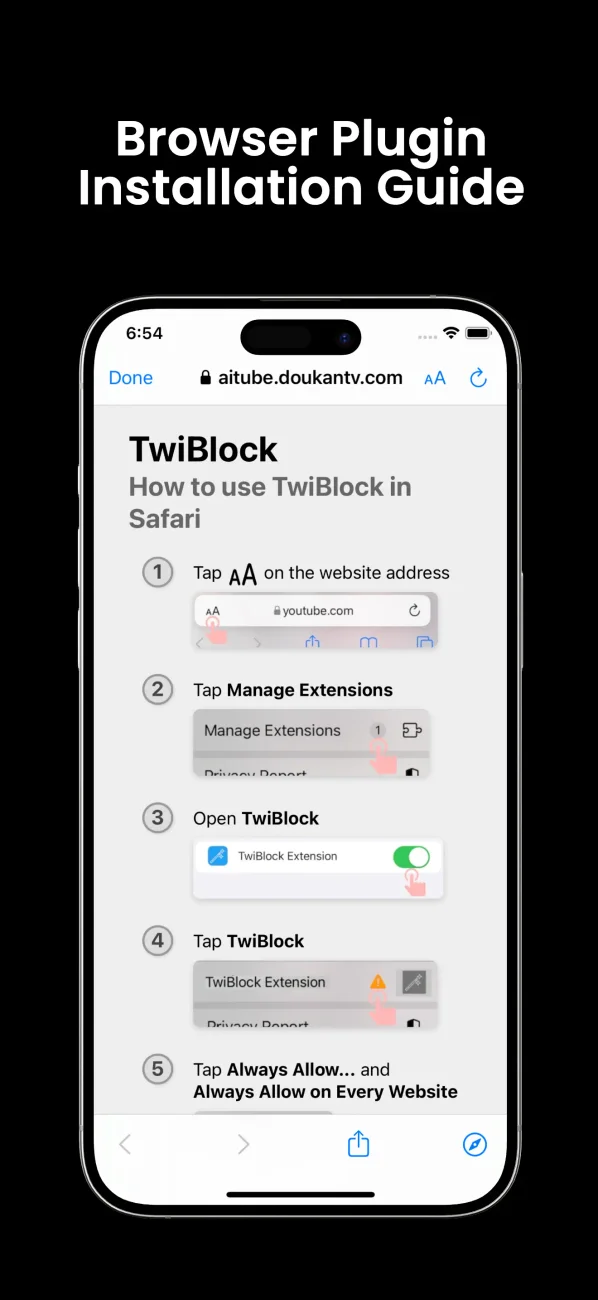
1. Please open the app and click the button on the welcome screen. This will take you to the Settings screen. Then tap Safari (for iPad, check left pane) > Extensions > TwiBlock, then tap the switch to turn it on.
2: On the same screen, tap All Websites > Allow to grant permission to run TwiBlock's extension on Safari on all websites. Now you're all set!
Note: You can tap the "Manage Extensions" icon in your Safari address bar to access the TwiBlock settings.
Note: Safari may display a notice saying that the extension can read your sensitive information and browsing history. This is a general reminder that appears with every extension. TwiBlock will never read or collect any of your personal information such as passwords or credit card numbers. It's completely safe to use. You have my word!
The extension will work on Safari for iOS/iPadOS version 15.0 and above.
-- Note --
Twitter™/X™ are trademarks of Twitter, Inc., registered in the U.S. and other countries. This is an independent project and has no relationship with Twitter™, X™ or Twitter, Inc.
This extension is not officially developed by Twitter™ or X™.
We are not responsible for issues when you agree to Twitter™ or X™'s terms of use.
App-Datenschutz
Was 国辉 满 im App Store zum Umgang dieser App mit Daten angibt.
-
Keine Daten erfasst
Der Entwickler erfasst keine Daten von dieser App.
Die Datenschutzpraktiken können variieren, zum Beispiel je nach den von Ihnen verwendeten Funktionen oder Ihrem Alter.
Informationen
- Anbieter
- 国辉 满
- Kategorie
- Produktivität
- Version
- 1.0
- Aktualisiert
- 01.10.2024
- Veröffentlicht
- 01.10.2024
- Größe
- 1,5 MB
- Erfordert
- iOS 15.0 oder neuer
- Altersfreigabe
- 4+
- Preis
- Kostenlos
- Sprachen
- Englisch, Katalanisch, Kroatisch, Niederländisch, Französisch, Deutsch, Griechisch, Ungarisch, Italienisch, Japanisch, Norwegisch (Bokmål), Polnisch + 9 weitere
- Copyright
- © TwiBlock
Das könnte Ihnen auch gefallen
-
 TranscriptorProduktivität
-
 Berechne Zakat komplettSchnell und präzise
-
 SnapNote ProProduktivität
-
 Blip NotesProduktivität
-
 Phone Security & Secret VaultProduktivität
-
 ScanBigProduktivität
-
 Lesezeichen-Manager PostPocketSpeichere und teile Links
-
 LinkBox: Create Collect Share.Produktivität
-
 PDFAI Scan - DokumentenscannerPDF Konverter, OCR, DOCX, PPTX
-
 QR Barcode Scanner - ScanfulProduktivität