Twin-Calc
Two calculators are in One App
Entwickelt für iPhone, iPad, iPod touch
1,99 €
- Altersfreigabe4+
- KategorieDienstprogramme
- EntwicklerHiroyuki Ueda
- SprachenEnglisch+ 4 weitere
- Größe869,0 KB
Verlinkt auf die offizielle App Store-Seite
Download.org hostet keine Datei von Twin-Calc. Die Schaltfläche öffnet die App-Seite bei App Store, wo Hiroyuki Ueda die App veröffentlicht. Eintrag zuletzt geprüft am 12.11.2026.
Screenshots


Info
Der Entwickler hat diesen Text nicht in Ihrer Sprache bereitgestellt.
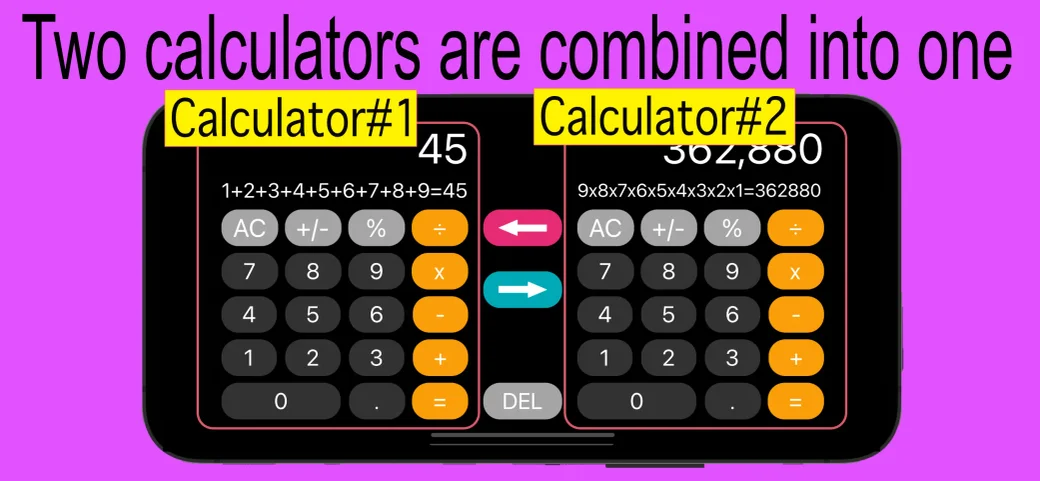
A simple and easy-to-use calculator app that combines two calculators into one.
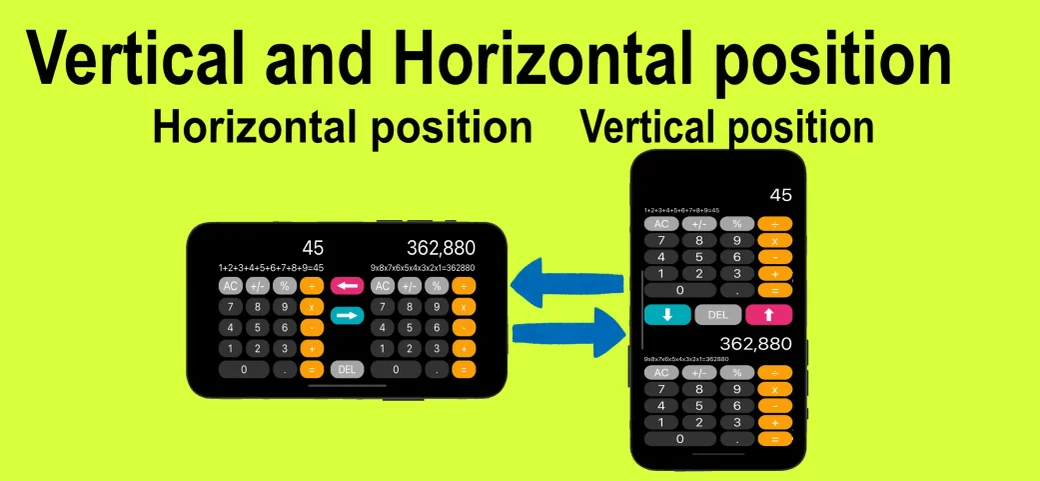
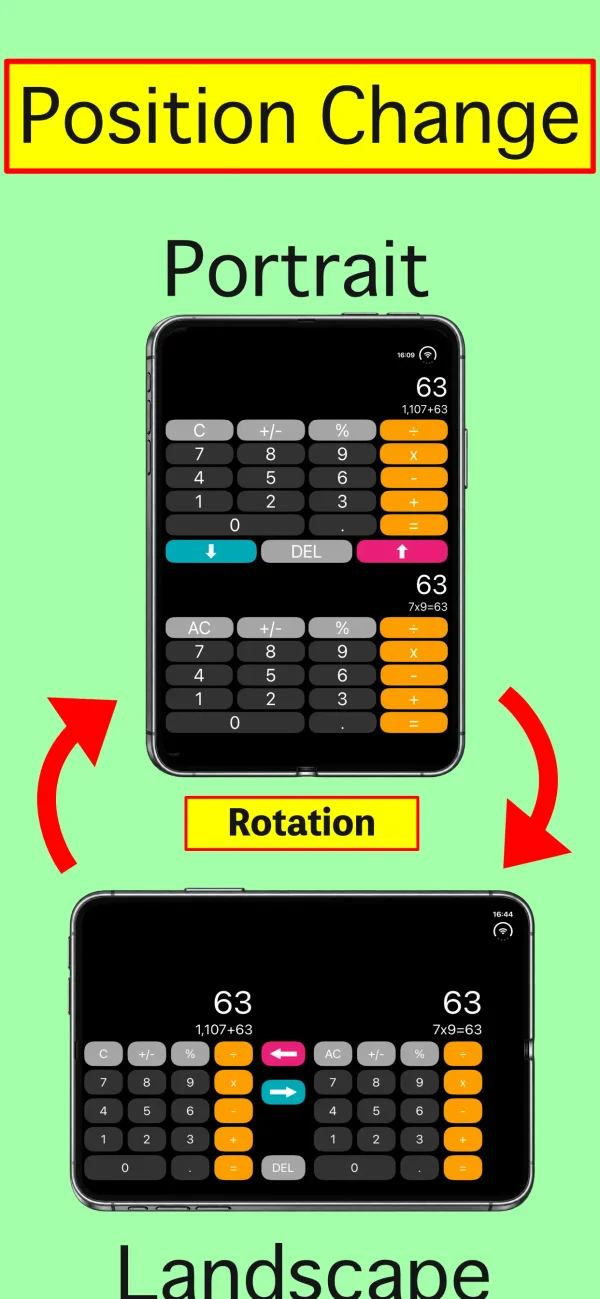
Calculators are displayed side by side when the screen is horizontal, and vertically when the screen is vertical.
In addition to being able to perform separate calculations with each calculator, calculation results can be also copy and paste with one touch, so you can perform other calculations during calculations, making it even more convenient to use than you might imagine.
There is also a free version with ads. Please try it first.
https://apps.apple.com/jp/app/t-calc-lite/id1630026837?l=jp
【feature】
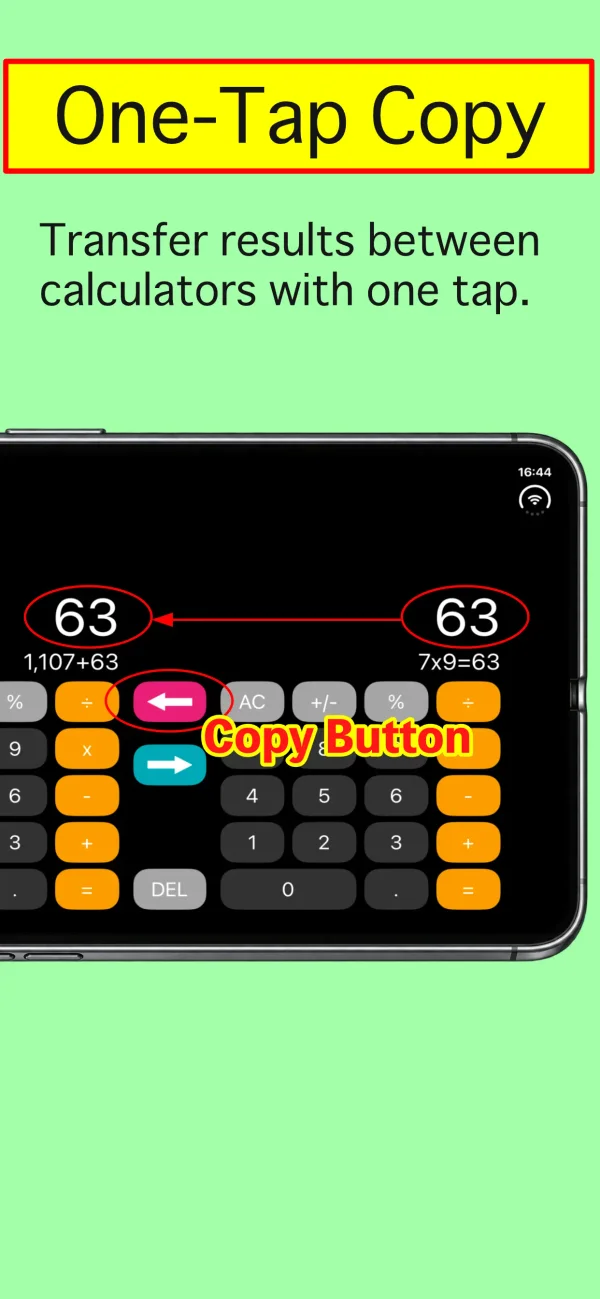
1. Calculation results can be copy and paste between two calculators with one touch.
2. The result calculated can be input from one calculator to the other with one touch.
・When press the "→" key, the calculation result of the left calculator is entered at the end of the formula on the right calculator.
・When press the "←" key, the calculation result of the right calculator is entered at the end of the formula on the left calculator.
3. add, subtract, multiply and divide is performed.
Do multiplication and division first, then add and subtract.
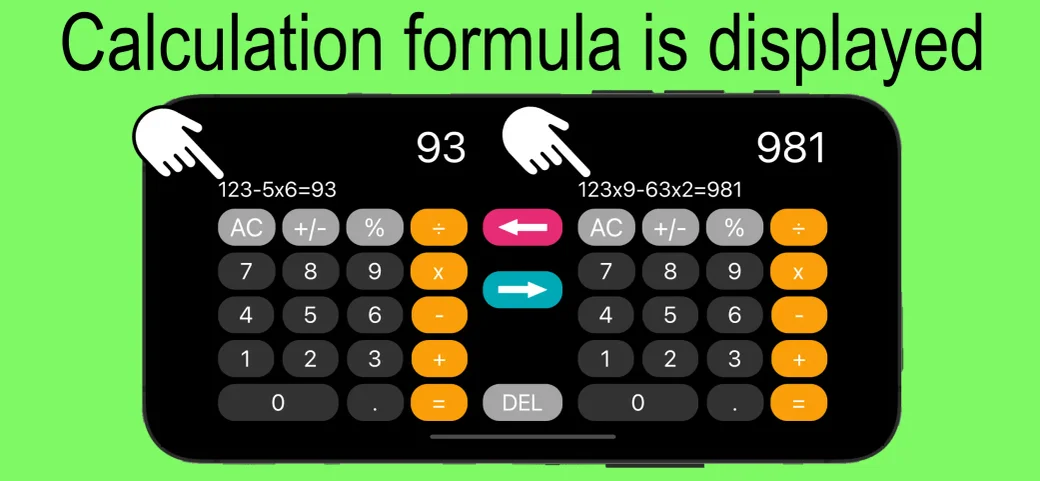
4. Display the formula
The entered formula is displayed under the result, so you can easily check the operations.
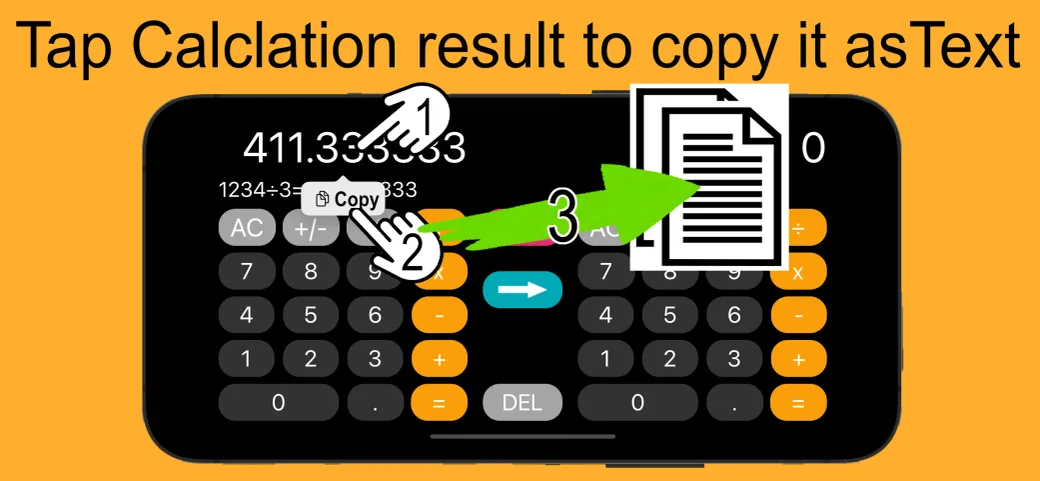
5. Calculation results can be copied to iPhone’s memory
Calculation results can be pasted into other apps as text , so transcription errors will not occur.
Example of use
When you find a product for 988 yen for 3 pieces and a product for 1245 yen for 4 pieces while shopping, you can easily calculate "Which is cheaper?" And “How cheaper?"with this calculator.
1) Use the left and right calculators to find the unit price of the product (unit price = product price/number).
2) Tap the "- key" and "arrow key" on either the left or right calculator to calculate the unit price difference.
Limitations
・Answer can be calculated up to 9 digits, minimum 0.000000001.
Note
The free version can be downloaded from
https://apps.apple.com/jp/app/t-calc-lite/id1630026837?l=en
Neue Funktionen
Version 3.0.1 · 13.10.2026
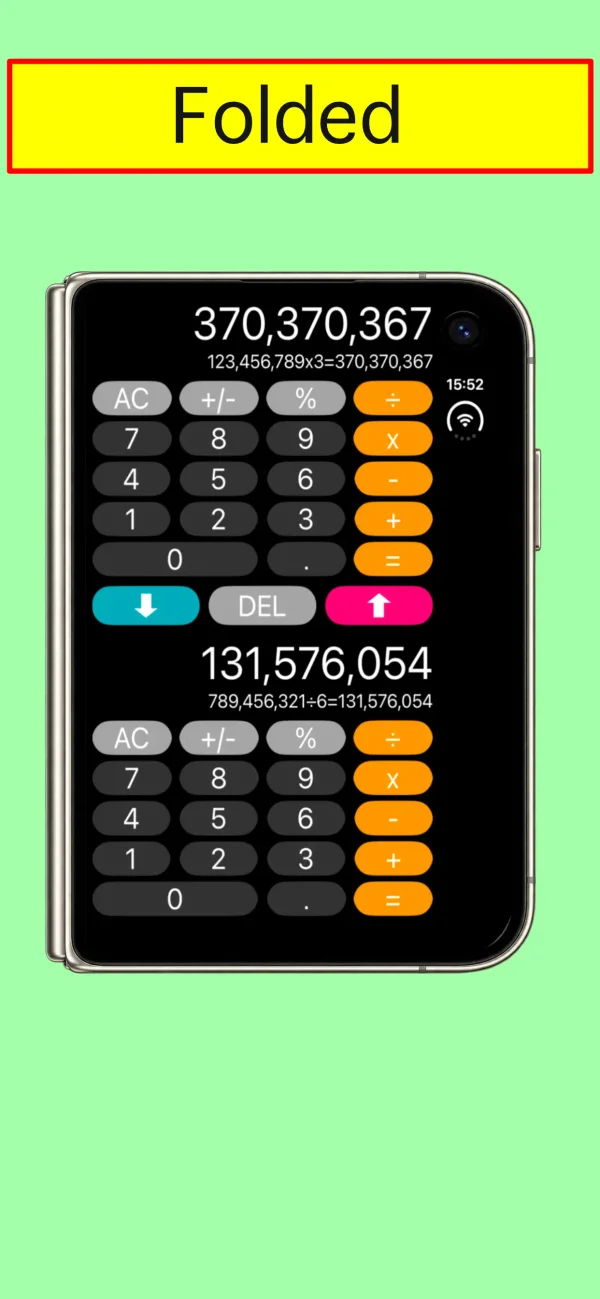
- Added support for iPhone Duo.
- Optimized layouts for folded, partially unfolded, and fully unfolded modes.
- Improved the font sizes and positioning of expressions and calculation results.
- Fixed minor bugs and improved stability.
- Added a feature that notifies you when a new version of the app is available.
App-Datenschutz
Was Hiroyuki Ueda im App Store zum Umgang dieser App mit Daten angibt.
-
Keine Daten erfasst
Der Entwickler erfasst keine Daten von dieser App.
Die Datenschutzpraktiken können variieren, zum Beispiel je nach den von Ihnen verwendeten Funktionen oder Ihrem Alter.
Informationen
- Anbieter
- Hiroyuki Ueda
- Kategorie
- Dienstprogramme
- Version
- 3.0.1
- Aktualisiert
- 13.10.2026
- Veröffentlicht
- 16.04.2022
- Größe
- 869,0 KB
- Erfordert
- iOS 15.0 oder neuer
- Altersfreigabe
- 4+
- Preis
- 1,99 €
- Sprachen
- Englisch, Japanisch, Koreanisch, Vereinf. Chinesisch, Tradit. Chinesisch
- Copyright
- © Hiroyuki Ueda
Das könnte Ihnen auch gefallen
-
 DevHabit - Habit TrackerDienstprogramme
-
 Typeless Keyboard: VorlagenBausteine, Antworten & KI
-
 Uhr Widget: Ultra HD TimeFlip Clock & Countdown Widget
-
 TetraClock+ - Falling BlockDienstprogramme
-
 HomeSpotFinden Sie Ihre smarten Heimge
-
 Luban CalculatorDienstprogramme
-
 CodifierDienstprogramme
-
 ZapTimeDienstprogramme
-
 ZeroZipDienstprogramme
-
 Umrechner & Währungsumrechner+Unit Converter Max