UC ClassFinder
UC Class Search & Campus Maps
Entwickelt für iPhone, iPad, Mac
Kostenlos · In-App-Käufe
- Altersfreigabe4+
- KategorieBildung
- EntwicklerWonmo Seong
- SprachenEnglisch
- Größe67,4 MB
Verlinkt auf die offizielle App Store-Seite
Download.org hostet keine Datei von UC ClassFinder. Die Schaltfläche öffnet die App-Seite bei App Store, wo Wonmo Seong die App veröffentlicht. Eintrag zuletzt geprüft am 23.11.2026.
Screenshots


Info
Der Entwickler hat diesen Text nicht in Ihrer Sprache bereitgestellt.
University of California class search & maps.
UC ClassFinder is an independent, unofficial app. It is not affiliated with, endorsed by, or sponsored by the University of California.
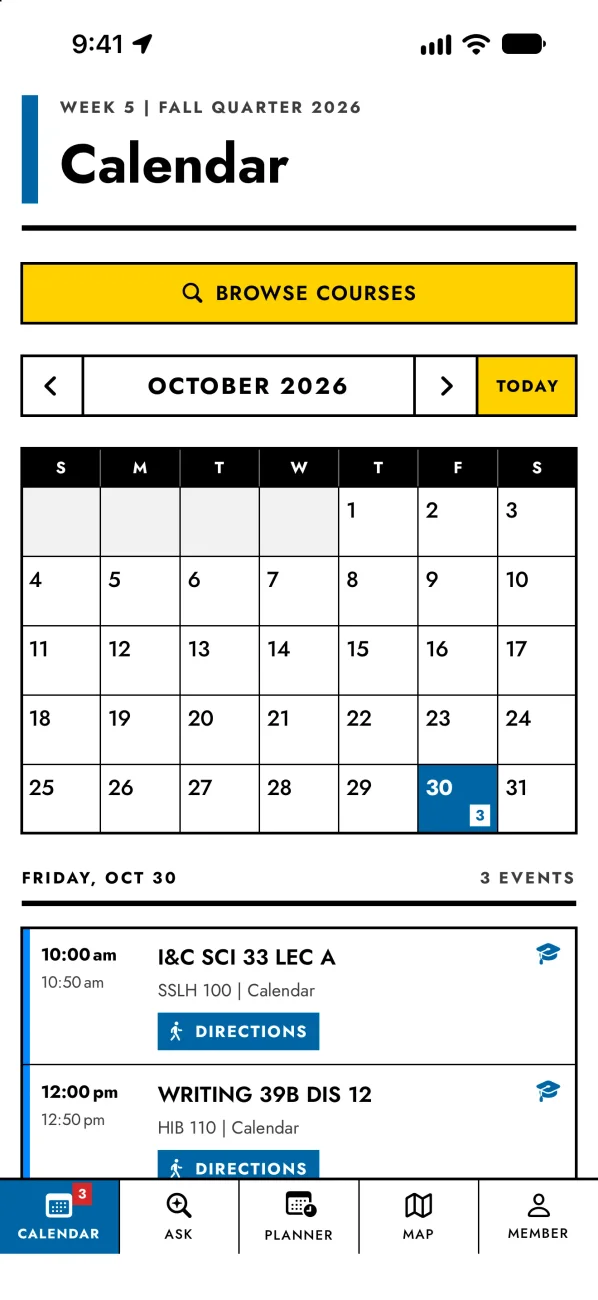
UC ClassFinder is a course planner for University of California students. Pick your campus, search the catalog, check live seats, build a schedule without time conflicts and find your way to class on a 3D campus map.
CAMPUSES
– Course catalog: UC Irvine, UCLA, UC Riverside, UC Merced, UC Santa Cruz, UC San Diego and UC Davis
– Live sections and seat counts: UC Irvine, UCLA, UC Riverside, UC Merced and UC Santa Cruz
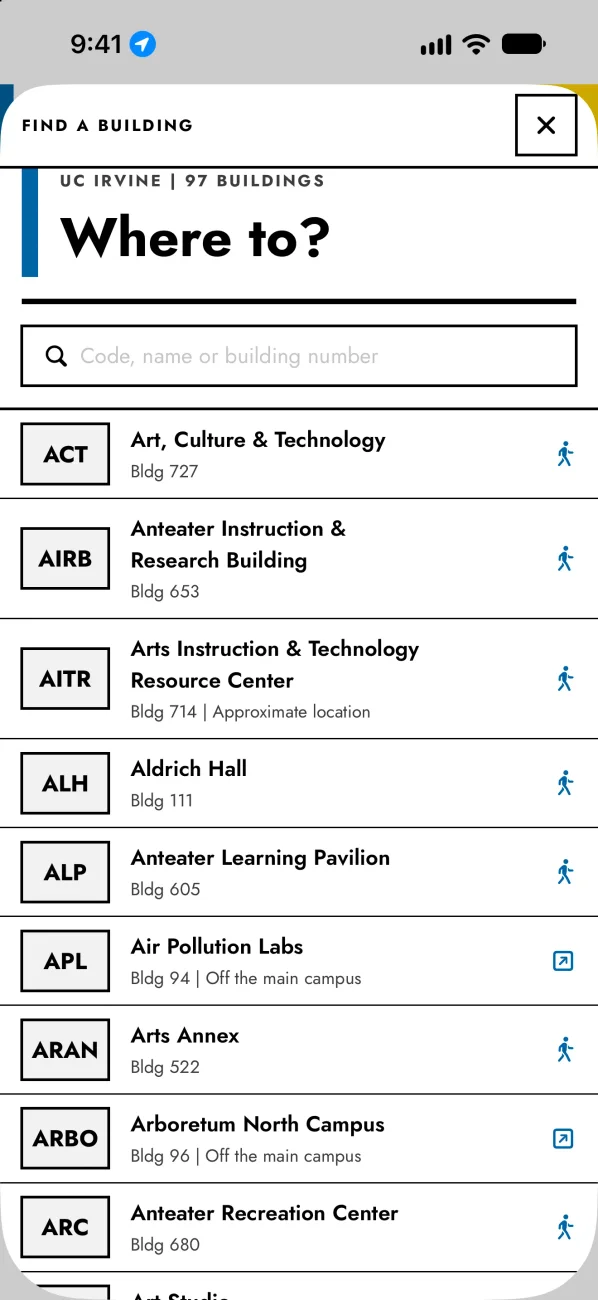
– 3D campus maps with walking directions: all nine UC campuses, including UC Berkeley and UC Santa Barbara
The app asks for your campus each time you open it, with your last campus on top so one tap continues. Switch any time from the Calendar header.
FREE
– Course catalog: search by title, department or course code, filtered by term. Courses load instantly, even offline
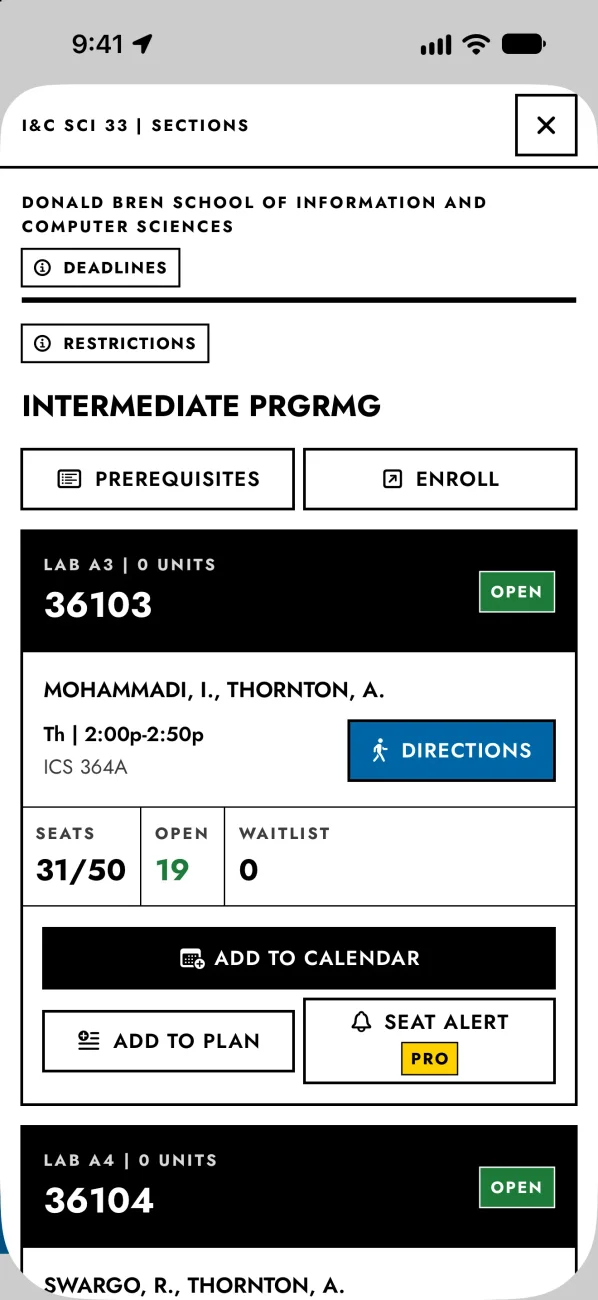
– Live schedule of classes: section codes, meeting times, rooms, instructors, enrollment counts, waitlists and open or closed status
– Calendar sync: add a section to your calendar in one tap, with the right days, times and locations
– 3D campus map: buildings in 3D with on-device walking directions, distance and walking time, plus residence halls, apartments and dining commons in their own colours
– Academic calendar and live weather on campus
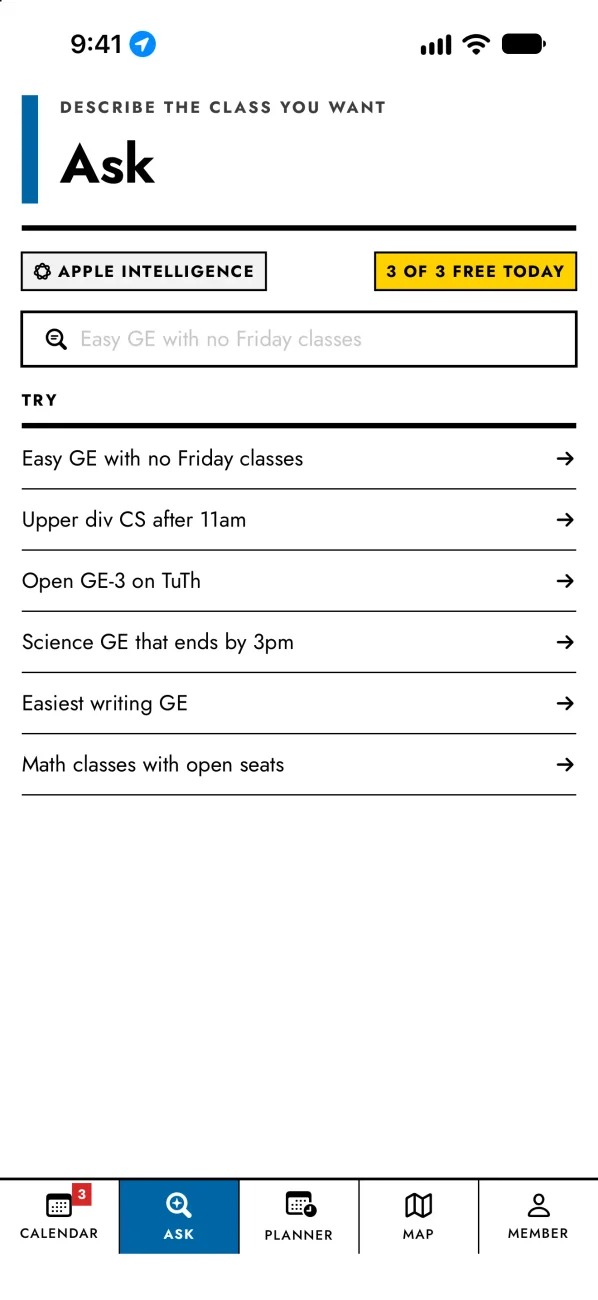
– Ask ClassFinder: search in plain English, like "easy GE with no Friday classes" (3 searches a day)
– Planner: build a plan and see time conflicts at a glance
– Import timetable (Experimental): turn a screenshot, photo or PDF of your class schedule into a plan. The text is read on your device and matched to live sections, and nothing is added until you review it
– Home Screen widgets for your next class and your enrollment window, plus Siri and Shortcuts actions
– Made for iPad: a sidebar, courses and sections side by side, a full-week planner grid with an inspector, the campus map with building panels, keyboard shortcuts, pointer support, Split View, Slide Over and Stage Manager
COMMENTS
– Course comments: an anonymous thread under every course. Say what the class was like, reply and vote the useful posts up
– Checked before posting: no profanity, harassment, sexual content, links or personal information. Report or block anyone, delete your own posts any time
CLASSFINDER PRO
– Unlimited Ask ClassFinder searches
– Unlimited plans, plain-English conflict explanations and one-tap Fix Conflicts
– Seat alerts when a full section opens or a waitlist appears, at campuses with live seat counts
– Grade insights for UC Irvine: full A–F grade distributions for every UCI course since 2014
– Enrollment window reminders and a Lock Screen Live Activity with your section codes
– Sign in once and Pro follows you to your other devices
ClassFinder Pro is available as a monthly or yearly auto-renewing subscription, or as a one-time Lifetime purchase. No account is needed to subscribe. Payment is charged to your Apple Account at confirmation of purchase. Subscriptions renew automatically at the price shown unless cancelled at least 24 hours before the end of the current period. Manage or cancel them in your Apple Account settings.
Terms of Use (EULA): https://www.apple.com/legal/internet-services/itunes/dev/stdeula/
Privacy Policy: https://wonmor.github.io/UC-Irvine-ClassFinder/privacy.html
UC ClassFinder is an independent app built on public course schedule data. It is not an official app of the University of California, or any UC campus. University names are used only to identify the campus whose public data is shown.
Campus map data © OpenStreetMap contributors.
Neue Funktionen
Version 3.5.2 · 22.11.2026
Stanford has moved to its own app.
New: Import timetable (Experimental). Open Planner or Courses, tap Import Timetable and pick a screenshot, photo or PDF of your class schedule (WebReg, StudentAccess, MyUCLA, Canvas, Google Calendar and more). The classes are read on your device, matched to live sections and added to your plan after you review them. Turn it off any time under Member > Settings.
New app icon.
App-Datenschutz
Was Wonmo Seong im App Store zum Umgang dieser App mit Daten angibt.
-
Keine Daten erfasst
Der Entwickler erfasst keine Daten von dieser App.
Die Datenschutzpraktiken können variieren, zum Beispiel je nach den von Ihnen verwendeten Funktionen oder Ihrem Alter.
Informationen
- Anbieter
- Wonmo Seong
- Kategorie
- Bildung
- Version
- 3.5.2
- Aktualisiert
- 22.11.2026
- Veröffentlicht
- 30.08.2023
- Größe
- 67,4 MB
- Erfordert
- iOS 17.0 oder neuer
- Altersfreigabe
- 4+
- Preis
- Kostenlos
- In-App-Käufe
- Ja
- Sprachen
- Englisch
- Copyright
- © 2026 John Wonmo Seong