
Uragami Memo
Scribble & toss, auto-tagged
Entwickelt für iPhone, iPad
Kostenlos · In-App-Käufe
- Altersfreigabe4+
- KategorieProduktivität
- EntwicklerDaisaku Seto
- SprachenEnglisch
- Größe6,6 MB
Verlinkt auf die offizielle App Store-Seite
Download.org hostet keine Datei von Uragami Memo. Die Schaltfläche öffnet die App-Seite bei App Store, wo Daisaku Seto die App veröffentlicht. Eintrag zuletzt geprüft am 12.11.2026.
Screenshots

Info
Der Entwickler hat diesen Text nicht in Ihrer Sprache bereitgestellt.
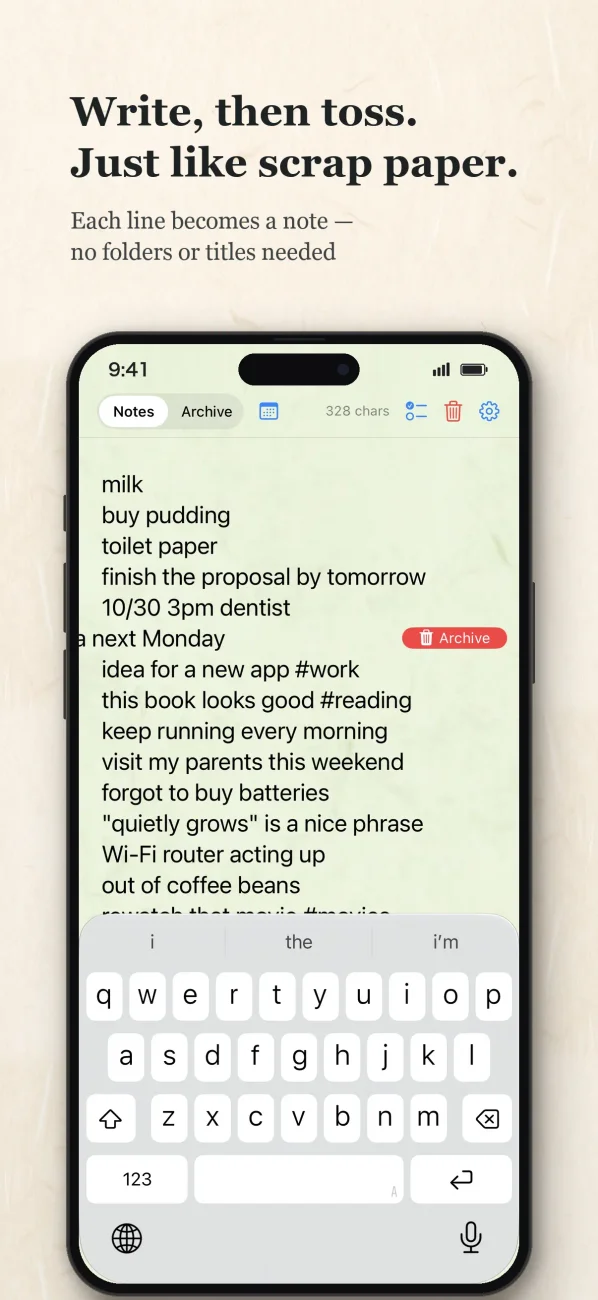
Uragami Memo is a minimal notepad you just scribble on. The front is a single sheet of scrap paper — but behind it, everything you write quietly becomes organized data.
[Just write, then hit return]
Jot things down without thinking. Each line becomes one note. No need to tidy up — this is paper for writing roughly and often.
It works just as well as a plain notepad or a to-do list.
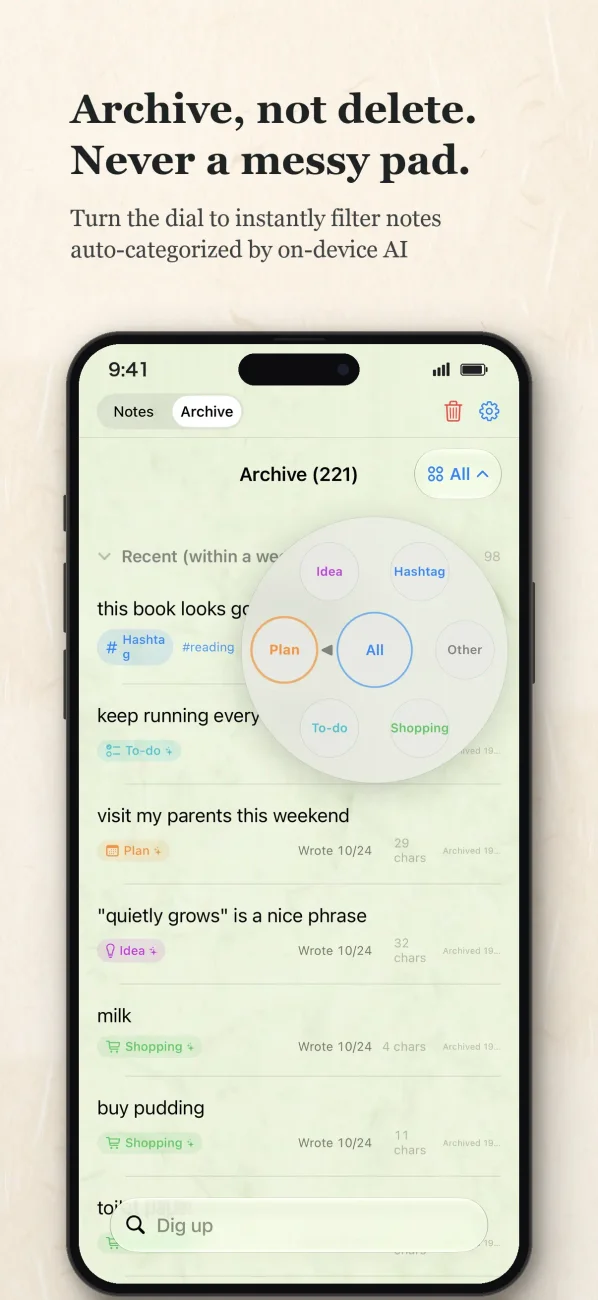
[Archive, don't delete]
Swipe a note you no longer need into the Archive. It leaves the page, but the text, date, and tags all remain. The Archive is folded by time and fully searchable, so "when did I write that shopping note?" is answered instantly.
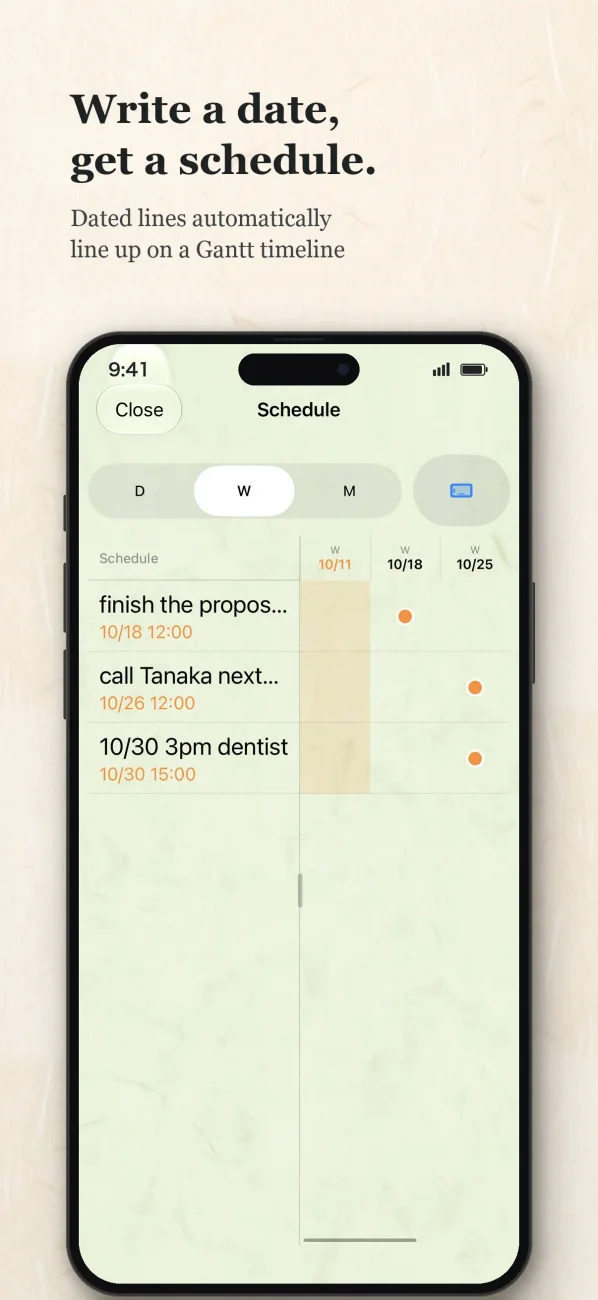
[Write a date, get a schedule]
"by tomorrow", "10/24 3pm", "next Monday" — write a date in a note and that line lines up on an auto schedule (Gantt). A calendar mark appears in the top bar only when you have live plans. You can also add a plan to your device calendar.
[On your device, across your devices]
Notes are stored on your device and synced across iPhone, iPad, and Mac via iCloud. Your notes are never sent to an external server. Classification runs entirely on-device.
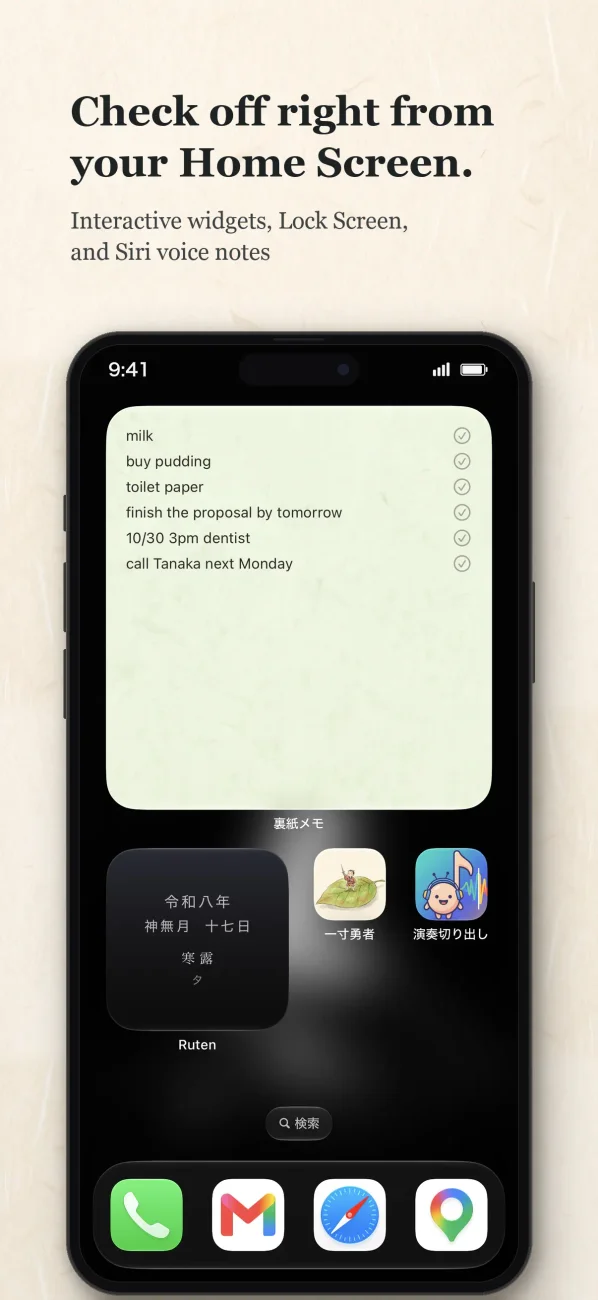
[Widgets, Lock Screen, Siri]
Show recent notes in Home Screen and Lock Screen widgets. On Home Screen widgets, the check mark on each line archives it without opening the app. Say "Hey Siri, add a note to Uragami Memo" to add a line by voice.
[Export and take it with you]
Your notes are yours. Export to Markdown and take them anywhere — Obsidian, or plain text (Pro).
[Pro (one-time ¥300)]
- Removes the book suggestion (ad) at the top
- Unlocks all papers beyond white (washi textures)
- Enables Markdown export
Writing, archiving, the schedule, search, widgets, and Siri are all free.
Simple on the front, solid on the back. A piece of scrap paper that quietly holds your days.
Neue Funktionen
Version 1.3 · 08.11.2026
We greatly improved the writing feel. The keyboard no longer moves around while you write.
- The keyboard stays put when you press Return to commit a line, so you can keep writing without interruption.
- We added a dismiss button (a down arrow) above the keyboard. It never hides on its own and closes only when you tap it; tap anywhere to bring it back.
As before, your notes sync only within your own device and your own iCloud. Please give it a try.
App-Datenschutz
Was Daisaku Seto im App Store zum Umgang dieser App mit Daten angibt.
-
Keine Daten erfasst
Der Entwickler erfasst keine Daten von dieser App.
Die Datenschutzpraktiken können variieren, zum Beispiel je nach den von Ihnen verwendeten Funktionen oder Ihrem Alter.
Informationen
- Anbieter
- Daisaku Seto
- Kategorie
- Produktivität
- Version
- 1.3
- Aktualisiert
- 08.11.2026
- Veröffentlicht
- 19.10.2026
- Größe
- 6,6 MB
- Erfordert
- iOS 17.0 oder neuer
- Altersfreigabe
- 4+
- Preis
- Kostenlos
- In-App-Käufe
- Ja
- Sprachen
- Englisch
- Copyright
- © 2026 Daisaku Seto
Das könnte Ihnen auch gefallen
-
 ふとメモ | いつでも即書けるメモアプリProduktivität
-
 VersaMemo: Notes & To-DoProduktivität
-
 Photos to PDF :PDFCameraProduktivität
-
 Clean Text MobileText mit Profi-Tools
-
 SlideMemo 左右のスワイプ操作でメモを管理・簡単整理Produktivität
-
 Strflow: Text Yourself NotesProduktivität
-
 Password Manager - Easy Pass2Produktivität
-
 TatePad - Vertical WritingProduktivität
-
 Mobile Print.Produktivität