
- Altersfreigabe4+
- KategorieProduktivität
- EntwicklerLeonardo Damian
- SprachenEnglisch+ 1 weitere
- Größe52,9 MB
Verlinkt auf die offizielle App Store-Seite
Download.org hostet keine Datei von Vestigio. Die Schaltfläche öffnet die App-Seite bei App Store, wo Leonardo Damian die App veröffentlicht. Eintrag zuletzt geprüft am 23.11.2026.
Screenshots

Info
Der Entwickler hat diesen Text nicht in Ihrer Sprache bereitgestellt.
How many ideas, places and memories get lost in the day to day? With Vestigio, every note leaves a trace.
KEY FEATURES
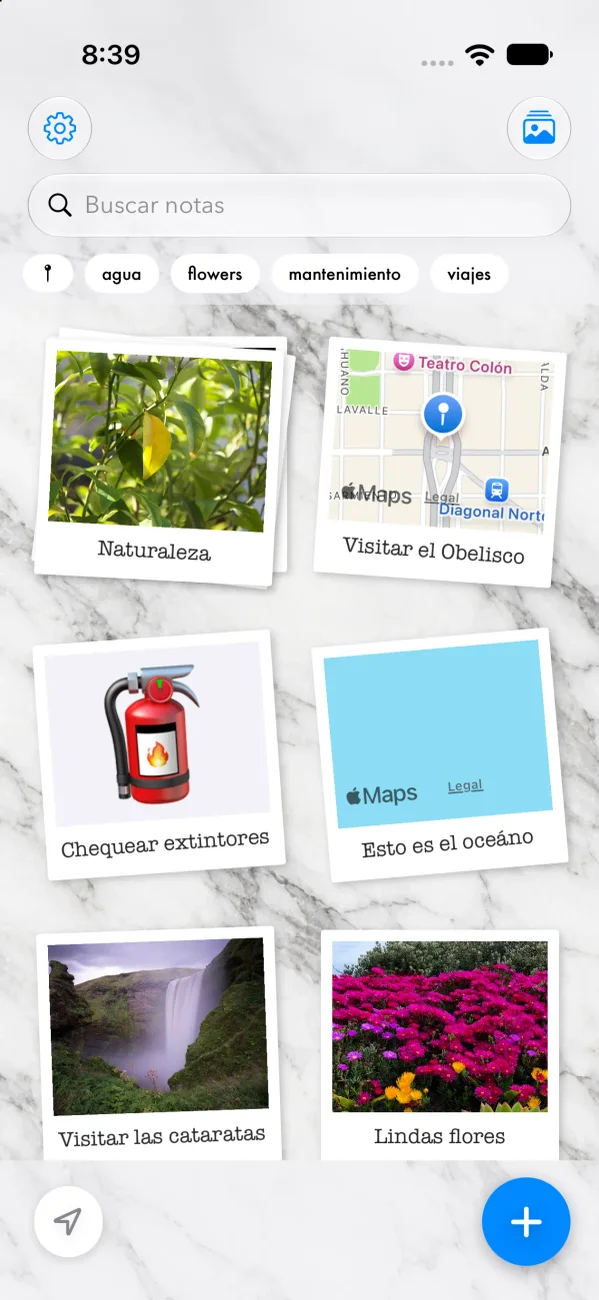
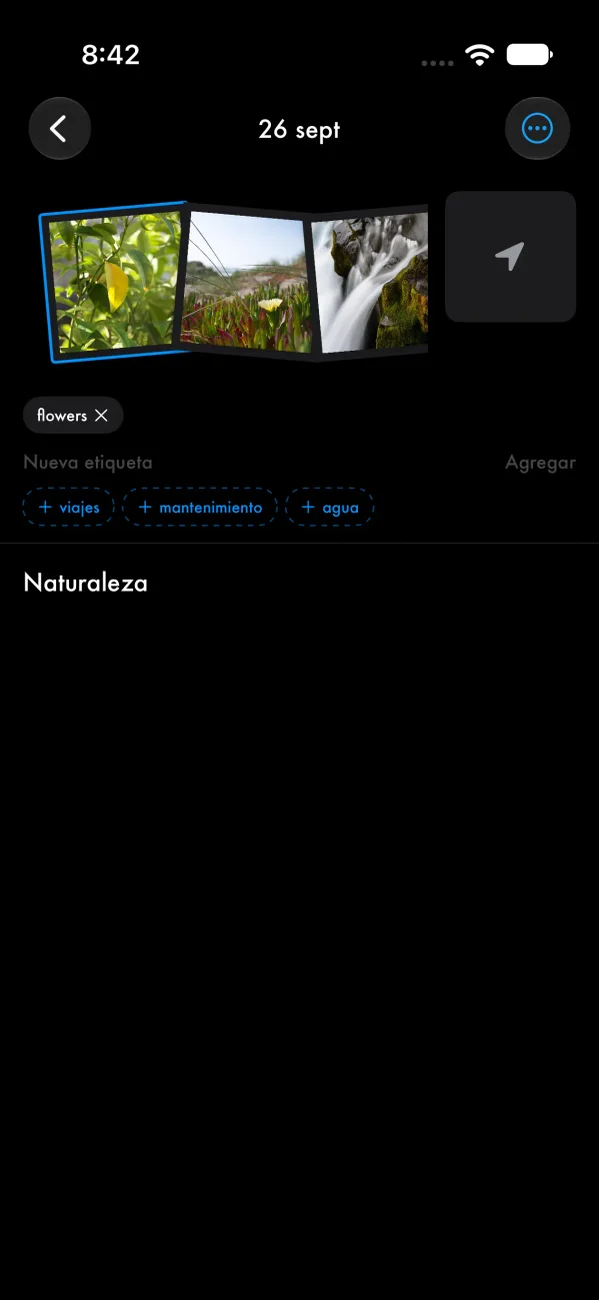
Your ideas on the Map: Where did you save that recommendation? Vestigio attaches locations to your notes. Explore the built-in map, see exactly how far your pins are, and find which notes are nearby with the proximity filter. Share a location with a QR code.
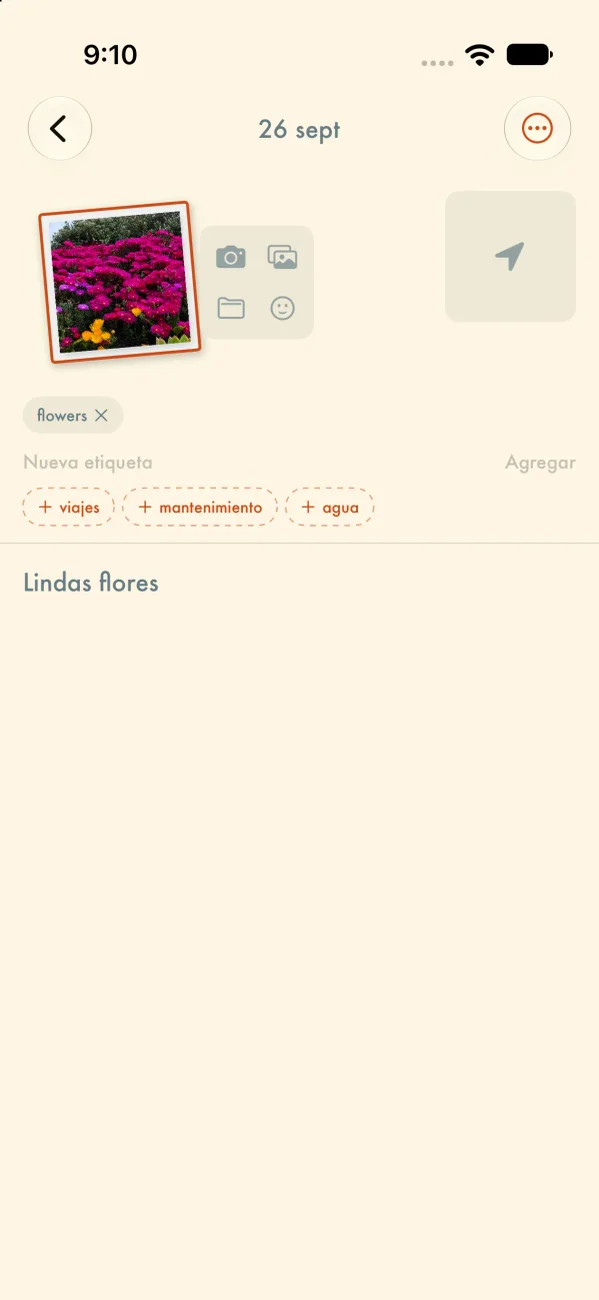
Rich text: Write with three heading sizes, bold, italic, underline and bullets, and color your text with any color, not just a fixed palette.
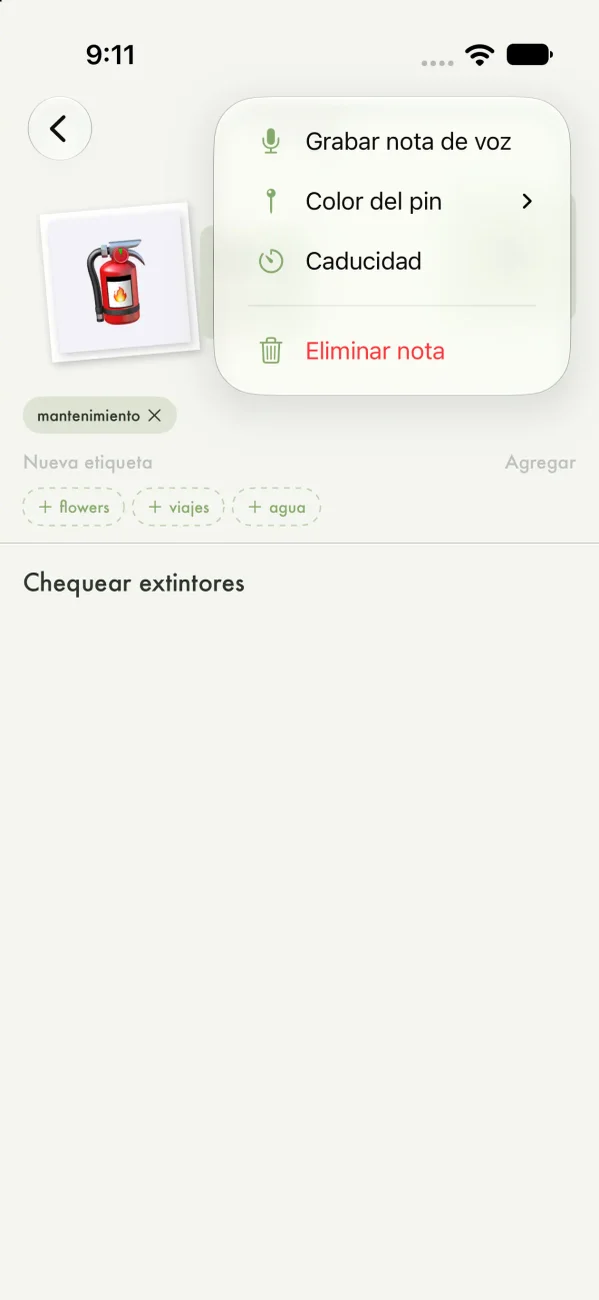
Notes that flow with time: A temporary reminder, or a ticket that's useless tomorrow? Give your notes an expiration date, or apply an automatic expiration to all the ones that don't have one. The Expiring view shows the soonest first, so your mind stays clutter-free.
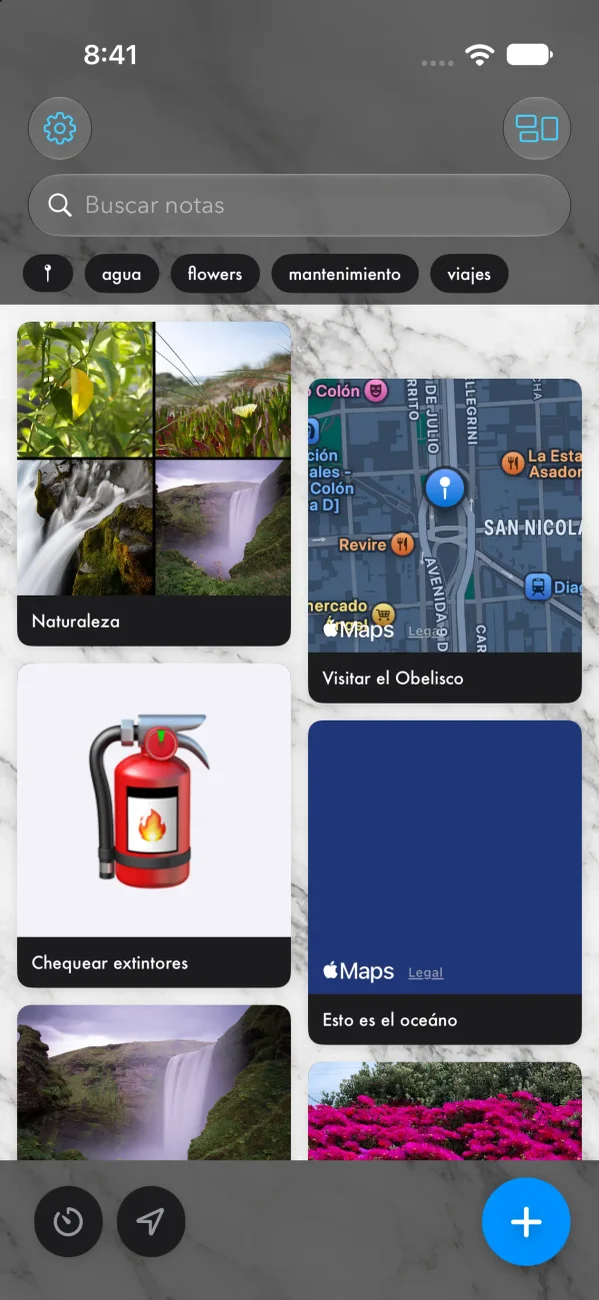
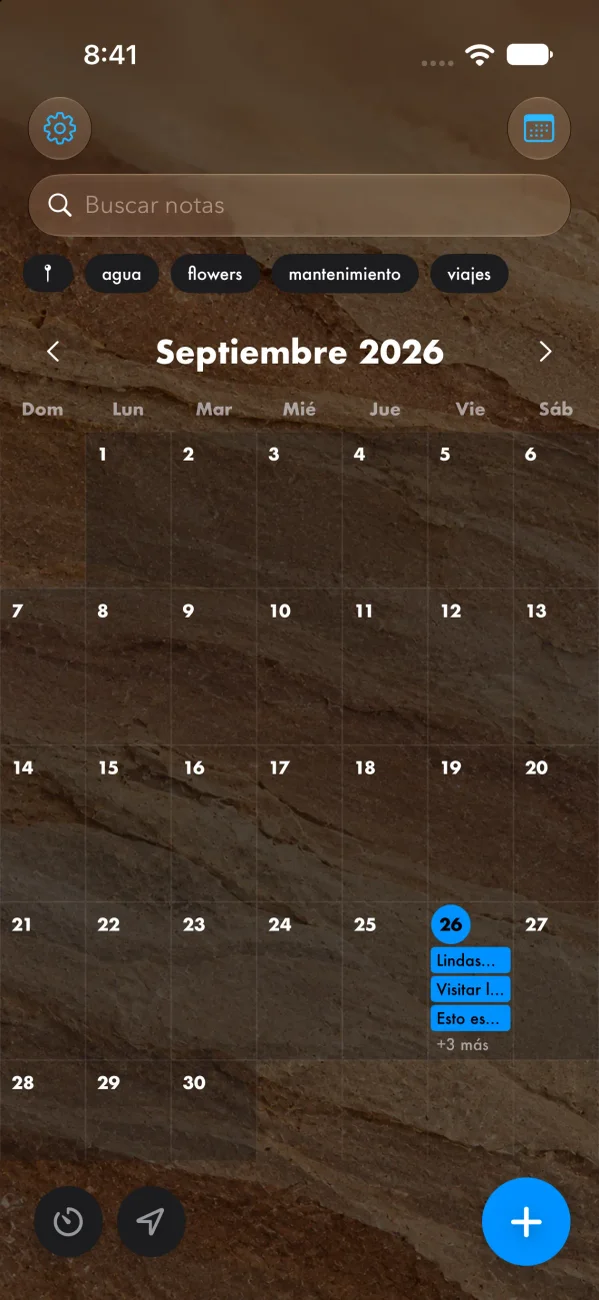
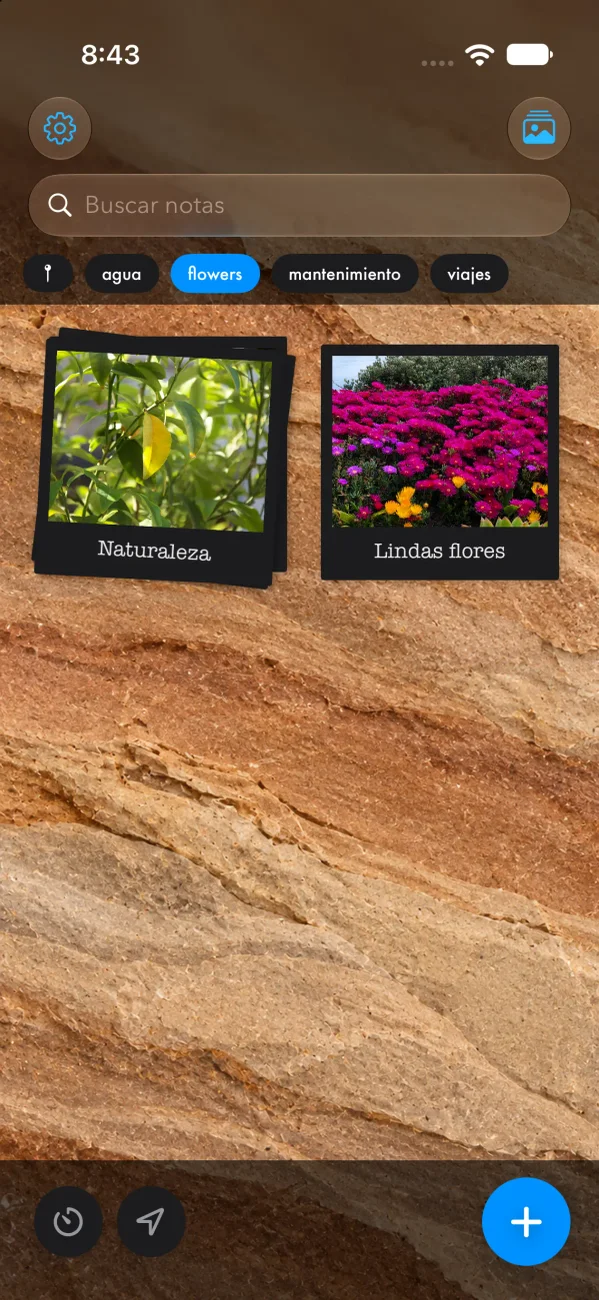
Four ways to explore: Switch instantly between Map, Board, Mural and Calendar views. On iPad, see the list on the left and the note's detail on the right.
iCloud sync: Your notes, photos and audio, on all your devices.
Collectible cards: Every version of Vestigio is named after a remote, lost place, with its own card to collect. The first is Petra.
Personalization: Enjoy a crystal-clear translucent interface with geological backgrounds. Change fonts, pick realistic textures for your boards and an alternate icon for your home screen.
Save from anywhere: With the native extension, send text, web links and photos straight to Vestigio from Safari, Photos or any other app. Tap "Share" and you're done.
Visual organization: Sort your notes with custom tags, audio, photos and colored pins. Export all of a note's photos to Files.
Privacy and Backups: Your data is 100% yours. Vestigio doesn't use its own servers: your notes are stored on your device and synced through your iCloud account. You can also export and import backups easily.
Neue Funktionen
Version 1.1 · 16.11.2026
What's new in Vestigio 1.1 - Petra
• iCloud sync across your devices
• Rich text: three heading sizes, bold, italic, underline, bullets and any color, not just a fixed palette
• Collectible cards: each version is named after a remote, lost place and has its own card; the first is Petra
• Redesigned note screens for more room to write
• Pin color dot in Board and Mural views
• Improvements to the iPad sidebar
• New alternate icons
• Pin a note from inside the note itself
• If a note has a photo but no text, only the photo is shown
• The Expiring view now shows the soonest to expire first
• Export all of a note's images to Files
• If you import two photos with different coordinates, you choose which to use on the note's map
• New notes get the current year as a tag (you can turn it off)
• Apply an automatic expiration, retroactively, to all notes that don't have one
• Share a location with a QR code
• If a tag is left without any notes, it is removed automatically
Fixes
• Editing markup on photos marked with Apple Pencil
• Adding from the share extension put the file path in the note body
• Expiration shortcuts now also appear when editing a note, not only when creating one
App-Datenschutz
Was Leonardo Damian im App Store zum Umgang dieser App mit Daten angibt.
-
Keine Daten erfasst
Der Entwickler erfasst keine Daten von dieser App.
Die Datenschutzpraktiken können variieren, zum Beispiel je nach den von Ihnen verwendeten Funktionen oder Ihrem Alter.
Informationen
- Anbieter
- Leonardo Damian
- Kategorie
- Produktivität
- Version
- 1.1
- Aktualisiert
- 16.11.2026
- Veröffentlicht
- 09.10.2026
- Größe
- 52,9 MB
- Erfordert
- iOS 26.5 oder neuer
- Altersfreigabe
- 4+
- Preis
- Kostenlos
- Sprachen
- Englisch, Spanisch
- Copyright
- © 2026 BitterMate
Das könnte Ihnen auch gefallen
-
 SmarTrainingProduktivität
-
 Pockito - Save Your LinksProduktivität
-
 Korkwand-Notizen: BoardOnFotos, Links, Widget
-
 My Diary - Journal & NotesProduktivität
-
 RAS EmpleoProduktivität
-
 Habit Tracker - Your GoalsProduktivität
-
 NoMeet: KI-MeetingnotizenKI-Rekorder & smarte Notizen
-
 Gewohnheiten - HabitByBitEntwickeln Sie gute Habits
-
 ScooberProduktivität
-
 PDF Scanner: Scan, BearbeitenDokumente Scannen, Konverter