
Video Browser Lite Version
Floating Player & Sleep Timer
Entwickelt für iPhone, iPad
Kostenlos
- Altersfreigabe17+
- KategorieFoto und Video
- EntwicklerHuong Phan
- SprachenEnglisch
- Größe33,6 MB
Verlinkt auf die offizielle App Store-Seite
Download.org hostet keine Datei von Video Browser Lite Version. Die Schaltfläche öffnet die App-Seite bei App Store, wo Huong Phan die App veröffentlicht. Eintrag zuletzt geprüft am 25.11.2026.
Screenshots
Info
Der Entwickler hat diesen Text nicht in Ihrer Sprache bereitgestellt.
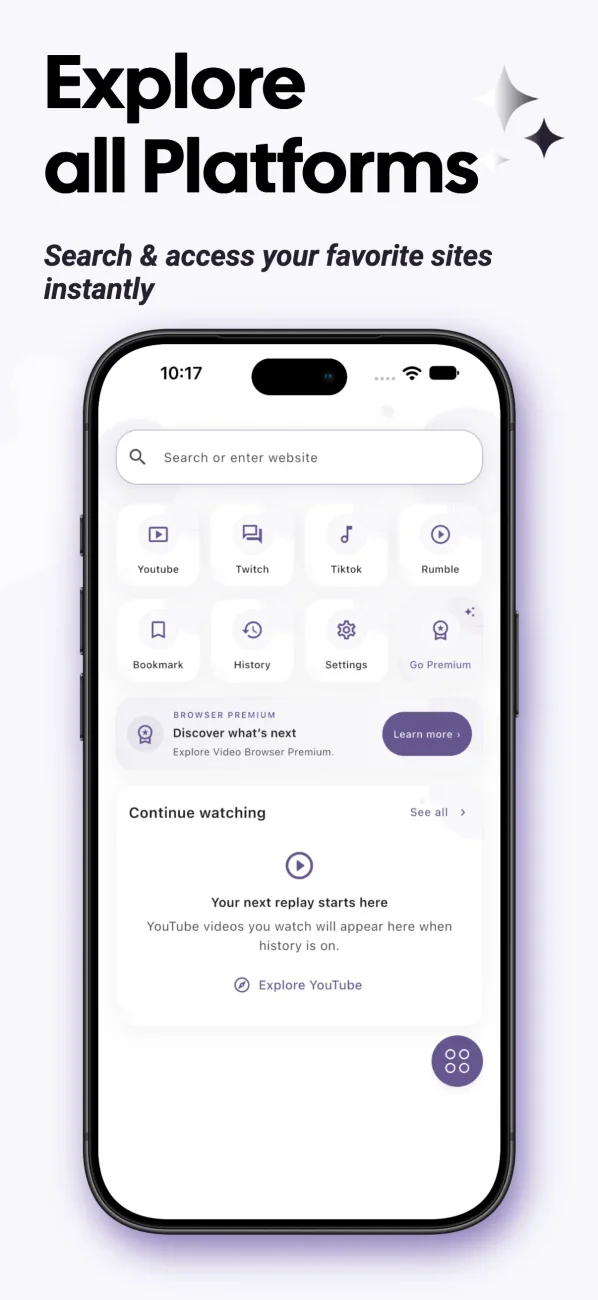
Video Browser Lite Version brings web browsing and flexible video playback together in one convenient app. Explore your favorite websites, watch videos, organize your queue, and keep useful pages close at hand.
BROWSE YOUR FAVORITE VIDEO SITES
Open YouTube, Twitch, TikTok, and Rumble from convenient home screen shortcuts. Explore YouTube Shorts, enter a website address, or search the web with Google or DuckDuckGo.
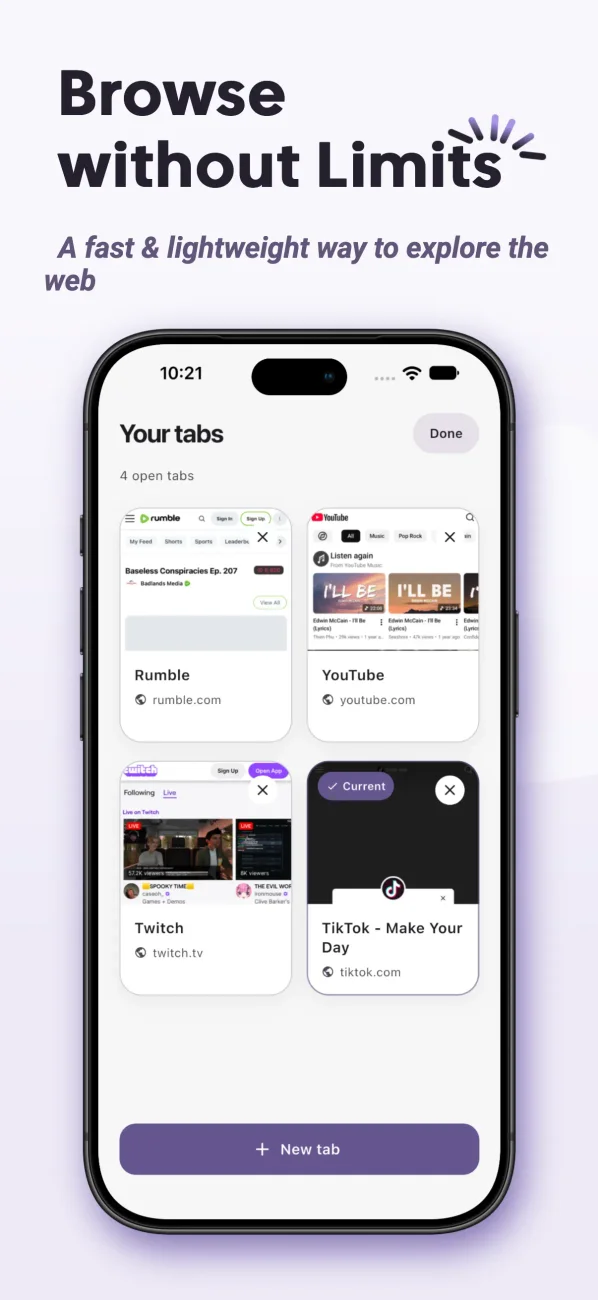
MANAGE MULTIPLE TABS
Create, switch, and close browser tabs with page previews and a clear active-tab indicator. Move through pages with Back, Forward, Reload, and Home controls. Share links or open pages in your external browser.
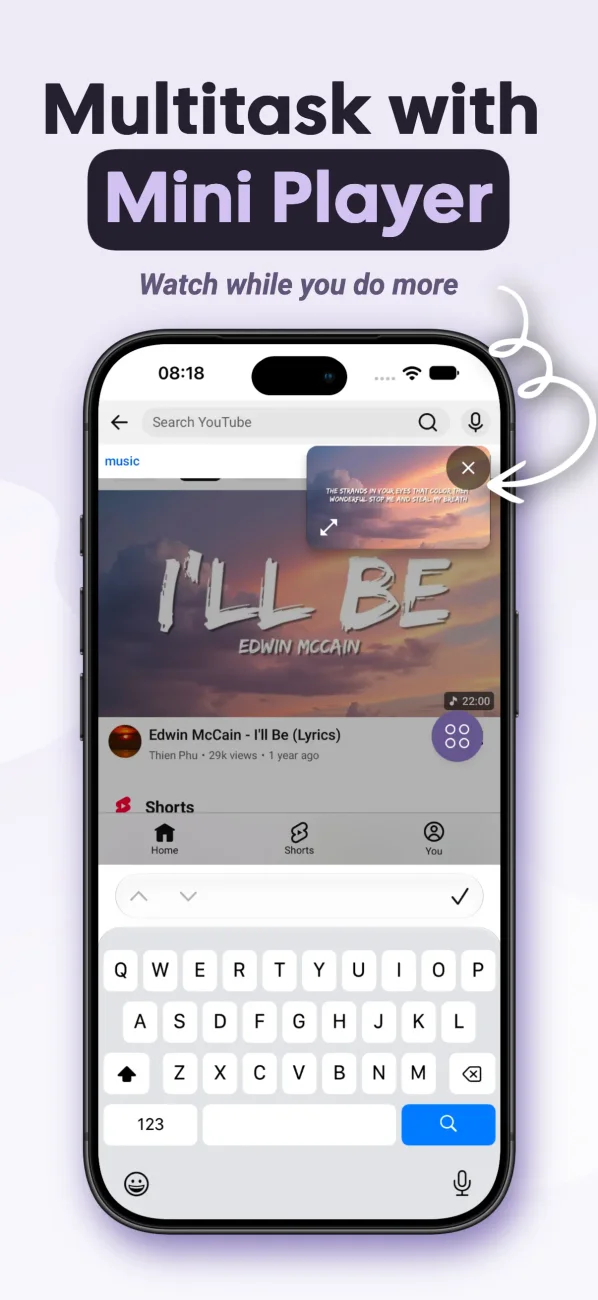
WATCH WHILE YOU BROWSE
Minimize supported YouTube videos into a floating player inside the app. Drag it to a comfortable position, resize it, and expand it to return to the watch page while keeping your playback position.
PICTURE IN PICTURE AND BACKGROUND AUDIO
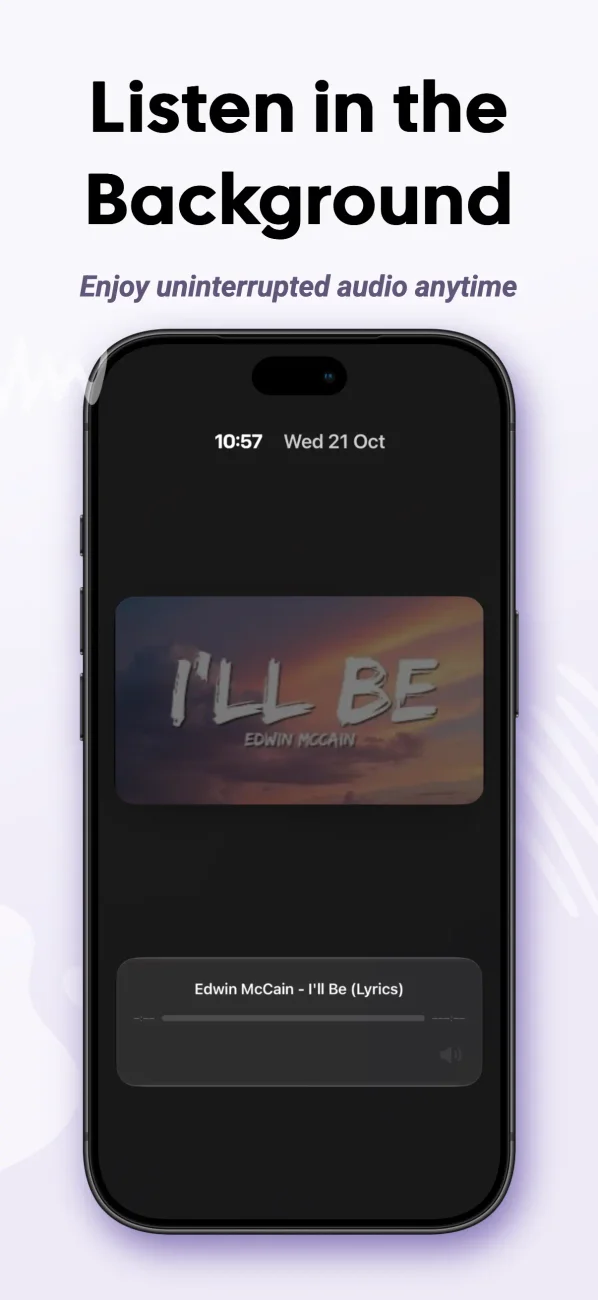
On supported iOS devices, keep watching compatible videos in system Picture in Picture while using other apps. Supported media can also continue as background audio, with lock-screen playback controls, progress, and artwork where available.
TAKE CONTROL OF PLAYBACK
Play or pause, skip backward or forward by 10 seconds, seek along the timeline, enter fullscreen, and choose supported playback speeds. Repeat a favorite video and access captions and video quality through the provider’s player.
BUILD YOUR WATCH QUEUE
Save YouTube videos to a queue, rearrange their order, remove individual items, or clear the list. Choose any queued video, use Play Next, and enable automatic queue advancement.
SET A SLEEP TIMER
Stop playback after 5, 15, 30, 45, or 60 minutes, or when the current video ends.
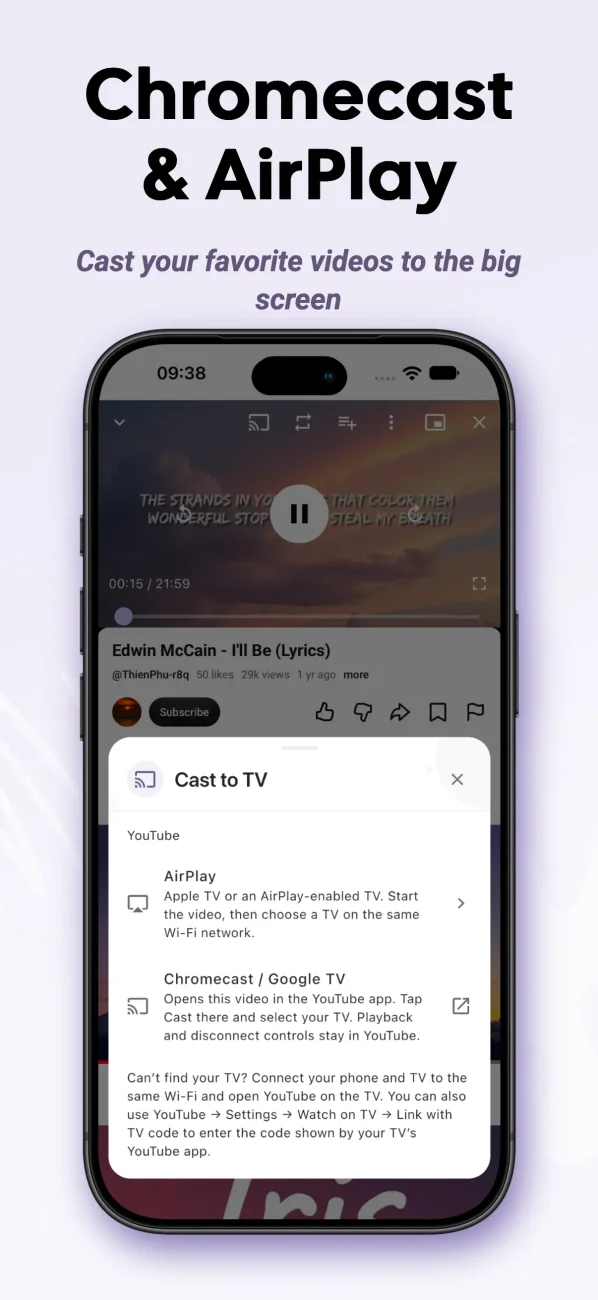
WATCH ON YOUR TV
Use AirPlay for compatible videos on supported iPhone and iPad devices. For Chromecast or Google TV, open the current video in the YouTube app at its playback position and connect using YouTube’s casting controls.
SAVE AND REVISIT
Bookmark pages, search your bookmarks, rename entries, and remove links you no longer need. Browse searchable history grouped by day, revisit up to 500 recent pages, and quickly reopen recent YouTube videos from the home screen.
PERSONALIZE YOUR BROWSER
Choose Light, Dark, or System appearance, select your preferred main color and search engine, and enable or disable the floating player.
MANAGE YOUR BROWSING DATA
Control history recording, delete individual history entries, or clear your history. Clear website cookies, cache, and local storage while keeping your bookmarks and queue. Bookmarks, queue, history, and preferences are stored on your device.
REDUCE SOME YOUTUBE AD INTERRUPTIONS
Built-in filtering attempts to hide recognized promoted content and skip supported video ads. Results vary, and ad-free playback is not guaranteed.
GET STARTED WITH A GUIDED INTRODUCTION
Explore the app through an animated walkthrough that you can replay from Settings, with support for reduced motion and screen-reader navigation.
Current browser features are available without a subscription. The app includes advertising; Premium is coming soon.
Video Browser Lite Version is an independent browser and is not affiliated with YouTube, Twitch, TikTok, or Rumble. Playback, background audio, Picture in Picture, captions, quality, and casting depend on the website, content, device, and operating system.
Neue Funktionen
Version 1.0.1 · 17.11.2026
Update home page UI
App-Datenschutz
Was Huong Phan im App Store zum Umgang dieser App mit Daten angibt.
-
Keine Daten erfasst
Der Entwickler erfasst keine Daten von dieser App.
Die Datenschutzpraktiken können variieren, zum Beispiel je nach den von Ihnen verwendeten Funktionen oder Ihrem Alter.
Informationen
- Anbieter
- Huong Phan
- Kategorie
- Foto und Video
- Version
- 1.0.1
- Aktualisiert
- 17.11.2026
- Veröffentlicht
- 02.11.2026
- Größe
- 33,6 MB
- Erfordert
- iOS 16.0 oder neuer
- Altersfreigabe
- 17+
- Preis
- Kostenlos
- Sprachen
- Englisch
- Copyright
- © 2026
Das könnte Ihnen auch gefallen
-
 JSlate: Production TimerFoto und Video
-
 Ad Blocker For Safari - NoAdsFoto und Video
-
 Ytube Pro : Block Ads on VideoFoto und Video
-
 Morphe Video BrowserFoto und Video
-
 AI Professional Headshot - HS9Foto und Video
-
 Desqueeze - Batch ResizerFoto und Video
-
 PicVideo - AI GeneratorKI Video Maker & Effekte
-
 TuneAI: Body & Face EditorFoto und Video
-
 Video App: VideobearbeitungDiashow, Foto Collage, Videos