Vista Viewer
2D VR Video Player
Entwickelt für iPhone, iPad
Kostenlos · In-App-Käufe
- Altersfreigabe4+
- KategorieFoto und Video
- EntwicklerCharles Dusek
- SprachenEnglisch
- Größe3,5 MB
Verlinkt auf die offizielle App Store-Seite
Download.org hostet keine Datei von Vista Viewer. Die Schaltfläche öffnet die App-Seite bei App Store, wo Charles Dusek die App veröffentlicht. Eintrag zuletzt geprüft am 16.11.2026.
Screenshots

Info
Der Entwickler hat diesen Text nicht in Ihrer Sprache bereitgestellt.
Vista is a 180° side-by-side (SBS) VR video player for iPhone and iPad. It’s built to make viewing VR180 footage without a headset easy and intuitive providing the best experience.
Designed with performance and visual correctness in mind, Vista uses Apple’s Metal graphics stack to render immersive video smoothly while giving you intuitive touch controls for exploration and inspection. Because of this, Vista also works equally well for high definition playback of standard 2D movies that are a part of your collection.
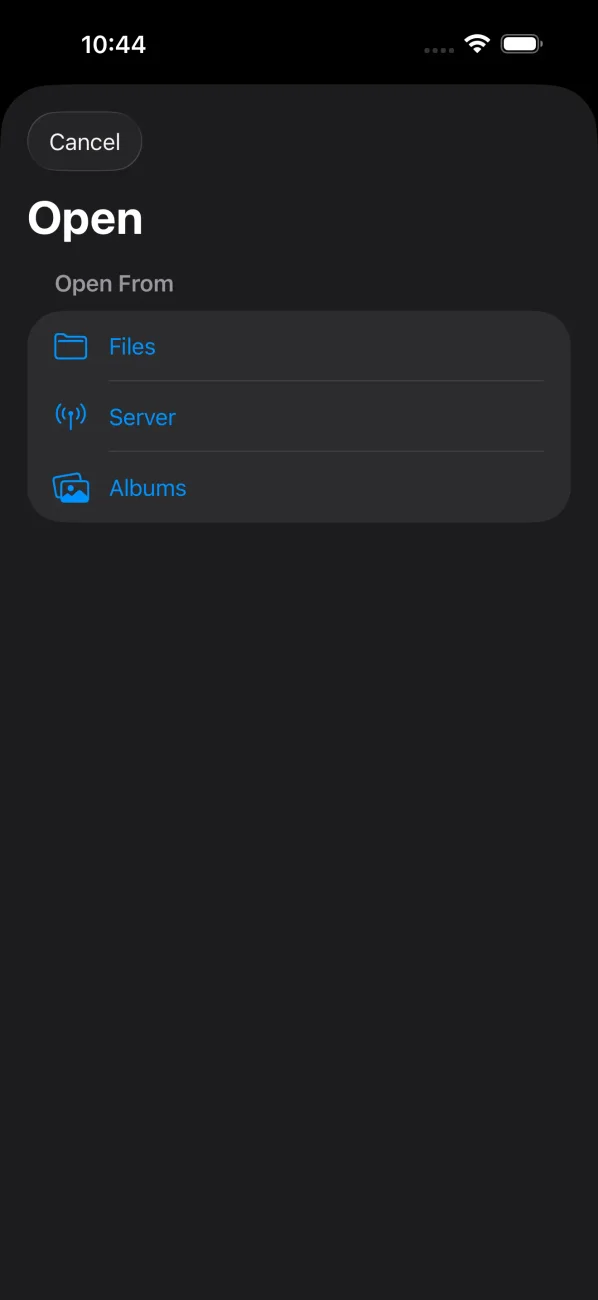
With Vista, you may open videos that are on the device or shared files using the system Files picker. You may also browse and stream from an optional VistaServer library on your local network. Playback issues make File Sharing on MacBook unusable for most high quality videos. VistaServer was built to allow storage of high quality video files on your MacBook or external drive connected to MacBook and then share them to Vista player over local network with the highest quality possible. It is available on App Store for MacOS.
Key Features
• VR180 SBS Playback
View 180° equirectangular side-by-side video with correct hemisphere selection for left or right eye sources.
• Multiple Projection Modes
Switch instantly between:
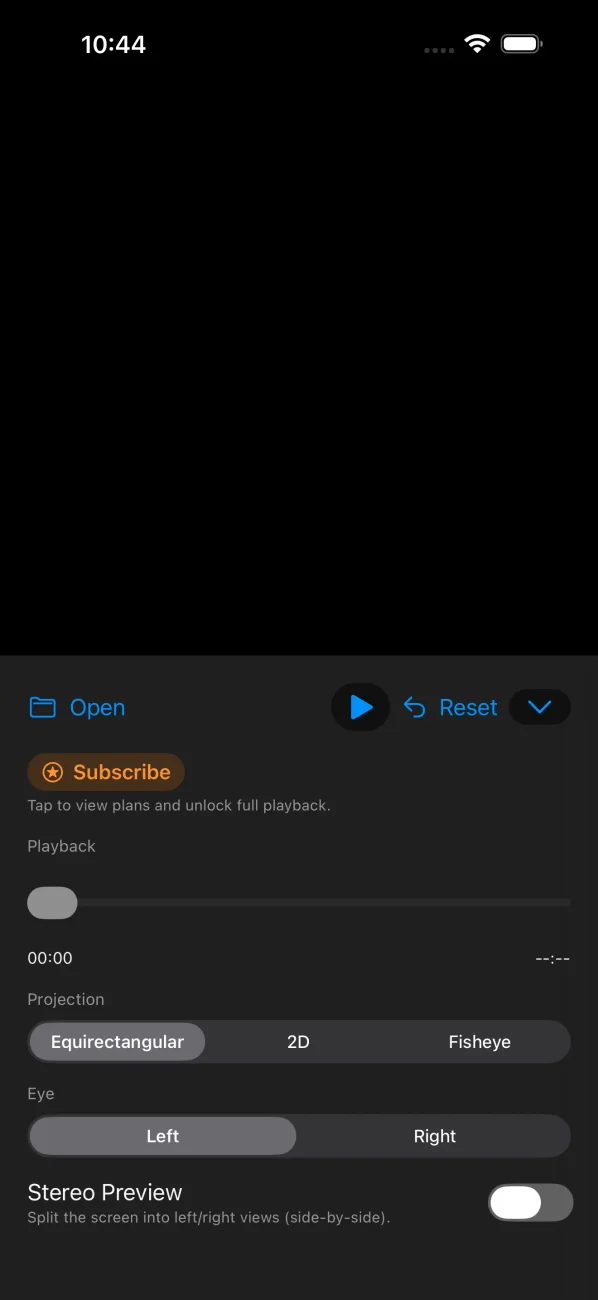
– VR180 equirectangular
– Equidistant fisheye (with adjustable lens FOV)
– Standard flat 2D playback
• Interactive Camera Controls
Drag to orbit the view, pinch to zoom with physically consistent field-of-view behavior, and double-tap to reset orientation.
• Stereo Preview
Inspect both eyes side-by-side for stereo alignment and quality checks.
• Accurate FOV Handling
Per-axis field-of-view math prevents stretching on tall or wide displays, preserving correct geometry across orientations.
• Local Files, No Uploads
Open .mp4 and .mov files directly from your device using the system document picker. Videos never leave your device.
• Optimized for iPhone and iPad
SwiftUI interface with Metal-backed rendering for smooth playback and responsive interaction.
Ideal For
• Reviewing VR180 camera footage
• Inspecting stereo alignment and framing
• Previewing fisheye captures before processing
• Exploring immersive video without a headset
Privacy Policy: https://github.com/cgdusek/support/blob/main/Vista/PRIVACY.md
Terms of use: https://www.apple.com/legal/internet-services/itunes/dev/stdeula/
Neue Funktionen
Version 1.3 · 28.05.2026
Long press to open controls when controls are hidden
Added close controls icon on controls
App-Datenschutz
Was Charles Dusek im App Store zum Umgang dieser App mit Daten angibt.
-
Keine Daten erfasst
Der Entwickler erfasst keine Daten von dieser App.
Die Datenschutzpraktiken können variieren, zum Beispiel je nach den von Ihnen verwendeten Funktionen oder Ihrem Alter.
Informationen
- Anbieter
- Charles Dusek
- Kategorie
- Foto und Video
- Version
- 1.3
- Aktualisiert
- 28.05.2026
- Veröffentlicht
- 03.02.2026
- Größe
- 3,5 MB
- Erfordert
- iOS 17.6 oder neuer
- Altersfreigabe
- 4+
- Preis
- Kostenlos
- In-App-Käufe
- Ja
- Sprachen
- Englisch
- Copyright
- © 2026 Charles Dusek
Das könnte Ihnen auch gefallen
-
 StereoShift - 3D Photo/Video3D SBS from photos & videos
-
 PViewer - The 360 Video PlayerFoto und Video
-
 Orbio – 8K-VR-VideoplayerBereit für 8K
-
 MVPlayer.appImmersiver & 3D-Videoplayer
-
 i3DMovieMakerFoto und Video
-
 VR Player: Virtual RealityFoto und Video
-
 XPlayer2: XREAL 3D PlayerFoto und Video
-
 GizmoVR Lite: 360 Video & TubeFoto und Video
-
 PLAY'AFoto und Video
-
 Simple 360 VR Kamera PlayerFotos Videos Cardboard Ricoh