
Vistempo: ADHD Visual Timer
Focus timer for time blindness
Entwickelt für iPhone, iPad, Mac
Kostenlos · In-App-Käufe
- Altersfreigabe4+
- KategorieProduktivität
- EntwicklerItalo Moura
- SprachenEnglisch+ 1 weitere
- Größe23,7 MB
Verlinkt auf die offizielle App Store-Seite
Download.org hostet keine Datei von Vistempo: ADHD Visual Timer. Die Schaltfläche öffnet die App-Seite bei App Store, wo Italo Moura die App veröffentlicht. Eintrag zuletzt geprüft am 28.11.2026.
Screenshots
Info
Der Entwickler hat diesen Text nicht in Ihrer Sprache bereitgestellt.
Vistempo keeps time visible while you work. On Mac, a glowing screen border and floating countdown help you notice the end approaching while another window is open. On iPhone and iPad, follow time on your Lock Screen; on Apple Watch, use the timer even away from your phone.
The download is free. A first real three-minute session is included; after that, Vistempo Pro is required, with a 14-day trial for eligible subscribers.
START WITH THE FIRST STEP
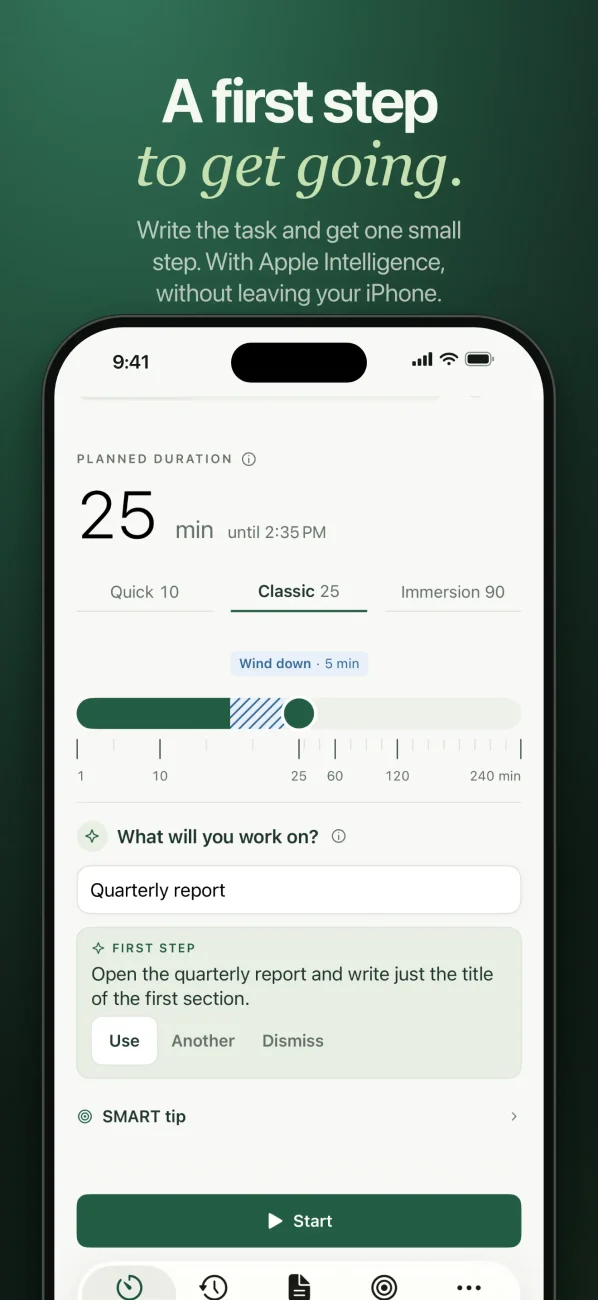
Not sure where to begin? Write the task and tap Suggest a first step: you get one concrete step of a few minutes, and choose to use it, ask for another or dismiss it. It runs on Apple Intelligence on your own device, and the task never leaves it. It appears on compatible iPhones and Macs with Apple Intelligence turned on.
SEE THE SESSION
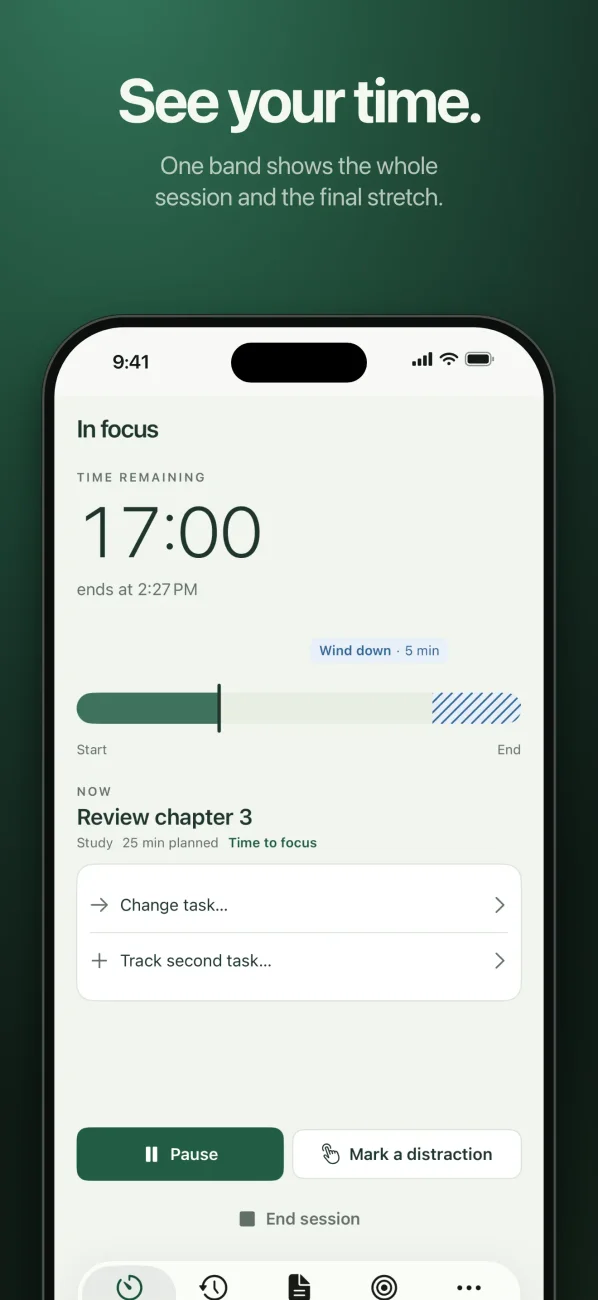
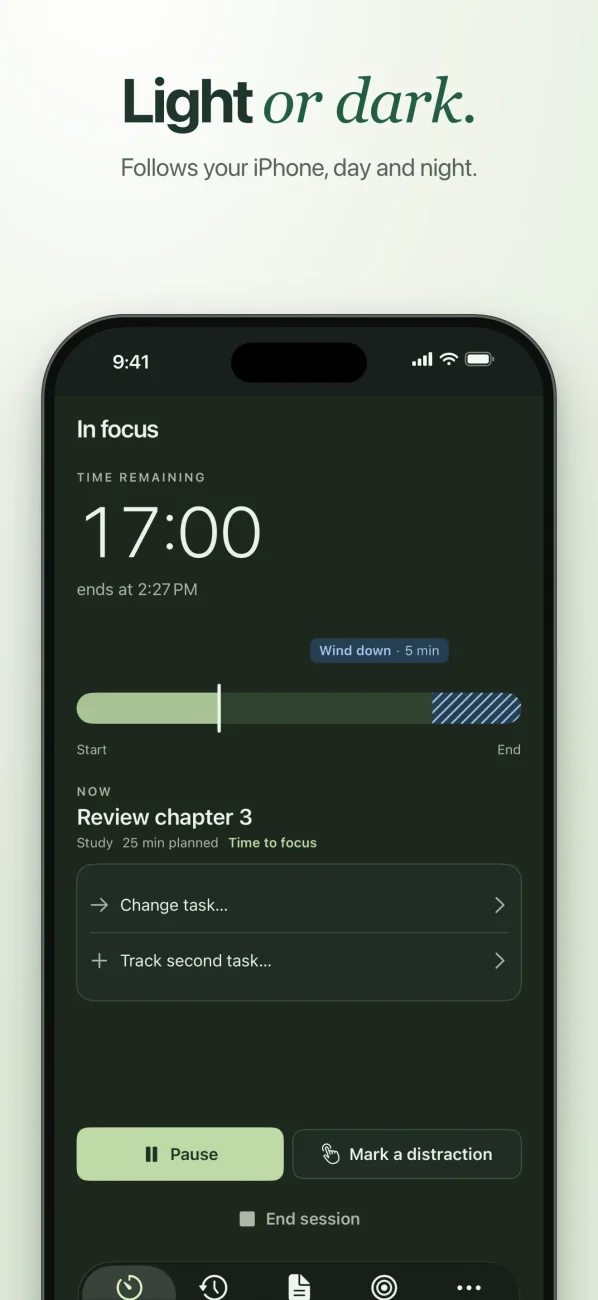
A visual band shows elapsed time and the final stretch, hatched in blue. Wind-down reminders help you see the end coming. Pause when you need to; paused time is not counted as focus. On iPhone and iPad, the final alert can sound even on silent. At zero, the timer can keep counting extra time instead of closing the session abruptly.
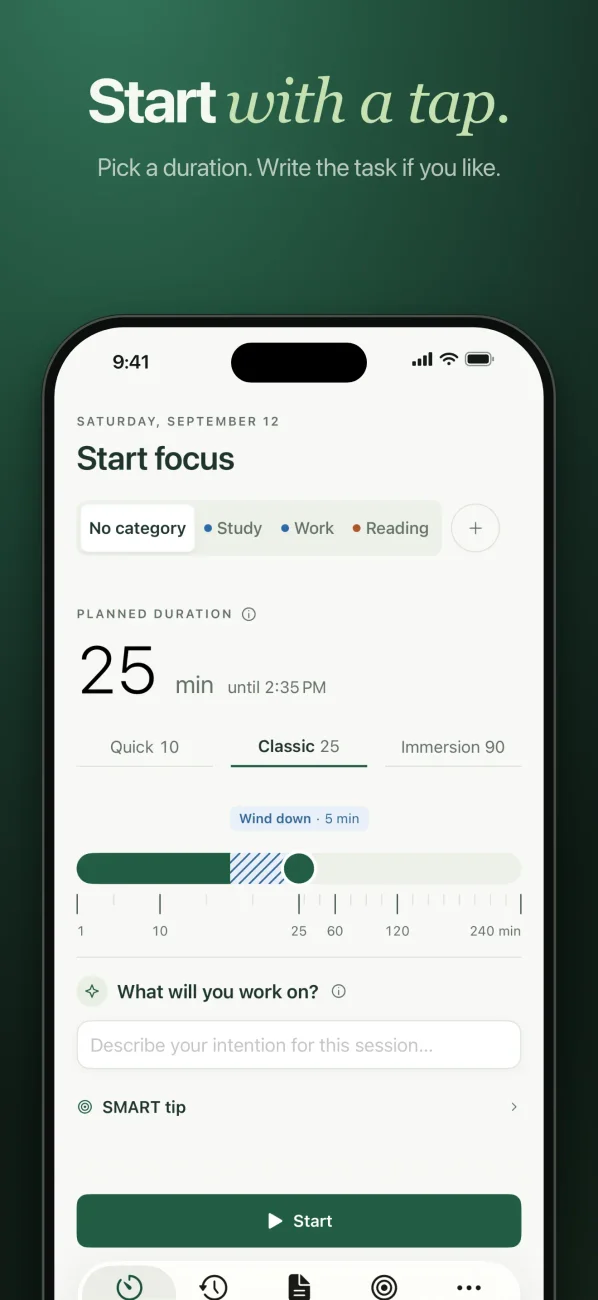
A tap can mark a distraction without typing. In sessions of an hour or more, the app can ask halfway through whether this is still the task. Duration suggestions use your own past sessions.
COME BACK TO THE TASK
Leave an annotation about where you stopped. It stays available as a point of return, alongside the intention, category and duration. From history, prepare another session with the earlier details, review them and start when ready.
FIND WHAT YOU NEED
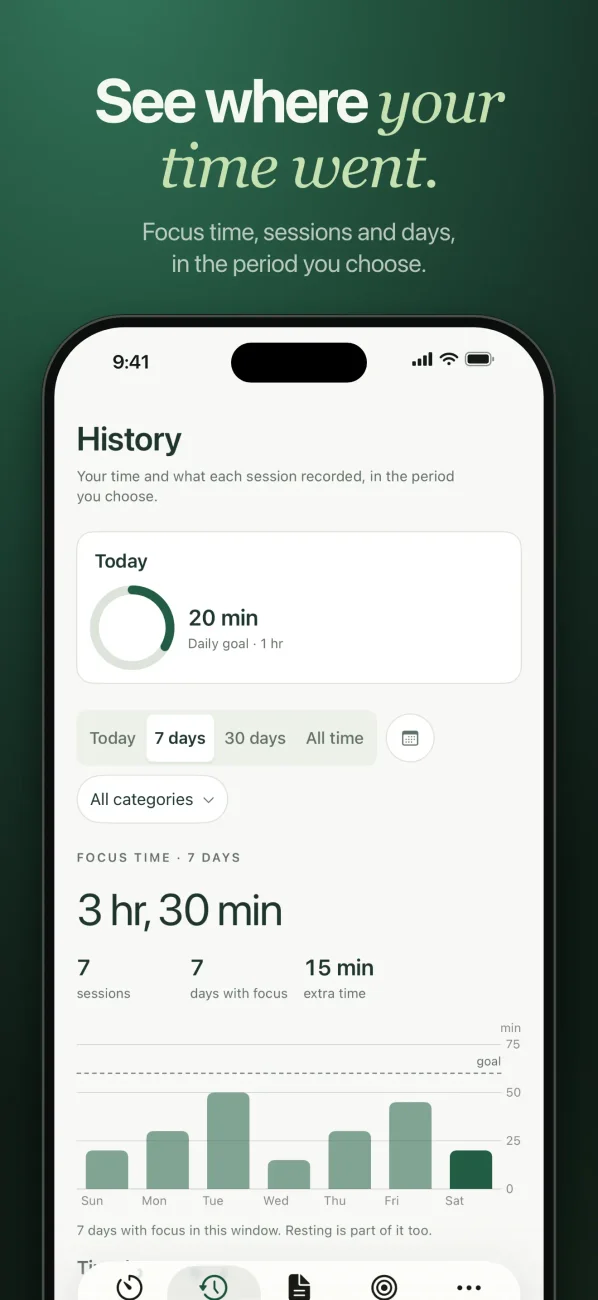
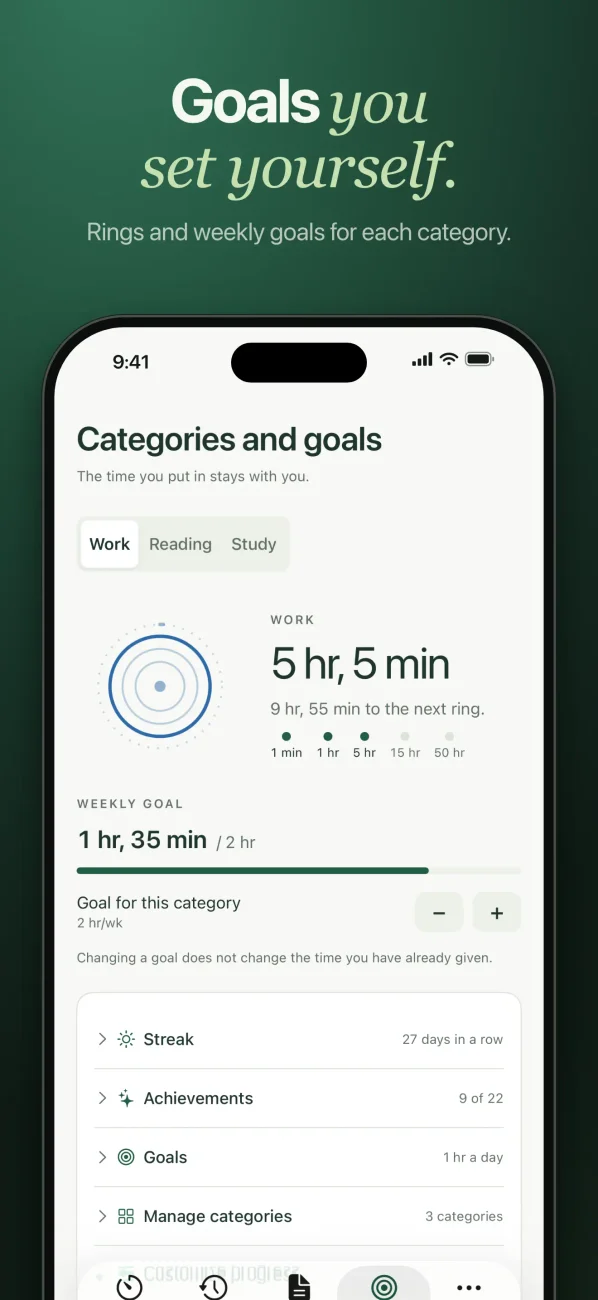
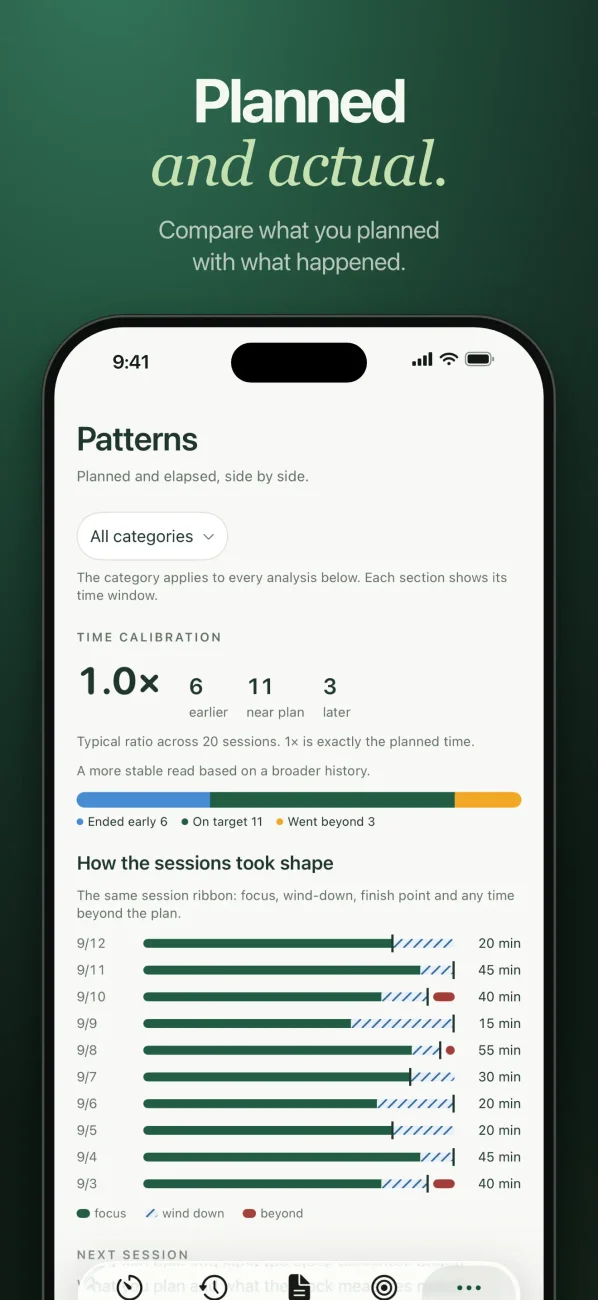
History opens with a summary of the period and brings recent sessions, the full archive, date ranges and search into one place. Categories and goals, daily and weekly goals show your ongoing progress. Patterns compares planned and actual time. Choose which supporting information you want to see.
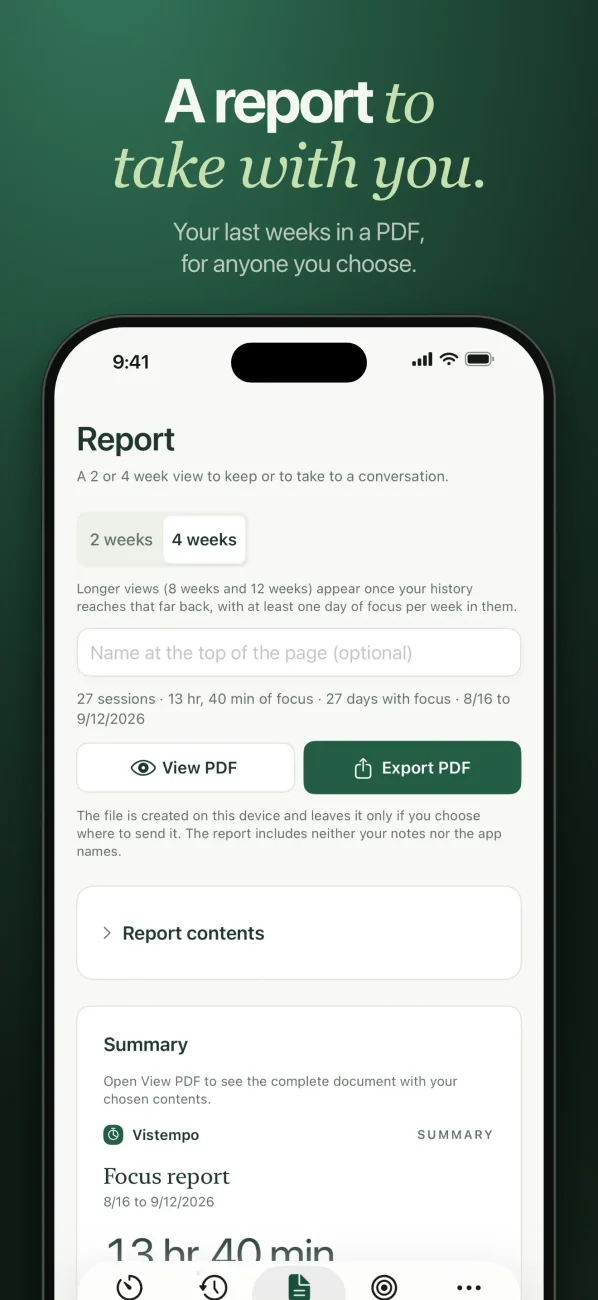
Preview the actual PDF or export a report for the last two or four weeks. It is a descriptive record, without personal annotations or app names, that you can take to a conversation with your professional.
YOUR NAVIGATION
Choose and reorder up to four tabs on iPhone and iPad. Browse keeps destinations accessible. Hold the app icon for focus commands or to open Focus, History and Settings.
ON APPLE WATCH
The iPhone download includes an independent Watch app. Start with your last duration or tap for five minutes. Leave a note when you finish and pick up by category. Pause, resume, add time and mark distractions even away from iPhone. The Watch keeps its timer and session records locally.
PRIVACY
The timer works without an account, ads or developer analytics. History stays on your devices. Connecting nearby devices is optional and protected. An optional account with Sign in with Apple keeps a backup on Vistempo's server, which the service could technically read; you can delete it in the app. To show the counter on a locked iPhone or iPad, the server temporarily handles session details, never your full history. Apple handles purchases through the App Store.
SUBSCRIPTION
Vistempo Pro is a monthly or annual auto-renewable subscription for Mac, iPhone, iPad and Apple Watch. Eligible subscribers receive 14 days free; the subscription renews unless cancelled at least 24 hours before the trial ends. Prices and eligibility appear before purchase. Without an active subscription, history stays saved and readable. Manage or cancel through your Apple account settings.
Privacy: https://vistempo.com/privacy/
Terms: https://vistempo.com/terms/
Contact: contact@vistempo.com
Designed for people who lose track of time, including people with ADHD. Vistempo describes what happened; it does not diagnose, treat or measure attention.
Neue Funktionen
Version 1.6.2 · 27.11.2026
Gentle motion that confirms what you did: the end of a session, your subscription and your history now build on screen. On Apple Watch, wrist taps when you start, pause and end, with a switch in Settings. Everything respects Reduce Motion.
App-Datenschutz
Was Italo Moura im App Store zum Umgang dieser App mit Daten angibt.
-
Mit Ihnen verknüpfte Daten
Können erfasst und mit Ihrer Identität verknüpft werden.
- Benutzerinhalte
- Kennungen
- Nutzungsdaten
Die Datenschutzpraktiken können variieren, zum Beispiel je nach den von Ihnen verwendeten Funktionen oder Ihrem Alter.
Informationen
- Anbieter
- Italo Moura
- Kategorie
- Produktivität
- Version
- 1.6.2
- Aktualisiert
- 27.11.2026
- Veröffentlicht
- 23.09.2026
- Größe
- 23,7 MB
- Erfordert
- iOS 26.0 oder neuer
- Altersfreigabe
- 4+
- Preis
- Kostenlos
- In-App-Käufe
- Ja
- Sprachen
- Englisch, Portugiesisch
- Copyright
- © 2026 Vistempo
Das könnte Ihnen auch gefallen
-
 Habit Tracker: HabitGridPlanner, Tagebuch & Motivation
-
 Erledigungen - Aufgaben-LogWas getan, nicht was zu tun
-
 Hourfall: BildschirmzeitApp-Nutzung & Fokus-Timer
-
 Remi: Sprechender WeckerSpracherinnerung & Zeitansage
-
 Rise: App-Sperre am MorgenHör auf, im Bett zu scrollen.
-
 Focus Task – To-do-ListeAufgabenliste für ADHS & OCD
-
 ADHD Planner - EssentialismProduktivität
-
 Untap: BildschirmzeitApp-Blocker & Lernquiz
-
 PDF zu TextPDF in Text umwandeln
-
 Bildschirmzeit – PauseGewohnheitstraining & Timer