
VisualGIG: Backing Tracks
Stage Cues, MIDI Out & Click
Entwickelt für iPhone, iPad
Kostenlos · In-App-Käufe
- Altersfreigabe4+
- KategorieMusik
- EntwicklerAloisio Mello
- SprachenEnglisch+ 1 weitere
- Größe32,8 MB
Verlinkt auf die offizielle App Store-Seite
Download.org hostet keine Datei von VisualGIG: Backing Tracks. Die Schaltfläche öffnet die App-Seite bei App Store, wo Aloisio Mello die App veröffentlicht. Eintrag zuletzt geprüft am 16.11.2026.
Screenshots

Info
Der Entwickler hat diesen Text nicht in Ihrer Sprache bereitgestellt.
Your whole show on iPhone.
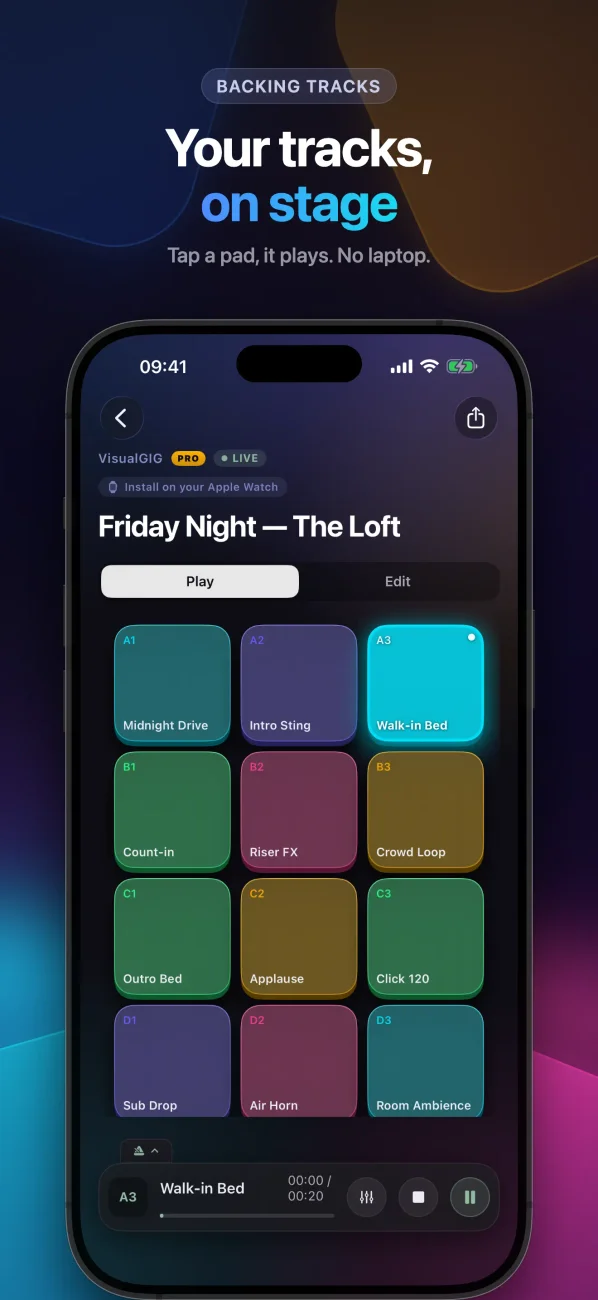
VisualGIG turns your iPhone into a backing track player for the stage. Build the set at home, walk into the bar, and fire playback, VS and effects with one tap — no laptop.
No accounts. No streaming. No waiting on venue Wi-Fi.
BUILT TO FIRE INSTANTLY
Every file is armed when you open the set, not when you press the pad. Sound starts when your finger lands. Files play from the device.
STAGE SCREEN
On stage the app keeps only your pads, what's playing and the clock. Nothing to edit mid-song.
• Screen never sleeps mid-set
• Pads keep their positions (muscle memory)
• Next cue marked NEXT
• Elapsed time inside the playing pad
• Exit takes a deliberate hold — a bump can't end the show
Airplane-mode reminder before the set: one call can duck your audio in front of a room.
PADS THAT DO MORE THAN PLAY
• Play over — layer on top; background ducks
• Hold to play — stingers, count-ins, hits
• Loop — beds and ambience
• Fade out — smooth ending
• Per-pad mixer — level and duck amount
BUILDING A SET
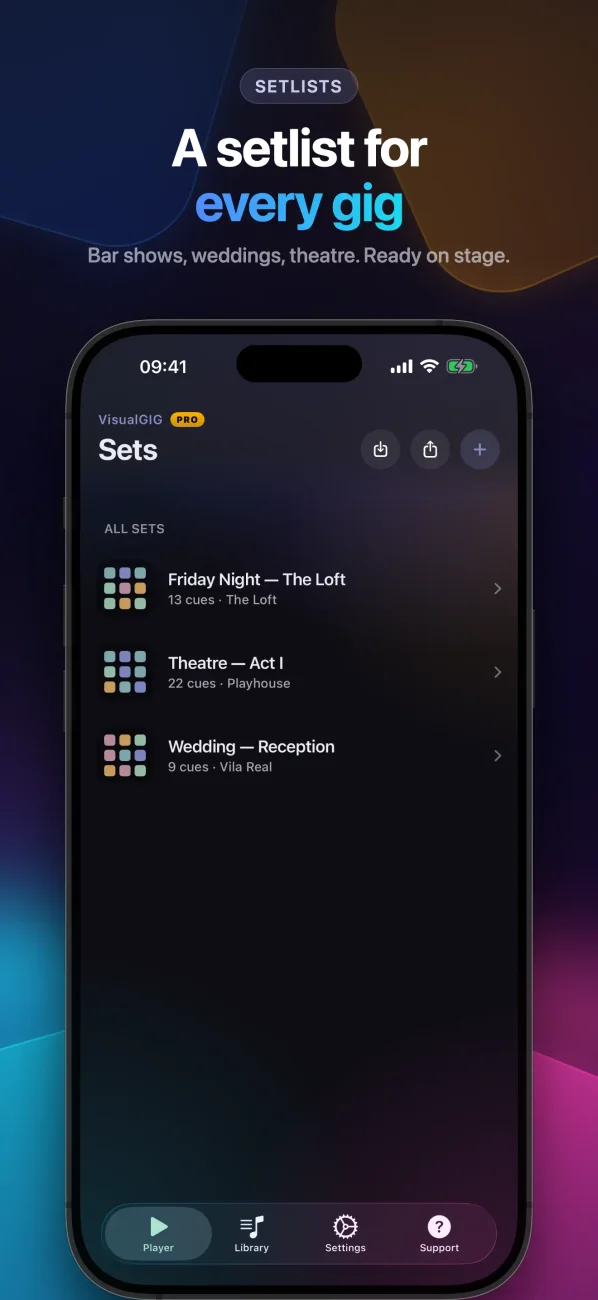
• A set for each night — name, venue, colour
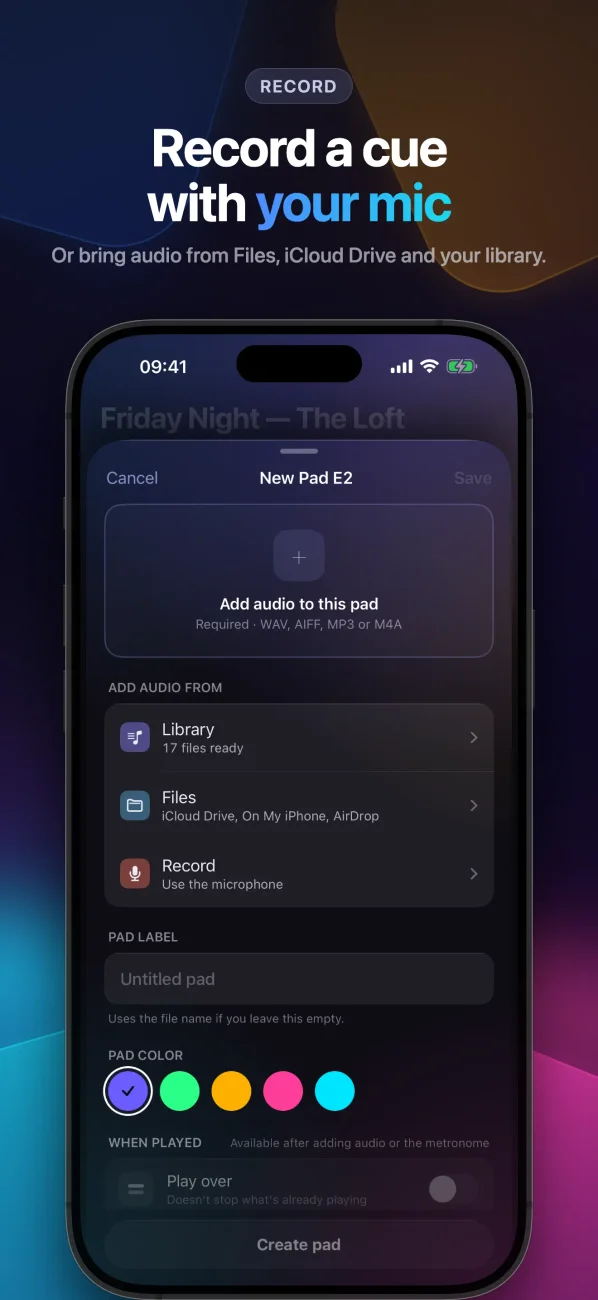
• Import WAV, AIFF, MP3 or M4A from Files / iCloud
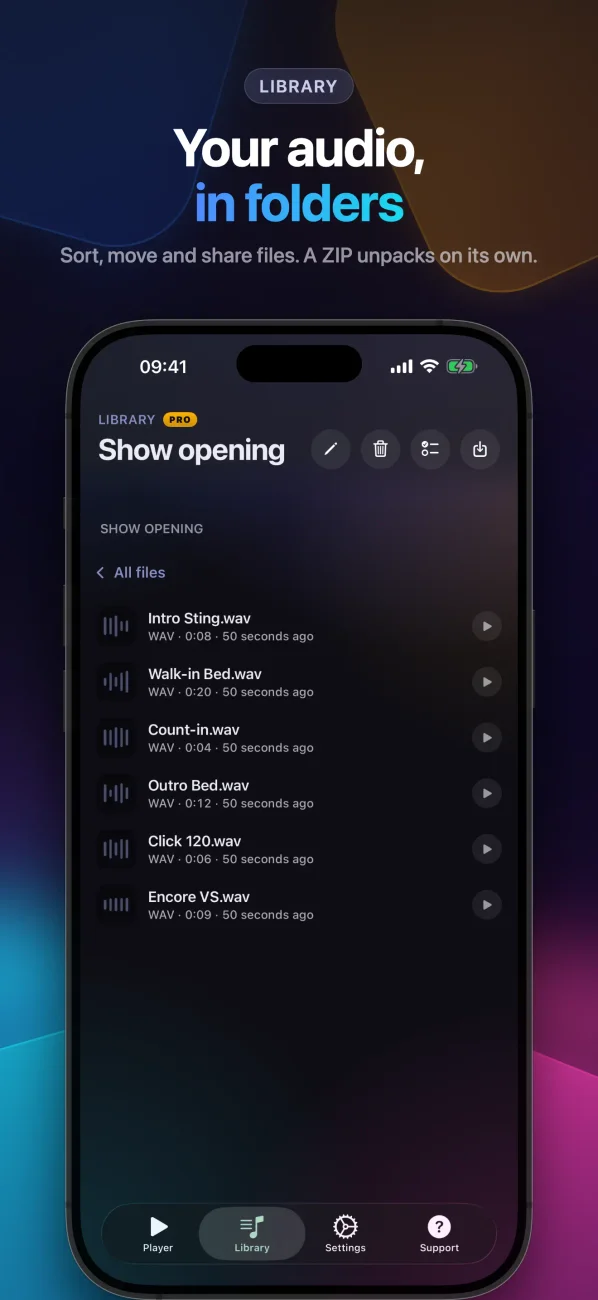
• Library folders — select, move and share files
• Or record into a pad with the mic
• Audition before you commit
• Edit: tap to change, hold to remove
• Missing file? The pad tells you instead of failing silently
All of that is free. No account, no trial timer. The free plan shows one small banner for another indie app, never on the pad screens; PRO removes it.
VISUALGIG PRO — OPTIONAL SUBSCRIPTION
PRO adds the stage tools. Building sets and playing pads work without it.
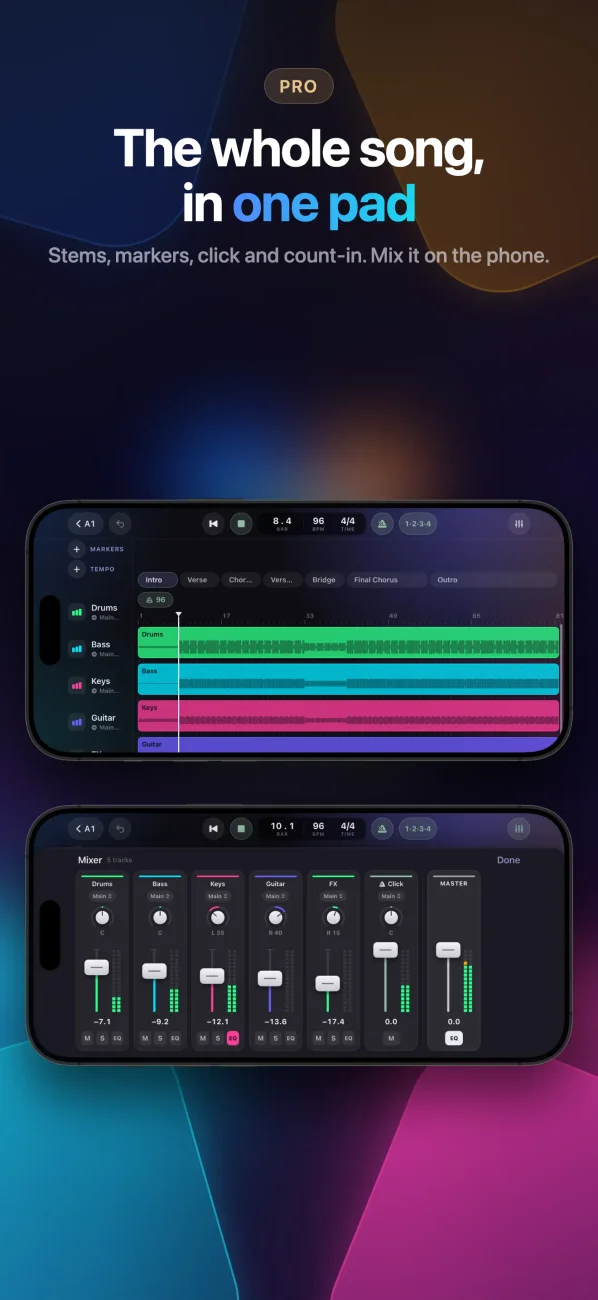
• Multitrack songs — your stems in a single pad, each on its own track. Turn the phone sideways to move, trim, split and fade audio, set the tempo and add markers; tap a marker to jump, hold it to loop. REQUIRES VISUALGIG PRO.
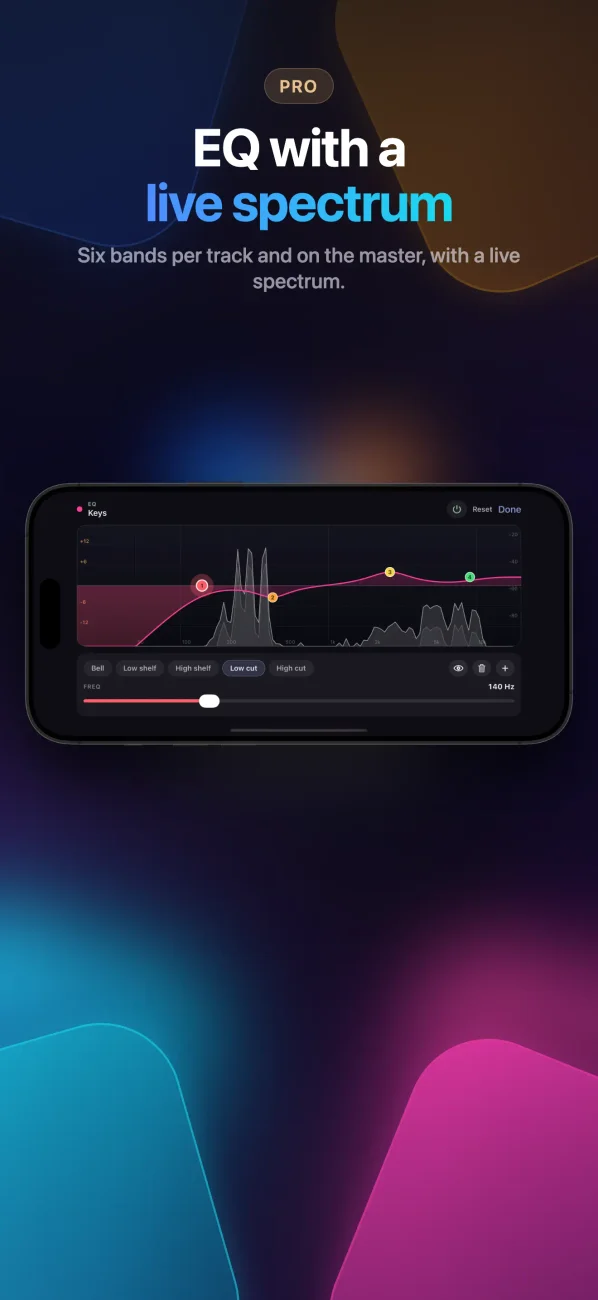
• Mixer & EQ — fader, pan, mute, solo and EQ on every track, a master EQ, and Normalize to even out levels. REQUIRES VISUALGIG PRO.
• Audio-interface outputs and inputs — send each track and the click to its own output (click and guides to the in-ears, the band to the desk) and hear a mic or instrument in your in-ears. On the free plan everything plays on the iPhone speaker, wired headphones or Bluetooth. REQUIRES VISUALGIG PRO.
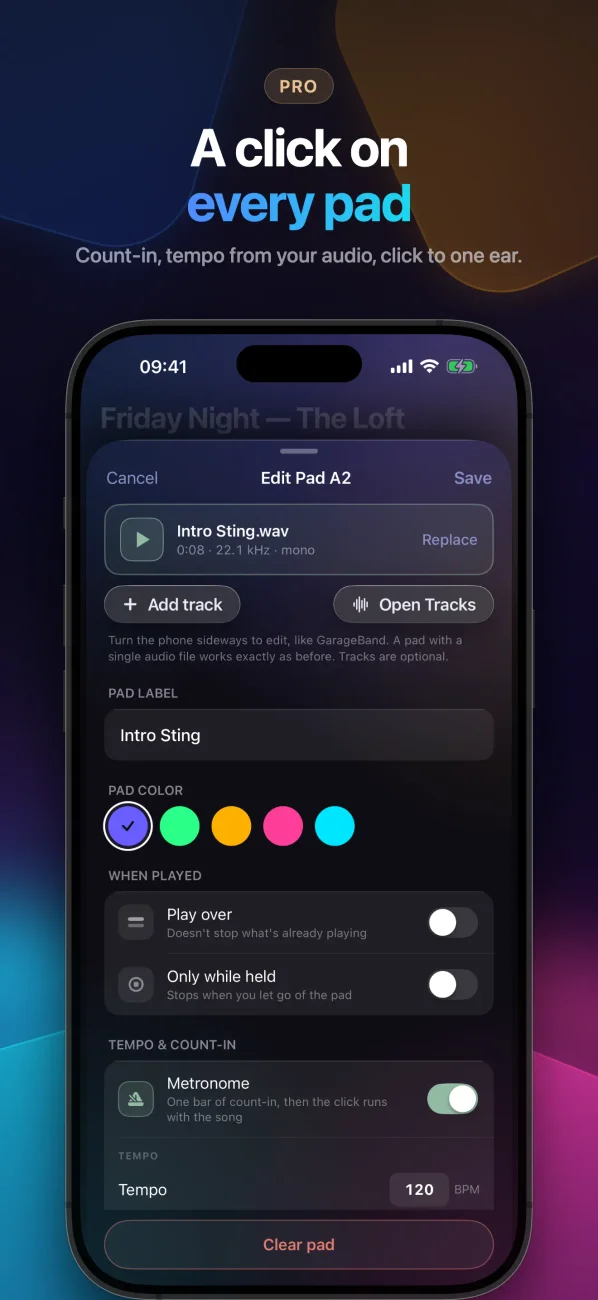
• Metronome & count-in — a click on every pad: count-in, tempo found from your audio (or tap it), click panned to one ear, or a pad that is only the click. REQUIRES VISUALGIG PRO.
• MIDI out — pads and songs change patches, scenes and lights on their own: Program Change, CC, notes or any message, each to the device you pick. When a pad starts or stops, on a MIDI track or on a section. REQUIRES VISUALGIG PRO.
• MIDI pedal — USB or Bluetooth, fires pads and the transport. REQUIRES VISUALGIG PRO.
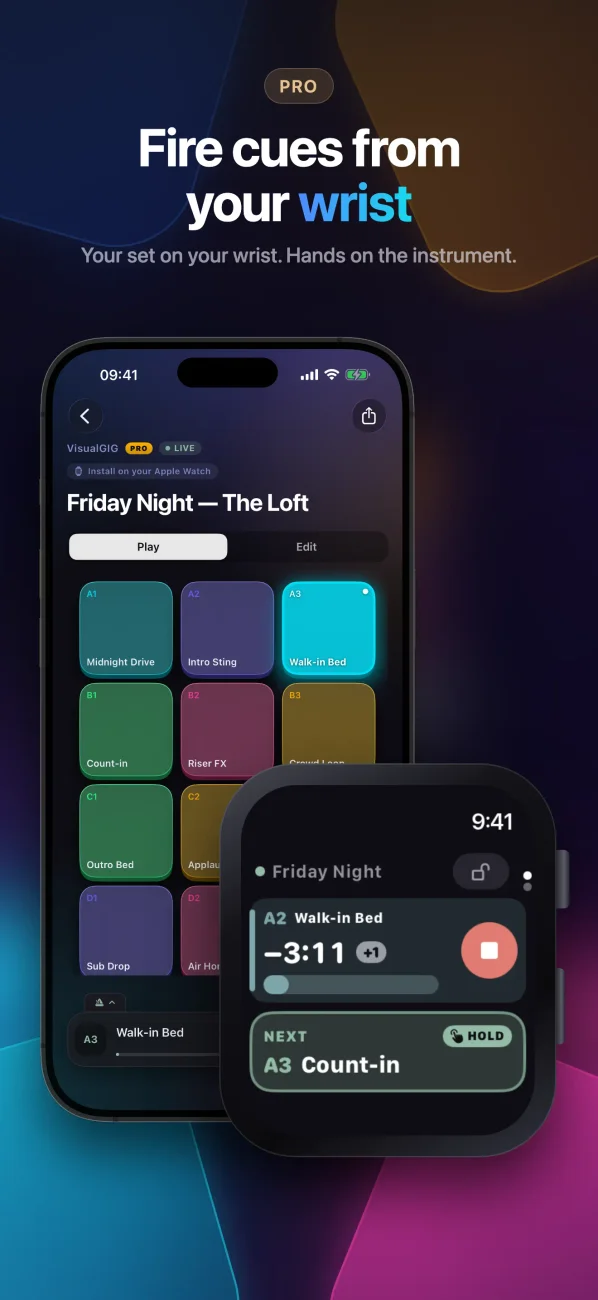
• Apple Watch — cues from your wrist. REQUIRES VISUALGIG PRO.
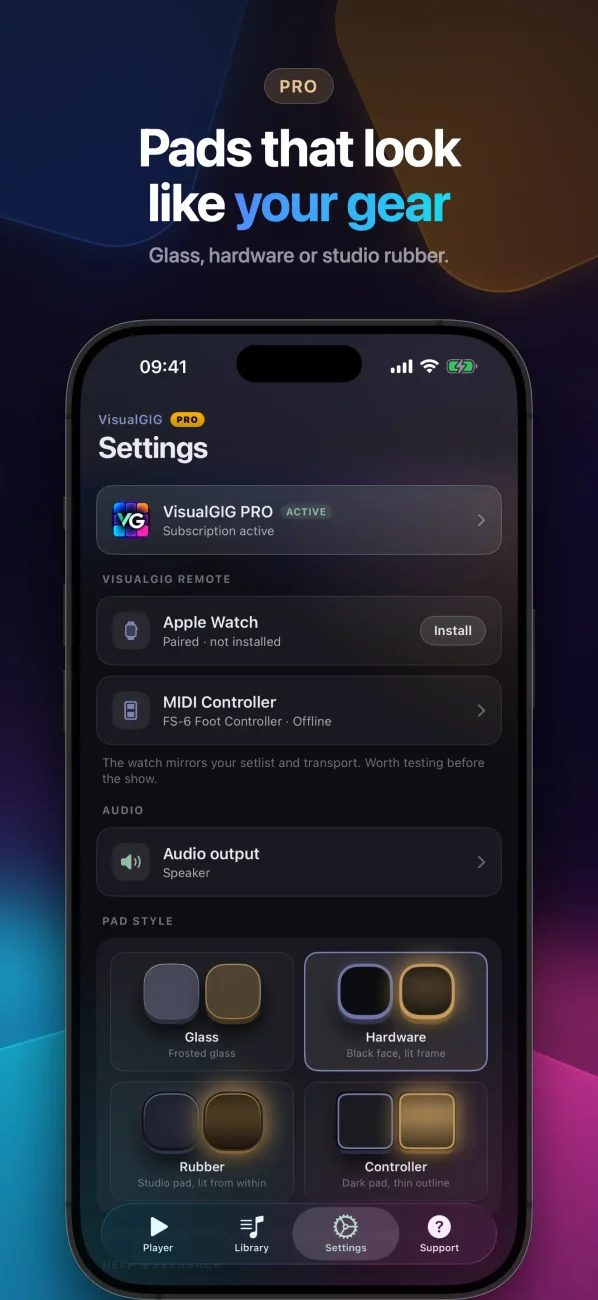
• Pad styles, set export and import, ZIP import. REQUIRES VISUALGIG PRO.
• VisualGIG PRO Monthly — auto-renewing
• VisualGIG PRO Annual — auto-renewing
Prices in local currency in the app. Charged to your Apple Account. Renews automatically unless cancelled at least 24 hours before the period ends. Manage in Apple Account settings.
FOR PEOPLE WHO ACTUALLY GIG
Bar and cover bands, solo players with VS/playback, theatre and events. Anyone who has watched a laptop update itself twenty minutes before doors.
WHAT IT DOESN'T DO
A cue player, not a DAW: the track editor lines up your stems, it doesn't record or mix down. No streaming, no cloud sync. Sets stay on device — on purpose. Available in English and Portuguese (Brazil). Fewer things to go wrong at 9pm.
Terms of Use (EULA): https://www.apple.com/legal/internet-services/itunes/dev/stdeula/
Privacy Policy: https://visualgig.app/privacy
Neue Funktionen
Version 1.6.1 · 11.11.2026
- Share a single pad: one .vgpad file with everything inside — audio, every track, MIDI, click and mix.
- Import a pad into any of your sets, from the new pad screen or straight from AirDrop, WhatsApp or Files.
- Your custom click now travels with the pad and with the set.
- In Open Tracks, export your song as one WAV with the full mix, or one WAV per track (stems).
- Export the song as a MIDI file, with tempo, time signatures, sections and MIDI tracks, ready for any DAW.
- Rearrange your pads: in Edit, hold a pad and drag it where you want it.
App-Datenschutz
Was Aloisio Mello im App Store zum Umgang dieser App mit Daten angibt.
-
Mit Ihnen verknüpfte Daten
Können erfasst und mit Ihrer Identität verknüpft werden.
- Käufe
- Standort
- Benutzerinhalte
- Kennungen
- Nutzungsdaten
- Diagnose
-
Nicht mit Ihnen verknüpfte Daten
Können erfasst werden, sind aber nicht mit Ihrer Identität verknüpft.
- Diagnose
Die Datenschutzpraktiken können variieren, zum Beispiel je nach den von Ihnen verwendeten Funktionen oder Ihrem Alter.
Informationen
- Anbieter
- Aloisio Mello
- Kategorie
- Musik
- Version
- 1.6.1
- Aktualisiert
- 11.11.2026
- Veröffentlicht
- 08.09.2026
- Größe
- 32,8 MB
- Erfordert
- iOS 18.6 oder neuer
- Altersfreigabe
- 4+
- Preis
- Kostenlos
- In-App-Käufe
- Ja
- Sprachen
- Englisch, Portugiesisch
- Copyright
- VisualGIG © 2026
Das könnte Ihnen auch gefallen
-
 Multitrack & Pad Player – OZNIMusik
-
 H Play StageMusik
-
 ShowCue: Setlist & PlaybackCues & Backing Tracks live
-
Chord & Key Finder – OZNIMusik
-
 CueRigMusik
-
Spectrum Analyzer RTA – OZNIMusik
-
 PadBrain: Drums für die BühneKlick, Playback & Pads live
-
 StageBoostMusik
-
 PadVoxMusik
-
 SoundBoard+ Jingles & EffekteSoundpads für Bühne, DJ & Live