
VT PDF Voice Reader
PDF read aloud and AI summary
Entwickelt für iPhone, iPad
Kostenlos
- Altersfreigabe4+
- KategorieProduktivität
- EntwicklerWEN JIANG
- SprachenEnglisch
- Größe2,1 MB
Verlinkt auf die offizielle App Store-Seite
Download.org hostet keine Datei von VT PDF Voice Reader. Die Schaltfläche öffnet die App-Seite bei App Store, wo WEN JIANG die App veröffentlicht. Eintrag zuletzt geprüft am 18.11.2026.
Screenshots
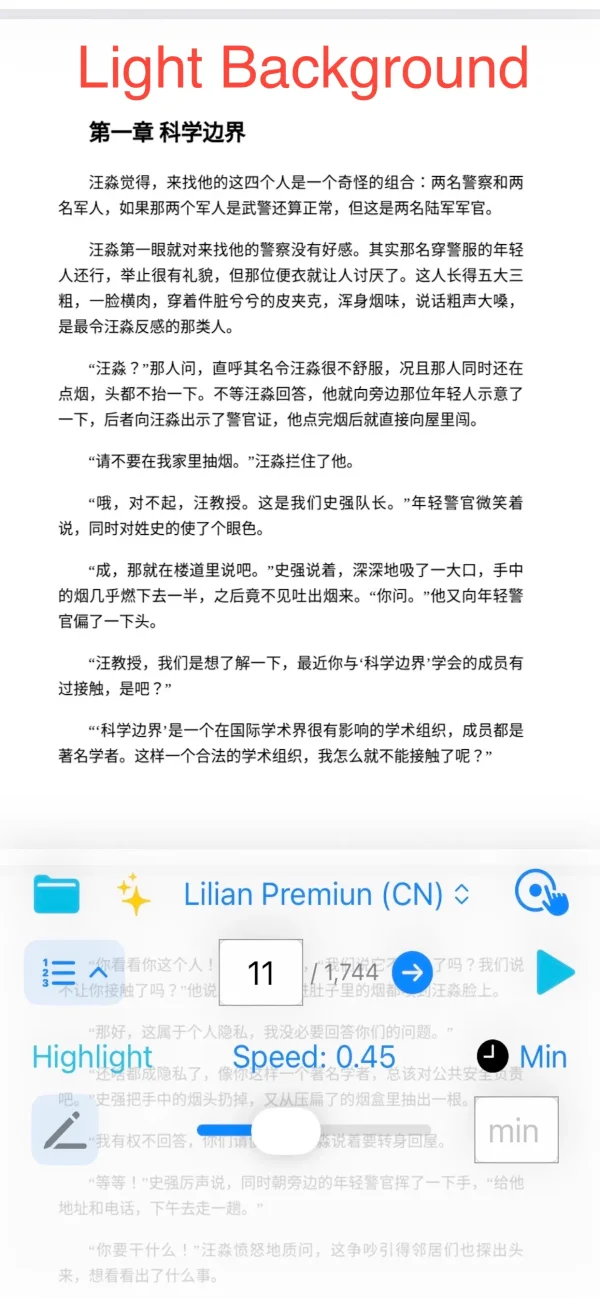
Info
Der Entwickler hat diesen Text nicht in Ihrer Sprache bereitgestellt.
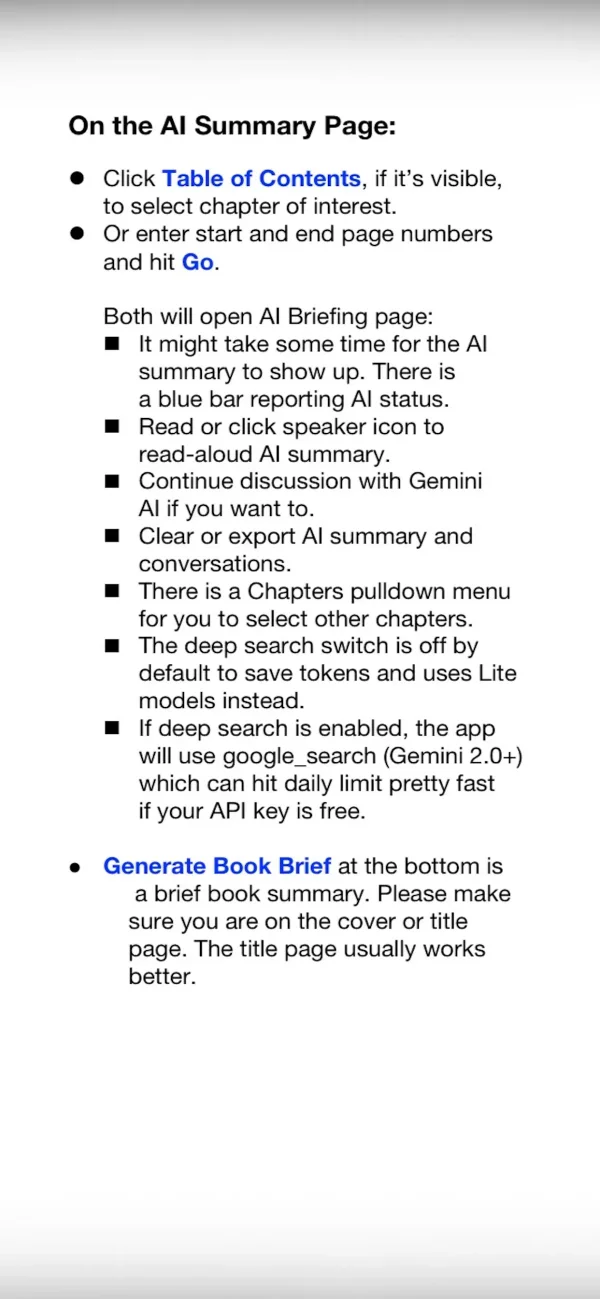
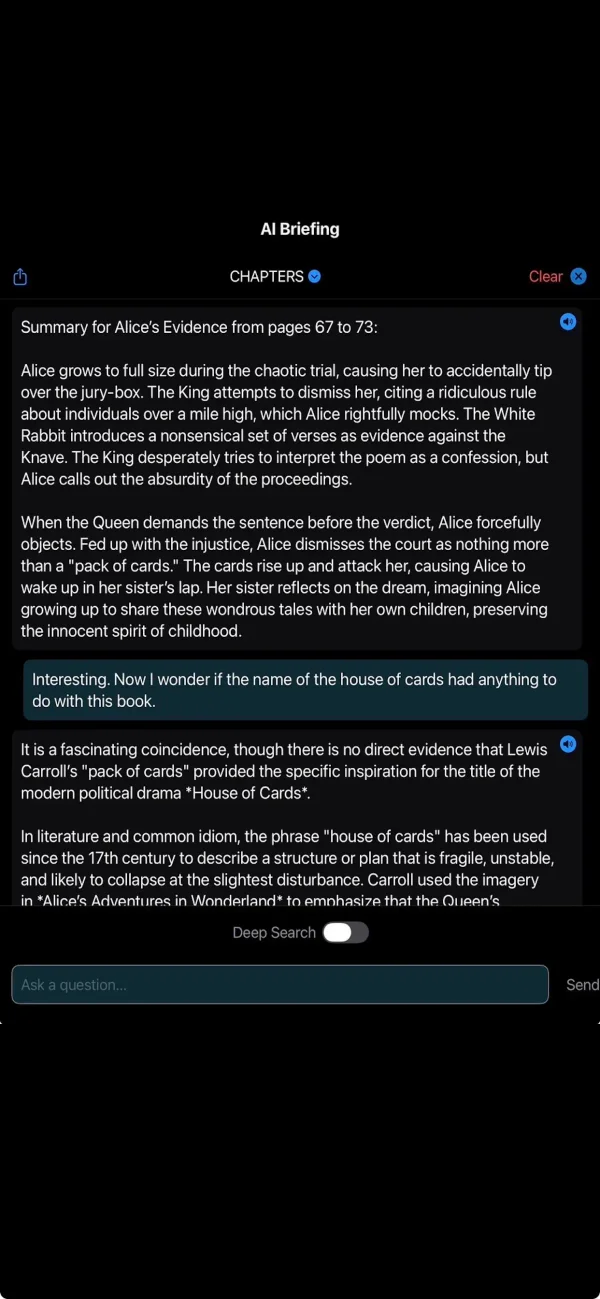
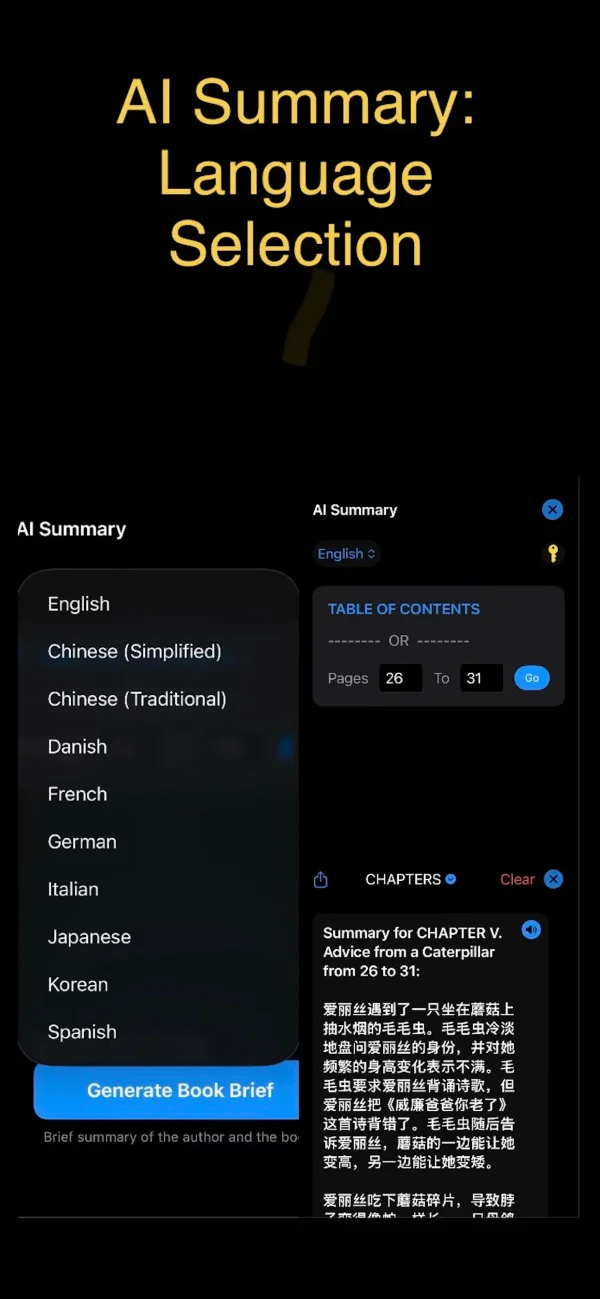
This free-of-charge PDF reader with text-to-speech is created by team VelaTango. It comes in handy when you want to listen to a book while taking a walk or working in garden. The voice reading runs completely offline. The AI summary of PDF text and continual discussions with AI can help you better understand the content as well as getting a good picture of books and articles that you do not have time to read in detail.
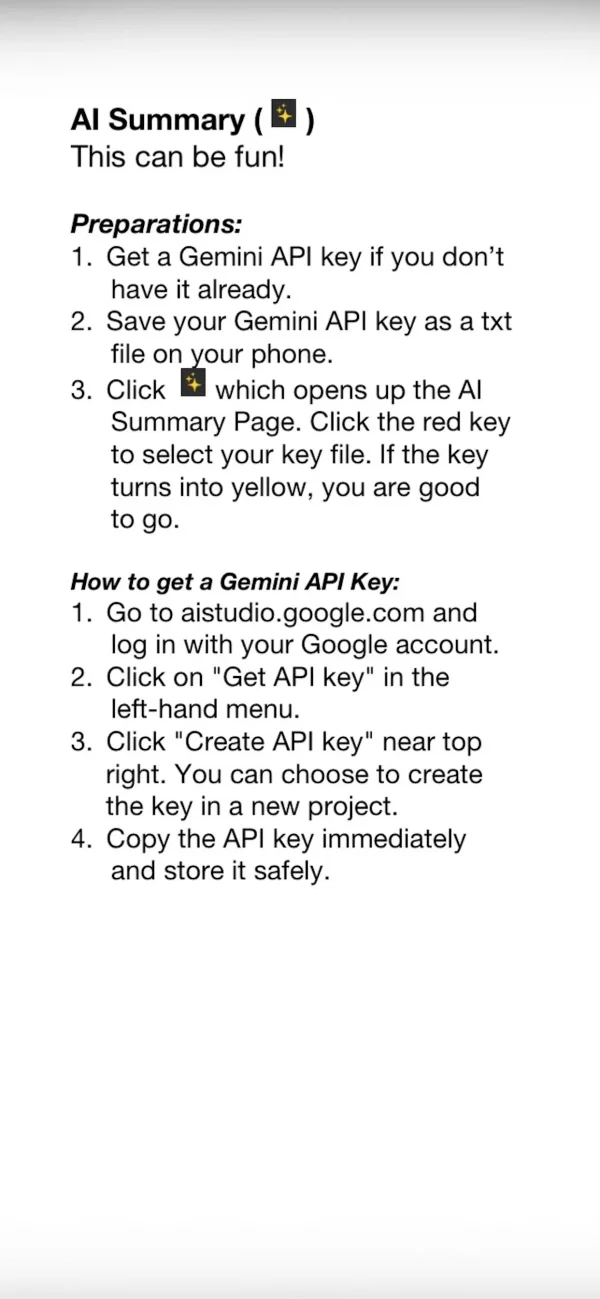
Privacy is fully protected with this app. PDF reading and text-to-speech are completely local and runs offline. The AI summary part requires internet connection. It sends selected PDF text directly to Google Gemini using your own API key. This app does not collect any user data. No email account needed. No login required.
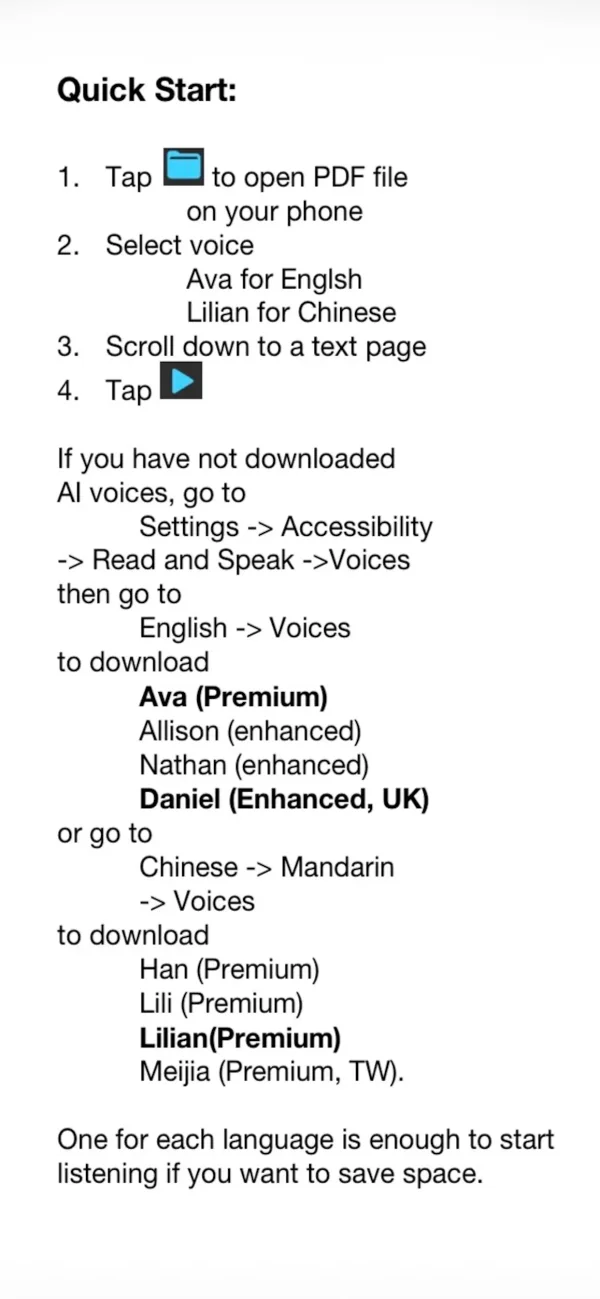
Please refer to instructions for details including how to download voices required by this app and how to apply for free Gemini API key if you are interested.
Some notes on features:
In principle, any PDF files can be loaded into this app. You can read by viewing. But when it comes to listening with text-to-speech (TTS), there are some limitations that you want to be aware of:
1) TTS part now works for PDFs with two-column text. Some text with math equations still face some challenges in separating two columns properly.
2) Voices are limited to 4 for English and 4 for Chinese to avoid the overwhelmingly long list. If you like the app and would like to add voices of other languages, please specify which language, name of the voice (like Ana), and whether the voice is enhanced or premium.
Your PDF and Gemini API key files (a txt file with only the key information) are good to be kept in the same place like in the Files folder on your device.
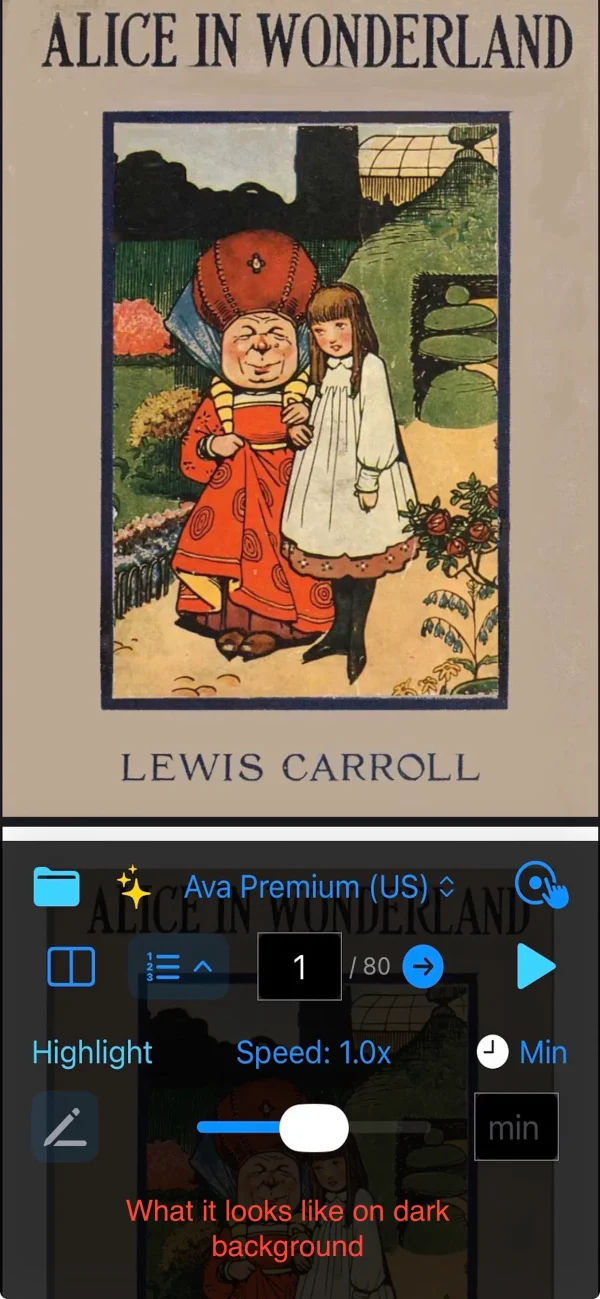
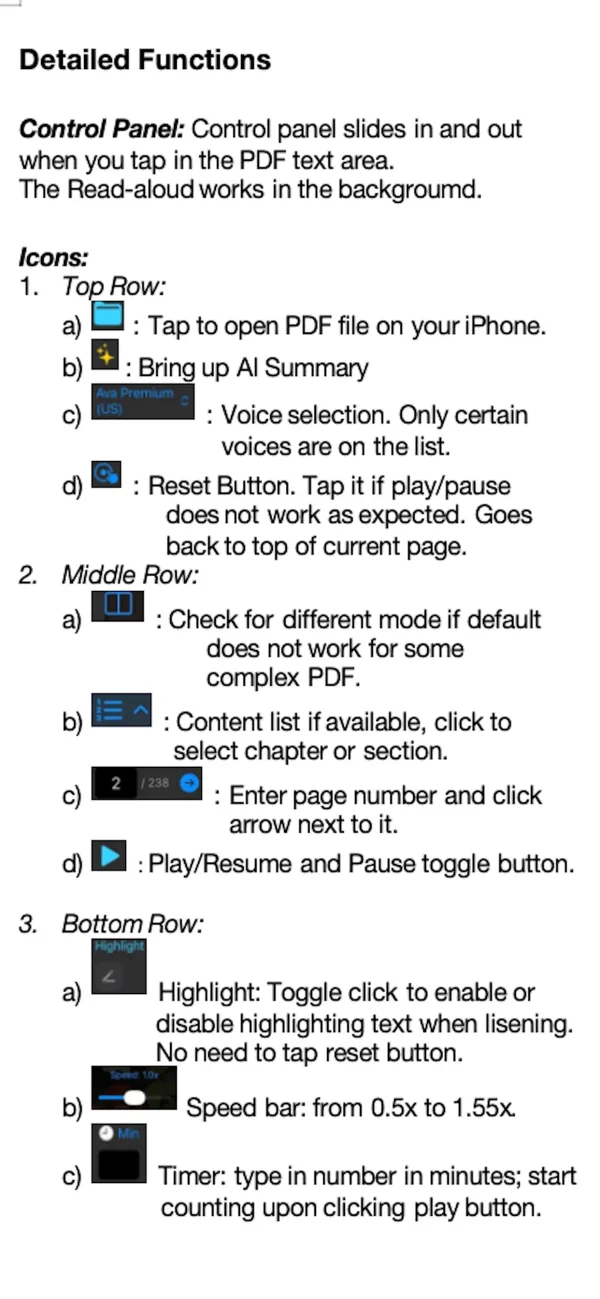
The buttons or icons on the control panel are quite intuitive. The reset icon returns voice reading back to the top of the page. When voice selection and speed selection are changed, new selection starts on the same line.
I have enjoyed using this app and I wish the same for you.
Neue Funktionen
Version 3.0 · 28.09.2026
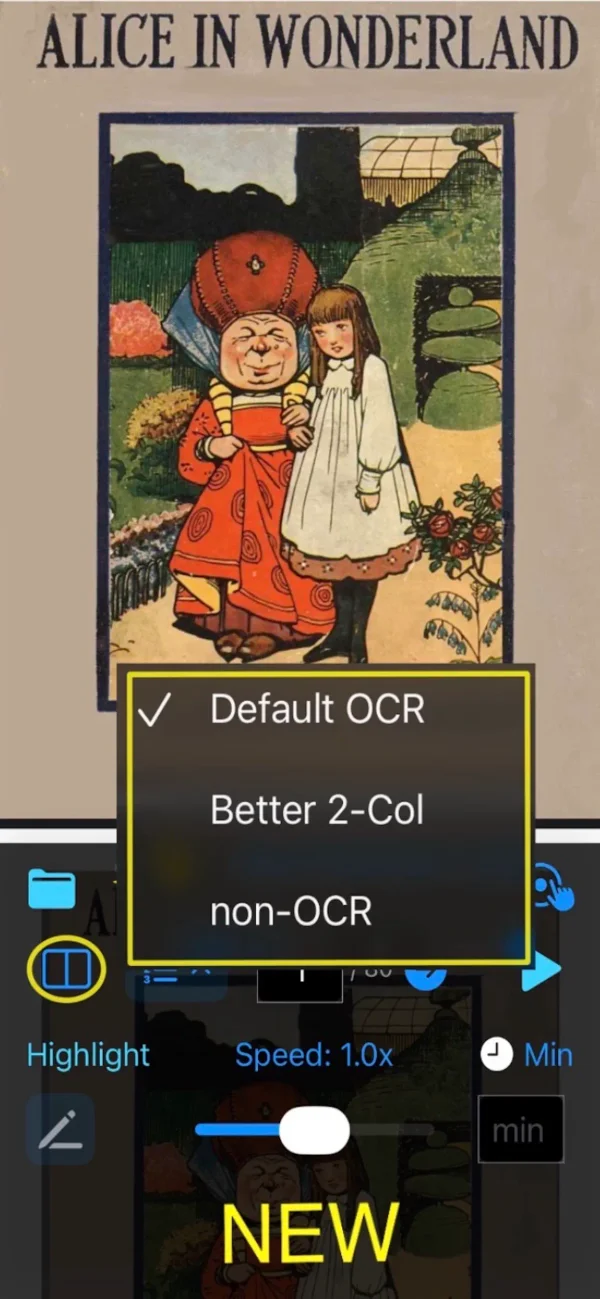
We start to tackle some difficult PDFs in this new revision. A new icon is added below the file icon for three voice reading mode. While the 'Default OCR' mode works most of the time, even for some two-column text, there is an additional 'Better 2-col' mode that forces column split and an non-OCR ode that works for some fancy text with a drop cap (a large capital letter) at the beginning of a chapter or for complex/modern layouts that the other two modes do not work properly.
Another behind-the-scene improvement is the reliability of Gemini model selection for AI summary.
App-Datenschutz
Was WEN JIANG im App Store zum Umgang dieser App mit Daten angibt.
-
Keine Daten erfasst
Der Entwickler erfasst keine Daten von dieser App.
Die Datenschutzpraktiken können variieren, zum Beispiel je nach den von Ihnen verwendeten Funktionen oder Ihrem Alter.
Informationen
- Anbieter
- WEN JIANG
- Kategorie
- Produktivität
- Version
- 3.0
- Aktualisiert
- 28.09.2026
- Veröffentlicht
- 26.06.2026
- Größe
- 2,1 MB
- Erfordert
- iOS 26.0 oder neuer
- Altersfreigabe
- 4+
- Preis
- Kostenlos
- Sprachen
- Englisch
- Copyright
- © 2026 Wen Jiang
Das könnte Ihnen auch gefallen
-
 Vox: Text to Speech PDF ReaderProduktivität
-
 PDF Companion AppProduktivität
-
 Lirivo: Text vorlesenText anhören, Audio speichern
-
 SimpPDF ReaderProduktivität
-
 Spectral Text: Voice to TextProduktivität
-
 Text vorlesen: AI VorleserPDF, Bücher & Audio Reader
-
 RR - RapidReadsProduktivität
-
 PDF Reader - Text to SpeechProduktivität
-
 Speak - Voice KeyboardProduktivität
-
 Cerebro Keyboard: KI-DiktatSpracheingabe: Sprache zu Text