Ward: Drone Detector
Visual & Acoustic Detection
Entwickelt für iPhone
Kostenlos · In-App-Käufe
- Altersfreigabe4+
- KategorieDienstprogramme
- EntwicklerParabellum App Studio
- SprachenEnglisch+ 4 weitere
- Größe115,1 MB
Verlinkt auf die offizielle App Store-Seite
Download.org hostet keine Datei von Ward: Drone Detector. Die Schaltfläche öffnet die App-Seite bei App Store, wo Parabellum App Studio die App veröffentlicht. Eintrag zuletzt geprüft am 23.11.2026.
Screenshots
Info
Der Entwickler hat diesen Text nicht in Ihrer Sprache bereitgestellt.
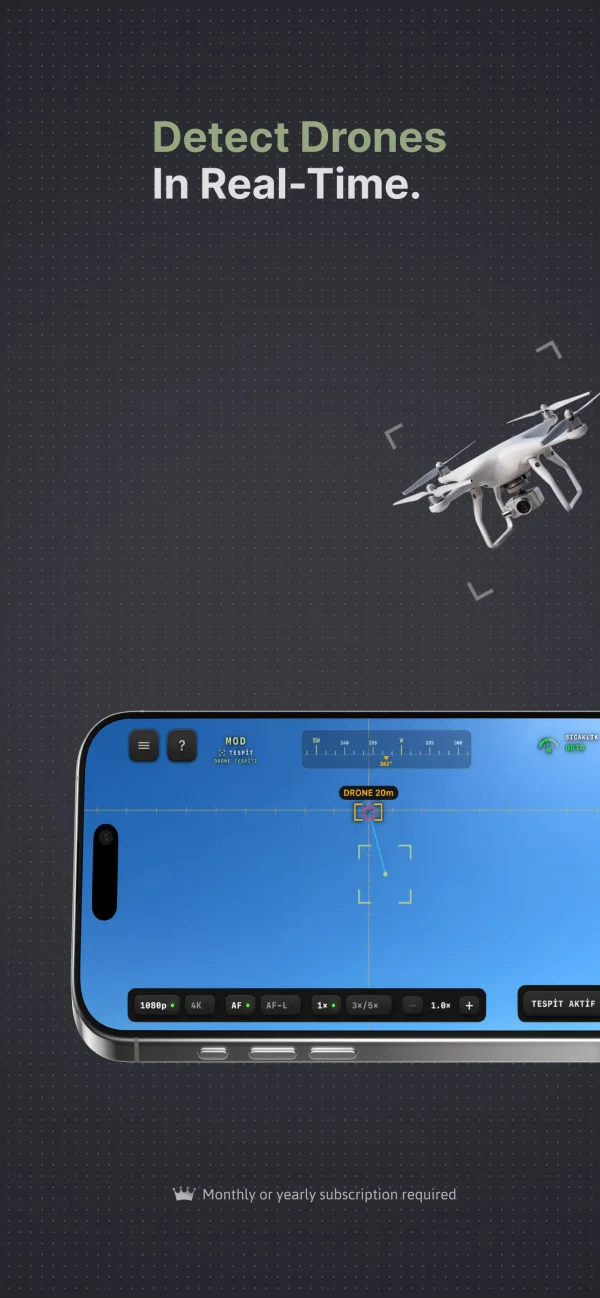
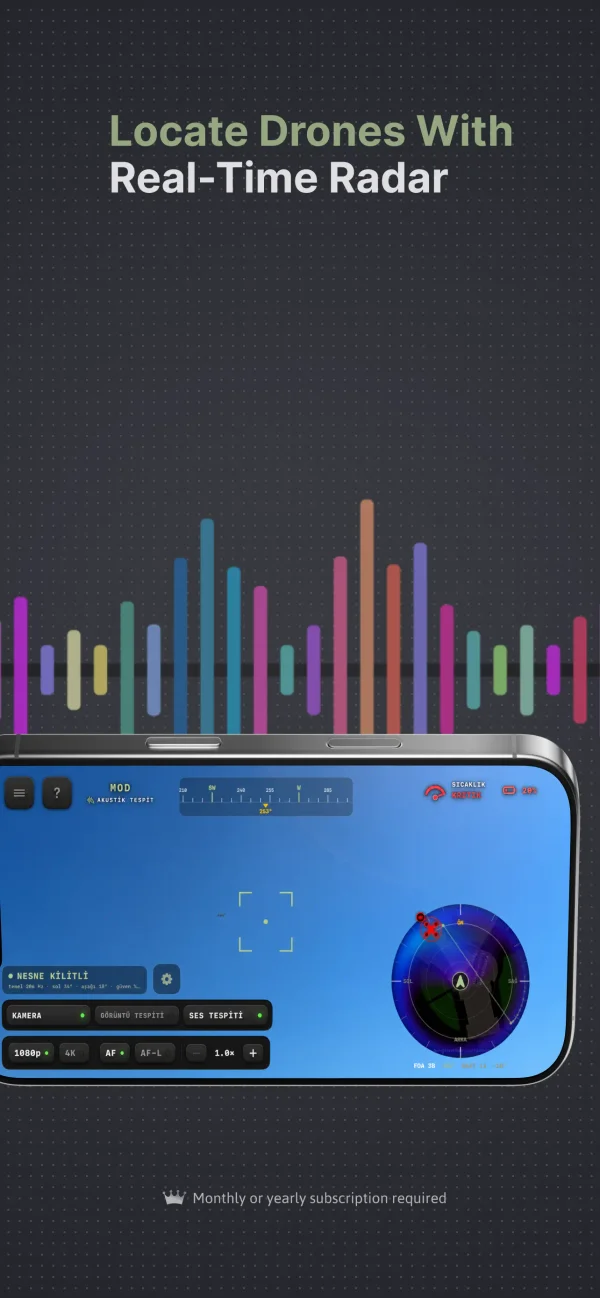
Ward is a passive drone detection app that uses your iPhone's camera, microphone and Bluetooth receiver to help you detect possible drones around you visually, acoustically and through Remote ID signals. With TAK Connect, your detections also appear on your team's tactical map.
It sends no signal to drones, does not jam them and does not interfere with them. Detection runs on your device.
FOUR DETECTION MODES
VISUAL
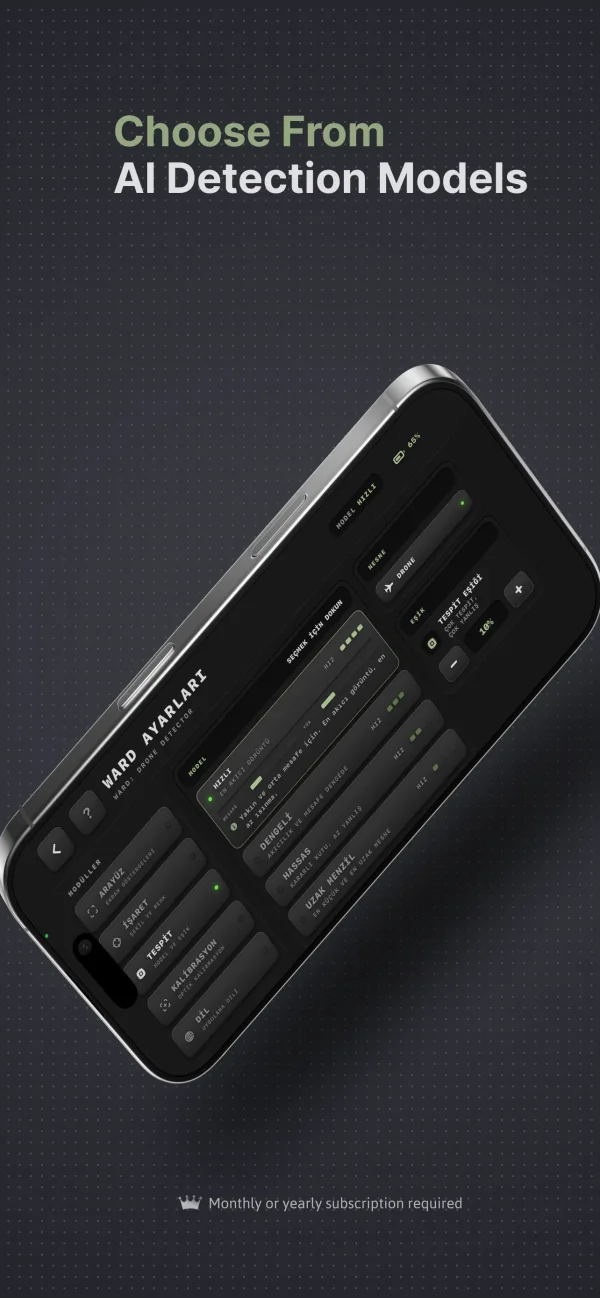
Ward uses on-device computer vision and a neural network model to analyze the live camera feed in real time and detect possible drones.
ACOUSTIC
Ward uses real-time audio analysis to detect sound patterns associated with drone rotors and motors. Directional audio processing is more advanced on iPhone 16 and newer models; other supported devices use stereo audio.
MANUAL TRACKING
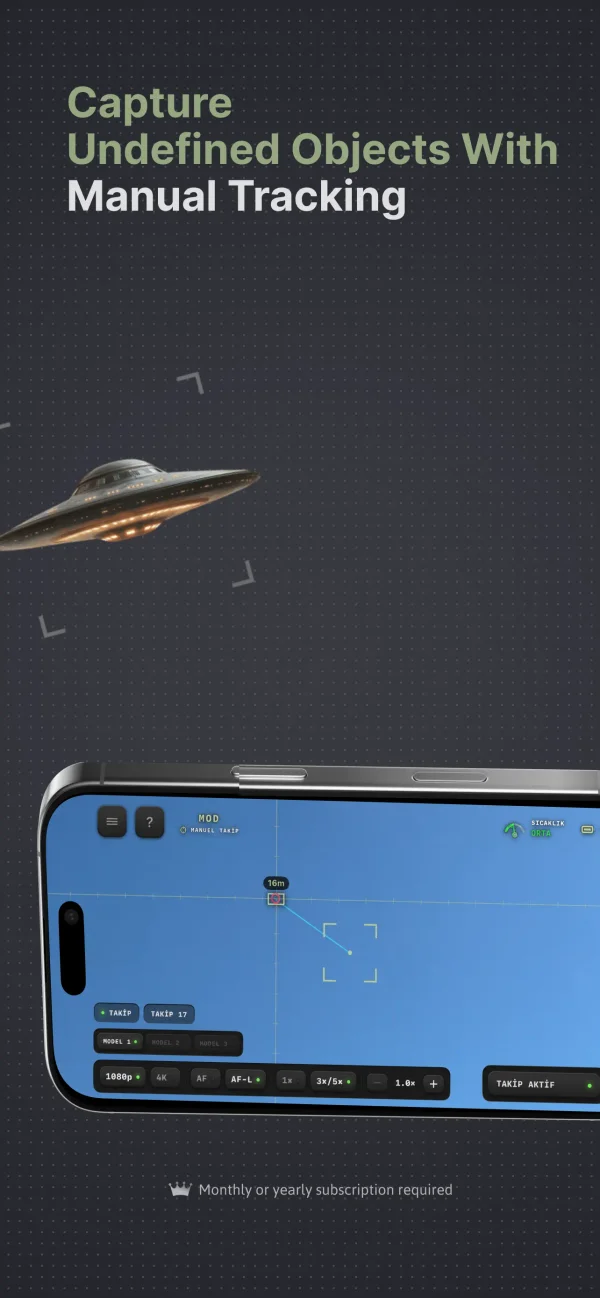
Ward uses visual object tracking to follow a region you select directly on the camera view. This lets you manually track distant or unidentified objects that the detection model does not recognize.
SIGNAL DETECTION (REMOTE ID)
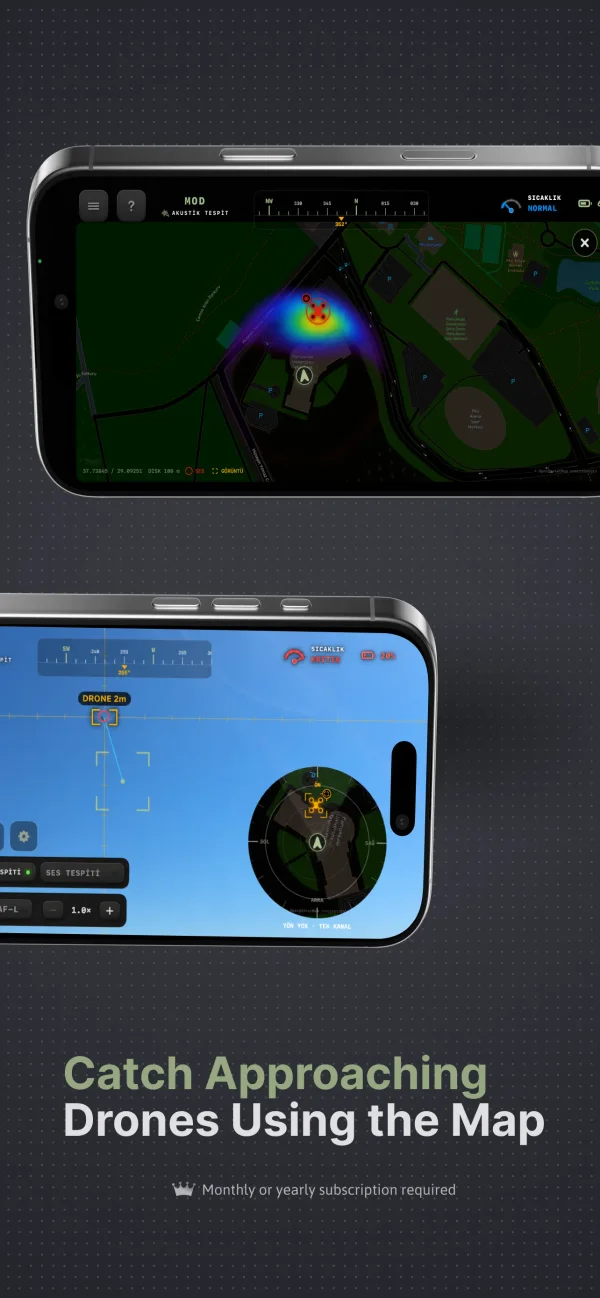
Ward listens for the Remote ID signals that drones broadcast over Bluetooth and shows each drone, its pilot and its flight path on the map. Sessions are saved and can be exported as GPX or CSV.
TAK CONNECT
Share your detections with ATAK, iTAK and WinTAK: visual detections, acoustic detections as a heat zone toward the sound, Remote ID drones and their pilots, and your own position appear on your team's map. Works over local Wi-Fi with no server needed, or with your own TAK Server over an encrypted (TLS) connection. TAK Connect is off by default; when you turn it on, data goes only to the network or server you choose and is never sent to us.
APPLE WATCH
The direction of a detected drone is shown on a compass face on your watch. When a threat is detected, your watch alerts and vibrates, so you don't need to take your phone out of your pocket.
LISTENING ON THE LOCK SCREEN
Acoustic detection keeps running while the screen is locked. Detection status appears as a Live Activity on the Lock Screen and in the Dynamic Island. Audio is processed only on your device; it is never recorded or sent anywhere. Background listening, Live Activity and watch integration can each be turned off in the Watch & Alerts section of the Acoustic settings.
OFFLINE MAP
Download the visible area as a region (up to 10 regions). Downloaded regions stay visible on the map without an internet connection.
IMPORTANT INFORMATION
Ward is not a radar, a certified security system or an emergency alert device.
Detection results are probabilistic. False detections may occur, and an existing drone or other object may not be detected.
In suitable daylight conditions, visual detection is designed for use up to about 50 meters. Acoustic detection can work up to about 70 meters in quiet, open environments. Remote ID detection can only see drones that broadcast this signal.
These values are approximate references, not guaranteed detection ranges.
Low light, fog, precipitation, fast movement, complex backgrounds, distance, object size, wind, vehicles, generators, fans and other ambient sounds may affect detection performance.
Direction and position indicators on the map are estimates. Acoustic and visual detections do not show a drone's verified GPS position, exact location or exact distance; the Remote ID position is the information broadcast by the drone itself.
Use Ward only in safe and legal environments and comply with applicable local regulations.
An active subscription is required to use the features of this app.
After downloading the app, you can choose a monthly or yearly subscription. Subscriptions renew automatically unless cancelled in your Apple ID subscription settings.
Terms of Use (EULA): https://www.apple.com/legal/internet-services/itunes/dev/stdeula/
Neue Funktionen
Version 1.2.1 · 20.11.2026
WARD 1.2.1 — BETTER DETECTION, STEADIER TRACKING
• Improved detection: the drone box stays steady when the model briefly loses it
• More consistent leading marker, with two profiles in Settings › Detection
• The badge shows the drone's distance and speed
• New on-device trackers for Manual Tracking
• TAK Connect: clearer messages for plain TCP servers
• Fixes and performance improvements
App-Datenschutz
Was Parabellum App Studio im App Store zum Umgang dieser App mit Daten angibt.
-
Keine Daten erfasst
Der Entwickler erfasst keine Daten von dieser App.
Die Datenschutzpraktiken können variieren, zum Beispiel je nach den von Ihnen verwendeten Funktionen oder Ihrem Alter.
Informationen
- Anbieter
- PARABELLUM SYSTEMS TEKNOLOJI ANONIM SIRKETI
- Kategorie
- Dienstprogramme
- Version
- 1.2.1
- Aktualisiert
- 20.11.2026
- Veröffentlicht
- 21.09.2026
- Größe
- 115,1 MB
- Erfordert
- iOS 26.0 oder neuer
- Altersfreigabe
- 4+
- Preis
- Kostenlos
- In-App-Käufe
- Ja
- Sprachen
- Englisch, Arabisch, Russisch, Türkisch, Ukrainisch
- Copyright
- © 2026 PARABELLUM SYSTEMS ANONİM ŞİRKETİ
Das könnte Ihnen auch gefallen
-
 Remote ID Drone RadarDienstprogramme
-
 beacons: surveillance scannerDienstprogramme
-
 DroneDAA by uAvionixDienstprogramme
-
 DroneLookDienstprogramme
-
 Drone Radar by MainlineDienstprogramme
-
 RID ScannerDienstprogramme
-
 DroneScout proDrohnen in Ihrer Nähe sehen
-
 RF Signal Detector - ReFiDienstprogramme
-
 RF Signal Detector, Anti SpyVersteckte Kamera Spionkamera
-
 Drone FinderDienstprogramme