- Altersfreigabe4+
- KategorieEntwickler-Tools
- EntwicklerFerrite Engineering LLC
- SprachenEnglisch
- Größe39,2 MB
WaveCrux ist bei App Store derzeit möglicherweise nicht verfügbar
Bei unserer letzten Prüfung war der Store-Eintrag nicht erreichbar. Der Link führt weiterhin zur offiziellen App Store-Seite.
Screenshots
Info
Der Entwickler hat diesen Text nicht in Ihrer Sprache bereitgestellt.
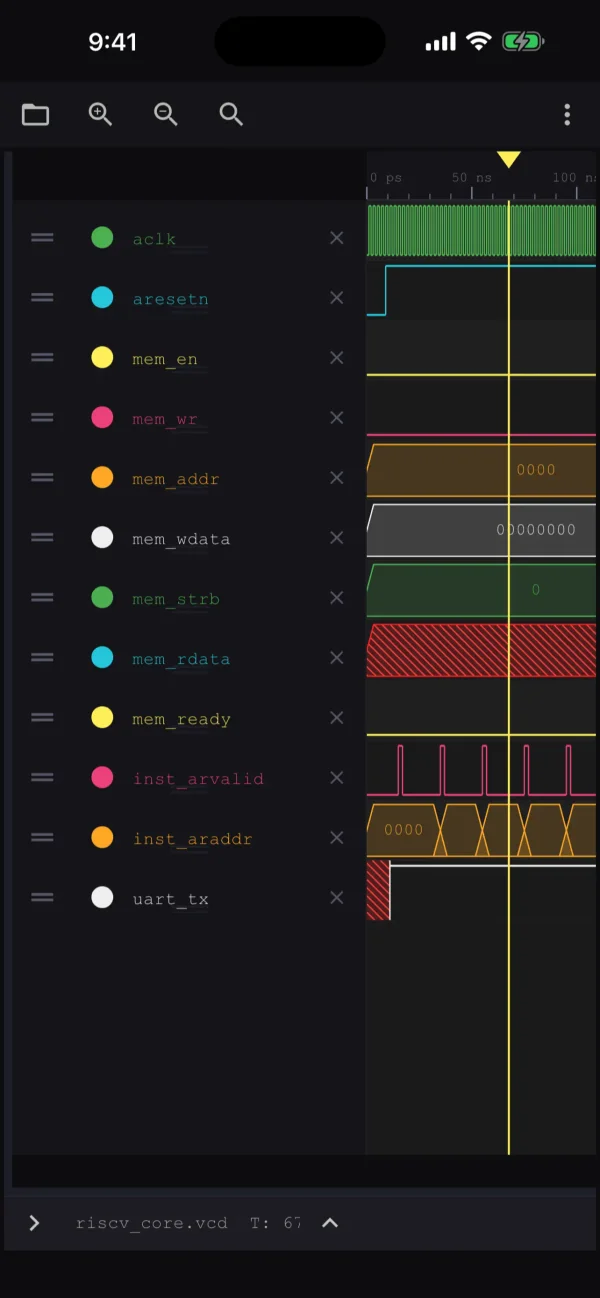
WaveCrux is a modern, high-performance waveform viewer for digital design and verification engineers. Open VCD, FST, GHW, LXT and LXT2 simulation traces directly on your iPhone or iPad — review a regression during a meeting, triage a CI failure from anywhere, or walk through a trace without opening your laptop.
GET STARTED IMMEDIATELY
Tap "Open Sample Waveform" on the welcome screen to explore a bundled trace with five decoded protocol buses — no files of your own needed.
WAVEFORM VIEWING
• Native Rust parsing engine — large multi-million-event traces open fast
• VCD, FST, GHW, LXT and LXT2 file formats
• Smooth pinch-to-zoom and pan, tuned for touch
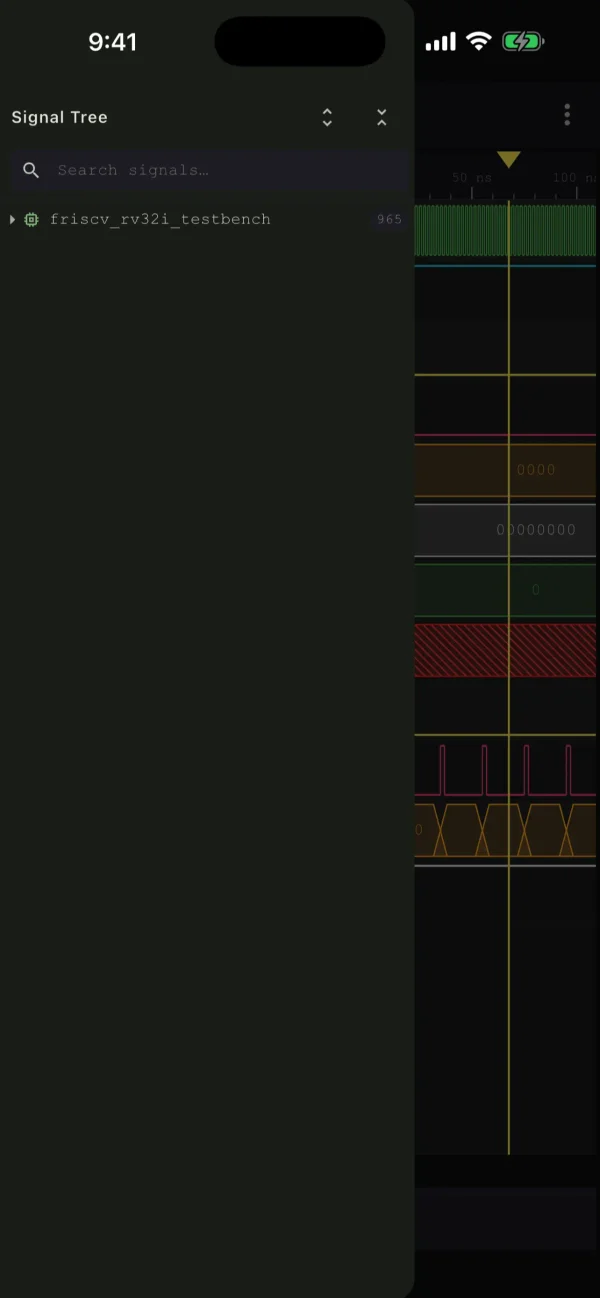
• Full design hierarchy browser with search and filtering
• Cursors, markers, and time measurements
• Value formats: hex, decimal (signed and unsigned), binary, octal, ASCII, and enum translation
• Fixed-point and floating-point buses drawn as analog curves
PROTOCOL DECODERS
• Serial: UART, SPI, I2C
• Buses: AXI4-Lite, APB, AHB-Lite, Wishbone
• RISC-V instruction decode
• Decoded transactions overlay directly on the waveform
ANNOTATE AND SHARE
• Add a callout, arrow or shaded band to a signal at a moment in time; it stays anchored as you pan and zoom
• Notes record the value the signal had when you wrote them, and flag themselves when a re-run changes it
• Share Annotated Waveform sends your notes and the trace they refer to as one small file, openable on desktop or in a browser
GTKWAVE FRIENDLY
• Import GTKWave .gtkw session files — signal lists, groups, colors, and formats come across
• Reads GTKWave translate filter files
BUILT FOR MOBILE
• Open waveform files straight from Mail, Slack, AirDrop, or the Files app
• Layout adapts from iPhone to iPad multi-pane
• Sessions preserve your signal selections, formats, cursors, and zoom
PRIVACY
• No account, no sign-in, no ads
• Your waveform files never leave your device
• Anonymous usage counts help decide what to build next. You are asked on first launch, the switch is in Settings → Privacy, and the complete list of what is counted is at edacrux.app/telemetry — never file names, signal names, or anything that identifies you
Available in English, Simplified Chinese, Japanese, and Korean.
WaveCrux is also available for macOS, Windows, and Linux — visit wavecrux.app to learn more.
Neue Funktionen
Version 1.2.0 · 22.11.2026
WaveCrux 1.2.0
On a foldable phone held half-open, the waveform and the Stage panel each take one half, and a book-style fold splits the waveform across both screens.
Overlapping transactions get their own rows, narrow ones a short label, and decoder errors a reason. Decoders sample before the clock edge, auto-bind finds more signals, and RISC-V decoding reads more instructions. Notes render as Markdown.
Fixes: time ruler labels no longer overlap, and pickers scroll with a finger.
The transaction table shows every transaction a decoder finds. It used to stop at 2,000; rows are now drawn as you scroll.
A command palette button. Phones and tablets get a toolbar button for the command palette, so it no longer needs a hardware keyboard.
GTKWave save files import more faithfully: translate filters, zoom, scroll position and open scopes now come across. Solarized Dark, High Contrast Dark, Oscilloscope and OLED XR paint their own cursor, marker and ruler colors.
Fixes: the AXI4-Lite decoder handles several outstanding writes and reads, and lists those still unanswered at the end of the trace; a session that names a decoder this build cannot load shows it instead of hiding it.
Privacy: with usage statistics off, the app now keeps no installation ID, and the first-launch default reads your device's region setting as well as its language.
App-Datenschutz
Was Ferrite Engineering LLC im App Store zum Umgang dieser App mit Daten angibt.
-
Nicht mit Ihnen verknüpfte Daten
Können erfasst werden, sind aber nicht mit Ihrer Identität verknüpft.
- Standort
- Kennungen
- Nutzungsdaten
- Diagnose
Die Datenschutzpraktiken können variieren, zum Beispiel je nach den von Ihnen verwendeten Funktionen oder Ihrem Alter.
Informationen
- Anbieter
- Ferrite Engineering LLC
- Kategorie
- Entwickler-Tools
- Version
- 1.2.0
- Aktualisiert
- 22.11.2026
- Veröffentlicht
- 22.07.2026
- Größe
- 39,2 MB
- Erfordert
- iOS 16.0 oder neuer
- Altersfreigabe
- 4+
- Sprachen
- Englisch
- Copyright
- © 2026 Ferrite Engineering LLC
Das könnte Ihnen auch gefallen
-
 Pocket VHDLEntwickler-Tools
-
 GitBiasedEntwickler-Tools
-
 MCP ReplayEntwickler-Tools
-
 PrototoEntwickler-Tools
-
 Indistinguishable From MagicEntwickler-Tools
-
 Localhost Webserver & HTMLDateien übertragen per WLAN
-
 SchemaHDEntwickler-Tools
-
 GoDoScript: GDScript EditorEntwickler-Tools
-
 Pocket AssemblerEntwickler-Tools
-
 Releases for XcodeXcode Update-Benachrichtigung