
Whateatver
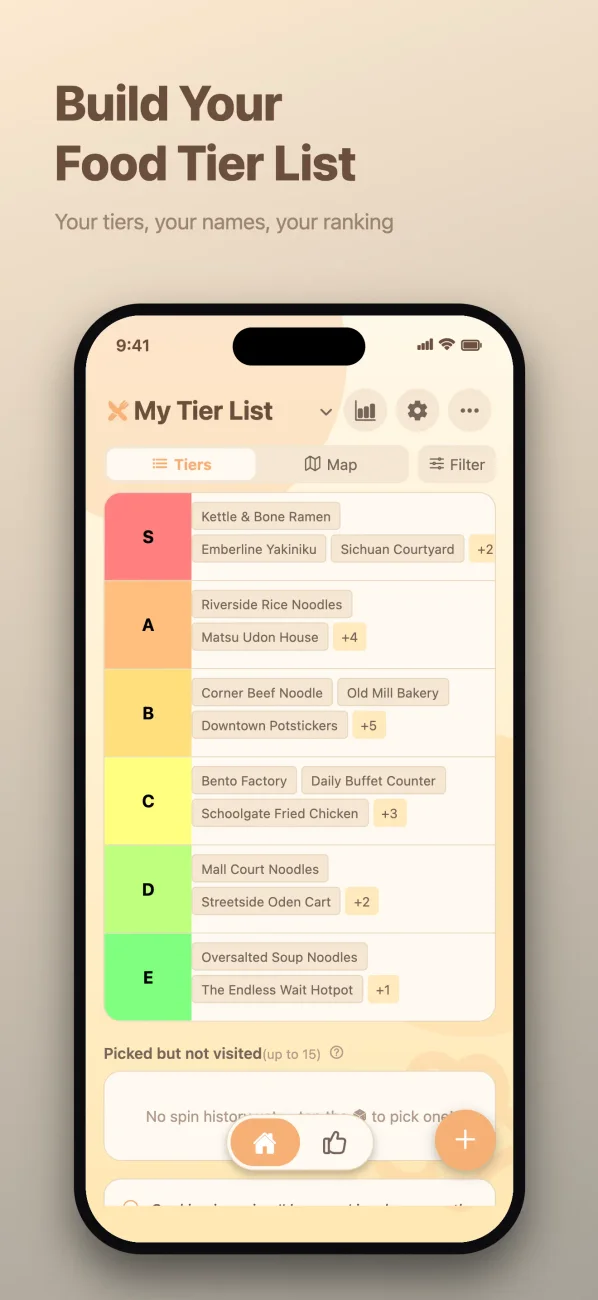
Build Your Food Tier List
Entwickelt für iPhone, iPad, iPod touch
Kostenlos · In-App-Käufe
- Altersfreigabe4+
- KategorieEssen und Trinken
- SprachenEnglisch
- Größe119,4 MB
Verlinkt auf die offizielle App Store-Seite
Download.org hostet keine Datei von Whateatver. Die Schaltfläche öffnet die App-Seite bei App Store, wo die App veröffentlicht. Eintrag zuletzt geprüft am 12.11.2026.
Screenshots



Info
Der Entwickler hat diesen Text nicht in Ihrer Sprache bereitgestellt.
Can't Decide What to Eat? Ask Whateatver.
Whateatver is an app for building your personal food ranking and using a dice roll to decide where to eat today. From rating and the random picker to cross-platform import, real-time collaboration, and cloud backup — it settles "what's for dinner" once and for all.
1. Build Your Food Ranking
Rank every restaurant on your own terms — tier names, order, and colors are all customizable. When you create a new list, pick a starter template too: the classic S/A/B/C/D/E, or a "To-try / Conquered" check-in style. Create separate lists for lunch, late-night snacks, or date night and switch between them instantly.
2. Let the Dice Decide
Indecision ends here. Tap the dice and the app instantly picks a restaurant from your list. Filter by tier, tag, price, or distance, or check "Exclude recently visited" to keep things fresh.
3. One-Tap Share Import from Any App
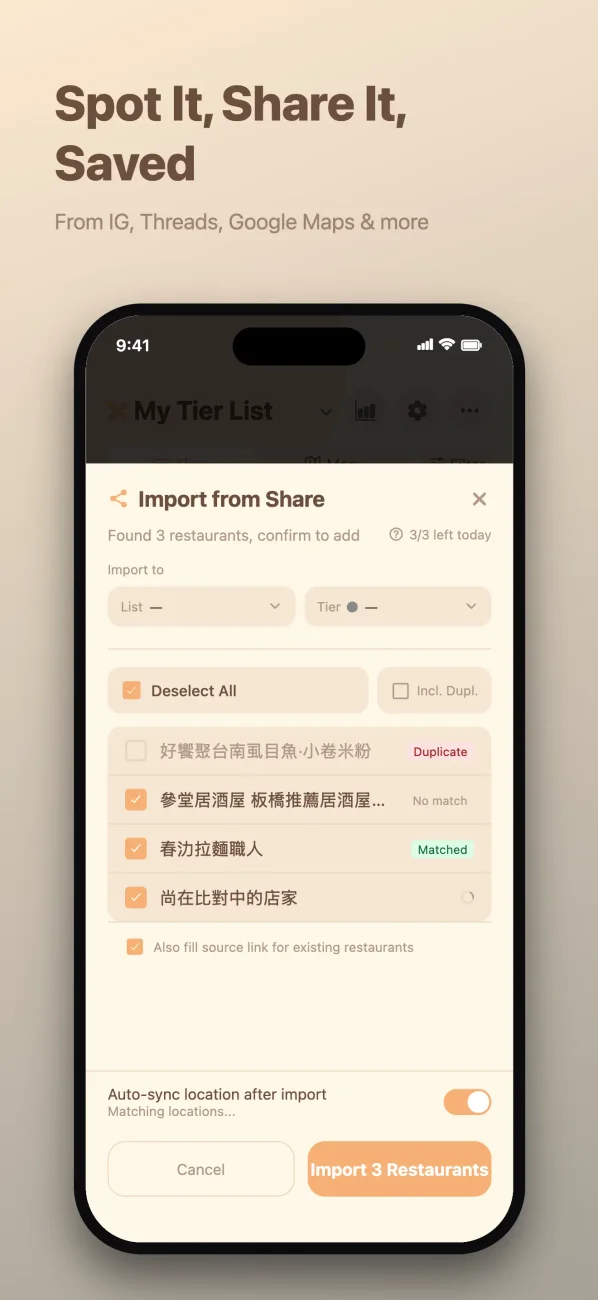
Spot a restaurant on Google Maps, Instagram, Threads, X, Bluesky, Tabelog, or Naver? Just hit Share → Whateatver. The app automatically identifies the name, address, and location — no manual entry needed. You can also bulk-import Google Maps lists and saved places.
4. Live Opening Hours
Add a restaurant's weekly hours and the app shows a live "Open / On break / Closed / Closed today" status right on the card based on the current time — so you know before you head out.
5. Google Maps Integration & Map View
Tap any place on the map when adding a restaurant — name, address, and map link fill in automatically. Switch to map view to see all your restaurants at a glance, filter by tier or tag, sort by distance, and tap any card to navigate.
6. Collaborative Lists
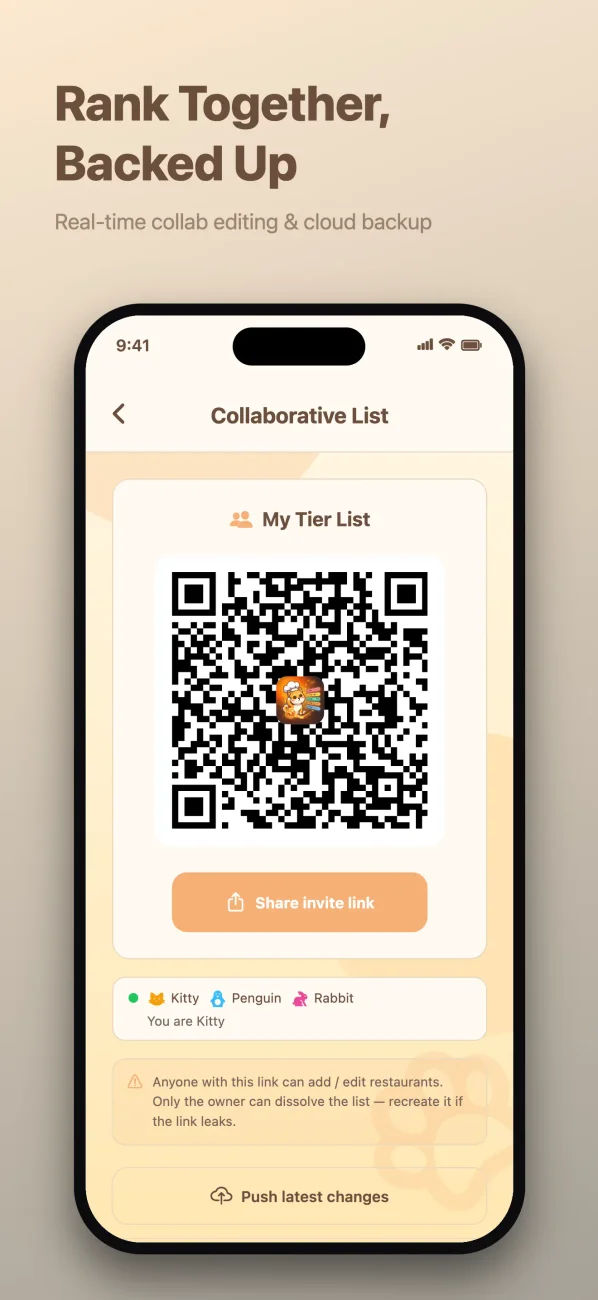
Create a shared list and invite friends via link or QR to edit together in real time. Everyone's adds, ratings, and ordering sync instantly — build a shared food map together. (Whateatver Pro)
7. Cloud Backup
Sign in with Apple or Google to back up all your lists to the cloud. Restore them easily on a new phone or after reinstalling, with both manual and automatic backup. (Whateatver Pro)
8. Record Every Visit
Mark a restaurant as eaten, then write a dining note on the spot. Every restaurant has its own visit timeline so you can look back months later.
9. Share Lists & Official Picks
Generate a QR code and let friends scan to import your full list — names, map links, notes, and tags all included. Or watch a short ad to permanently unlock curated lists like "Top 10 Ramen" and expand your food map.
10. Offline by Default, Privacy First
Core features work fully offline — data is stored locally on your device with no account required. Data is only uploaded when you choose to use cloud backup or collaboration.
11. About Whateatver Pro Subscription
Whateatver Pro is available as a monthly or yearly subscription. Subscribing removes ads, unlocks unlimited restaurants and lists, and enables collaborative lists and cloud backup.
Payment will be charged to your Apple ID account at confirmation of purchase. The subscription automatically renews unless auto-renew is turned off at least 24 hours before the end of the current period. Your account will be charged for renewal within 24 hours prior to the end of the current period. You can manage or cancel your subscription in your device Settings, then Apple ID, then Subscriptions, after purchase.
Terms of Use (EULA): https://whateatver-feedback.momowuofficial.workers.dev/terms/en
Privacy Policy: https://whateatver-feedback.momowuofficial.workers.dev/privacy/en
Neue Funktionen
Version 1.1.3 · 28.08.2026
Fixes and refinements:
• Feedback: developer replies can include images, and any image in the thread opens full size
• The cloud backup section now describes your actual state — no misleading note when you've never backed up, and it points you to "Export a full backup" instead
• Cloud backups are stored compressed, holding far more restaurants
• Fixed an expired subscription not being recognized correctly when switching platforms
• Fixed extra blank space above feedback messages that contain only an image
App-Datenschutz
Was im App Store zum Umgang dieser App mit Daten angibt.
-
Daten, die zum Tracking Ihrer Person verwendet werden
Können verwendet werden, um Sie über Apps und Websites anderer Unternehmen hinweg zu verfolgen.
- Nutzungsdaten
-
Mit Ihnen verknüpfte Daten
Können erfasst und mit Ihrer Identität verknüpft werden.
- Nutzungsdaten
-
Nicht mit Ihnen verknüpfte Daten
Können erfasst werden, sind aber nicht mit Ihrer Identität verknüpft.
- Standort
- Benutzerinhalte
- Kennungen
- Nutzungsdaten
- Diagnose
Die Datenschutzpraktiken können variieren, zum Beispiel je nach den von Ihnen verwendeten Funktionen oder Ihrem Alter.
Informationen
- Anbieter
- YI HAO WU
- Kategorie
- Essen und Trinken
- Version
- 1.1.3
- Aktualisiert
- 28.08.2026
- Veröffentlicht
- 11.05.2026
- Größe
- 119,4 MB
- Erfordert
- iOS 15.1 oder neuer
- Altersfreigabe
- 4+
- Preis
- Kostenlos
- In-App-Käufe
- Ja
- Sprachen
- Englisch
- Copyright
- © 2026 MomoWuOfficial
Das könnte Ihnen auch gefallen
-
 Findining - 專屬你和朋友的美食地圖Essen und Trinken
-
 茶尋 TearchEssen und Trinken
-
 我愛喝飲料-手搖日記Essen und Trinken
-
 飲料日記:茶、手搖、咖啡收藏與記錄Essen und Trinken
-
 MenuMeld – AI Meal & CalorieEssen und Trinken
-
 Thirsty Bean 跑咖咖Essen und Trinken
-
 CoffeeLover: Kaffee-TrackerKoffein-Log & Getränke-Journal
-
 Drinqsy: Bubble Tea & Boba MapEssen und Trinken
-
 飯局日記 DineLogEssen und Trinken
-
 美食抵家 - Taiwan Food & DiningEssen und Trinken