
- Altersfreigabe4+
- KategorieProduktivität
- EntwicklerTrifon Baciu
- SprachenEnglisch
- Größe15,2 MB
Verlinkt auf die offizielle App Store-Seite
Download.org hostet keine Datei von Whenever: Tasks & Focus. Die Schaltfläche öffnet die App-Seite bei App Store, wo Trifon Baciu die App veröffentlicht. Eintrag zuletzt geprüft am 20.11.2026.
Screenshots

Info
Der Entwickler hat diesen Text nicht in Ihrer Sprache bereitgestellt.
Stop carrying your tasks in your head.
Whenever helps you focus on what actually matters — not just what's due soonest.
Most to-do apps drown you in deadlines. Whenever works differently: every task gets sorted by priority, not just by date, so you always know what to do first — even when nothing has a due date at all.
PRIORITIES INSTEAD OF DEADLINES
Sort every task into one of four priorities: urgent & important, important but not urgent, urgent but not important, or neither. See at a glance what actually deserves your attention today.
FOCUS ON TODAY
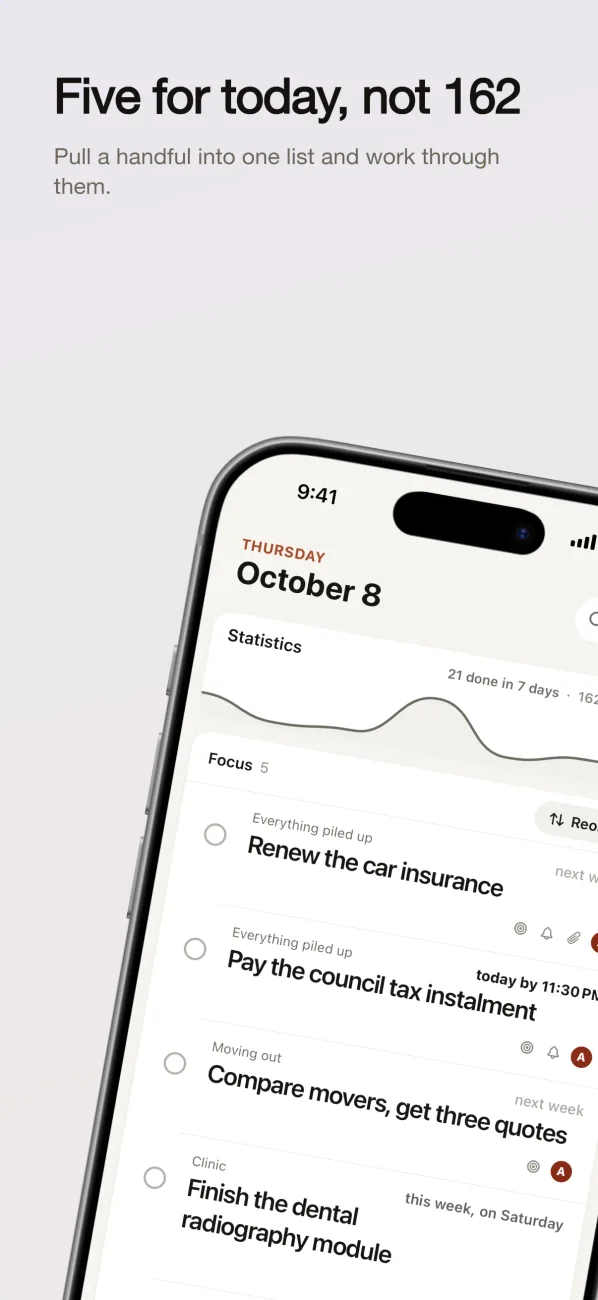
Pull a handful of tasks into Focus and work through them one at a time — no overwhelming lists, just what you decided matters right now.
HONEST TIME TRACKING
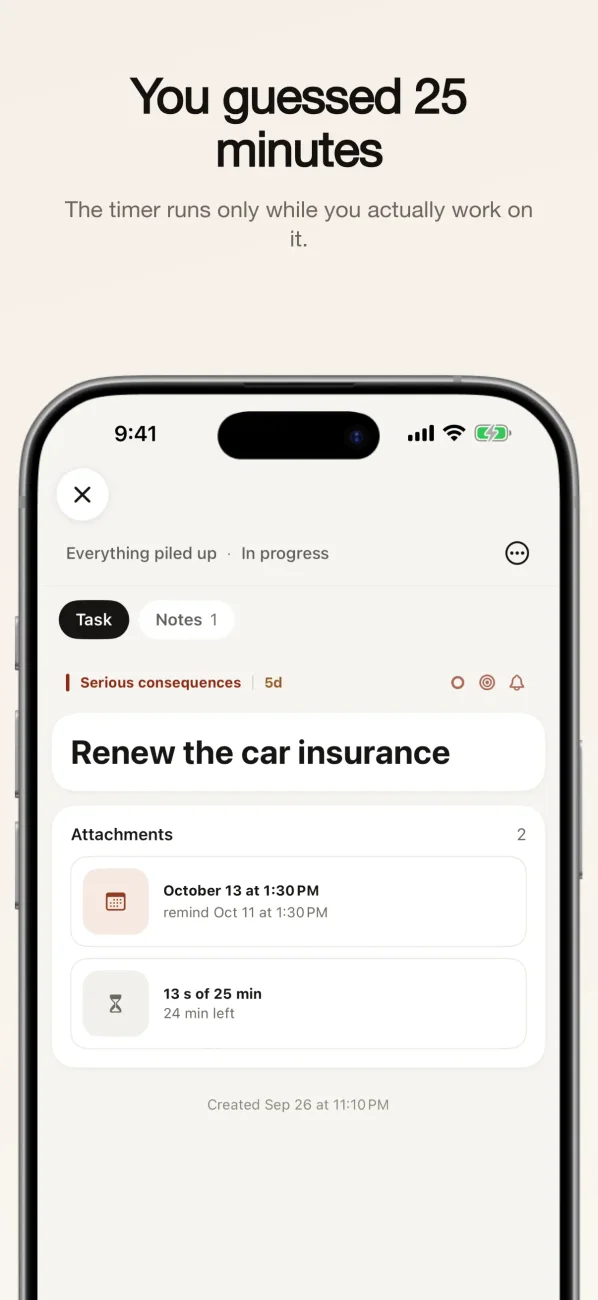
Set a time estimate before you start, then see exactly how long a task really took. No guessing, no self-deception — just an honest record of your own pace.
EVERYTHING IN ONE PLACE
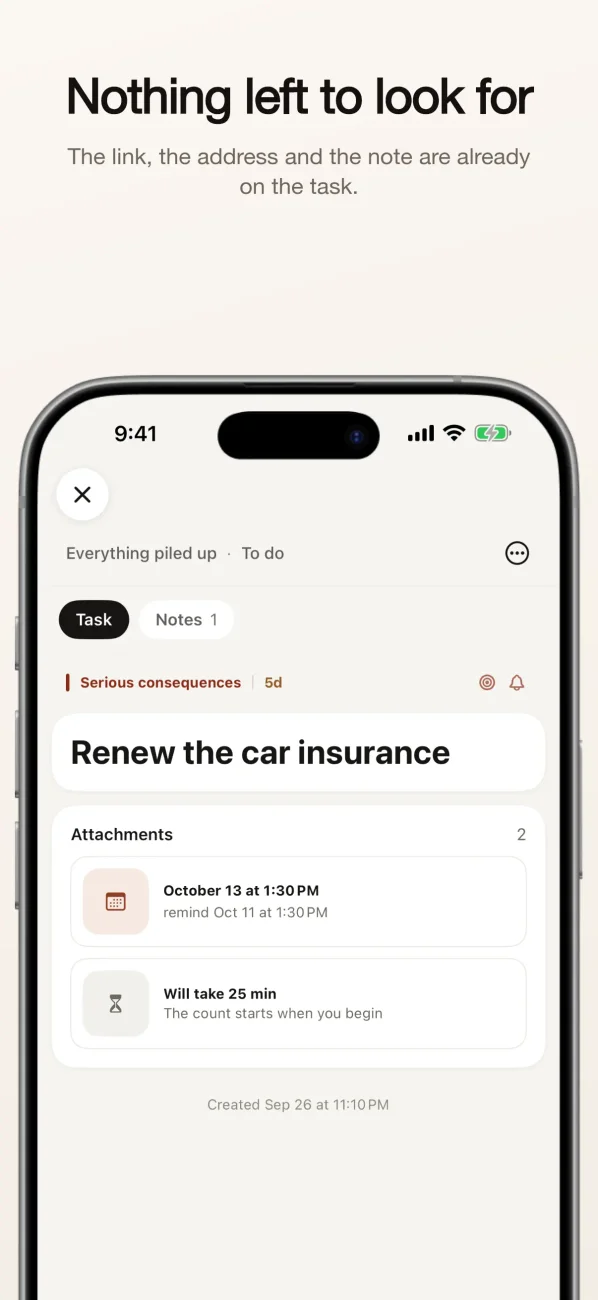
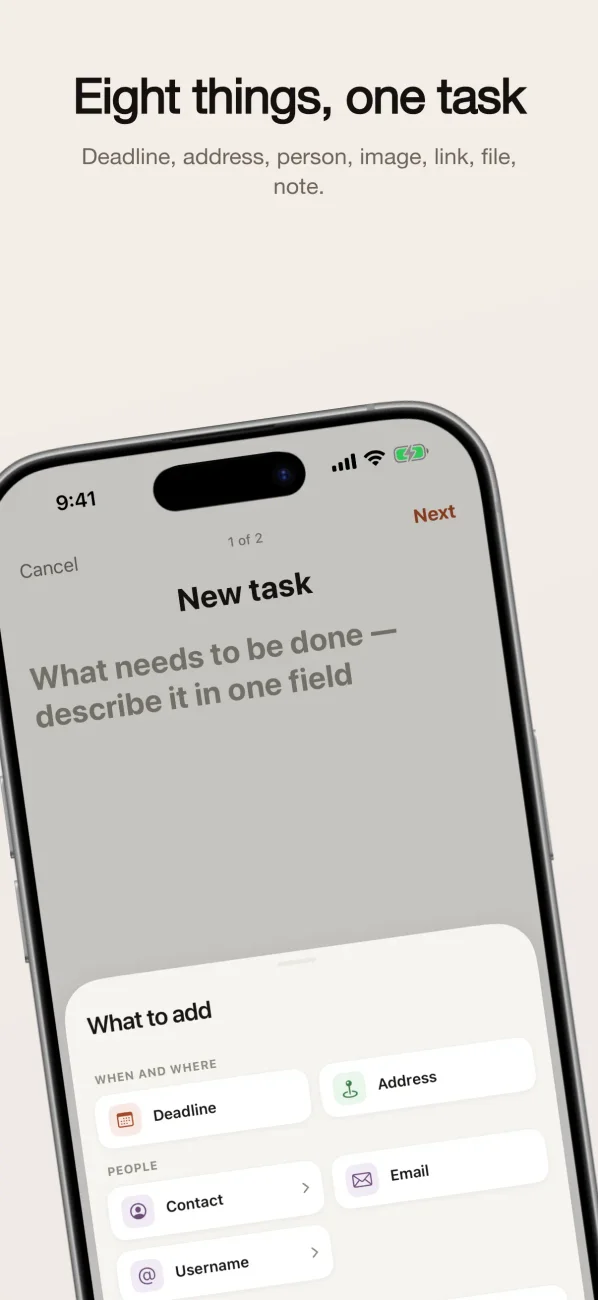
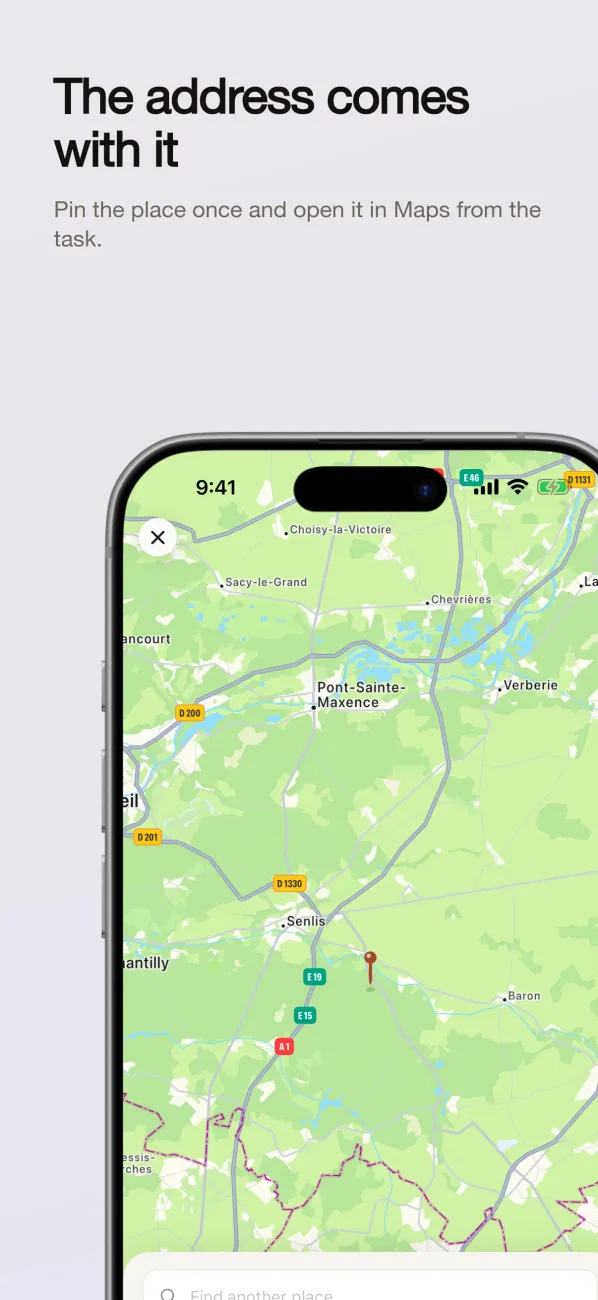
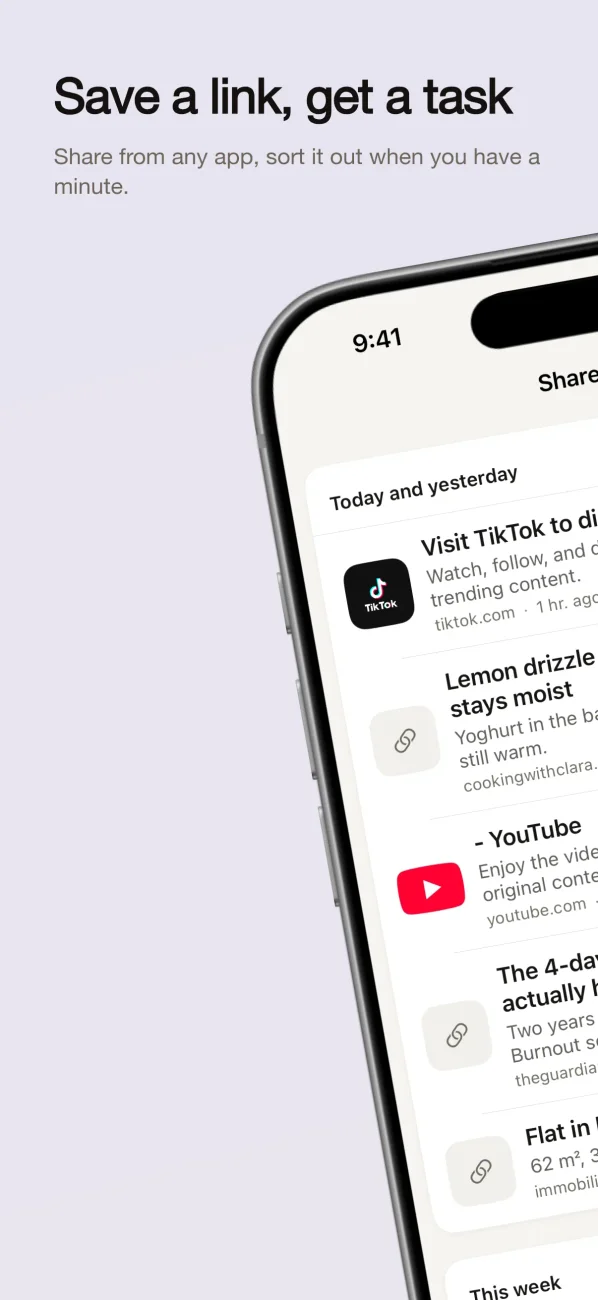
Attach links, addresses, images, and usernames directly to any task. Add notes with Markdown formatting. Everything you need to get something done lives right where the task is.
MULTIPLE BOARDS
Separate work, home, and personal projects into their own boards. Switch between them in a tap.
YOUR DATA STAYS YOURS
All your tasks and notes are stored locally on your device. No account required, no ads, no tracking.
Available in English, Russian, Romanian, and French.
Whenever offers optional auto-renewing subscriptions for extended features. Subscription pricing and terms are shown before purchase.
Terms of Use (EULA): https://baciutrifon.github.io/whenever-site/terms.html
Privacy Policy: https://baciutrifon.github.io/whenever-site/privacy.html
Neue Funktionen
Version 1.3.0 · 10.10.2026
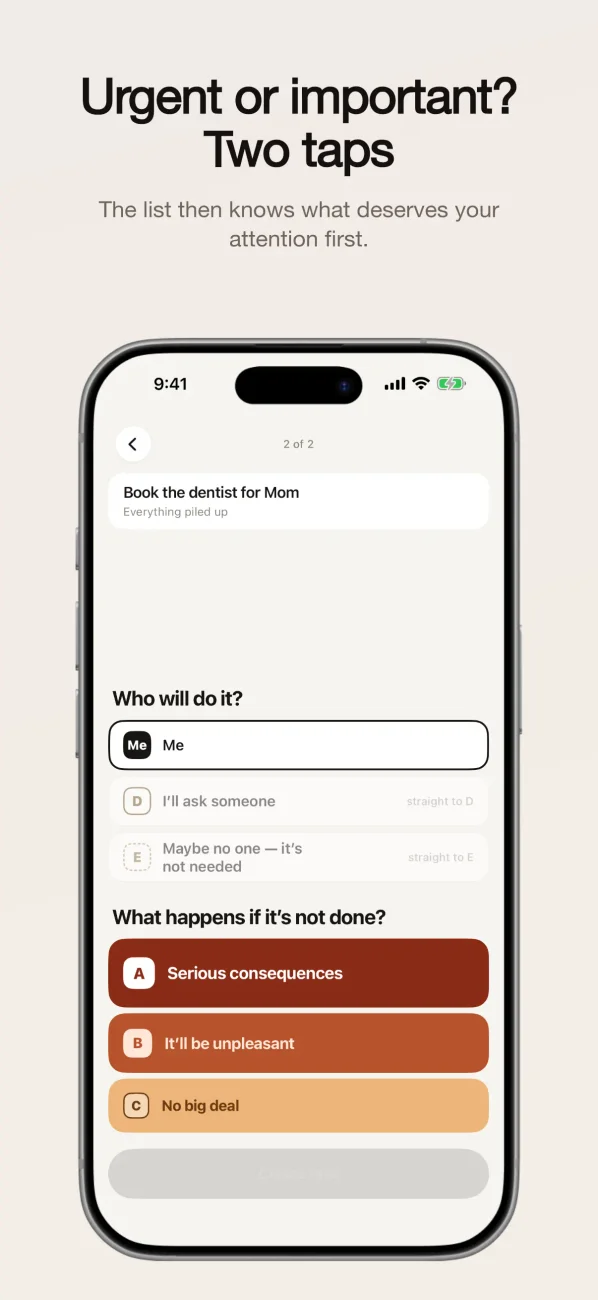
Priority in two questions
The matrix is gone; ABCDE takes its place. When you create a task, two questions: who will do it, and what happens if it's not done. The answers set the level from A to E. Tasks created earlier stay without a priority until you pick one.
Clearer reminders
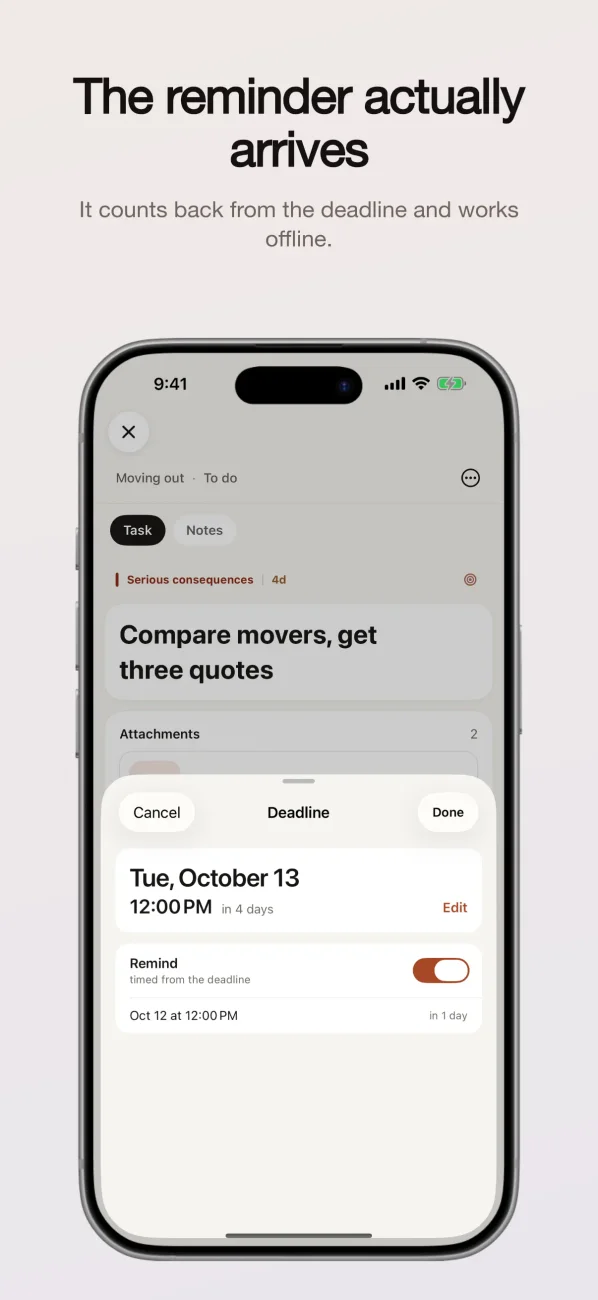
A notification now shows the task's name and when it's due: "Due tomorrow at 6:00 PM". Tap it to open the task.
What's alive stays on top
Tasks on a board are ordered by how recently and how often you come back to them. Four levels — At hand, In play, Cooling off, Untouched for a while — and a filter for each. Tabs: All, To do, In progress, Done.
Four sections side by side
Home, Boards, Deadlines and Shares share one menu at the bottom. Swipe from section to section the same way you swipe between board columns.
Contact and email
Two new attachments: a person from your contacts and an email address. You can now pick the board right while creating a task.
Search everything
A word is found in notes, links, addresses, contacts, file names and even in text on pictures. Each result shows where it matched, highlighted.
Statistics in five questions
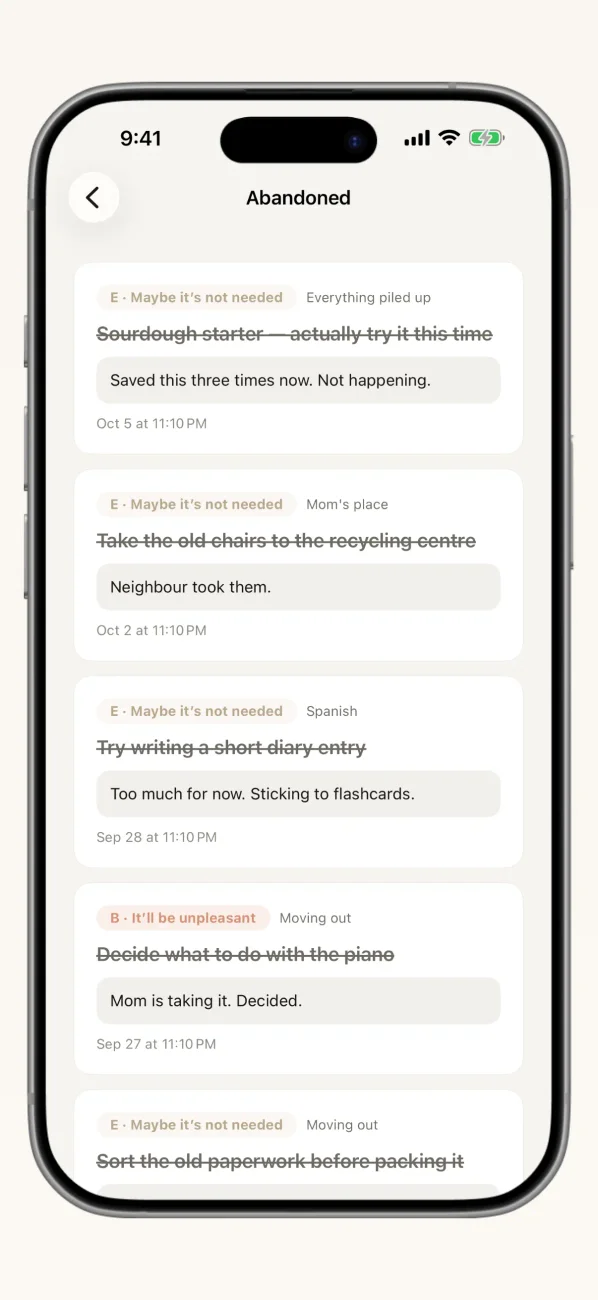
Am I making progress? Doing what matters? Meeting deadlines? Am I consistent? What have I dropped? Home shows what you've done in 7 days.
Small things that got in the way
• Drag a card to another column — a panel appears at the bottom
• New tasks are marked NEW until you open them
• Dates and times follow your phone settings, including 12- or 24-hour
• "Done" on a task with no text no longer does nothing — you get a hint
• An iCloud backup restores even if the file isn't downloaded yet
• Overdue tasks leave "Ahead" the minute they're due
App-Datenschutz
Was Trifon Baciu im App Store zum Umgang dieser App mit Daten angibt.
-
Nicht mit Ihnen verknüpfte Daten
Können erfasst werden, sind aber nicht mit Ihrer Identität verknüpft.
- Käufe
Die Datenschutzpraktiken können variieren, zum Beispiel je nach den von Ihnen verwendeten Funktionen oder Ihrem Alter.
Informationen
- Anbieter
- Trifon Baciu
- Kategorie
- Produktivität
- Version
- 1.3.0
- Aktualisiert
- 10.10.2026
- Veröffentlicht
- 01.09.2026
- Größe
- 15,2 MB
- Erfordert
- iOS 17.0 oder neuer
- Altersfreigabe
- 4+
- Preis
- Kostenlos
- In-App-Käufe
- Ja
- Sprachen
- Englisch
- Copyright
- © Baciu Trifon
Das könnte Ihnen auch gefallen
-
 Whenever WorksProduktivität
-
 MemorizeMe: FlashcardsProduktivität
-
 Simple To Do List - SwipeTaskProduktivität
-
 New Year's Resolutions TrackerProduktivität
-
 5Goals - Daily Goal TrackerProduktivität
-
 Caliu - Notizen in MarkdownNotizbuch und Editor in einem
-
 Everlist: Aufgaben & PlanerAufgaben & Erinnerungen
-
 ReBorn - Task & To-do listProduktivität
-
 Naru: Pomodoro-Timer & FokusKonzentriert arbeiten & lernen
-
 Tuckii - Lesezeichen ManagerLinksammlung ohne Anmeldung