
Where Things Are: Inventory
Know where you put it
Entwickelt für iPhone, iPad
Kostenlos
- Altersfreigabe4+
- KategorieProduktivität
- EntwicklerAmit Chitnis
- SprachenEnglisch
- Größe39,7 MB
Verlinkt auf die offizielle App Store-Seite
Download.org hostet keine Datei von Where Things Are: Inventory. Die Schaltfläche öffnet die App-Seite bei App Store, wo Amit Chitnis die App veröffentlicht. Eintrag zuletzt geprüft am 20.11.2026.
Screenshots
Info
Der Entwickler hat diesen Text nicht in Ihrer Sprache bereitgestellt.
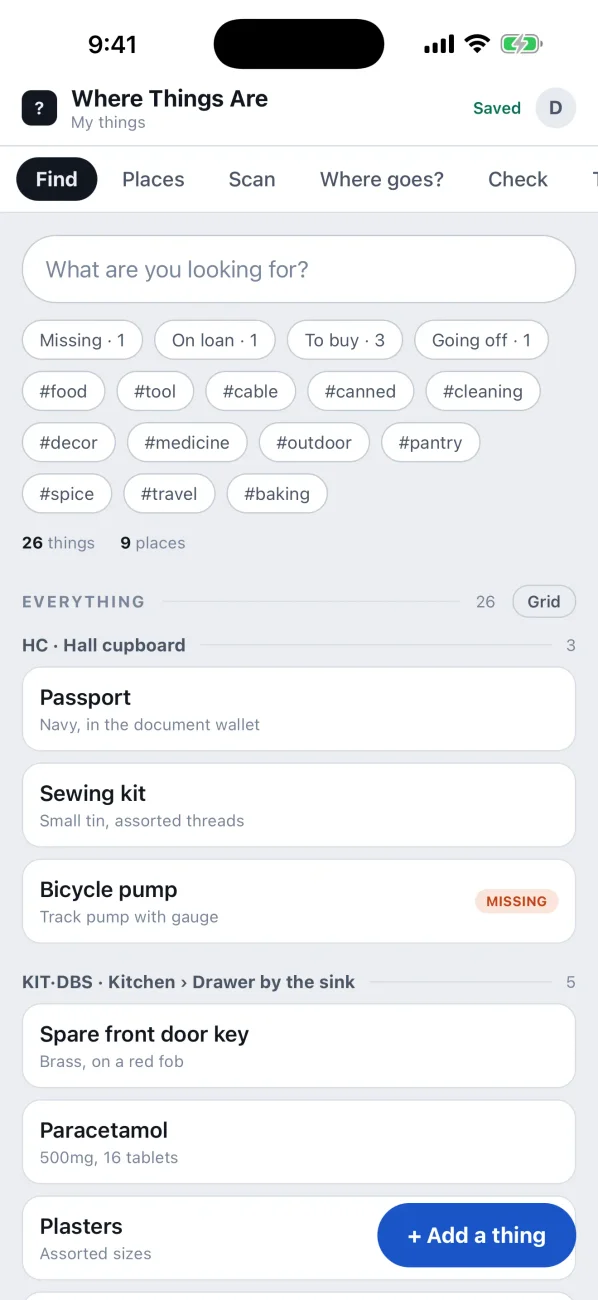
Where Things Are is a record of what you own and where you keep it, so the answer to "where did I put the..." is a search rather than a hunt.
THREE STEPS
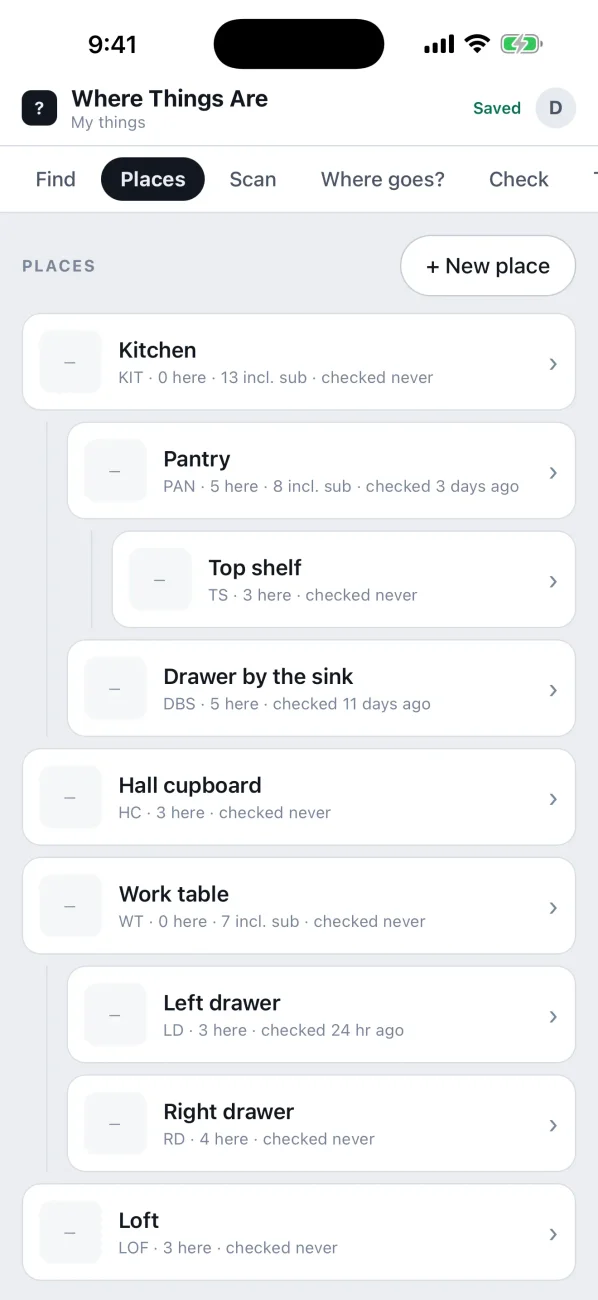
1. Make a place — a drawer, a shelf, a cupboard, a room.
2. Put things in it, one at a time or by photographing the whole drawer.
3. Ask later. Search a word, and it tells you where the thing lives.
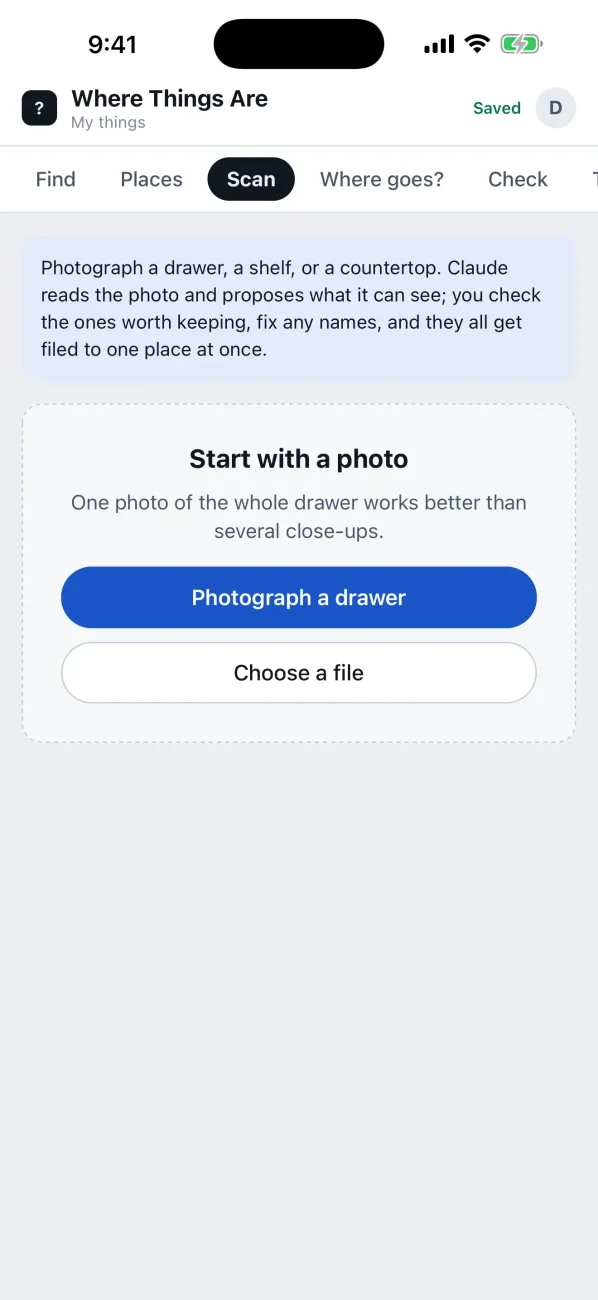
PHOTOGRAPH A WHOLE DRAWER
Point the camera at a junk drawer, a shelf, a dressing table. It comes back as a list of what is there — names, descriptions, quantities — and you tick what to keep. Twenty things filed in a minute instead of twenty separate entries.
It also tells you what the photograph made hard to see. A list that admits what it missed is worth more than one that sounds certain.
FILE THE LOT AT ONCE
Scanned a drawer and left it unsorted? Pick several things and move them into a place in one step. Or let the app propose where each unfiled thing belongs, reading the places you have already made and what is in them. It declines rather than guesses — if nothing you own is a sensible home for a spare cable, it says so instead of burying it in the wrong drawer.
FOR A HOUSEHOLD, NOT JUST A PERSON
Share a catalog with the people you live with, so whoever put it away and whoever is looking for it are using the same record. Every change notes who made it.
TAKING STOCK
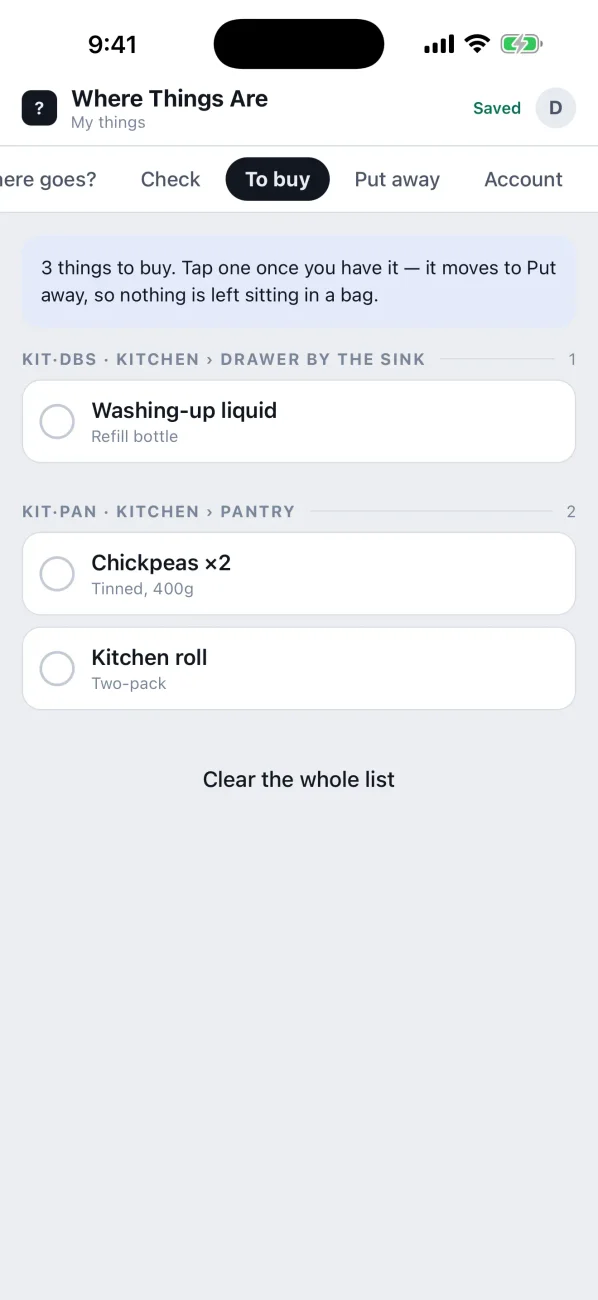
Walk a shelf and count what is actually there. Anything at zero is marked missing with the date. Anything running low goes on the shopping list without being asked. Tick it as bought, and it moves to a put-away list, so the shopping actually gets filed.
WHERE DOES THIS GO?
Photograph a stray object and the app works out what it is, finds it in your catalog, and tells you where it belongs — the harder half of tidying up.
WRITE THE CODE ON THE BOX
Every place has a short code. Write it on the box with a marker and months later that scrawl is searchable — type those letters and the box opens. Or print the label sheet: a sticker per place, each with a square a camera can read that opens it.
WITH NO SIGNAL
The catalog lives on your phone as well. A cellar, a garage or a storage unit opens on it as usual, and anything you change there is saved on the phone and goes up by itself once you are back in range. Photographs wait with it. Reading a photograph is the one part that needs a connection, and says so.
WHAT THE CATALOG NOTICES
Where your things actually are, drawn as one weighted picture of the whole house. And the things you cannot spot yourself: the same item recorded in three different rooms, a category scattered across five places, things with no tags that no search will ever find, places nobody has ever checked.
FOR INSURANCE, AND FOR MOVING
A printable inventory of everything, grouped by where it lives, with photographs. Useful the day you need to prove what you had, and the day somebody else is packing it.
ALSO
- Places nest: a work table holds a left drawer; a kitchen holds a pantry.
- Rearrange them later — put an existing place inside another and every path follows.
- Tag things the way you would actually search for them.
- Mark what you have lent out, and to whom.
- Expiry dates for the pantry and the medicine cupboard.
- What a thing is worth, its serial number, when you bought it and when the warranty ends — for the insurance list.
- Start without an account, and add an email later if you want it on the web too.
- Export the lot as JSON or CSV, from the phone or from the web.
WHAT IT COSTS
Free. There is nothing to buy in this app.
Scanning is the one part that costs money to run — each photograph is read by an AI model, billed per picture — so there is a cap of 100 scans a month per account. Everything else is unlimited: adding things by hand, searching, places, stock-takes, the shopping list, put-away, sharing, and the printable inventory.
No ads. No analytics. No tracking, and no advertising identifier. Delete your account from inside the app whenever you like.
Neue Funktionen
Version 1.0.3 · 20.09.2026
WORKS WITH NO SIGNAL
The catalog now lives on your phone too. A cellar or a garage with no bars opens on it as usual, and anything you change there is saved on the phone and goes up by itself once you are back in range. Photographs of things and places wait with it.
TWO PEOPLE, ONE CATALOG
Changed something while someone else was changing something too? Both are kept now.
BACKUP FROM THE PHONE
Account, then Backup: a JSON or CSV copy of your catalog, made on the phone.
App-Datenschutz
Was Amit Chitnis im App Store zum Umgang dieser App mit Daten angibt.
-
Mit Ihnen verknüpfte Daten
Können erfasst und mit Ihrer Identität verknüpft werden.
- Kontaktinformationen
-
Nicht mit Ihnen verknüpfte Daten
Können erfasst werden, sind aber nicht mit Ihrer Identität verknüpft.
- Käufe
- Benutzerinhalte
- Kennungen
- Nutzungsdaten
Die Datenschutzpraktiken können variieren, zum Beispiel je nach den von Ihnen verwendeten Funktionen oder Ihrem Alter.
Informationen
- Anbieter
- Amit Chitnis
- Kategorie
- Produktivität
- Version
- 1.0.3
- Aktualisiert
- 20.09.2026
- Veröffentlicht
- 14.09.2026
- Größe
- 39,7 MB
- Erfordert
- iOS 16.4 oder neuer
- Altersfreigabe
- 4+
- Preis
- Kostenlos
- Sprachen
- Englisch
- Copyright
- © 2026 Amit Chitnis
Das könnte Ihnen auch gefallen
-
 Found: Where'd I Put That?Produktivität
-
 PlacePal: Say It, Find ItProduktivität
-
 Nutri-UPF ScoreProduktivität
-
 Dopamine: ADHS To-Do-ChatSchluss mit Aufschieben
-
 Recordo: ADHS Planer & NotizenTo Do Liste & Habit Tracker
-
 Reminder TemplatesProduktivität
-
 Inclr: Mindmap NotizenOrganisiere Ideen & Leben
-
 Inventory ItemlistInventar Hausrat & Wertsachen
-
 PDF Merge X: PDF MergerMerge, Rotate & Organize PDF
-
 Karo: Todo Lists & PlannerPersonal & Shared Task Manager