
Wind & Runways
Weather and airport awareness
Entwickelt für iPhone, iPad, iPod touch
Kostenlos
- Altersfreigabe4+
- KategorieWetter
- EntwicklerJeff Cardillo
- SprachenEnglisch
- Größe72,4 MB
Verlinkt auf die offizielle App Store-Seite
Download.org hostet keine Datei von Wind & Runways. Die Schaltfläche öffnet die App-Seite bei App Store, wo Jeff Cardillo die App veröffentlicht. Eintrag zuletzt geprüft am 18.11.2026.
Screenshots




Info
Der Entwickler hat diesen Text nicht in Ihrer Sprache bereitgestellt.
Wind & Runways helps pilots quickly understand how the current wind lines up with the runway. It brings together METARs, runway data, TAF-based wind trends, NOTAMs, airport details, radar coverage, airspace information, and route planning in a simple view built around the decisions pilots actually make.
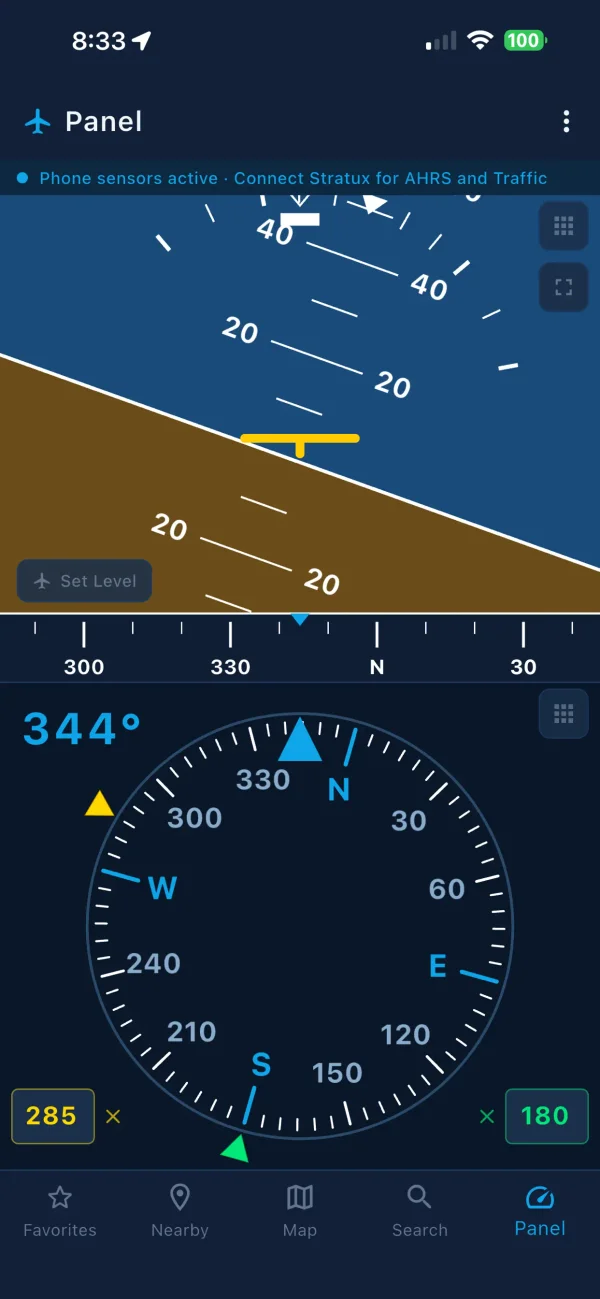
For pilots using Stratux, Wind & Runways can also connect directly to compatible Linux-based Stratux ADS-B hardware to provide live traffic information along with cockpit instruments including an artificial horizon and compass with an adjustable heading bug.
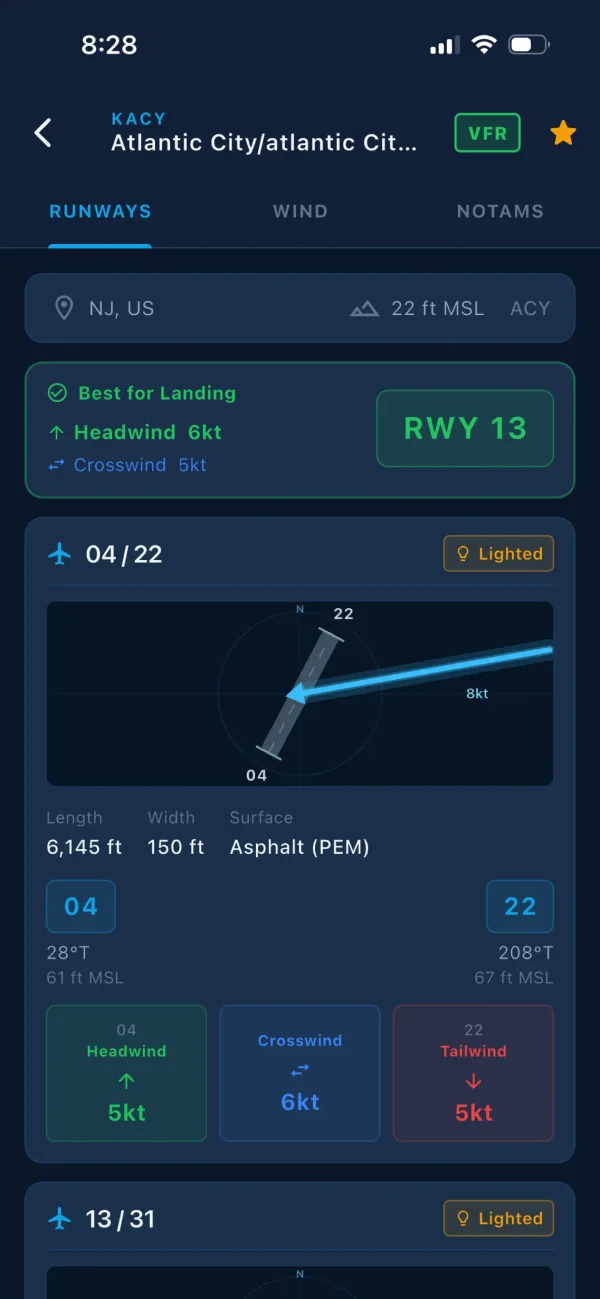
For each airport, the app calculates headwind, tailwind, and crosswind components for every runway end using the latest available weather. A visual runway diagram makes it easy to see the wind direction at a glance, and the app can suggest the best runway based on the strongest headwind component. When the wind is calm or mostly direct crosswind, it says that clearly instead of forcing a recommendation.
Runway diagrams show paved runways in gray and turf or grass runways in green, making surface type easy to spot. Helipads are displayed separately with an H symbol and wind indication.
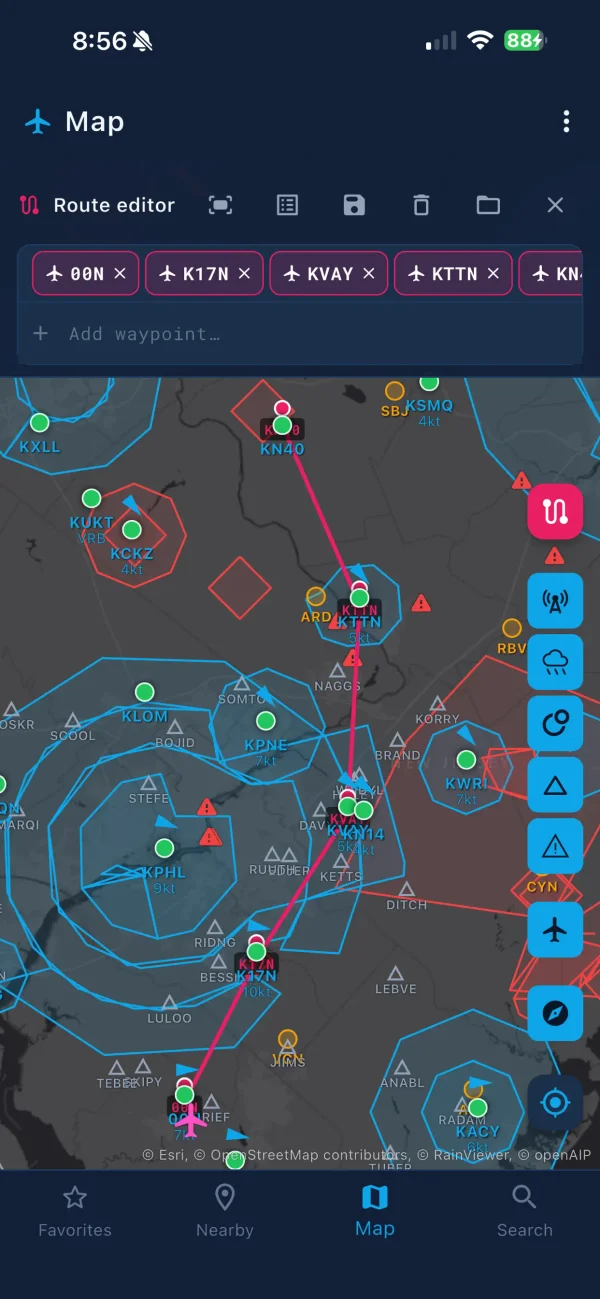
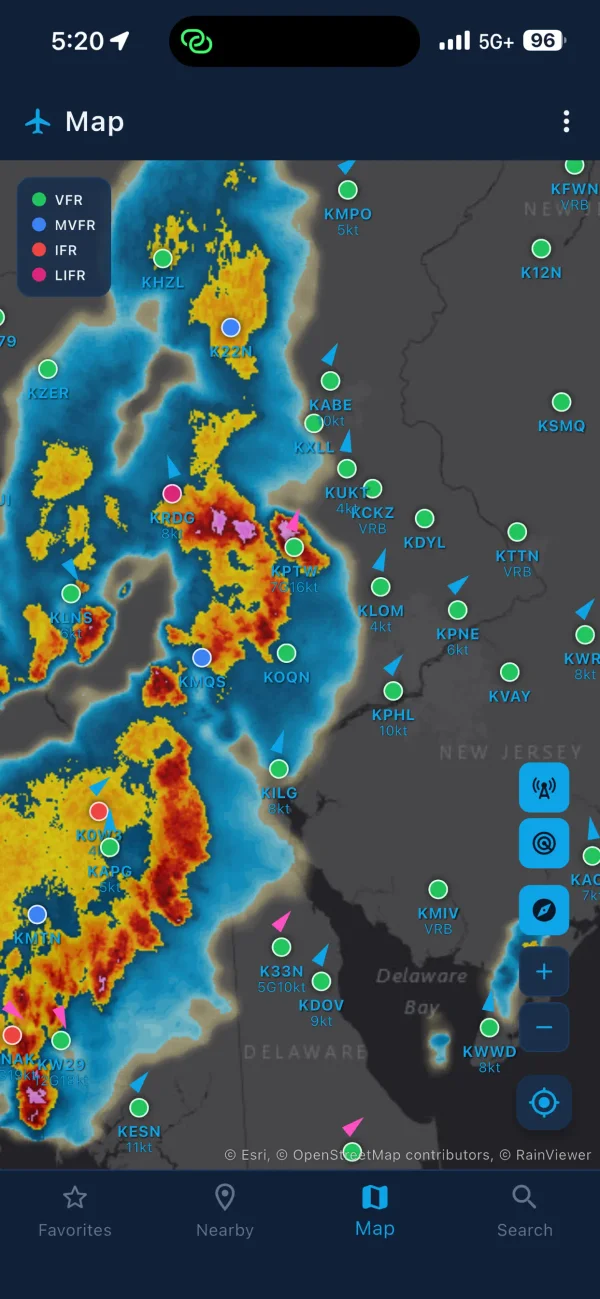
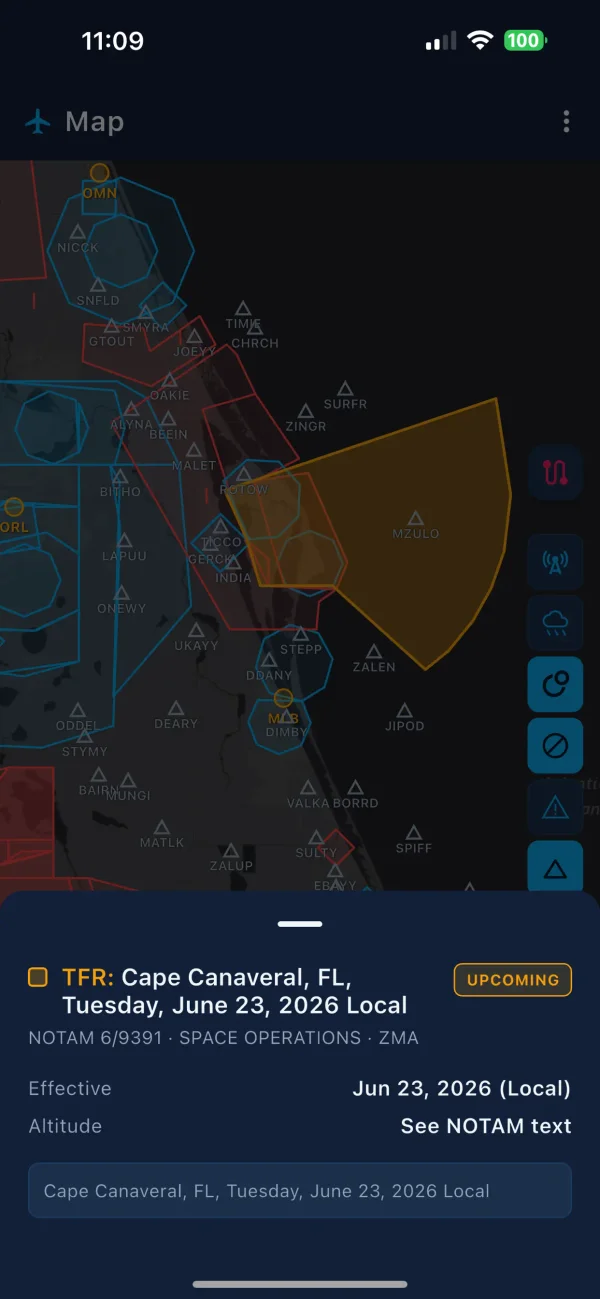
The map view helps you understand the bigger picture around your route or local flying area. You can view nearby METAR stations, see where current observations are available, check radar coverage, display rendered airspace, and turn on a TFR layer directly on the map.
You can also create, edit, and save flight routes by adding airports, stations, or fixes, then view a basic navigation log with leg distances and route details. This makes it easier to compare conditions across airports, spot nearby reporting stations, identify active flight restrictions, and keep weather, airspace, and route-planning awareness in one place.
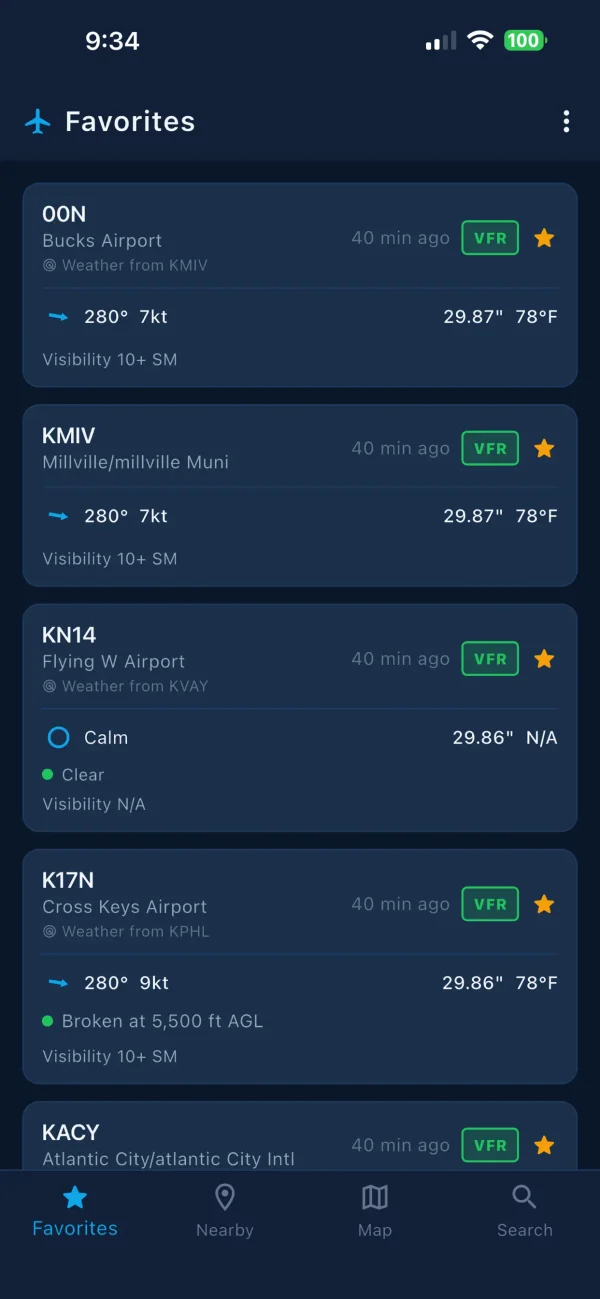
Wind & Runways is not limited to airports with their own weather stations. I built it specifically so pilots could check conditions at the little grass strips, private fields, and non-towered airports around them — not just the larger airports with METARs. If an airport does not report its own weather, the app finds a nearby reporting station and clearly shows where the weather is coming from, including the distance to that station.
Weather data comes from NOAA’s Aviation Weather Center. Airport cards show wind, gusts, altimeter, temperature, visibility, ceiling layers, present weather, and flight category. Observation age updates live so you can quickly tell how fresh the report is.
The Wind tab uses TAF data to show how wind is expected to change over the next several hours, helping you plan for a later departure or arrival.
Wind & Runways includes airport and runway information for more than 76,000 airports worldwide using the OurAirports database, including many smaller strips and private fields. Name, elevation, runway data, and surface information are available even for many airports that do not report their own weather.
The NOTAMs tab pulls active FAA Notices to Air Missions so you can check for runway closures, TFRs, equipment outages, and other operational items without leaving the app.
You can save favorite airports, reorder them, and sync them across devices with Apple or Google sign-in. You can also use the app without an account.
Recently loaded METAR, TAF, and NOTAM data remains available offline, with stale data clearly marked. Unit preferences are supported for wind speed, temperature, altimeter, and elevation.
Wind & Runways is built by a pilot, for pilots — with a fast, cockpit-friendly layout focused on runway wind, airport weather, traffic awareness, airspace, route planning, and the information you want close at hand before and during a flight.
Free to download. Sign in to sync favorites, or use it anonymously.
Neue Funktionen
Version 1.7.0 · 24.10.2026
1.7.*
- Introducing VFR Sectional Chart tiles on the map!
1.6.*
- Introducing offline map data! Head in to the settings screen to mark the areas you'd like to download
- Map airports now draw even if there isn't weather data for them
- Various tweaks and changes
1.5.*
- Introducing ADS-B traffic on the map screen (with Stratux linux based hardware device)
- Map screen can now be full screen
- Improvements to phone sensor handling for compass widget.
1.4.*
Introducing the Panel tab (enable in settings)
- Artificial horizon and Compass using device sensors
- Integration with StraTUX ADS-B receiver for Traffic and AHRS
1.3.*
- Big screen layouts! Wind & Runways will utilize larger displays and make your iPad feel really special!
- Comms added to the airport data
- Show Airport on Map button added on airport details page
App-Datenschutz
Was Jeff Cardillo im App Store zum Umgang dieser App mit Daten angibt.
-
Nicht mit Ihnen verknüpfte Daten
Können erfasst werden, sind aber nicht mit Ihrer Identität verknüpft.
- Diagnose
Die Datenschutzpraktiken können variieren, zum Beispiel je nach den von Ihnen verwendeten Funktionen oder Ihrem Alter.
Informationen
- Anbieter
- Jeff Cardillo
- Kategorie
- Wetter
- Version
- 1.7.0
- Aktualisiert
- 24.10.2026
- Veröffentlicht
- 08.06.2026
- Größe
- 72,4 MB
- Erfordert
- iOS 15.0 oder neuer
- Altersfreigabe
- 4+
- Preis
- Kostenlos
- Sprachen
- Englisch
- Copyright
- © 2026 Jeff Cardillo