- Altersfreigabe4+
- KategorieWirtschaft
- EntwicklerWovenFocus LLC
- SprachenEnglisch
- Größe51,1 MB
WNLabelPro ist bei App Store derzeit möglicherweise nicht verfügbar
Bei unserer letzten Prüfung war der Store-Eintrag nicht erreichbar. Der Link führt weiterhin zur offiziellen App Store-Seite.
Screenshots
Info
Der Entwickler hat diesen Text nicht in Ihrer Sprache bereitgestellt.
Organize orders while you sell—not after the show.
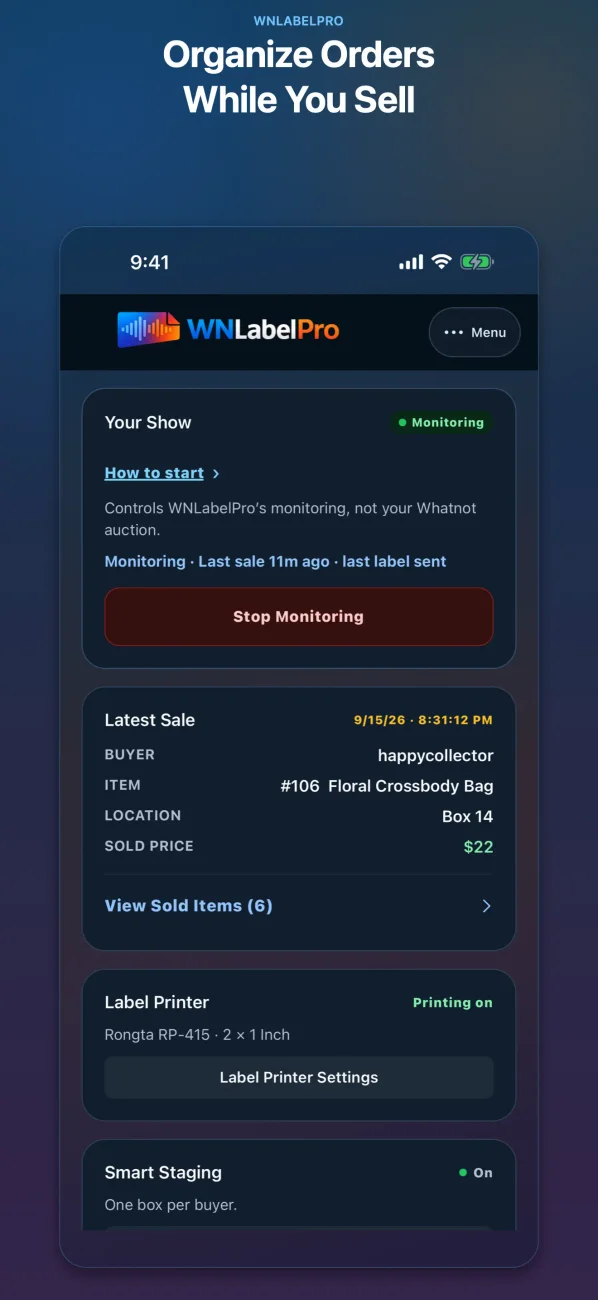
WNLabelPro helps Whatnot sellers label, stage, and review completed sales from
an iPhone or iPad. Start WNLabelPro Screen Monitor, return to your live show,
and the app can recognize supported sale activity visible on your device. It
keeps the buyer, item, sold price, sale time, and staging location together
while your show continues.
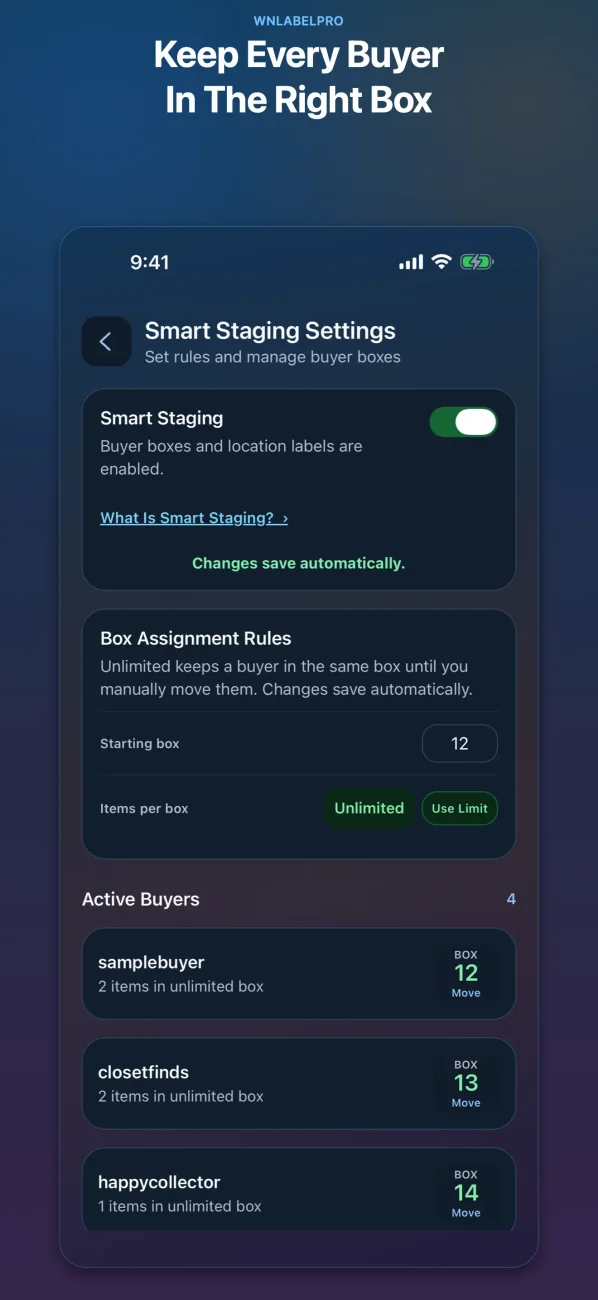
SMART STAGING
• Assign each new buyer to a numbered box, tote, lane, rack, or shelf
• Keep repeat purchases connected to the same buyer and location
• Use one unlimited location per buyer or set an item limit per location
• Turn staging off when you only need item labels
LABELS BUILT FOR LIVE SELLING
• Send item labels to a selected compatible Bluetooth or network label printer
• Choose from 1 × 1, 1.5 × 1, 1.5 × 1.5, 2 × 1, 4 × 4, and 4 × 6 label sizes
• Optionally print supported giveaway and Buy It Now or flash-sale activity
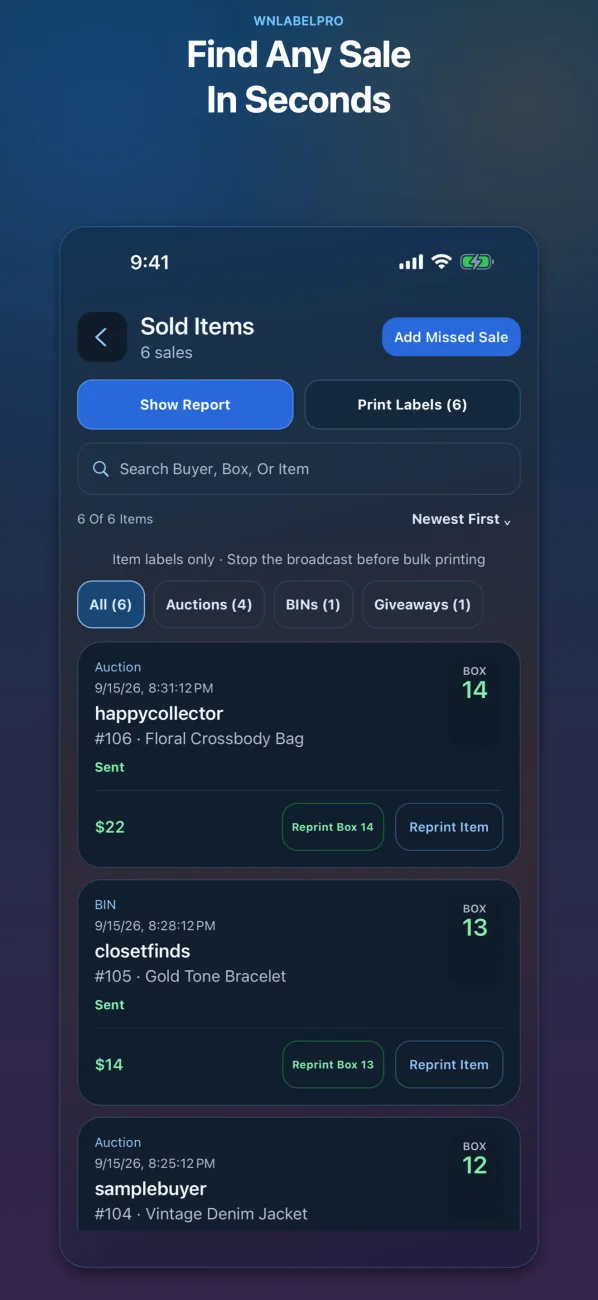
• Reprint individual item or location labels when needed
• Disable printing without losing your printer settings
STAY IN CONTROL
• Review, search, sort, and filter sold items
• Add a missed sale after confirming it in Whatnot
• Review labels that need attention and reprint when needed
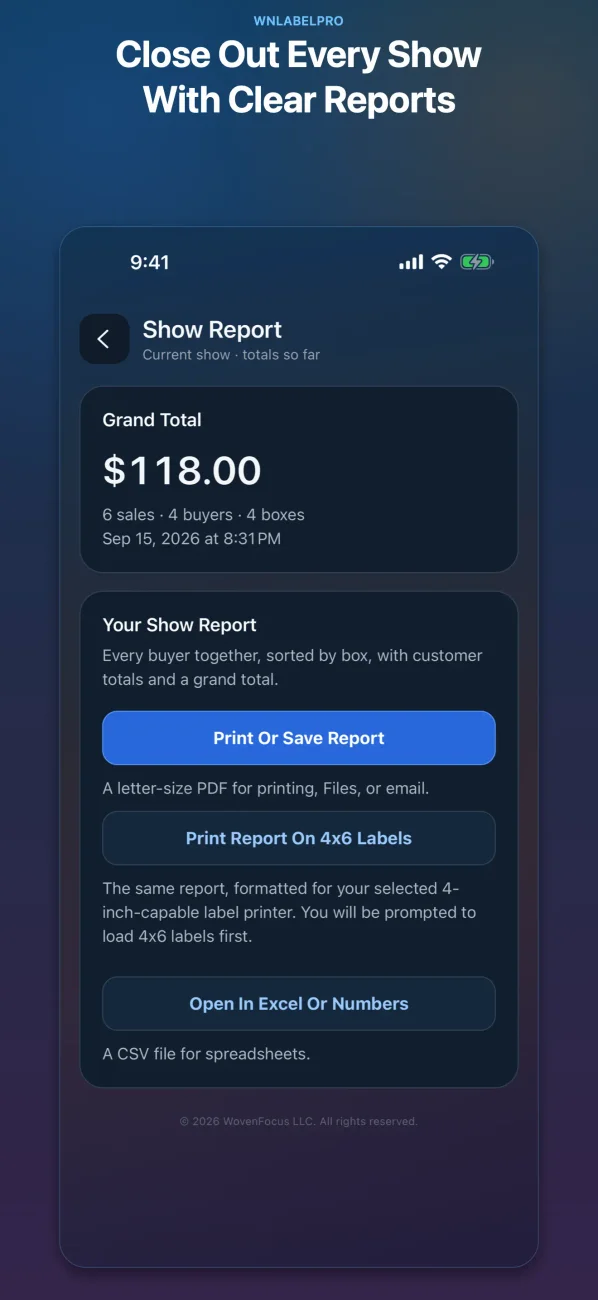
• Check show totals, buyer counts, and boxes used
• Keep reports for up to 50 finished shows on your device
REPORTS FOR CLOSEOUT
Create a grouped show report with overall and per-buyer totals. Save or share a
letter-size PDF or CSV, or print a compact report to supported 4 × 6 label
printers.
PRIVACY-MINDED SCREEN MONITORING
Screen monitoring begins only after you activate it and confirm Apple’s broadcast controls. Screen frames are processed on your device to identify supported sale activity. With Sale Photos enabled, WNLabelPro saves still images of detected auction sales locally so you can review them in the app. Sale Photos is on by default unless you previously turned it off. You can turn it off or delete saved photos in Menu > Sale Photos. Photos are kept for up to 30 days, subject to storage limits. WNLabelPro does not retain screen video or automatically upload sale photos. You remain in control and can stop monitoring at any time.
Start with a 7-day free trial through Apple when eligible. Existing Apple subscribers can use Restore Apple Purchase. No separate WNLabelPro account is required.
A compatible label printer is required for printing. Printer capabilities and
compatibility vary by model and connection method. Zebra printers currently require a network connection; Zebra Bluetooth is not supported. Sellers should verify every
sale, label, price, and staging assignment before relying on it.
WNLabelPro is an independent seller workflow tool and is not affiliated with or
endorsed by Whatnot, Apple, Zebra, or any label-printer manufacturer.
Terms of Use (EULA): https://www.apple.com/legal/internet-services/itunes/dev/stdeula/
Privacy Policy: https://wnlabelpro.com/privacy.html
Neue Funktionen
Version 1.0.3 · 20.11.2026
Improved live-sale recognition and sale-photo matching. When a completed sale is detected but the buyer cannot be read, the app can save it for review as Undetected with box X. Improved print recovery, box-label reprinting, and support diagnostics. Added Ignore Print and Ignore All controls for print errors that no longer need action. Fixed the default show date to follow your local calendar.
App-Datenschutz
Was WovenFocus LLC im App Store zum Umgang dieser App mit Daten angibt.
-
Mit Ihnen verknüpfte Daten
Können erfasst und mit Ihrer Identität verknüpft werden.
- Käufe
- Kontaktinformationen
- Benutzerinhalte
- Kennungen
- Nutzungsdaten
- Diagnose
-
Nicht mit Ihnen verknüpfte Daten
Können erfasst werden, sind aber nicht mit Ihrer Identität verknüpft.
- Diagnose
Die Datenschutzpraktiken können variieren, zum Beispiel je nach den von Ihnen verwendeten Funktionen oder Ihrem Alter.
Informationen
- Anbieter
- WovenFocus LLC
- Kategorie
- Wirtschaft
- Version
- 1.0.3
- Aktualisiert
- 20.11.2026
- Veröffentlicht
- 21.09.2026
- Größe
- 51,1 MB
- Erfordert
- iOS 16.4 oder neuer
- Altersfreigabe
- 4+
- In-App-Käufe
- Ja
- Sprachen
- Englisch
- Copyright
- © 2026 WovenFocus LLC