Workout Tracker - Mesolab
Gym Log & Hypertrophy Planner
Entwickelt für iPhone
In-App-Käufe
- Altersfreigabe4+
- KategorieGesundheit und Fitness
- EntwicklerJordan Selph
- SprachenEnglisch
- Größe22,5 MB
Workout Tracker - Mesolab ist bei App Store derzeit möglicherweise nicht verfügbar
Bei unserer letzten Prüfung war der Store-Eintrag nicht erreichbar. Der Link führt weiterhin zur offiziellen App Store-Seite.
Screenshots
Info
Der Entwickler hat diesen Text nicht in Ihrer Sprache bereitgestellt.
Plan your workouts. Log your sets. See the work you completed.
Mesolab brings hypertrophy planning and workout logging together in a native iPhone app.
BUILD YOUR BLOCK
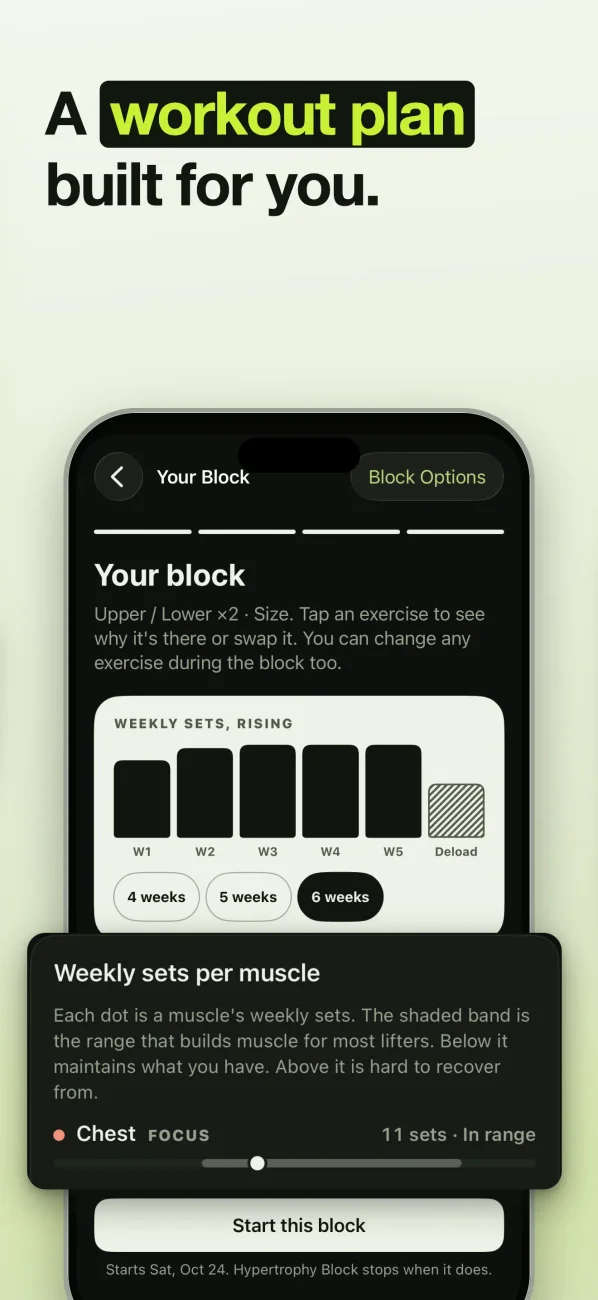
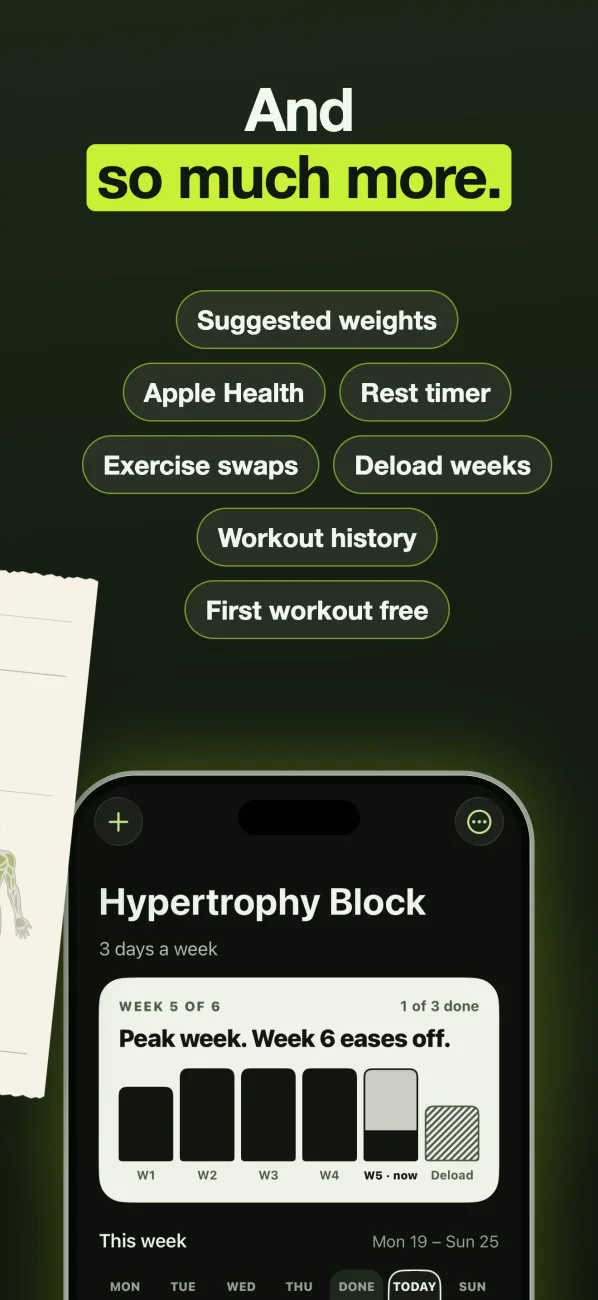
Tap Build it for me: pick your split and training days, choose Size, Strength or Both, and name up to three muscles to bring up. Mesolab plans the block from the equipment in your gym and shows it before you start, with weekly sets for each muscle against the muscle-building range and the reason each exercise is there. Swap any exercise in a tap, or start from a saved block or build your own. Progression and a deload are built in.
KNOW THE TARGET
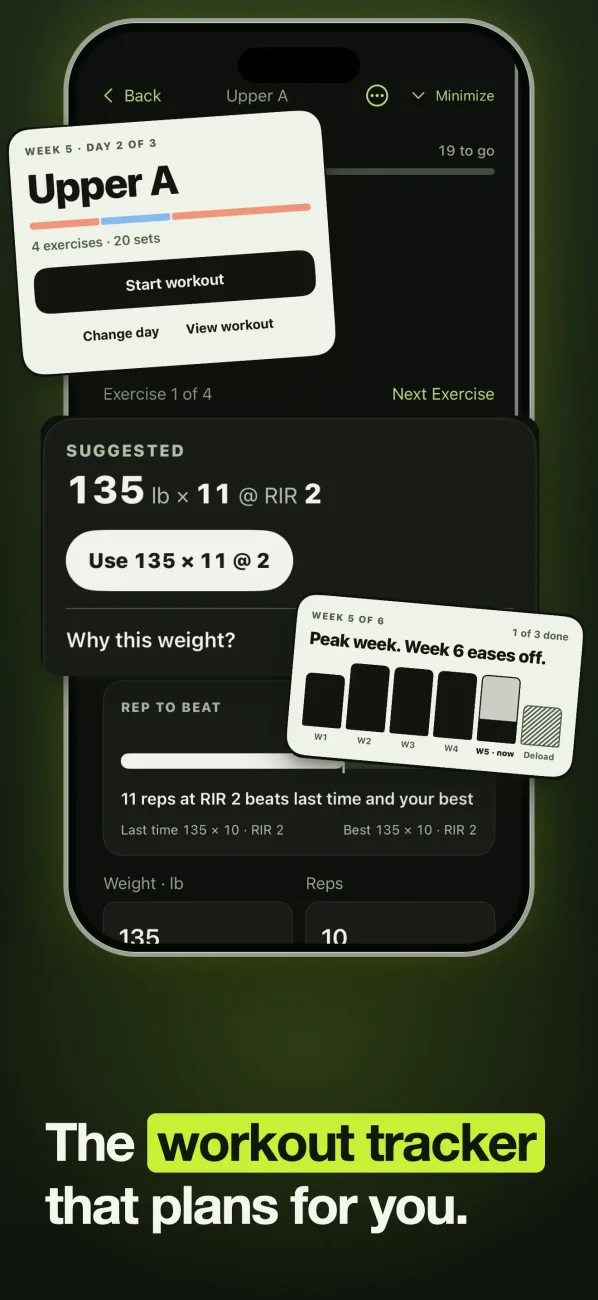
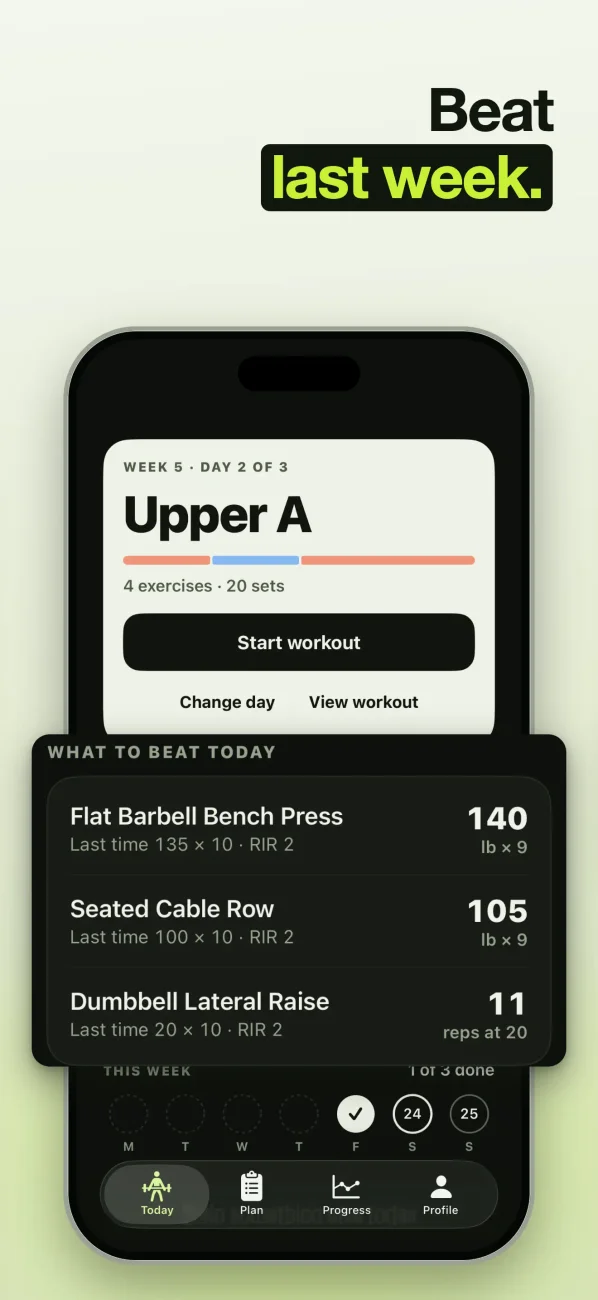
Programmed workouts show prescribed rep ranges and target RIR (reps in reserve), alongside suggested weight when your history or starting calibration supports it. Or tap Just train today: pick Upper, Lower, Full body or your own lifts, and log the weight, reps and RIR you complete.
KEEP TRAINING
Log weight, reps and RIR. Add or swap exercises, reorder your session and minimize it without losing your place. Correct a logged set when you make a mistake. If you finish too early, reopen the same workout and continue.
UNDERSTAND YOUR VOLUME
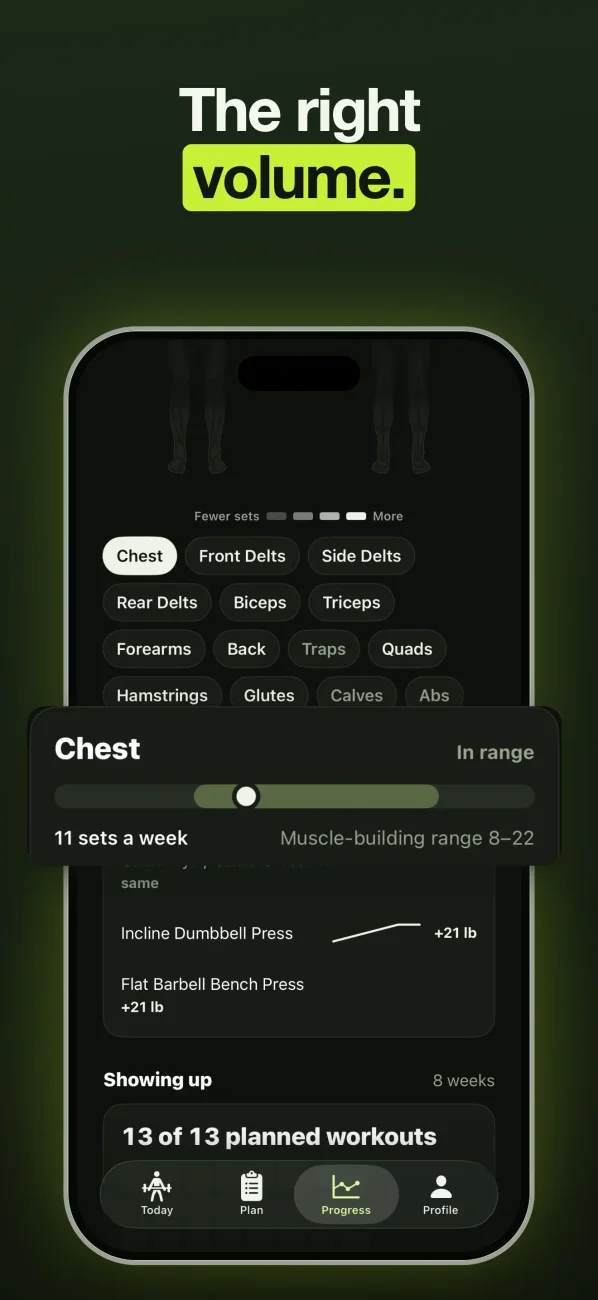
Progress shows the sets each muscle got over the last four weeks against its muscle-building range. Week preview compares planned and completed weekly sets by muscle, with direct, indirect and effective volume against MEV, MAV and MRV reference landmarks. These are training references, not measurements of your personal recovery limit.
LEARN FROM YOUR SESSIONS
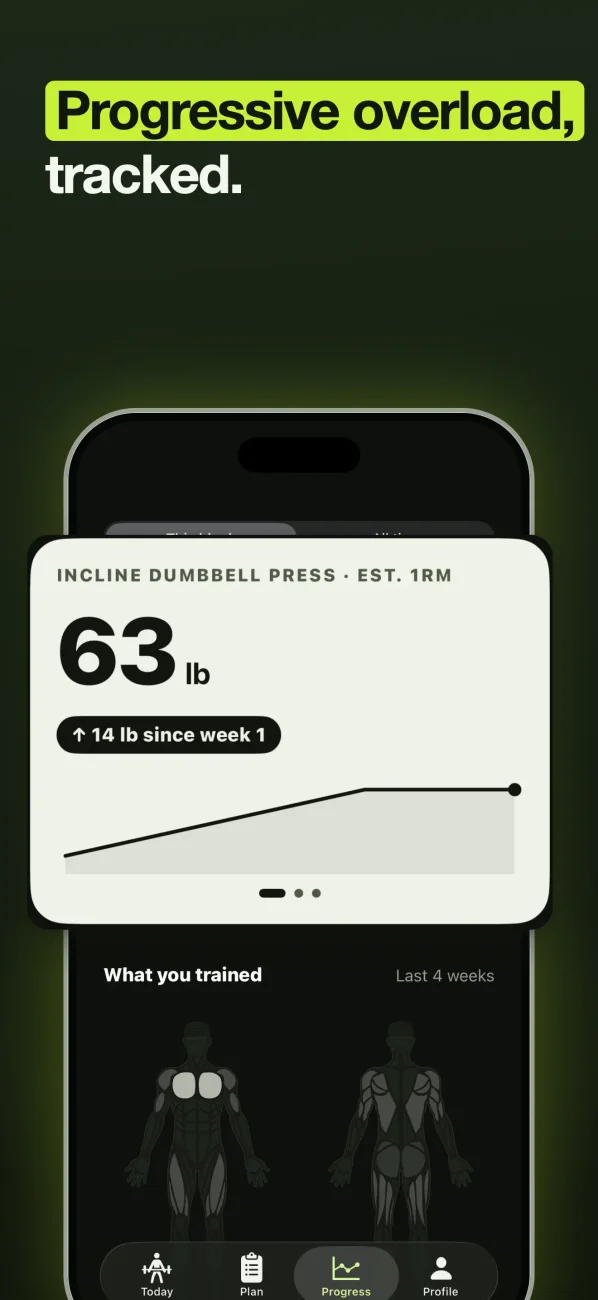
Record optional joint pain, pump and workload feedback. See your estimated one-rep max climb on Progress, and review progression and feedback-based recommendations in Insights.
SHARE THE WORK
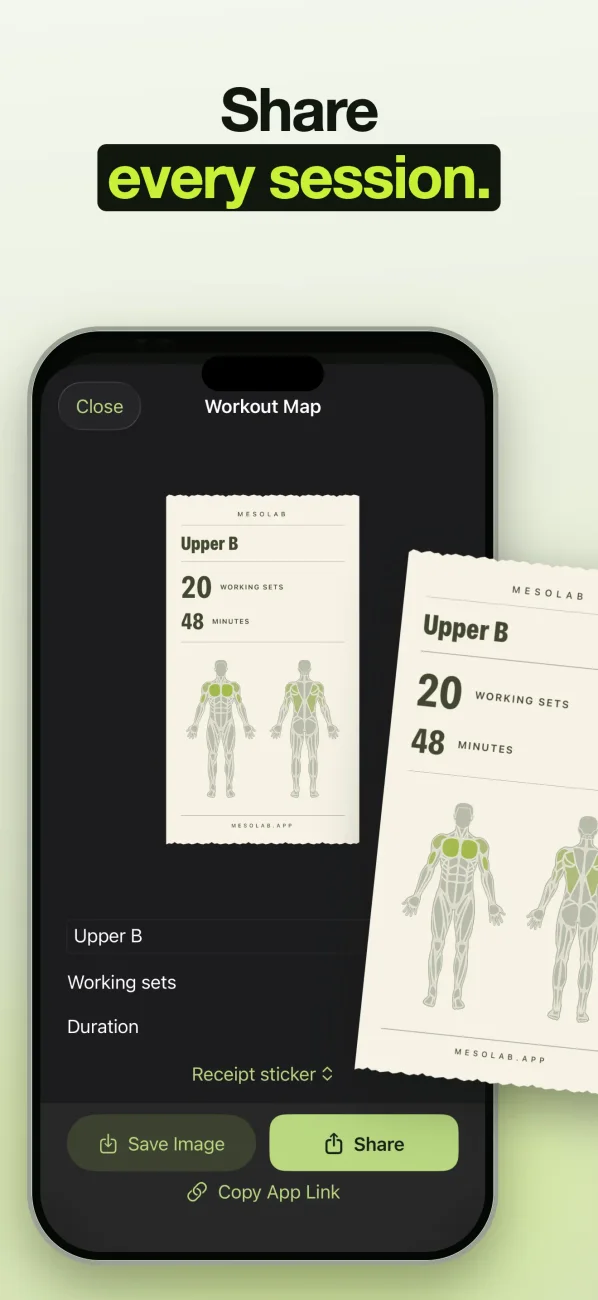
Create a Workout Map receipt showing the muscles you trained, completed working sets and workout duration. Edit the title displayed on the card, choose the metrics to include, and save it to Photos or share it.
WORKS WITH APPLE HEALTH
With your permission, Mesolab saves each completed strength-training workout (start time, end time and duration) to Apple Health, so it appears alongside the rest of your activity. Connect from the Today screen or Profile, or when you finish a workout. Mesolab never reads your Health data, and training works the same whether or not you connect.
YOUR HISTORY, TOGETHER
Review past sessions and set details.
Try one completed workout free, with no automatic paid conversion. Weekly, monthly and yearly subscriptions provide the same continued workout access. View plans and restore purchases from Profile. Existing workout history stays available after your free workout.
Terms of Use (EULA): https://www.apple.com/legal/internet-services/itunes/dev/stdeula/
Privacy Policy: https://mesolab.app/privacy-policy.html
Support: https://mesolab.app/support.html
Neue Funktionen
Version 1.4 · 11.11.2026
A new way in: see your plan before you sign up, and make your first workout count.
- See your plan first: answer a few quick questions and Mesolab builds your plan, shows your first week and where 6 weeks takes you, all before you make an account. No email needed.
- Make it yours: change the lead lift for any muscle and it changes on every day it appears.
- Pick when Day 1 is, from today up to two weeks out, and get a reminder an hour before.
- Building a new block? Start from the look you're after, pick up to three muscles on the body map or the list, and set your equipment right on the plan.
- Finish your first workout and put it on the line: you place your first real point on your Lift Forecast yourself.
- Book the next one from the same screen. Keep the day and time it suggests or pick another day.
- From workout 2 on, the finish shows where your best set landed against your forecast.
- A clearer plans screen: two plans side by side, the third one tap away, and the button names the plan and its price. A way out is always there, and buying from a workout's Start opens that workout.
- Already a member? Profile > Your membership shows your plan, your next charge and Manage in Settings.
- Not at the gym yet? Back out of a workout before your first set and save it for later, or discard it.
- Apple Health shows as connected on Today from day one, and new accounts are asked after their first workout, not before.
- If your sign-in expires mid-workout, the app says so plainly instead of showing an error.
- Fixes and polish.
App-Datenschutz
Was Jordan Selph im App Store zum Umgang dieser App mit Daten angibt.
-
Mit Ihnen verknüpfte Daten
Können erfasst und mit Ihrer Identität verknüpft werden.
- Gesundheit und Fitness
- Käufe
- Kontaktinformationen
- Kennungen
- Nutzungsdaten
- Diagnose
- Sonstige Daten
Die Datenschutzpraktiken können variieren, zum Beispiel je nach den von Ihnen verwendeten Funktionen oder Ihrem Alter.
Informationen
- Anbieter
- Jordan Selph
- Kategorie
- Gesundheit und Fitness
- Version
- 1.4
- Aktualisiert
- 11.11.2026
- Veröffentlicht
- 21.09.2026
- Größe
- 22,5 MB
- Erfordert
- iOS 26.0 oder neuer
- Altersfreigabe
- 4+
- In-App-Käufe
- Ja
- Sprachen
- Englisch
- Copyright
- © 2026 Jordan Selph
Das könnte Ihnen auch gefallen
-
 Monolift: Gym Buddy & Lift LogGesundheit und Fitness
-
 AI Workout & Diet CoachGesundheit und Fitness
-
 LOCKD. Push to Earn ScreenTimeGesundheit und Fitness
-
 Liftd - Gym Workout TrackerGesundheit und Fitness
-
 Workout Log: TrainingstagebuchGym Tracker & Krafttraining
-
 Load That BarGesundheit und Fitness
-
 Workout Rest & GoGesundheit und Fitness
-
 Pinnacle Fit NowGesundheit und Fitness
-
 Baby Gains PlayGesundheit und Fitness
-
 RepZero: Gym TrainingstagebuchKrafttraining & Trainingsplan