
WristMark
Recorder · Local AI Summaries
Entwickelt für iPhone
Kostenlos · In-App-Käufe
- Altersfreigabe4+
- KategorieProduktivität
- Entwickler笑明 贾
- SprachenEnglisch+ 2 weitere
- Größe180,0 MB
Verlinkt auf die offizielle App Store-Seite
Download.org hostet keine Datei von WristMark. Die Schaltfläche öffnet die App-Seite bei App Store, wo 笑明 贾 die App veröffentlicht. Eintrag zuletzt geprüft am 16.11.2026.
Screenshots
Info
Der Entwickler hat diesen Text nicht in Ihrer Sprache bereitgestellt.
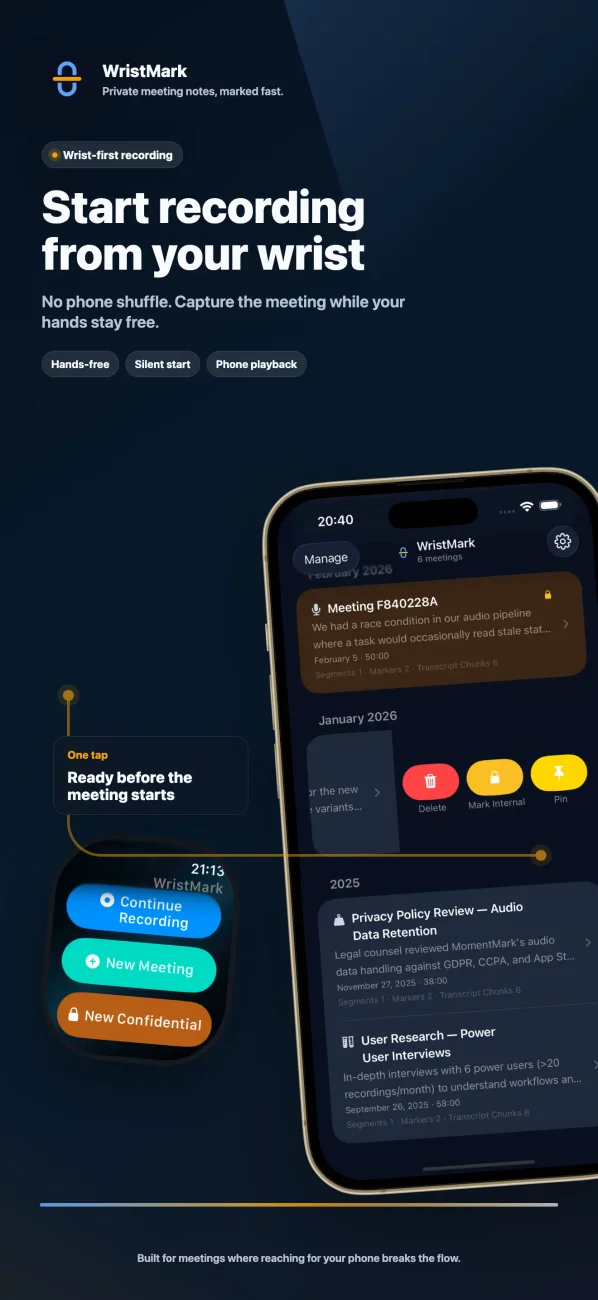
WristMark is the private meeting companion built for iPhone and a paired wrist app. Record from your wrist, mark critical moments with a simple gesture, transcribe offline, and summarize with optional on-device Local AI or the AI endpoint you configure.
WRIST-FIRST RECORDING & TIMESTAMPS
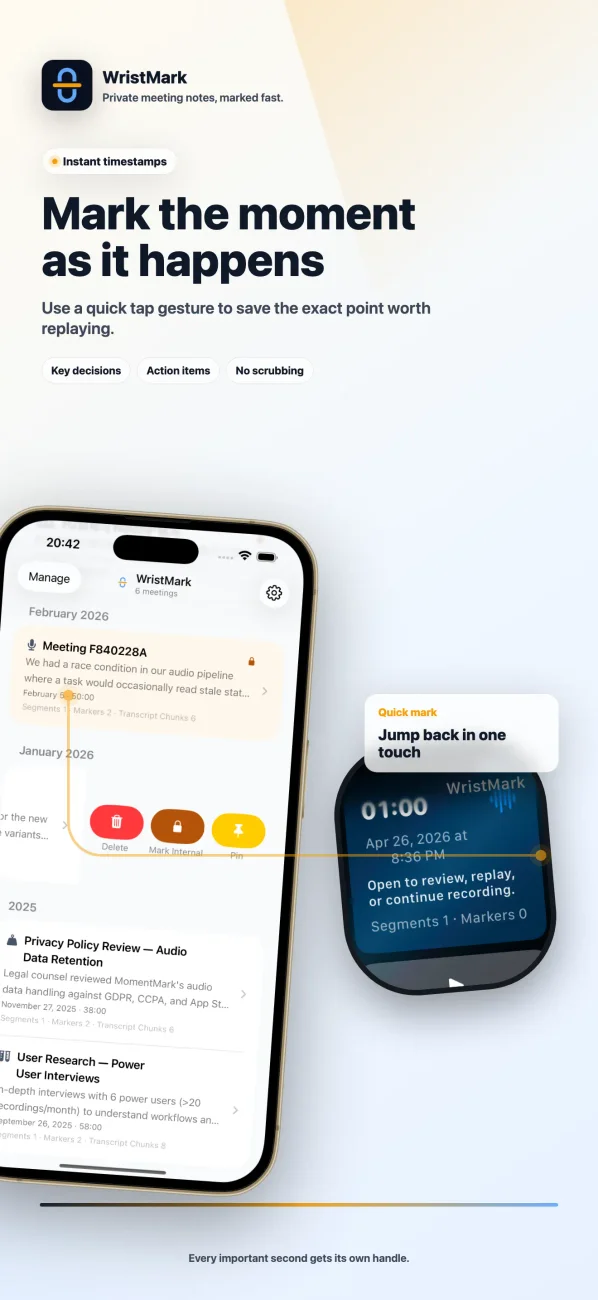
Meetings are not the place to fumble with your phone. Start recording from the wrist app with one tap. When something important is said, use a quick tap gesture to plant an instant timestamp — hands-free, screen-free, and silent. During playback on your iPhone, jump to any marked moment in a single tap. No scrubbing. No guessing.
ON-DEVICE TRANSCRIPTION — NO INTERNET REQUIRED
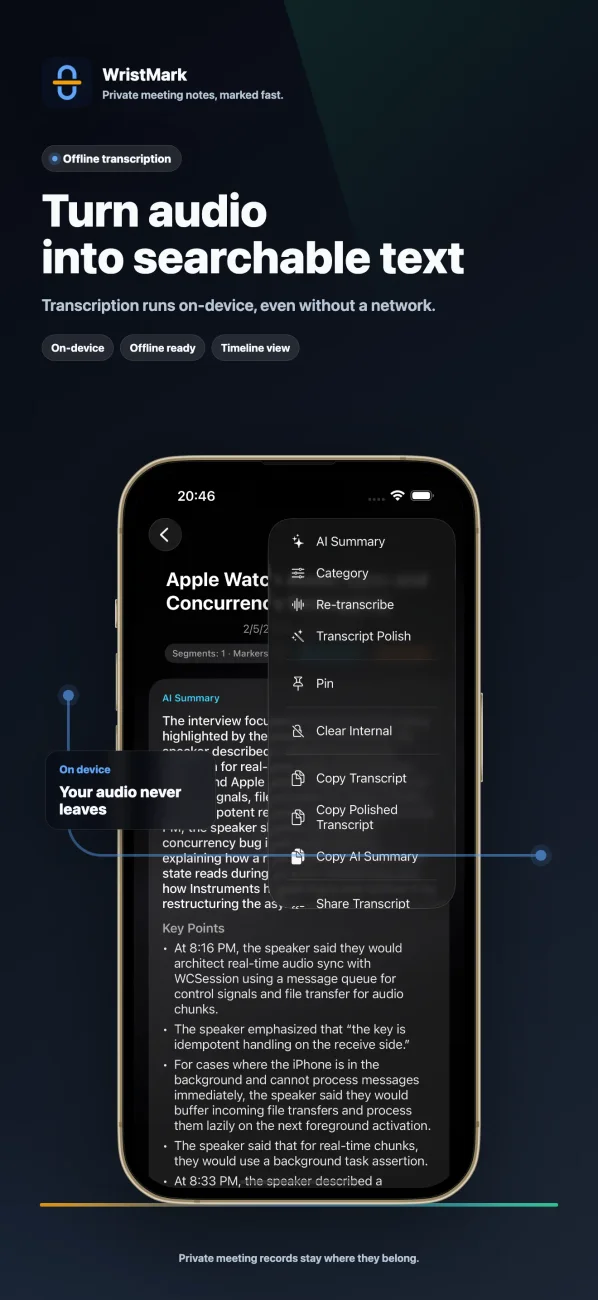
Transcription runs on device using system speech technology. No audio is ever sent to a server by WristMark. Works fully offline. When the operating system improves on-device speech models, simply re-transcribe existing recordings to benefit from the latest accuracy gains.
VOICE MEMO IMPORT
No wrist recording available? No problem. Import recordings directly from Voice Memos using the system Share Sheet. Every imported recording gets full transcription, timeline view, and archiving — everything WristMark offers.
MULTI-SEGMENT MERGE & ARCHIVE
Interrupted by a call? Took a break mid-meeting? Recorded the afternoon session separately? WristMark lets you merge multiple audio segments into a single meeting archive. Organize by project or date. Clean, searchable, and friction-free.
FASTER, MORE RESPONSIVE HOME
Get back to your meetings sooner. WristMark shows the first part of your meeting history without waiting for the entire archive to load, keeps meeting actions responsive while the rest is recovered in the background, and makes the first recording easier to start when your home is empty. New meetings, summaries, and merged archives stay reflected in the home screen as they become available.
LOCAL AI SUMMARIZATION
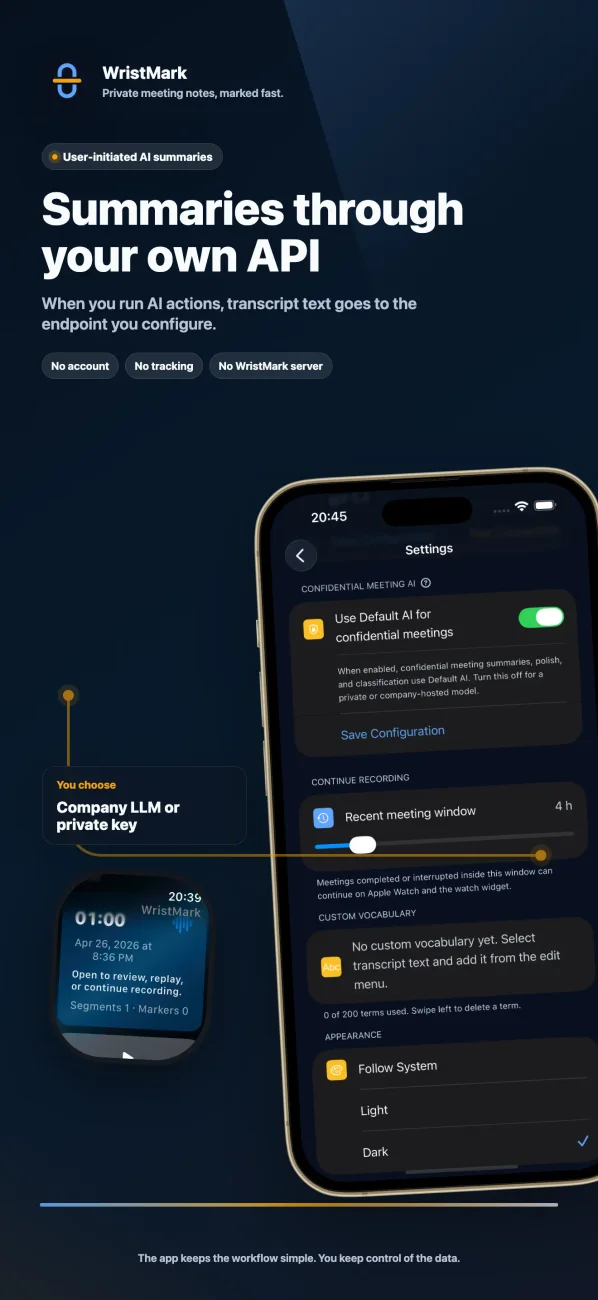
Use the optional Local AI model for supported on-device summaries after downloading it in Settings, or connect any OpenAI-compatible API endpoint — your company's private LLM, a self-hosted model, or a third-party key you control. Local AI runs on your device. API requests are initiated by you and sent directly to your chosen endpoint. For summaries, transcript polish, or classification through a configured endpoint, WristMark sends transcript text, markers, meeting duration, and recording type. Audio files are not sent to the AI endpoint by WristMark, and meeting data never passes through WristMark's servers.
WHO IS WRISTMARK FOR?
- Professionals in high-frequency meeting environments
- Students attending lectures, training sessions, or seminars
- Enterprise users with strict data confidentiality requirements
- Users who want fast wrist-first capture
PRIVACY & SECURITY
- Transcription runs on device
- Optional Local AI summaries run on device after model download
- Audio files are never sent to WristMark servers
- Third-party AI summaries use user-initiated requests to your own API endpoint
- No analytics, no user tracking, no account required
LEGAL
Terms of Use (EULA): https://wristmark-app.github.io/legal/terms.html
Privacy Policy: https://wristmark-app.github.io/legal/privacy.html
Neue Funktionen
Version 2.9.3 · 10.11.2026
Open supported audio files in WristMark to import them. After importing, the new recording opens so you can view it right away. The button on the import confirmation screen is also easier to tap.
App-Datenschutz
Was 笑明 贾 im App Store zum Umgang dieser App mit Daten angibt.
-
Keine Daten erfasst
Der Entwickler erfasst keine Daten von dieser App.
Die Datenschutzpraktiken können variieren, zum Beispiel je nach den von Ihnen verwendeten Funktionen oder Ihrem Alter.
Informationen
- Anbieter
- 笑明 贾
- Kategorie
- Produktivität
- Version
- 2.9.3
- Aktualisiert
- 10.11.2026
- Veröffentlicht
- 02.05.2026
- Größe
- 180,0 MB
- Erfordert
- iOS 18.0 oder neuer
- Altersfreigabe
- 4+
- Preis
- Kostenlos
- In-App-Käufe
- Ja
- Sprachen
- Englisch, Vereinf. Chinesisch, Tradit. Chinesisch
- Copyright
- © 2026 WristMark
Das könnte Ihnen auch gefallen
-
 WristAssistProduktivität
-
 MemoMind: Voice NotesProduktivität
-
 VoiceRec: DiktiergerätAufnehmen & transkribieren
-
 Nib – KI-Notizen & ÜbersetzungAufnehmen & KI-Protokoll
-
 Mokutori: Document ScannerProduktivität
-
 CaptionifyProduktivität
-
 Kizami 刻みProduktivität
-
 Vividay:To do,Reminder,PlannerProduktivität
-
 TangiLMPrivater lokaler KI-Chatbot
-
 DomA - Agent for SafariProduktivität