XLSheetAI: Excel Formula & SQL
Google Sheet, Regex & VBA Tool
Entwickelt für iPhone, iPad, iPod touch
Kostenlos · In-App-Käufe
- Altersfreigabe4+
- KategorieProduktivität
- EntwicklerGautam Singh Rathor
- SprachenEnglisch
- Größe110,8 MB
Verlinkt auf die offizielle App Store-Seite
Download.org hostet keine Datei von XLSheetAI: Excel Formula & SQL. Die Schaltfläche öffnet die App-Seite bei App Store, wo Gautam Singh Rathor die App veröffentlicht. Eintrag zuletzt geprüft am 17.11.2026.
Screenshots
Info
Der Entwickler hat diesen Text nicht in Ihrer Sprache bereitgestellt.
XLSheet AI is an AI-powered spreadsheet assistant and XLSX editor built for people who work with Excel and Google Sheets but do not want to waste time fighting formulas.
No login required. Works on your phone. Built for real spreadsheet work.
If you have ever stared at a broken formula with no idea what went wrong, received a table as an image and had to retype everything, needed a VBA macro but did not know where to start, or wanted to understand someone else's sheet without spending an hour - XLSheet AI is built for exactly that.
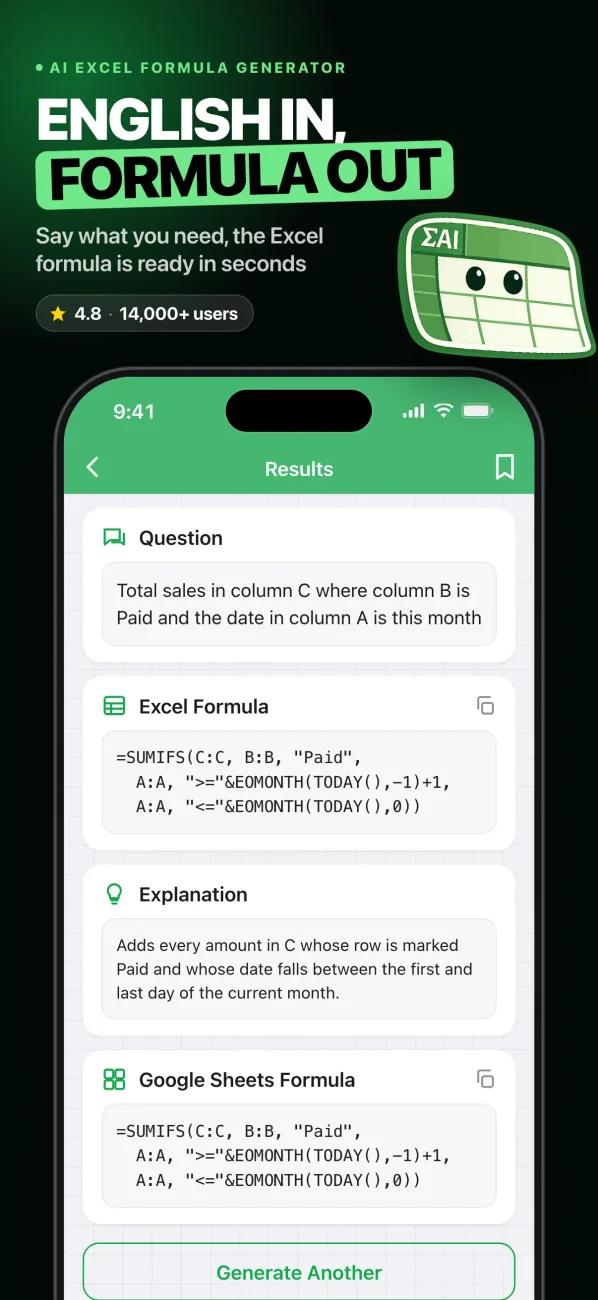
FORMULA GENERATOR. PLAIN ENGLISH TO FORMULA IN SECONDS
Describe what you want and get accurate Excel or Google Sheets formulas instantly. Sum only weekends. Count unique names. If blank then average. No formula knowledge needed.
XLSX EDITOR. OPEN, EDIT AND SAVE REAL FILES
Import any XLSX file directly. View data, edit cells, format content, and save back as XLSX, CSV, HTML, or PDF. A real spreadsheet editor built for mobile.
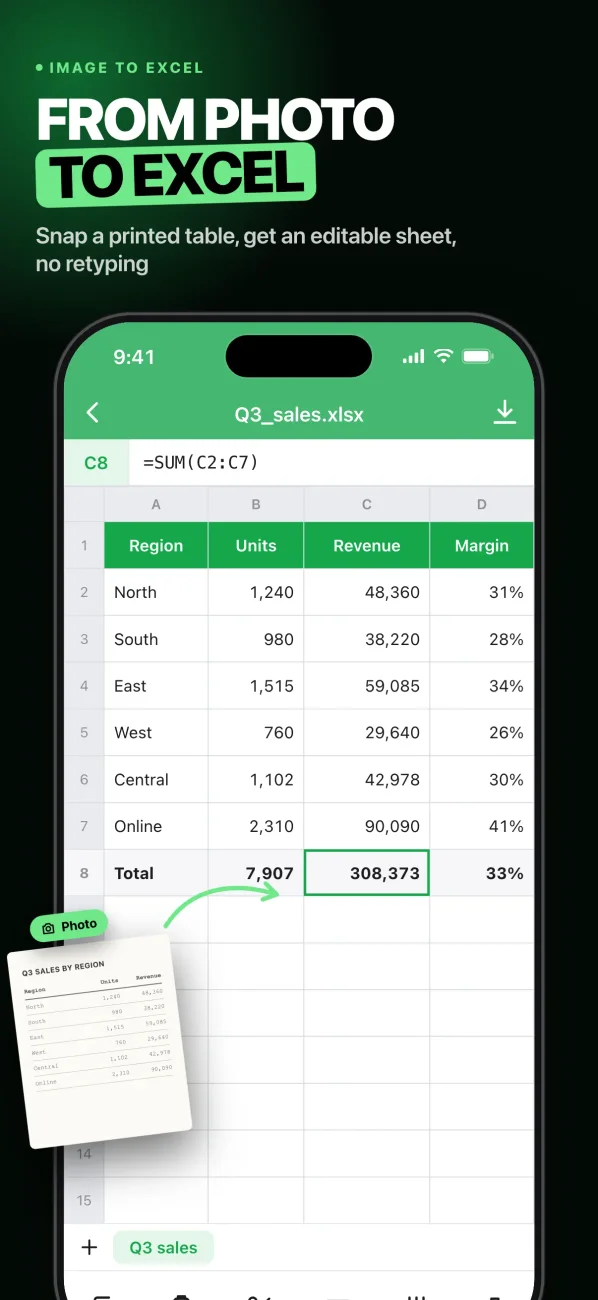
IMAGE TO SPREADSHEET. OCR TABLE CONVERTER
Take a photo or upload an image of any table. XLSheet AI converts it into a real, editable XLSX file instantly. No retyping. No copy-paste.
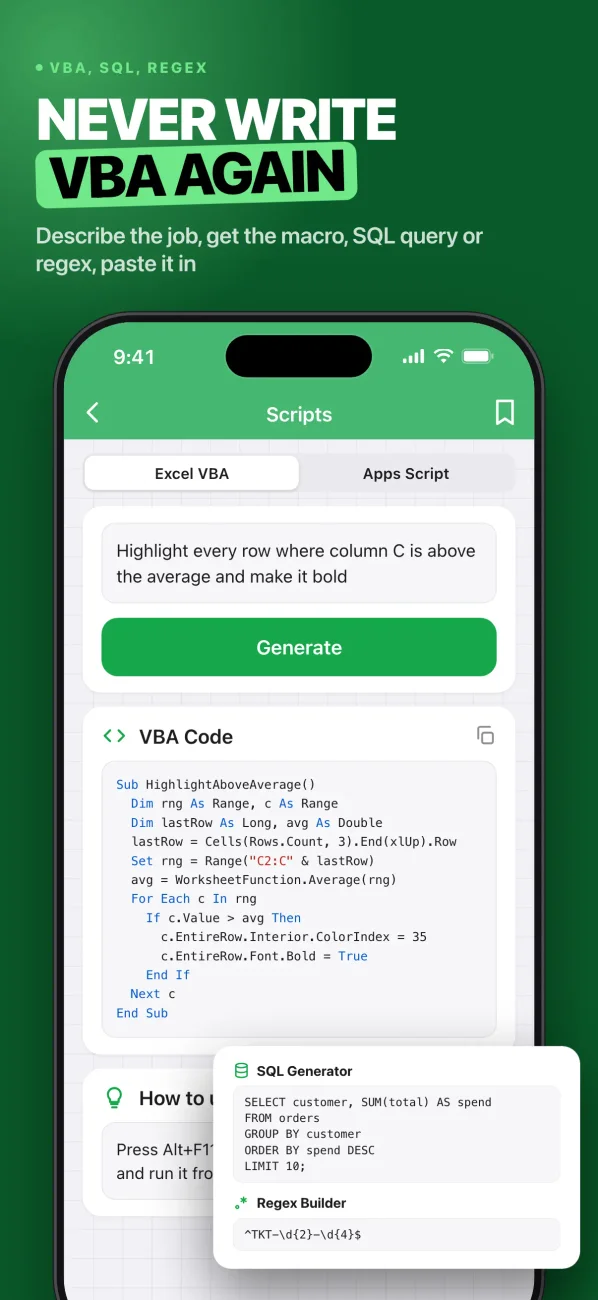
VBA & APPS SCRIPT GENERATOR
Turn plain instructions into working macros. Highlight duplicates, auto-sort by date, send email on condition. Get ready-to-use VBA or Google Apps Script in seconds.
SQL GENERATOR. WRITE QUERIES WITH AI
Describe your data need in plain English and get clean, accurate SQL queries instantly. No syntax errors. No guessing.
REGEX BUILDER. BUILD AND TEST PATTERNS
Generate and test regex patterns for any use case. Validate emails, extract data, clean strings. Works with Excel, Sheets, and code.
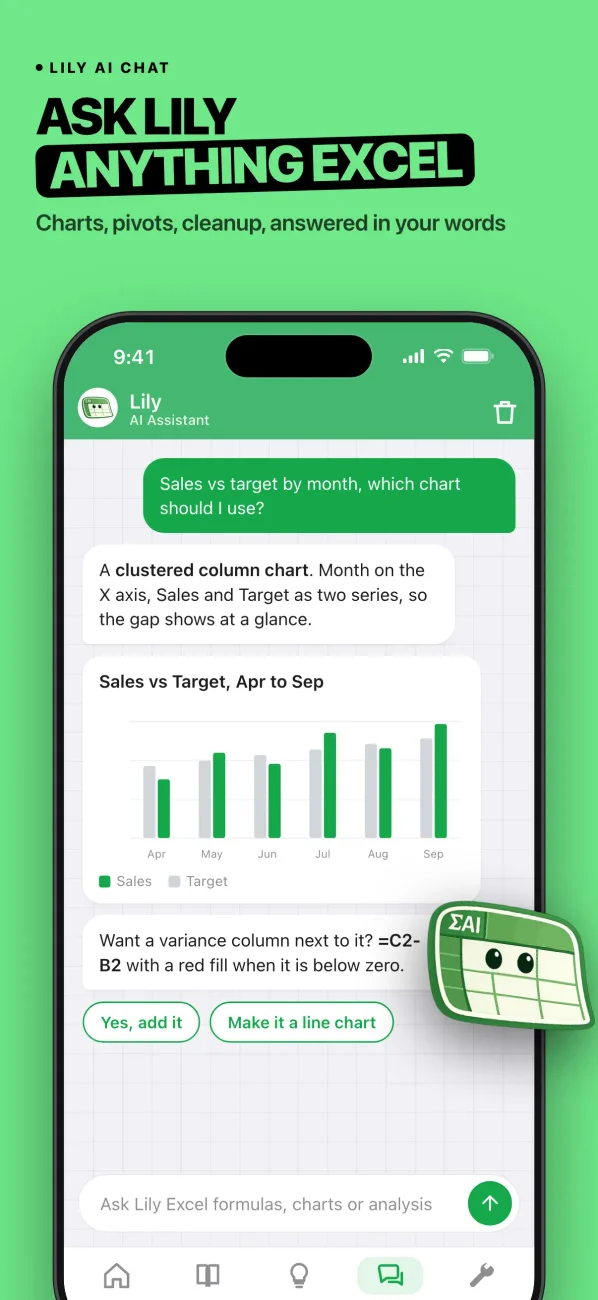
AI CHAT FOR SPREADSHEET HELP
Ask anything about formulas, functions, charts, logic, or spreadsheet tips. Like having an Excel expert available anytime, right on your phone.
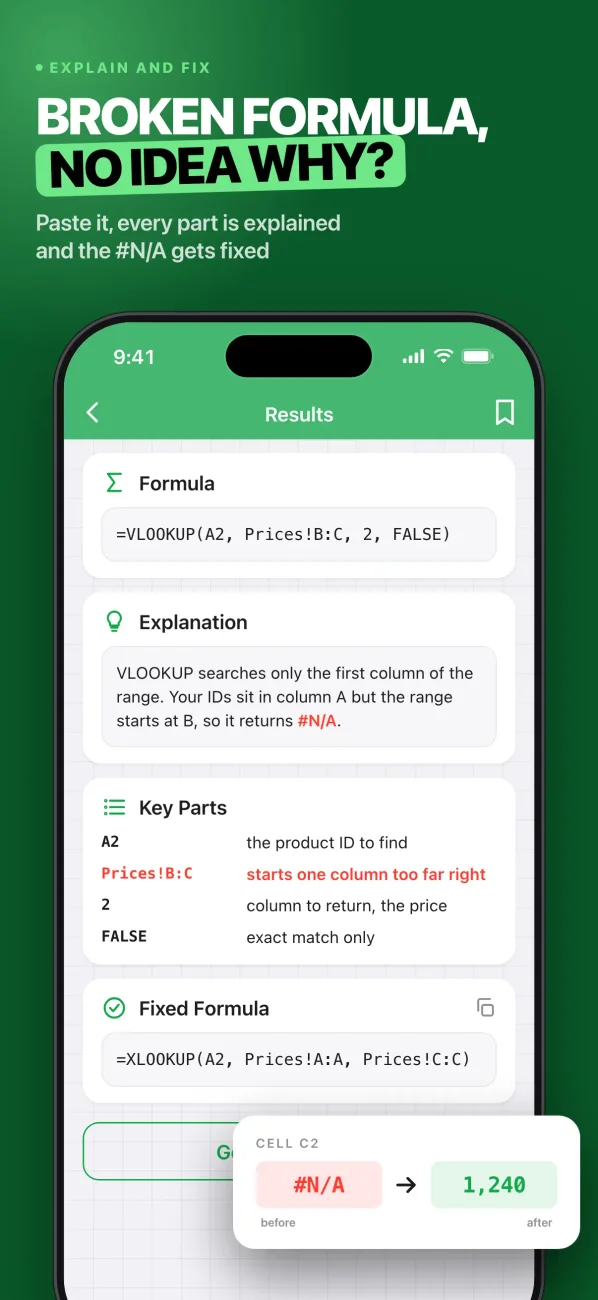
EXPLAIN & FIX ANY FORMULA
Paste a complex or broken formula and get a plain English breakdown plus a corrected version. Stop guessing VALUE, REF, or NA errors.
SPREADSHEET TEMPLATES. AI GENERATED
Generate ready-to-use spreadsheet templates for budgets, trackers, reports, and more. Describe what you need and get a structured sheet instantly.
EXPORT AS PDF, CSV OR HTML
Convert any spreadsheet into a clean PDF, CSV, or HTML file. Download or share instantly.
OFFLINE FORMULA LIBRARY
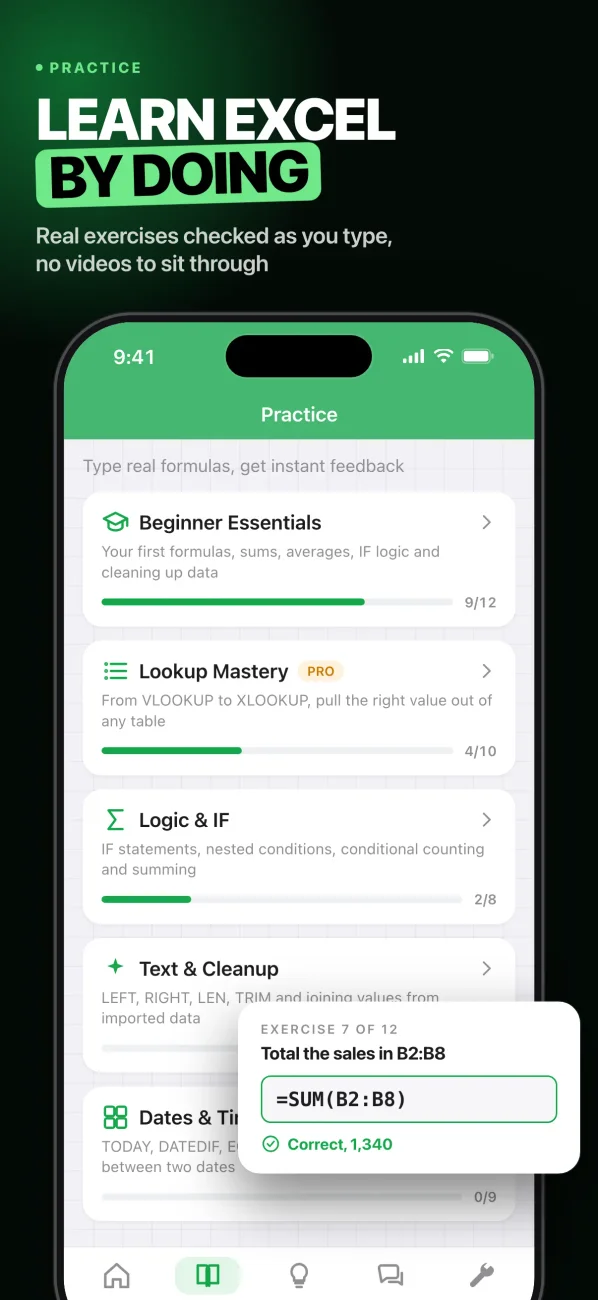
Browse 50 plus preloaded formula snippets across Lookup, Text, Date, Math, and Logical functions. Works without internet.
SAVE & REUSE FORMULA CARDS
Save your most-used formulas as cards. Pin them, copy instantly, and reuse anytime.
INSIGHTS DASHBOARD
Track your most-used formulas, usage streaks, and activity over time in a clean visual layout.
NO LOGIN REQUIRED. FULLY PRIVATE.
All formulas, chats, file edits, and VBA scripts stay on your device. No account. No cloud dependency.
XLSheet AI is built for:
Professionals who work with Excel or Google Sheets daily
Students learning formulas and spreadsheet functions
Analysts who need quick SQL, regex, or VBA without switching apps
Anyone who receives data as images and needs it in a spreadsheet fast Mobile-first users who want a real XLSX editor on their phone
Ask. Generate. Edit. Export. All in one app.
Download XLSheet AI. AI formula generator, XLSX editor, VBA builder, SQL generator, and image to spreadsheet converter in one.
Privacy Policy: https://sites.google.com/view/xlsheetai-privacy-policy/privacypolicy
Terms of Use: https://sites.google.com/view/xlsheet-ai-eula/privacypolicy
Neue Funktionen
Version 1.7.4+77 · 10.10.2026
• Setup now adapts to what you use spreadsheets for
• Starter prompts matched to your work
• Better charts in chat, all series shown with a legend
• Photo to Excel keeps every number
• More reliable AI answers
• Bug fixes and improvements
App-Datenschutz
Was Gautam Singh Rathor im App Store zum Umgang dieser App mit Daten angibt.
-
Daten, die zum Tracking Ihrer Person verwendet werden
Können verwendet werden, um Sie über Apps und Websites anderer Unternehmen hinweg zu verfolgen.
- Kennungen
- Nutzungsdaten
-
Mit Ihnen verknüpfte Daten
Können erfasst und mit Ihrer Identität verknüpft werden.
- Kennungen
- Nutzungsdaten
Die Datenschutzpraktiken können variieren, zum Beispiel je nach den von Ihnen verwendeten Funktionen oder Ihrem Alter.
Informationen
- Anbieter
- Gautam Singh Rathor
- Kategorie
- Produktivität
- Version
- 1.7.4+77
- Aktualisiert
- 10.10.2026
- Veröffentlicht
- 29.11.2025
- Größe
- 110,8 MB
- Erfordert
- iOS 15.0 oder neuer
- Altersfreigabe
- 4+
- Preis
- Kostenlos
- In-App-Käufe
- Ja
- Sprachen
- Englisch
- Copyright
- © 2026 garoono
Das könnte Ihnen auch gefallen
-
 PDF zu Excel KonverterPDF in Excel Tabelle umwandeln
-
 FormulaAI - Formel-KonverterKI für Excel & Sheets
-
 PDF in Excel Konverter mit OCRScanner: Foto & CSV umwandeln
-
 XLSX Spreadsheet: Edit SheetsTabellen einfach bearbeiten
-
 Excel-Formeln vollständigEinfach und vollständig
-
 Lagerverwaltung & InventurBarcode Scanner, Lagerbestand
-
 All Document Reader: PDF,ExcelProduktivität
-
 MemoRandom — Fragmented NotesProduktivität
-
 Plumbata AppProduktivität
-
 DailyKit: Habit TrackerProduktivität