Atomic Watch Face
themaContiene anuncios · Compras en la aplicación
- PEGI 3Clasificación por edad
- PersonalizaciónCategoría
- 5/9/2026Actualizado
- 1,19 €Precio
Enlaza a la ficha oficial de fr.thema.wear.watch.atomic en Google Play. Última comprobación el 25/11/2026.
Acerca de esta aplicación
Traducción automática de Google. Idioma original: Inglés (Estados Unidos).
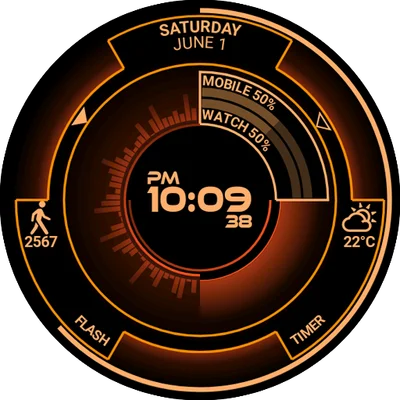
Atómica cara del reloj es un fondo de pantalla interactiva animada futurista.
Esfera de reloj atómica para Wear OS
★ Características de la esfera de reloj atómica ★
- Animaciones en modo interactivo
- Selección de colores
- Día y mes
- Batería del reloj
- Batería del móvil (requiere la app del teléfono)
- Tiempo (requiere la app del teléfono)
Los ajustes de la esfera se encuentran en la app "Wear OS" de tu móvil.
Solo tienes que pulsar el icono del engranaje sobre la vista previa de la esfera y aparecerá la pantalla de ajustes.
★ Ajustes ★
🔸Wear OS 2.X / 3.X / 4.X
- Elige los colores del diseño para el reloj y el móvil
- Define la frecuencia de actualización del latido cardíaco
- Define la frecuencia de actualización del tiempo
- Unidad meteorológica
- Modo de 12/24 horas
- Define la duración del modo interactivo
- Elige el modo ambiente (blanco y negro o luminosidad ecológica)
- Elige si quieres mostrar un cero a la izquierda en las horas
- Elige si quieres mostrar los segundos
- Cambia entre modo ecológico, blanco y negro simple y modo ambiente completo
- Datos:
+ Cambia el indicador que se muestra en las 2 posiciones
+ Elige entre hasta 8 indicadores (recuento de pasos diarios, frecuencia cardíaca, correos electrónicos no leídos de Gmail, etc.)
+ Complicación (Wear OS 2.0 y 3.0)
- Interactividad
+ Accede a datos detallados tocando un widget
+ Cambia los datos que se muestran tocando un widget
+ Cambia el acceso directo que se ejecuta en las 2 posiciones
+ Elige tu acceso directo ¡Entre todas las aplicaciones instaladas en tu reloj!
+ Elige mostrar las áreas interactivas
🔸Wear OS 6.X
- Elige los colores del diseño
- Elige el formato de fecha
- Muestra u oculta los accesos directos
- Muestra u oculta los indicadores de batería del reloj/móvil
- Datos de la complicación:
+ Configura los datos que quieras en los widgets
+ Toca los widgets para iniciar la actividad de datos, si está disponible
- Interactividad
+ Accede a datos detallados tocando un widget
+ Modifica los accesos directos: ¡elige tu acceso directo entre todas las aplicaciones instaladas en tu reloj!
- ... y más
★ Ajustes adicionales en el teléfono ★
- Notificaciones de nuevos diseños
- Acceso al soporte
- ... y más
★ Instalación ★
🔸Wear OS 2.X / 3.X / 4.X Solo tienes que pulsarlo para iniciar la instalación de la esfera.
Si por algún motivo no aparece la notificación, puedes instalar la esfera desde Google Play Store, disponible en tu reloj: simplemente busca la esfera por su nombre.
🔸Wear OS 6.X Instala la app para el reloj para gestionar la esfera: la versión gratuita se instala automáticamente. Luego, usa el botón "GESTIONAR" en el acceso directo de la esquina superior derecha de la esfera para actualizarla.
★ Más esferas ★
Visita mi colección de esferas para Wear OS en Play Store: https://goo.gl/CRzXbS
** Si tienes algún problema o pregunta, no dudes en contactarme por correo electrónico (en inglés o francés) antes de dejar una mala valoración. ¡Gracias!
Sitio web: https://www.themaapps.com/
YouTube: https://youtube.com/ThomasHemetri
Twitter: https://x.com/ThomasHemetri
Instagram: https://www.instagram.com/thema_watchfaces
Mostrar el texto original
Atomic Watch Face for Wear OS!
★ Features of Atomic Watch Face ★
- Animations in interactive mode
- Choose design colors
- Day & Month
- Watch battery
- Mobile battery (requires phone app)
- Weather (requires phone app)
The settings of the watch face are located in the "Wear OS" app of your mobile.
Just hit the gear icon over the watch face preview and the settings screen will show up!
★ Settings ★
🔸Wear OS 2.X / 3.X / 4.X
- Choose design colors on watch & mobile
- Define heartbeat frequency refresh rate
- Define weather refresh rate
- Weather unit
- 12 / 24 hours mode
- Define interactive mode duration
- Choose the ambient mode b&w and eco luminosity
- Choose to display a leading zero on hours
- Choose to display or not the seconds dots
- Switch between éco / simple b&w / full ambient mode
- Data:
+ Change the indicator to display on the 2 positions
+ Choose between up to 8 indicators (Daily step count, Heartbeat frequency, Unread Email from Gmail, etc...)
+ Complication (wear 2.0 & 3.0)
- Interactivity
+ Access to detailed data by touching a widget
+ Switch the displayed data by touching a widget
+ Change the shortcut to execute on the 2 positions
+ Choose your shortcut among all applications installed on your watch!
+ Choose to display the interactive areas
🔸Wear OS 6.X
- Choose design colors
- Choose date format
- Display shortcuts or not
- Display watch / mobile battery indicators or not
- Complication data:
+ Set the data you want on the widgets
+ Touch the widgets to start the data activity if available
- Interactivity
+ Access to detailed data by touching a widget
+ Modify the shortcuts: choose your shortcut among all applications installed on your watch!
- ... and more
★ Additional settings on phone ★
- Notifications for new designs
- Access to support
- ... and more
★ Installation ★
🔸Wear OS 2.X / 3.X / 4.X
A notification will be displayed on your watch, right after your mobile installation. You just have to hit it to start the installation process of the watch face.
If the notification did not display for some reason, you can still install the watch face by using the Google Play Store available on your watch: just search the watch face by its name.
🔸Wear OS 6.X
Install the watch app to manage the watchface: the free version is automatically installed. Then use the "MANAGE" button in the top right shortcut of the watchface to update/upgrade your watch face.
★ More watch faces ★
Visit my watch faces collection for Wear OS on the Play Store at https://goo.gl/CRzXbS
** If you have any issues or questions, feel free to contact me by email (English or French language) before giving a bad rating. Thanks!
Website: https://www.themaapps.com/
Youtube: https://youtube.com/ThomasHemetri
Twitter: https://x.com/ThomasHemetri
Instagram: https://www.instagram.com/thema_watchfaces
Seguridad de los datos
Lo que thema declara en Google Play sobre los datos que esta aplicación recopila y comparte.
- No se comparten datos con tercerosMás información sobre cómo los desarrolladores declaran lo que comparten
- Esta aplicación puede recoger estos tipos de datosActividad en la aplicación e Información y rendimiento de la aplicación
- Los datos están cifrados durante el tránsito
- Los datos no se pueden eliminar
Novedades
5/9/2026
2.26.09.0521
- Fix startup crash
- Bump wear compatibility target to 35
- Bump mobile compatibility target to 36
- Fix wear app install status
- Bump library versions
Requires app update on both Watch & Mobile.
If you have any issue, please let me know by email at thema.apps@gmail.com
Contacto del desarrollador
- Sitio webthemaapps.com
- Correo electrónicothema.apps@gmail.com
- Política de privacidadthemaapps.com
- Dirección7 Rue Alfred Sisley 78370 Plaisir France
Información
- Ofrecida por
- thema
- Categoría
- Personalización
- Actualizado
- 5/9/2026
- Publicado
- 10/2/2016
- Clasificación por edad
- PEGI 3
- Precio
- 1,19 €
- Compras en la aplicación
- 1,19 € - 11,99 € si se factura a través de Google Play
- Nombre del paquete
- fr.thema.wear.watch.atomic
Aplicaciones similares
-
 Formtion Division Digital
Personalización
-
 Dashboard Cockpit - watch face
Personalización
-
 Formtion Division Analog
Personalización
-
 Monolith Watch Face GTG15
Personalización
-
 Watch Face WF148
Personalización
-
 Shadow Divide - animated face
Personalización
-
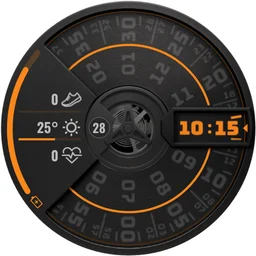 Mono Forge - Watch Face
Personalización
-
 Digital Watch Face cue127
Personalización
-
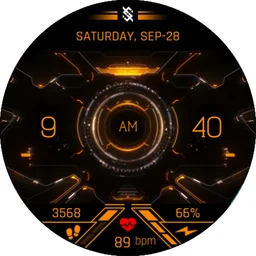 BFF18- Technology Glass HUD
Personalización
-
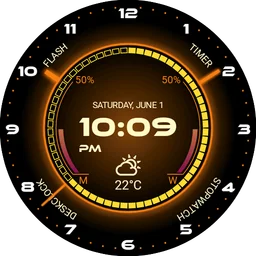 Core Watch Face
Personalización
-
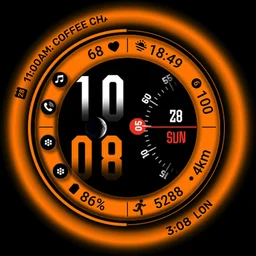 ML2U 122 Watch Face
Personalización
-
 EDS 014 - digital health face
Personalización