NetGuard - no-root firewall
Marcel Bokhorst, FairCode BVCompras en la aplicación
- PEGI 3Clasificación por edad
- HerramientasCategoría
- 17/8/2026Actualizado
- GratisPrecio
Enlaza a la ficha oficial de eu.faircode.netguard en Google Play. Última comprobación el 20/11/2026.

Capturas de pantalla


Acerca de esta aplicación
Traducción automática de Google. Idioma original: Inglés (Estados Unidos).
Una forma sencilla de bloquear el acceso a Internet por aplicación
NetGuard es una aplicación de seguridad de Internet que ofrece formas sencillas y avanzadas de restringir el acceso de las aplicaciones a Internet.
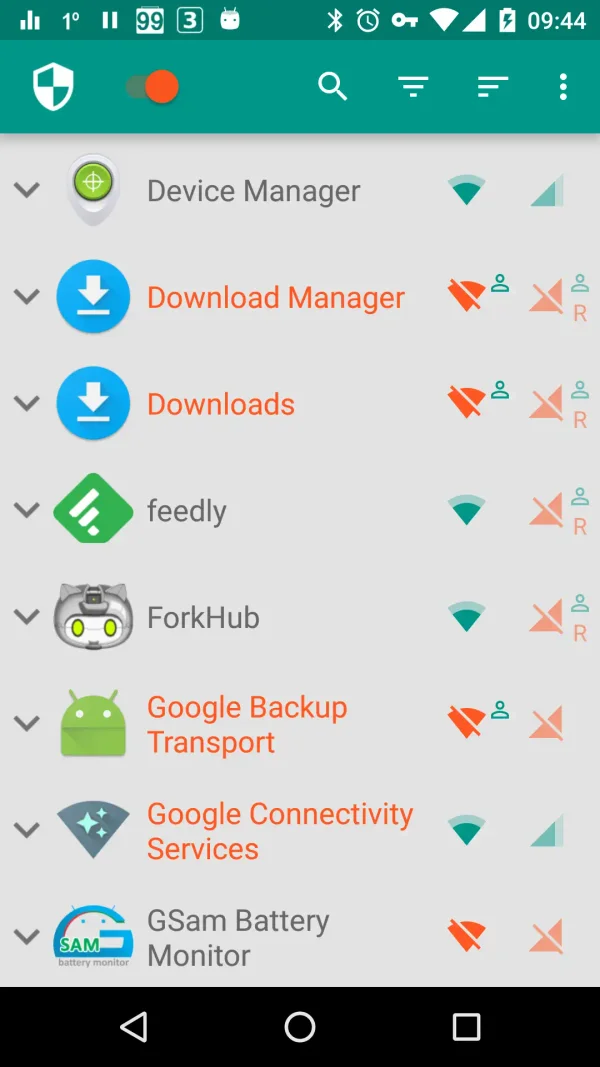
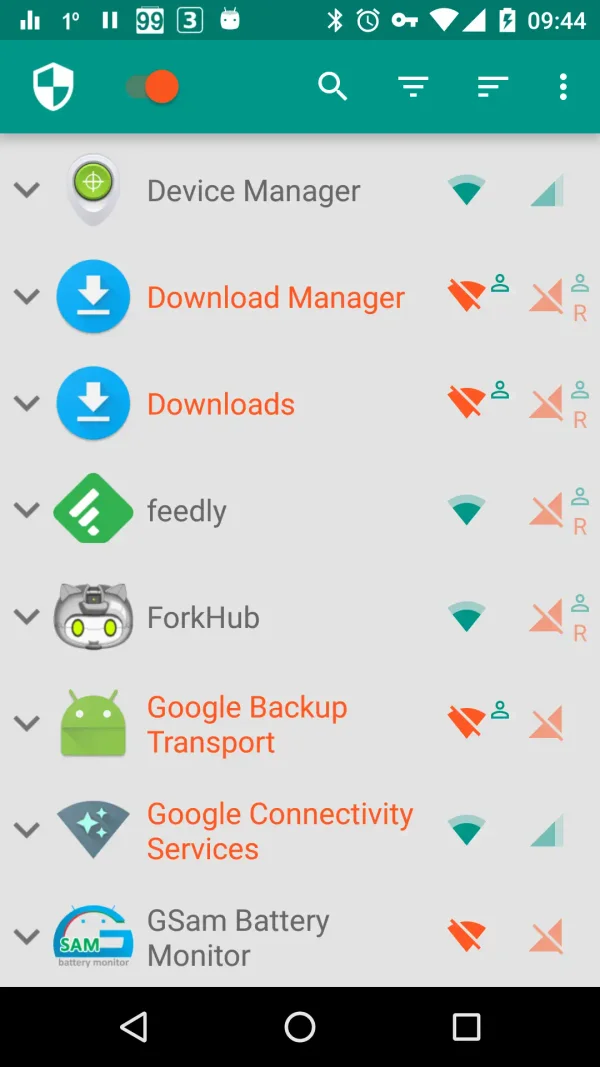
A las aplicaciones y direcciones se les puede permitir o denegar individualmente el acceso a su conexión Wi-Fi y/o móvil. No se requieren permisos de root.
Bloquear el acceso a Internet puede ayudar a:
&toro; reducir su uso de datos
&toro; ahorra tu batería
&toro; aumenta tu privacidad
Características:
&toro; Fácil de usar
&toro; No se requiere raíz
&toro; 100% código abierto
&toro; No llamar a casa
&toro; Sin seguimiento ni análisis
&toro; Sin publicidad
&toro; Desarrollado y apoyado activamente
&toro; Compatible con Android 5.1 y posteriores
&toro; Compatible con IPv4/IPv6 TCP/UDP
&toro; Anclaje a red compatible
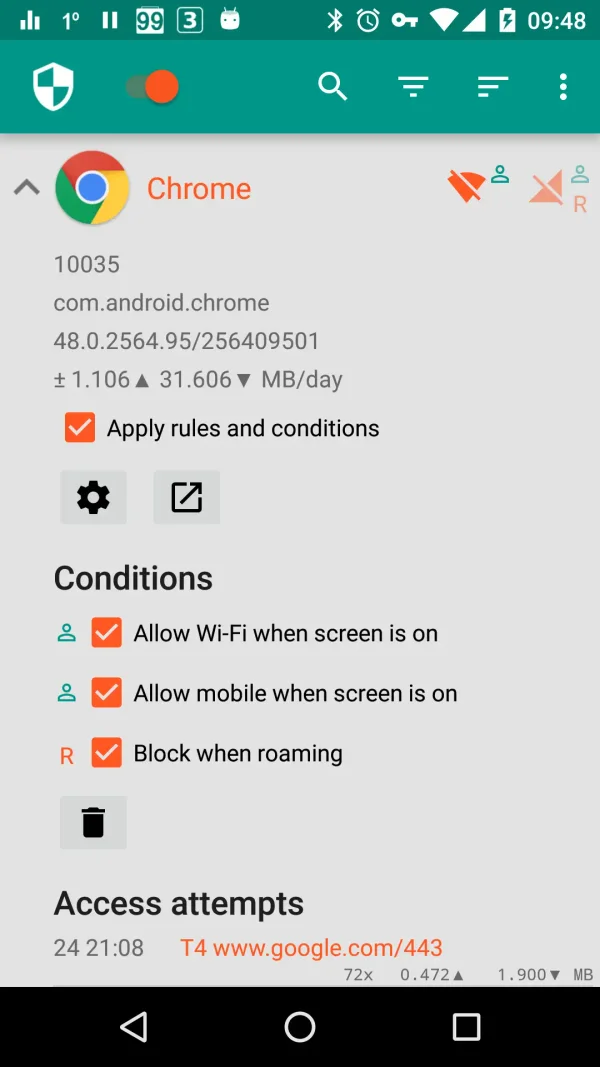
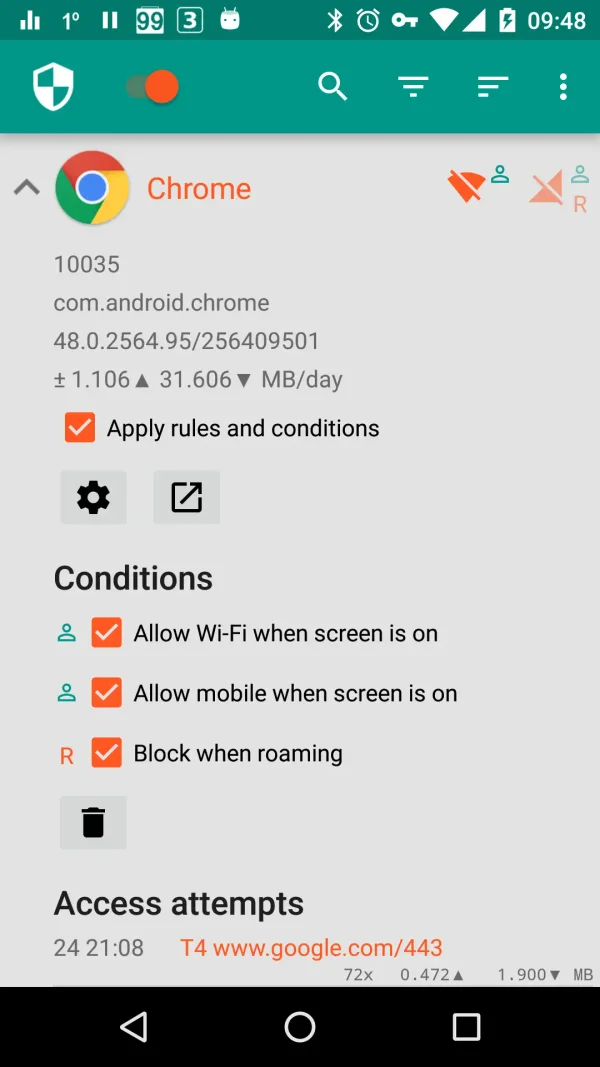
&toro; Opcionalmente permitir cuando la pantalla está encendida.
&toro; Opcionalmente bloquear en roaming
&toro; Opcionalmente bloquear aplicaciones del sistema.
&toro; Opcionalmente, notificar cuando una aplicación accede a Internet.
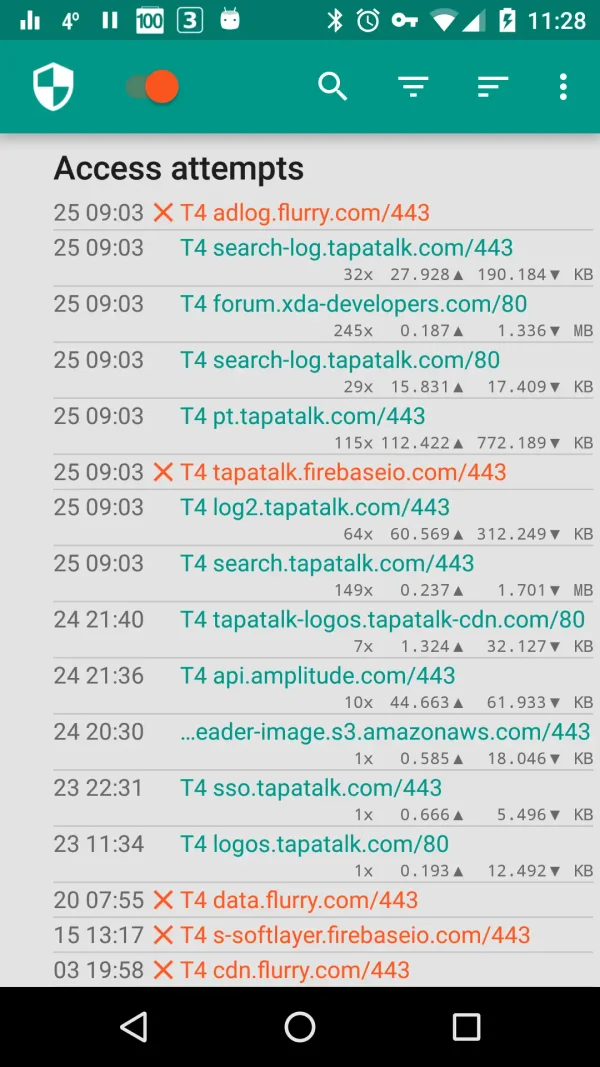
&toro; Opcionalmente registre el uso de la red por aplicación por dirección
&toro; Tema de diseño de materiales con tema claro y oscuro.
Características PRO:
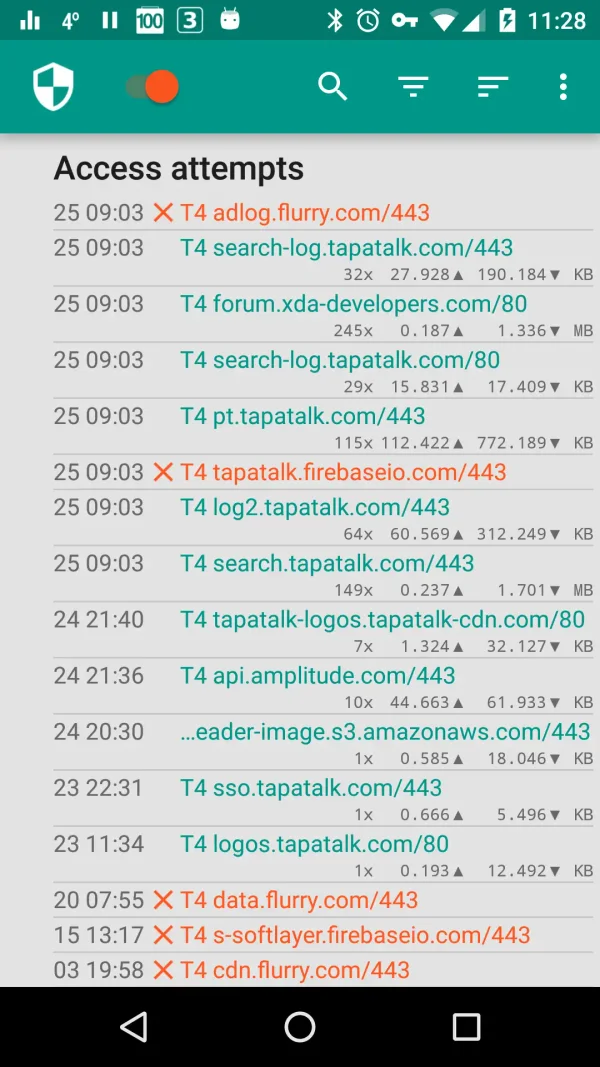
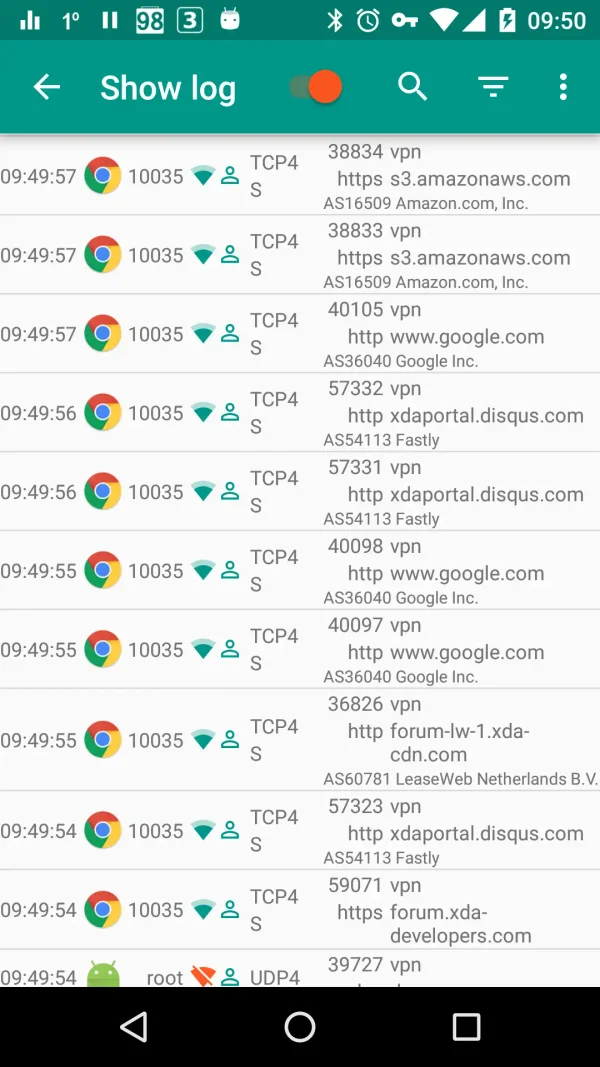
&toro; Registre todo el tráfico saliente; buscar y filtrar intentos de acceso; exportar archivos PCAP para analizar el tráfico
&toro; Permitir/bloquear direcciones individuales por aplicación
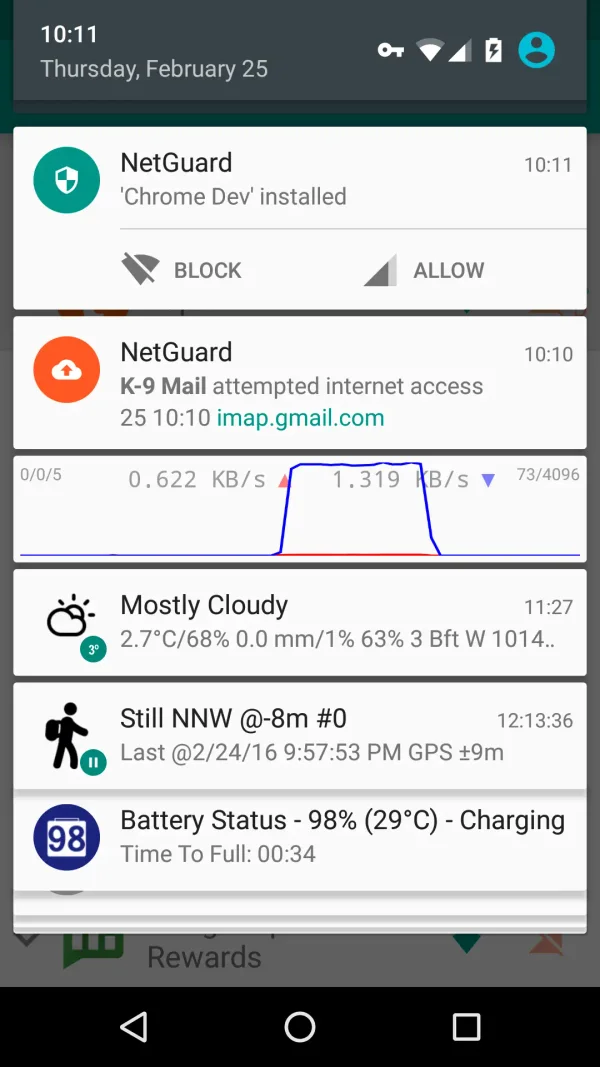
&toro; Notificaciones de nuevas aplicaciones; configurar NetGuard directamente desde la notificación
&toro; Mostrar el gráfico de velocidad de la red en una notificación de la barra de estado
&toro; Seleccione entre cinco temas adicionales en versión clara y oscura
No existe ningún otro firewall sin raíz que ofrezca todas estas características.
Si desea probar nuevas funciones, puede participar en el programa de prueba: https://play.google.com/apps/testing/eu.faircode.netguard
Todos los permisos necesarios se describen aquí: https://github.com/M66B/NetGuard/blob/master/FAQ.md#user-content-faq42
NetGuard utiliza el servicio VPN de Android para enrutar el tráfico hacia sí mismo, de modo que pueda filtrarse en el dispositivo en lugar de en un servidor. Sólo una aplicación puede utilizar este servicio al mismo tiempo, lo cual es una limitación de Android.
El código fuente completo está disponible aquí: https://github.com/M66B/NetGuard
Mostrar el texto original
NetGuard is an internet security app, which offers simple and advanced ways to restrict apps' access to the internet.
Applications and addresses can individually be allowed or denied access to your Wi-Fi and/or mobile connection. Root permissions are not required.
Blocking access to the internet can help:
• reduce your data usage
• save your battery
• increase your privacy
Features:
• Simple to use
• No root required
• 100% open source
• No calling home
• No tracking or analytics
• No advertisements
• Actively developed and supported
• Android 5.1 and later supported
• IPv4/IPv6 TCP/UDP supported
• Tethering supported
• Optionally allow when screen on
• Optionally block when roaming
• Optionally block system applications
• Optionally notify when an application accesses the internet
• Optionally record network usage per application per address
• Material design theme with light and dark theme
PRO features:
• Log all outgoing traffic; search and filter access attempts; export PCAP files to analyze traffic
• Allow/block individual addresses per application
• New application notifications; configure NetGuard directly from the notification
• Display network speed graph in a status bar notification
• Select from five additional themes in both light and dark version
There is no other no-root firewall offering all these features.
If you like to test new features, you can participate in the test program: https://play.google.com/apps/testing/eu.faircode.netguard
All required permissions are described here: https://github.com/M66B/NetGuard/blob/master/FAQ.md#user-content-faq42
NetGuard uses the Android VPNService to route traffic to itself, so it can be filtered on-device instead of on a server. Only one app can use this service at the same time, which is a limitation of Android.
The full source code is available here: https://github.com/M66B/NetGuard
Seguridad de los datos
Lo que Marcel Bokhorst, FairCode BV declara en Google Play sobre los datos que esta aplicación recopila y comparte.
- No se comparten datos con tercerosMás información sobre cómo los desarrolladores declaran lo que comparten
- Esta aplicación puede recoger estos tipos de datosInformación financiera
- Los datos están cifrados durante el tránsito
- Los datos no se pueden eliminar
Novedades
Versión 2.337 · 17/8/2026
* Updated to SDK 36
Contacto del desarrollador
- Sitio webnetguard.me
- Correo electrónicomarcel+help@faircode.eu
- Política de privacidadnetguard.me
- DirecciónVan Doesburg-Erf 194 3315 RG Dordrecht Netherlands
Información
- Ofrecida por
- Marcel Bokhorst, FairCode BV
- Categoría
- Herramientas
- Versión
- 2.337
- Actualizado
- 17/8/2026
- Publicado
- 4/11/2015
- Requiere
- Android 6.0 o posterior
- Clasificación por edad
- PEGI 3
- Precio
- Gratis
- Compras en la aplicación
- 1,19 € - 8,99 € si se factura a través de Google Play
- Nombre del paquete
- eu.faircode.netguard
Aplicaciones similares
-
 Tooly: Caja de Herramientas
Herramientas
-
 AdGuard Mini: Ad Blocker & DNS
Herramientas
-
 Orion Intelligence
Herramientas
-
 IPVanish VPN: rápida y segura
Herramientas
-
 MTM Tunnel Lite
Herramientas
-
 DNSChanger for IPv4/IPv6
Herramientas
-
 VPN PotatoVPN - WiFi Proxy
Herramientas
-
 WireGuard
Herramientas
-
 Ultra VPN: proxy VPN ilimitado
Productividad
-
 ASUS Router
Herramientas
-
 Ad Blocker VPN & DNS – Blokada
Herramientas
-
 mSecure - Password Manager
Productividad