
Ableton Note
A place to start musical ideas
Diseñada para iPhone, iPad, iPod touch
7,99 € · Compras en la aplicación
- Clasificación por edad4+
- CategoríaMúsica
- DesarrolladorAbleton AG
- IdiomasInglés+ 4 más
- Tamaño1.010,0 MB
Enlaza a la página oficial de App Store
Download.org no aloja ningún archivo de Ableton Note. El botón abre la página de la aplicación en App Store, donde la publica Ableton AG. Ficha comprobada por última vez el 24/11/2026.
Capturas de pantalla


Acerca de
El desarrollador no ha proporcionado este texto en tu idioma.
Start new musical ideas with a curated selection of sounds and effects. Create beats and melodic parts, sample your world, and continue your tracks in Ableton Live.
Note is a place to form ideas, explore new sounds and find direction. Get your ideas out or just experiment until inspiration hits, using a selection of Ableton Live’s drum kits, synths and melodic instruments. Create your own sound palette by sampling with your phone’s built-in microphone. And use Note’s built-in MIDI Editor to sequence notes, beats and chords or make tweaks as you listen back
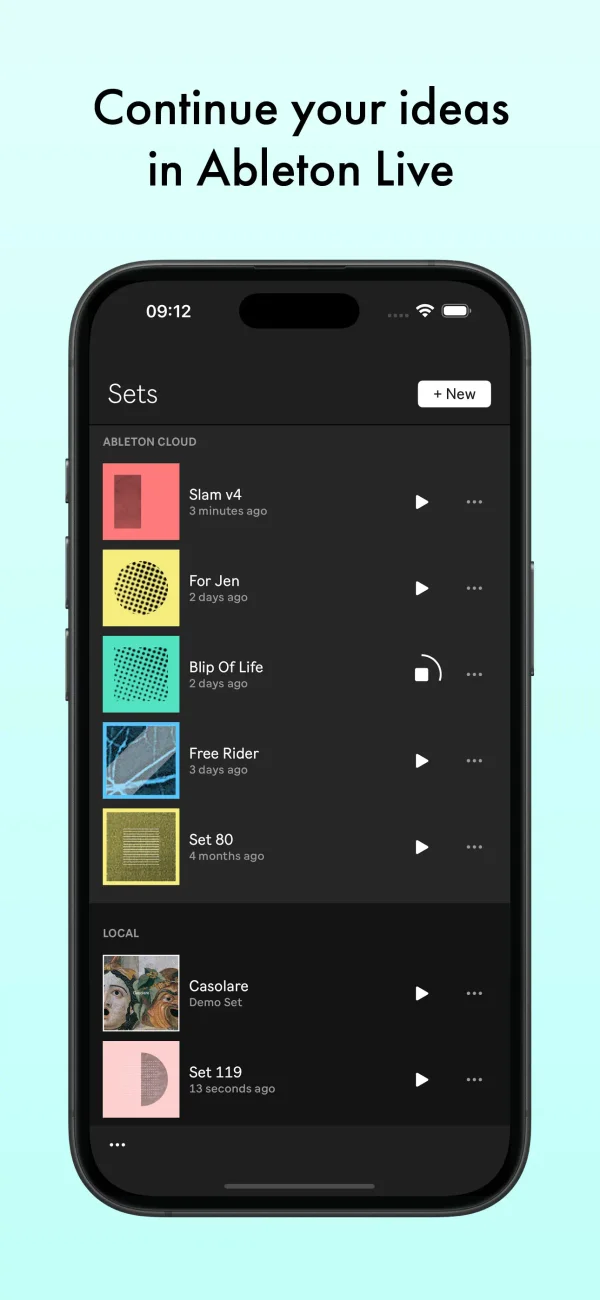
Follow your ideas wherever they lead by sending your projects to Live without leaving the app with the help of Ableton Cloud. Open projects from Live’s browser and keep working – you can edit all your MIDI notes, and all your samples and sounds from Note are exactly the same. Ableton Note users get a free license for Ableton Live Lite – simple, intuitive software used by musicians, producers and DJs around the world to write, record, and perform. For Ableton Move users, Note also offers the chance to keep working on a Set from your phone.
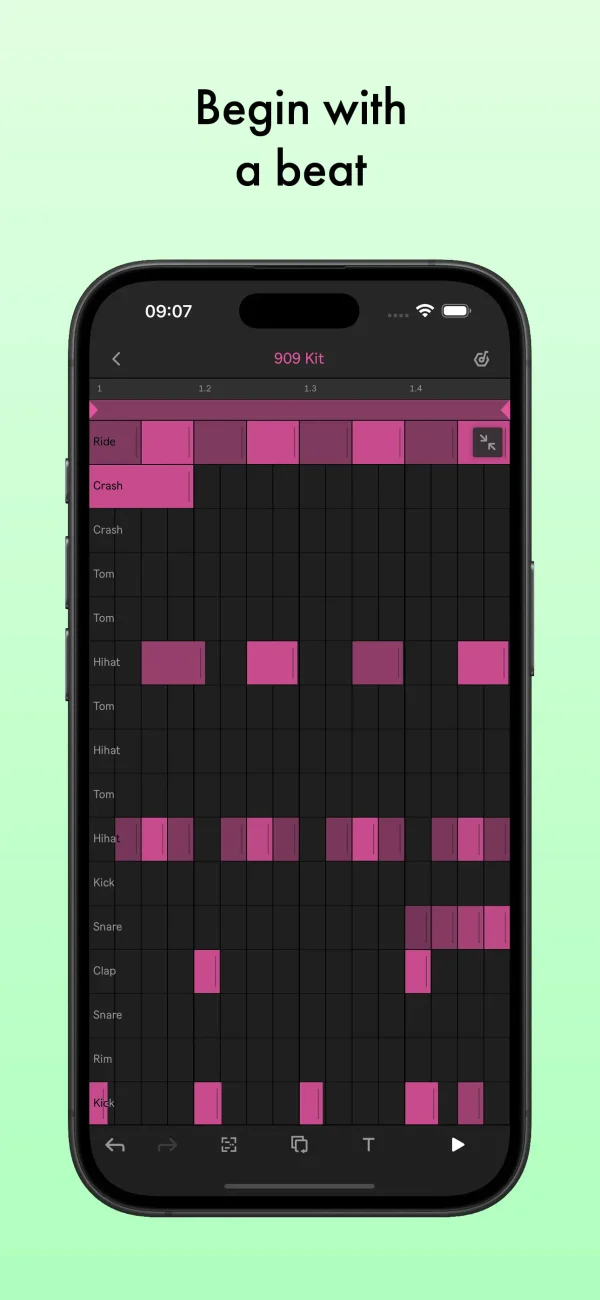
Begin with a beat:
• Choose from 76 Drum Sampler kits
• Tap out a beat using the 16-pad grid, or sequence one with the MIDI Editor
• Play each drum hit melodically using 16 Pitches mode
• Quantize your beat or nudge notes to fix loose timing or mistakes
• Add more layers of rhythm
• Create beat repetitions with Note Repeat
• Change parameters to shape your sound
• Experiment with effects or apply swing for variations
Start with a melody:
• Choose from 317 synth sounds and 60 Melodic Sampler instruments
• Play or program your melody or chord progression with the 25-pad grid, piano roll or MIDI Editor
• Set a key and scale to get instantly harmonic results
• Add more layers of harmony
• Change parameters to shape your sound
• Add effects to experiment with sound design
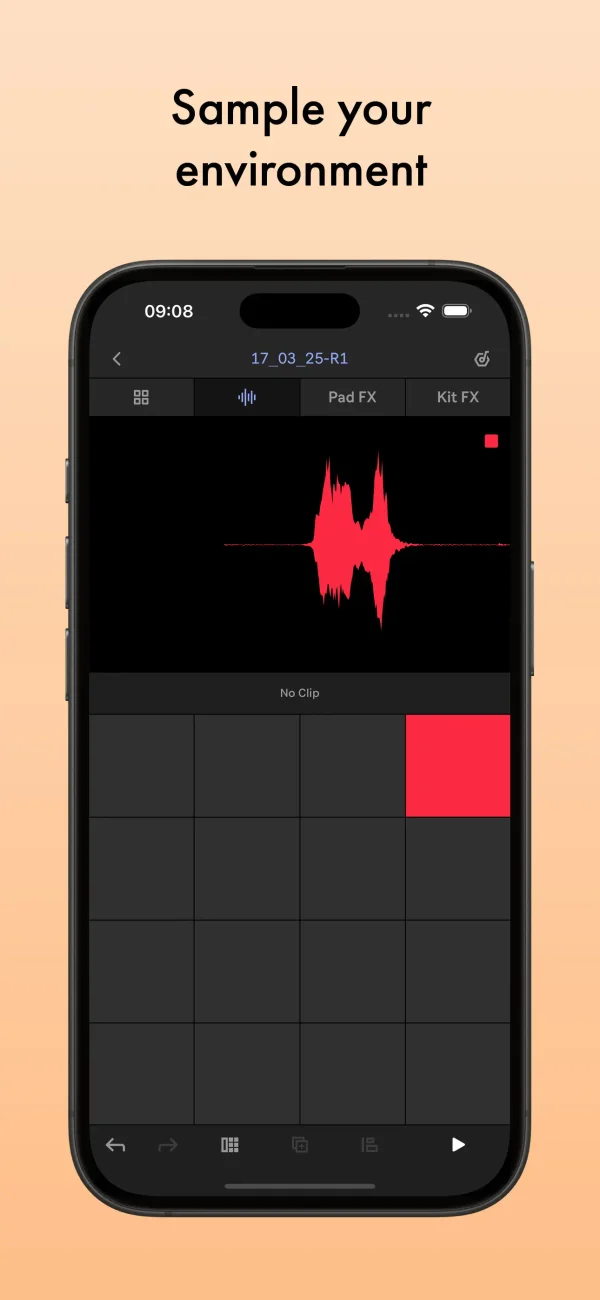
Sample your environment:
• Create your own kits by recording percussive sounds into Note’s Drum Sampler
• Record tonal sounds to create your own Melodic Sampler instruments
• Manipulate your samples by cutting, filtering or repitching them
• Sequence samples into beats, melodies and chords using the MIDI Editor
• Shape or transform your sounds with effects
• Import your own samples or audio directly from videos
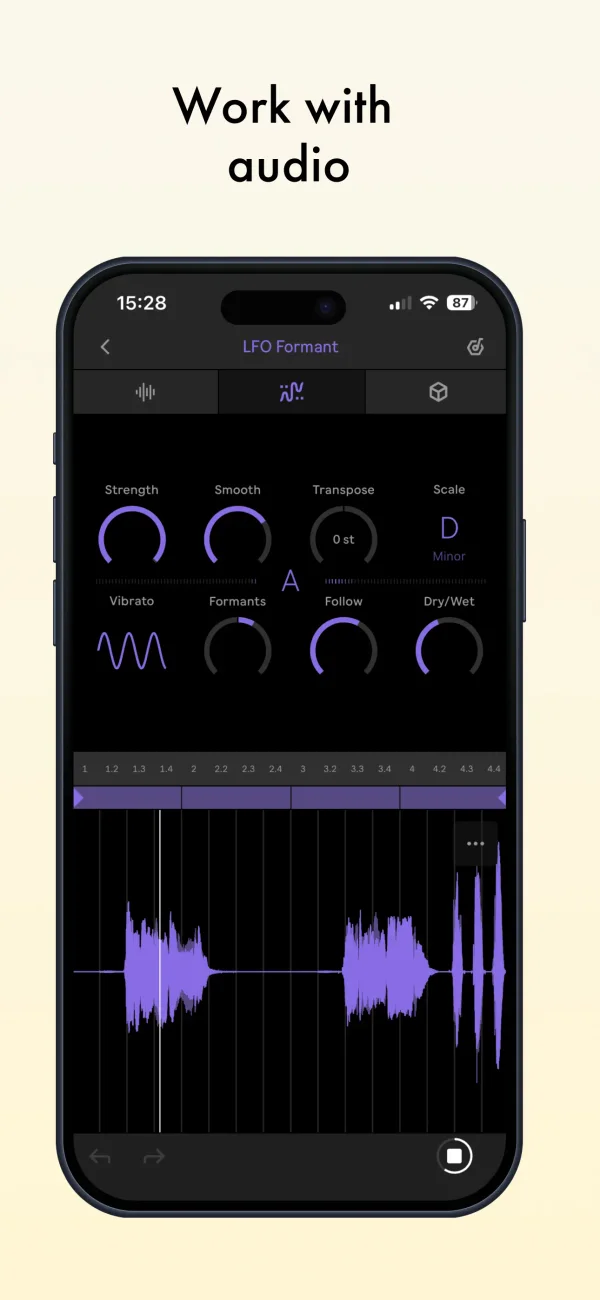
Work with Audio
• Add audio clips from the library
• Warp tempo or adjust pitch of your clips
• Record audio directly using your phone’s built-in microphone
• Connect an audio interface to record external sources
• Combine recorded and imported audio with your beats and melodies
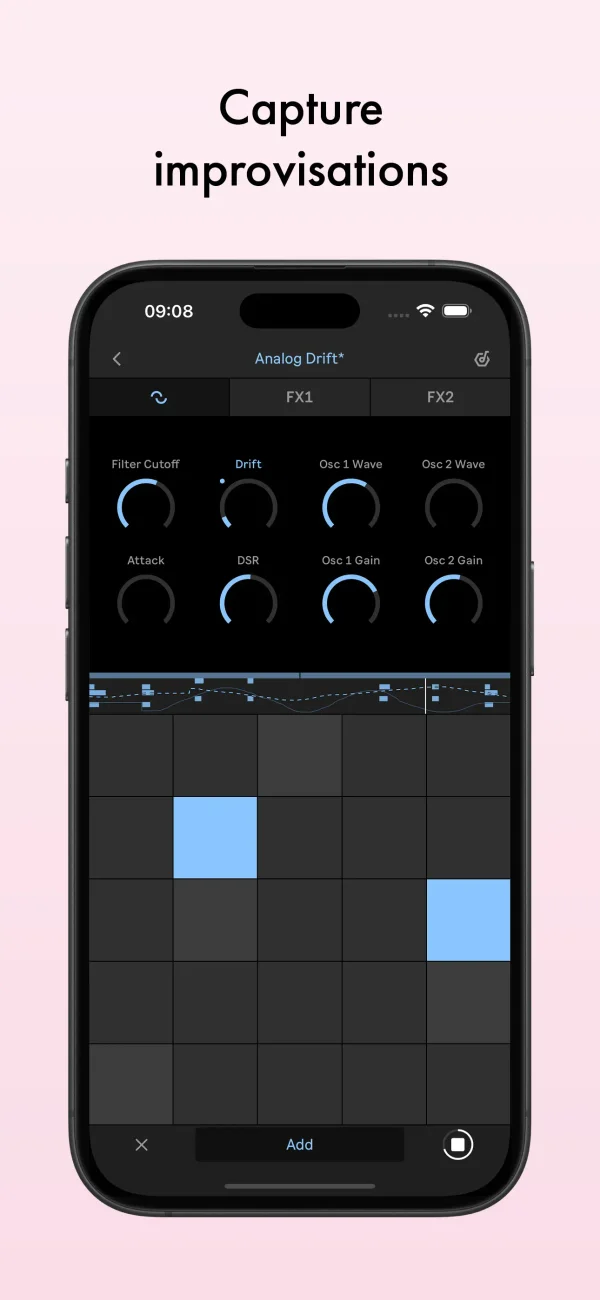
Capture improvisations:
• Play something, then tap the Capture button to keep it
• Play at a tempo that feels comfortable and Note will detect it
• Note will recognize the length of the phrase and create a loop
• Quantize it, add to it, or change the sound
• Connect MIDI hardware to play keys and change the sound of your instruments
Create variations:
• Note features a grid-based Session View layout
• Double your loops to create variation within clips
• Duplicate your clips and create different versions of your ideas
• Add, delete or adjust multiple notes at once with the MIDI Editor
• Create eight tracks with up to eight clips on eight scenes
• Try different clip combinations and song structures
• Export your work as an audio file to listen and share
Novedades
Versión 2.1.2 · 22/10/2026
• Fixes an issue where changes to Sets were not saved automatically after renaming the currently open Set
• Fixed a crash when browsing presets or replacing looping samples on Drum Rack pads
• Automation and Link Audio bug fixes. See "Release Notes" under Help in the App for all the details.
Privacidad de la aplicación
Lo que Ableton AG declara en App Store sobre cómo esta aplicación gestiona los datos.
-
Datos vinculados a ti
Pueden recopilarse y vincularse a tu identidad.
- Identificadores
- Datos de uso
-
Datos no vinculados a ti
Pueden recopilarse, pero no se vinculan a tu identidad.
- Diagnóstico
Las prácticas de privacidad pueden variar, por ejemplo, según las funciones que uses o tu edad.
Información
- Vendedor
- Ableton AG
- Categoría
- Música
- Versión
- 2.1.2
- Actualizado
- 22/10/2026
- Publicado
- 18/10/2022
- Tamaño
- 1.010,0 MB
- Requiere
- iOS 15.0 o posterior
- Clasificación por edad
- 4+
- Precio
- 7,99 €
- Compras en la aplicación
- Sí
- Idiomas
- Inglés, Francés, Alemán, Japonés, Chino simplificado
- Copyright
- © (c) Ableton AG 2026
Quizá también te guste
-
 Koala Sampler • Beat MakerBeats en tu bolsillo
-
 LK - Ableton & Midi ControllerSecuenciador y Lanzador
-
 Splice: Make music nowMúsica
-
 Animoog Z SynthesizerMúsica
-
 AudioKit Synth One J6 + AUv3Sintetizador analógico pro
-
 ChordButter: Compón cancionesAcordes, melodías y letras
-
 Loopy Pro: Looper DAW SamplerMúsica
-
 King of FM 2: DX Synth/E PianoDX7 y pianos eléctricos
-
 AudioKit Synth One SynthesizerMúsica
-
 FL Studio MobileMúsica