
AI-IDE: Markdown & Doc Editor
AI writing & doc assistant
Diseñada para iPhone, iPad, Mac
Gratis · Compras en la aplicación
- Clasificación por edad4+
- CategoríaProductividad
- DesarrolladorChun Chen
- IdiomasInglés+ 2 más
- Tamaño35,7 MB
Enlaza a la página oficial de App Store
Download.org no aloja ningún archivo de AI-IDE: Markdown & Doc Editor. El botón abre la página de la aplicación en App Store, donde la publica Chun Chen. Ficha comprobada por última vez el 23/11/2026.
Capturas de pantalla
Acerca de
El desarrollador no ha proporcionado este texto en tu idioma.
AI-IDE is a lightweight editor for iPhone, iPad, and Mac. Edit Markdown, code, and config files inside iCloud Drive or any Files folder — and work with the LLM of your choice without leaving the document.
KEY FEATURES
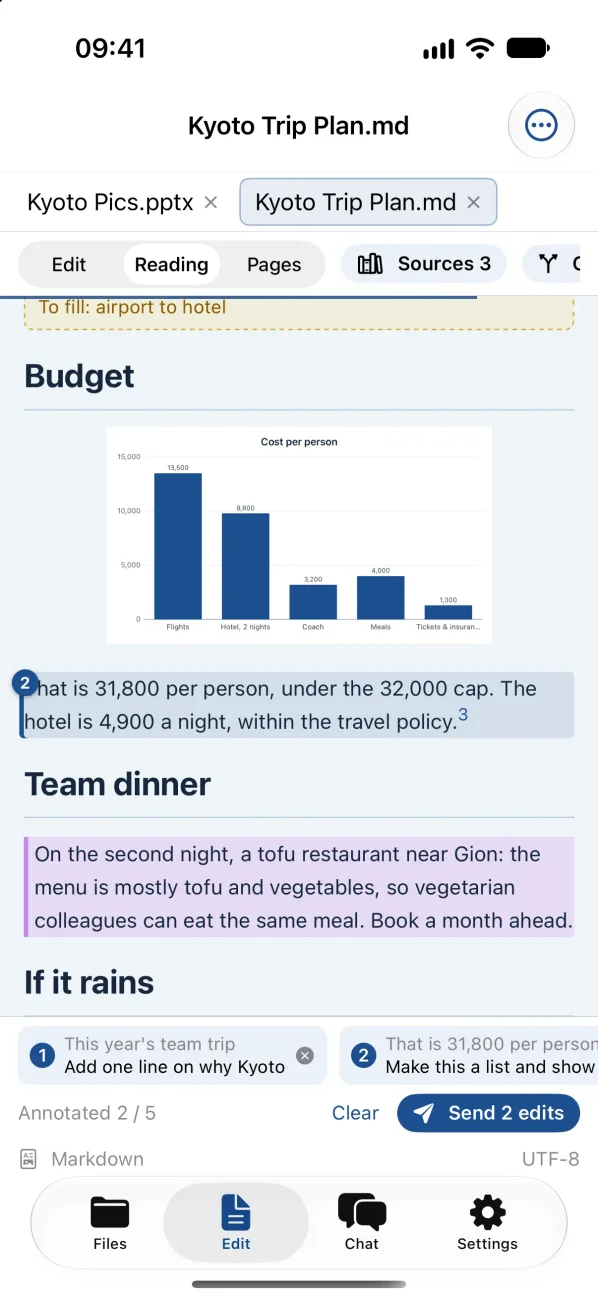
• Mark up the preview, let AI edit — Tap a spot or select a passage and say what to change. Queue marks, send one batch, review one diff.
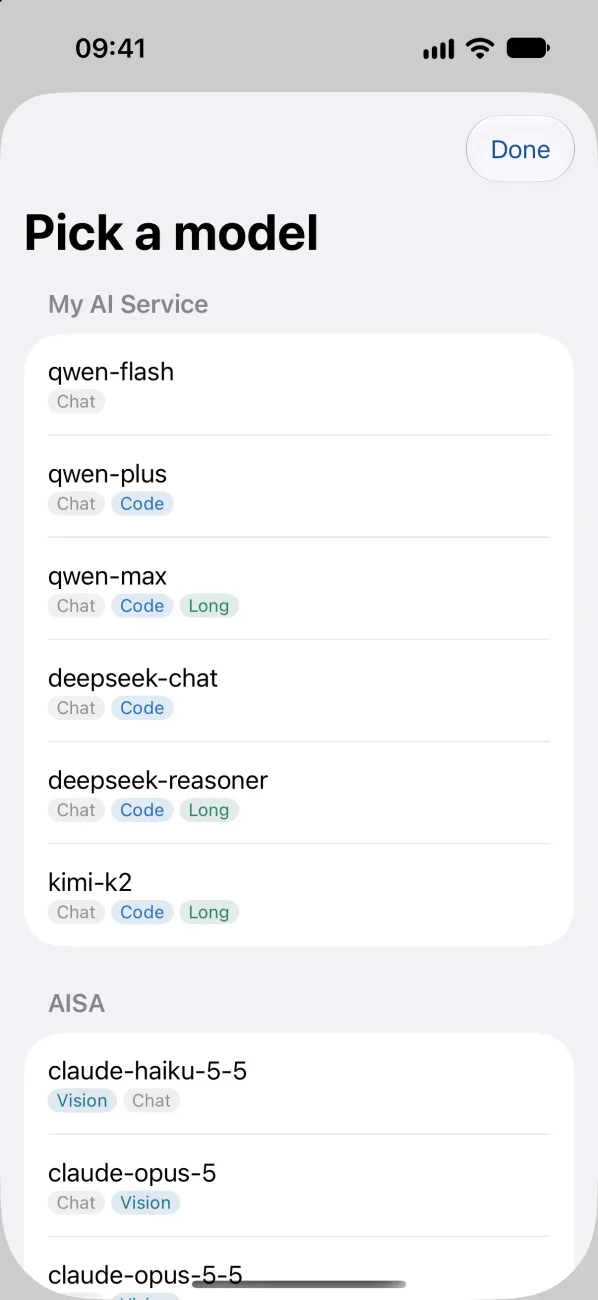
• Bring your own AI — Anthropic, Gemini, DeepSeek, OpenRouter, Groq, Mistral, any API-compatible endpoint, local Ollama, or an AISA key for 70+ models. 16 one-tap presets. No built-in account or key: nothing runs until you add one.
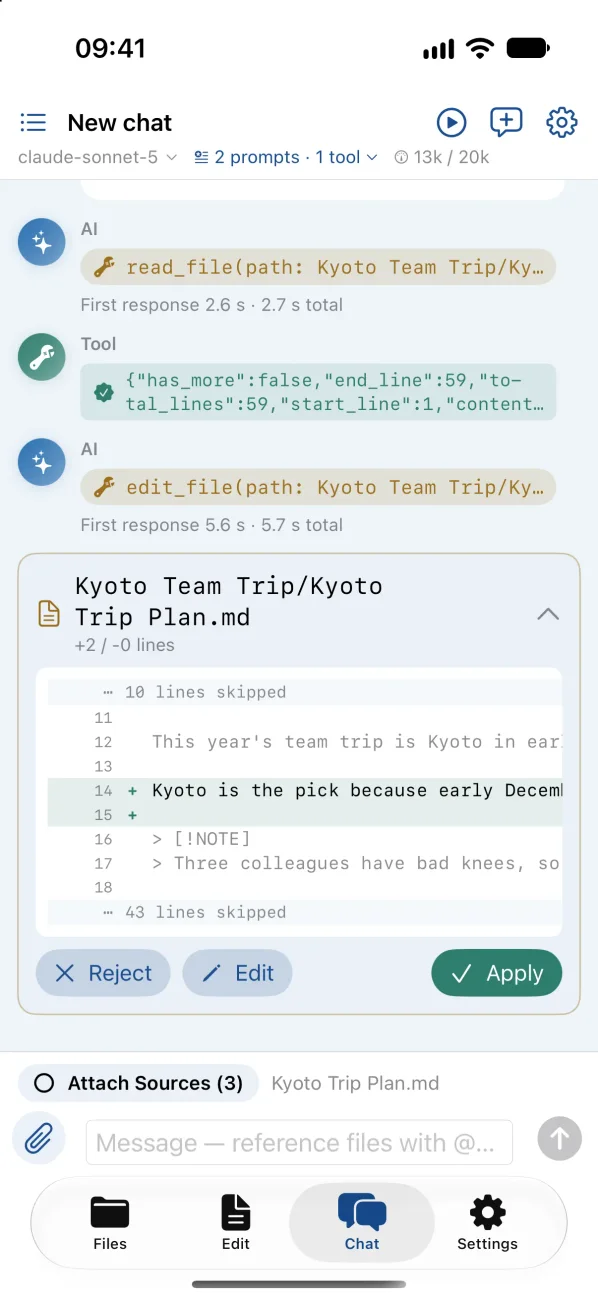
• You approve every change — Edits show a diff first; nothing is written until you tap Apply, and overwrites are snapshotted.
• Multi-tab editor — Syntax highlighting for 10 languages, line numbers, autosave, find & replace.
• Rich Markdown preview — Outline navigation, in-document search, reading progress with resume, code copy, task checkboxes, light/dark themes.
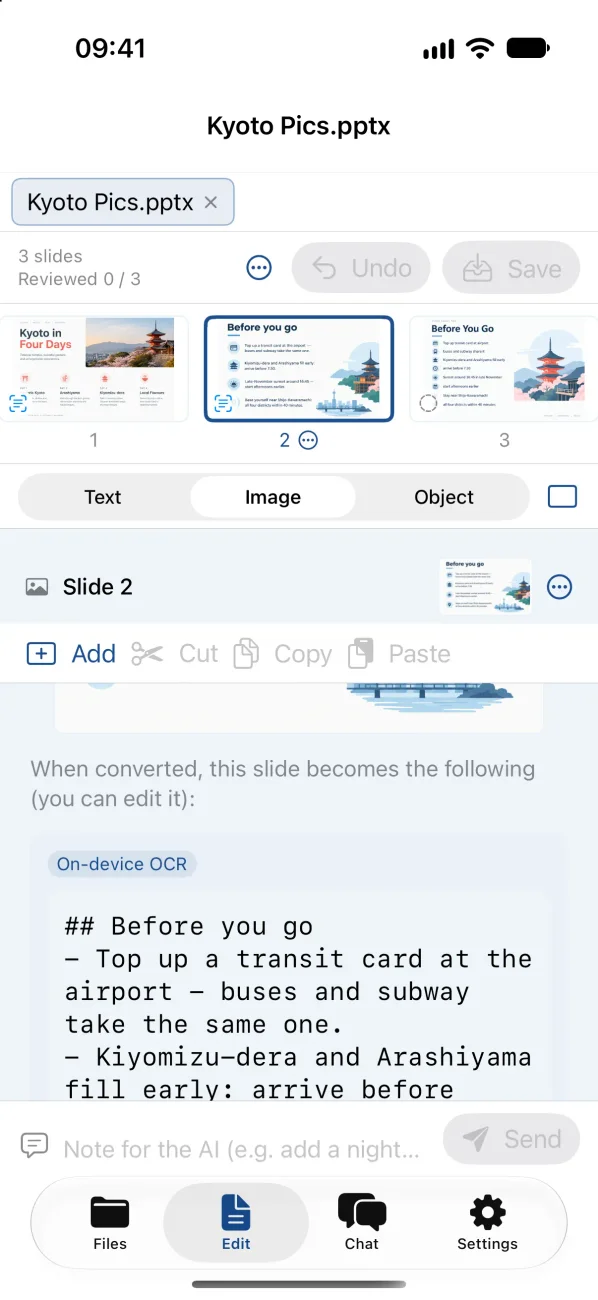
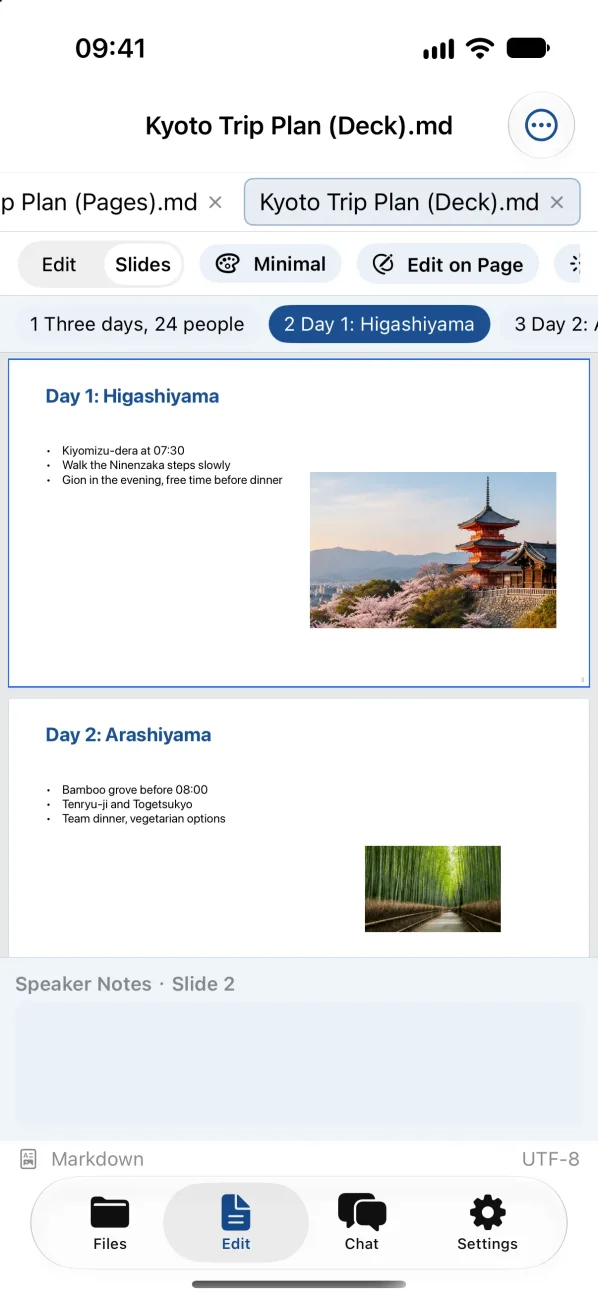
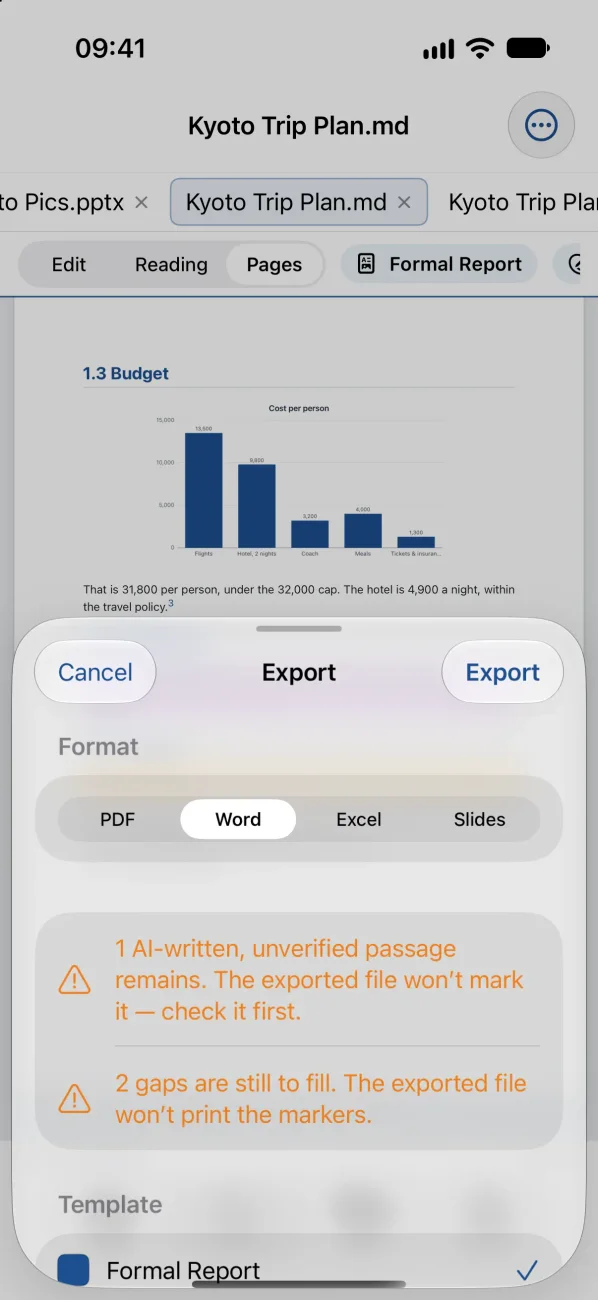
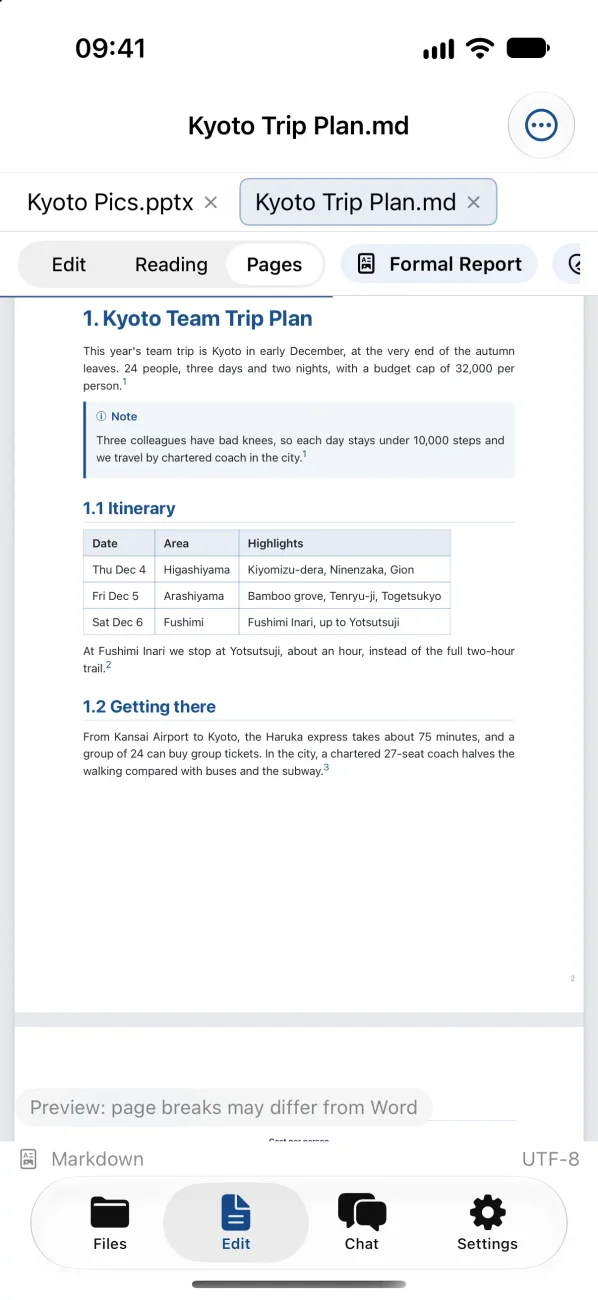
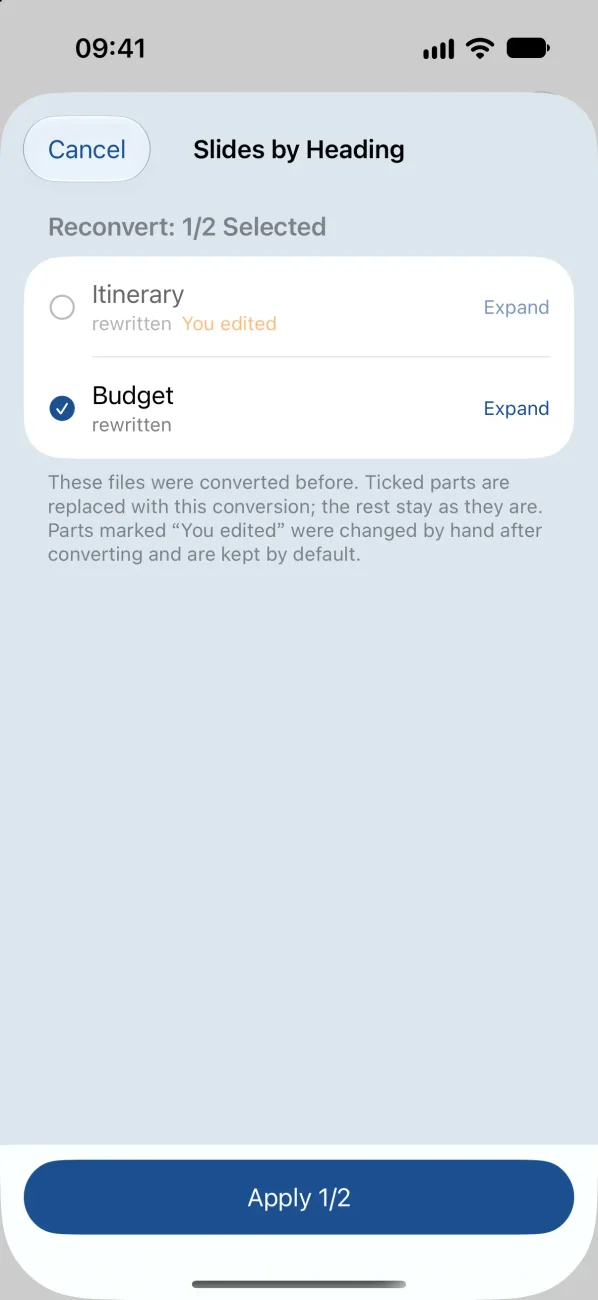
• Office files and PDFs, both ways — Export to PDF, Word, Excel, and PowerPoint on device; "AI Refine" turns a document into slides, using your own .pptx as the master and Brand Kits for colours, fonts, and logo. Open a .docx, .xlsx, .pptx, or PDF to edit in place, formatting kept.
• AI illustrations — One prompt draws an illustration at the cursor with your own image model; it flows into PDF, Word, and PowerPoint. Decks can auto-illustrate.
• Built-in data tools — 35 the AI calls itself: web pages, academic papers, US financials and SEC filings, crypto prices, X posts, prediction markets, Perplexity. Switched on by category, with the token cost shown. HTTPS-only and host-whitelisted; your key is injected on device, never seen by the model.
• Prompt Library — Activate several presets at once, merged in your order with a size meter. Three research procedures are built in; add more from the library or GitHub.
• KB Library — File a document once and reference it as often as you like: type ~ to attach one, or let the AI search the library and read only the passage it needs. Ranked search working in Chinese and says so when nothing matches.
• Share what you tune — Prompts, export styles and KB entries export as files. Install from the built-in library or add a source: any public GitHub repo or page. Updates are flagged, never automatic, and an edited copy is never overwritten.
• Tool-using AI — Reads, searches, and writes workspace files. Optional web search via Brave, Tavily, Perplexity, or AISA.
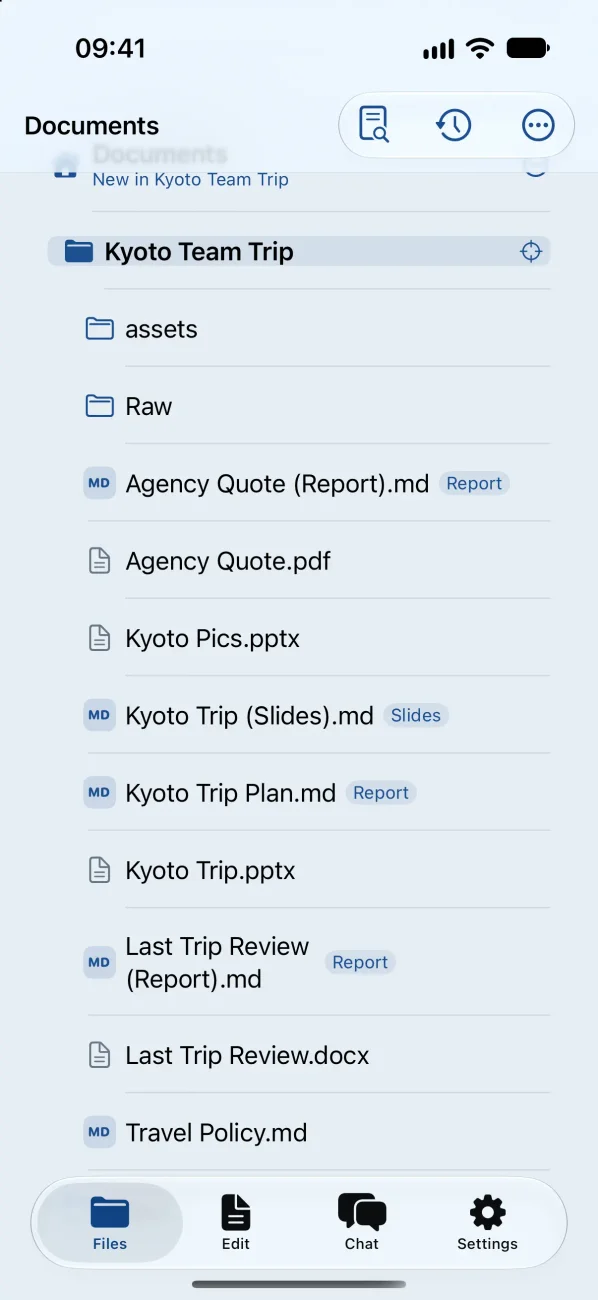
• Files done right — Open files from anywhere; create, rename, move, duplicate, delete; multiple pinned workspaces.
• Local version control — Snapshot, diff, and revert on device: no git account, history never leaves it, instant in huge folders. Auto-commit optional.
• Reliable by default — Suggests the right model for the job; dropped streams resume without re-sending the conversation.
• Multimodal — Attach files, photos, or clipboard images. Vision models get them directly; PDF / DOCX / PPTX / XLSX are transcribed.
• Trilingual — Full UI in English, 繁體中文, 简体中文; switch without a restart.
• iPad and Mac — Three-pane Split View on iPad and Mac, tabs on iPhone, a full Mac menu bar and keyboard shortcuts.
PRIVACY
• API keys live in the Keychain (device-only). Your content goes straight to the endpoints you configure — no proxy, no telemetry. Chat history is local.
REQUIREMENTS
• iOS / iPadOS 17.0 or later, or macOS 14.0 or later. You provide the API keys for the services you use.
For support, send mail to sportusagi@gmail.com.
AI-IDE Pro is an auto-renewable subscription. Payment is charged to your Apple ID account at confirmation of purchase. The subscription renews automatically unless cancelled at least 24 hours before the end of the current period; manage or cancel it in your Apple ID account settings.
Terms of Use (EULA): https://www.apple.com/legal/internet-services/itunes/dev/stdeula/
Privacy Policy: https://www.termsfeed.com/live/92fad2c6-6901-4de6-9110-e4aa7aa1f7d8
Novedades
Versión 1.22 · 21/11/2026
Big text that still works: the layout rearranges at the largest sizes instead of cutting off
Better at large text sizes
• When the editor toolbar doesn't fit, AI, check and convert actions move into More, and buttons wrap to the column instead of losing their words.
• The Edit / Reading / Pages switch becomes a menu showing the current mode when it doesn't fit.
• The status bar wraps item by item. With many tabs open, a Tabs menu beside them lists them all.
• When a deck view runs short of room, speaker notes fold to one line so the slides stay in view.
• The Note for the AI bar under reports and decks splits into two or three rows when it doesn't fit.
• File list tags no longer break mid-word, and the file list widens at the system's accessibility text sizes.
• Cancel, Done and Close always keep their words, and Done uses the app's accent colour.
Support for the iPhone Duo interface
• Layouts for the outer screen, the inner screen and half open.
• On the inner screen held upright, the editor and chat sit side by side.
• Folding and unfolding keeps your cursor, keyboard and half-typed text; folded, you stay on the tab you were using.
• Card buttons stay clear of the fold, and when half open a PowerPoint slide's large picture moves below it.
AI chat
• Auto-accept edits: when on, the AI's file edits are applied without tapping Accept each time. Every edit is still saved as a version you can compare and restore, and a notice above the message box shows it's on.
• Set how many tool rounds a turn may use in What's Sent (8 to 100, default 16).
• Mac: Return sends a message and Shift-Return starts a new line; while an input method is choosing characters, Return only picks the character.
Fixes and improvements
• Faster editing of long files on Mac: in a 1,000-line document, typing responds in about 0.04 s instead of 0.17 s.
• Fixed a possible crash after closing a window on Mac.
• iPad no longer opens to the chat column alone when held upright.
• Changing a connection's type switches the address to that type's default, and a model list that can't be reached says so right away instead of spinning.
Privacidad de la aplicación
Lo que Chun Chen declara en App Store sobre cómo esta aplicación gestiona los datos.
-
No se recopilan datos
El desarrollador no recopila ningún dato de esta aplicación.
Las prácticas de privacidad pueden variar, por ejemplo, según las funciones que uses o tu edad.
Información
- Vendedor
- Chun Chen
- Categoría
- Productividad
- Versión
- 1.22
- Actualizado
- 21/11/2026
- Publicado
- 3/6/2026
- Tamaño
- 35,7 MB
- Requiere
- iOS 17.0 o posterior
- Clasificación por edad
- 4+
- Precio
- Gratis
- Compras en la aplicación
- Sí
- Idiomas
- Inglés, Chino simplificado, Chino tradicional
- Copyright
- © Chun 2026.
Quizá también te guste
-
 AgentOS: Coding AgentsPara desarrolladores
-
 Moki - Markdown EditorPara desarrolladores
-
 MondroidPara desarrolladores
-
 VibeGo – Mobile Code EditorPara desarrolladores
-
 AiRCPara desarrolladores
-
 MongoBroPara desarrolladores
-
 SSHive: SSH, SFTP & TerminalEscritorio remoto y túneles
-
 QRU? - QR Code DebuggerPara desarrolladores
-
 Pad Code AI: Editor e IDEEjecuta Python, C++ y JS
-
 Onepilot: SSH Shell TerminalPara desarrolladores