
- Clasificación por edad17+
- CategoríaMedicina
- DesarrolladorAmbulanzPartner SozioTechnologie APST GmbH
- IdiomasAlemán
- Tamaño75,5 MB
Enlaza a la página oficial de App Store
Download.org no aloja ningún archivo de ALS-App. El botón abre la página de la aplicación en App Store, donde la publica AmbulanzPartner SozioTechnologie APST GmbH. Ficha comprobada por última vez el 15/11/2026.
Capturas de pantalla


Acerca de
El desarrollador no ha proporcionado este texto en tu idioma.
The ALS App helps people with ALS monitor the progression of their disease and support ALS research. This app provides the following features:
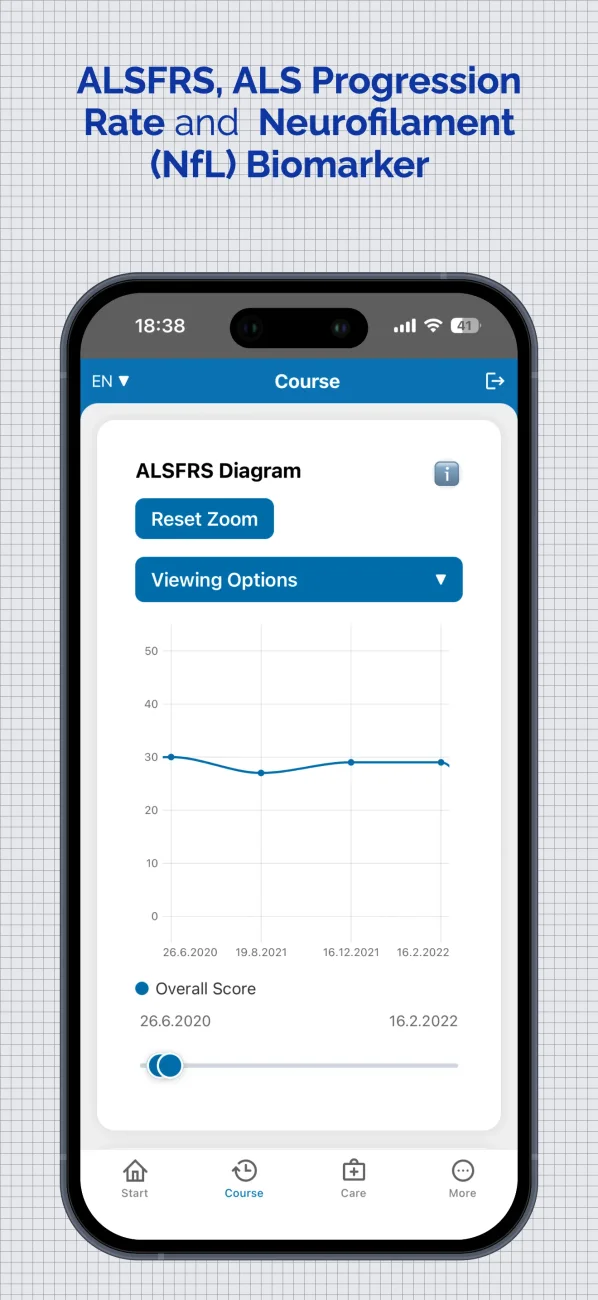
ALS Functional Rating Scale (ALSFRS)
The ALSFRS-R widget, located in the Home menu of the ALS App, enables you to easily track how ALS impacts your daily life using your smartphone. This clinically validated self-assessment tool helps you monitor your disease progression and provides valuable data for research and the development of treatment. It includes 12 short questions about common ALS symptoms — such as speech, swallowing, hand use, walking, and breathing — each with five answer options. You complete it once a month in the App, and your total score is displayed in the Home menu.
The total score of the ALSFRS-R is displayed over time in the ALSFRS chart within the Course menu of the App. Your responses help track the course of the disease over time. Furthermore, the ALSFRS-R data are crucial for therapeutic research, as this scale serves as a key efficacy criterion for clinical trials in ALS. Taking a few minutes today can make a real difference in advancing ALS care and research.
ALS Progression Rate (ALSPR)
This widget, found in the Home menu of the ALS App, helps you independently track your ALS progression rate (ALSPR) — a key indicator of how your disease is changing over time. It uses your responses to the ALSFRS-R, which you complete regularly in the App, along with your symptom onset date (month and year), to calculate your monthly rate of decline. Your ALSPR appears on the home screen and is classified as slower, medium, or faster progression. In clinical trials, a lower ALSPR often shows that a treatment is working, so your data also supports scientific research. By using the ALSPR widget, you stay informed about your progression and help advance future ALS therapies.
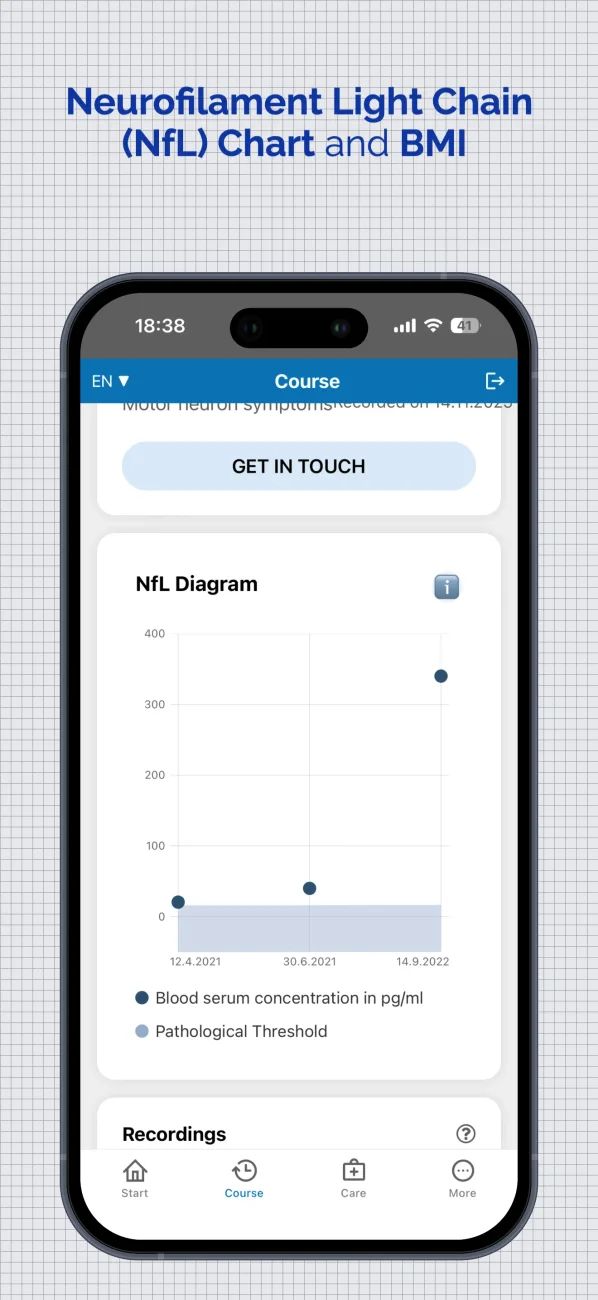
Neurofilament light chain (NfL)
Neurofilament light chain (NfL) is a nerve cell-specific protein that is released into the blood when a nerve cell is damaged. NfL is regarded as a prognostic and progression marker of ALS. The NfL value in the blood, in addition to ALS symptoms, is a marker of ALS disease progression. Patients participating in the NfL-ALS study receive an indication of their neurofilament light chain (NfL) values. Each value (NfL concentration in blood serum, in picograms per milliliter) is displayed over time as the NfL chart in the Course menu of the ALS App. The NfL chart shows the individual NfL values in the blood serum throughout the disease as a function of age. NfL values above the blue area in the diagram are considered to be pathological.
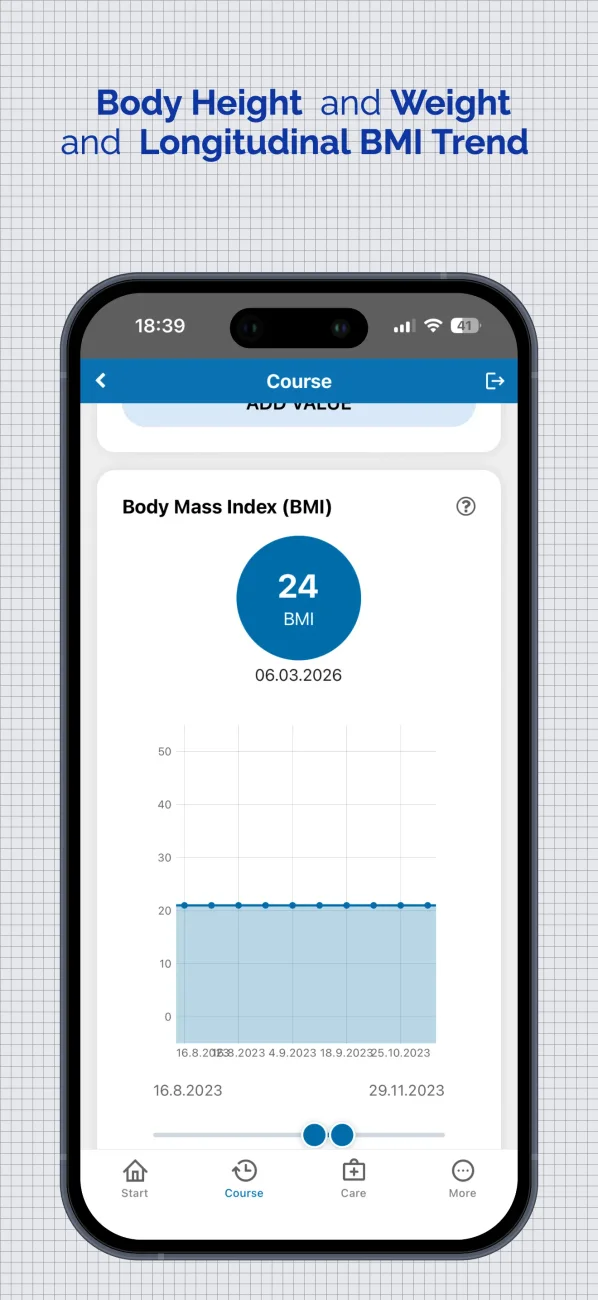
Body Mass Index (BMI)
The BMI widget in the Course menu of the ALS App helps you easily track your body weight and understand its impact on your nutritional health — a key part of ALS care. Enter your measured weight (ideally every week) and save it with the corresponding date; the App automatically calculates your BMI using your height. Each entry appears in a clear chart showing your weight and BMI trends over time, helping you spot early signs of weight loss. This simple visual tool keeps you informed and supports personalized care planning, all from your phone.
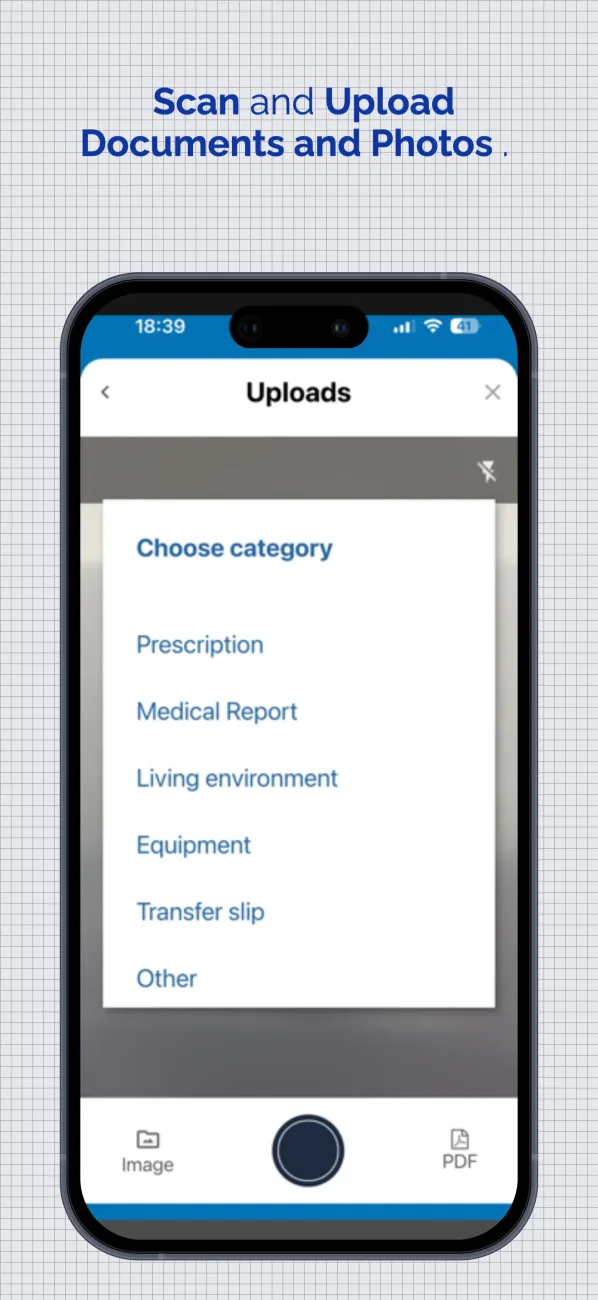
Upload function (Scan and Photo function)
Scan function: With the Scan function in the ALS App, you can easily scan important medical documents and store them safely in the Documentation Center within the ALS App. This scan feature ensures that you stay in control of your documents and can share them when needed. Overall, the Scan function gives you a secure, paper-free way to manage your health documents, making communication with your care team easier, faster, and safer.
Photo function: The Photo function in the ALS App allows you to take and organize pictures in the Documentation Center of the ALS App that is important for your care and treatment. It reduces paperwork, avoids miscommunication, and helps your care team act more quickly when something is needed.
Novedades
Versión 5.10.33 · 19/10/2026
Improved Charts: Adjustments to the ALS progression rate (ALSPR) and ALSFRS-R total score charts
My Assistive Devices: Improved display of the provision processes for assistive devices
Bug Fixes: Minor bugs have been fixed to further improve the app's stability and usability.
Privacidad de la aplicación
Lo que AmbulanzPartner SozioTechnologie APST GmbH declara en App Store sobre cómo esta aplicación gestiona los datos.
-
Datos usados para rastrearte
Pueden usarse para rastrearte en aplicaciones y sitios web propiedad de otras empresas.
- Información de contacto
-
Datos vinculados a ti
Pueden recopilarse y vincularse a tu identidad.
- Salud y forma física
- Información de contacto
- Identificadores
-
Datos no vinculados a ti
Pueden recopilarse, pero no se vinculan a tu identidad.
- Diagnóstico
Las prácticas de privacidad pueden variar, por ejemplo, según las funciones que uses o tu edad.
Información
- Vendedor
- AmbulanzPartner SozioTechnologie APST GmbH
- Categoría
- Medicina
- Versión
- 5.10.33
- Actualizado
- 19/10/2026
- Publicado
- 8/1/2020
- Tamaño
- 75,5 MB
- Requiere
- iOS 16.4 o posterior
- Clasificación por edad
- 17+
- Precio
- Gratis
- Idiomas
- Alemán
- Copyright
- © 2020 Ambulanzpartner Soziotechnologie APST GmbH
Quizá también te guste
-
 Speech VitalsSalud y forma física
-
 phagifitSalud y forma física
-
 Asistente de voz CAAComunicación de texto a voz
-
 TENOSAcompaña tu camino con ELA
-
 Mili AppSalud y forma física
-
 abilityXEncuentra baños accesibles
-
 DGN NeurowocheMedicina
-
 pflegecompassSalud y forma física
-
 Parlami – Hablar con imágenesAsistente de voz ACC
-
 DGN ONEMedicina