- Clasificación por edad4+
- CategoríaUtilidades
- DesarrolladorLai Kong Fung
- IdiomasInglés
- Tamaño4,0 MB
Enlaza a la página oficial de App Store
Download.org no aloja ningún archivo de AnyPlay Drive. El botón abre la página de la aplicación en App Store, donde la publica Lai Kong Fung. Ficha comprobada por última vez el 18/11/2026.
Capturas de pantalla
Acerca de
El desarrollador no ha proporcionado este texto en tu idioma.
AnyPlay Drive is your all-in-one file cabinet, media player and notebook. Keep your music, videos, photos, documents and handwritten notes in one place, organize
them your way, and open anything with a tap, with no internet connection needed.
NEW: NOTES YOU CAN DRAW, WRITE AND TYPE
• Create a note in any folder and sketch, handwrite or doodle with your finger or Apple Pencil
• Pen, marker, pencil, crayon and watercolor tools in any color, plus eraser, lasso and ruler
• Type with the keyboard in text boxes you can move anywhere on the page
• Add shapes, lines and arrows for diagrams and quick sketches
• Insert pictures from your Photo Library, several at once, or snap one with the camera
• Undo and Redo at the top of the screen
• Notes save automatically and remember the last pen you used
• Find any note by searching for words you typed in it
• Thumbnail view shows a preview of every note
Notes require iOS 26 or later.
PLAY YOUR MUSIC BEAUTIFULLY
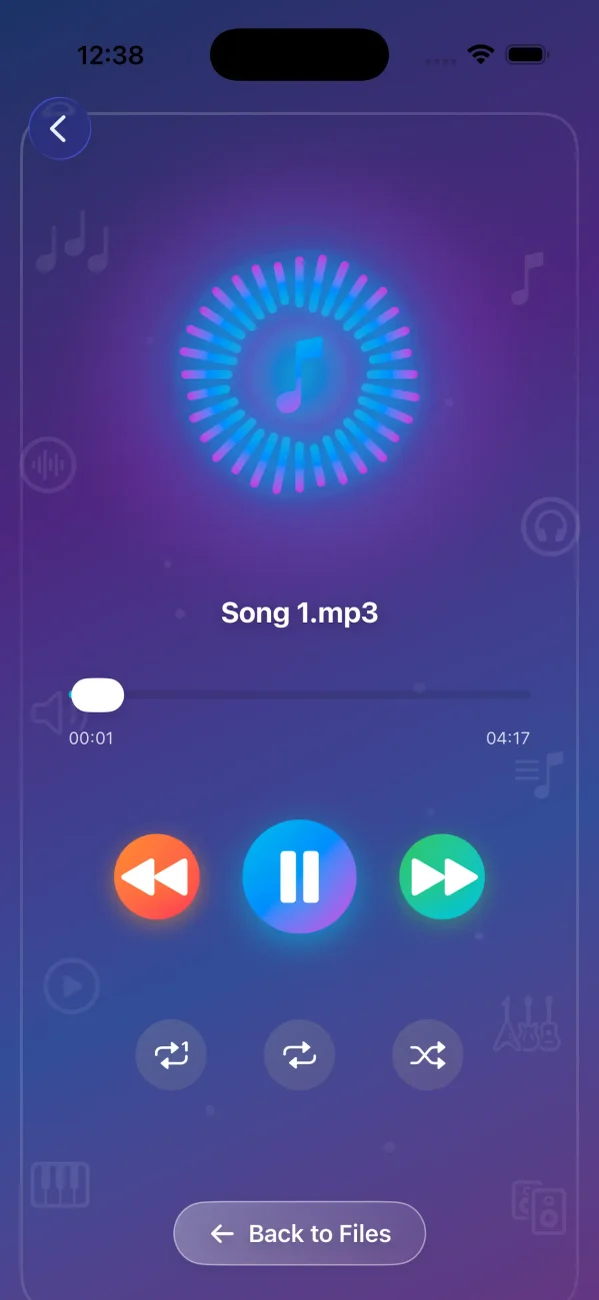
• A Now Playing screen with your album art, front and center
• Choose a player style: Vinyl, Pulse, Spectrum or Classic. Pulse and Spectrum move with the beat of your music
• Keeps playing in the background, with controls and cover art on your Lock Screen
• Playback speed from 0.5× to 2×, great for podcasts and audiobooks
• Shuffle, repeat one, or repeat all
WATCH YOUR VIDEOS
• Play MP4, MOV and other videos in a clean, full-featured player
• Watch full screen with simple controls
ORGANIZE EVERYTHING
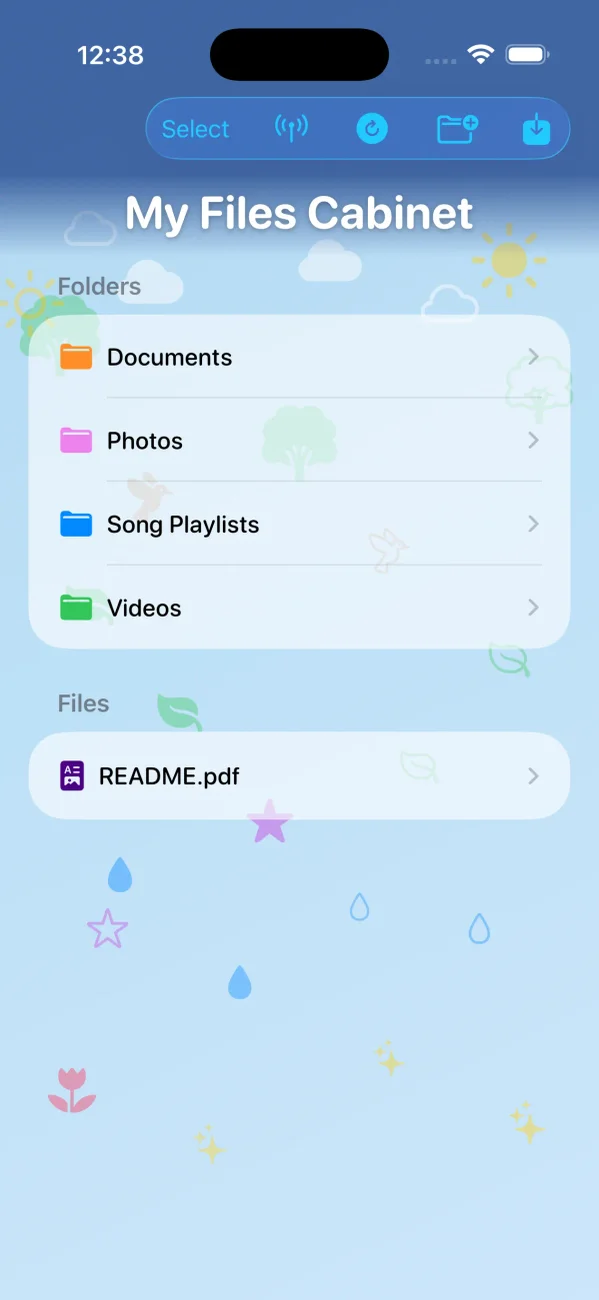
• Create folders inside folders, as deep as you like
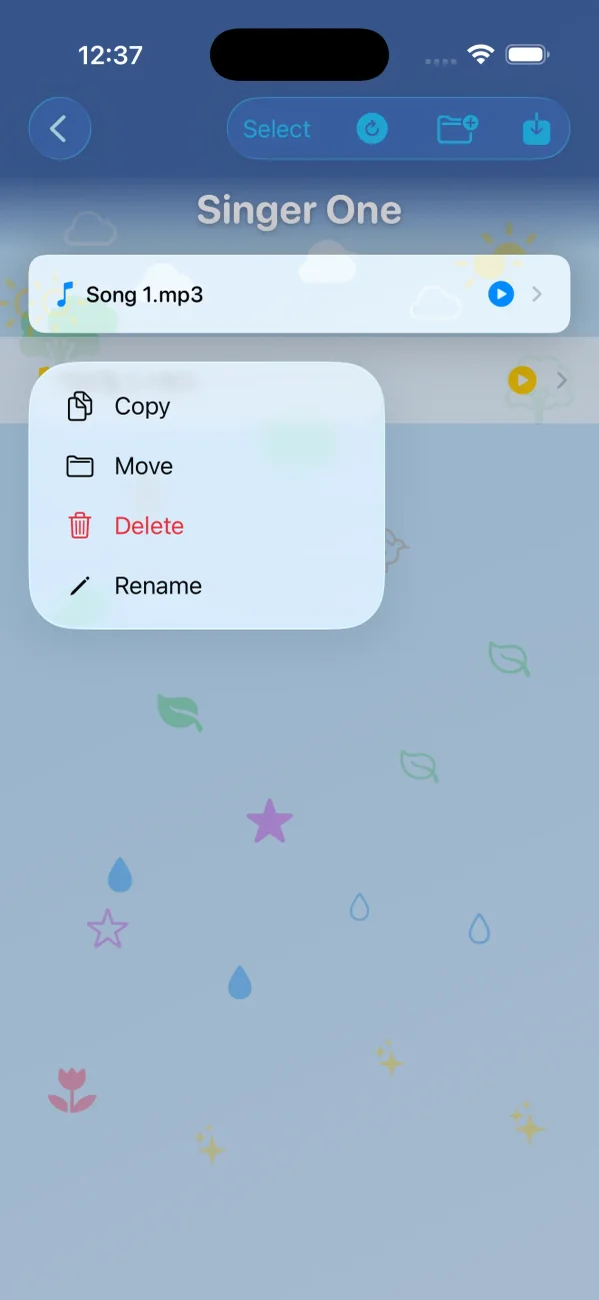
• Copy, move, rename and delete with a long-press or a swipe
• Select several files and move them all at once
• Switch between List view and Thumbnail view with photo previews and album art
• Color-coded icons with file sizes, dates and item counts at a glance
• Search every folder and subfolder instantly
OPEN AND VIEW YOUR FILES
• View photos with pinch-to-zoom and rotate
• Read PDFs, Word, Excel, PowerPoint, Pages, Keynote, Numbers and text files
• Swipe left and right to flip through the files in a folder
BRING YOUR FILES IN
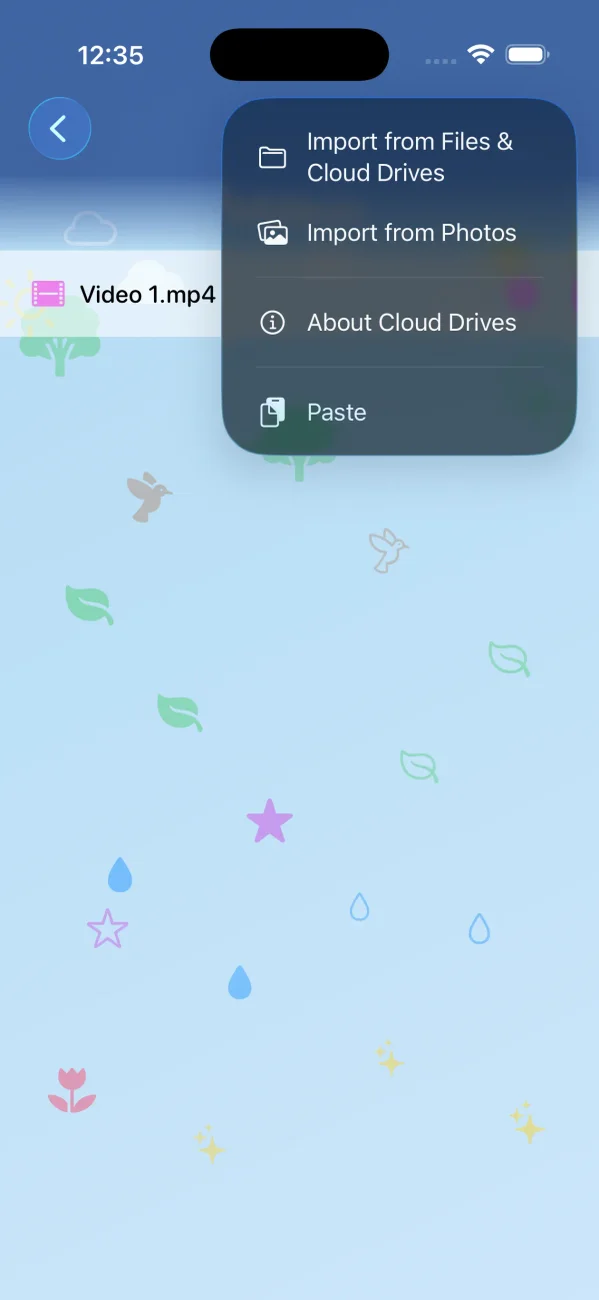
• Import from the Files app and cloud drives such as iCloud Drive, Google Drive, Dropbox, OneDrive and Box
• Import photos and videos from your Photo Library
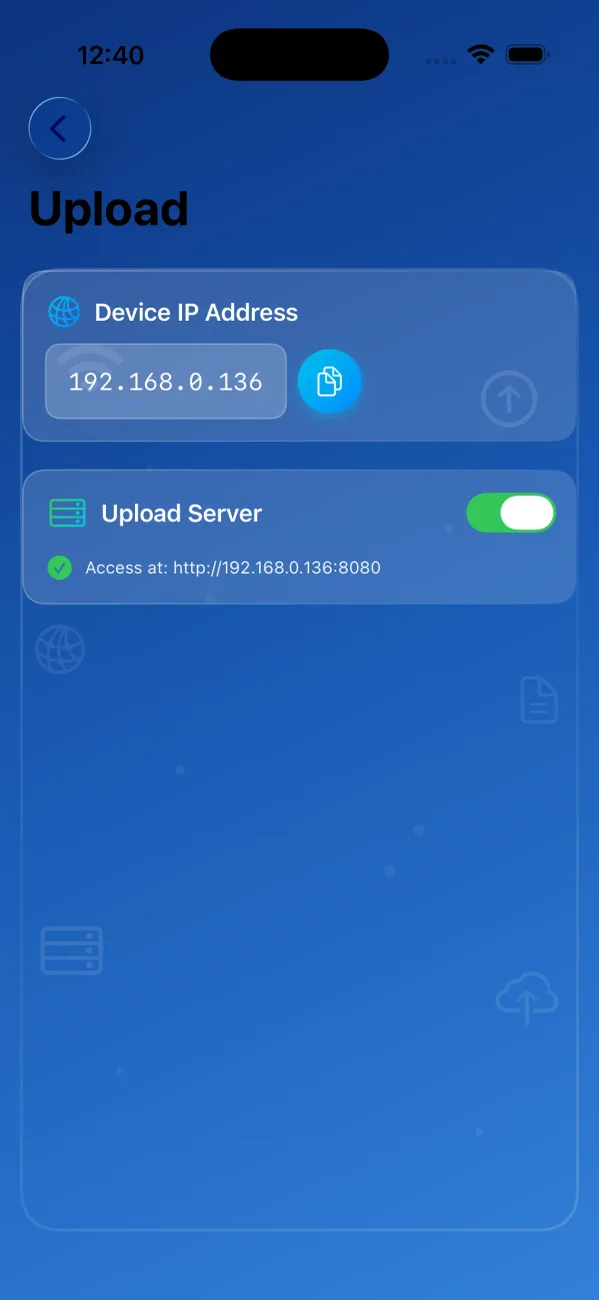
• Wi-Fi Upload: turn on the built-in upload server and drag files in from any computer's web browser. No cables or extra software needed
CONVERT FILES
• PDF to Word, Excel, PowerPoint, text or images
• Word, Excel and PowerPoint to PDF
• Convert images between JPG, PNG, HEIC, GIF, TIFF, WEBP and more, or combine them into a PDF
SHARE WITH EASE
• AirDrop, Messages, Mail, Save to Files and every option in the iOS share sheet
PRIVATE BY DESIGN
Your files and notes stay on your device. AnyPlay Drive doesn't need an account and doesn't upload your files anywhere.
Download AnyPlay Drive and carry your music, videos, documents and notes in one tidy, beautiful place.
Novedades
Versión 4.0 · 27/10/2026
NEW: Notes (iOS 26 or later)
• Note previews in Thumbnail view
Also in this update
• New "+" menu to create a folder or a note
• Thumbnails refresh right after a file changes
• Fixes and performance improvements
Privacidad de la aplicación
Lo que Lai Kong Fung declara en App Store sobre cómo esta aplicación gestiona los datos.
-
No se recopilan datos
El desarrollador no recopila ningún dato de esta aplicación.
Las prácticas de privacidad pueden variar, por ejemplo, según las funciones que uses o tu edad.
Información
- Vendedor
- Lai Kong Fung
- Categoría
- Utilidades
- Versión
- 4.0
- Actualizado
- 27/10/2026
- Publicado
- 10/12/2025
- Tamaño
- 4,0 MB
- Requiere
- iOS 18.6 o posterior
- Clasificación por edad
- 4+
- Precio
- 0,99 €
- Idiomas
- Inglés
- Copyright
- © 2025 Amethyst Planet LLC
Quizá también te guste
-
 Retro File ManagerUtilidades
-
 XPS Viewer · XPS to PDFUtilidades
-
 File Manager & PDF Merge ToolUtilidades
-
 AI Email Mail Generator WriterUtilidades
-
 Sweep - Reveal Cyber ThreatsUtilidades
-
 PCAP Viewer & File AnalyzerPCAPNG Viewer & Convert & Open
-
 AirBox-Your File ManagerUtilidades
-
 Date Calculator: Day CounterUtilidades
-
 CleanAI: Limpieza IALimpia fotos y videos
-
 Park In SFUtilidades