App Blocker: Schedule & Limits
Screen Time,Focus,Routine,TODO
Diseñada para iPhone
Gratis · Compras en la aplicación
- Clasificación por edad4+
- CategoríaProductividad
- DesarrolladorKW APP
- IdiomasInglés+ 1 más
- Tamaño16,0 MB
Enlaza a la página oficial de App Store
Download.org no aloja ningún archivo de App Blocker: Schedule & Limits. El botón abre la página de la aplicación en App Store, donde la publica KW APP. Ficha comprobada por última vez el 12/11/2026.
Capturas de pantalla


Acerca de
El desarrollador no ha proporcionado este texto en tu idioma.
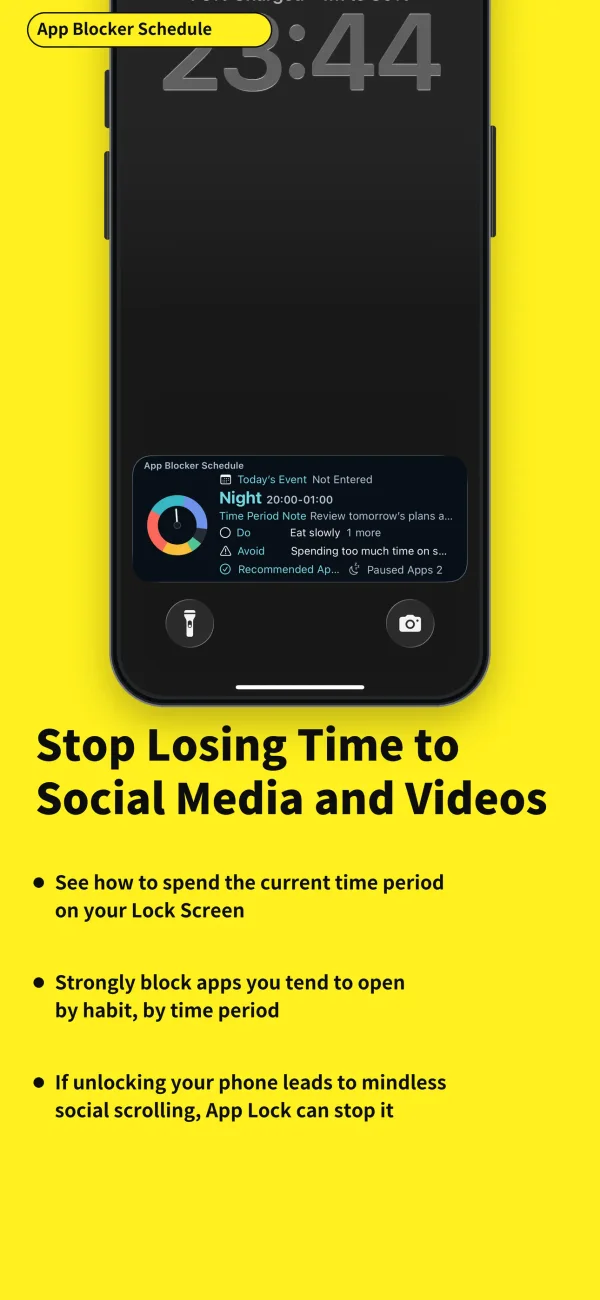
You opened your phone for something else, then found yourself scrolling social media.
App Blocker Schedule helps you build a healthier relationship with your phone in two ways:
• See what you need to do before you unlock
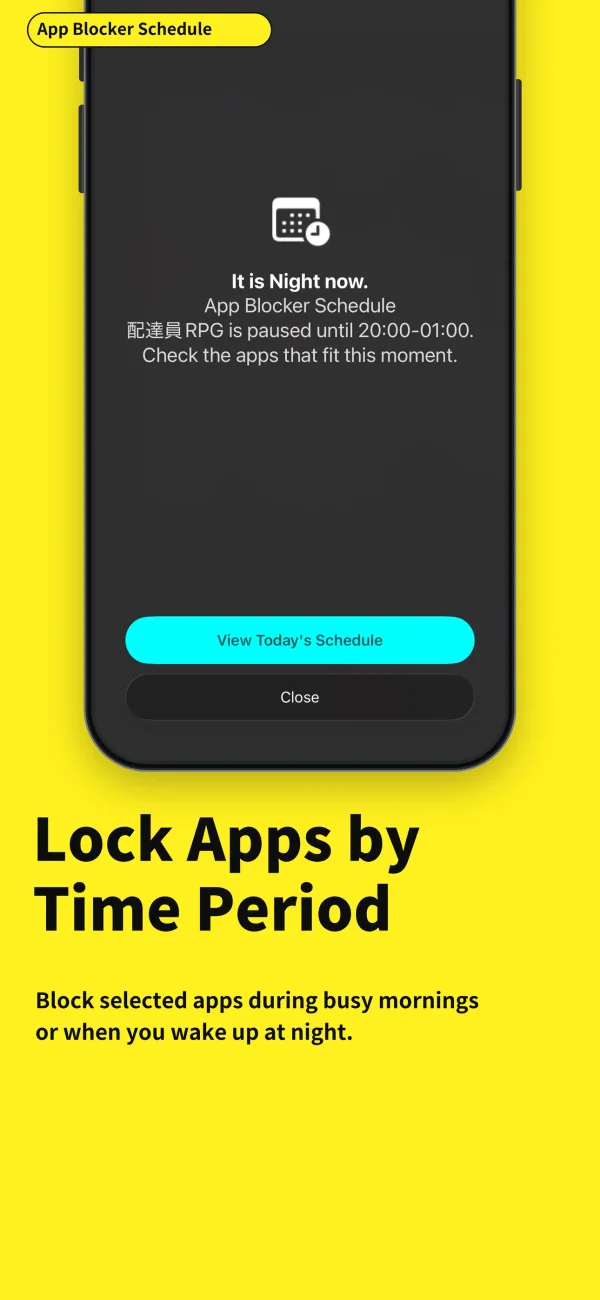
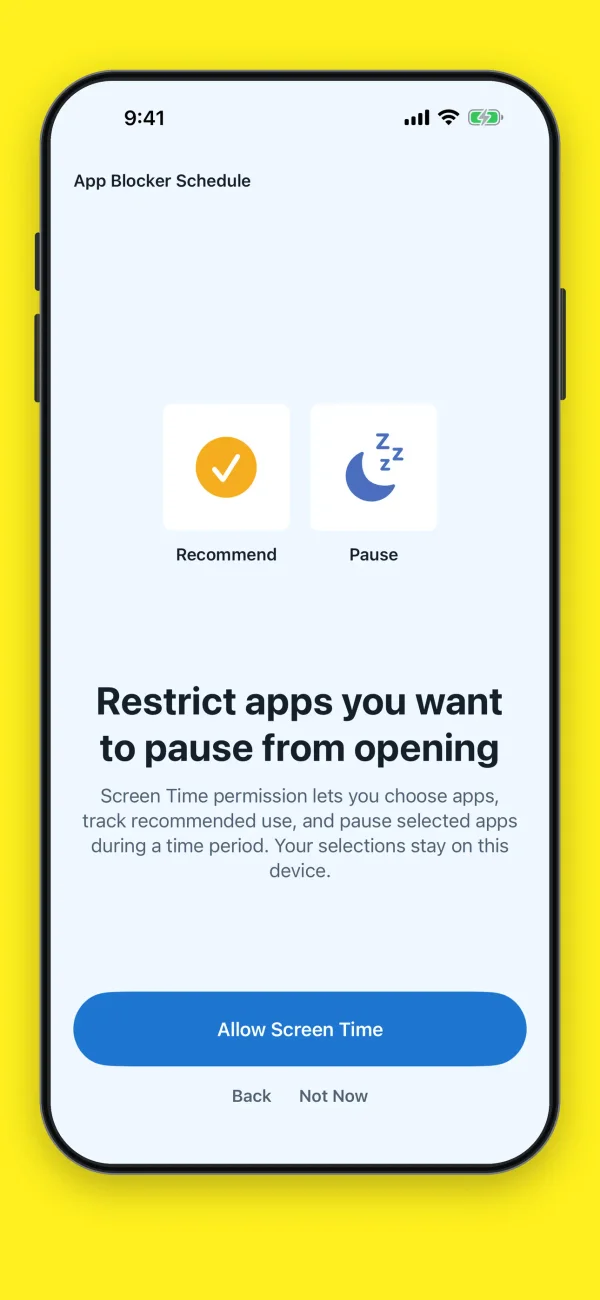
• Prevent apps restricted for the current time period from opening after you unlock
Restrict distracting apps so you can use the app you meant to open. Create flexible time periods for digital detox, bedtime, morning preparation, and more.
App Blocker Schedule combines a Lock Screen plan with automatic app blocking by time of day.
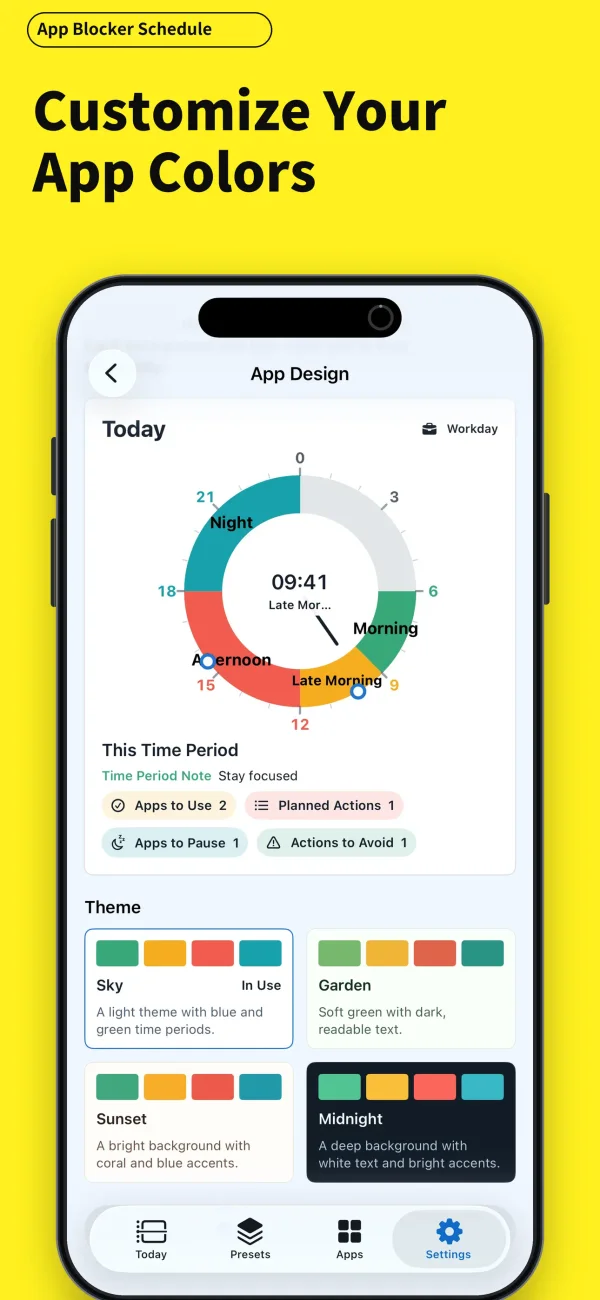
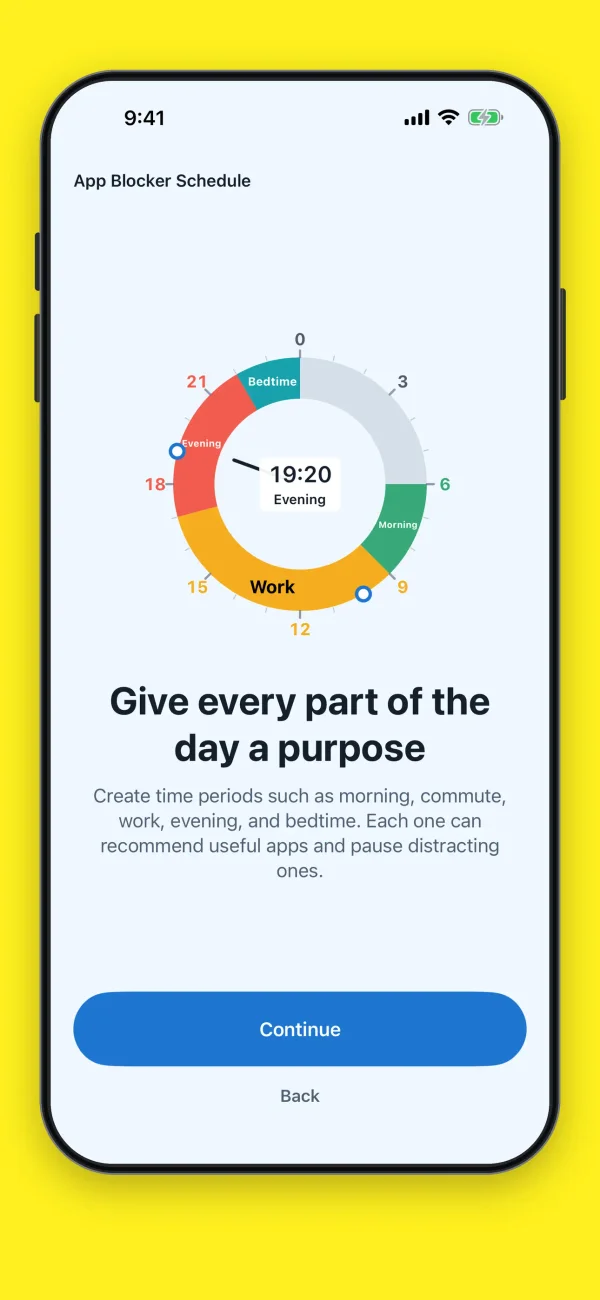
Divide your day into periods such as morning, commute, work, evening, and bedtime. For each period, choose what to show, which apps you want to use, and which apps or categories you want to restrict.
When the time period changes, your app restrictions change with it. Block social media during work, video apps at night, or games during sleep. Build a healthier phone routine without relying on willpower every time.
SEE YOUR PLAN ON THE LOCK SCREEN
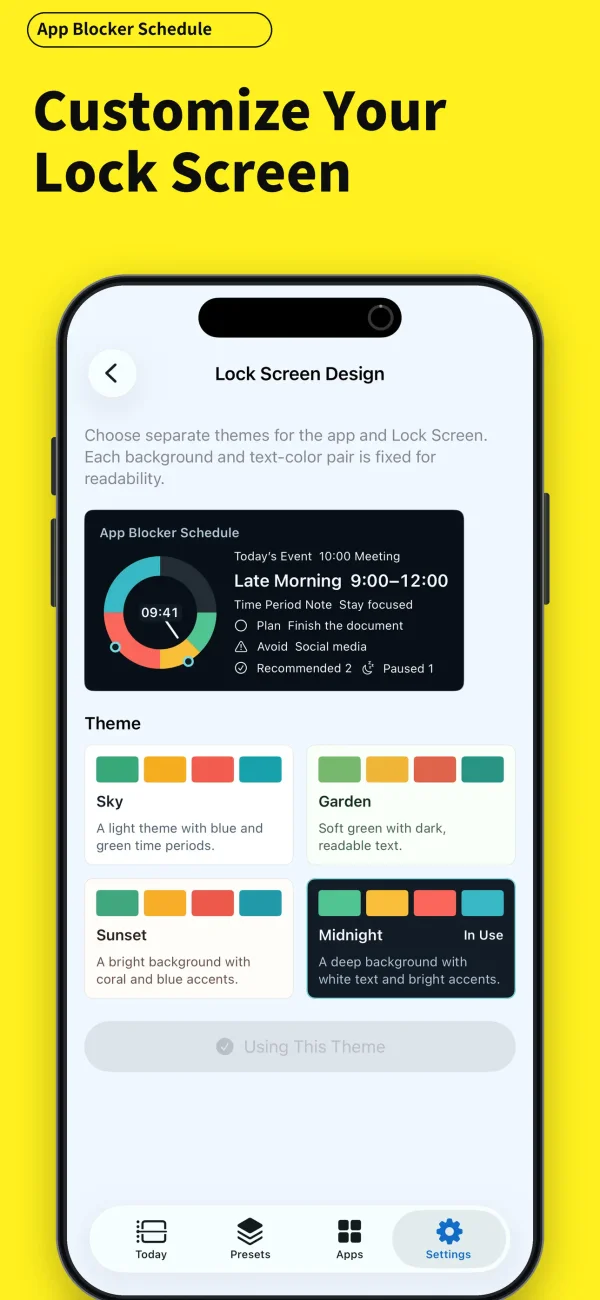
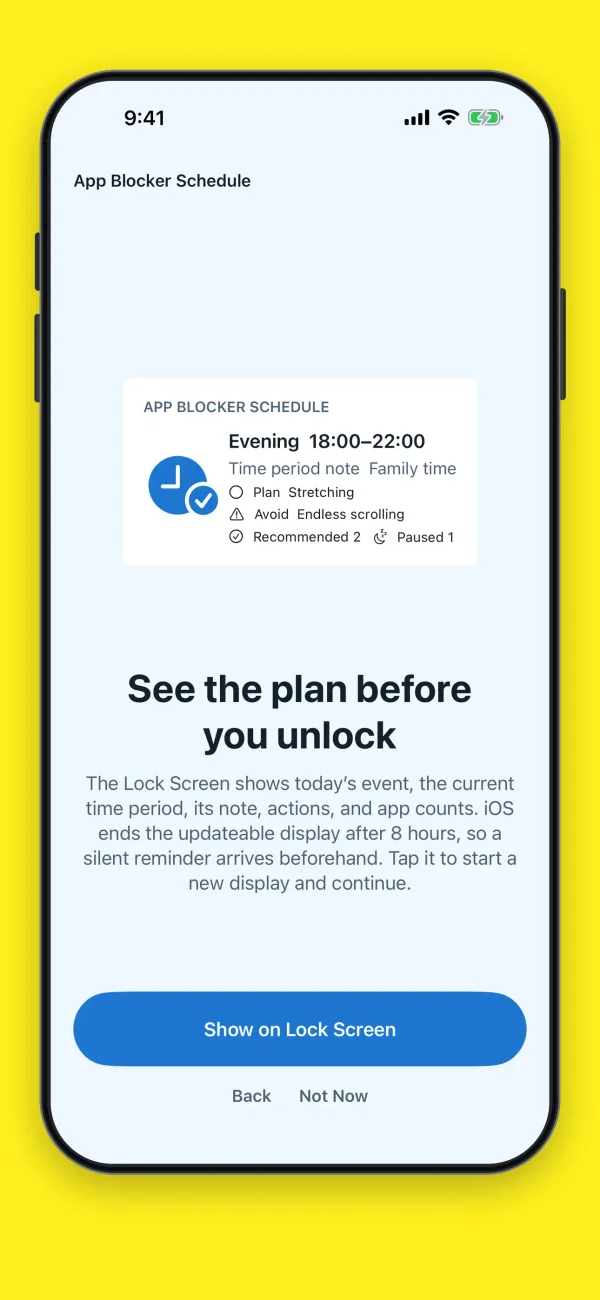
• View the current time period, its note, planned actions, recommended apps, and paused-app count
• See your next calendar event before unlocking
• Know what this part of the day is for before opening your phone
• Receive a silent reminder before iOS ends the current Lock Screen display
BLOCK APPS BY TIME OF DAY
• Choose distracting apps or entire categories for each time period
• Automatically switch restrictions when a period begins or ends
• Notifications can still arrive, while restricted apps remain behind the Screen Time shield
• Create different app limits for mornings, work, study, breaks, evenings, and sleep
PLAN THE APPS YOU WANT TO USE
• Add apps that support the purpose of each time period
• Set a usage goal for each recommended app
• See a checkmark when the usage goal is reached
• Keep planned actions and behaviors you want to avoid in the same place
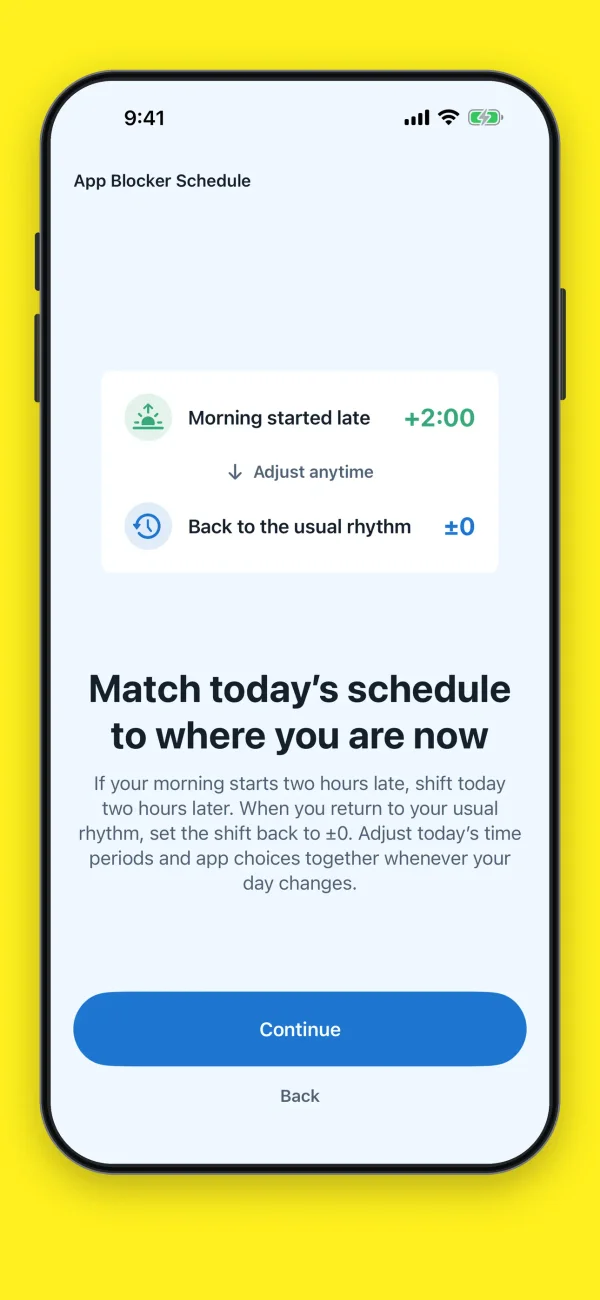
ADJUST TODAY WITHOUT REBUILDING YOUR SCHEDULE
• Shift all of today’s periods earlier or later when your day starts off schedule
• Compare the usual time with today’s adjusted time
• Show today’s calendar events without changing your repeating schedule
• Use different schedules for selected days and dates
FREE FEATURES
• One schedule
• Up to four active time periods
• Up to four recommended apps per period
• Up to two restricted apps or categories per period
• Lock Screen display
• Today’s schedule adjustment
• Calendar display
• Manual file backup
APP BLOCKER SCHEDULE PRO
• Unlimited schedules and time periods
• Unlimited recommended and restricted items
• Assign schedules to selected calendar dates
• Set a separate usage goal for each recommended app
• Automatic iCloud backup
Your saved data is not deleted if you return to Free. Extra Pro settings remain saved and become active again when Pro is restored.
Screen Time and Calendar permissions are optional and requested only when needed. App Blocker Schedule has no ads, does not use location tracking, and does not use third-party advertising trackers.
Privacy Policy: https://sudsy-potassium-8bd.notion.site/Screen-Schedule-App-Limits-Privacy-Policy-39cf723c135481cdbb09cd9e18d6cd9e
Terms of Use: https://sudsy-potassium-8bd.notion.site/Screen-Schedule-App-Limits-Terms-of-Use-39cf723c135481e98102e6e320504d6f
Novedades
Versión 1.0.6 · 14/10/2026
Improved stability.
Privacidad de la aplicación
Lo que KW APP declara en App Store sobre cómo esta aplicación gestiona los datos.
-
Datos vinculados a ti
Pueden recopilarse y vincularse a tu identidad.
- Compras
- Identificadores
- Datos de uso
Las prácticas de privacidad pueden variar, por ejemplo, según las funciones que uses o tu edad.
Información
- Vendedor
- KW APP
- Categoría
- Productividad
- Versión
- 1.0.6
- Actualizado
- 14/10/2026
- Publicado
- 20/7/2026
- Tamaño
- 16,0 MB
- Requiere
- iOS 17.0 o posterior
- Clasificación por edad
- 4+
- Precio
- Gratis
- Compras en la aplicación
- Sí
- Idiomas
- Inglés, Japonés
- Copyright
- © 2026 kw-app
Quizá también te guste
-
 RoutineGateProductividad
-
 Serene: Bloqueador Apps y WebTiempo de Pantalla y Enfoque
-
 Reclaim: Bloquear AppsTiempo de pantalla y enfoque
-
 9to9: Night App BlockerProductividad
-
 Lockscreen: bloqueador de appsTareas antes de apps
-
 Thumbrest: Bloqueador de appsAdiós al doomscrolling
-
 App-limitProductividad
-
 Benzi - Record Daily LifeProductividad
-
 MorningLock: App BlockerProductividad
-
 トーク保存Productividad