
Backdrop: Live Effects Camera
Aesthetic Video Filters & Art
Diseñada para iPhone
Gratis · Compras en la aplicación
- Clasificación por edad4+
- CategoríaFoto y vídeo
- DesarrolladorShekhar Upadhaya
- IdiomasInglés
- Tamaño130,8 MB
Enlaza a la página oficial de App Store
Download.org no aloja ningún archivo de Backdrop: Live Effects Camera. El botón abre la página de la aplicación en App Store, donde la publica Shekhar Upadhaya. Ficha comprobada por última vez el 14/11/2026.
Capturas de pantalla
Acerca de
El desarrollador no ha proporcionado este texto en tu idioma.
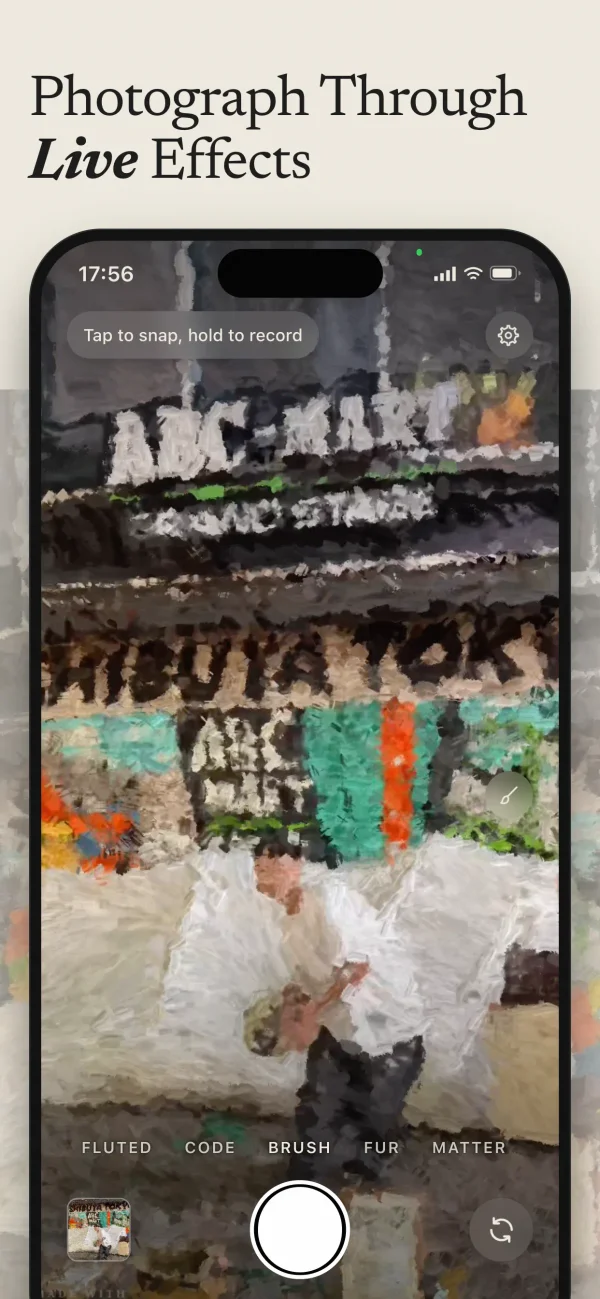
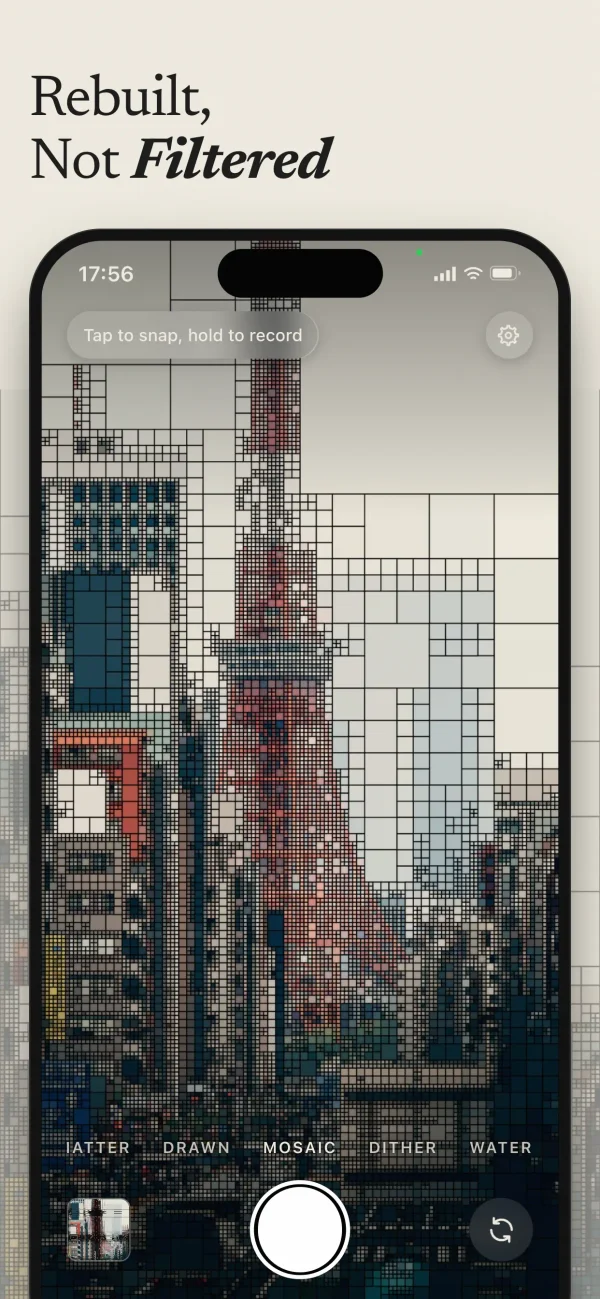
Pick a Look and the camera changes. Point it at a street and the street is
already painted in oil, or broken into dots, or drawn by hand. You are not
previewing a filter. That is the picture, and the shutter keeps it.
THE LOOKS
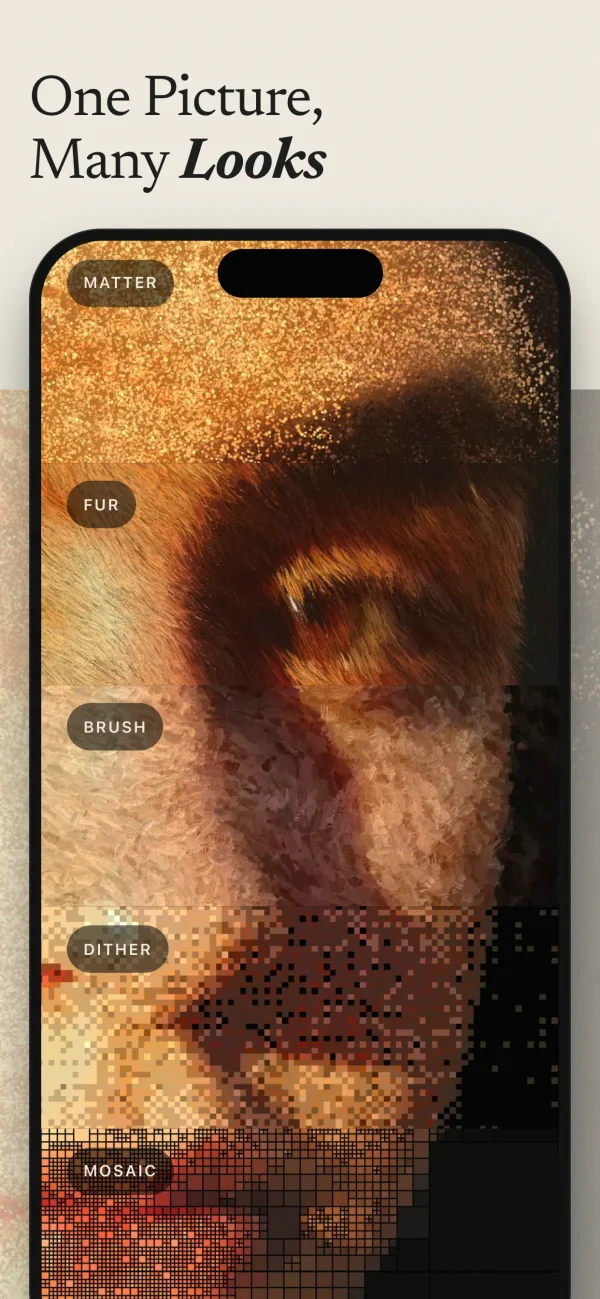
Brush. Painted stroke by stroke, coarse to fine, as you move.
Mosaic. Rebuilt from its own colours. Cells split where there is detail.
Drawn. The world drawn instead of photographed. Flat colour, inked lines.
Matter. The picture as a field of grains that drift and settle.
Fur. Combed strands that follow what the camera sees.
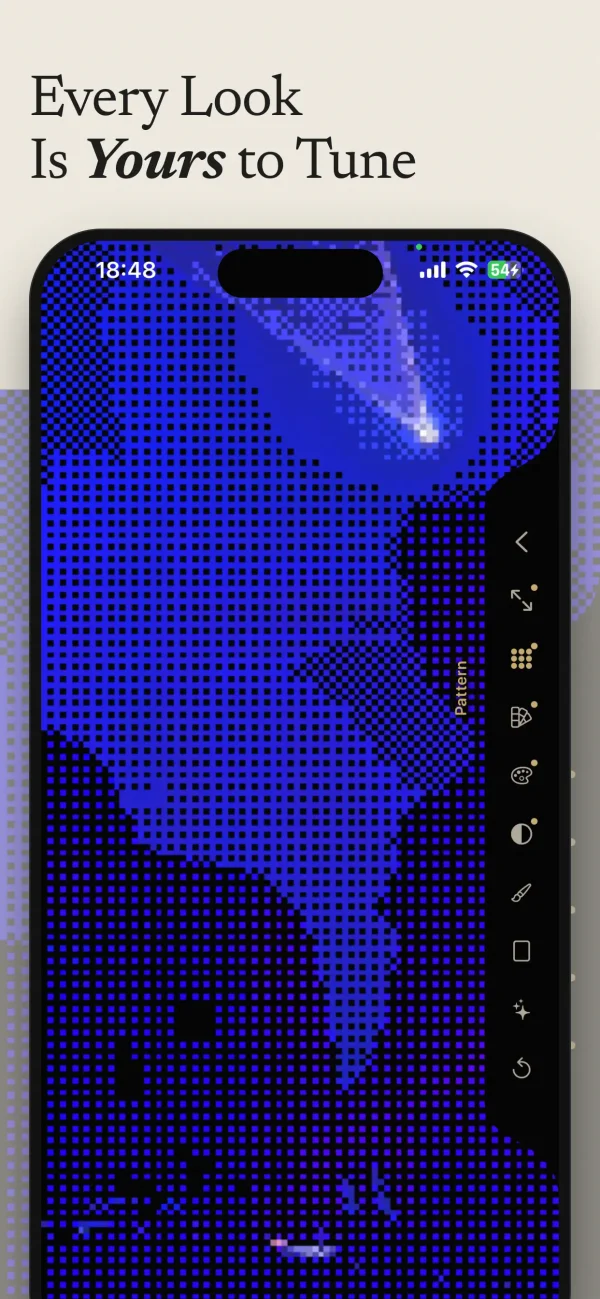
Dither. Tone traded for dots on one fixed grid, nothing in between.
Halftone. Print dots on a square or hex grid, in four shapes.
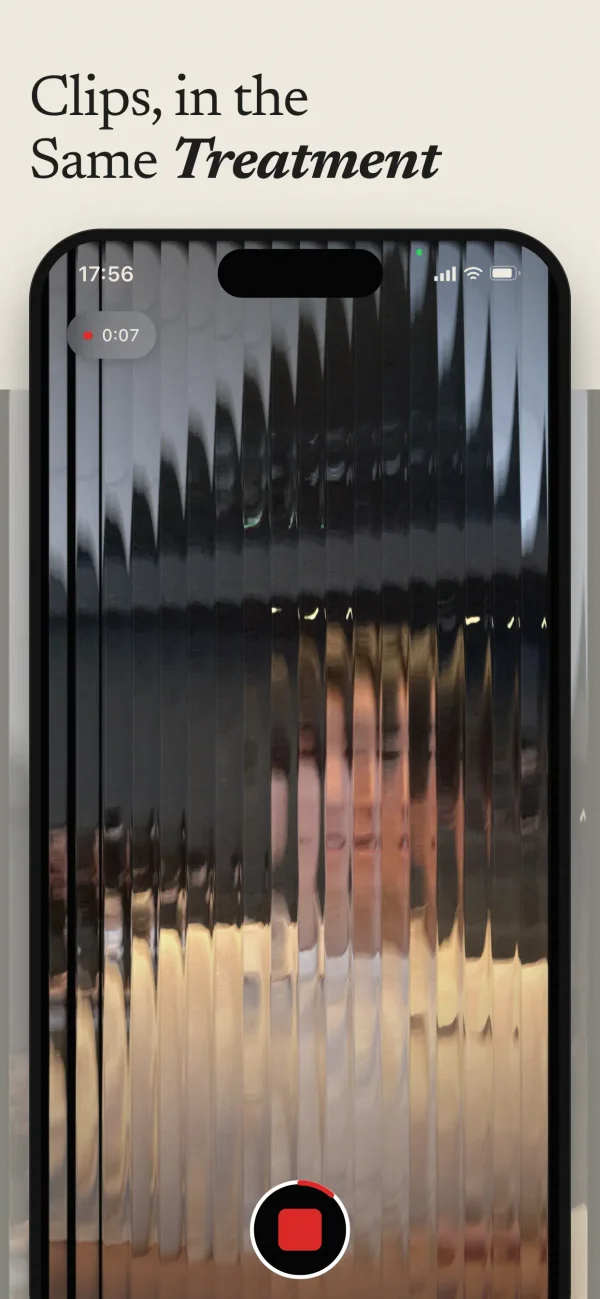
Fluted. Seen through ribbed glass. The world arrives in strips.
Water. Refraction and caustics, the scene read through moving water.
Code. Digital rain over katakana, lit by whatever the camera sees.
The list grows. New Looks arrive in updates.
TAP OR HOLD
Tap the shutter for a photo. Hold it to record, up to ten minutes. Video
renders in the background at full quality, one frame at a time, using the
exact settings you shot with.
TUNE ANYTHING
Every Look has its own knobs. Size, grain, relief, speed, depth, whatever
that Look actually has. Drag the handle at the edge of the screen and the
picture changes under your thumb. Tap a knob to put it back.
BRING YOUR OWN
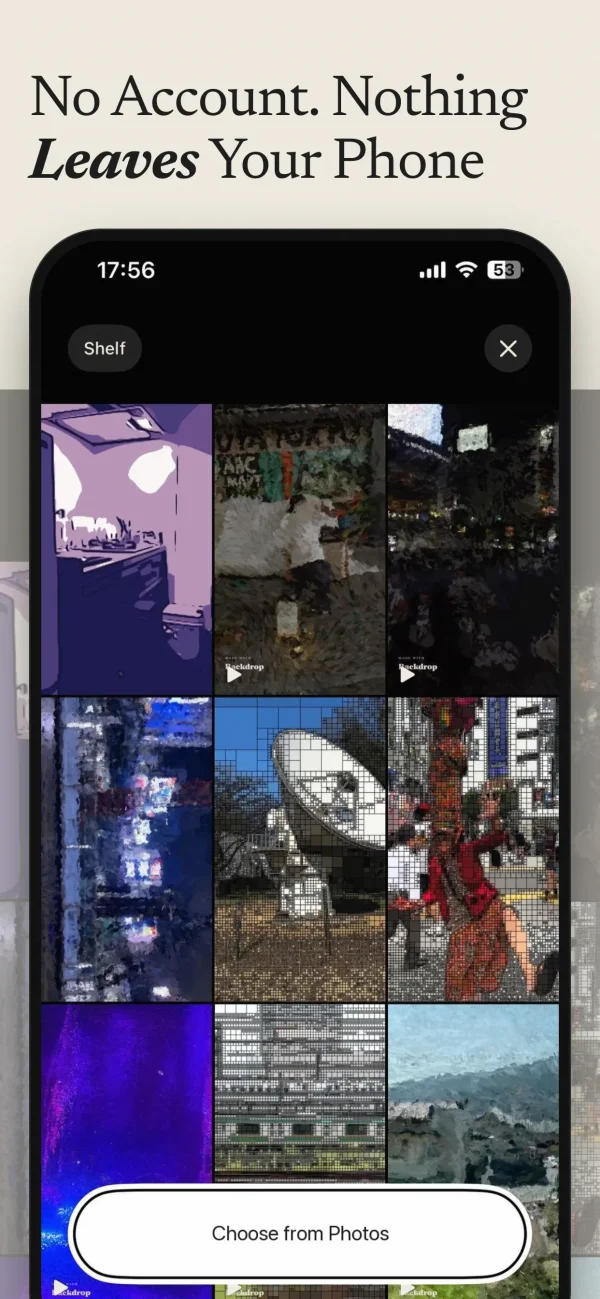
Choose from Photos to run something you already have through a Look. For
video, trim it first, pick the frame, then render.
NOTHING LEAVES YOUR PHONE
No account, nothing to sign in to. No servers. What you shoot sits in the
Shelf on your device. Saving a copy to Photos is a switch, off until you
turn it on.
BACKDROP PREMIUM
Dither, Water, Halftone and Drawn are free, and they record video too.
Premium opens every Look, including the ones added later, and takes the
Backdrop mark off everything you shoot.
Monthly and annual. Payment goes to your Apple Accou
renews unless you turn it off at least 24 hours befo
Manage or cancel in Settings, Apple Account, Subscri
Privacy: backdrop.wiki/privacy
Terms: backdrop.wiki/terms
Terms of Use (EULA): https://www.apple.com/legal/internet-services/itunes/dev/stdeula/
iPhone. iOS 18 and later.
Novedades
Versión 3.1 · 4/11/2026
New
• Swipe the Looks right under the shutter. Each one ticks into place, and the Look is in the shutter's face.
• A photo and video switch sits above the shutter. Video is first, with a red ring while you record.
• Recording starts after the start tone, so the tone never ends up in your Clip.
• A new first run teaches the camera by doing: pick a Look, record a Clip, save it.
• Save to Photos right from the viewer.
• A Clip that didn't finish developing now waits on the Shelf. Tap it to develop.
• The Backdrop mark on free Clips now comes alive: its B bursts open the way the app does.
• The record clock no longer jumps back, and sideways swipes step the Look again on videos you bring in.
Privacidad de la aplicación
Lo que Shekhar Upadhaya declara en App Store sobre cómo esta aplicación gestiona los datos.
-
Datos vinculados a ti
Pueden recopilarse y vincularse a tu identidad.
- Información de contacto
Las prácticas de privacidad pueden variar, por ejemplo, según las funciones que uses o tu edad.
Información
- Vendedor
- Shekhar Upadhaya
- Categoría
- Foto y vídeo
- Versión
- 3.1
- Actualizado
- 4/11/2026
- Publicado
- 30/6/2026
- Tamaño
- 130,8 MB
- Requiere
- iOS 18.0 o posterior
- Clasificación por edad
- 4+
- Precio
- Gratis
- Compras en la aplicación
- Sí
- Idiomas
- Inglés
- Copyright
- © 2026 Backdrop
Quizá también te guste
-
 Image ShiftFoto y vídeo
-
 ASCII Lab: Foto a arte textualVideo, cámara y efecto Matrix
-
 ReactifyFoto y vídeo
-
 Magic RefitFoto y vídeo
-
 Scryer: Glitch RitualMira mundos en tu expresión
-
 Vid Loop: Time Effect CameraFoto y vídeo
-
 CamVerse – Live Camera EffectsFoto y vídeo
-
 Mirror Booth: cara simétricaFiltros divertidos de selfie
-
 Time Flow SketchFoto y vídeo
-
 Tone Cam — Printed PhotosFoto y vídeo