BDI-3 Mobile Data Solution
BDI-3 Mobile Data Solution
Diseñada para iPad
Gratis
- Clasificación por edad4+
- CategoríaEducación
- DesarrolladorRiversideInsights
- Tamaño208,1 MB
Enlaza a la página oficial de App Store
Download.org no aloja ningún archivo de BDI-3 Mobile Data Solution. El botón abre la página de la aplicación en App Store, donde la publica RiversideInsights. Ficha comprobada por última vez el 14/11/2026.
Capturas de pantalla
Acerca de
El desarrollador no ha proporcionado este texto en tu idioma.
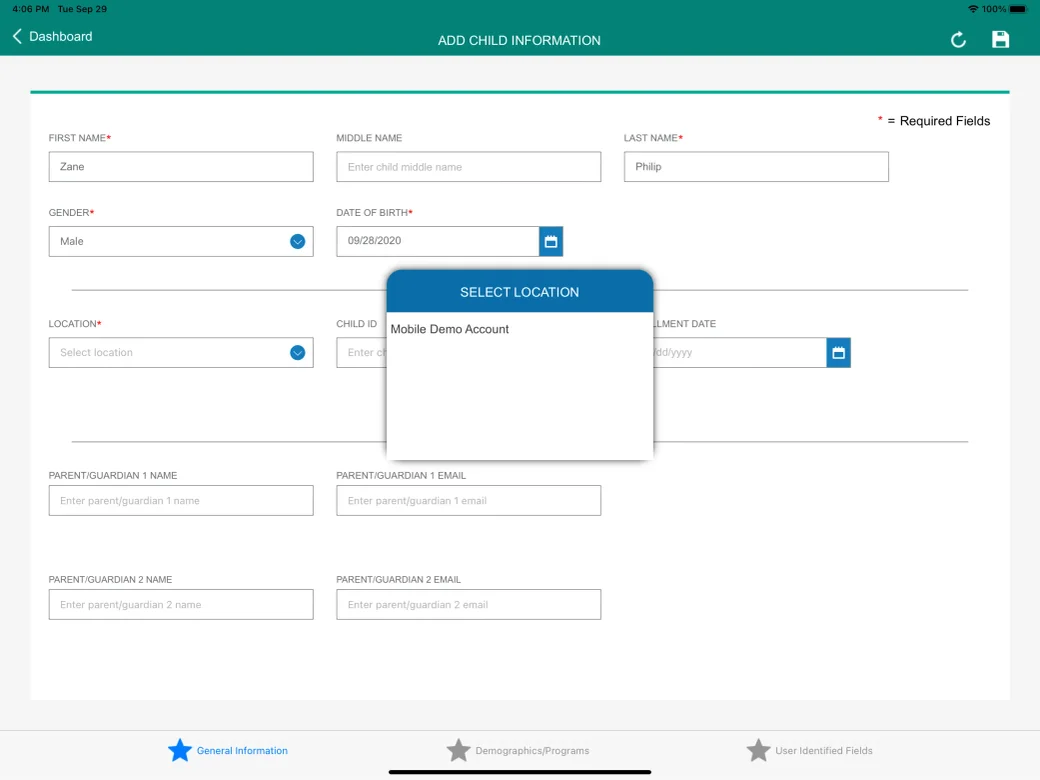
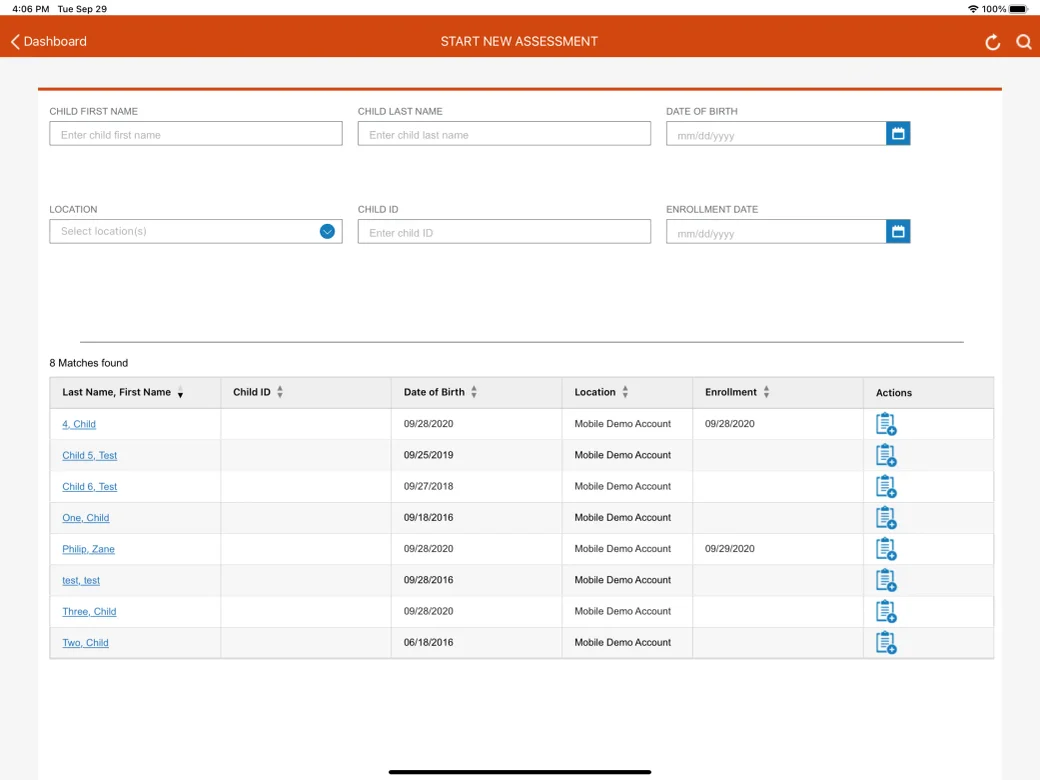
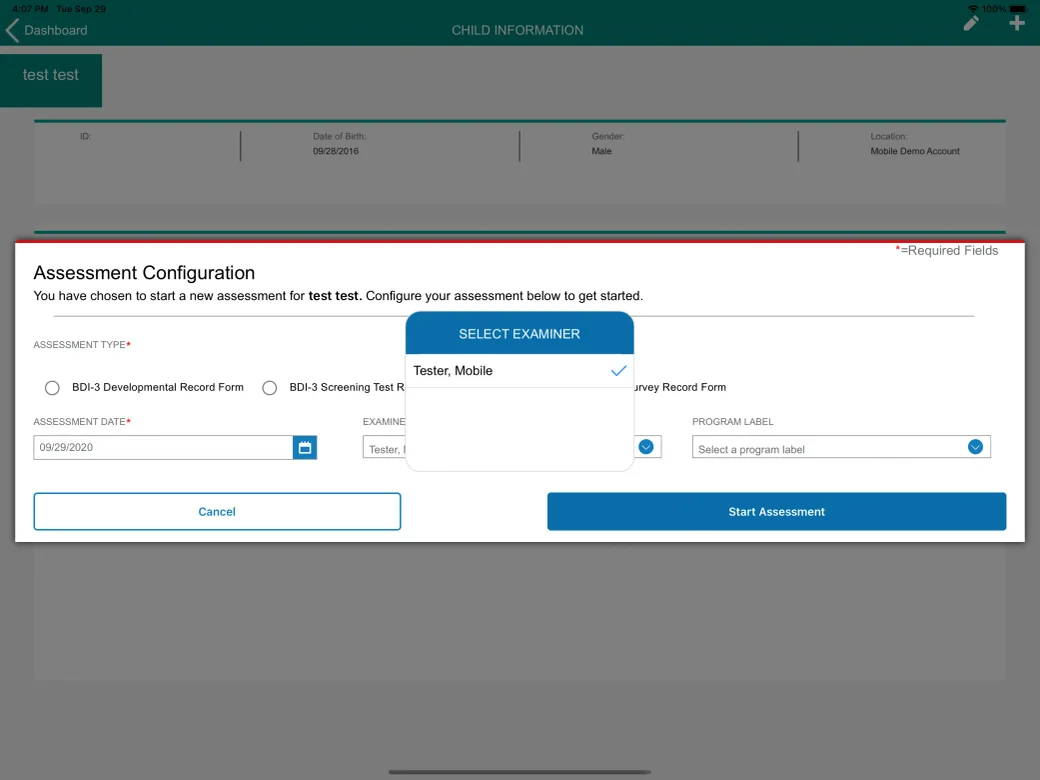
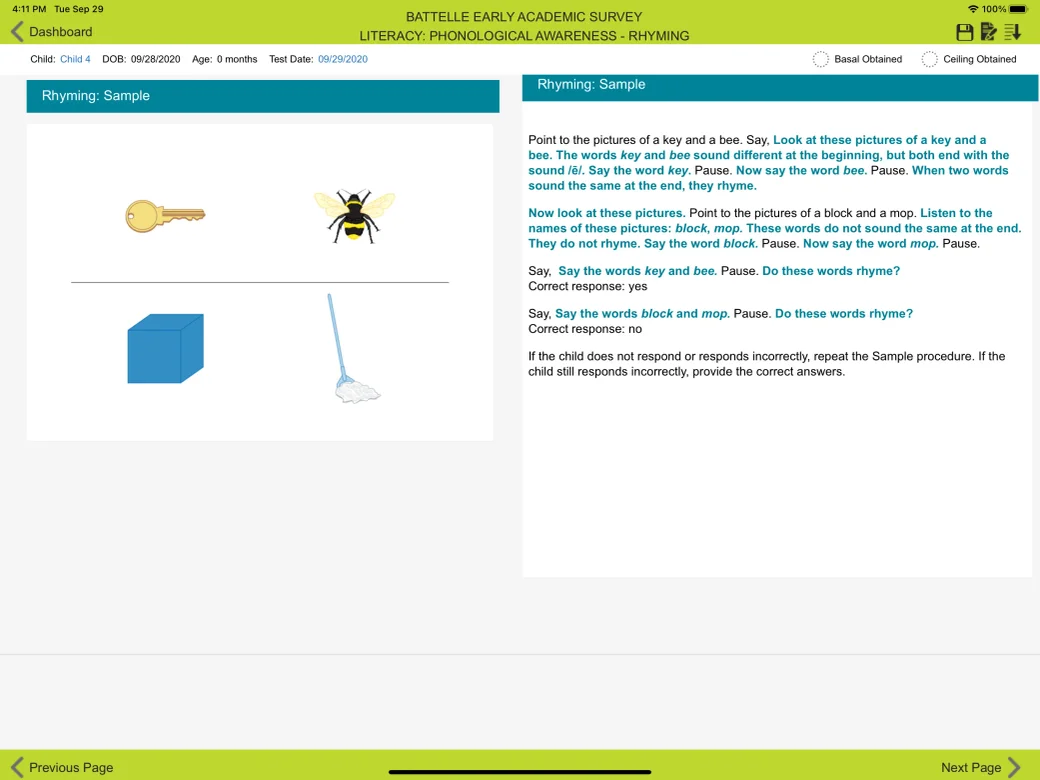
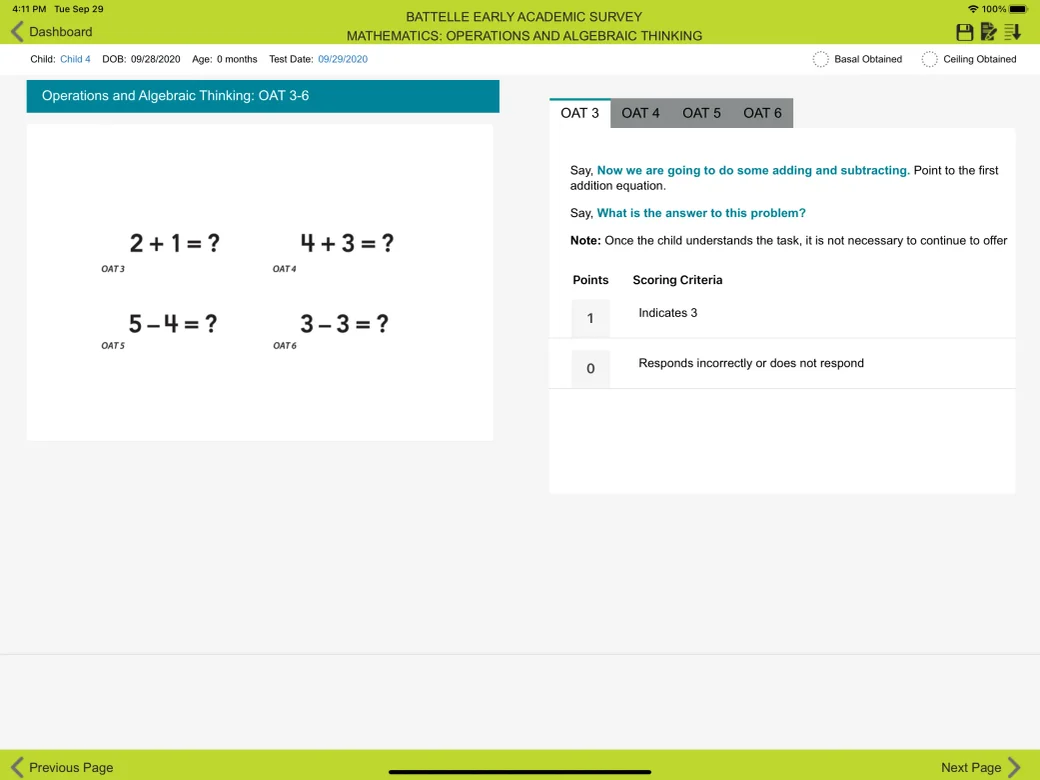
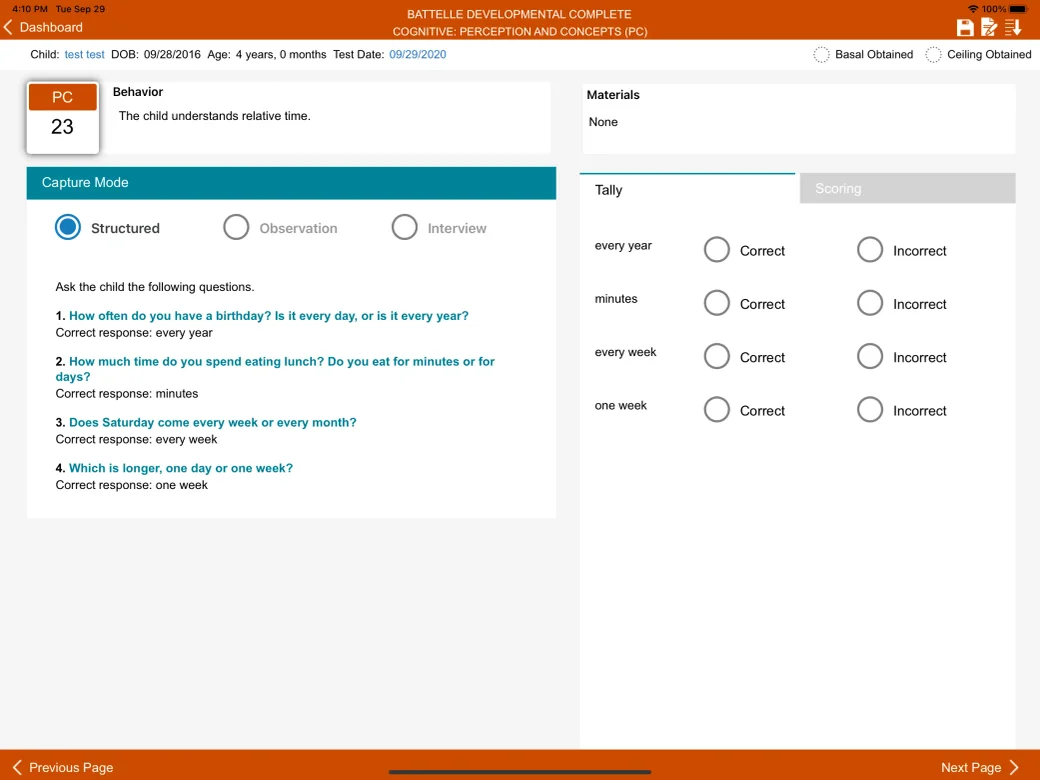
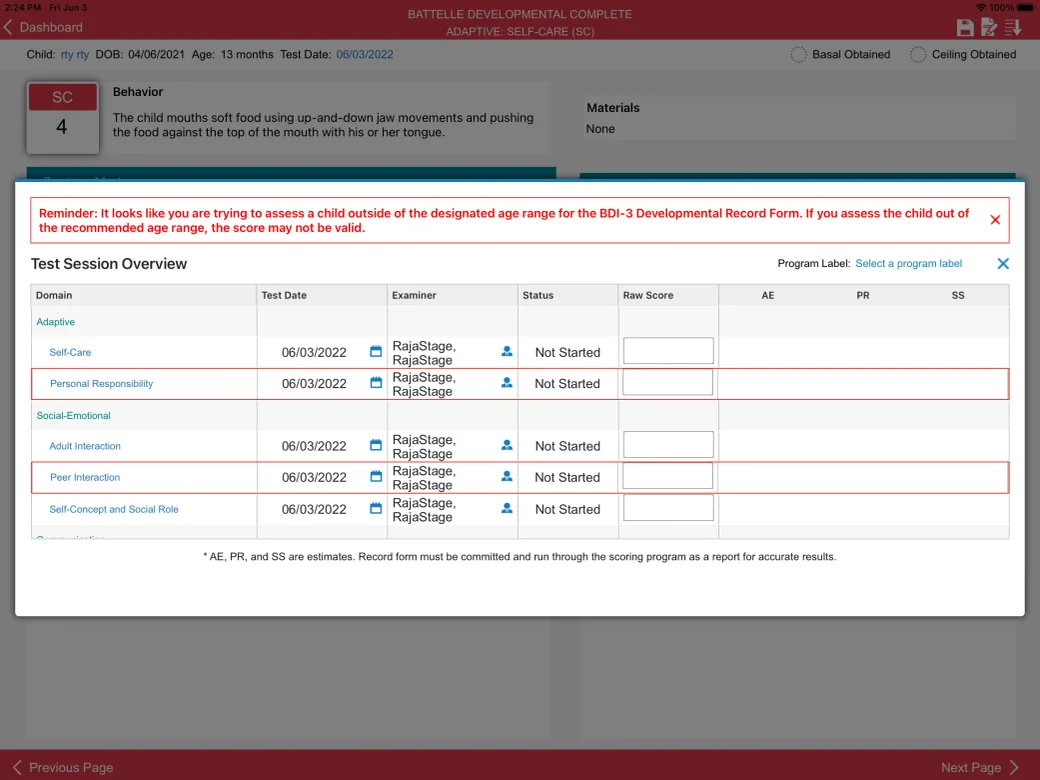
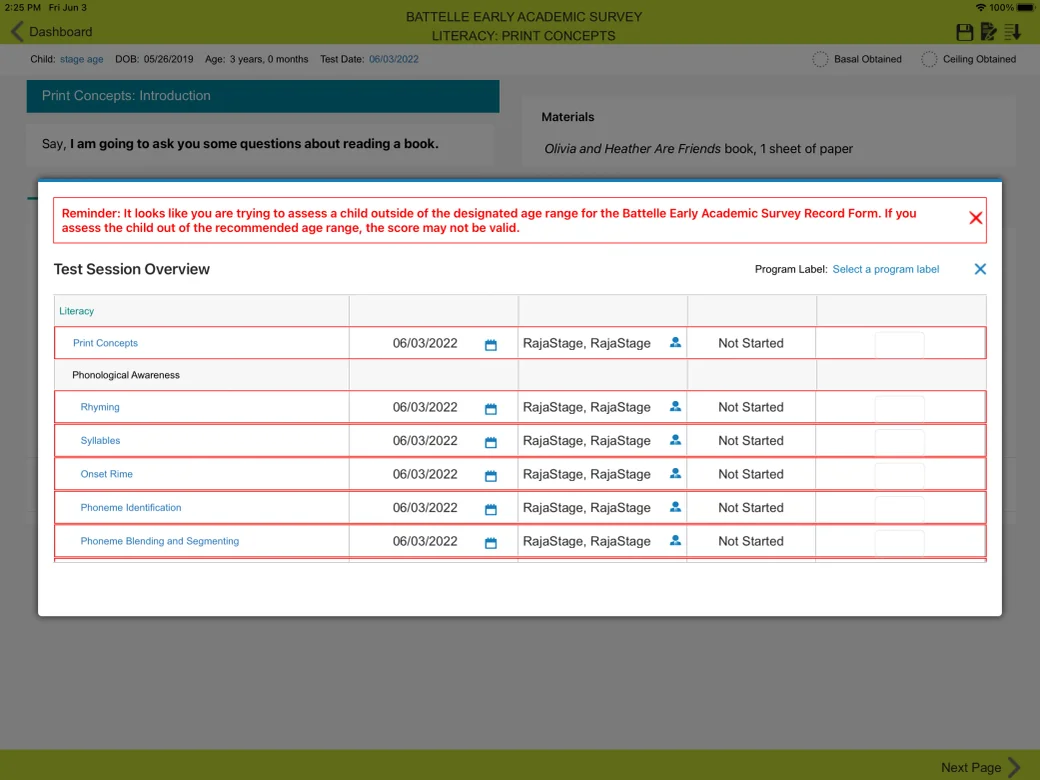
BDI-3 Mobile Data Solution (MDS) is an online and offline application to assist with the administration of the Battelle® Developmental Inventory 3rd Edition™ suite of products. The Battelle Developmental Complete, BDI-3 Screening Test, and the Battelle Early Academic Survey are clinical assessments that may be assessed through the BDI-3 MDS. The application provides guided digital assistance with the administration of each of the three products. The guided digital assistance includes basal and ceiling indicators, tallied scoring, built in timers, scoring rubrics, and modular reporting options. Within the application the user will be able to add students, administer all three types of BDI-3 assessments, and run reports both online and offline. It also allows the user to sync mobile record forms that they can then access on the riversidescore.com website.
Novedades
Versión 4.5.120 · 19/8/2026
Offline Access & PIN Security for SSO Users
SSO users can now access the BDI-3 MDS app without an internet connection using a secure offline PIN.
PIN Setup
After signing in with SSO, you will be prompted to create a 6-digit offline PIN. This PIN is securely stored on your device and used to verify your identity when the app is offline.
Offline Access
When no internet connection is detected, enter your PIN to access the app and continue working with your existing data. All changes made offline will sync automatically when you reconnect.
Privacidad de la aplicación
Lo que RiversideInsights declara en App Store sobre cómo esta aplicación gestiona los datos.
-
No se recopilan datos
El desarrollador no recopila ningún dato de esta aplicación.
Las prácticas de privacidad pueden variar, por ejemplo, según las funciones que uses o tu edad.
Información
- Vendedor
- Riverside Assessments, LLC
- Categoría
- Educación
- Versión
- 4.5.120
- Actualizado
- 19/8/2026
- Publicado
- 1/10/2020
- Tamaño
- 208,1 MB
- Requiere
- iOS 13.0 o posterior
- Clasificación por edad
- 4+
- Precio
- Gratis
- Copyright
- © 2020 Riverside Assessments, LLC.