BiLens: Front & Back Camera
Beauty·PiP·Color·Live Photos
Diseñada para iPhone, iPod touch
Gratis
- Clasificación por edad4+
- CategoríaFoto y vídeo
- DesarrolladorChaoYuan Zheng
- IdiomasInglés+ 2 más
- Tamaño8,6 MB
Enlaza a la página oficial de App Store
Download.org no aloja ningún archivo de BiLens: Front & Back Camera. El botón abre la página de la aplicación en App Store, donde la publica ChaoYuan Zheng. Ficha comprobada por última vez el 24/11/2026.
Capturas de pantalla
Acerca de
El desarrollador no ha proporcionado este texto en tu idioma.
BiLens — Two Cameras, One Perfect Shot
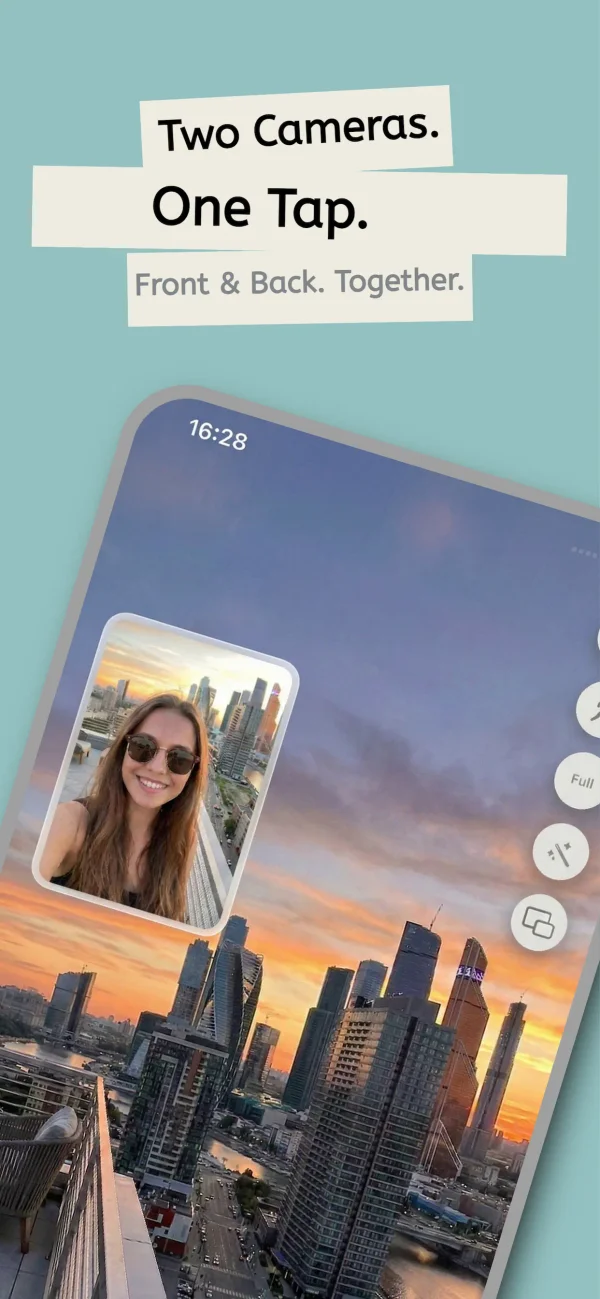
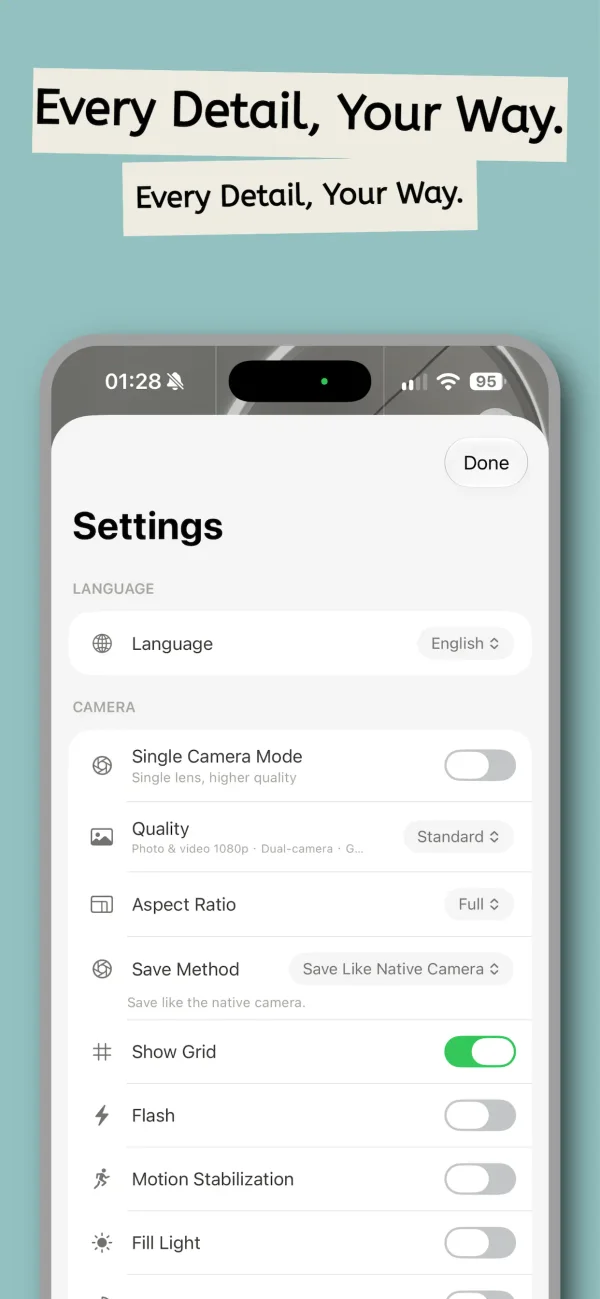
You don't need the latest iPhone to shoot with both cameras at once. BiLens uses your front and rear cameras simultaneously, capturing two perspectives in a single shot to make your photos and videos more lively and fun. Travel vlogs, parent-and-child moments, food and street exploring, everyday memories — capture it all in one shot.
【Dual Cameras, Shot Together】
- Turn on the front and rear cameras at the same time and capture both views with one tap. The front camera records your reaction while the rear captures the scene in front of you — truly "what you see is what you shoot."
【Live Photos】
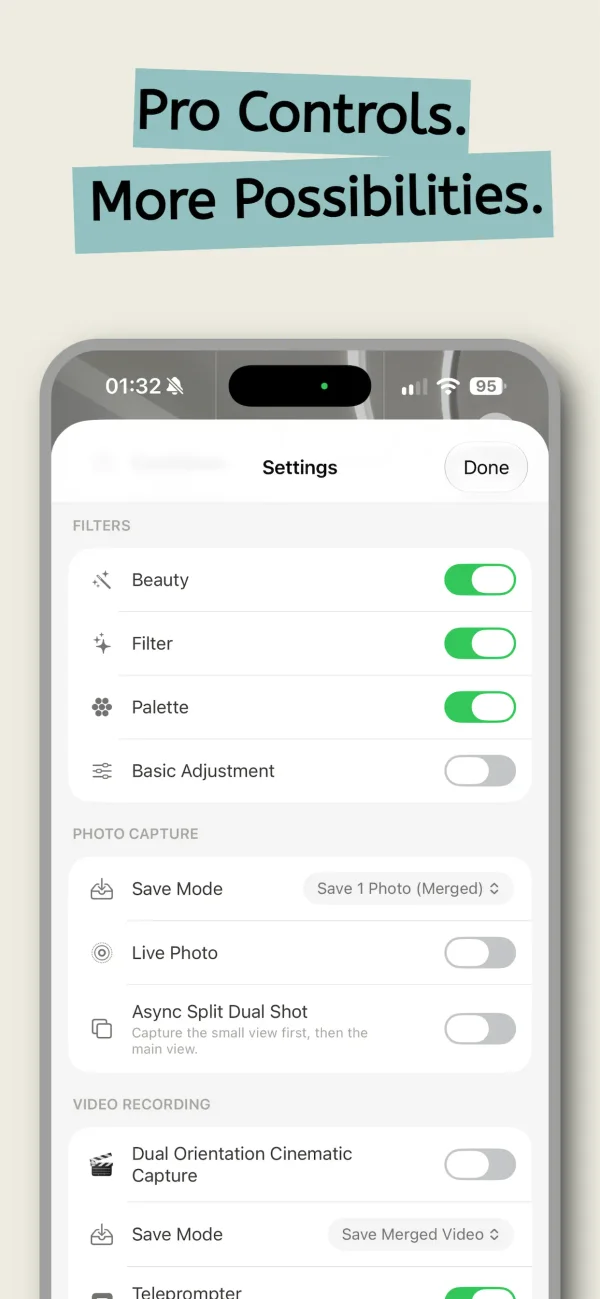
- Your dual-camera shots can be Live Photos too. Just touch and hold to replay the motion and sound of the moment, with support for 48MP high-resolution Live Photos.
【Flexible Layouts】
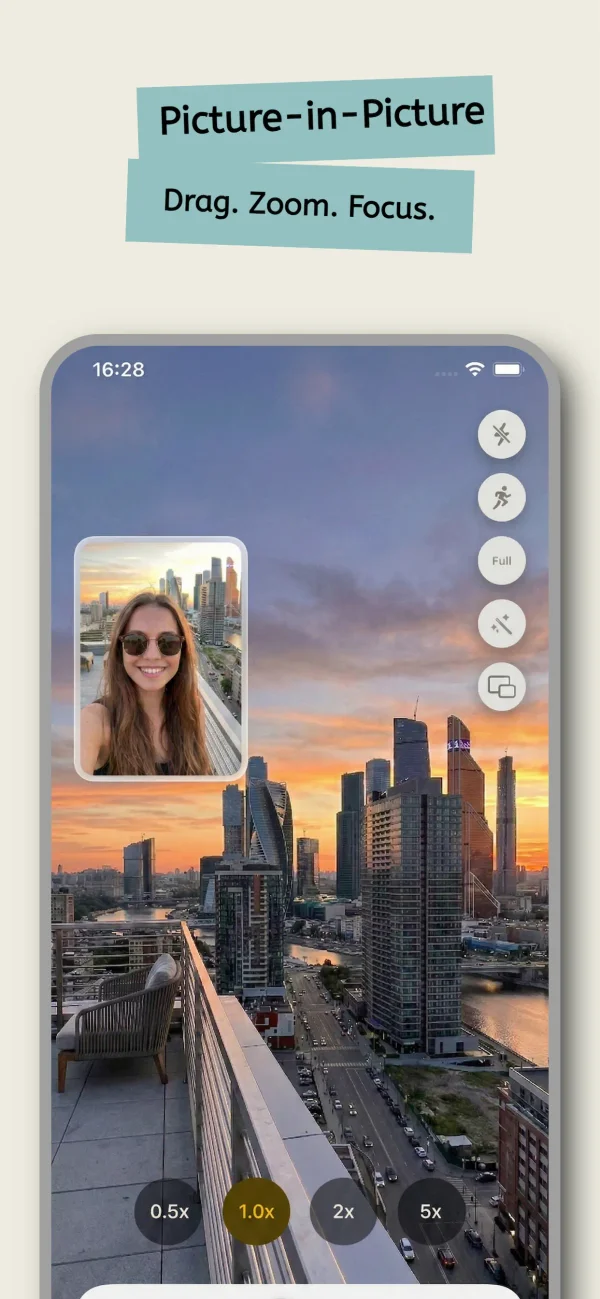
- Picture-in-Picture: a rectangular or circular window you can freely drag and resize; two-finger tap to switch shapes instantly
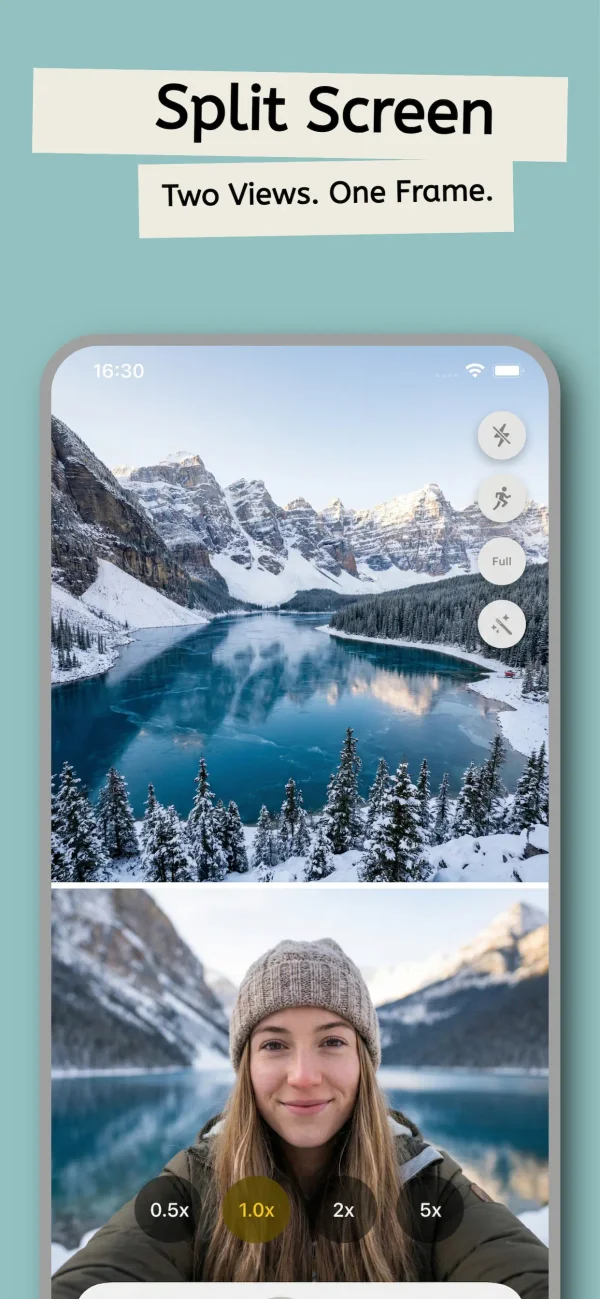
- Top/Bottom or Left/Right split screen: both views shown equally
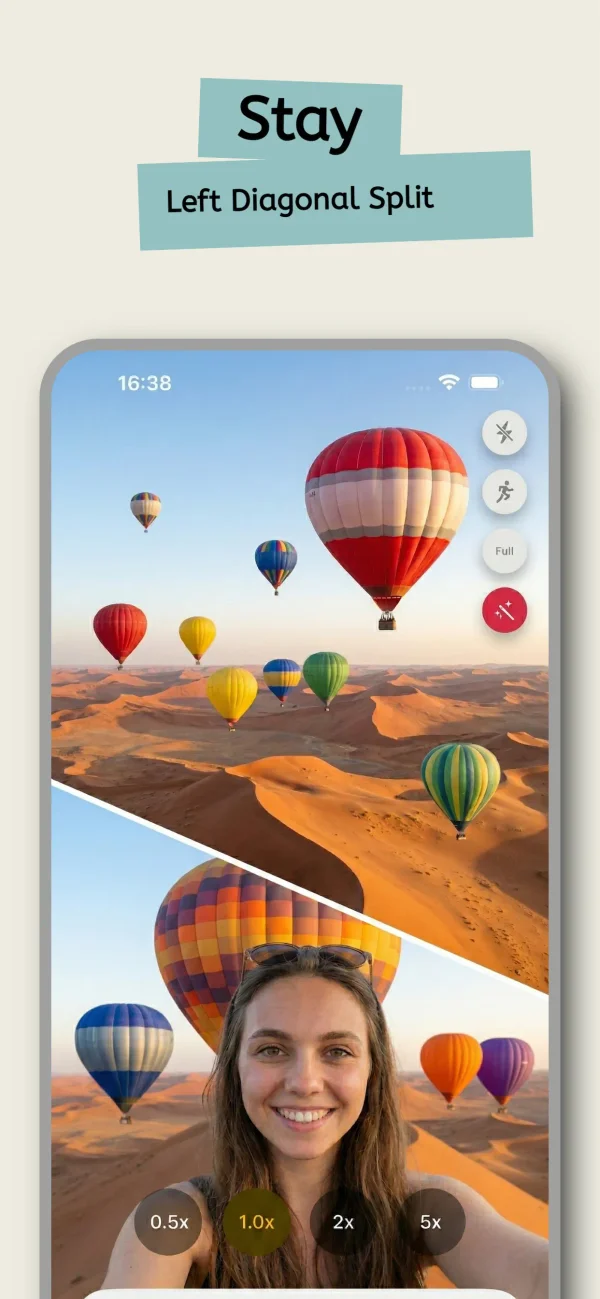
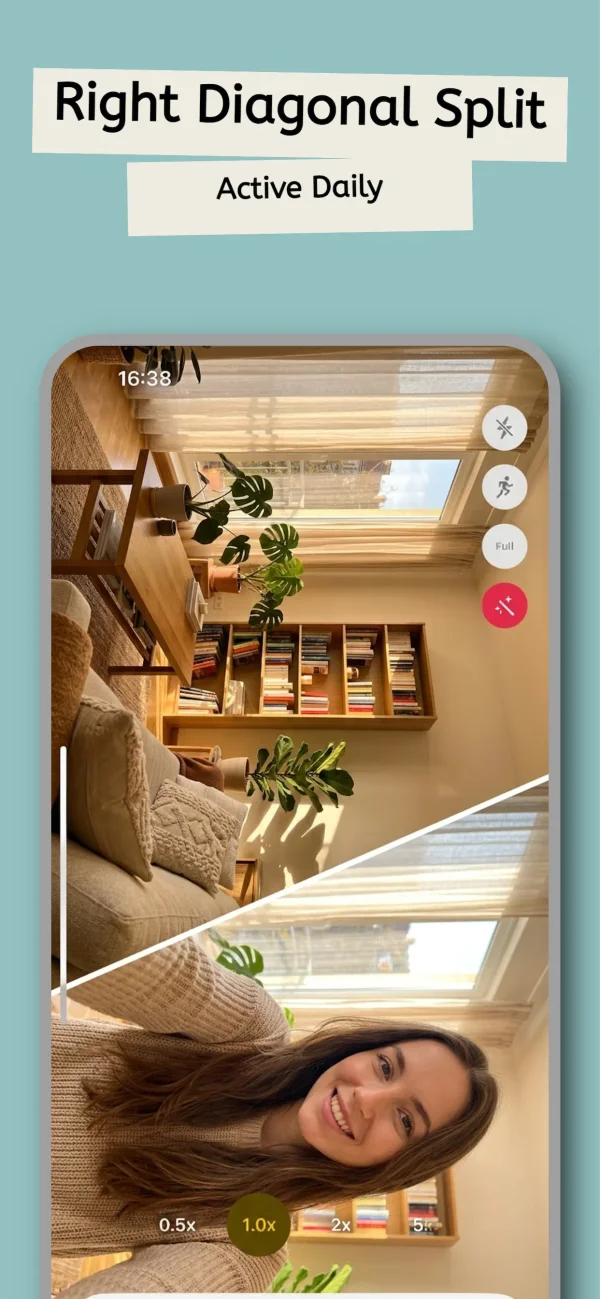
- Diagonal split: left- or right-leaning creative framing for a distinctive look
- Swap the main and secondary cameras with one tap for full control over your angles
【Pro-Level Capture】
- Up to 48MP high-resolution photos and 1080p / 4K ultra-clear video
- Selectable 24/30/60fps frame rates with video stabilization
- Zoom from 0.5x ultra-wide to 5x telephoto
- Multiple ratios: Full, 16:9, 4:3, 5:4, 1:1, 9:16
- Portrait-and-landscape cinematic mode with 4:3 recording
【Beauty & Color】
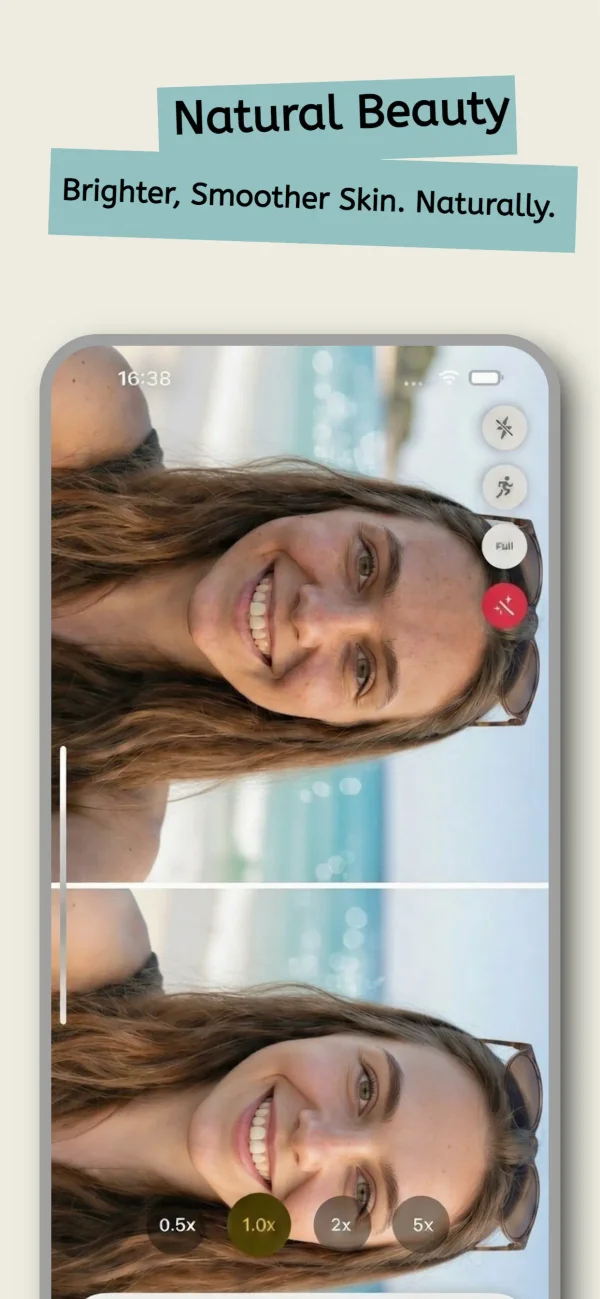
- Skin smoothing and brightening beauty effects, rendered in real time with high-performance Metal — for both photos and video
- Fine-tune with the color panel: brightness, contrast, saturation, grain, coarse grain and more
- A range of filters and film-grain textures to give your shots more character
【Photo Editor】
- Fine-tune every shot right after you capture it:
- Text tool: horizontal or vertical layouts, multiple fonts, one-tap outlines and background colors
- Smart eyedropper: pick any color straight from your photo for perfectly matched styling (Live Photos too)
- Aspect-ratio fill: switch ratios and your image fills the crop frame automatically
- Export in original quality, with date and location preserved
【Teleprompter】
- No script memorizing for vlogs or pieces to camera: on-screen floating prompts with adjustable speed and font size let you speak smoothly right into the lens.
【Tap to Focus & Exposure Control】
- Tap anywhere on screen for precise focus, swipe up or down to adjust exposure, and press and hold to lock focus and exposure (AE/AF Lock).
【Date & Location Watermark】
- Multiple time formats: 24-hour, 12-hour, US/Europe/Asia styles, ISO 8601 and more
- Multiple location formats: city name, GPS coordinates, full address, altitude and more
- Pin the watermark to any corner or drag it freely; adjustable opacity, lockable to prevent accidental moves, with custom text support
【Shooting Countdown】
- 3-, 5-, or 10-second timer, perfect for selfies and group photos.
【Audio Settings】
- Choose mono or stereo, with AAC or Apple Lossless audio quality.
【Flexible Photo Saving】
- Merged: a single photo containing both camera views
- Separate: the merged photo plus the original front and rear shots — 3 photos in total
- Orientation and metadata handled just like the native camera
【More Details】
- Grid lines to help you compose, with customizable PiP border color and thickness
- An easy onboarding guide, a clean and elegant interface, and smooth performance
Have suggestions or feedback? Reach us anytime through the in-app "Feedback & Suggestions" feature.
Novedades
Versión 1.3.1 · 18/11/2026
• Fixed crashes when opening Settings on some older iOS versions and improved effects preview compatibility on older devices.
• Improved dual-camera Live Photo capture stability to reduce occasional capture failures.
• Fixed Motion Stabilization control visibility and toggle behavior, and tuned stabilization to reduce preview lag when moving the phone.
• Improved camera preview recovery after unexpected interruptions.
• Improved Photos permission handling, checking save access before capture and providing clearer guidance.
• Improved photo and Live Photo saving compatibility on some older devices.
• Added a storage check before recording and clearer save-failure messages, with support for saving retained videos after Photos access is restored.
Privacidad de la aplicación
Lo que ChaoYuan Zheng declara en App Store sobre cómo esta aplicación gestiona los datos.
-
No se recopilan datos
El desarrollador no recopila ningún dato de esta aplicación.
Las prácticas de privacidad pueden variar, por ejemplo, según las funciones que uses o tu edad.
Información
- Vendedor
- ChaoYuan Zheng
- Categoría
- Foto y vídeo
- Versión
- 1.3.1
- Actualizado
- 18/11/2026
- Publicado
- 26/3/2026
- Tamaño
- 8,6 MB
- Requiere
- iOS 15.0 o posterior
- Clasificación por edad
- 4+
- Precio
- Gratis
- Idiomas
- Inglés, Chino simplificado, Chino tradicional
- Copyright
- © 2026 Aaron.Zheng
Quizá también te guste
-
 BiCamera: Cámara Dual & VídeoFrontal y trasera: vídeo PiP
-
 CPCamFoto y vídeo
-
 TutuType - Text on PathFoto y vídeo
-
 Filmix CameraFoto y vídeo
-
 PaletteCamera: AI PhotographyFoto y vídeo
-
 Tinge - Color PaletteFoto y vídeo
-
 Colorby: AI Color Editor & CamFoto y vídeo
-
 PaPopFoto y vídeo
-
 ImageFit: Photo CompressorFoto y vídeo
-
 Lingdong PhotoFoto y vídeo