
Blink - Morse Code Flashlight
Offline SOS Torch, Signal Tool
Diseñada para iPhone, iPad
Gratis · Compras en la aplicación
- Clasificación por edad4+
- CategoríaUtilidades
- Desarrollador荣晖 丁
- IdiomasInglés+ 1 más
- Tamaño3,0 MB
Enlaza a la página oficial de App Store
Download.org no aloja ningún archivo de Blink - Morse Code Flashlight. El botón abre la página de la aplicación en App Store, donde la publica 荣晖 丁. Ficha comprobada por última vez el 12/11/2026.
Capturas de pantalla

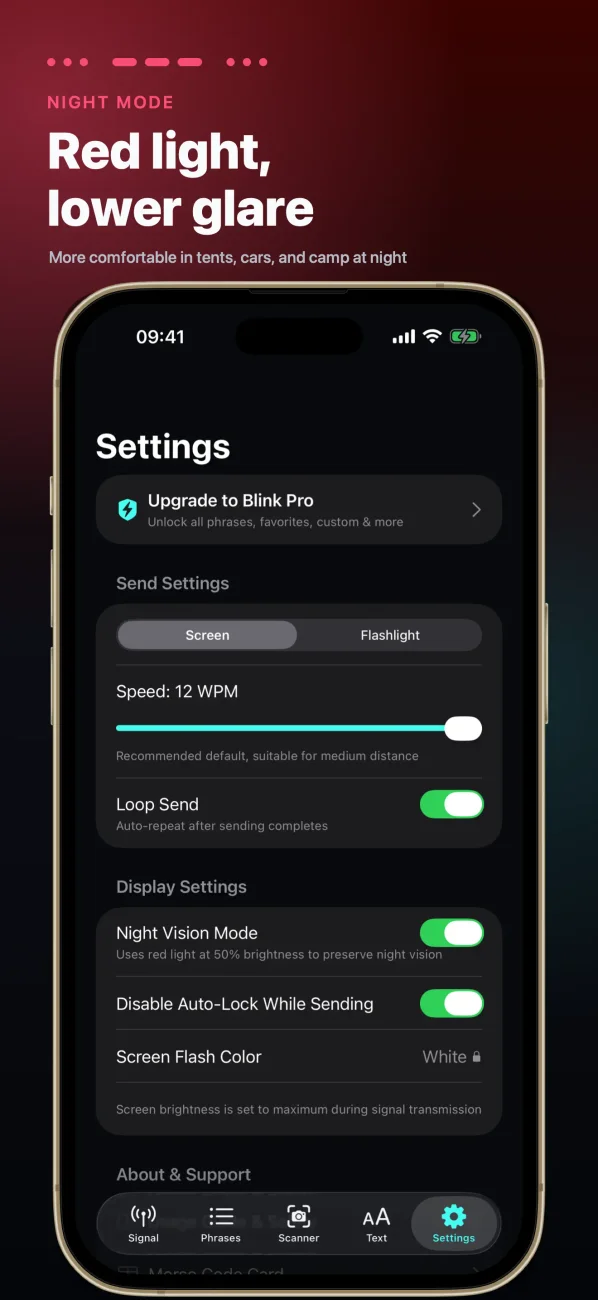
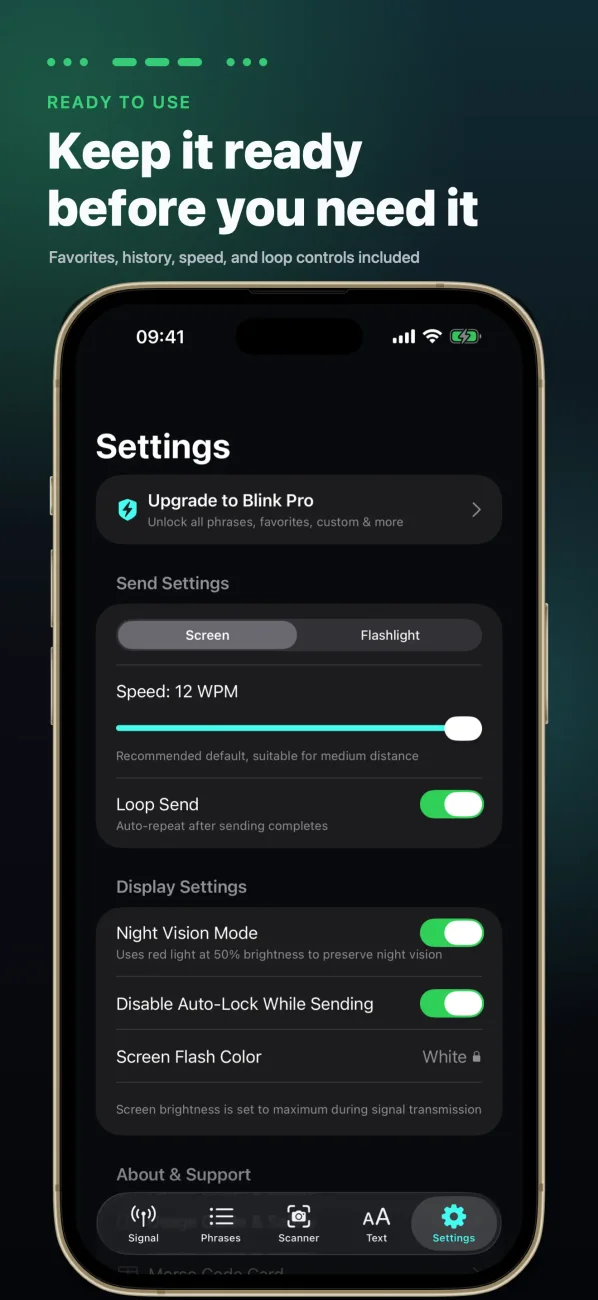
Acerca de
El desarrollador no ha proporcionado este texto en tu idioma.
Blink is an offline light signaling app for sending SOS, preset phrases, and Morse-style flash patterns with your iPhone flashlight or screen.
When you have no network, need a quiet way to get someone’s attention, or want a simple visual signal within sight range, Blink helps you send short, clear messages fast. It is designed for camping, hiking, night meetups, trail coordination, car-to-car reminders, and other short-range communication scenarios where sound or connectivity may not work well.
You do not need to know Morse code before using Blink. Choose SOS, a preset phrase, or enter a short custom message, and the app converts it into a readable flash rhythm. Chinese text can be converted to pinyin before Morse encoding, and you can preview the rhythm before sending.
Key Features
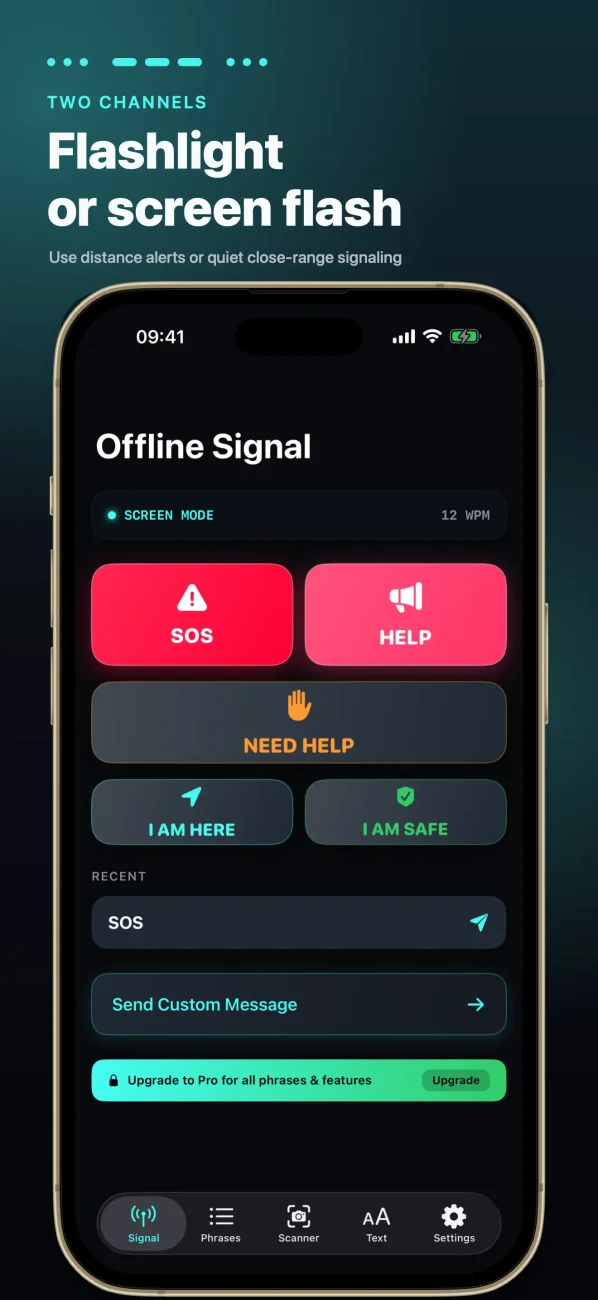
SOS and preset signals
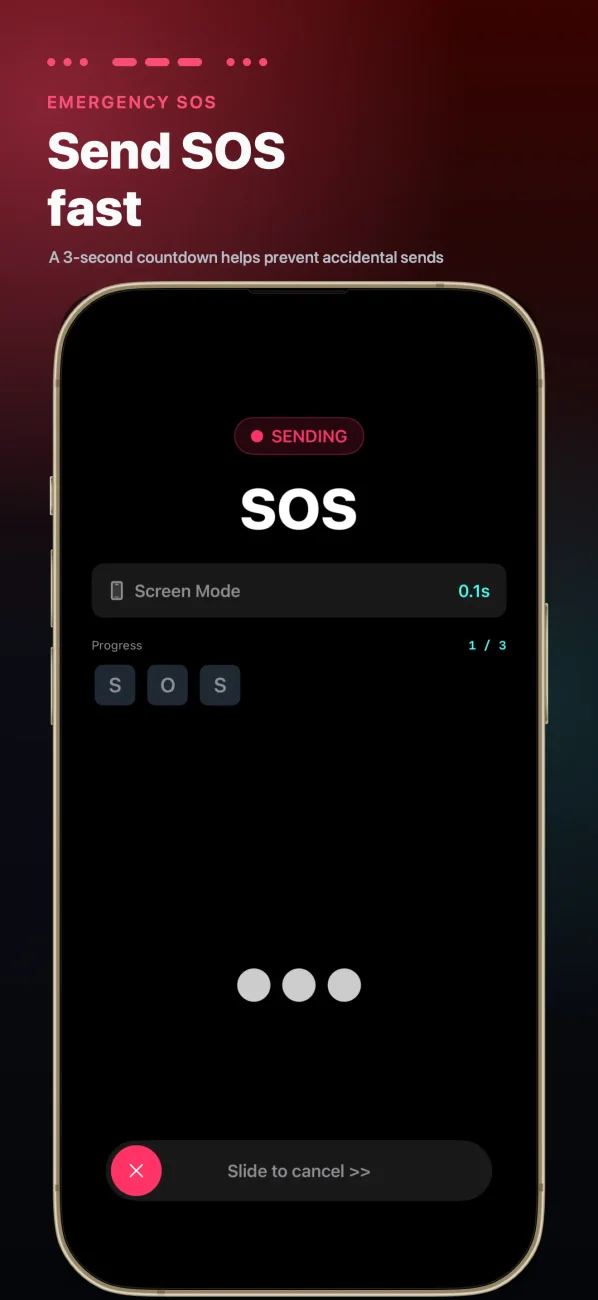
• Send SOS and common emergency phrases quickly
• 3-second countdown helps reduce accidental sends
• Loop sending with clear stop controls
• Live progress, current character, and rhythm display
Two sending modes
• Flashlight mode uses the rear LED for outdoor and night signaling
• Screen mode uses full-screen light for close-range or quiet situations
• Adjustable transmission speed for different distances and conditions
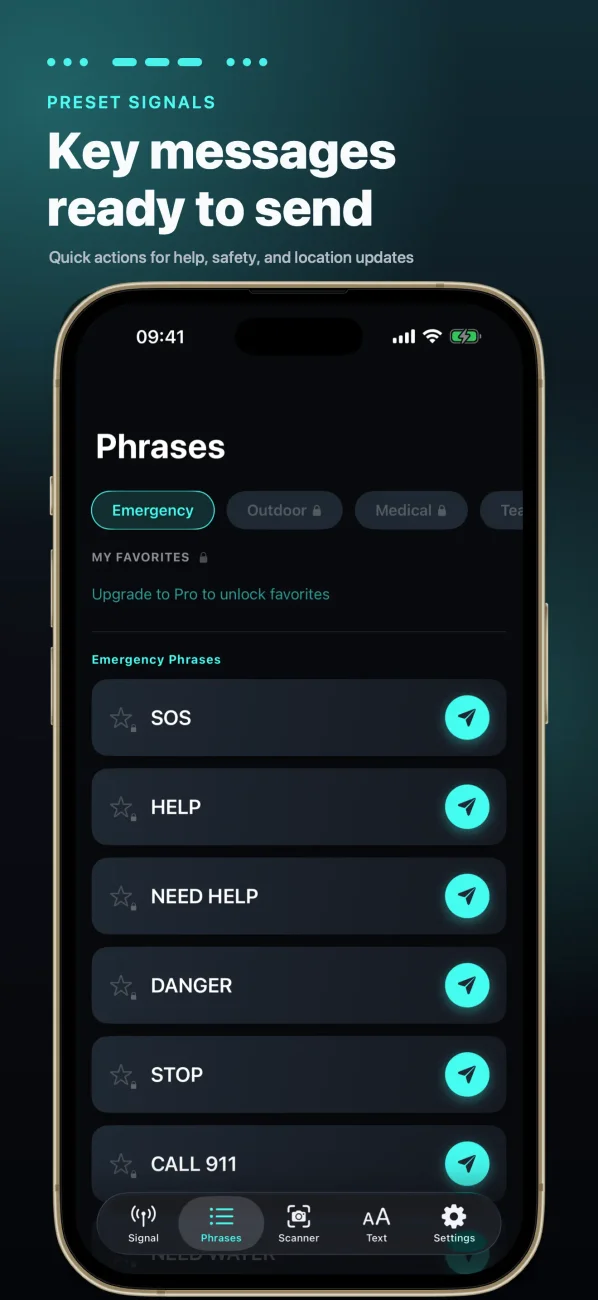
Preset phrase library
• Emergency, outdoor, medical, teamwork, silent communication, and direction phrases
• Useful for common requests such as help, stay here, I am safe, need water, and more
• Good for pre-arranged signals with friends, teammates, or family
Custom messages and text signal tools
• Turn short text into a Morse-style timing preview
• Estimate transmission duration before sending
• Large text, marquee, and flashing text modes for close-range silent cues
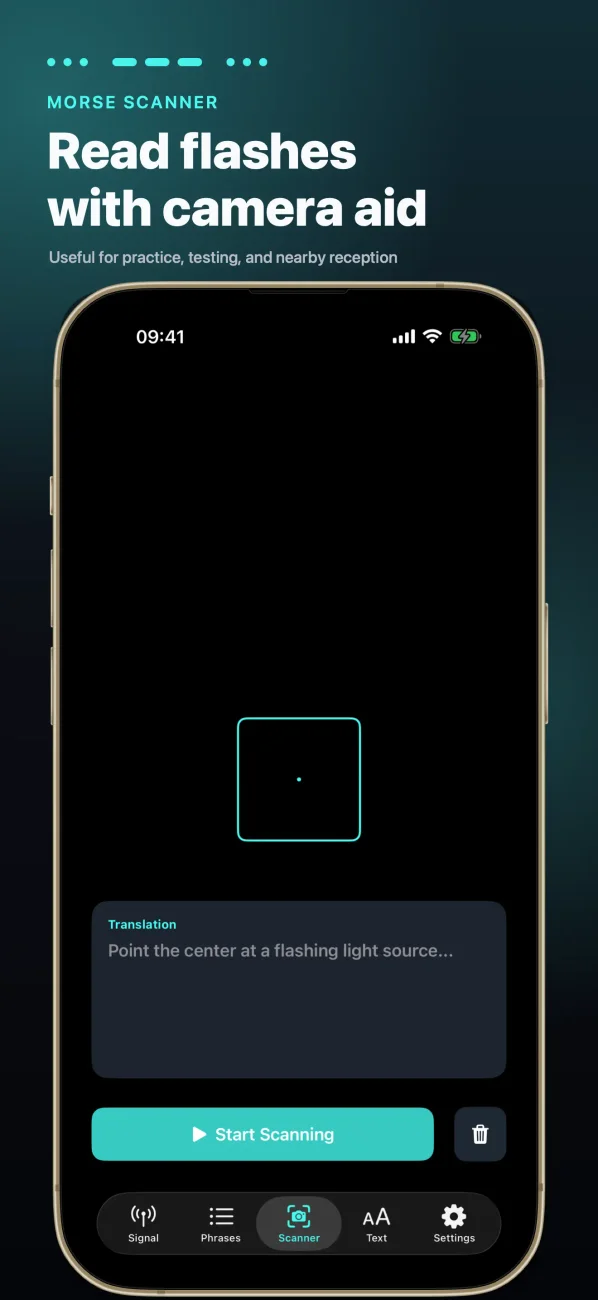
Camera-assisted flash reading
• Point your camera at a flashing light source to help read dot-dash rhythm
• Useful for practice, testing, and nearby reception
• Results depend on distance, alignment, brightness, motion, and ambient light
Night mode and device protection
• Red screen flash with reduced brightness for lower glare at night
• Warnings or automatic fallback for heat and low battery situations
• Pause protection during long repeated sending sessions
• Auto-pause when the app goes to the background
Blink Pro
One-time purchase. No subscription.
• Unlock all phrase categories
• Save favorite phrases
• Add custom phrases and longer custom messages
• Customize screen flash colors
• Access full history and quick resend
• Use higher speed ranges
• Adjust loop intervals
Useful scenarios
• Camping, hiking, and trail coordination
• Night meetups and campsite signaling
• Quiet, non-verbal reminders
• Practice and testing for light-based signaling
• Offline backup signaling when connectivity is unavailable
Important safety note
Blink is an auxiliary signaling tool. It does not contact emergency services, rescue agencies, or personal contacts. In a real emergency, use local emergency numbers, satellite SOS, a whistle, signal mirror, radio, or other more reliable rescue methods when available.
Whether a light signal can be seen or understood depends on distance, obstacles, weather, ambient light, battery level, device brightness, receiver attention, and whether both sides understand the intended meaning. Do not rely on Blink as your only emergency option.
Novedades
Versión 1.0.3 · 19/9/2026
What's New in Version 1.0.3:
1. Auto-Enter Phrase on Launch:
- You can now configure Blink to automatically begin countdown and transmit your preferred phrase (defaulting to SOS) immediately upon opening the app—saving critical seconds in emergency and outdoor situations.
2. Flexible Launch Phrase Selection:
- Choose any phrase from the emergency, outdoor, or medical phrase libraries as your default launch signal, with automatic fallback to international SOS.
3. Safety & Misfire Prevention:
- Features a high-contrast haptic countdown buffer with tap-to-skip for instant transmission, and a one-tap cancel button to prevent accidental misfires.
4. Performance & Localization:
- Enhanced flashlight and screen flash stability, with refined multi-language localization and VoiceOver accessibility improvements.
Privacidad de la aplicación
Lo que 荣晖 丁 declara en App Store sobre cómo esta aplicación gestiona los datos.
-
No se recopilan datos
El desarrollador no recopila ningún dato de esta aplicación.
Las prácticas de privacidad pueden variar, por ejemplo, según las funciones que uses o tu edad.
Información
- Vendedor
- 荣晖 丁
- Categoría
- Utilidades
- Versión
- 1.0.3
- Actualizado
- 19/9/2026
- Publicado
- 23/4/2026
- Tamaño
- 3,0 MB
- Requiere
- iOS 17.0 o posterior
- Clasificación por edad
- 4+
- Precio
- Gratis
- Compras en la aplicación
- Sí
- Idiomas
- Inglés, Chino simplificado
- Copyright
- © 2026 MM Studio
Quizá también te guste
-
 MorseCode BlinkUtilidades
-
 Código Morse: Aprende y SOSTraductor, decodificador
-
 倒数天数-目标日期天数变化与剩余时间查看Utilidades
-
 数数日子Utilidades
-
 SOSLight: Morse FlashlightUtilidades
-
 MY Morse Code FlashlightUtilidades
-
 pro-emergency-flashlightUtilidades
-
 FlashSOS Emergency FlashlightUtilidades
-
 Herramientas de senderismo GPSAltímetro, brújula y barómetro
-
 Lumorse: Morse Code & LightUtilidades