- Clasificación por edad4+
- CategoríaFinanzas
- DesarrolladorEduardo Garcia
- IdiomasInglés+ 8 más
- Tamaño7,5 MB
Enlaza a la página oficial de App Store
Download.org no aloja ningún archivo de Brote. El botón abre la página de la aplicación en App Store, donde la publica Eduardo Garcia. Ficha comprobada por última vez el 17/11/2026.
Capturas de pantalla

Acerca de
El desarrollador no ha proporcionado este texto en tu idioma.
Brote is the personal finance app that gives every dollar a job.
Most budgeting apps only show what you already spent. Brote helps you plan ahead, so you always know how much to set aside each week for rent, a car payment, groceries, or anything else that’s coming.
ENVELOPES THAT FUND THEMSELVES
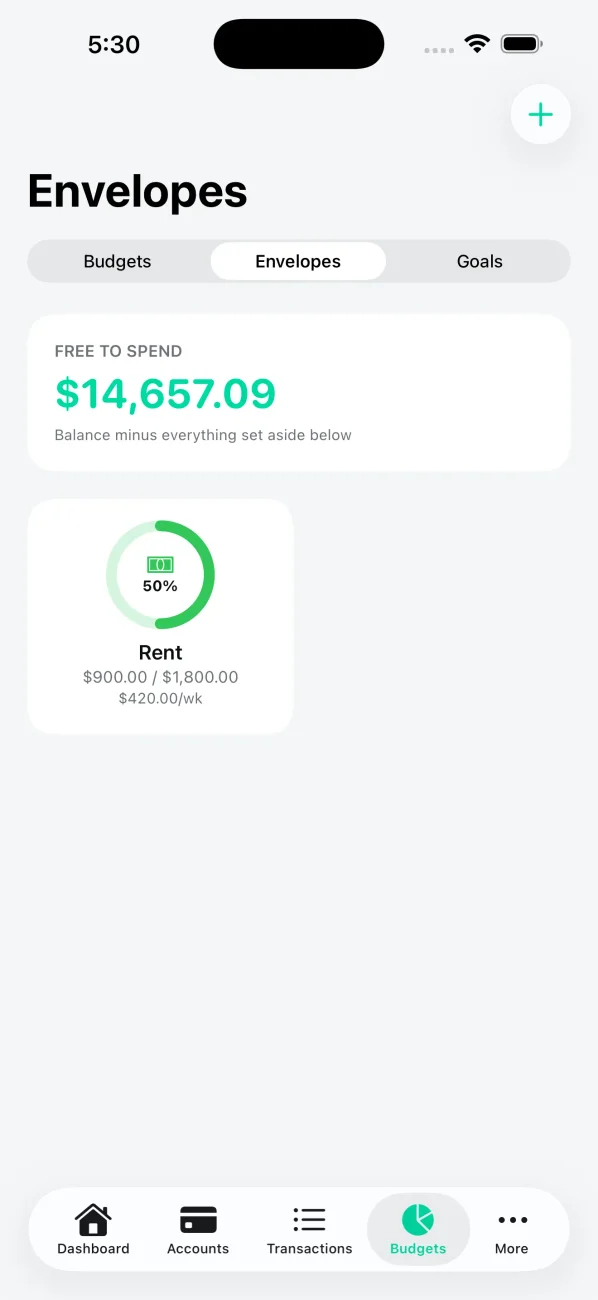
Create an envelope for any recurring cost and link it to a bill you track. Brote shows how much to save each week, and when the bill is paid, the envelope draws down automatically.
KNOW WHAT’S ACTUALLY FREE TO SPEND
See your balance minus everything you’ve already set aside.
BUDGETS THAT ALERT YOU
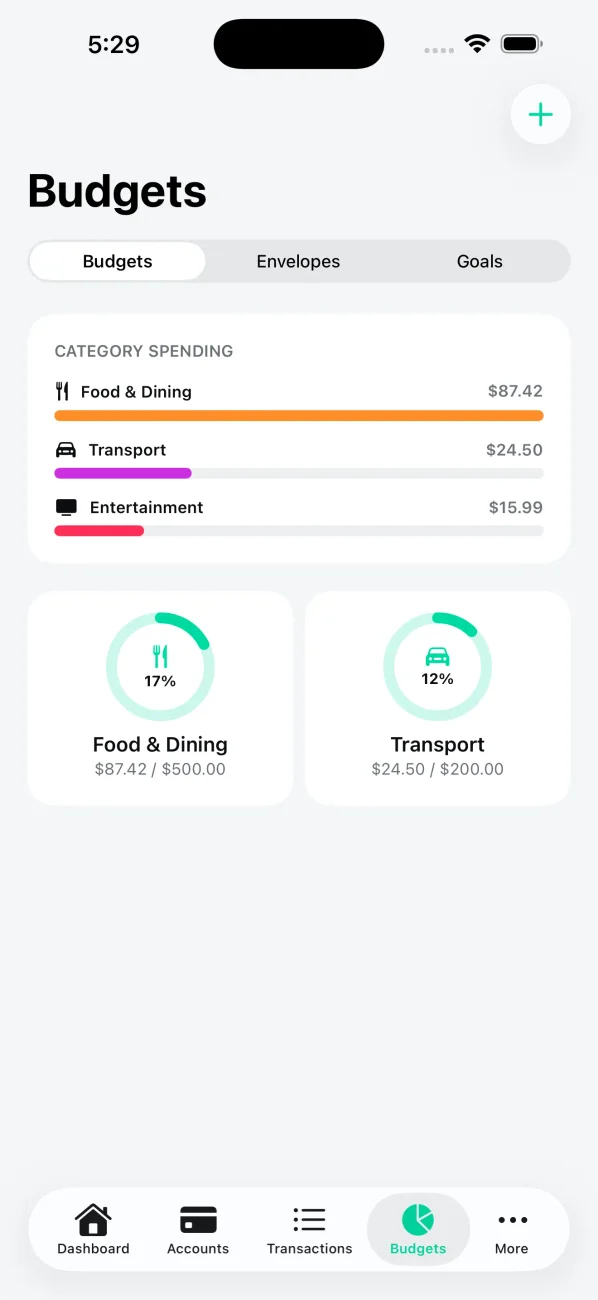
Set a monthly limit for each category and get a notification when you’re close to it or over.
SPLIT TRANSACTIONS
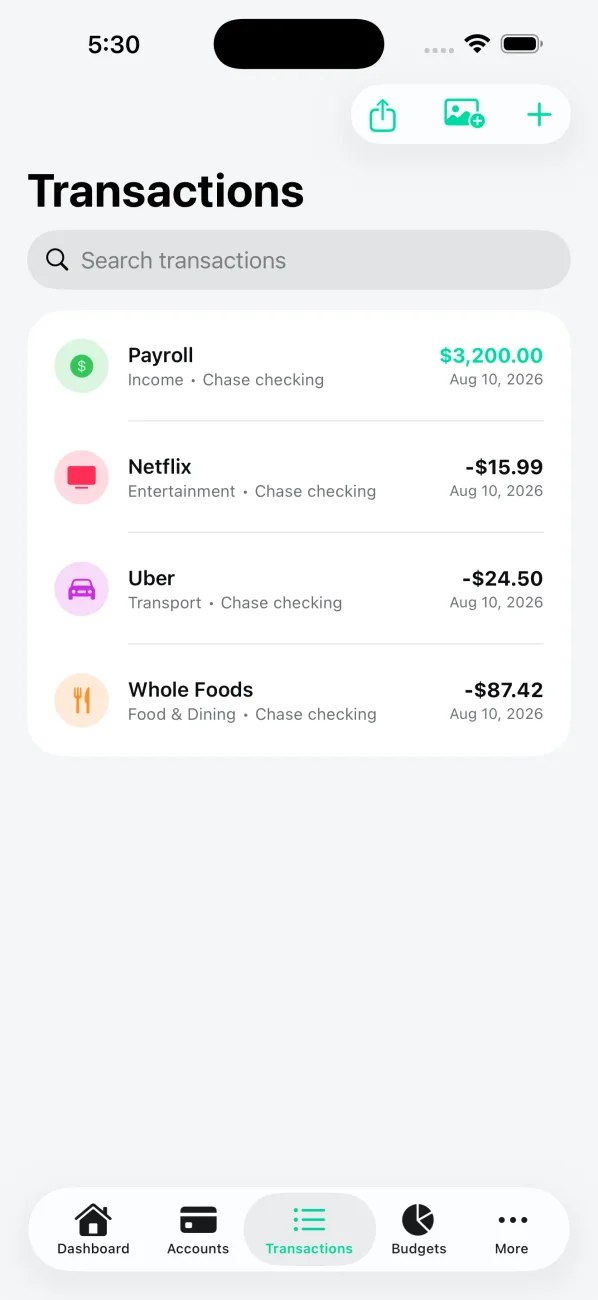
Divide one purchase across as many categories as you need.
GOALS AND RECURRING BILLS
Save toward one-time goals, and track subscriptions and bills, with optional automatic logging when they’re due.
RECEIPTS AND SCREENSHOTS
Scan a paper receipt or import a screenshot of your transactions. Brote reads the merchant, amount, and date, and you review every entry before it’s saved.
ASK YOUR MONEY
Ask questions in plain language, like “How much did I spend on dining last month?” or “How much do I have left in my transport budget?” Brote answers from your own numbers.
MONTHLY INSIGHTS
Get a short summary of this month compared with last month, with one practical tip.
The AI features run on your device using Apple Intelligence, on supported iPhones. They don’t need an account, and your financial information isn’t sent anywhere. They’re hidden on devices that don’t support them.
PRIVATE BY DESIGN
Your data stays in your own iCloud account and syncs across your devices through Apple’s CloudKit. Brote has no servers that receive your financial information, and no ads or tracking.
MADE FOR IPHONE, INCLUDING FOLDABLE
Face ID protection, Home Screen widgets, and a layout that adapts when you fold or unfold your iPhone. Brote is available in English, Spanish, Traditional and Simplified Chinese, Thai, Japanese, Korean, Indonesian, and Vietnamese.
Download Brote and start giving every dollar a job.
Keywords (100 characters): budget,envelope,finance,money,spending,tracker,expense,savings,bills,receipt,scan,personal finance
Promotional text (170 characters): Track spending, split transactions, and set aside money for rent, car payments, and more, with envelopes that fund themselves automatically.
Two things to check before you submit:
Widgets: the description mentions Home Screen widgets. The widget target exists in the project, so confirm it works on your build before keeping that line.
Translations: Brote is listed in the other languages, but the newest text (“Ask Your Money,” “Insights,” “Describe It”) is English-only until it’s translated.
Novedades
Versión 2.0 · 9/11/2026
Ask Your Money: ask questions about your spending, budgets, and balances in plain language. Available on supported iPhones with Apple Intelligence.
Monthly insights: a short summary of this month compared with last month, on the Reports screen.
Describe It: type a sentence like “coffee at Starbucks $5.50 yesterday,” and Brote fills in the new transaction for you.
Smarter receipt and screenshot import: scanned receipts and transaction screenshots are read more accurately, with categories suggested.
Languages: Traditional and Simplified Chinese, Thai, Japanese, Korean, Indonesian, and Vietnamese, plus a language setting in Settings. The language change takes effect after you reopen the app.
More currencies: Hong Kong, Taiwan, Thai, Singapore, Korean, Japanese, and other Asian currencies. The default currency now matches your region.
Foldable and large-screen support: the layout adapts when you fold or unfold your iPhone, and the bottom bar works the same on every screen.
Bug fixes and improvements to budgets, transactions, and the Dashboard.
Two things to check before you submit:
The AI features are only on supported iPhones with Apple Intelligence turned on, so this note should say so if you want to avoid confusion.
The “Describe It” and “Ask Your Money” text, and the Insights button, are English-only until they’re translated.
Privacidad de la aplicación
Lo que Eduardo Garcia declara en App Store sobre cómo esta aplicación gestiona los datos.
-
No se recopilan datos
El desarrollador no recopila ningún dato de esta aplicación.
Las prácticas de privacidad pueden variar, por ejemplo, según las funciones que uses o tu edad.
Información
- Vendedor
- Eduardo Garcia
- Categoría
- Finanzas
- Versión
- 2.0
- Actualizado
- 9/11/2026
- Publicado
- 26/8/2026
- Tamaño
- 7,5 MB
- Requiere
- iOS 17.6 o posterior
- Clasificación por edad
- 4+
- Precio
- Gratis
- Idiomas
- Inglés, Indonesio, Japonés, Coreano, Chino simplificado, Español, Tailandés, Chino tradicional, Vietnamita
- Copyright
- © 2026 Daniel Garcia