
Bubl Timer
Visual interval timer, history
Diseñada para iPhone
Gratis · Compras en la aplicación
- Clasificación por edad12+
- CategoríaUtilidades
- DesarrolladorFEEL THE ENERGY LLC
- IdiomasInglés
- Tamaño9,3 MB
Enlaza a la página oficial de App Store
Download.org no aloja ningún archivo de Bubl Timer. El botón abre la página de la aplicación en App Store, donde la publica FEEL THE ENERGY LLC. Ficha comprobada por última vez el 15/11/2026.
Capturas de pantalla


Acerca de
El desarrollador no ha proporcionado este texto en tu idioma.
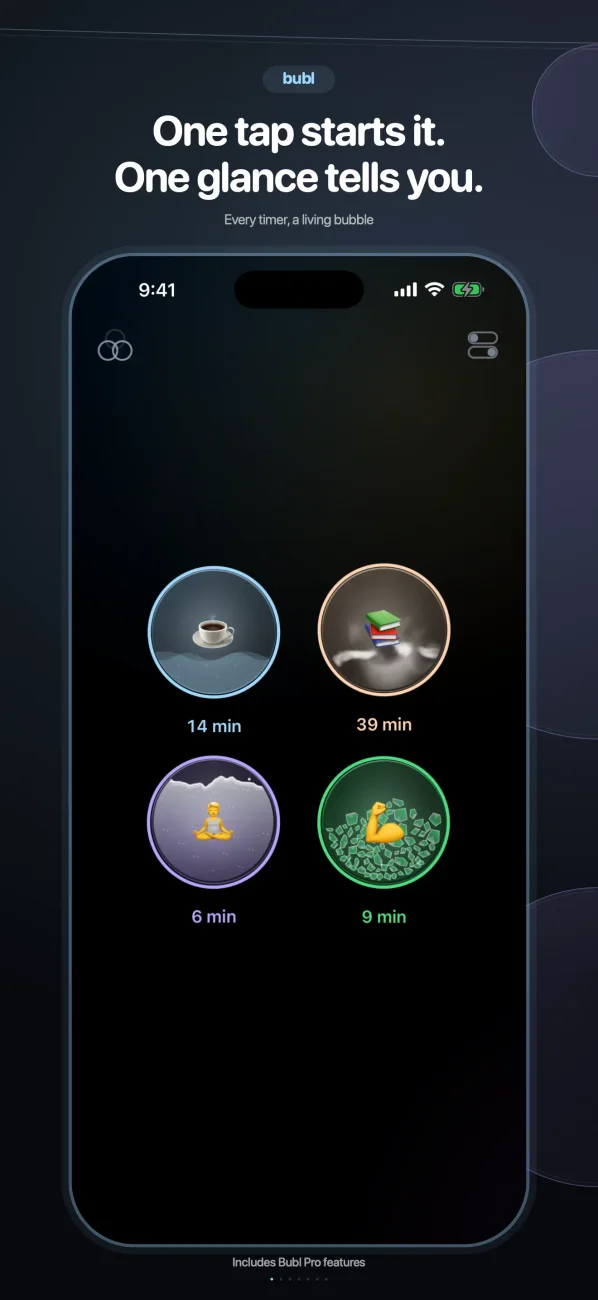
Bubl Timer is an interval timer for moments when you don't want to think. Each timer is a bubble. Tap it to start, tap again to stop, hold it for its history. That's the whole interface.
Or say it: "Hey Siri, start my coffee bubble in Bubl Timer." Siri starts the bubble even with the phone locked, and the Lock Screen countdown appears at once. Stop one with "Hey Siri, stop coffee in Bubl", or everything with "stop all bubbles in Bubl".
Everything a timer needs is free. Bubl Pro is a one-time purchase that adds more fills, colours, symbols and alarm sounds. No subscription.
MADE FOR SPACING THINGS OUT
Set a bubble to the gap you want to keep, whether that's between coffees, breaks, feeds, sets at the gym, or anything else you'd rather not do too soon. The bubble fills as time passes and tells you when the wait is over, with a notification even if the app is closed.
LIVING FILLS
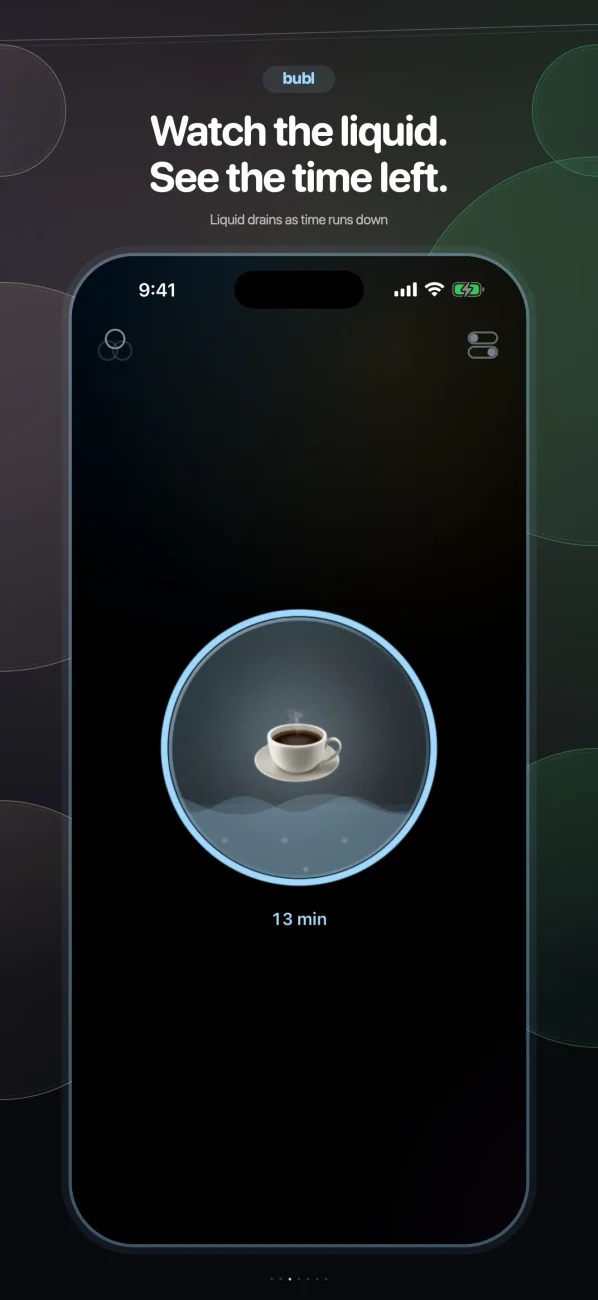
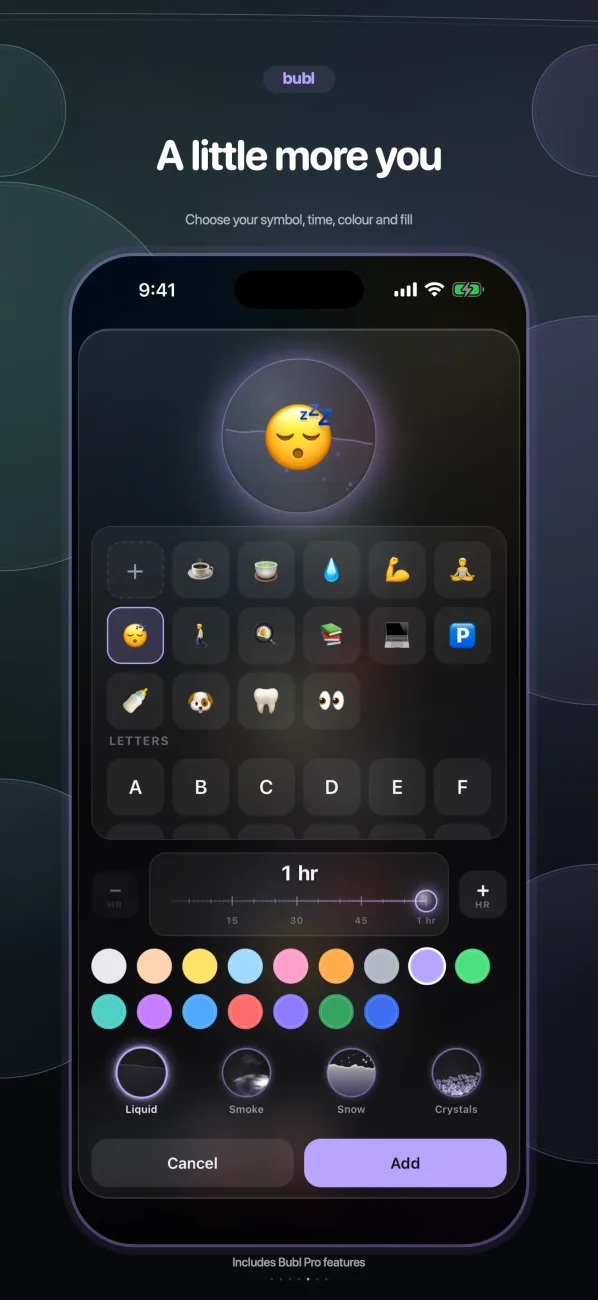
Choose what's inside each bubble: Liquid, Smoke, Snow or Crystals. Liquid drains as the time runs down; smoke thickens, snow piles up and crystals fall in one by one as it passes. They move when you move and squish against the edge of the screen like something real.
THREE WAYS TO SEE YOUR BUBBLES
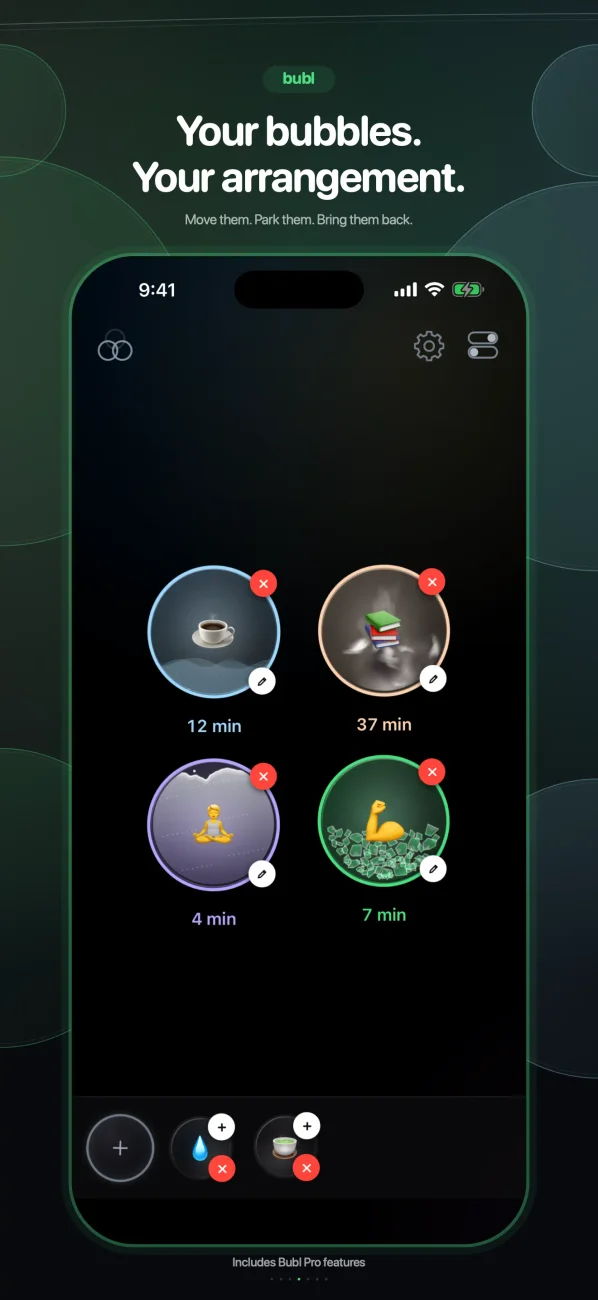
Single shows one big bubble at a time. Pair lines them up two by two. Trio stacks three. Roll through them with a flick; the ones you park stay out of the way in the dock.
ON YOUR LOCK SCREEN AND HOME SCREEN
Every running bubble counts down in one Live Activity on the Lock Screen and in the Dynamic Island. Home Screen widgets show up to four bubbles in the small size and six in the medium, each with its ring and time left, plus Lock Screen widgets.
YOUR OWN BUBBLES
Add bubbles with any symbol, colour, time and fill. Hours with two buttons, minutes on a rail, from one minute to a full day. Hold a bubble in Edit to move it, park the ones you don't need, bring them back later.
COUNT UP, TOO
A count-up bubble is a stopwatch: it shows how long since you started it, with an optional reminder that keeps counting after.
A HISTORY THAT SHOWS THE SHAPE OF YOUR DAY
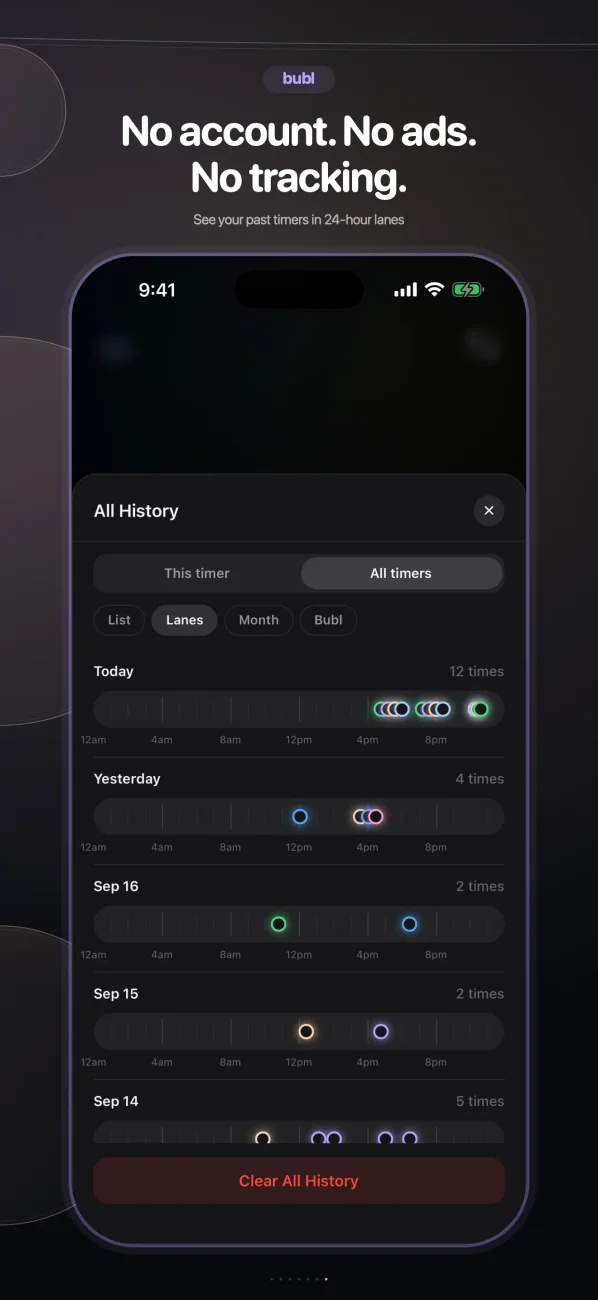
Every start is remembered. See it as a list, as Lanes (a 24-hour strip for each day), as a month of glowing days, or as a cloud of bubbles you can push around. Delete a run with a swipe, clear a day with a hold, undo either with a tap.
RING UNTIL YOU STOP IT
On iOS 26 and later, turn on Ring until stopped and a bubble that ends keeps sounding on the Lock Screen until you tap Stop, even on Silent or inside a Focus. Turn it off for single bubbles in their editor.
MADE TO BE FELT
A tick on every control, detents as you scroll, a pop when a timer ends. Set haptics to Full, Soft or Off in Settings.
ON YOUR WRIST
The Apple Watch app shows your bubbles in their colours. Tap one to start it on your iPhone, double tap to reset it; the countdown runs on the Watch. The Watch keeps nothing of its own: your timers and history stay on the phone.
YOURS, AND ONLY YOURS
No account, no sign-up, no analytics, no ads, no third-party code. Timers, history and preferences live on your phone, backed up only to your own iCloud so a new phone picks up where you left off. Alerts are local notifications scheduled on the device.
Novedades
Versión 1.6 · 30/10/2026
Bubl Timer on Apple Watch: your bubbles on the wrist, a tap starts one on your iPhone, a double tap resets it, the countdown runs on the Watch, and Siri works there too: "Hey Siri, start coffee in Bubl Timer." Start or stop a bubble with Siri, even with the phone locked: "Hey Siri, start coffee in Bubl", "stop all bubbles in Bubl". Bubbles that count up: a stopwatch bubble shows how long since you started it, with an optional reminder that keeps counting after. Ring until stopped can now be turned off for single bubbles in the editor. Clearing history takes a hold instead of a tap, and every delete can be undone. More symbols fit in the editor, the colours scroll in one row, and symbols show in the history lanes.
Privacidad de la aplicación
Lo que FEEL THE ENERGY LLC declara en App Store sobre cómo esta aplicación gestiona los datos.
-
No se recopilan datos
El desarrollador no recopila ningún dato de esta aplicación.
Las prácticas de privacidad pueden variar, por ejemplo, según las funciones que uses o tu edad.
Información
- Vendedor
- FEEL THE ENERGY LLC
- Categoría
- Utilidades
- Versión
- 1.6
- Actualizado
- 30/10/2026
- Publicado
- 15/9/2026
- Tamaño
- 9,3 MB
- Requiere
- iOS 17.0 o posterior
- Clasificación por edad
- 12+
- Precio
- Gratis
- Compras en la aplicación
- Sí
- Idiomas
- Inglés
- Copyright
- © 2026 Feel The Energy
Quizá también te guste
-
 relaytimerUtilidades
-
 Score Keeper: ScoreSnapUtilidades
-
 Devok IA – Juegos y AppsCrea juegos y apps con IA
-
 Live Rewards+Utilidades
-
 RhythmKey - Find BPM & KeysUtilidades
-
 Heyo TranslateUtilidades
-
 LED banner for TomorrowlandUtilidades
-
 Street Cleaning ParkingUtilidades
-
 SF TimeTableUtilidades
-
 DyCue: Límite de PantallaHace culpable el doomscrolling