
Calendar Stats
A bird's-eye view to your plan
Diseñada para iPhone, iPad
Gratis · Compras en la aplicación
- Clasificación por edad4+
- CategoríaProductividad
- DesarrolladorOleksandr Luchkovskyi
- IdiomasInglés+ 16 más
- Tamaño2,3 MB
Enlaza a la página oficial de App Store
Download.org no aloja ningún archivo de Calendar Stats. El botón abre la página de la aplicación en App Store, donde la publica Oleksandr Luchkovskyi. Ficha comprobada por última vez el 18/11/2026.
Capturas de pantalla



Acerca de
El desarrollador no ha proporcionado este texto en tu idioma.
Are you working too much? Or maybe you are resting not enough? Or spending too little time with your family? Sometimes you really don't know. This app can help you bring more balance into your life by showing exactly how much time you spend. Here's how.
There are two main components that are necessary for precise vision:
1. Memory. Humans can not remember everything so we use a logging. The logging of your time can be done using a calendar application - standard or custom. Such solution has an advantage of keeping your time data and scheduling data in one place. This excludes data duplication because past events automatically turn into time log data.
2. Higher Ground Point. Logging is good but you can easily get lost in those many pages of data. And that's why you need something to bring all those pages together so they are all within your sight at the same time. This app is exactly for that purpose - to provide you the higher ground point where you can have brighter strategic vision of where you are now and where to move from there.
It can show you what's going on with time in your calendars which in turn allows you to see critical areas of your life and make important decisions on where to spend more time and where to spend less.
And if you already use planning a lot then it'll turn your planning into time tracking and that you can use to make your plans even better. If you didn't use planning yet then this app gives you one more reason to start doing it right away.
MAIN FEATURES:
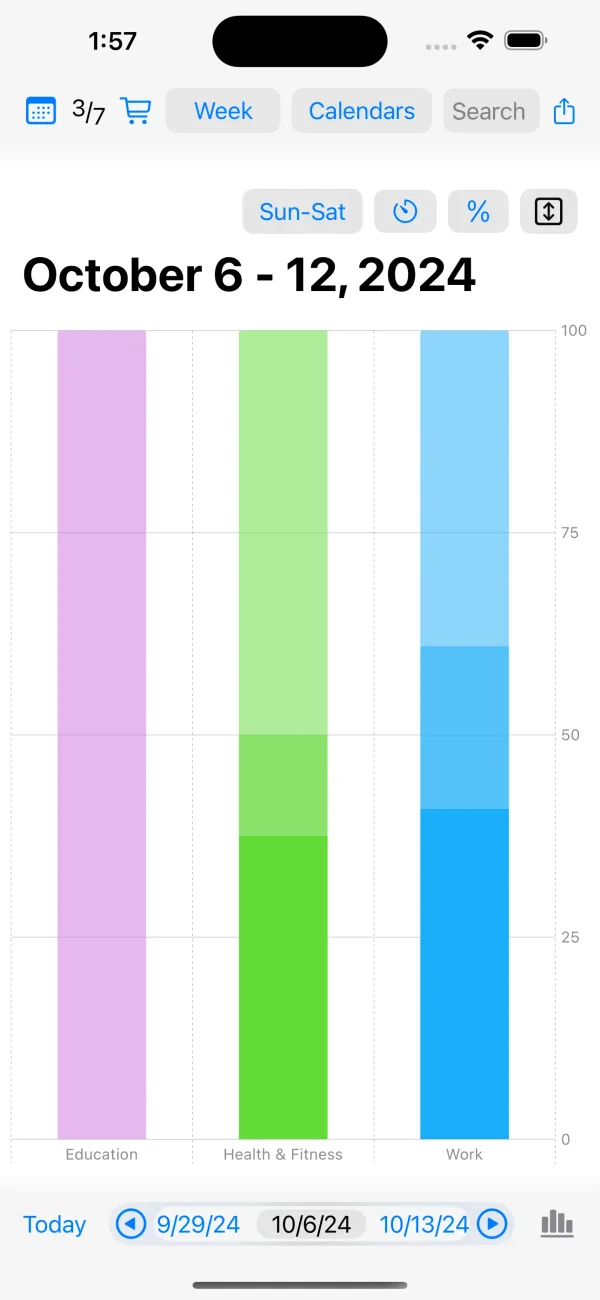
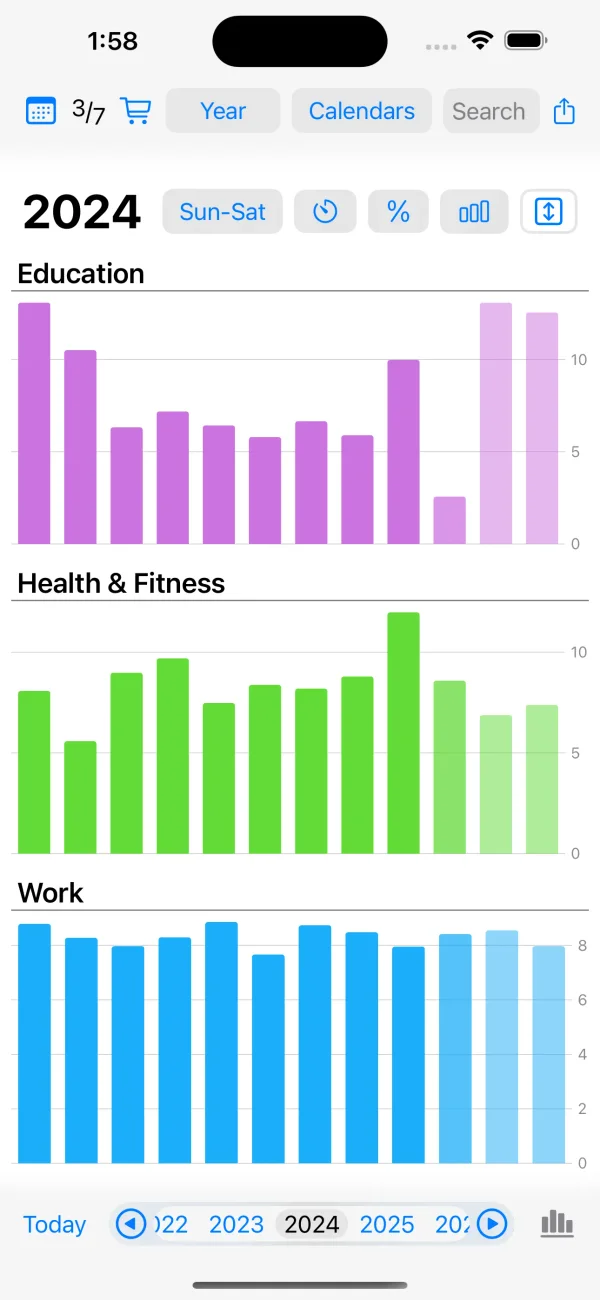
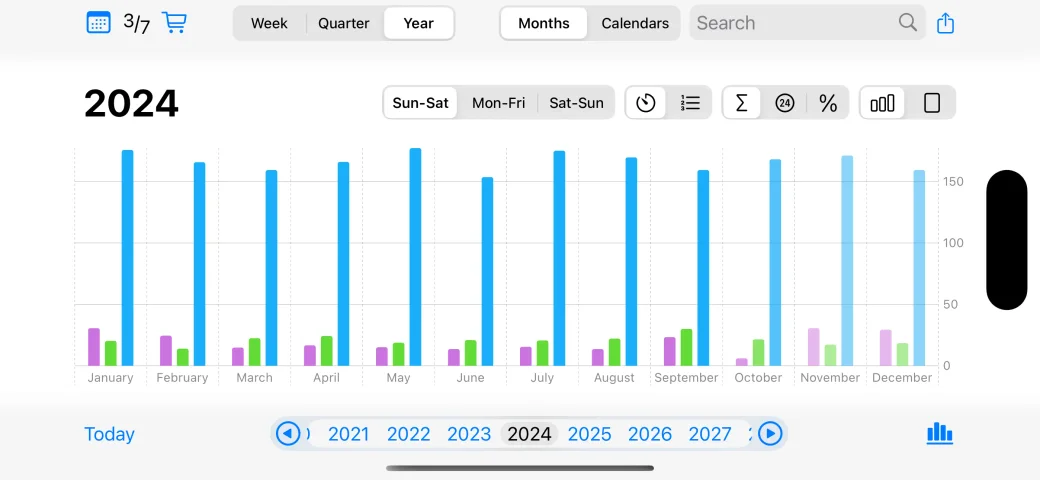
- compare how much time was (or will be) spent in different calendars and time periods
- year view by months and by calendars
- quarter view by weeks and by calendars
- week view by days and by calendars
- time/quantity switch
- filter stats by event titles/notes
- compare week, workweek, and weekend stats
- see totals, averages and percentages
- bar charts and level charts
- filter by up to 3 calendars at-once (can be unlocked to 4, 6, 9, 12, 16, 20, and 25)
- combined chart (unlocked via In-App Purchase)
- categories, kind of a virtual calendar with filters (upgradable to Super Categories via In-App Purchase)
- category groups for quick selection of related categories (long-press on [Add Category] to access [Edit Groups] button)
- display Workout, Sleep, and Mindful Minutes data from Health app alongside data from calendars (In-App Purchases)
- nice animations
HOW TO USE
This application can calculate statistics for events and shows it in various ways. It does not allow you to enter events or create calendars. Use your favorite calendar application for that. Just make sure that your calendars appear in standard Calendar app too.
Here are examples of calendars you may want to have:
1. to track personal time: Work, Family, Health, Fitness, Relax, Sleep
2. to track your projects: Project - A, Project - B, Project - C
3. if somebody shared their calendars with you you can compare their activity with yours
4. to calculate an amount of time spent on a group of events by using filter (e.g. if your event titles include a specific identification word)
5. well, you can figure out how to use this app in your own way
NOTES:
- to see statistics for past periods you may need to change your iPad Calendar settings to sync all events (Settings -> Calendar -> Sync -> All Events)
- this app can show all calendars that are setup in your iPad Settings (note: total calendar counts larger than 20 may increase statistics calculation time)
Novedades
Versión 2.4.2 · 16/10/2024
- ability to see Mindful Minutes from the Health app (IAP);
- improvements in user experience
Privacidad de la aplicación
Lo que Oleksandr Luchkovskyi declara en App Store sobre cómo esta aplicación gestiona los datos.
-
No se recopilan datos
El desarrollador no recopila ningún dato de esta aplicación.
Las prácticas de privacidad pueden variar, por ejemplo, según las funciones que uses o tu edad.
Información
- Vendedor
- Oleksandr Luchkovskyi
- Categoría
- Productividad
- Versión
- 2.4.2
- Actualizado
- 16/10/2024
- Publicado
- 5/2/2013
- Tamaño
- 2,3 MB
- Requiere
- iOS 16.4 o posterior
- Clasificación por edad
- 4+
- Precio
- Gratis
- Compras en la aplicación
- Sí
- Idiomas
- Inglés, Árabe, Checo, Danés, Francés, Alemán, Italiano, Japonés, Malayo, Noruego bokmål, Portugués, Chino simplificado + 5 más
- Copyright
- © 2023 Oleksandr Luchkovskyi
Quizá también te guste
-
 Timeview - Calendar StatisticsProductividad
-
 Readonly-Read It LaterProductividad
-
 Hyper Zones: Zonas horariasZona horaria y hora local
-
 Noteit -AI Journal Notes DiaryProductividad
-
 Blink - Quick Notes & WidgetProductividad
-
 Clean Home & Mind: ChoresProductividad
-
 Memento: Recordatorios simplesLista de tareas fácil y rápida
-
 HotNotes - Good Schedules TakeProductividad
-
 Mobile Data AssistantProductividad
-
 Tiny Calendar ProCalendar App: Planner & Tasks