- Clasificación por edad17+
- CategoríaUtilidades
- DesarrolladorHYUK JUN LIM
- IdiomasInglés+ 1 más
- Tamaño5,8 MB
Enlaza a la página oficial de App Store
Download.org no aloja ningún archivo de CaptureSpam. El botón abre la página de la aplicación en App Store, donde la publica HYUK JUN LIM. Ficha comprobada por última vez el 17/11/2026.
Capturas de pantalla
Acerca de
El desarrollador no ha proporcionado este texto en tu idioma.
Look up an unfamiliar phone number without copying and pasting it.
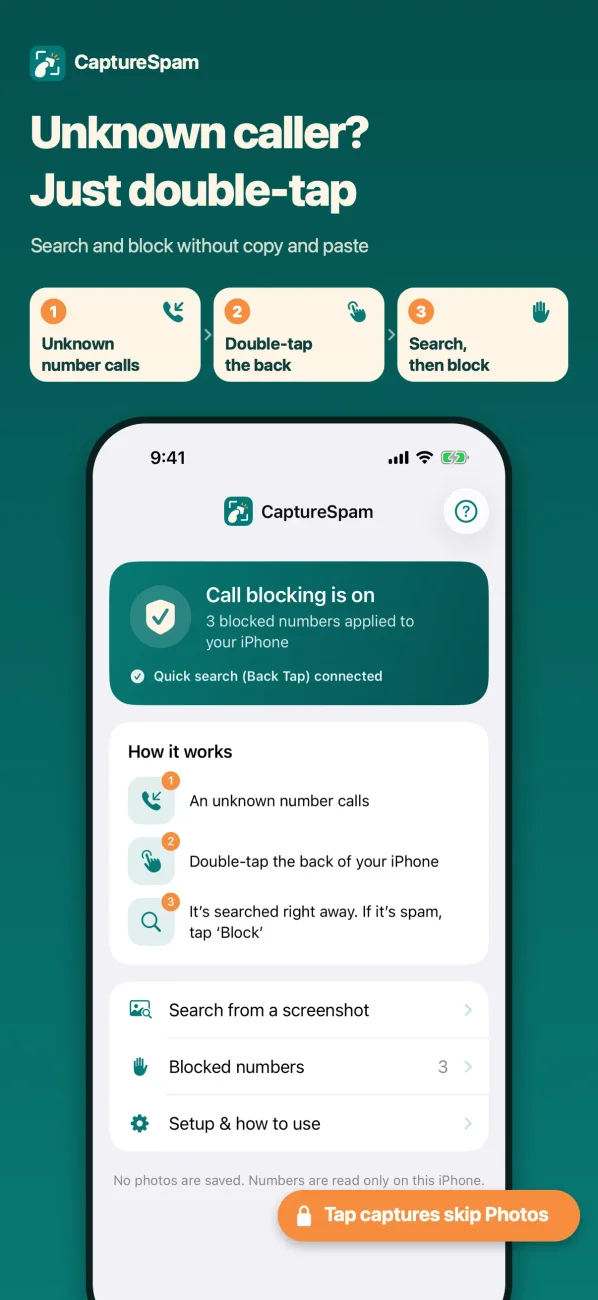
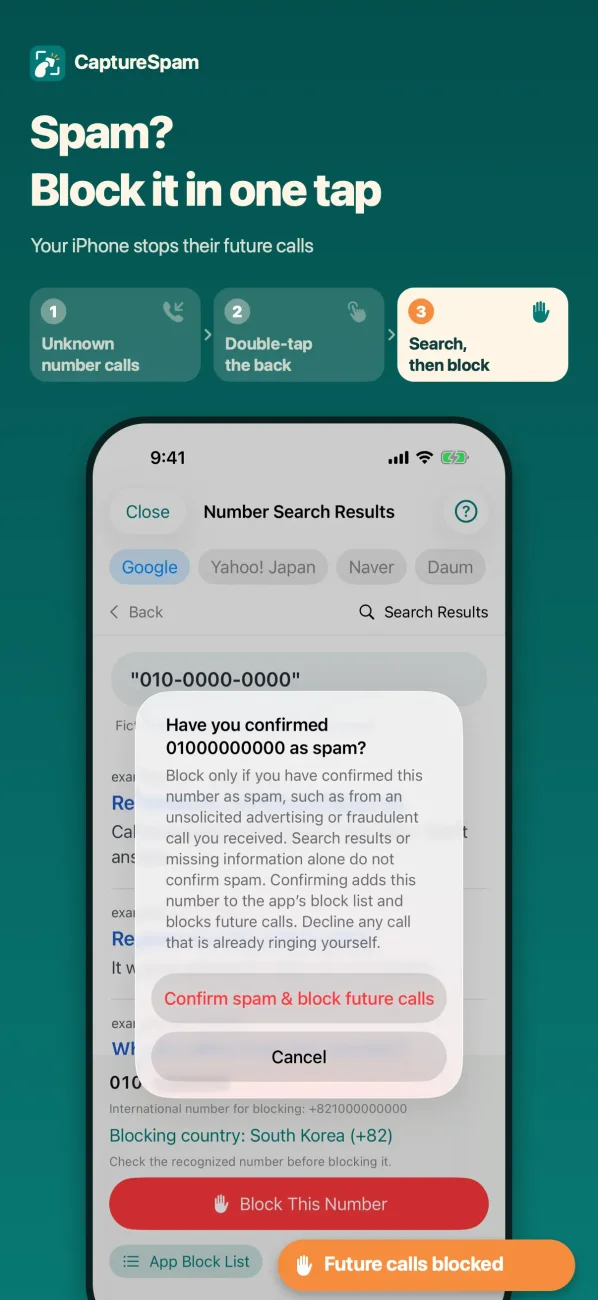
CaptureSpam reads a phone number from a screenshot, opens a web search, and lets you choose whether to block future calls from that number.
READ A NUMBER FROM A SCREENSHOT
Select a saved screenshot and recognize its text on your device. Use an image with clearly visible digits. The app does not choose an arbitrary number when none or several are detected.
COUNTRY CODES AND COUNTRY SELECTION
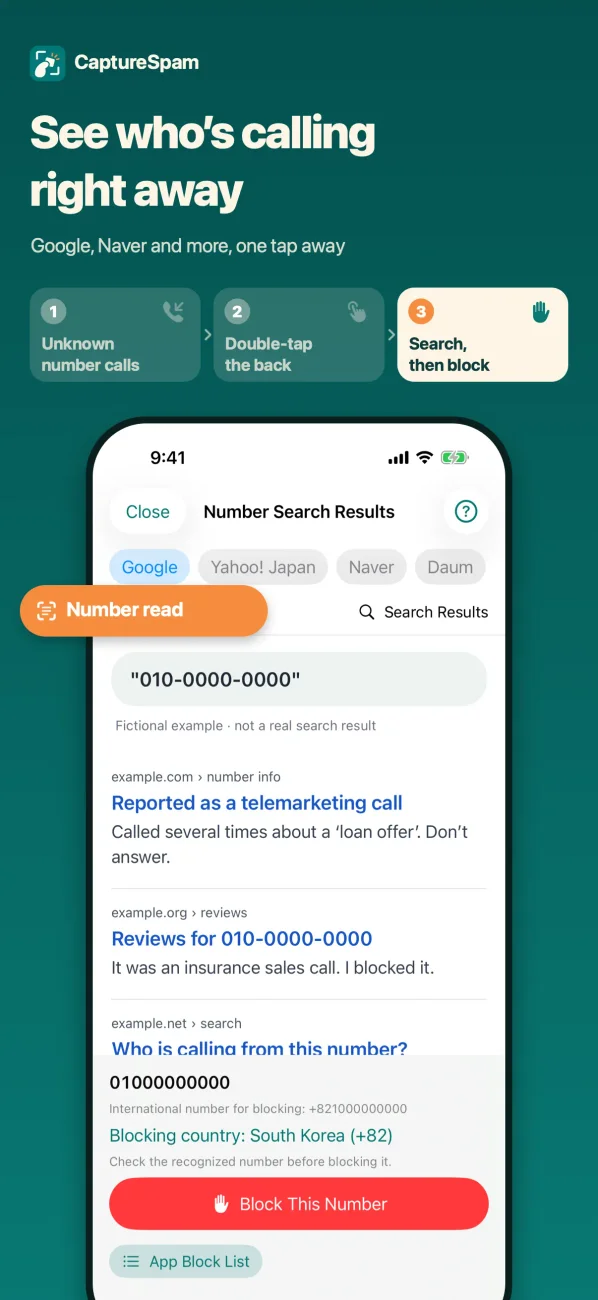
Numbers with a +country code use that code. Numbers without a country code are searched immediately as captured. Blocking uses your saved country, or your iPhone region when none is saved. Check or change the country from the results screen. Remembering a country as the default is optional. The app does not infer a number’s country from your device language. Bundled country metadata checks number formats; not every format is recognized. Search queries preserve the original digits and +, while blocking uses the international E.164 format.
CHOOSE HOW TO START
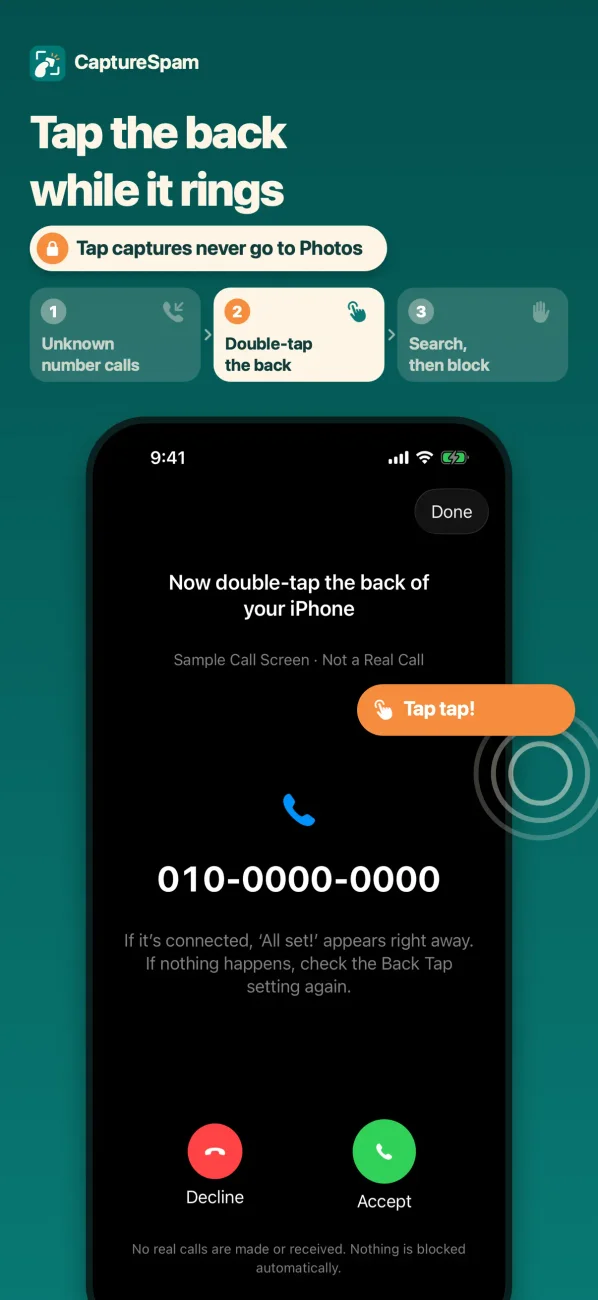
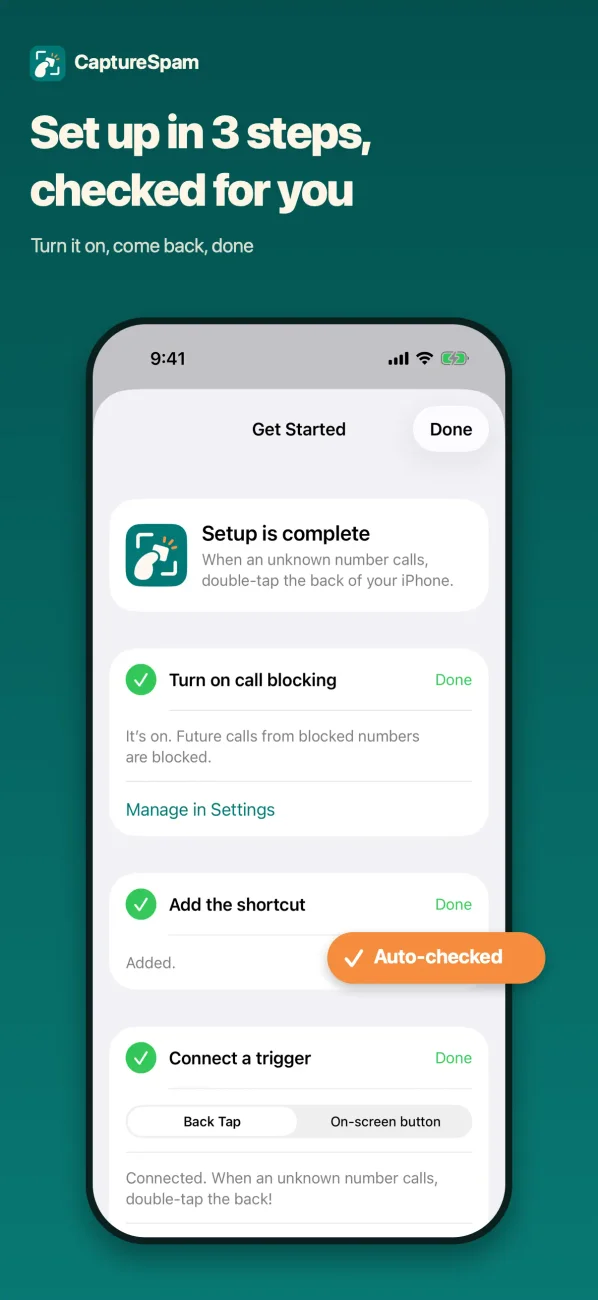
Add the supplied shortcut and connect it to a double Back Tap or a single AssistiveTouch tap in iPhone settings. Captures taken directly by this shortcut are not saved to Photos. Physical-button screenshots remain in Photos. Initial manual setup is required.
SEARCH AND MAKE YOUR OWN DECISION
Choose Google, Yahoo Japan, Naver, or Daum. Open links inside the app, return to search results, and check the number before blocking. Only the selected number is sent as a search query, not the screenshot or full recognized text.
BLOCK AND UNBLOCK FUTURE CALLS
Enable CaptureSpam under Call Blocking & Identification in iPhone settings. Numbers added to the app’s block list are applied through iOS Call Directory. Review and remove them in the app. This list is separate from Apple’s built-in Blocked Contacts list. Blocking does not end or retroactively block a call that is already ringing.
CALL BLOCK LIST CRITERIA
Only numbers the user has confirmed as spam, for example from an unsolicited advertising or fraudulent call they received, are added by pressing the explicit confirmation button. There is no built-in spam database or automatic spam verdict. Capturing or searching a number does not automatically block it; search results or missing information alone do not confirm spam. The list stays on the device and numbers can be unblocked at any time. This feature blocks phone calls and does not read or filter SMS or MMS messages.
PRIVACY AND LIMITS
Recognition runs on your device. The app requires no Contacts access or account and has no developer-operated collection server, advertising SDK, or analytics SDK. Blocked numbers and execution diagnostics are stored locally. Search providers and visited websites apply their own privacy policies. The interface is available in English and Korean.
CaptureSpam does not automatically determine whether a caller is spam. Search information may be missing or inaccurate, and caller ID can be spoofed. Recognition or blocking is not guaranteed for every country, number, or carrier. Search results do not verify a caller’s identity or guarantee safety.
Free to use. No in-app purchases or subscription.
Novedades
Versión 1.0.2 · 25/10/2026
• Explains in the app why a blocked number may still ring, and what to do.
• Compares app blocking with iPhone’s built-in block and shows how to block for sure.
Privacidad de la aplicación
Lo que HYUK JUN LIM declara en App Store sobre cómo esta aplicación gestiona los datos.
-
No se recopilan datos
El desarrollador no recopila ningún dato de esta aplicación.
Las prácticas de privacidad pueden variar, por ejemplo, según las funciones que uses o tu edad.
Información
- Vendedor
- HYUK JUN LIM
- Categoría
- Utilidades
- Versión
- 1.0.2
- Actualizado
- 25/10/2026
- Publicado
- 24/10/2026
- Tamaño
- 5,8 MB
- Requiere
- iOS 26.0 o posterior
- Clasificación por edad
- 17+
- Precio
- Gratis
- Idiomas
- Inglés, Coreano
- Copyright
- © 2026 ChronoCode
Quizá también te guste
-
 콜메모Utilidades
-
 Sleeps Until : CountdownUtilidades
-
 또각또각 - 한글 키보드Utilidades
-
 GOKKOK – Karaoke Number SearchUtilidades
-
 Color Picker & IdentifierUtilidades
-
 Better Timer - TemporizadorLindo multi timer y repetición
-
 tadak: Teclado personalizadoTemas, sonidos y compañeros
-
 LatoUtilidades
-
 Bloquea Llamadas Spam SpamvetoIdentificador,Números,Fraude
-
 OnlyRemoteUtilidades