- Clasificación por edad4+
- CategoríaEducación
- DesarrolladorKazunori Asada
- IdiomasInglés+ 1 más
- Tamaño9,6 MB
Enlaza a la página oficial de App Store
Download.org no aloja ningún archivo de Chromatic Vision Simulator. El botón abre la página de la aplicación en App Store, donde la publica Kazunori Asada. Ficha comprobada por última vez el 21/11/2026.
Capturas de pantalla

Acerca de
El desarrollador no ha proporcionado este texto en tu idioma.
"Chromatic Vision Simulator" is a color vision simulation tool which simulates the color vision of color vision deficiencies. This software is developed by Kazunori Asada (Ph.D. medical science and Ph.D. media design), based on the research in color science.
About 5% of men have difficulty distinguishing red and green, or recognizing dark red. Such color deficiency can be classified into three major categories: protanope / Protanomal, Deuteranope / Deuteranomal and Tritanope / Tritanomal.
Color deficiencies are the inability to tell differences between some colors other people can easily distinguish. People with different types of color vision deficiency perceive colors differently. For example, individuals diagnosed as Protan or Deutan cannot perceive differences between red and green, and pink and cyan.
These color visions are predictable by calculating working of the cone cells that perceives the color to some degree.
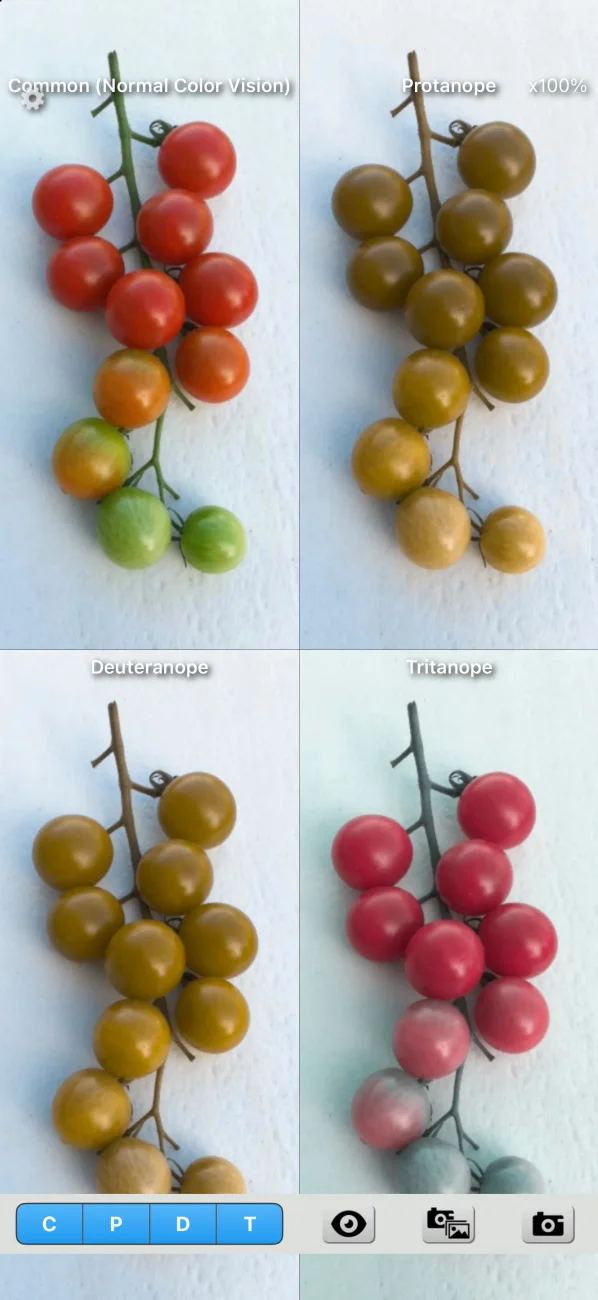
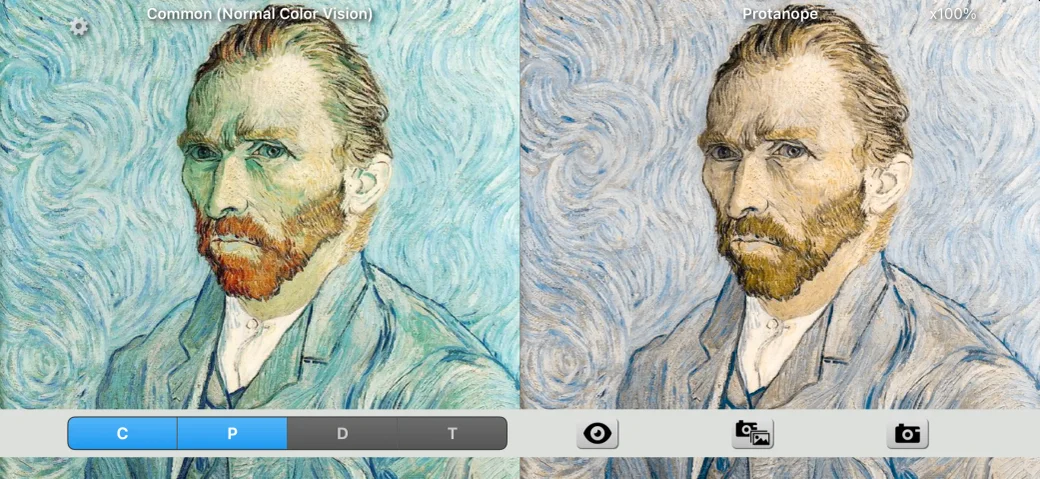
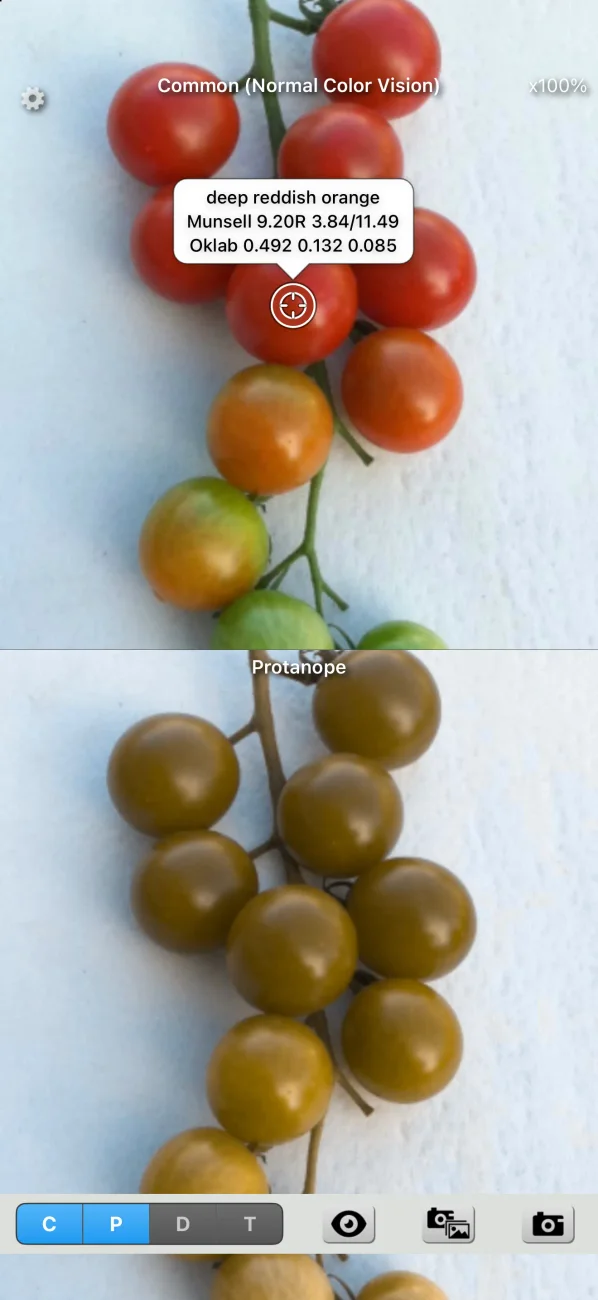
"Chromatic Vision Simulator" makes simulated images of each color vision type from built-in Camera or Photos and shows you how people with specific types of color vision sees the world in real-time.
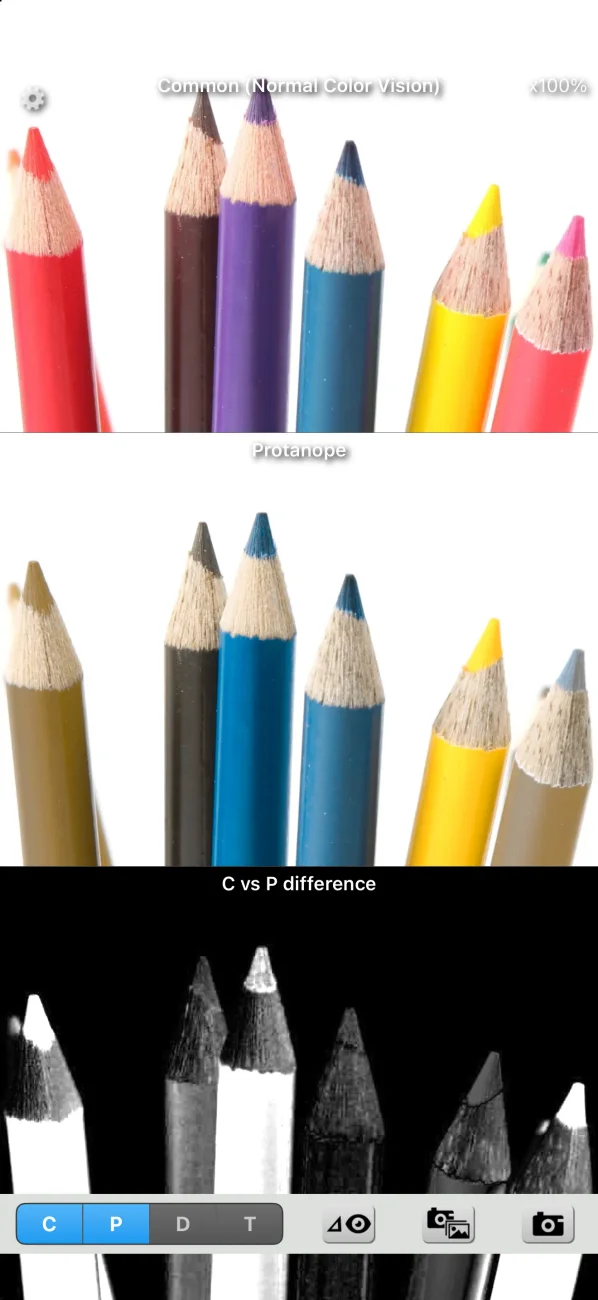
- Compare how "Normal Color Vision," "Protanope," "Deuteranope" and "Tritanope" see the same scene, side by side. The screen can be divided into up to four.
- Change the simulation strength from 0 to 100%. You can also check the appearance between normal color vision and dichromacy.
- Switch between Appearance mode and Difference mode. Difference mode shows the difference between the original image and the simulated colors as brightness (the upper limit of the difference is set with the slider). Switch with a one-finger swipe on the toolbar, a two-finger swipe on the screen, or in Settings.
- Turn on "Show Color Name" and the color cursor shows the name of the color at the point you choose ("Systematic Color Name (ISCC-NBS)", "Traditional Color Name (TCCA)", "Systematic Color Name (JIS)" and "Traditional Color Name (JIS)"), together with values such as the Munsell value and CIELAB.
- Works with the rear and front cameras, and with photo files. Pinch to magnify up to 500%.
- Save the screen you are looking at as a photo. You can write the type and strength on the saved image (switch in Settings). You can also save with the volume button.
- On devices with a wide color gamut (Display P3), images are shown and saved in the wide color gamut.
- Works with VoiceOver.
- Works on both the outer and the inner screen of the foldable iPhone (iPhone Duo).
- Available in Japanese and English.
- No network access. Camera images are used only for display on the screen and for saving on your device.
- The theory behind the simulation is published on the website.
https://asada.website/cvsimulator/e/theory.html
Novedades
Versión 4.0.2 · 20/11/2026
- Fixed an issue where the image was briefly stretched right after rotating the screen.
Privacidad de la aplicación
Lo que Kazunori Asada declara en App Store sobre cómo esta aplicación gestiona los datos.
-
No se recopilan datos
El desarrollador no recopila ningún dato de esta aplicación.
Las prácticas de privacidad pueden variar, por ejemplo, según las funciones que uses o tu edad.
Información
- Vendedor
- Kazunori Asada
- Categoría
- Educación
- Versión
- 4.0.2
- Actualizado
- 20/11/2026
- Publicado
- 31/8/2010
- Tamaño
- 9,6 MB
- Requiere
- iOS 17.0 o posterior
- Clasificación por edad
- 4+
- Precio
- Gratis
- Idiomas
- Inglés, Japonés
- Copyright
- © 2010-2026 Kazunori Asada
Quizá también te guste
-
 Low Vision SimulatorEducación
-
 What They SeeVision Condition Simulator
-
 OTO Navi - Sound NavigatorEducación
-
 Handy Art Reference Tool¡Referencia de dibujo 3D!
-
 phyphoxPhysical Phone Experiments
-
 OptoPrep - NBEO® Part IEducación
-
 Academy.26Referencia
-
 Braille Academy: Play & LearnEducación
-
 Percevia: Simulador daltónicoVisión cromática y colores
-
 Tagmiibo: Write NFC TagsReferencia