CLEARVIEW Go
Your restaurant, in real time
Diseñada para iPhone, iPad, iPod touch
- Clasificación por edad4+
- CategoríaEconomía y empresa
- DesarrolladorQuick Service Software, Inc
- IdiomasInglés
- Tamaño51,6 MB
Es posible que CLEARVIEW Go no esté disponible en App Store en este momento
No se pudo acceder a la ficha de la tienda en nuestra última comprobación. El enlace sigue llevando a la página oficial de App Store.
Capturas de pantalla



Acerca de
El desarrollador no ha proporcionado este texto en tu idioma.
RUN YOUR RESTAURANT — ANYTIME, ANYWHERE
Meet CLEARVIEW Go, the mobile companion for CLEARVIEW subscribers. Designed for busy restaurant owners and managers, CLEARVIEW Go puts real time insights and essential back office operations right in your pocket—so you can make smarter decisions and run stronger shifts, anywhere.
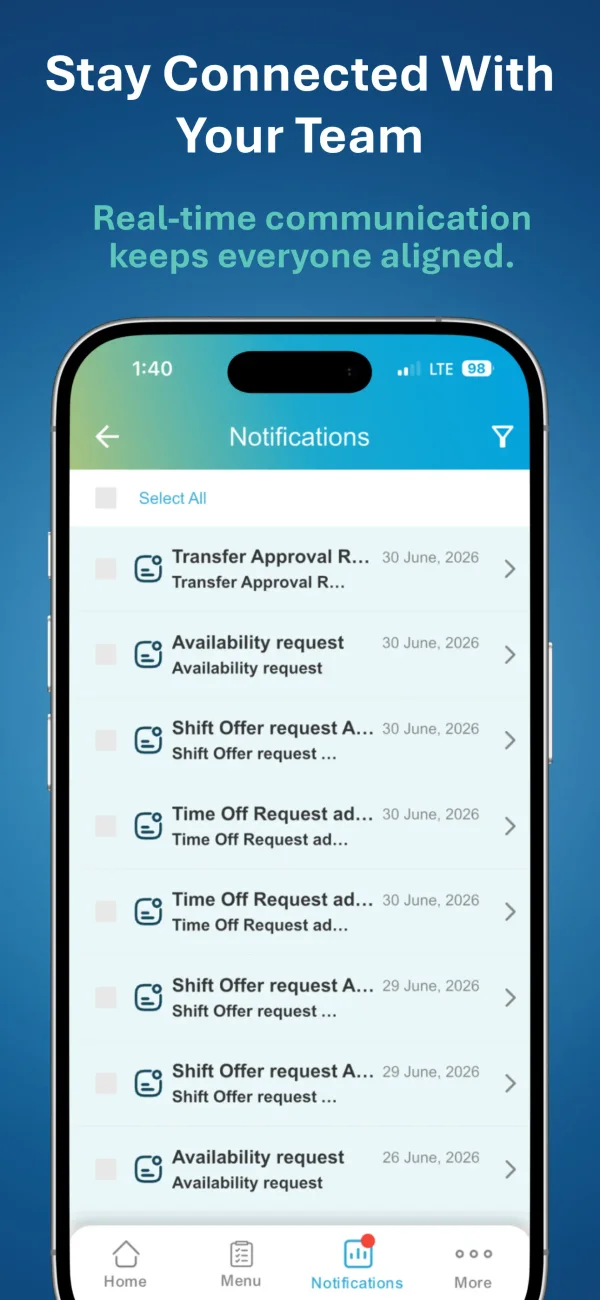
CLEARVIEW Go keeps managers focused on execution, not paperwork. Mobile workflows connect managers and teams in real time, simplifying scheduling, inventory, cash, financial, and checklist operations. With clear, actionable guidance based on live data, operators can plan ahead, adapt during the shift, and drive better results across labor, inventory, and financial performance.
Whether you manage one restaurant or many, CLEARVIEW Go replaces spreadsheets and disconnected tools with a single platform built for how restaurants actually operate—live, on the floor, when decisions matter most.
CLEARVIEW Go is included at no additional cost for owners and managers with an active CLEARVIEW subscription.
KEY FEATURES
Your Daily Command Center
• A single home screen for key KPIs, alerts, and operational to dos
• Prioritize what matters most and take action instantly throughout the day
• CLEARVIEW Crew Action Center: Managers access employee self service tools directly in CLEARVIEW Go. Team members can view schedules, request time off, swap shifts, and manage personal information—all within your business rules and approval workflows.
Live Insights Dashboard
• Make on the fly decisions with plan vs. actual KPIs for labor and financials
• View day so far performance or drill into real time and historical trends
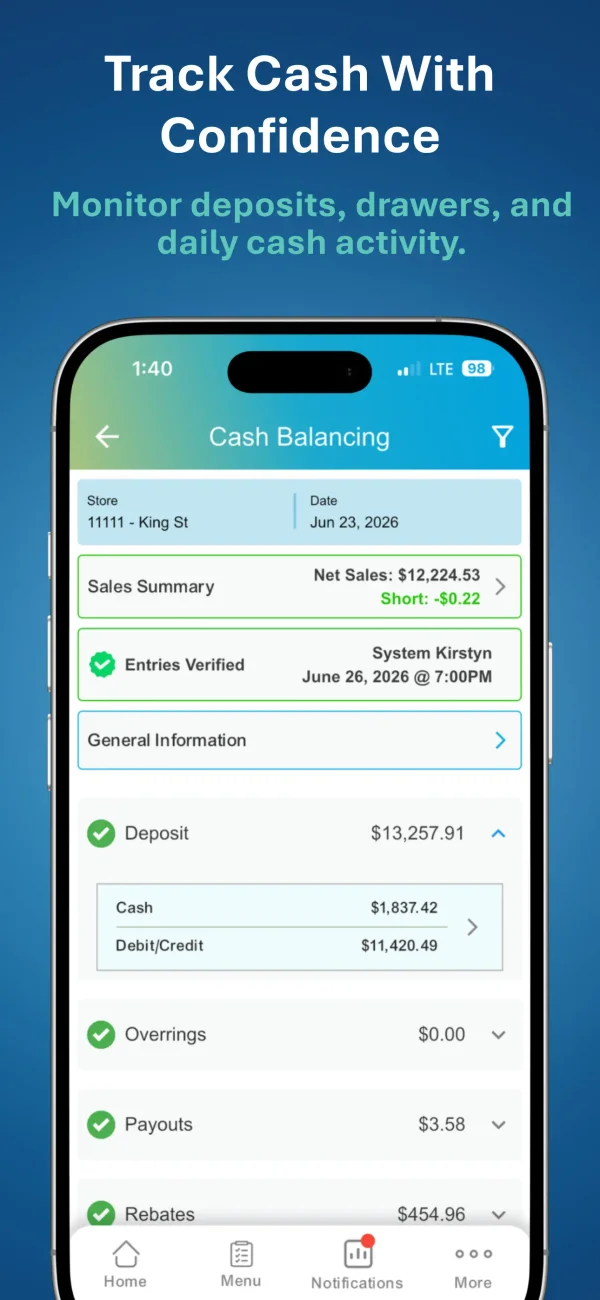
Cash Management & Balancing
• Ensure proper cash procedures with over/short alerts and auditability
• Complete daily cash workflows quickly and compliantly
• Validate expected on hand cash with detailed sales views
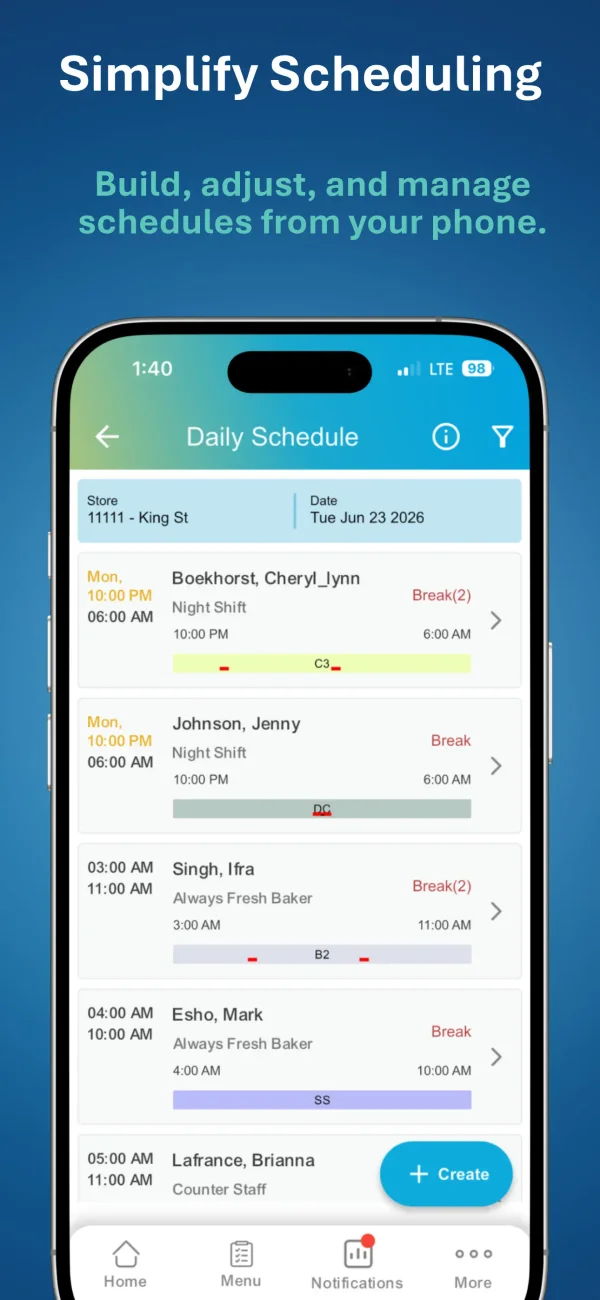
Daily Schedule
• Review and adjust floor plans based on performance or staffing changes
• Use smart assignments to fill uncovered shifts with qualified employees
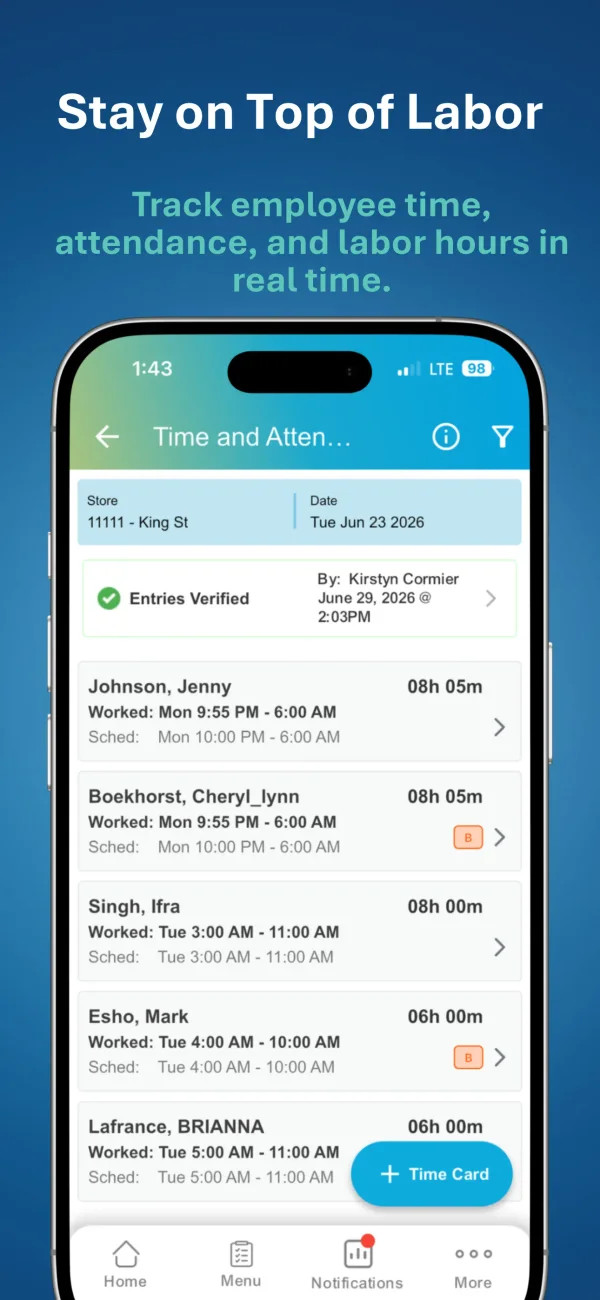
Time & Attendance
• Finalize worked and non worked hours and review variances
• Compare scheduled vs. actual hours to identify punch and break issues
• Streamline no show documentation with missed shift suggestions
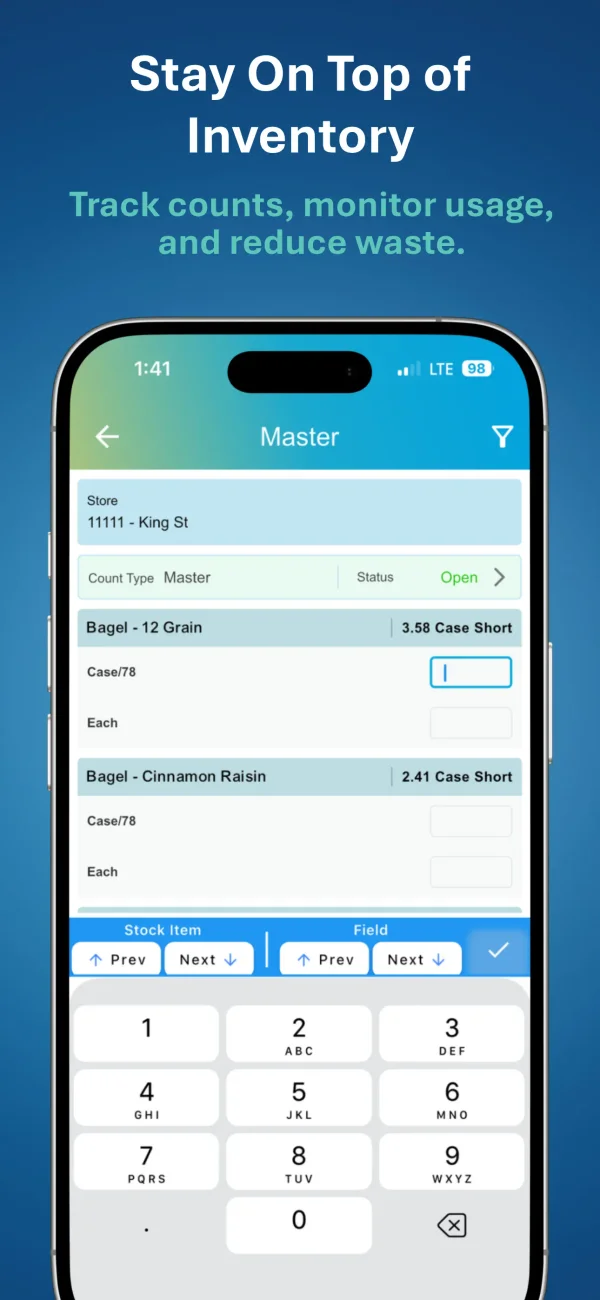
Inventory Management
• Automatic offline mode with seamless sync
• Faster, more accurate counts with customizable layouts and travel paths
• Validate counted quantities against expected on hand inventory
• Prevent miscounts with automated close count validation
• Suggested ordering, cutoff alerts, receiving, invoice reconciliation, transfers, and waste tracking—all with built in cost visibility
Talent Management
• Call, text, or email team members directly from the app
• Maintain employee records with built in personnel file management
Financial Reporting
• Review POS transactions in real time and flag anomalies
• Access cash sheets by day, week, or month across one or more locations
Checklists & Task Reporting
• Track task completion across all locations in one place
• Launch and complete customizable daily and weekly checklists
• Support food safety, cleaning, opening/closing, and more
GETTING STARTED
A valid CLEARVIEW account is required to use CLEARVIEW Go. If you need access or aren’t sure whether your restaurant is enabled, contact your restaurant administrator.
Not using CLEARVIEW yet? Discover why operators, managers, and employees rely on CLEARVIEW to run their restaurants with clarity, confidence, and control. Visit www.clearviewconnect.com
CLEARVIEW Go delivers clarity, confidence, and control—every shift, every restaurant.
Novedades
Versión 1.3.0 · 19/11/2026
· Use Historical Insights to view the historical key performance indicators and trends that matter most to you
· New in-app feedback options let you have your say about CLEARVIEW Go
· Filter orders using Show Only Build-Tos
· Crew widgets on the Home screen are now prioritized
· Pull down to refresh now available on all pages with lists
· Minor bug fixes
Privacidad de la aplicación
Lo que Quick Service Software, Inc declara en App Store sobre cómo esta aplicación gestiona los datos.
-
Datos vinculados a ti
Pueden recopilarse y vincularse a tu identidad.
- Información de contacto
- Identificadores
- Datos de uso
-
Datos no vinculados a ti
Pueden recopilarse, pero no se vinculan a tu identidad.
- Diagnóstico
Las prácticas de privacidad pueden variar, por ejemplo, según las funciones que uses o tu edad.
Información
- Vendedor
- Quick Service Software Inc
- Categoría
- Economía y empresa
- Versión
- 1.3.0
- Actualizado
- 19/11/2026
- Publicado
- 8/7/2026
- Tamaño
- 51,6 MB
- Requiere
- iOS 15.0 o posterior
- Clasificación por edad
- 4+
- Idiomas
- Inglés
- Copyright
- Clearview © 2026, Clearview Inc.