Cleio: Markdown & Voice Notes
AI Summary & Meeting Minutes
Diseñada para iPhone, iPad, Mac
Compras en la aplicación
- Clasificación por edad17+
- CategoríaProductividad
- DesarrolladorKidae Lee
- IdiomasInglés+ 2 más
- Tamaño54,4 MB
Es posible que Cleio: Markdown & Voice Notes no esté disponible en App Store en este momento
No se pudo acceder a la ficha de la tienda en nuestra última comprobación. El enlace sigue llevando a la página oficial de App Store.
Capturas de pantalla


Acerca de
El desarrollador no ha proporcionado este texto en tu idioma.
Cleio is a notebook for your voice and your writing. Record while you write, then link recordings, events, and notes into one document.
■ Notes
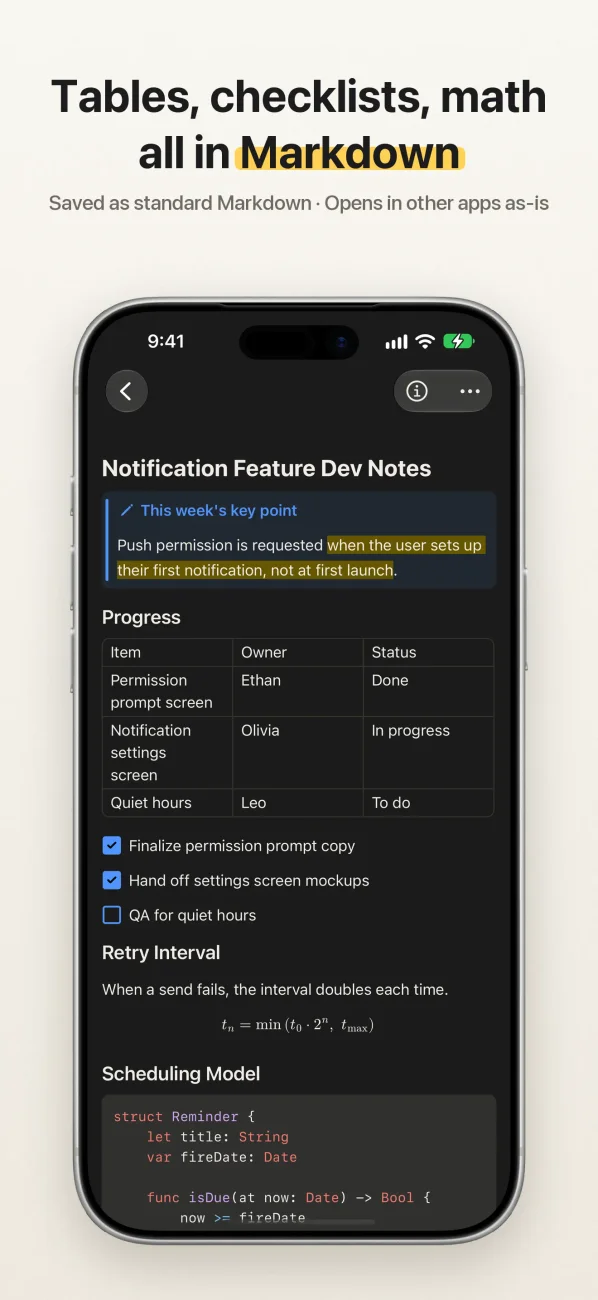
· Write in Markdown — tables, checklists, code
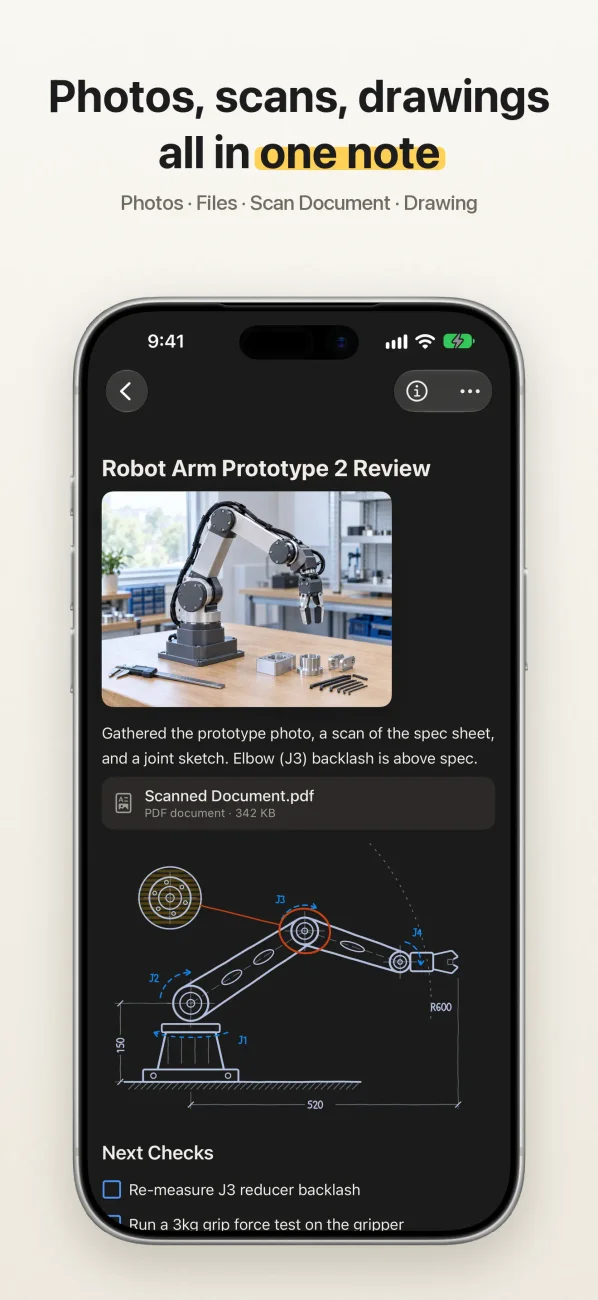
· Add photos, files, scans, and drawings
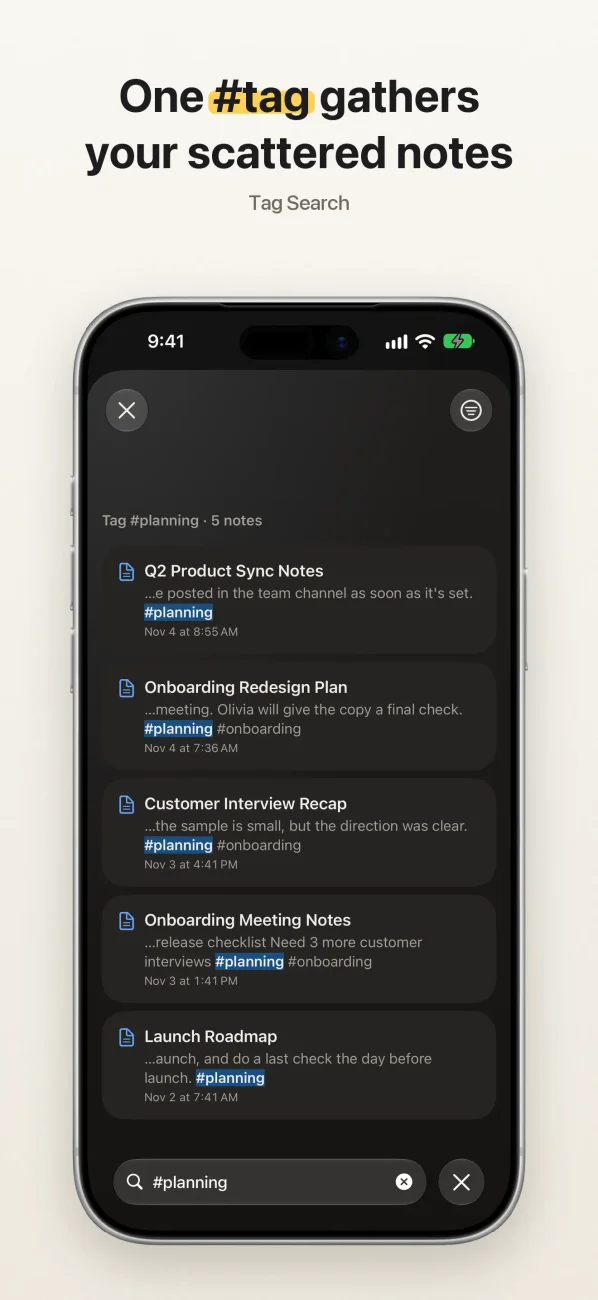
· Gather notes with #tags, then find them in the Sidebar and Search
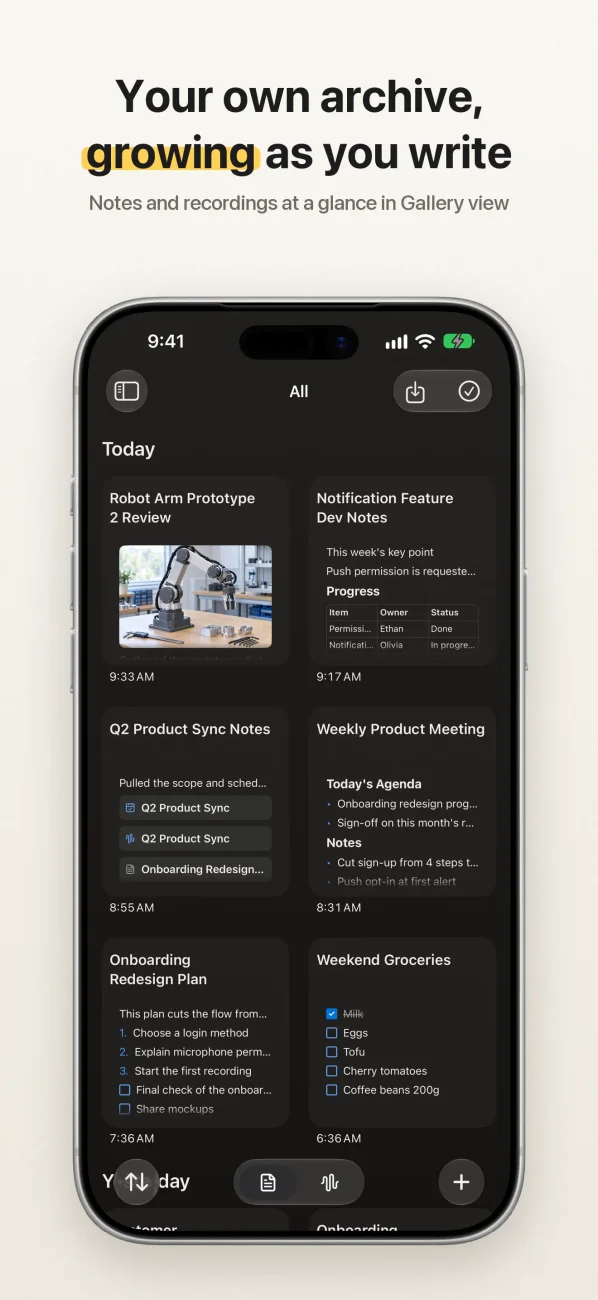
· View notes and recordings as a list or Gallery
· Search titles, text, and transcripts at once
· Create, add to, and open notes with Siri (iOS or iPadOS 27+, on devices and languages supporting Siri and Apple Intelligence)
■ Recording and Transcript
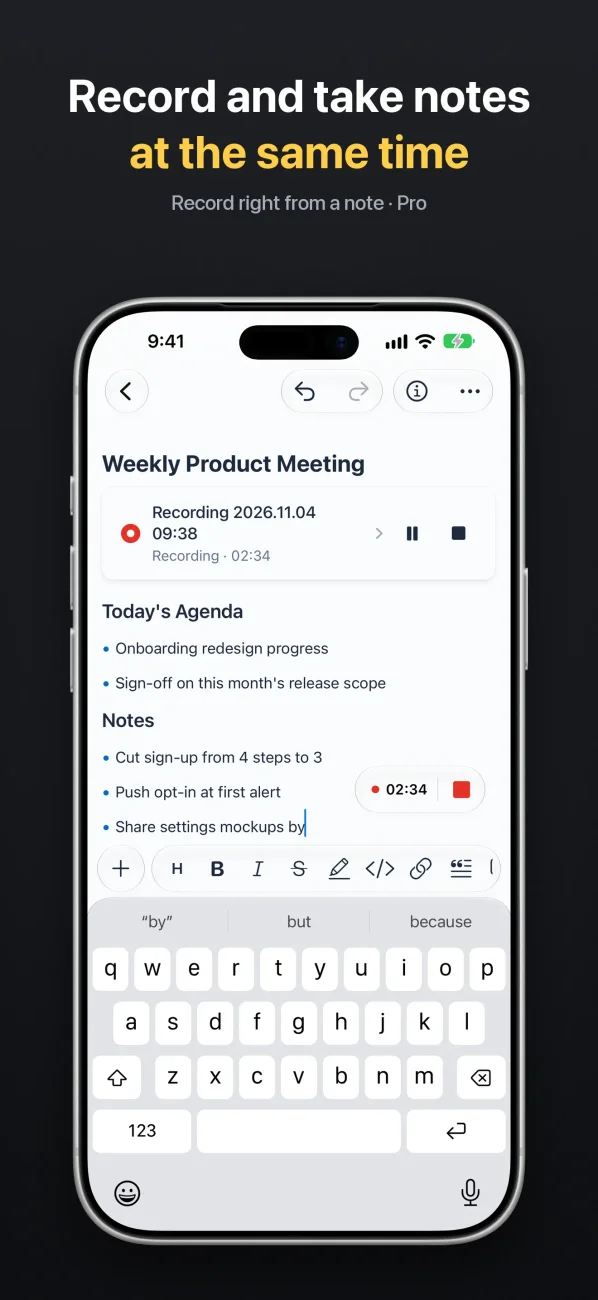
· Record straight from a note (Pro)
· The transcript builds in real time as you record — your audio is not sent to the operator's servers, OpenAI, or Anthropic
· Redo a recording in another language if recognition was set wrong
· Import existing audio files and analyze them (Pro)
· On Mac, record video call audio and your own voice together (Pro)
■ Link it all into one document (Pro)
· Note Links and Recording Links connect notes and recordings
· Link a recording to a calendar event
· iCloud sync across iPhone, iPad, and Mac
■ AI (Pro)
· Recording summaries — key points, plus decisions and action items with Cloud AI
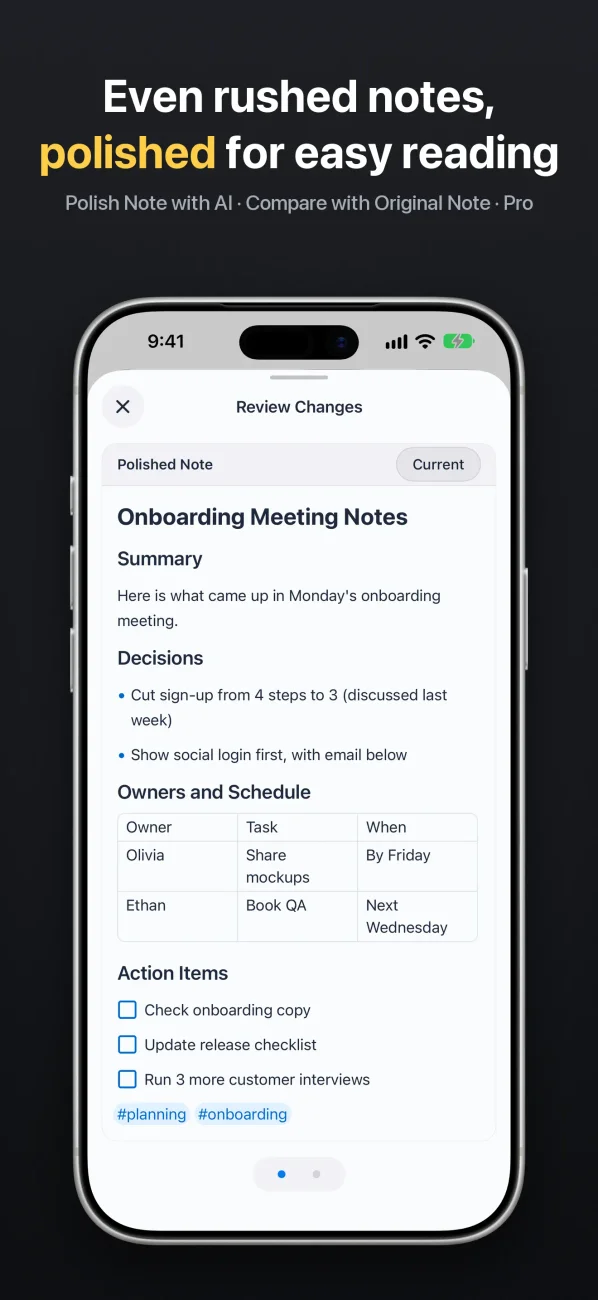
· Polish Note — tidy a hasty note, compare, undo
· Speaker Identification — see who said what
· Transcript translation · Text Correction (misrecognized words, spelling)
· Engines — summaries: on-device, Apple Private Cloud Compute, or Cloud AI; Polish Note and Text Correction: Apple Private Cloud Compute or Cloud AI. Cloud AI offers OpenAI GPT and Anthropic Claude
■ Mac
· The same notes and recordings as on iPhone, built for Mac
· AI Connection — use your own AI account key (Claude: Anthropic, Amazon Bedrock; GPT: OpenAI, Azure OpenAI) for summaries, Polish Note, translation, and Text Correction (Pro)
· MCP Integration — MCP-capable AI apps can read your notes and recordings on this Mac and write notes (Pro)
■ Free to use
Recording, Transcript, note writing, summary editing, export (text, Markdown, PDF), search and folders, and Siri and Shortcuts are free.
■ Pro
Speaker Identification, AI summaries (including on-device), Polish Note, Note Links and Recording Links, Event Linking, Transcript translation, Text Correction, iCloud sync, audio file import, Mac App Audio recording, Mac AI Connection, MCP Integration
■ Who it's for
· Professionals taking meeting notes and minutes
· Students recording lectures
· Journalists and researchers
■ Privacy
· Recorded audio is not sent to the operator's servers, OpenAI, or Anthropic. No account sign-up required
· Cloud AI (summaries, Polish Note, Text Correction, translation) sends text, never audio, to OpenAI, Anthropic, or Apple only when you run it or turn it on in Settings, after separate consent (Claude models ask separately). Text sent to OpenAI or Anthropic is not used for model training. See the Privacy Policy
· With Mac "AI Connection," text goes straight to the AI service you connected, not through the operator's servers, under that service's terms and privacy policy. A consent screen appears when you connect
· When iCloud sync is on, your audio and notes are stored in your own iCloud
■ A note on recording
Follow the recording laws where you live. If others' voices are included, it's safer to get their consent first. See our Terms of Service.
■ Subscription info
· Pro Monthly and Pro Annual plans available
· Pricing varies by region. See the App Store for your local price.
· New subscribers get a 7-day free trial, then are charged automatically for the plan they chose
· Subscriptions renew automatically unless canceled at least 24 hours before the end of the current period. Payment is charged to your Apple ID account at confirmation of purchase
· Manage subscription: Settings > Apple ID > Subscriptions
Terms of Service: https://cleioapp.github.io/terms-of-service-en/
Privacy Policy: https://cleioapp.github.io/privacy-policy-en/
Contact: kdwara@icloud.com
Novedades
Versión 2.1.0 · 24/11/2026
Cleio 2.1 — talk to Siri to write notes, and choose your own cloud AI model.
■ Siri and Notes
· Ask Siri to create a note in Cleio, add to it, or open it (iOS or iPadOS 27 or later, on devices and languages that support Apple Intelligence)
· You can ask Siri about what's in your notes
■ Choose Your Cloud AI Model (Pro)
· Pick the model for summaries, Polish Note, and Text Correction from OpenAI GPT and Anthropic Claude
· For each model, you can see an estimate of how much you can summarize in a month
· The summary badge shows the name of the model that was actually used
· The engine name "GPT" is now "Cloud AI"
■ Text Correction (Pro)
· Text Correction now fixes only misrecognized words and wrong characters
· Choose the Text Correction engine between Apple Private Cloud Compute and Cloud AI
■ Translation and Transcription
· Choose the language each time you translate (Pro)
· Re-transcribe a recording in another language if the wrong recognition language was chosen
■ Folders and Lists
· Each folder remembers its own sort order
· Pin notes and recordings to the top of a folder
· Choose All, Notes, or Recordings at the top of the list
This update also includes bug fixes and stability and usability improvements.
Send feedback to kdwara@icloud.com.
Privacidad de la aplicación
Lo que Kidae Lee declara en App Store sobre cómo esta aplicación gestiona los datos.
-
Datos no vinculados a ti
Pueden recopilarse, pero no se vinculan a tu identidad.
- Compras
- Datos de uso
- Diagnóstico
Las prácticas de privacidad pueden variar, por ejemplo, según las funciones que uses o tu edad.
Información
- Vendedor
- Kidae Lee
- Categoría
- Productividad
- Versión
- 2.1.0
- Actualizado
- 24/11/2026
- Publicado
- 21/4/2026
- Tamaño
- 54,4 MB
- Requiere
- iOS 26.1 o posterior
- Clasificación por edad
- 17+
- Compras en la aplicación
- Sí
- Idiomas
- Inglés, Japonés, Coreano
- Copyright
- © 2026 Kidae Lee
Quizá también te guste
-
 PhotoDiet - Compress PhotosProductividad
-
 swift文字起こしProductividad
-
 Recota - 無制限のリアルタイム文字起こしProductividad
-
 doori - 집안일 분담 투두Productividad
-
 VoiceMemoAI: AI Note TakerProductividad
-
 ヨミ表Productividad
-
 NoteScrap: Note, Memo, OCRProductividad
-
 Sokgi: AI Meeting RecorderProductividad
-
 bubbly: Your brain dumping appProductividad