Clicker Communicator PCS
(PCS Symbols): AAC
Diseñada para iPad
229,99 € · Compras en la aplicación
- Clasificación por edad4+
- CategoríaEducación
- DesarrolladorCrick Software
- IdiomasInglés
- Tamaño661,1 MB
Enlaza a la página oficial de App Store
Download.org no aloja ningún archivo de Clicker Communicator PCS. El botón abre la página de la aplicación en App Store, donde la publica Crick Software. Ficha comprobada por última vez el 12/11/2026.
Capturas de pantalla
Acerca de
El desarrollador no ha proporcionado este texto en tu idioma.
A VOICE FOR EVERYONE
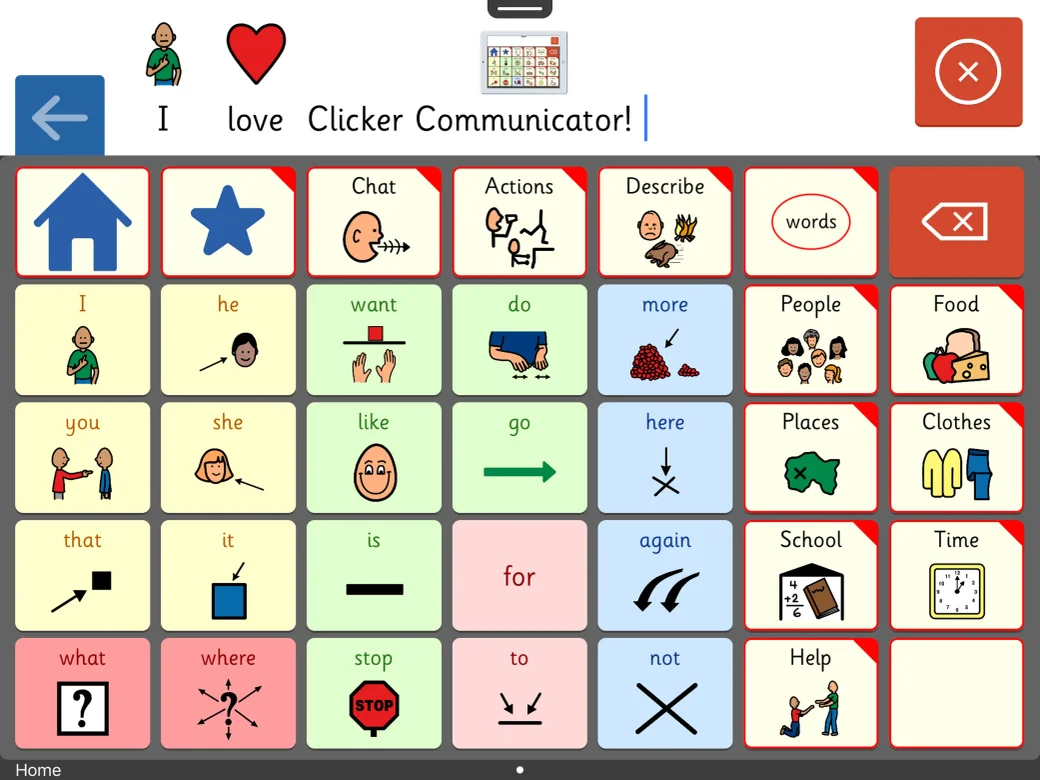
Clicker Communicator is the definitive AAC app that gives a voice to children and young people with speech and language difficulties. This is the latest addition to Crick Software’s Clicker family, continuously developed over 20 years and used across the world.
“I love the crisp, easy-to-use interface! The thoughtfulness of features that no other AAC apps have speaks to Crick's continued dedication to students with special needs.”
- Laura Giovanetti, CAGS, CCC-SLP, ATP
“…intuitive, reliable and quick to personalise - my new favourite app for communication support. Thanks Crick Software!”
- Elaine M. Sokolowski, SLP/AT
GET STARTED QUICKLY
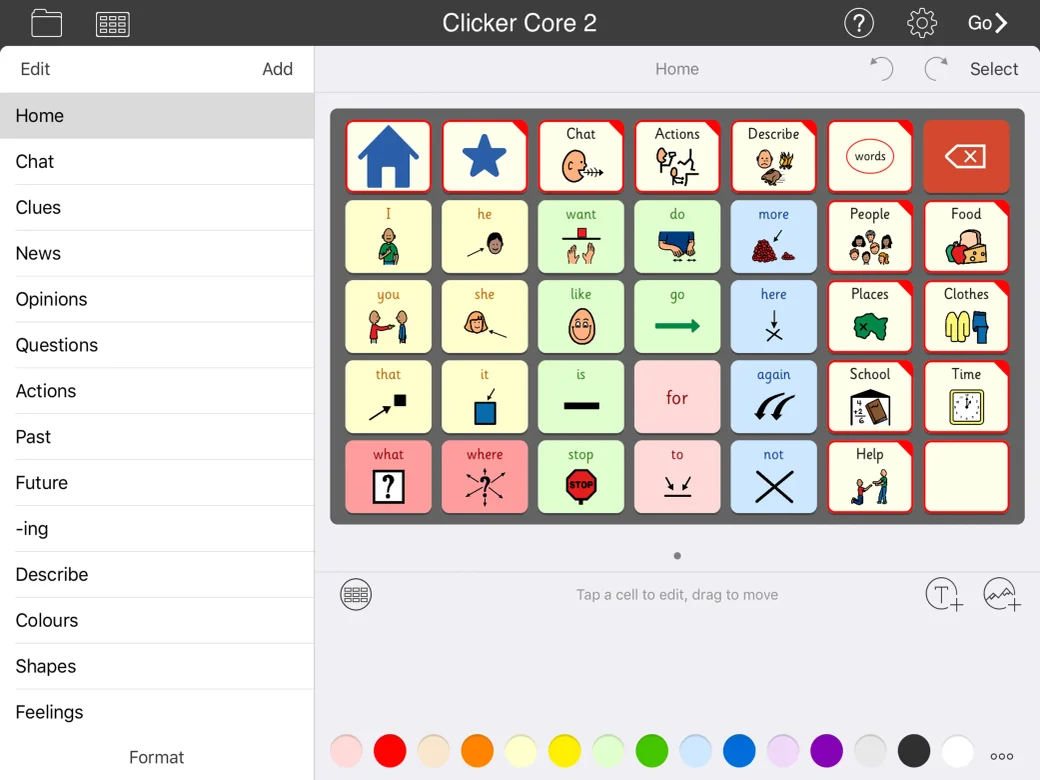
The ready-made Vocabulary Sets are carefully constructed using colour-coded, research-based core words, a proven approach for providing a rich communication experience and developing language skills. The three levels – Clicker Core 1, 2 and 3 cover a wide ability range and use consistent layouts to optimise motor-mapping and enable children to progress from one level to the next.
CREATE AND EDIT IN MINUTES
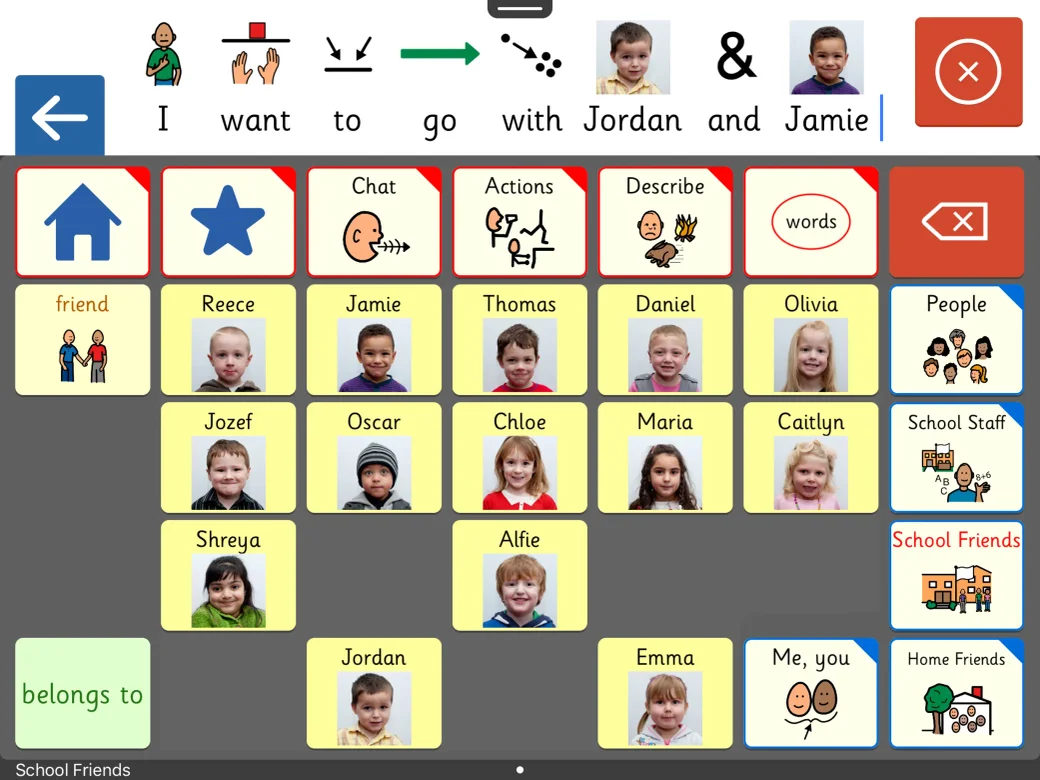
Clicker Communicator works in the same intuitive way as all the Clicker Apps, enabling you to meet the needs of your learners by editing the ready-made Vocabulary Sets or creating your own. Personalise every last detail by adding photos, colours, and topics, and repositioning cells. And you won’t find a faster way of searching and selecting symbols anywhere!
DESIGNED FOR CHILDREN
We’ve used our 20+ years of experience in developing special needs software to create an app that includes:
• Easy to read Sassoon font
• Realistic children’s voices
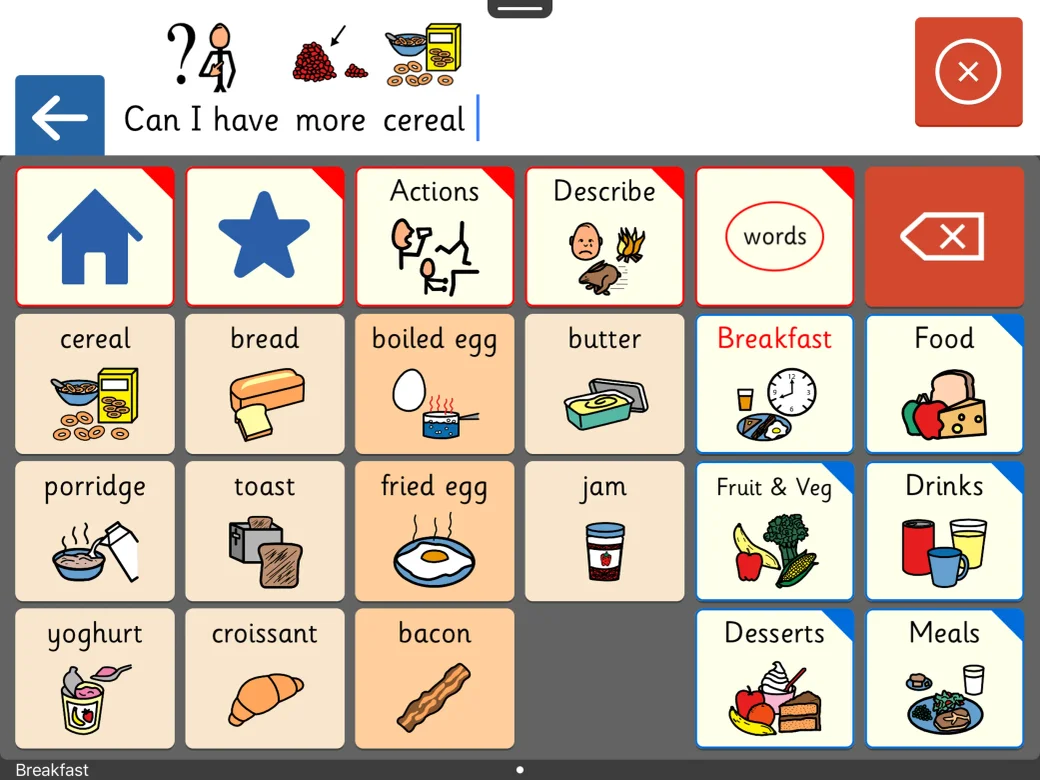
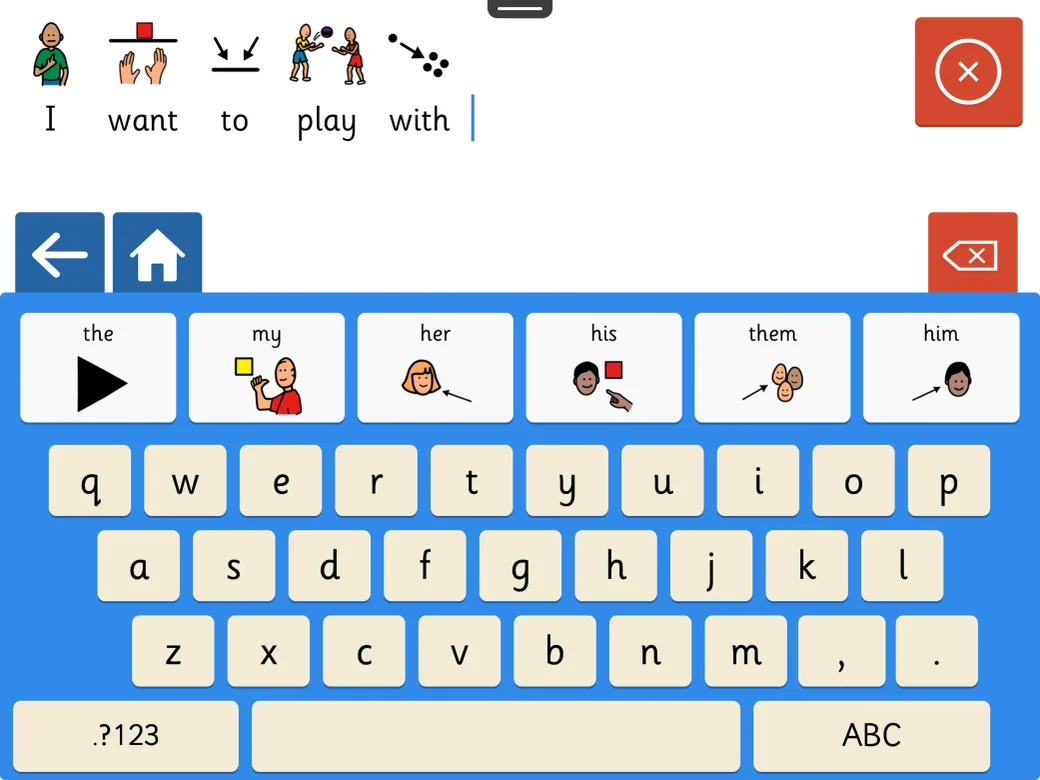
• Child-friendly keyboard with symbol-supported predictor
• Research-based Vocabulary Sets at three levels
• Free curriculum-based Vocabulary Sets on LearningGrids
PCS SYMBOLS INCLUDED
This app comes with the complete PCS symbols library (SymbolStix and Widgit versions of Clicker Communicator are available as separate apps in the App Store). If you wish to use a combination of the sets above you MUST purchase the SymbolStix version of the app (in which these sets are available at an additional cost), as you cannot purchase additional sets for this version. Additional pictures are provided by the CrickPix Library: 3,500 curriculum pictures to support a wide range of classroom topics.
TALK IN CLASS
Get your learners with speech difficulties taking an active vocal part in the classroom. Our free LearningGrids resources provide the opportunity to respond to teaching points, participate in discussions, and ask and answer topic-based questions. These sets provide access to the vocabulary your learners will meet in their curriculum topics, and provide a natural link to literacy development.
UNIQUELY ACCESSIBLE
Clicker Communicator has a wide range of accessibility options:
• SuperKeys – our unique access method for those who need big target areas. Just tap the cluster containing the symbol you want, and then tap the symbol in the enlarged cluster.
• No scrolling or swiping – so every tap is accepted.
• Switch access for one and two switches.
• Toolbars only visible when editing – all navigation is done from the grid.
• Favourite/Recent messages and Vocabulary Sets accessible with just two taps.
SHARE AND BACKUP
There’s a Backup Safe provided within the app, and Vocabulary Sets can be shared or backed up via email, AirDrop, Dropbox, Google Drive, OneDrive, or WebDAV.
PART OF CRICK SOFTWARE’S CLICKER FAMILY
Based in the UK and US, Crick Software has a worldwide reputation for quality educational software for learners of all abilities, and we provide free support by email, phone and the Clicker Communicator Users Group on Facebook. Clicker Communicator is part of the Clicker Apps family – find more in the App Store by searching for Crick Software.
Novedades
Versión 1.2.4 · 13/3/2025
Bug fixes and improvements including:
- Improved the predictor so that if no plural form of a picture exists the picture for the singular form (if that exists) is shown.
- New and updated images added to the CrickPix picture library.
Privacidad de la aplicación
Lo que Crick Software declara en App Store sobre cómo esta aplicación gestiona los datos.
-
No se recopilan datos
El desarrollador no recopila ningún dato de esta aplicación.
Las prácticas de privacidad pueden variar, por ejemplo, según las funciones que uses o tu edad.
Información
- Vendedor
- Crick Software Ltd
- Categoría
- Educación
- Versión
- 1.2.4
- Actualizado
- 13/3/2025
- Publicado
- 11/4/2016
- Tamaño
- 661,1 MB
- Requiere
- iOS 17.0 o posterior
- Clasificación por edad
- 4+
- Precio
- 229,99 €
- Compras en la aplicación
- Sí
- Idiomas
- Inglés
- Copyright
- © 2016-2025 Crick Software