
Clipman
Accessible Clipboard History
Diseñada para iPhone, iPad
Gratis · Compras en la aplicación
- Clasificación por edad4+
- CategoríaUtilidades
- DesarrolladorAndre Louis
- Tamaño2,9 MB
Enlaza a la página oficial de App Store
Download.org no aloja ningún archivo de Clipman. El botón abre la página de la aplicación en App Store, donde la publica Andre Louis. Ficha comprobada por última vez el 20/11/2026.
Capturas de pantalla

Acerca de
El desarrollador no ha proporcionado este texto en tu idioma.
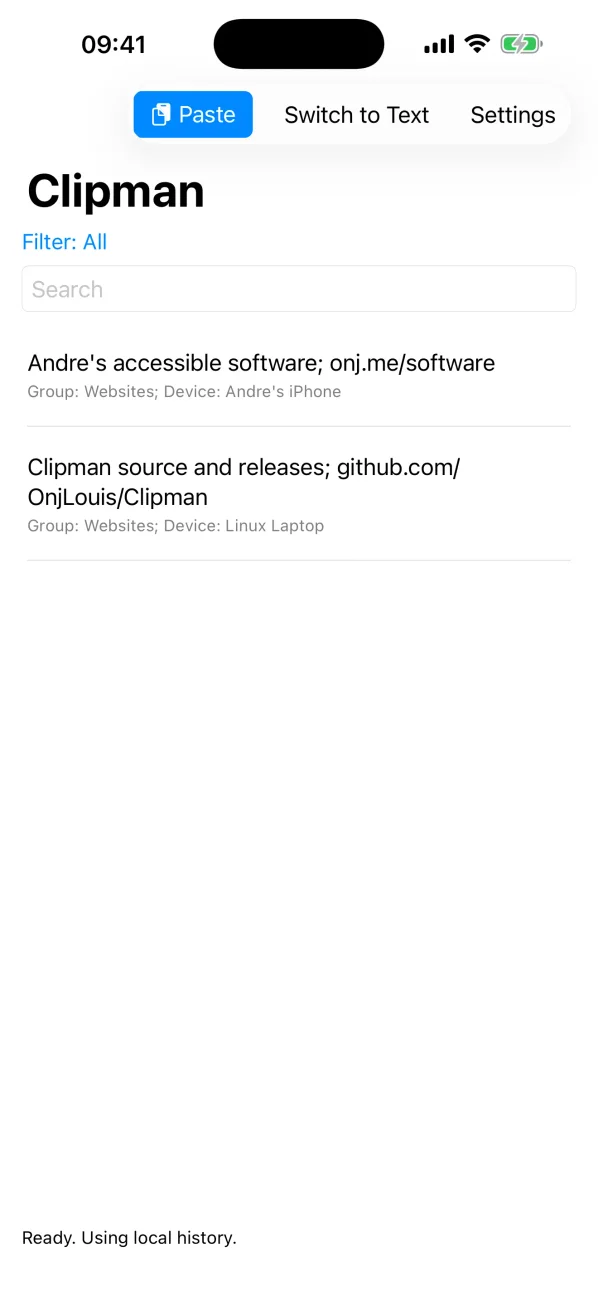
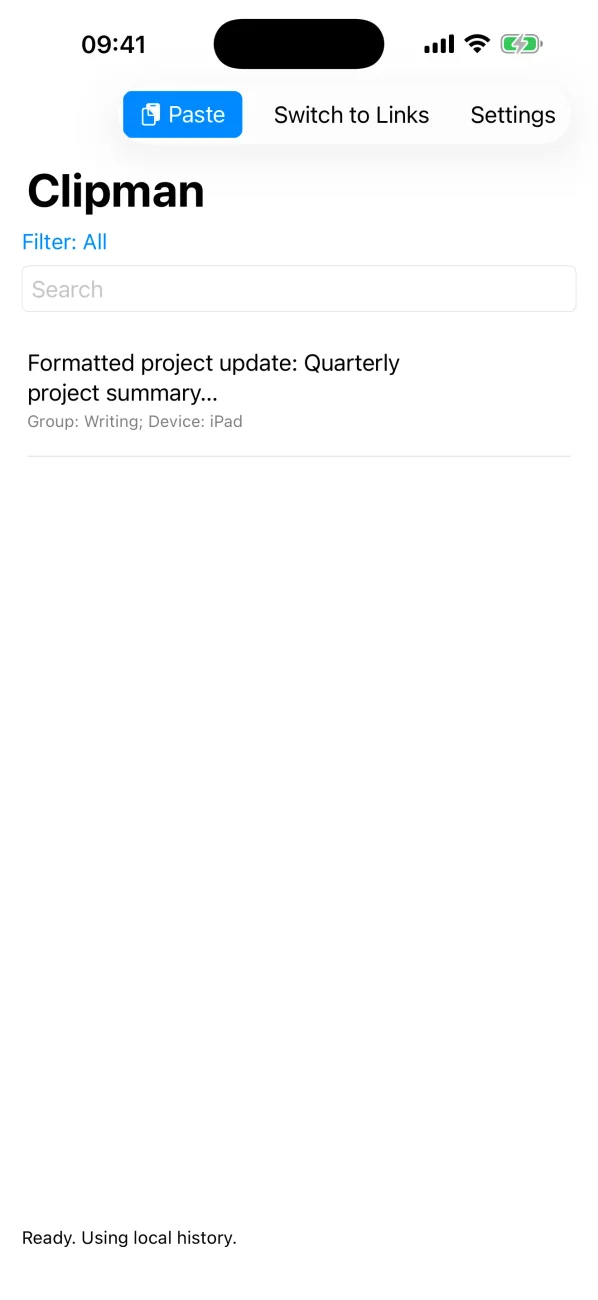
Clipman is an accessible clipboard manager for iPhone and iPad. It keeps useful text, links, formatting and images close at hand without turning clipboard history into a complicated, mouse-first workflow.
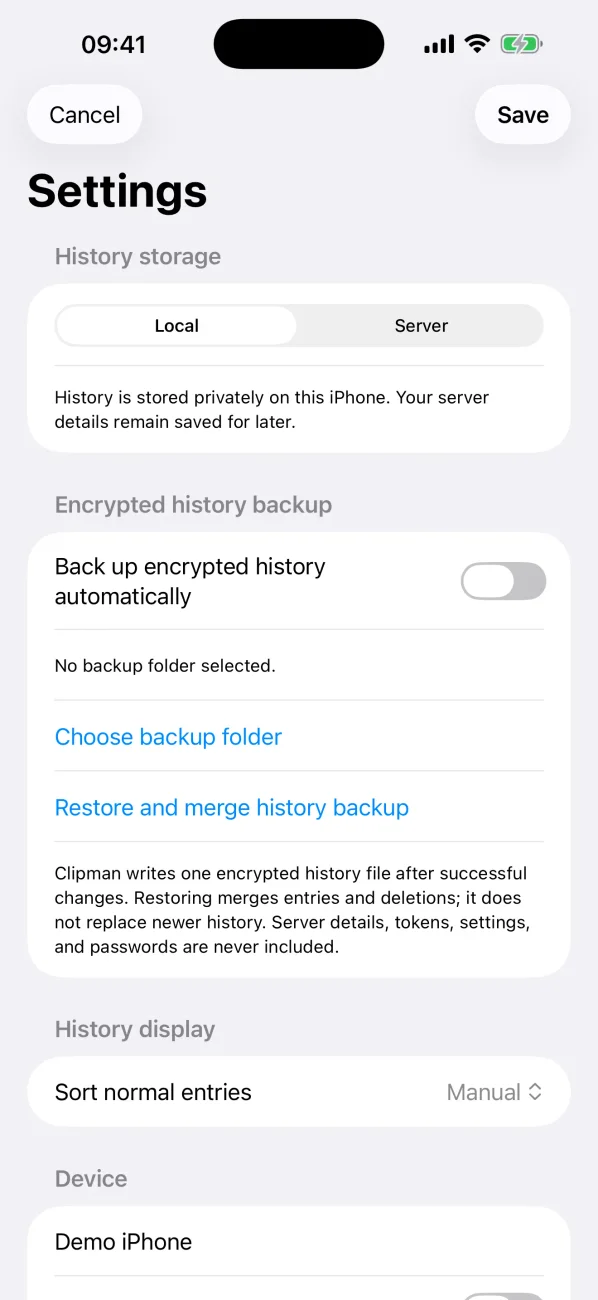
Use Clipman locally without creating an account, or connect to an optional self-hosted Clipman Server to share encrypted clipboard history between your iPhone and iPad.
HISTORY THAT REMAINS USEFUL
- Search text, links and rich text.
- Pin important entries and arrange them into groups.
- Name, edit, view or delete saved clips.
- Filter history by group or contributing device.
- Sort entries manually, by date or by text.
- Preserve supported rich text, links and shared images.
BUILT FOR ACCESSIBILITY
Clipman is designed for efficient use with VoiceOver. Controls expose meaningful names, roles, values and actions, while each history entry remains a single, predictable navigation stop. VoiceOver actions provide quick access to viewing, editing, pinning, deleting, sharing and other relevant commands.
WORK ACROSS DEVICES
Clipman Server is optional and self-hosted. Clipboard history is encrypted on your device before upload, and the server cannot decrypt it. Local history remains available when the server cannot be reached and changes merge after reconnection.
You can also keep an encrypted history backup in a document-provider folder of your choice. Server tokens, passwords and settings are not included in that backup.
MORE WAYS TO WORK
- Add text or supported images through the system Share sheet.
- Use Siri and Shortcuts to add the current clipboard or copy the latest clip.
- Assign Clipman actions to the iPhone Action Button.
- Enable optional authentication whenever Clipman returns to the foreground.
- Choose sounds, haptics, deletion confirmation and clipboard behaviour per device.
- Import or export Clipman history and server connection files.
Clipman is free and open source. Optional tips support development but do not unlock features, content or services.
Novedades
Versión 3.1.10 · 18/11/2026
Fixed an issue that could prevent VoiceOver from copying a history entry, including some Gmail addresses.
Privacidad de la aplicación
Lo que Andre Louis declara en App Store sobre cómo esta aplicación gestiona los datos.
-
No se recopilan datos
El desarrollador no recopila ningún dato de esta aplicación.
Las prácticas de privacidad pueden variar, por ejemplo, según las funciones que uses o tu edad.
Información
- Vendedor
- Andre Louis
- Categoría
- Utilidades
- Versión
- 3.1.10
- Actualizado
- 18/11/2026
- Publicado
- 4/9/2026
- Tamaño
- 2,9 MB
- Requiere
- iOS 16.0 o posterior
- Clasificación por edad
- 4+
- Precio
- Gratis
- Compras en la aplicación
- Sí
- Copyright
- © 2026 Andre Louis
Quizá también te guste
-
 Alt Text GeneratorUtilidades
-
 JustSeeDescribir y recordar
-
 NoteTell Money ReaderPara ciegos o con baja visión
-
 Flip Unit: Unit ConverterUtilidades
-
 ValijarakendusUtilidades
-
 VisionAI: asistencia visualDescribe tu mundo
-
 CerePlayUtilidades
-
 Readible: Kindle to Audio BookUtilidades
-
 ZapvisionAccessible QR reader
-
 OOrionTu asistente visual