CNC CONTROL PANEL: millwright
CNC Learning. Easy Machining
Diseñada para iPhone, iPad
22,99 €
- Clasificación por edad12+
- CategoríaUtilidades
- DesarrolladorShashwat Patel
- IdiomasInglés
- Tamaño15,4 MB
Enlaza a la página oficial de App Store
Download.org no aloja ningún archivo de CNC CONTROL PANEL: millwright. El botón abre la página de la aplicación en App Store, donde la publica Shashwat Patel. Ficha comprobada por última vez el 18/11/2026.
Capturas de pantalla
Acerca de
El desarrollador no ha proporcionado este texto en tu idioma.
CNC Panel Atlas. CNC Control Panel Simulator & CNC Learning System
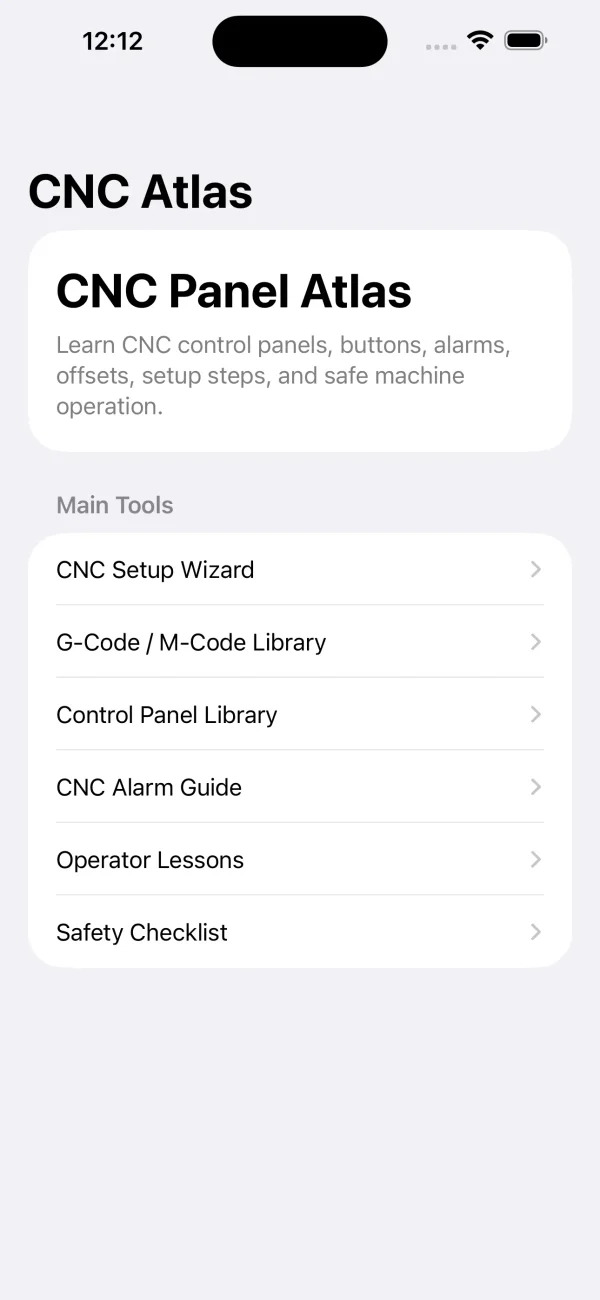
CNC Panel Atlas is a powerful CNC learning and operator reference application designed for machinists, CNC operators, students, manufacturing professionals, engineers, hobbyists, and anyone interested in CNC machining technology. Built with simplicity and industrial usability in mind, CNC Panel Atlas helps users understand CNC machine controls, machine operation workflows, G-code programming, setup procedures, safety systems, and control panel functions in one easy-to-use iOS application.
This app was created to make CNC learning simpler, faster, and more interactive. Instead of searching through manuals, videos, websites, or machine documents, CNC Panel Atlas brings essential CNC control knowledge together in one organized platform designed for shop-floor use and operator education.
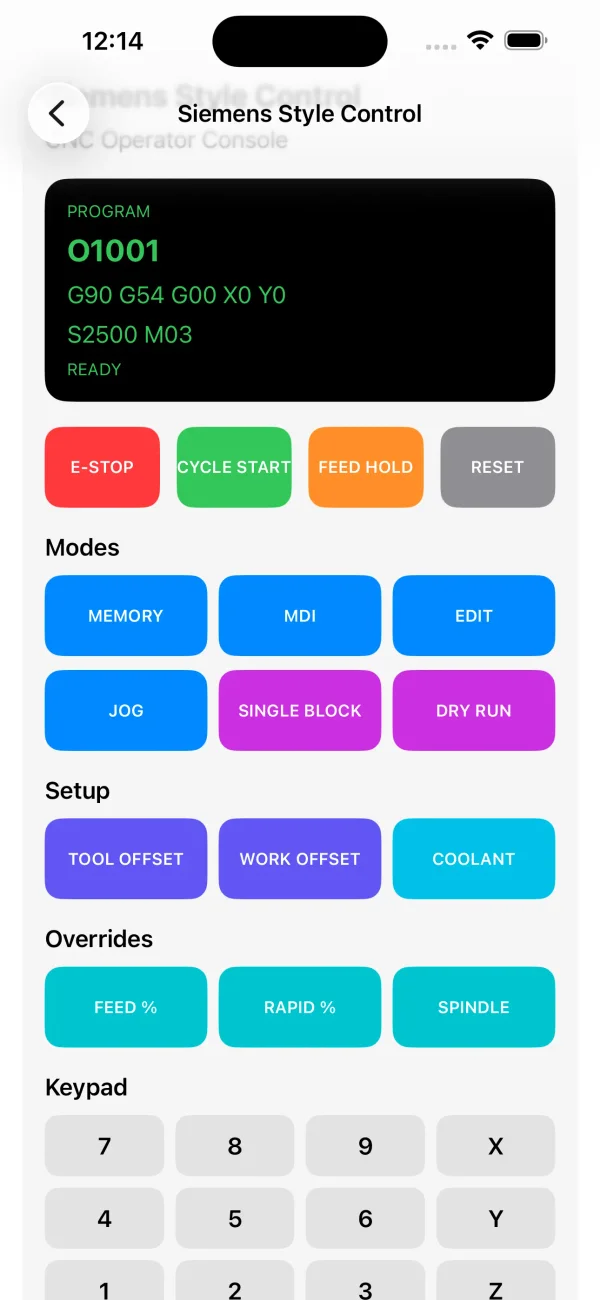
CNC Panel Atlas includes interactive CNC control panel simulations inspired by common industrial machine layouts. Users can explore machine controls, learn the purpose of different buttons, understand machine operation procedures, and improve confidence before operating CNC equipment.
The app currently includes educational control panel systems inspired by:
• Fanuc-style controls
• Haas-style controls
• Siemens-style controls
• Mazak-inspired layouts
• Industrial milling and turning workflows
Interactive control panel features allow users to learn:
• Cycle Start
• Feed Hold
• Emergency Stop
• Reset
• Jog mode
• MDI mode
• Edit mode
• Tool offsets
• Work offsets
• Dry Run
• Single Block
• Coolant controls
• Spindle controls
• Feed override
• Rapid override
Each control includes educational explanations and safety notes to help users better understand proper machine operation and safe CNC procedures.
CNC Panel Atlas also includes a searchable G-code and M-code reference library designed to help operators and students quickly look up CNC commands and programming functions. The library provides explanations and examples for commonly used machining codes including:
• G01
• G02
• G03
• G43
• G54
• G81
• G83
• M03
• M05
• M06
• M08
• M30 and more.
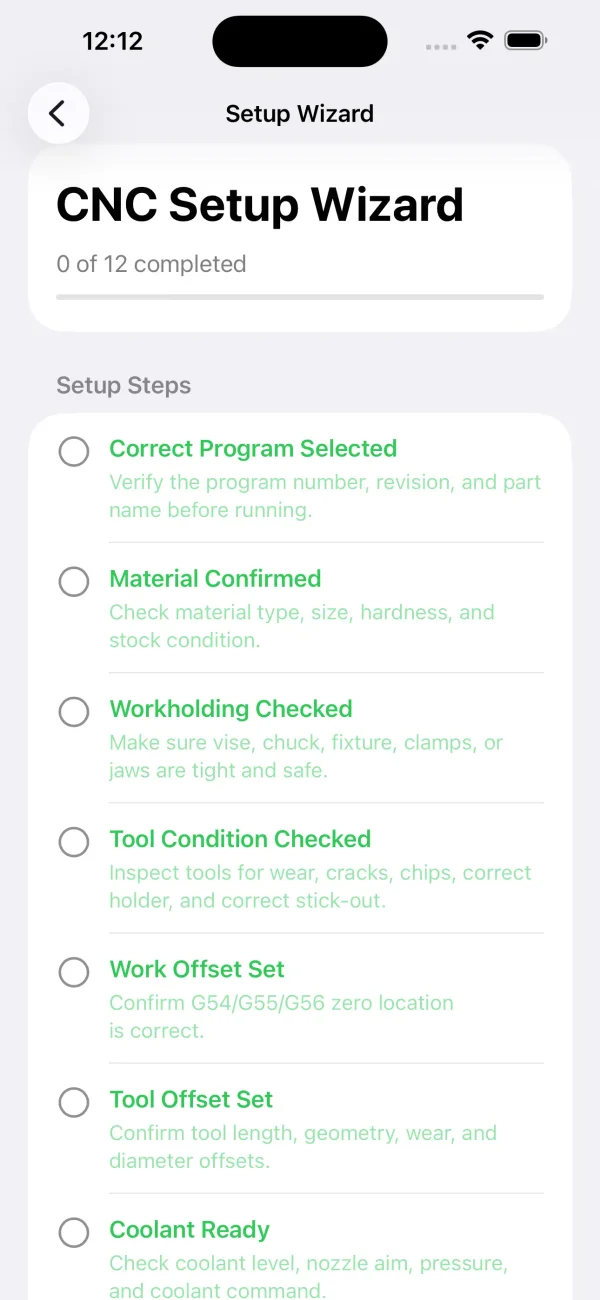
The app also features a CNC Setup Wizard designed to guide operators through important setup procedures before running a machine.
• Correct program selection
• Work holding condition
• Tool condition
• Tool offsets
• Work offsets
• Coolant setup
• Rapid override settings
• First-part prove-out preparation
• Safety procedures
This workflow helps users build safe machining habits and reduce setup mistakes during operation.
CNC Panel Atlas also contains:
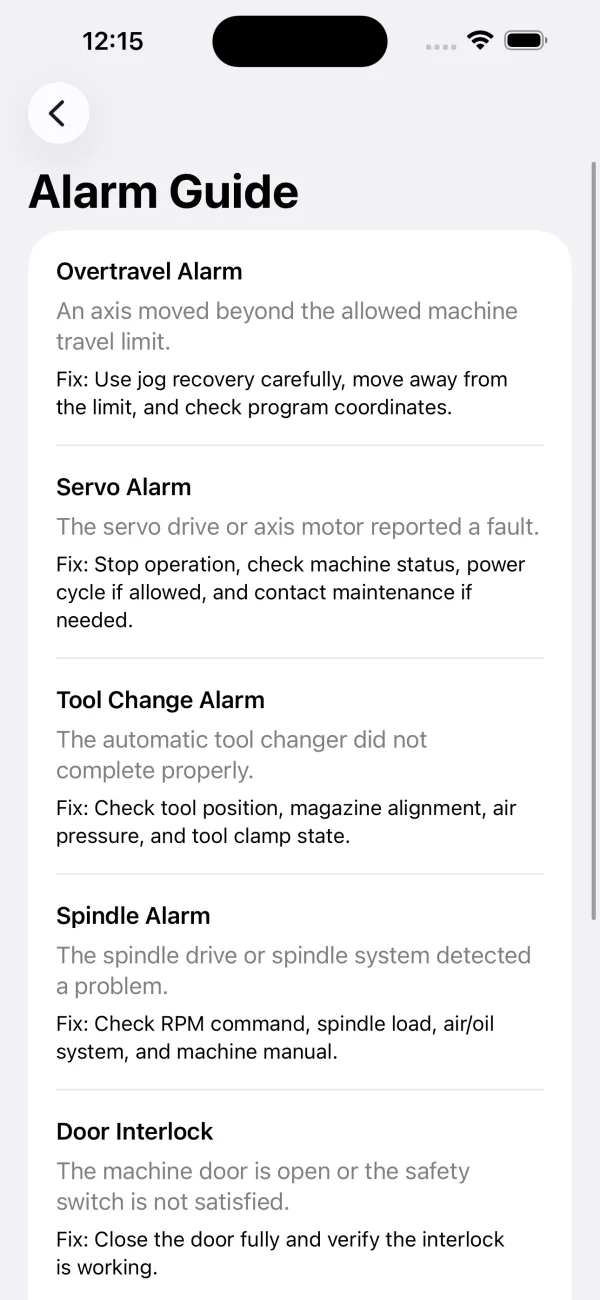
• CNC alarm reference system
• Troubleshooting information
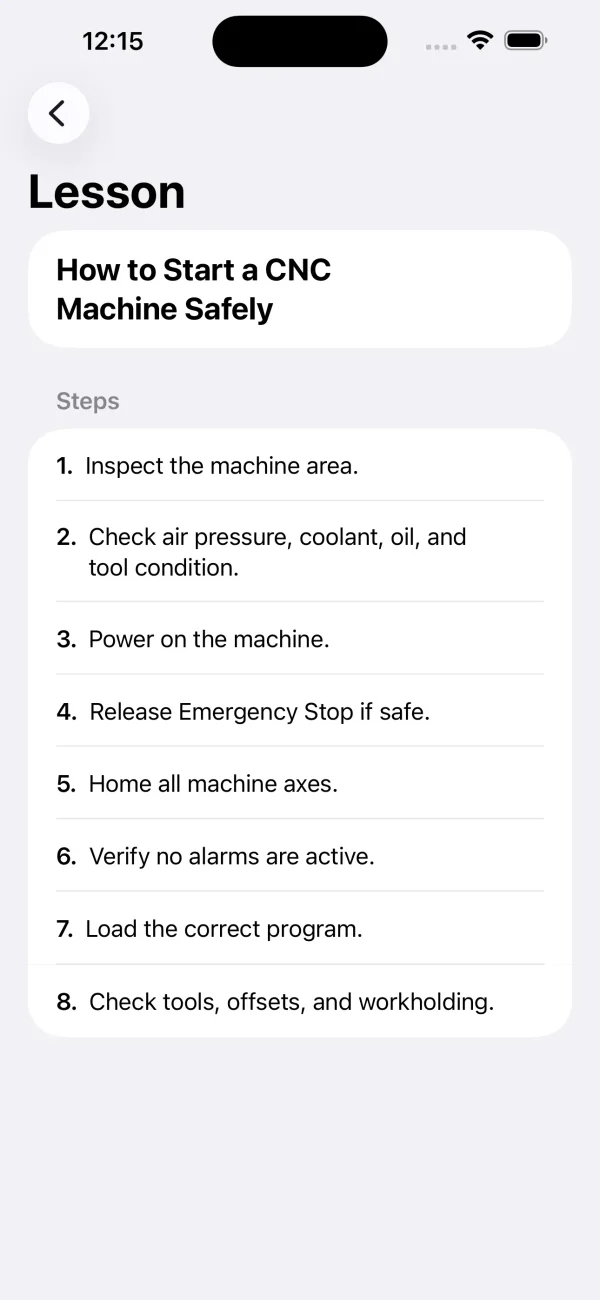
• CNC operator lessons
• Educational workflow guidance
• Safety checklist systems
• Beginner-friendly explanations
• Industrial-style interface design
• Interactive learning tools
The app is designed for both beginners and experienced operators. New machinists can use the app to build foundational CNC knowledge while experienced users can quickly reference codes, setup procedures, alarms, and workflows directly from their iPhone or iPad.
Future updates planned for CNC Panel Atlas may include:
• More controller types
• 3D CNC machine simulations
• AI-powered machining assistant
• Speeds and feeds calculators
• Tooling databases
• CNC certification quizzes
• Advanced training modules
• Machine troubleshooting systems
• Favorites and cloud syncing
CNC Panel Atlas is built for educational purposes only. This application is not affiliated with or endorsed by Fanuc, Haas, Siemens, Mazak, or any CNC machine manufacturer. CNC Panel Atlas does not directly control CNC machines and should not replace professional machine training or manufacturer safety procedures.
Whether you are learning CNC machining for the first time, improving setup skills, reviewing G-code commands, or exploring machine control panels, CNC Panel Atlas provides a modern and practical CNC learning experience directly from your iPhone or iPad.
Made by Shashwat Patel
Novedades
Versión 13.0 · 25/10/2026
New: Tent Mode for iPhone Duo
Fold your iPhone Duo and stand it on the bench. The top half shows the lesson, quick tips and the tour order in big type. The bottom half is the live tool. Both halves stay in sync as you move from screen to screen. A guided tour walks through all 40 screens: Learn, Setup & Run, Calculate, Program & Simulate and Reference. It pauses whenever you start working. On any other iPhone, you can turn on Tent Mode from the menu.
Also new for learners
300+ quiz questions and flashcards
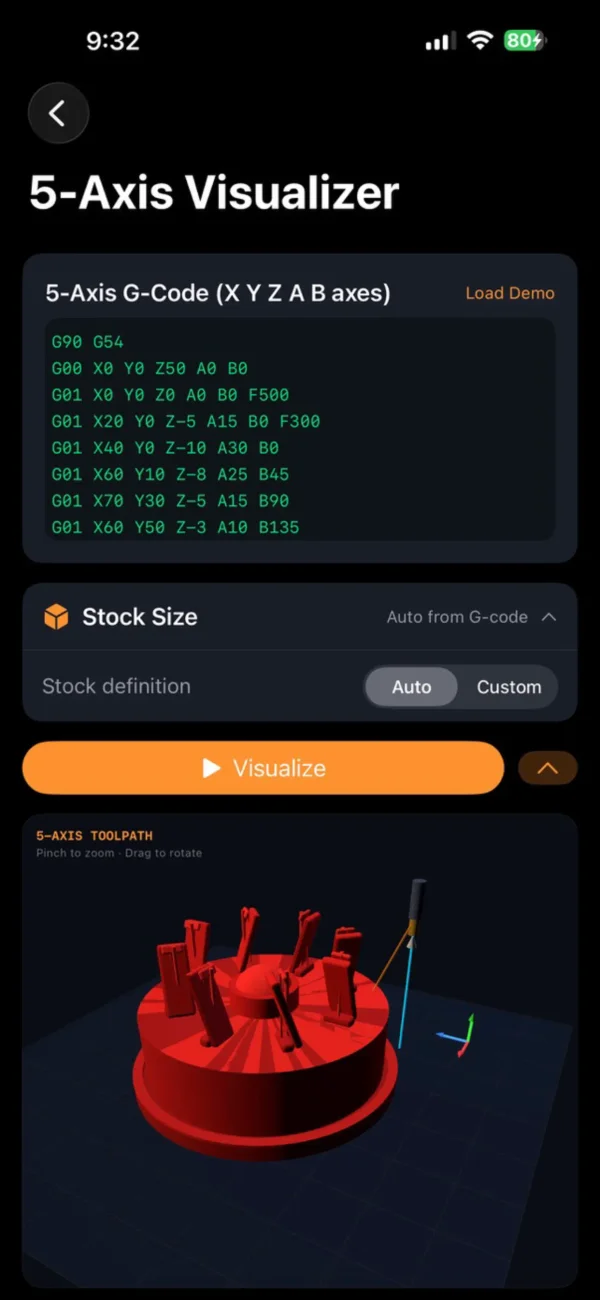
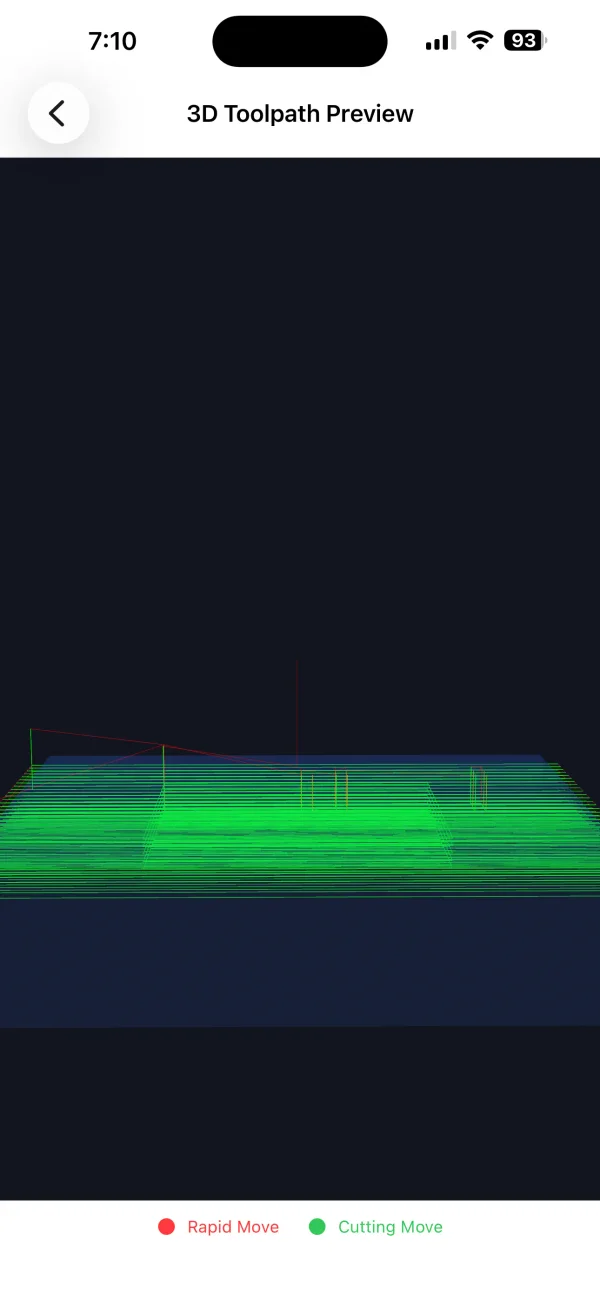
A G-code simulator that shows the tool move
Machine Anatomy with tap-to-zoom photos of a mill and a lathe
Guided Lessons, a Common Mistakes Library and a Daily Practice Problem
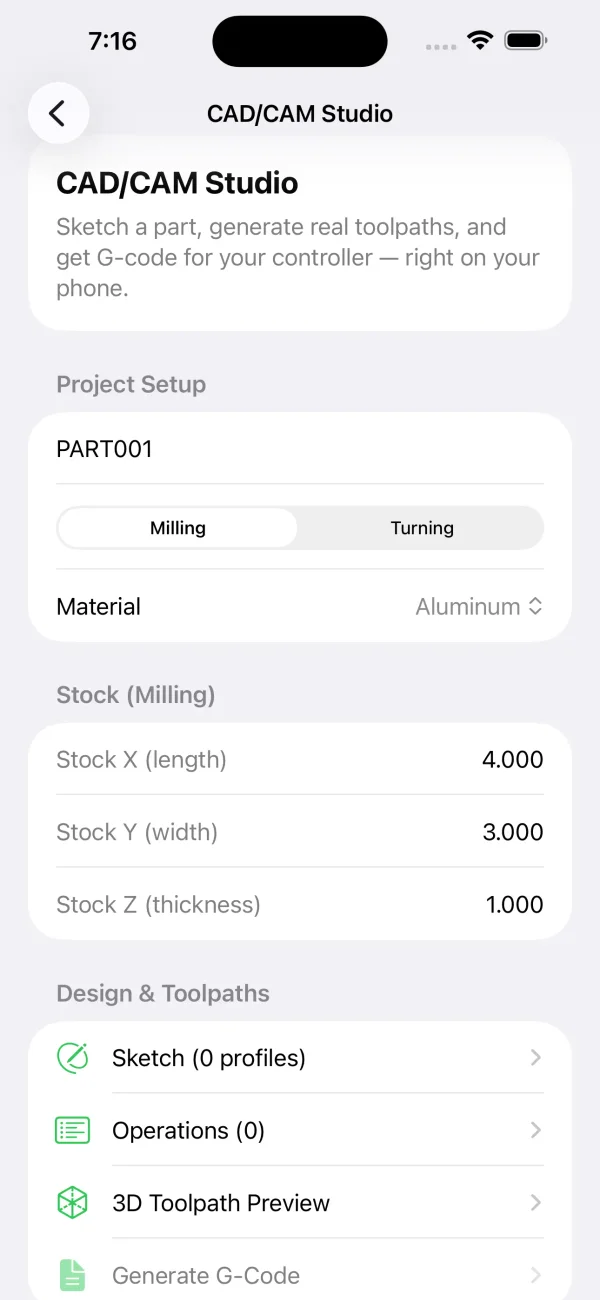
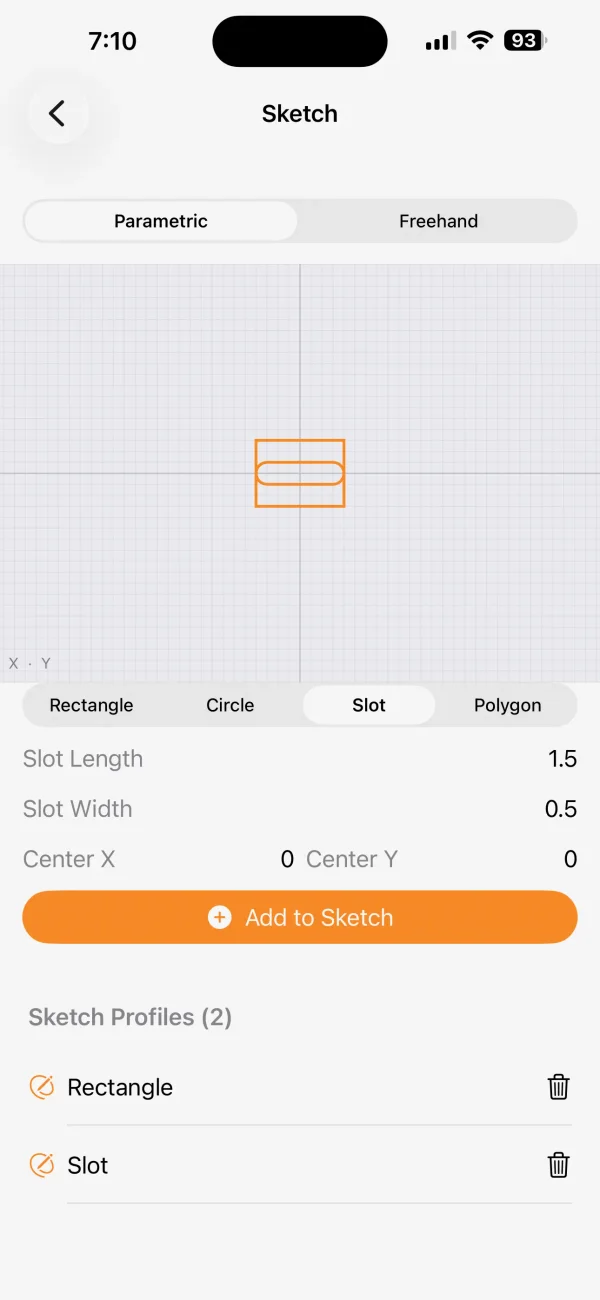
A bigger CAD/CAM sketch canvas you can pan and zoom
A full tap and drill chart: inch, metric, pipe and drill sizes
Privacidad de la aplicación
Lo que Shashwat Patel declara en App Store sobre cómo esta aplicación gestiona los datos.
-
No se recopilan datos
El desarrollador no recopila ningún dato de esta aplicación.
Las prácticas de privacidad pueden variar, por ejemplo, según las funciones que uses o tu edad.
Información
- Vendedor
- Shashwat Patel
- Categoría
- Utilidades
- Versión
- 13.0
- Actualizado
- 25/10/2026
- Publicado
- 26/5/2026
- Tamaño
- 15,4 MB
- Requiere
- iOS 17.6 o posterior
- Clasificación por edad
- 12+
- Precio
- 22,99 €
- Idiomas
- Inglés
- Copyright
- © 2026 Shashwat Patel. All rights reserved. CNC Panel Atlas, its code, graphics, UI, and content may not be copied, modified, or redistributed without permission.
Quizá también te guste
-
 MachiningGuruUtilidades
-
 Airport Taxi 24 DriverUtilidades
-
 Calculate CNC: Lathe G-CodeUtilidades
-
 Thread Torque MasterUtilidades
-
 CNC Lathe Calc AssistantUtilidades
-
 ShopCalc: Machinist CalculatorUtilidades
-
 Calculadora de giroCálculo de velocidad y avance
-
 Calculadora de mecanizado:Calculadora de RPM para
-
 Cálculo Ángulo de HéliceRoscado CNC y placas de apoyo
-
 G-Code Generator: CNC y LáserImagen a G-code para grabado