ComfyUI Mini: Stable Diffusion
AI Image & Picture Generator
Diseñada para iPhone, iPad
Gratis · Compras en la aplicación
- Clasificación por edad17+
- CategoríaDiseño gráfico
- DesarrolladorSultan Haider
- IdiomasInglés
- Tamaño96,0 MB
Enlaza a la página oficial de App Store
Download.org no aloja ningún archivo de ComfyUI Mini: Stable Diffusion. El botón abre la página de la aplicación en App Store, donde la publica Sultan Haider. Ficha comprobada por última vez el 23/11/2026.
Capturas de pantalla
Acerca de
El desarrollador no ha proporcionado este texto en tu idioma.
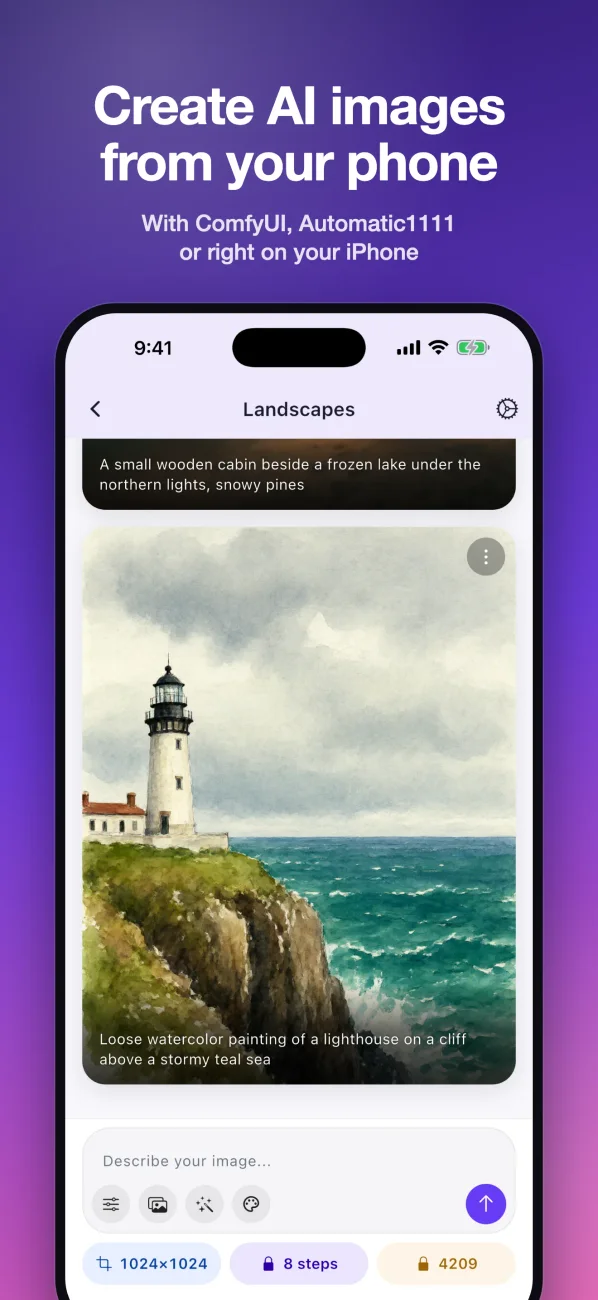
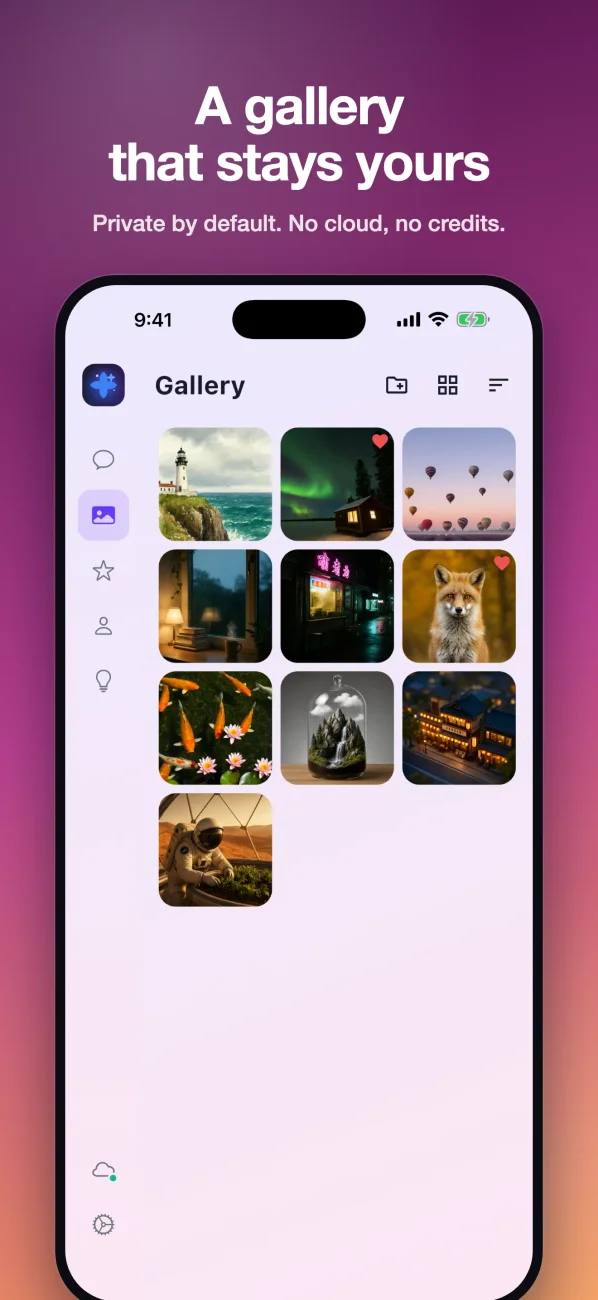
Create AI images with Stable Diffusion right on your iPhone, or control ComfyUI and Automatic1111 on your own computer. Private by default: no cloud, no credits.
TWO WAYS TO GENERATE
• On your iPhone: Stable Diffusion 1.5 and SDXL running on the Neural Engine, no computer needed
• On your computer: ComfyUI workflows and Automatic1111 / Forge, found on your Wi-Fi automatically
FOR COMFYUI
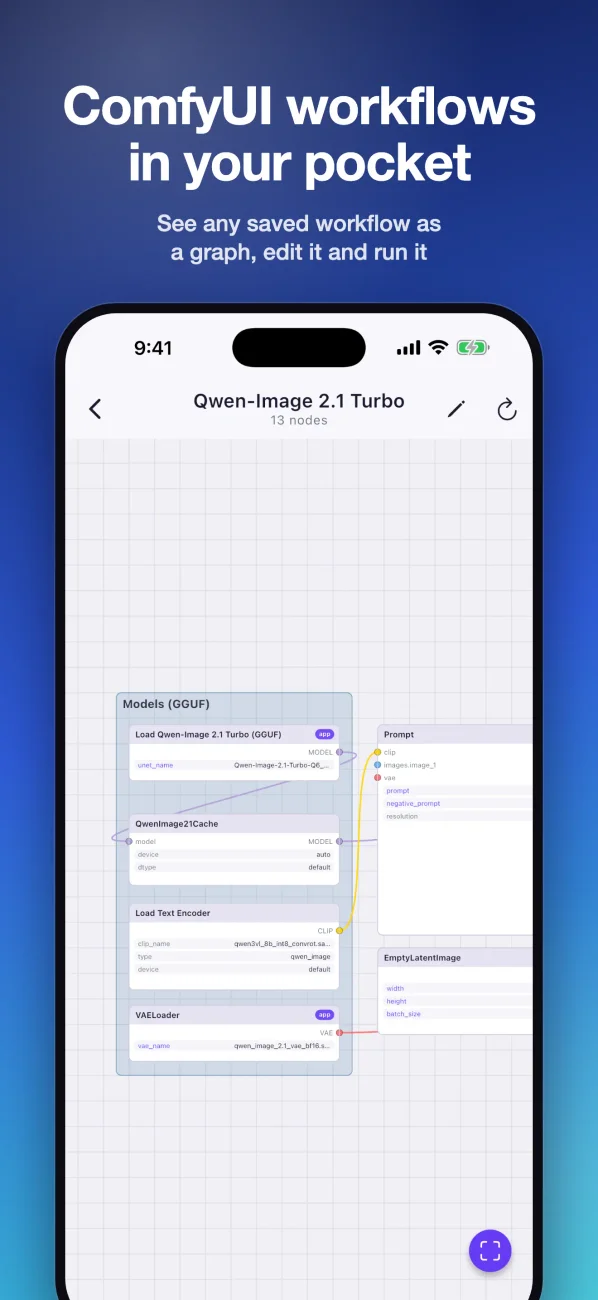
• Pick any saved workflow and see it as a node graph
• Live progress straight from ComfyUI: step counts, time left, batch status
• Works with GGUF, Flux, Qwen-Image, SDXL and SD 1.5 models
FOR AUTOMATIC1111 / FORGE
• txt2img and img2img with samplers, schedulers and seeds
• LoRAs, ControlNet, Hires fix, refiner, VAE and prompt styles
• Import settings from any PNG's generation info
STYLES AND PROFILES
• 10 built-in styles, from Photorealistic and Cinematic to Watercolor and Pixel Art
• Profiles save your favorite settings for each server
PHOTO STUDIO
• Pinch to zoom, swipe through results, share or save to Photos
• 14 looks plus exposure, contrast, highlights, shadows, warmth and more
• Edits save as a copy, your original is never touched
ORGANIZED
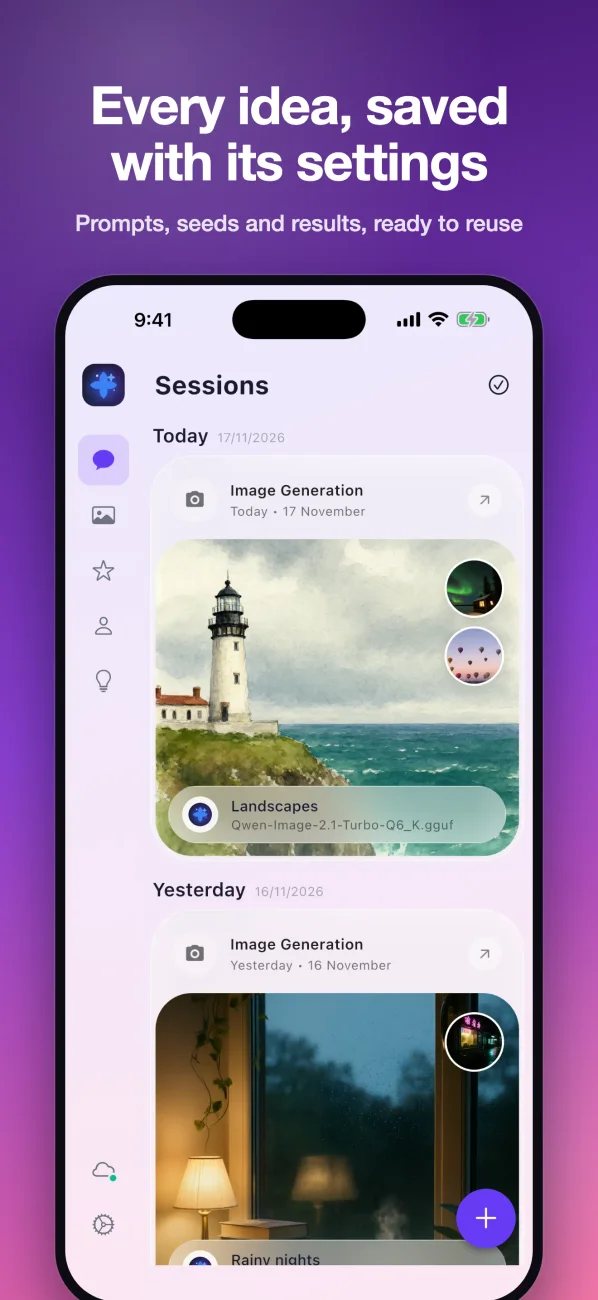
• Chat-style sessions that keep every prompt, seed and setting
• Gallery with folders
• Lock a seed per chat and reuse any prompt in a tap
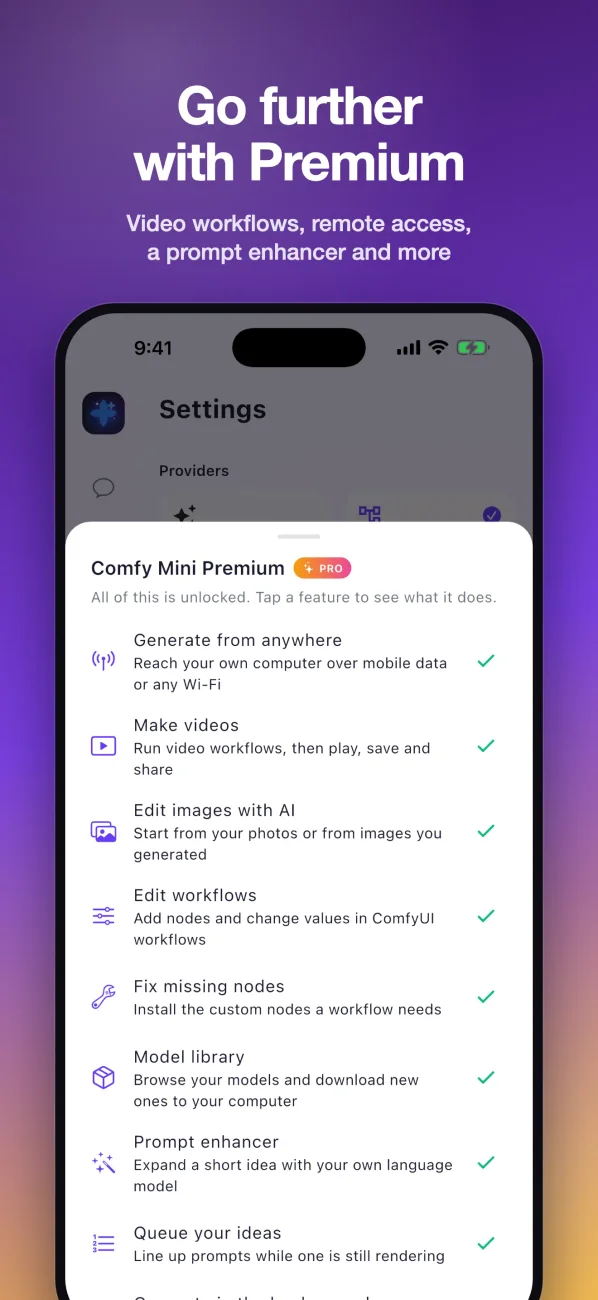
PREMIUM
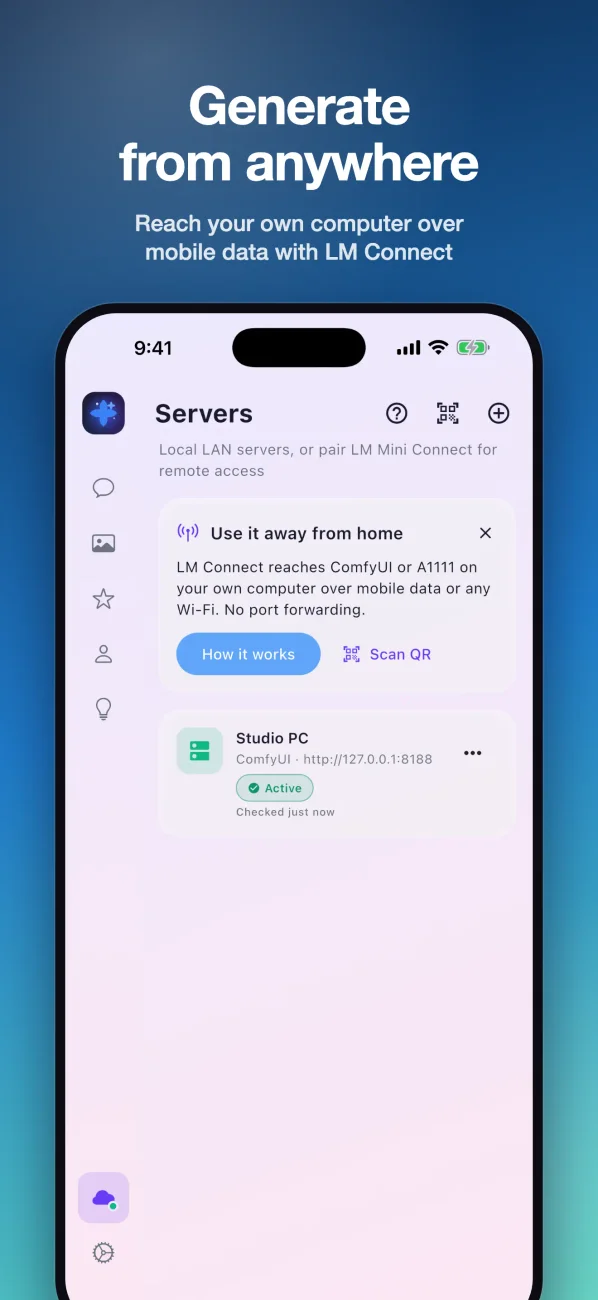
• Remote access to your computer from anywhere with LM Connect
• Video workflows: play, save and share the result
• Edit any image with AI, including your own photos
• Edit ComfyUI workflows: add nodes, connect them and save
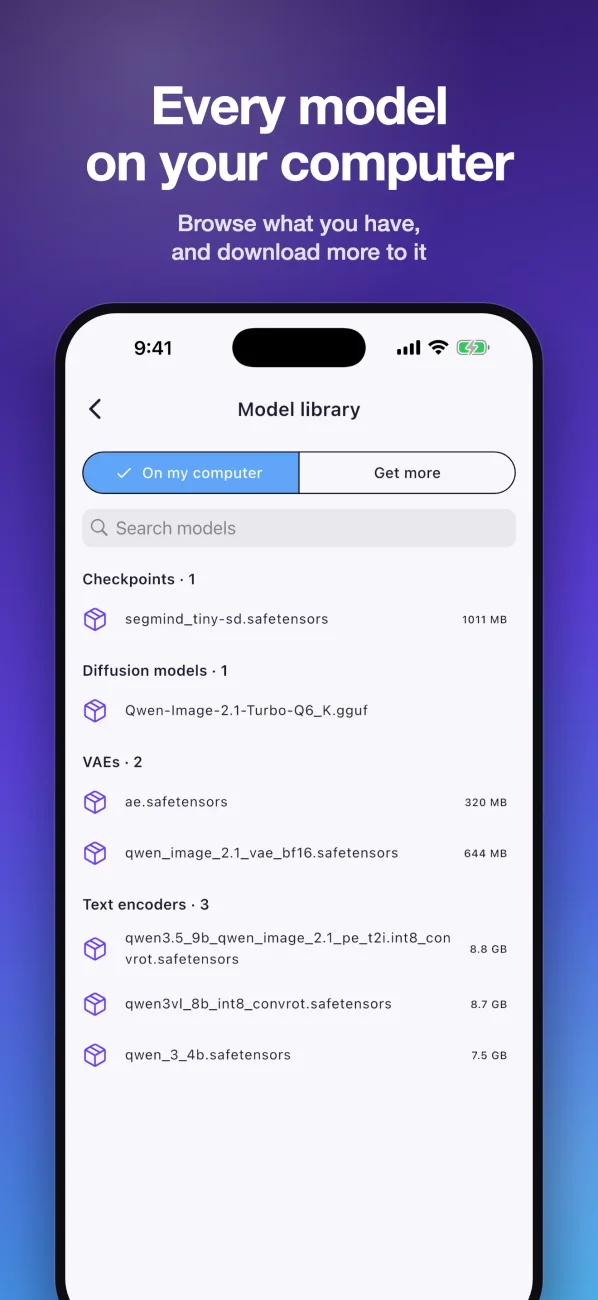
• Install missing custom nodes and download models to your computer through ComfyUI Manager
• Prompt enhancer that uses your own language model
• Generation queue and background generation with Live Activity
• Up to 20 images per batch and more ControlNet units
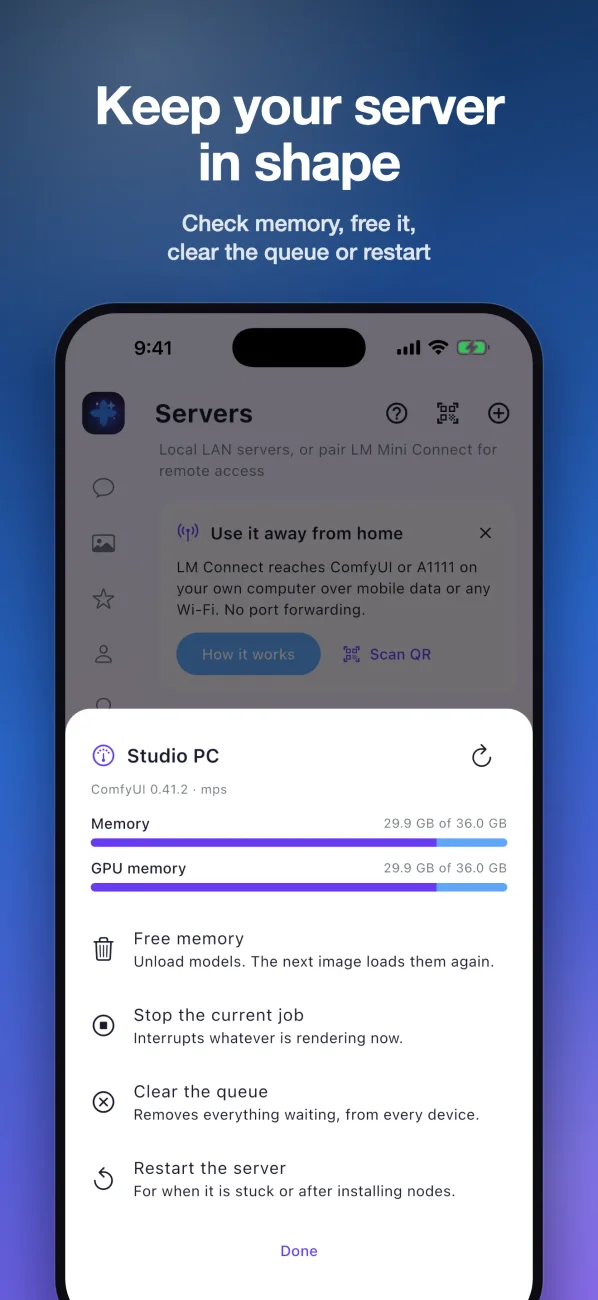
• Upscale & extras, server tools, and App Lock with Face ID or a PIN
ComfyUI Mini is an independent app. It is not affiliated with or endorsed by ComfyUI, Automatic1111 or Stability AI.
SUBSCRIPTION TERMS
Premium is available as a monthly or yearly auto-renewing subscription or a one-time lifetime purchase.
• Payment is charged to your Apple ID account at confirmation of purchase.
• Subscriptions renew automatically unless cancelled at least 24 hours before the end of the current period. Your account is charged for renewal within 24 hours before the end of the current period.
• Manage or cancel your subscription in your App Store account settings after purchase.
Apple Standard EULA: https://www.apple.com/legal/internet-services/itunes/dev/stdeula/
Novedades
Versión 1.0.12 · 18/11/2026
New in this update:
• Video: run your ComfyUI video workflows, then play, save and share the result
• Live previews from ComfyUI while an image renders, with no server flag needed
• Clearer errors: when a workflow is missing a model or a custom node, the app says which one and which pack provides it
• Fix missing nodes: install the packs a workflow needs on your computer through ComfyUI Manager
• Model library: see every model on your computer and download new ones to it
• Prompt enhancer: expand a short idea with your own language model in LM Studio or Ollama
• Server tools: memory use, free memory, clear the queue and restart
• Use these settings: bring back the prompt, size, steps and seed of any image
• Prompt suggestions from phrases you have used before
• Easier remote access, with a guide to setting up LM Connect on your computer
• Settings now shows everything Premium includes
• Automatic1111 / Forge: VAE selection fixed, clearer errors, and a warning when the selected checkpoint is missing
Privacidad de la aplicación
Lo que Sultan Haider declara en App Store sobre cómo esta aplicación gestiona los datos.
-
No se recopilan datos
El desarrollador no recopila ningún dato de esta aplicación.
Las prácticas de privacidad pueden variar, por ejemplo, según las funciones que uses o tu edad.
Información
- Vendedor
- Sultan Haider
- Categoría
- Diseño gráfico
- Versión
- 1.0.12
- Actualizado
- 18/11/2026
- Publicado
- 22/4/2026
- Tamaño
- 96,0 MB
- Requiere
- iOS 16.2 o posterior
- Clasificación por edad
- 17+
- Precio
- Gratis
- Compras en la aplicación
- Sí
- Idiomas
- Inglés
- Copyright
- © 2026 Neuro9. All rights reserved.
Quizá también te guste
-
 HandyComfyDiseño gráfico
-
 Fooocus aiDiseño gráfico
-
 Local AI Art: PhoneDiffusionCrea imágenes y fotos offline
-
 Conjure: Generador Imágenes IAFotos sin conexión y privadas
-
 Comfyui AI : Image GeneratorDiseño gráfico
-
 Stable Diffusion-AI GeneratorDiseño gráfico
-
 Local AI Art: Offline MagicDiseño gráfico
-
 LocalMuse: Offline AI ArtDiseño gráfico
-
 ImageLab IAArte IA: Anime y fotografía