
Copiya: Copy and Paste Text
Select & copy text from screen
Diseñada para iPhone, iPad
Compras en la aplicación
- Clasificación por edad4+
- CategoríaProductividad
- DesarrolladorRelude LLC
- IdiomasInglés
- Tamaño16,3 MB
Es posible que Copiya: Copy and Paste Text no esté disponible en App Store en este momento
No se pudo acceder a la ficha de la tienda en nuestra última comprobación. El enlace sigue llevando a la página oficial de App Store.
Capturas de pantalla

Acerca de
El desarrollador no ha proporcionado este texto en tu idioma.
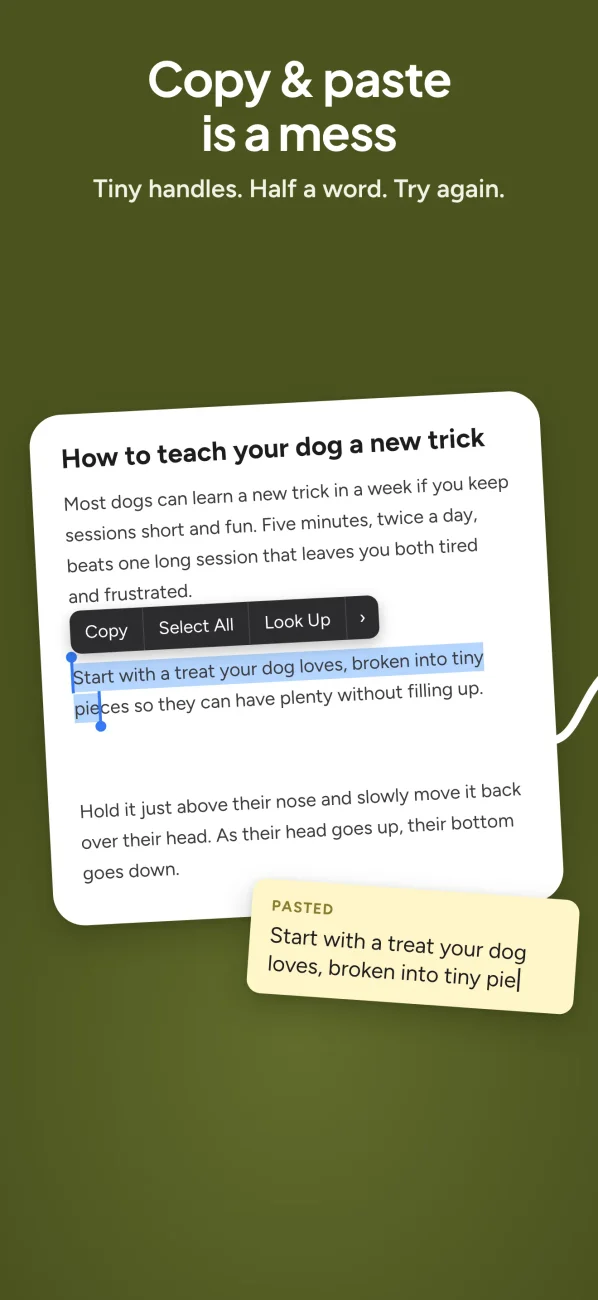
Dragging tiny handles to select text is fiddly. With Copiya you tap the first word, tap the last, and copy.
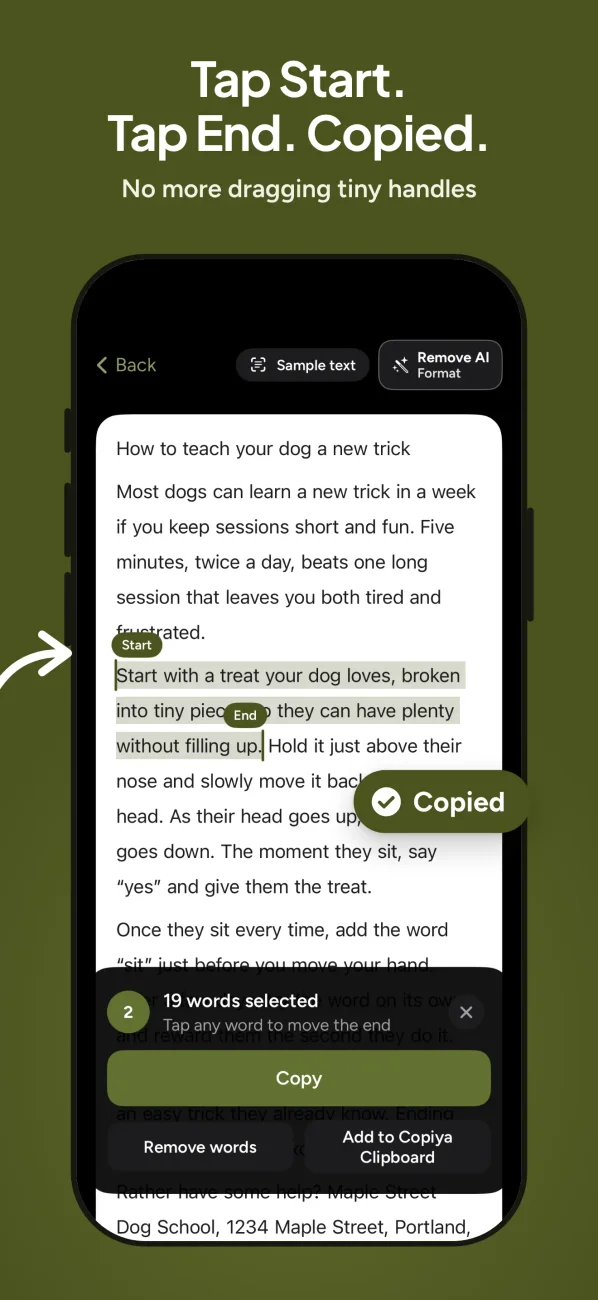
TAP START, TAP END
• Tap the first word, tap the last word, Copy. Tap any word to move the end.
• Sentence, Paragraph and Section buttons finish the selection for you.
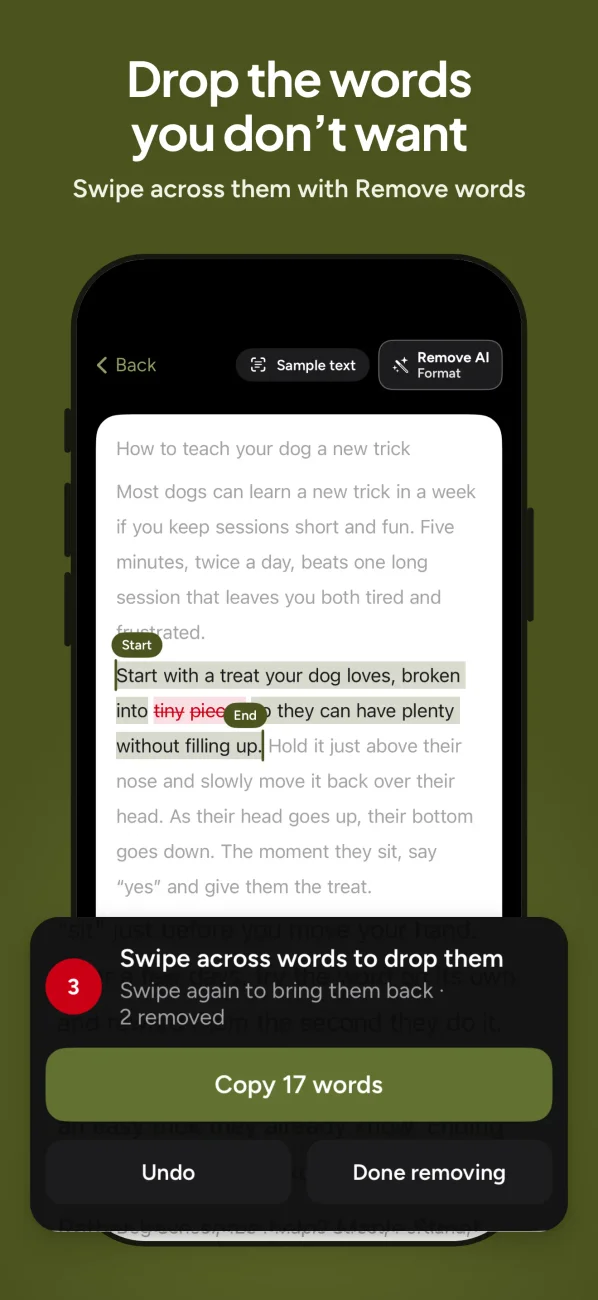
• Remove words: slide your finger across words to drop them from the copy; slide again to bring them back.
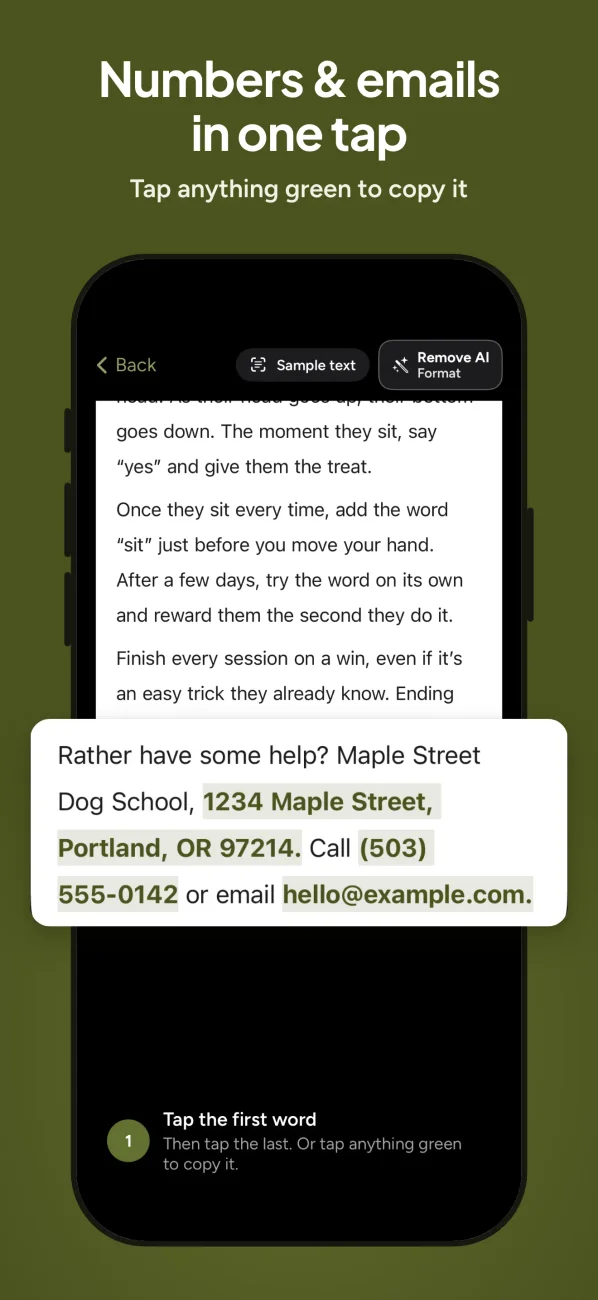
• Phone numbers, emails and addresses light up green. Tap one and it's copied.
• Remove AI Format: turn it on once and every copy loses long dashes, chatbot credit lines and the "Would you like me to…?" at the end. Fixed rules, no AI.
WORKS WHERE YOU READ
• Double-tap the back of your iPhone in any app. On iPad, take a screenshot, then tap Copiya Select in Control Center. Copiya reads the words on your screen, on your device.
• In Safari, tap Copiya in the page menu to select right on the page, or capture it as an image, PDF or text.
• From photos & files: a screenshot, photo, PDF or PowerPoint file (up to 250 pages or slides, with a divider between each).
• Share sheet: send a screenshot, photo, PDF or text to Copiya.
• Control Center: Copiya Select and Copiya OverFlow buttons (iOS 18 or later).
START WITH 14 DAYS FREE
New downloads start Copiya with Copiya Premium: 14 days free on Monthly or Yearly (once per Apple Account), or Lifetime. The welcome's practice copies are always free. If Premium ends, Remove AI Format, the Safari extension's own copying, saving to the Copiya Clipboard and page capture keep working; copying from your screen needs Premium.
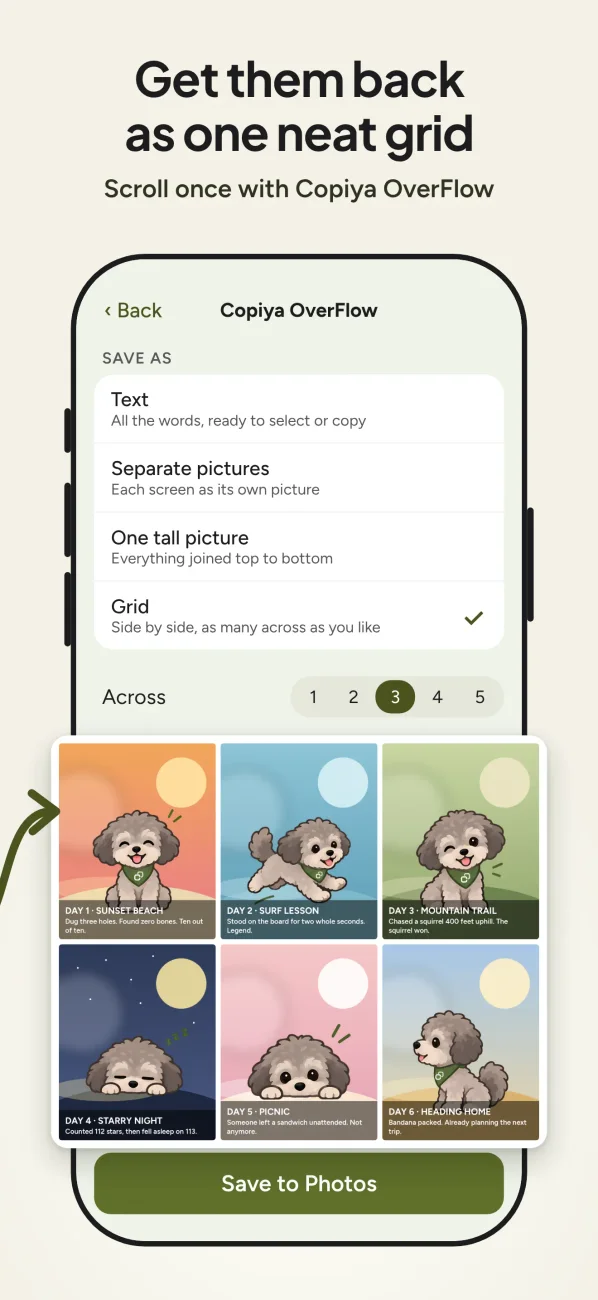
COPIYA OVERFLOW (COPIYA PREMIUM)
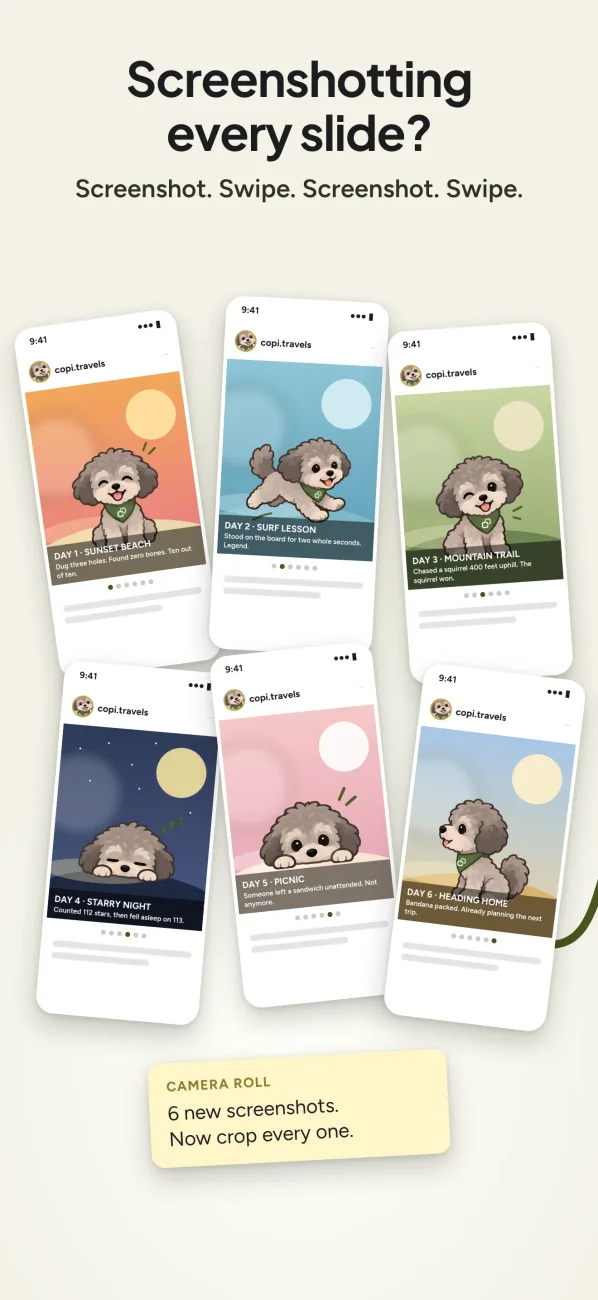
For everything that doesn't fit on one screen: photo dumps, slides, long posts and whole chats.
• Start a capture in Copiya or from Control Center, and confirm on iPhone's own sheet.
• Swipe through the slides or scroll. Copiya saves each screen you pause on; the Dynamic Island and Lock Screen show it's capturing, with a Done button.
• Tick the screens you want, then save the text, separate pictures, one tall picture or a grid.
• Triple-tap the back of your iPhone to save just the screen you're on.
• Copiya Premium also gives unlimited copies and reads up to 50 screenshots or photos at once.
Captures stay on your device and delete themselves 10 minutes after you last add or open them. Video and sound are never recorded.
Copiya Premium: $2.99 a month or $19.99 a year, charged to your Apple Account, with 14 days free for new subscribers. A subscription renews automatically unless you cancel at least 24 hours before the end of the period, and a free trial becomes a paid subscription unless you cancel at least 24 hours before it ends. Or pay $29.99 once for lifetime access (for as long as Copiya is offered and supported). Cancel any time with Cancel subscription in Copiya's Settings, or in iPhone Settings › your name › Subscriptions.
Terms of Use: https://copiya.reludellc.com/app-terms
Privacy Policy: https://copiya.reludellc.com/app-privacy
MORE
• Copiya Clipboard: keep text and pictures, grouped by day. Tap one to copy it, swipe right to edit, swipe left to delete, or Select to copy or delete several.
• Copy tracker: your copies today, yesterday and this week, and how Copi feels about it. Allow notifications for a good-morning note from Copi.
• Stitch overlapping screenshots into one continuous text.
PRIVATE BY DESIGN
• No accounts, no tracking, no analytics. Text recognition happens on your device.
• Screenshots from a double-tap, the photo picker or the share sheet are never saved by Copiya.
• Your Copiya Clipboard lives only on your device, is never synced, and stays until you delete it.
Novedades
Versión 1.2 · 17/11/2026
• A new hands-on welcome: feel how slow press-and-drag is on a long recipe, then do it the Copiya way, step by step: tap the first word, tap the last, swipe away the parts you don't want, copy.
• Start Copiya Premium with 14 days free, and Copi can remind you two days before the trial ends.
• If you downloaded Copiya before 1.2, nothing changes for you: unlimited copies stay unlimited, and free copies stay yours.
• Copiya Clipboard: Delete is now red, and the delete-everything button is gone so nothing is erased by accident. To clear it, tap Select › Select all › Delete.
• Updated Terms of Use and Privacy Policy.
Privacidad de la aplicación
Lo que Relude LLC declara en App Store sobre cómo esta aplicación gestiona los datos.
-
No se recopilan datos
El desarrollador no recopila ningún dato de esta aplicación.
Las prácticas de privacidad pueden variar, por ejemplo, según las funciones que uses o tu edad.
Información
- Vendedor
- RELUDE LLC
- Categoría
- Productividad
- Versión
- 1.2
- Actualizado
- 17/11/2026
- Publicado
- 4/11/2026
- Tamaño
- 16,3 MB
- Requiere
- iOS 17.0 o posterior
- Clasificación por edad
- 4+
- Compras en la aplicación
- Sí
- Idiomas
- Inglés
- Copyright
- © 2026 RELUDE LLC
Quizá también te guste
-
 MakuSafeProductividad
-
 Outliner: ScrollProductividad
-
 OfficeRnD MembersProductividad
-
 GEO Staff App by BuildingLinkProductividad
-
 Global Pet SecurityProductividad
-
 HypersketchProductividad
-
 Circleback - Notas de reuniónGraba, transcribe, resume
-
 Mesh: Contacts + CRMProductividad
-
 Tana OutlinerProductividad
-
 TeuxDeux Daily Checklist To DoProductividad