CreaseCam
Hockey goalie video & stats
Diseñada para iPhone, iPad
Compras en la aplicación
- Clasificación por edad4+
- CategoríaDeportes
- DesarrolladorJason Borchardt
- IdiomasInglés
- Tamaño40,5 MB
Es posible que CreaseCam no esté disponible en App Store en este momento
No se pudo acceder a la ficha de la tienda en nuestra última comprobación. El enlace sigue llevando a la página oficial de App Store.
Capturas de pantalla


Acerca de
El desarrollador no ha proporcionado este texto en tu idioma.
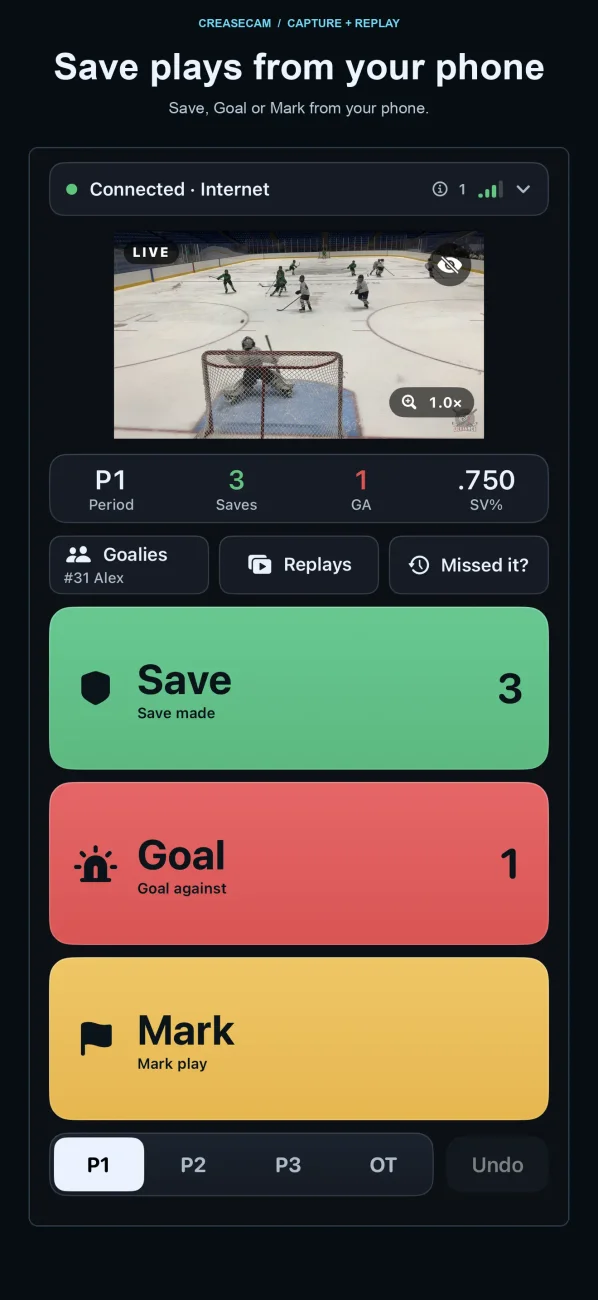
Capture your goalie's saves. Replay them from the stands. Review the details with your coach.
CreaseCam turns a supported iPhone or iPad into a camera behind the net. Tap Save, Goal or Mark after the action to keep the play, including the lead-up before your tap. Use your paired phone to replay and share without leaving your seat.
CAPTURE AND REPLAY
• Save plays from the camera, a paired iPhone, your Lock Screen or Apple Watch.
• Use two cameras to capture both ends with one tap. Each Save or Goal counts once in your stats.
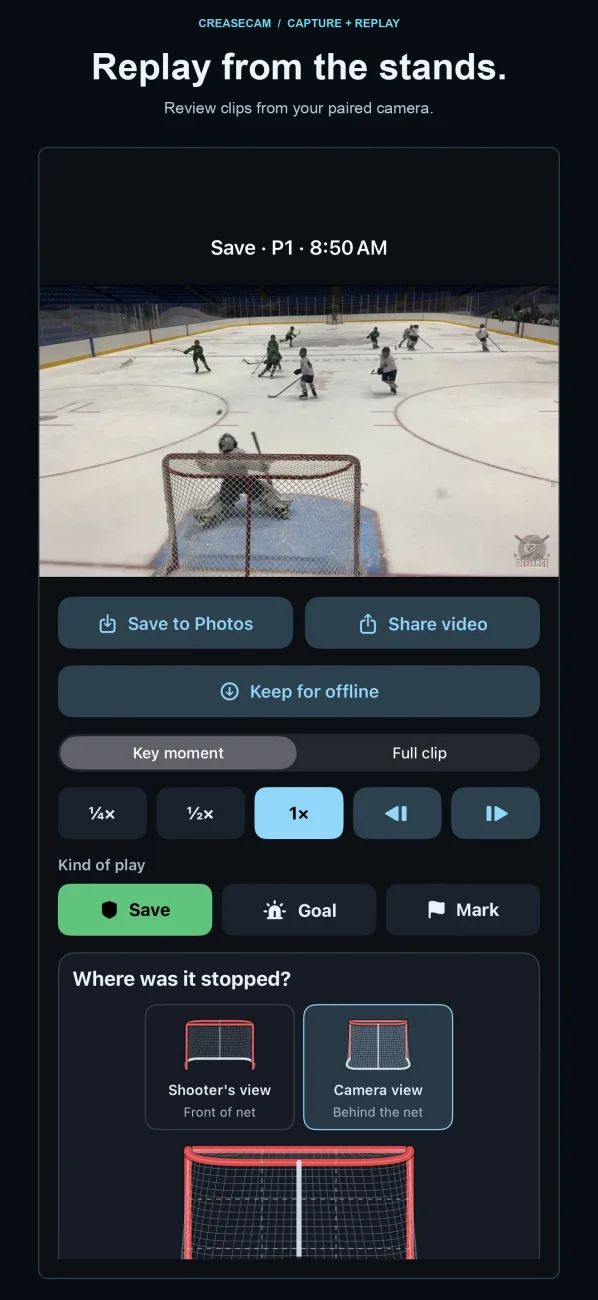
• Review camera angles together and choose your preferred view.
• Saves made close together can share one video while each save still counts.
• Recover a missed play from footage still available on the camera.
• Watch in slow motion, step through frames and pinch to zoom.
REVIEW, COACH AND SHARE
• Compare two clips side by side.
• Draw on the video with your finger or Apple Pencil.
• Record a voice-over to explain an adjustment.
• Adjust a play's start and end without replacing the source clip.
• Build highlight reels from edited ranges, full clips or key moments.
• Export clips, reels, game reports or an entire retained recording.
• Share eligible CreaseCam captures through temporary browser links. Keep local copies or library backups for your records.
FREE GOALIE STATS
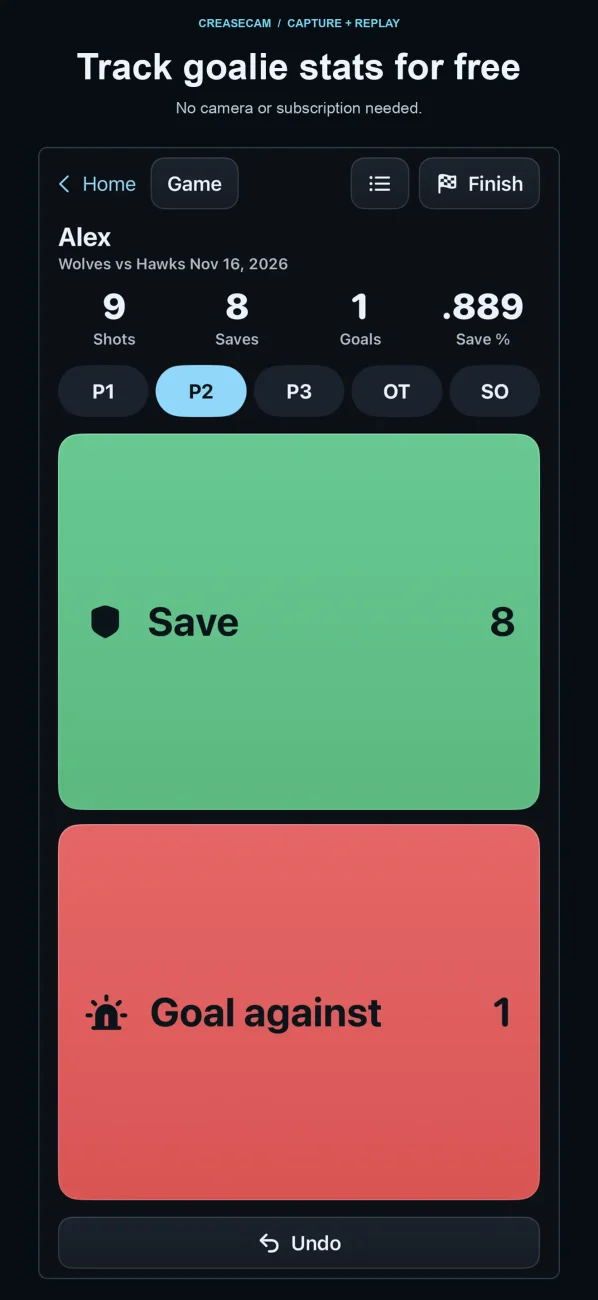
Track with just your iPhone or iPad. No camera, subscription or CreaseCam account required.
• Count saves and goals against, correct mistakes and add missed plays.
• Mark save and goal locations on the net.
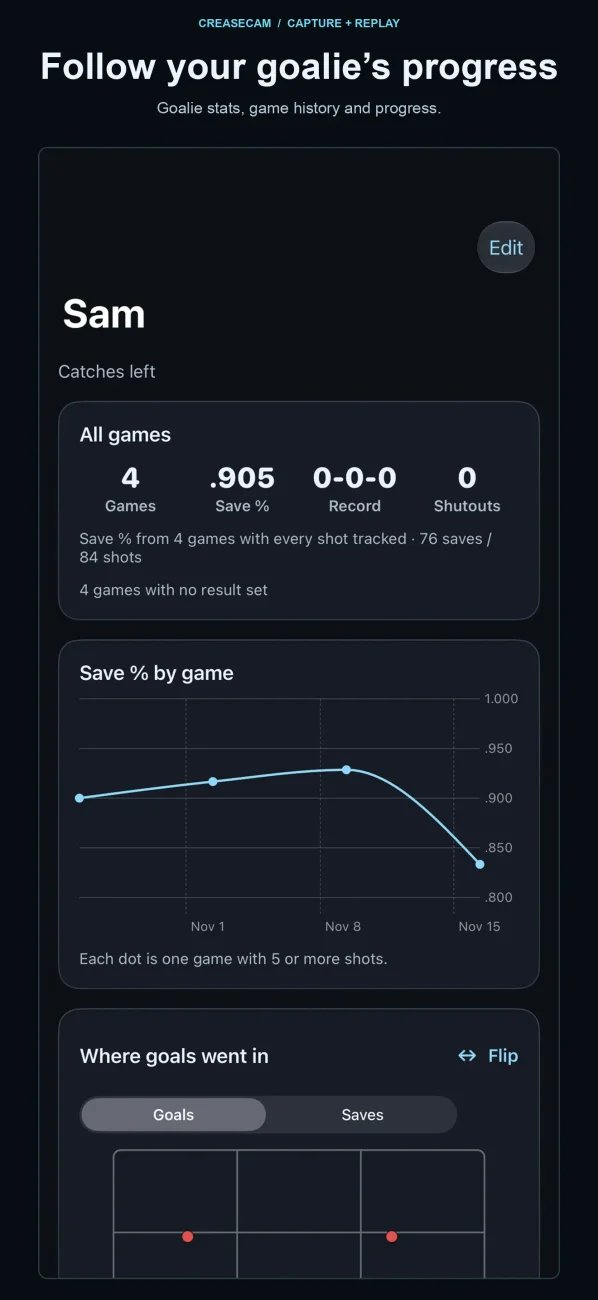
• Follow goalies and seasons with save percentage, goals-against average, records and trends.
• Count from your iPhone Lock Screen or paired Apple Watch.
• Share game cards and reports, export spreadsheets and import past games from CSV.
• Sync stats across linked devices. Stats sync does not include video.
SET UP BEFORE THE GAME
Rink check brings your cameras, connections and Apple Watch into one view. Guided Enhanced Wi-Fi setup helps supported devices connect. Update CreaseCam on every phone and camera to use Enhanced Wi-Fi together.
Keep CreaseCam open on the camera while recording. Nearby controls can use Bluetooth or Wi-Fi without rink internet; phone replays need Wi-Fi to the camera. Range, recording quality and connection options depend on your devices and rink conditions. Apple Watch uses its paired iPhone. Missed-play recovery requires footage the camera still has; overwritten footage and gaps cannot be recovered.
OPTIONAL VIDEO SUBSCRIPTION
Goalie stats are free. Recording video requires a monthly or yearly auto-renewing subscription. Family Sharing covers your Apple family group. Eligible yearly subscribers get a two-week free trial. Prices and eligibility appear before purchase. Subscriptions renew until canceled in Apple account settings. Existing local clips remain available to review and export after recording access ends.
Built by Defiance Goalie Academy.
Privacy: https://creasecam.app/privacy
Terms of Use: https://www.apple.com/legal/internet-services/itunes/dev/stdeula/
Novedades
Versión 1.6 · 24/11/2026
Our biggest update since free stats: faster review after the game, steadier connections at the rink, and many fixes.
REVIEW EVERY PLAY, YOUR WAY
• Each play shows once, with every camera angle together. Switch angles in the player and keep the one you like best.
• Plays start 6 seconds before your tap and end 3 seconds after. The full recording stays, so you can widen or tighten a play later. Change the defaults in camera settings.
• Saves made seconds apart can share one video, and every save still counts. Combine or split plays yourself.
• Pick angles, combine plays and set ranges from your phone, too.
• Build reels from your trim, the whole clip or just the key moment, in any order. Save reels by name and open them on any phone.
• Export a game's entire recording with its sound in sync.
• Free up space with Delete unused angles. Angles in your reels, coaching or favorites are kept.
• Pinch to zoom into a replay.
• 23 new coaching tags, like Kick save, Poke check, T-push and Backhand, plus a new After the save group for rebounds.
GAME DAY
• A recap after Finish shows the game's saves, goals and clips, ready to review or share.
• Choose who's in net from the camera or your phone, so every game lands in that goalie's history.
• The camera says Ready as soon as it's recording, so your first tap counts.
• Start a New session faster, and pick the rink, team and opponent from your phone.
• Your goalie's page shows where saves were made, as well as goals.
• Apple Watch shows a big SAVED or NOT SAVED after each tap.
• Goal replays reach your phone sooner, and the Goal screen shows their progress.
• The next game can start even if the second camera is slow to stop. It joins when it's ready.
• Left a camera at home? Dismiss it once and Home looks like a one-camera setup.
READY BEFORE PUCK DROP
• Rink check shows each camera, the link between them and your Apple Watch in one place, with one button to fix what needs it.
• Guided Enhanced Wi-Fi setup pairs your phone with each camera, and the two iPads with each other, step by step. CreaseCam tells you before pairing that Enhanced Wi-Fi pauses briefly and reconnects by itself.
• Add a second camera over Bluetooth or Enhanced Wi-Fi, even without shared Wi-Fi.
• When the two iPads can't reach each other, your phone passes taps and clips between them, even for a while after you lock it.
• One Reconnect button restarts every connection at once. CreaseCam also reconnects on its own.
• Clearer connection status. A connected camera shows as connected, and you're only asked to pair devices that aren't paired yet.
• Taps go ahead of replays and clips on every connection, so a busy link never slows a save.
• CreaseCam tells you when a phone or camera needs an update. You can still play today.
CLIPS THAT KEEP MOVING
• The primary camera shows a progress bar for each clip arriving from the other camera.
• After a dropped connection, clips pick up again within seconds. They keep moving briefly if you switch apps.
• The primary camera checks it has room for both cameras' clips, and the second camera frees its space once the primary has them.
• Both cameras record at matching quality, and older iPads automatically use a quality they can record smoothly.
SUBSCRIPTION
• See your free trial's first charge date and price up front.
• If your subscription ends mid-game, finish the game and renew later.
• If a renewal payment has a problem, video keeps working for a few days while you fix it.
LOOK AND FEEL
• Fits every screen, from iPhone SE to iPad, folding phones and large text.
• A cleaner look across Settings and forms, and simpler finished-game screens.
• Fixes for clip audio, reel sharing and more.
Update CreaseCam on every phone and camera to 1.6 to use Enhanced Wi-Fi together. Goalie stats stay free. Video recording requires a subscription.
Privacidad de la aplicación
Lo que Jason Borchardt declara en App Store sobre cómo esta aplicación gestiona los datos.
-
Datos vinculados a ti
Pueden recopilarse y vincularse a tu identidad.
- Compras
- Ubicación
- Contenido del usuario
- Identificadores
- Datos de uso
-
Datos no vinculados a ti
Pueden recopilarse, pero no se vinculan a tu identidad.
- Identificadores
Las prácticas de privacidad pueden variar, por ejemplo, según las funciones que uses o tu edad.
Información
- Vendedor
- Jason Borchardt
- Categoría
- Deportes
- Versión
- 1.6
- Actualizado
- 24/11/2026
- Publicado
- 10/10/2026
- Tamaño
- 40,5 MB
- Requiere
- iOS 17.0 o posterior
- Clasificación por edad
- 4+
- Compras en la aplicación
- Sí
- Idiomas
- Inglés
- Copyright
- © 2026 Jason Borchardt