- Clasificación por edad17+
- CategoríaProductividad
- DesarrolladorDataMesh, Inc.
- IdiomasInglés
- Tamaño473,5 MB
Enlaza a la página oficial de App Store
Download.org no aloja ningún archivo de DataMesh Studio. El botón abre la página de la aplicación en App Store, donde la publica DataMesh, Inc. Ficha comprobada por última vez el 17/11/2026.
Capturas de pantalla
Acerca de
El desarrollador no ha proporcionado este texto en tu idioma.
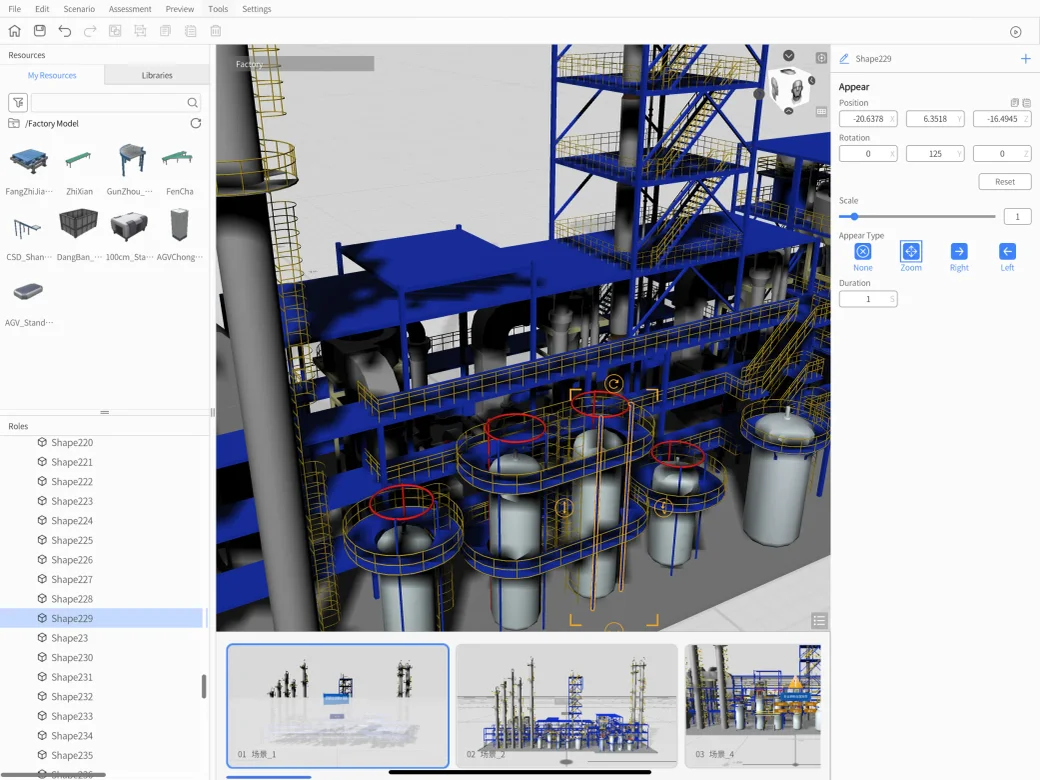
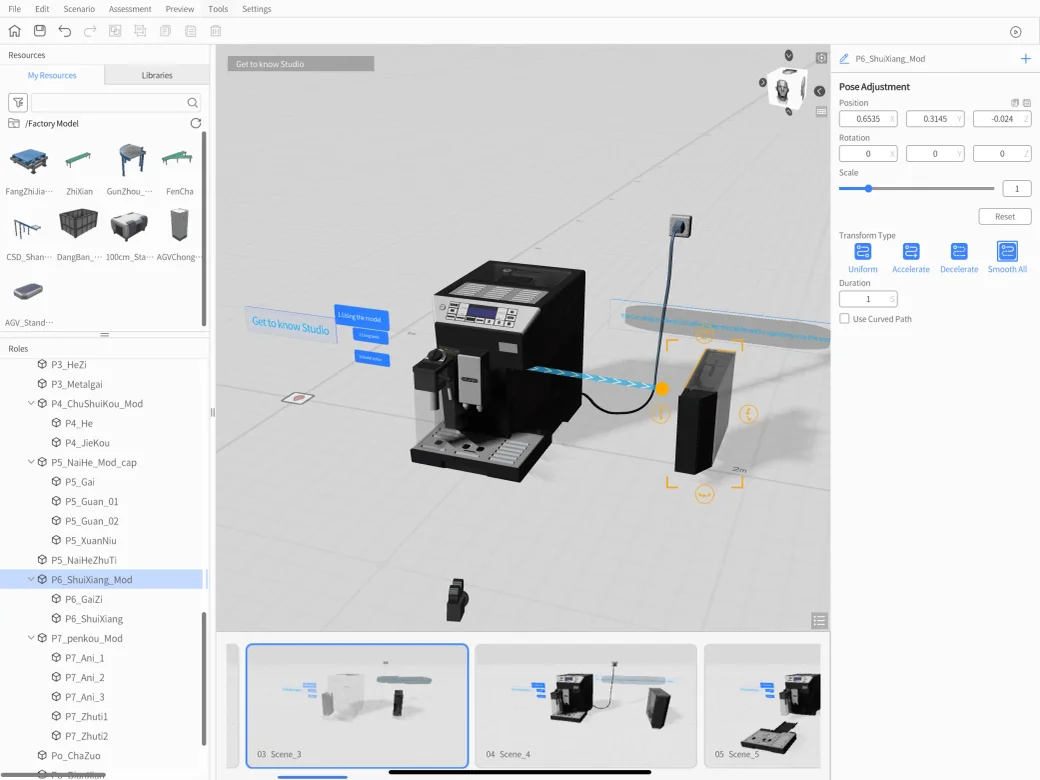
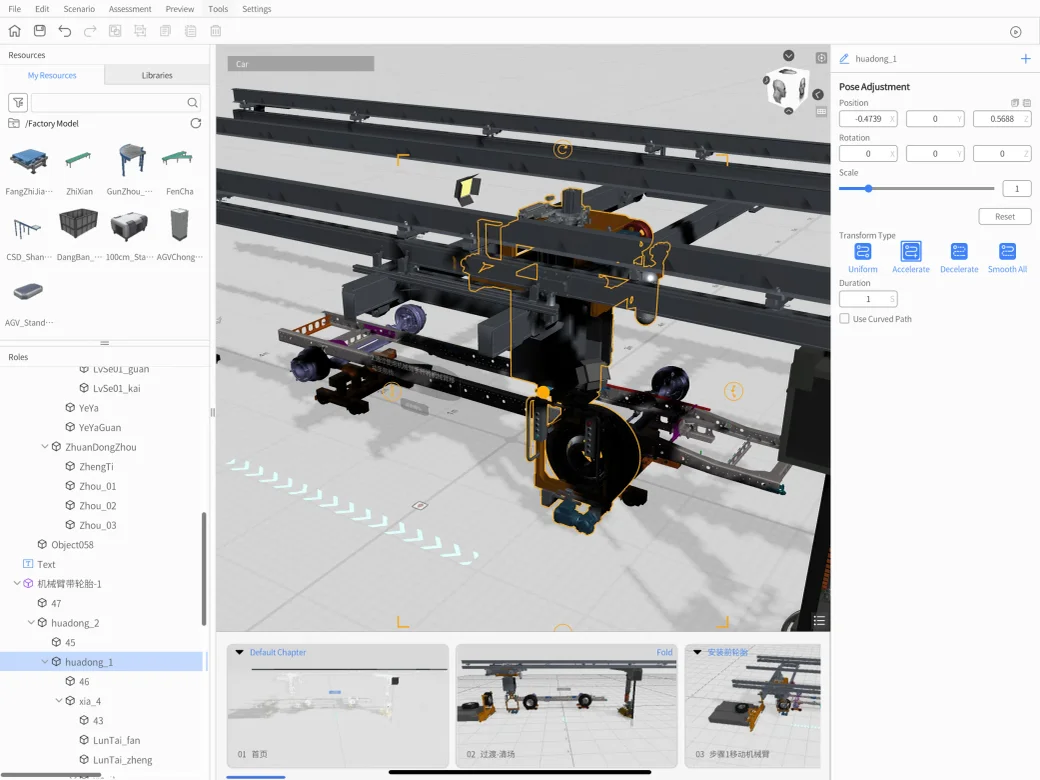
DataMesh Studio is a zero-code 3D+XR content creation tool that simplifies the process for non-experts to quickly create impressive mixed reality content. It lowers technical barriers, boosts content production efficiency, and shortens the gap between ideas and reality. Together with DataMesh One (for content display and collaboration), it forms DataMesh Director—a powerful process design and training tool that significantly improves communication and training efficiency.
----- Key Features of DataMesh Studio -----
[PPT-Style Editing]
Drag-and-drop editing makes it easy to learn. Insert tags, animations, and videos effortlessly to quickly create 3D training materials, operational guides, and product displays, reducing production costs.
[One-Click Model Disassemble and Sectioning]
Supports one-click disassemble and section animations for complex 3D models, providing clear visibility into internal structures and layouts.
[Rich Special Effects Tools]
Various special effects tools to visualize abstract, intangible, or invisible concepts, bridging the gap between imagination and reality.
[One-Click Multi-Language Translation]
With the enterprise-level generative AI tool FAI, text content can be translated with a single click during scenario editing (requires FAI access), meeting global multilingual needs.
[Seamless Integration of Various 3D Formats]
Supports multiple 3D model formats including FBX, GLB, OBJ, STL, 3MF, and PLY, allowing immediate reuse of existing digital resources.
----- Application Scenarios -----
[Educational Training]
Combines fast 3D content editing with practical demonstrations for effective teaching and vocational training, reducing costs by using virtual devices instead of real ones.
[After-Sales Support]
Enhances service experiences with combined virtual and real product demonstrations, optimizing both cost and efficiency.
[Maintenance Guidance]
Precise 3D models and step-by-step instructions ensure efficient and accurate maintenance of equipment and facilities.
[Marketing Display]
Large-scale mixed reality (MR) experiences for comprehensive 3D displays of product variations, suitable for various large exhibition scenarios.
[Remote Collaboration]
Multi-device MR remote collaboration and design with synchronized 3D content, reducing ineffective communication.
----- Contact Us -----
DataMesh Official Website: www.datamesh.com
Follow Us on WeChat: DataMesh
Service Email: service@datamesh.com
Novedades
Versión 8.1.0 · 12/6/2026
1. Improved Scenario Resource Management: Scenario export workflow optimized. Advanced resources are now automatically included with scenario content, simplifying preparation and speeding up content loading.
2. Enhanced Visual Presentation: Textbox, Tag, Button, and IoT panel now support custom background images, enabling diverse visual expression and more flexible content creation.
3. Upgraded Animation Control: New model animation state setting allows “Hold on Last Frame” mode, ensuring smooth transitions and richer interactive scene sequences.
4. Optimized Content Management: Local scenario import now saves resources and scenario files together; filtering tools enhanced for faster and easier content retrieval.
5. Improved Element Editing Accuracy: Both grouped and individual elements now display position and rotation data in real time per scene, with optimized rotation controls for precise scene composition.
6. Enhanced Personalized Editing Experience: New Preferences panel integrates Language, Appearance, and Rendering Quality settings; adds Selection Mode and Rotation Mode options. Rotation Mode now supports switching between Fixed Axis and View-Based rotation to match different editing requirements.
7. Additional Performance and Usability Improvements: Overall interface and workflow enhancements for a smoother experience.
8. Bug Fixes: Resolved known issues for improved stability.
Privacidad de la aplicación
Lo que DataMesh, Inc. declara en App Store sobre cómo esta aplicación gestiona los datos.
-
No se recopilan datos
El desarrollador no recopila ningún dato de esta aplicación.
Las prácticas de privacidad pueden variar, por ejemplo, según las funciones que uses o tu edad.
Información
- Vendedor
- DataMesh, Inc.
- Categoría
- Productividad
- Versión
- 8.1.0
- Actualizado
- 12/6/2026
- Publicado
- 30/7/2020
- Tamaño
- 473,5 MB
- Requiere
- iOS 12.0 o posterior
- Clasificación por edad
- 17+
- Precio
- Gratis
- Idiomas
- Inglés
- Copyright
- © DataMesh, Inc.
Quizá también te guste
-
 Dimensions - AR for BIMProductividad
-
 NotateProductividad
-
 AgileAssets Materials ManagerProductividad
-
 ProofivyProductividad
-
 RADii ViewerProductividad
-
 Lumis 3DProductividad
-
 Skein NotesProductividad
-
 AppIdeasAppKeep track of your app ideas
-
 Manifest for iPadProductividad
-
 Building X Lifecycle TwinProductividad