
- Clasificación por edad4+
- CategoríaViajes
- DesarrolladorYOUCHEN LIU
- IdiomasInglés
- Tamaño40,1 MB
Enlaza a la página oficial de App Store
Download.org no aloja ningún archivo de Devil's Chariot. El botón abre la página de la aplicación en App Store, donde la publica YOUCHEN LIU. Ficha comprobada por última vez el 14/11/2026.
Capturas de pantalla
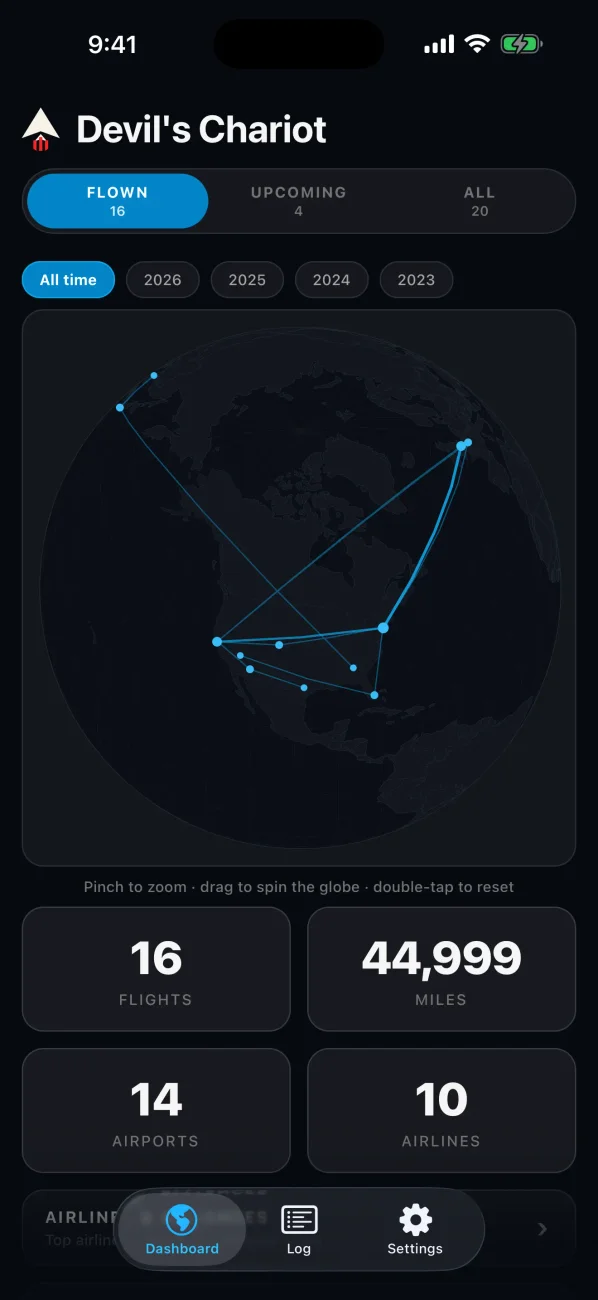
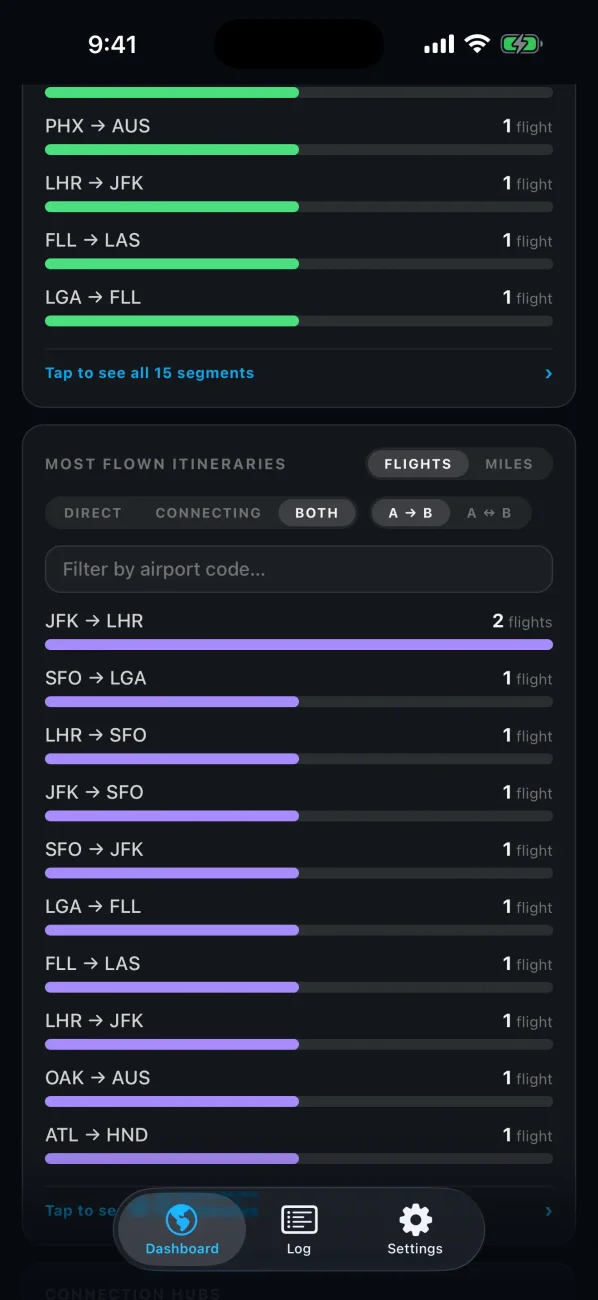
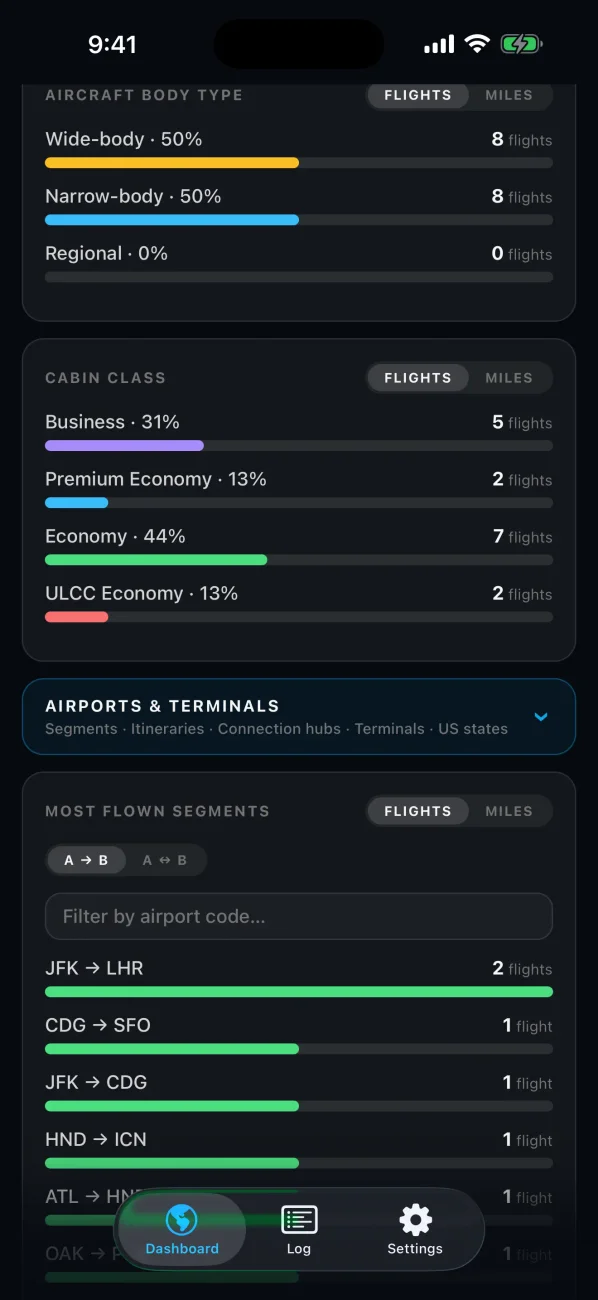
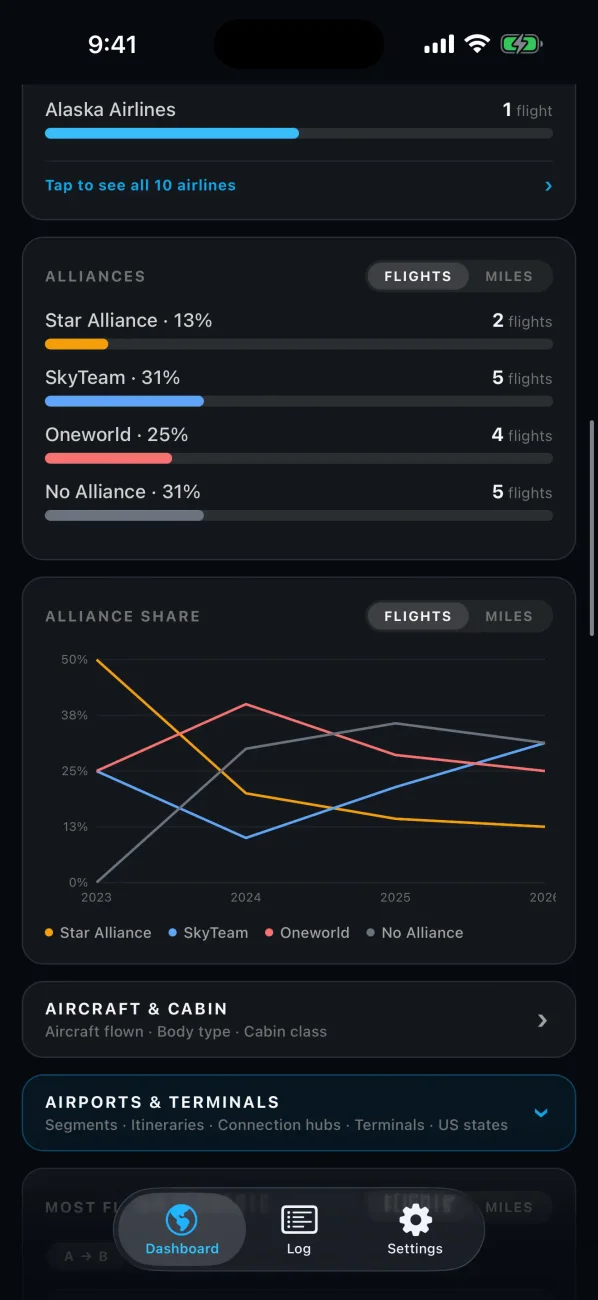
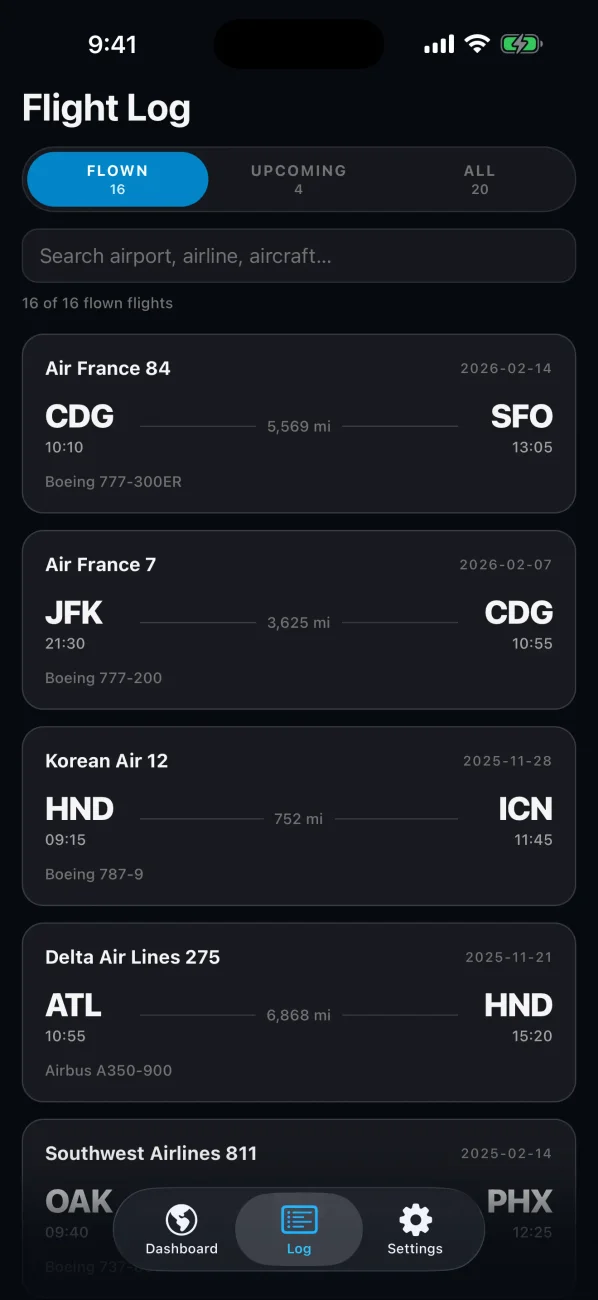
Acerca de
El desarrollador no ha proporcionado este texto en tu idioma.
Devil's Chariot analyzes a Flighty CSV export. It imports your flight history
and breaks it down into rankings, charts and maps, on the device, with no
account and no network connection.
The focus is on derived statistics rather than the log itself: itineraries
reconstructed from connecting legs, alliance share over time, hub and terminal
rankings, aircraft body types, cabin class including budget carriers, red-eyes,
and travel pacing.
SEGMENTS AND ITINERARIES
Both are counted. A segment is one operated leg. An itinerary is a complete
journey from origin to final destination, reconstructed by joining legs across
layovers of up to eight hours. SFO to DEN to LGA is two segments and one
itinerary. Segments and itineraries are ranked separately, and direct and
connecting itineraries are listed on their own as well.
FLIGHTS OR MILES
Every ranked panel switches between the two. Airlines, aircraft, routes, cabin
classes and alliances can each be sorted by how often you flew them or by how
far.
BREAKDOWNS
• Alliances: Star Alliance, SkyTeam, Oneworld and unaligned carriers, with each
alliance's share plotted year over year
• Connection hubs, ranked by layovers rather than departures
• Terminals, ranked by visits
• Aircraft by body type: wide-body, narrow-body and regional, each expanding to
the individual models
• Cabin class, counting budget-economy carriers separately from full-service
economy
• Red-eyes, ranked as their own route list
• US states you have landed in, ranked by how many airports in each
• Year-to-date pacing, compared against previous years
• Flight frenzy: the rolling window in which you flew the most
• Flights by year, and cumulative totals over time
MAP
Routes draw on a rotating globe. Drag to spin, pinch to zoom. Upcoming flights
render in green alongside flights already taken.
FILTERS
Switch between Past, Upcoming and All, or select a single year. Every panel and
the globe re-scope together, so all figures describe the same set of flights.
OFFLINE AND PRIVATE
The app makes no network connections. There is no account, no sign-up and no
analytics. The airport dictionary, map geometry and all calculations are
bundled in the app, so every screen works without a connection. Flight data is
stored on the device only. Deleting the flights in Settings, or deleting the
app, removes it entirely.
IMPORTING
Export a CSV from Flighty: Settings → Account Data → Export your Flights.
Flighty emails you the file; save it to Files and import it in the app. Any CSV
with the same column headers will import.
Try with Sample Data loads a complete example logbook if you want to see the
app before importing your own.
Devil's Chariot is an independent app. It is not affiliated with, endorsed by,
or connected to Flighty.
Novedades
Versión 1.2 · 20/10/2026
NEW AIRLINES AND NEW AIRPORTS
Two new panels show the airlines and airports you flew for the first time,
year by year. Pick a year to see each one and the flight it came on, or tap a
year on All time to open its list.
IMPORTING A NEWER EXPORT
Importing a newer Flighty export now makes the app match it. New flights are
added, changed flights are updated, and flights no longer in the export are
removed. The app asks first, and says how many flights it will add and remove.
Removing a flight also removes any cabin correction on it. Your airline status
history is never removed. Export your full logbook from Flighty each time.
ALSO
• Try with Sample Data includes booked flights again, through December 2027.
• Settings → Support explains what happens when you import again.
Privacidad de la aplicación
Lo que YOUCHEN LIU declara en App Store sobre cómo esta aplicación gestiona los datos.
-
No se recopilan datos
El desarrollador no recopila ningún dato de esta aplicación.
Las prácticas de privacidad pueden variar, por ejemplo, según las funciones que uses o tu edad.
Información
- Vendedor
- YOUCHEN LIU
- Categoría
- Viajes
- Versión
- 1.2
- Actualizado
- 20/10/2026
- Publicado
- 2/9/2026
- Tamaño
- 40,1 MB
- Requiere
- iOS 16.4 o posterior
- Clasificación por edad
- 4+
- Precio
- Gratis
- Idiomas
- Inglés
- Copyright
- © 2026 Youchen Liu
Quizá también te guste
-
 Contrails: Diario de VuelosTus vuelos en un mapa
-
 Seat 12A: Tu mundo voladoTodos tus vuelos en un globo
-
 TraziaDiario de viajes y globo 3D
-
 Estadísticas vuelo FlightblogEstadísticas para viajeros
-
 Wanderinga – Diario de viajeMapa de países visitados y GPX
-
 Flair: Share Your TravelsViajes
-
 SkyLog: Flight LogbookViajes
-
 Wanderlist: Track Your TravelsViajes
-
 Skyline: Registro de Vuelos yEscanea pases. Mapea vuelos.