Dipole ck
Track Wi-Fi & cellular data
Diseñada para iPhone
Gratis · Compras en la aplicación
- Clasificación por edad4+
- CategoríaUtilidades
- DesarrolladorChristian Krause
- IdiomasAlemán+ 1 más
- Tamaño3,4 MB
Enlaza a la página oficial de App Store
Download.org no aloja ningún archivo de Dipole ck. El botón abre la página de la aplicación en App Store, donde la publica Christian Krause. Ficha comprobada por última vez el 9/11/2026.
Capturas de pantalla



Acerca de
El desarrollador no ha proporcionado este texto en tu idioma.
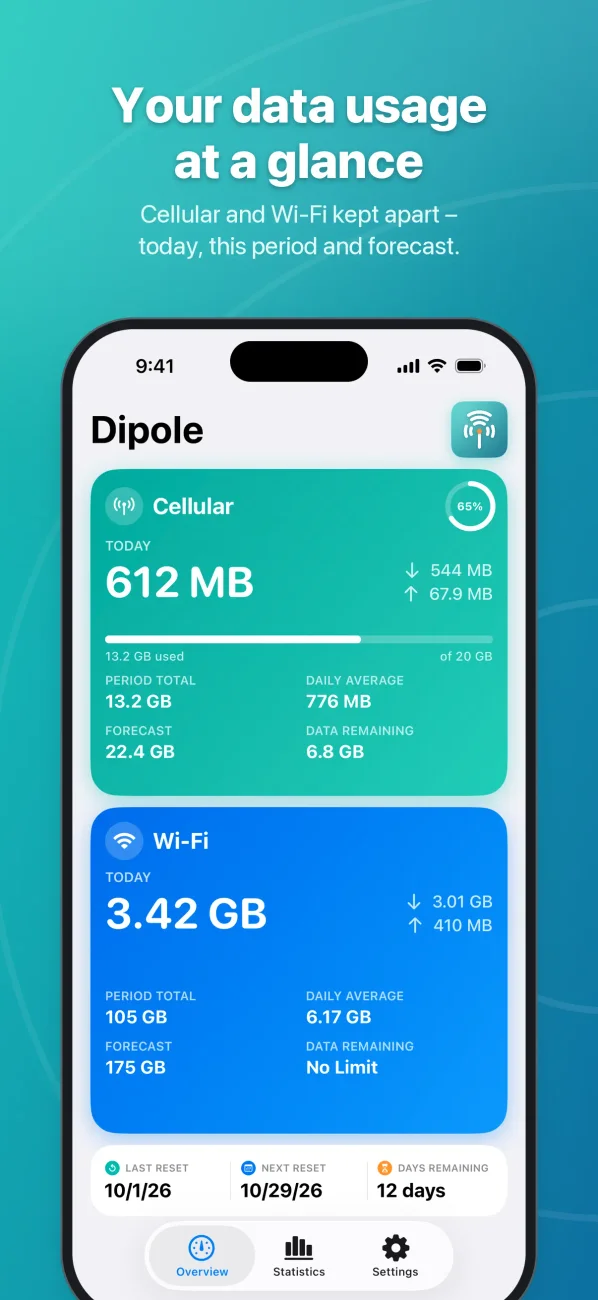
Dipole shows you how much data you are really using – separated by cellular and Wi-Fi, by download and upload, for today and for your entire billing period.
A PERIOD THAT MATCHES YOUR PLAN
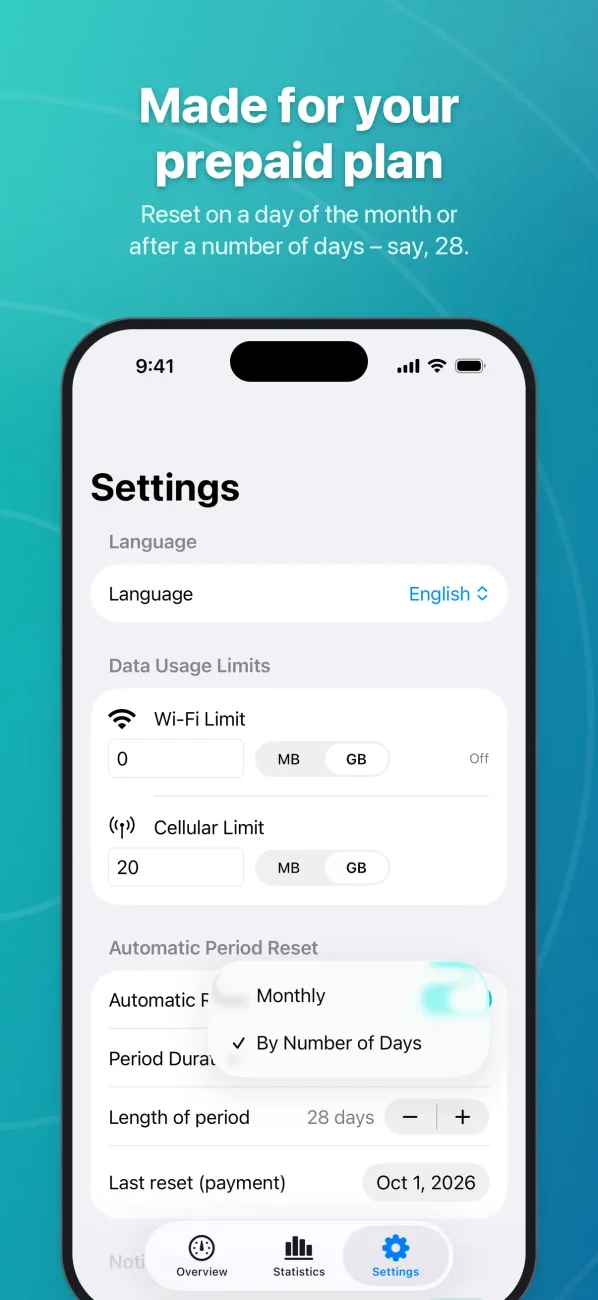
Most data counters can do one thing: reset on the 1st of the month. Dipole does both.
• Monthly on any day you choose, from 1 to 31 • By number of days – 7, 28, 30 or whatever your plan uses, starting from a date you pick
This is exactly where most apps fall short: prepaid plans almost never follow the calendar month. A 28-day bundle drifts forward a little every month. Dipole follows that drift and always shows you the real current period, the days remaining and the date of the next reset.
THE OVERVIEW
Two large tiles, one for cellular and one for Wi-Fi, each showing: • Today's usage, split into download and upload • Total usage in the current period • Daily average • A forecast for the end of the period, based on your last 30 days • Data remaining until your limit
Below that you see at a glance when the last reset happened, when the next one is due and how many days are left.
STATISTICS
Bar charts by day, month and year. Filter by connection (all, Wi-Fi, cellular) and by direction (all, uploads, downloads), with total, average and maximum. Page back as far as Dipole has data.
LIMITS AND WARNINGS
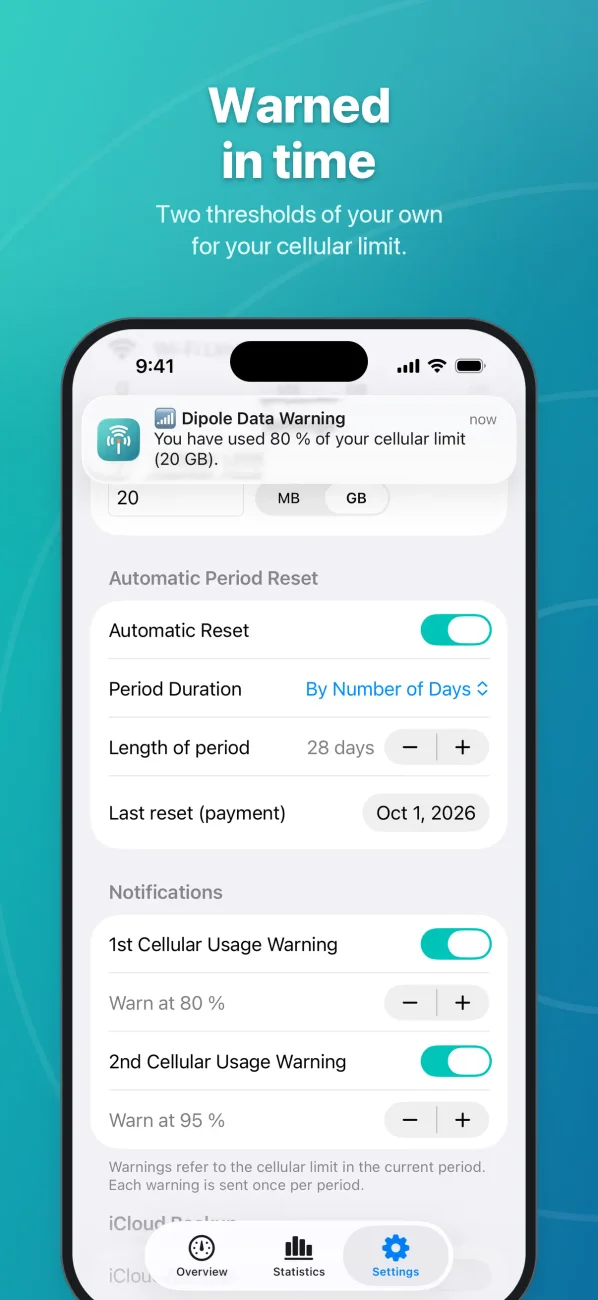
Enter your data limit for cellular and Wi-Fi in MB or GB. Dipole shows a progress ring and a bar, and sends you a notification when you reach two freely chosen percentage thresholds of your cellular limit – say 80 % and 95 %. Each warning is sent once per period, not more.
WIDGETS
Five home screen widgets: Today's Usage, Current Period, Remaining Data, Next Reset, and a configurable Overview widget where you choose whether it shows cellular, Wi-Fi or both.
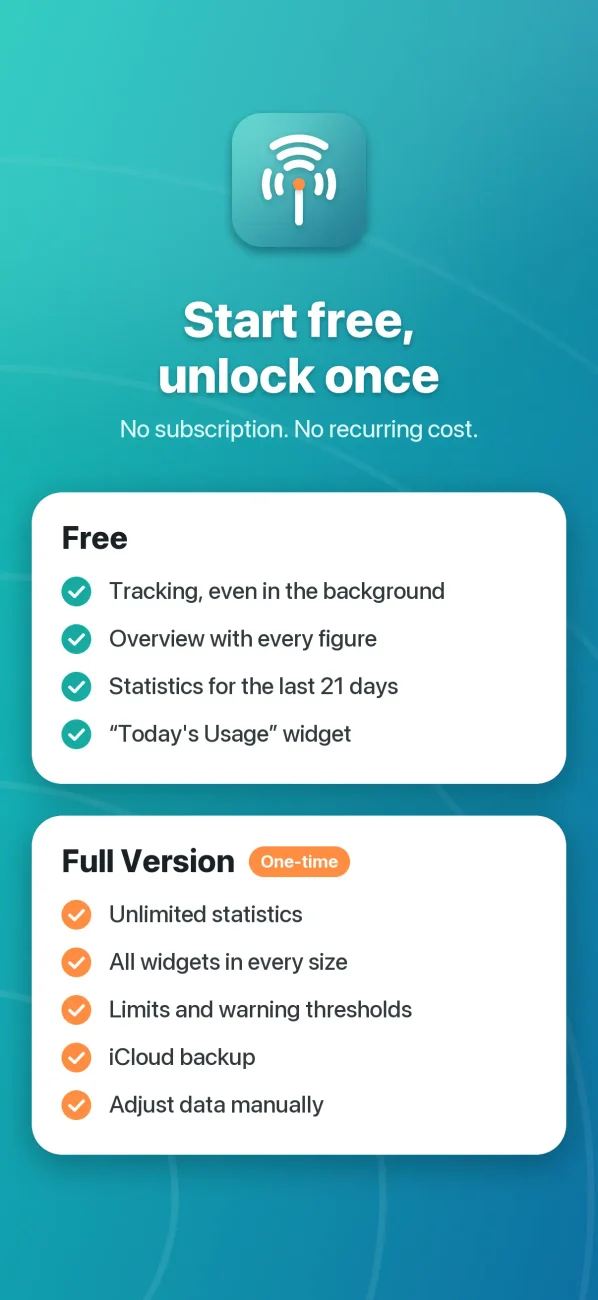
WHAT DIPOLE DOES FOR FREE
• Full tracking, permanently and in the background • The complete overview with both tiles, every figure and the reset dates • Statistics for the last 21 days • The small "Today's Usage" widget
Tracking runs in full from day one. Unlock later and your entire history is there retroactively – nothing is lost.
FULL VERSION – ONE PURCHASE, NO SUBSCRIPTION
• Statistics without limits: months, years and paging back through the past • All five widgets in every size, including the configurable Overview widget • Limits with progress display and the two warning thresholds • iCloud backup, automatically on launch, daily or weekly • Adjust usage data manually, for example when you switch plans mid-month
One purchase, unlocked for good, no subscription, no recurring cost.
GERMAN AND ENGLISH
You can switch the language inside the app, independently of your system language.
GOOD TO KNOW
Dipole counts from the moment you install it. Figures can differ from your carrier's or from iOS Settings, because those counters started at a different time and partly count differently. For your own overview and for spotting trends Dipole is exactly what you need – it is not meant as evidence for disputing a bill.
PRIVACY
Dipole measures entirely on your iPhone. No servers, no account, no sign-in, no tracking, no ads. Your data leaves the device only if you turn on iCloud backup yourself – and then only into your own iCloud.
Novedades
Versión 1.4 · 6/11/2026
• Redesigned statistics: date, bar and amount now line up in a single row and are much easier to read.
• Dates and amounts in the statistics follow your iOS text size.
• Improvement for iPhone Duo: the overview now has enough space at the top when folded.
Privacidad de la aplicación
Lo que Christian Krause declara en App Store sobre cómo esta aplicación gestiona los datos.
-
No se recopilan datos
El desarrollador no recopila ningún dato de esta aplicación.
Las prácticas de privacidad pueden variar, por ejemplo, según las funciones que uses o tu edad.
Información
- Vendedor
- Christian Krause
- Categoría
- Utilidades
- Versión
- 1.4
- Actualizado
- 6/11/2026
- Publicado
- 4/9/2026
- Tamaño
- 3,4 MB
- Requiere
- iOS 26.0 o posterior
- Clasificación por edad
- 4+
- Precio
- Gratis
- Compras en la aplicación
- Sí
- Idiomas
- Alemán, Inglés
- Copyright
- © Christian Krause
Quizá también te guste
-
 PegeluhrUtilidades
-
 DeviceDoc: Device CheckUtilidades
-
 Never Late - ADHD AlarmAlarma TDAH contra la tardanza
-
 Simple: Convertidor de MonedaMulti moneda, tasas offline
-
 Gastos FixLiquidación de gastos fácil
-
 RideHorn - Remote Riding HornUtilidades
-
 GigaGuard: Consumo de DatosMulti-SIM, sin login operador
-
 Adblocker *Utilidades
-
 Urlaubsplaner ProUtilidades
-
 Data Monitor: Track & SaveUtilidades